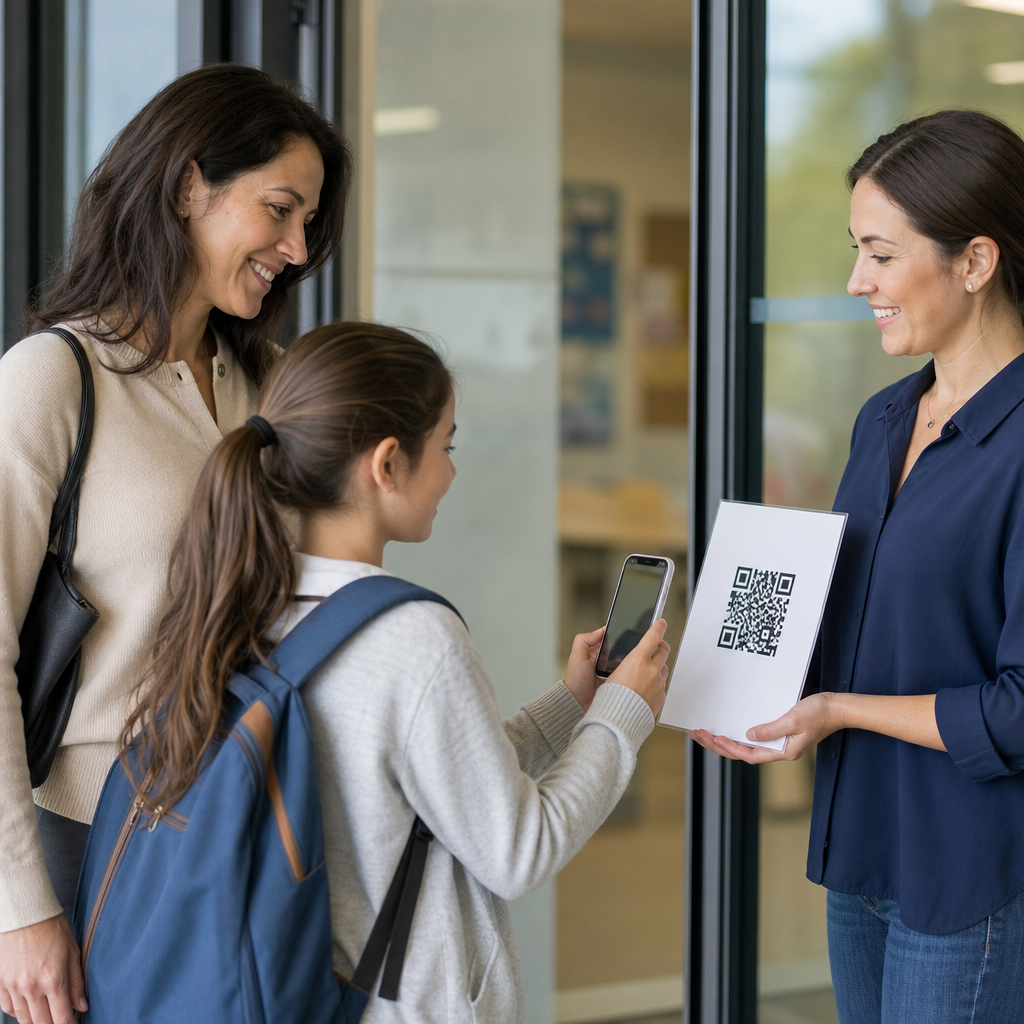
QR codes have become a practical bridge between physical classrooms, digital course materials, and mobile-first student habits, making them especially valuable in online learning. A QR code, or quick response code, is a two-dimensional barcode that stores a link, file location, text string, or action prompt that a phone camera can open instantly. In education, that simple scan removes friction: students move from a worksheet to a video, from a slide deck to a quiz, or from a printed lab guide to a safety checklist in seconds. I have seen adoption rise fastest when teachers stop treating QR codes as novelty graphics and start using them as access infrastructure. They matter because online learning succeeds or fails on access, clarity, and engagement. If students need too many clicks, passwords, or navigation steps, participation drops. Well-planned QR code use shortens those paths, supports blended instruction, and helps schools connect synchronous sessions, asynchronous tasks, assessments, and student support resources in one consistent system.
In the education sector, QR codes support more than convenience. They can improve attendance workflows, content distribution, multilingual communication, differentiated instruction, and family outreach. They also work across age groups. In K-12 settings, a code can launch read-aloud audio, digital manipulatives, or behavior check-in forms. In higher education, it can link students to LMS modules, office-hour booking pages, research databases, or lab simulations. For workforce training and continuing education, QR codes often sit on job aids, printed manuals, and classroom signage to connect learners with microlearning. The key term here is contextual access: delivering the right resource at the exact moment of need. That is why QR codes deserve a hub-level discussion within education. Used strategically, they support instruction, administration, and student services while fitting into existing platforms such as Google Classroom, Canvas, Moodle, Blackboard, Microsoft Teams, and Zoom.
What QR Codes Do Well in Online Learning
The strongest use case for QR codes in online learning is reducing access friction. When I implement them for educators, I start by mapping where students lose momentum. Common failure points include long URLs, buried resources inside an LMS, repeated login prompts, and confusion between class sections. A QR code cannot solve bad course design, but it can remove unnecessary steps. For example, a teacher can place a code on a weekly planner that opens the exact module for that week. A university instructor can display one at the end of a lecture that sends students to the exit ticket form. A training manager can print a code on a workbook that launches a short recap video hosted in the course portal.
QR codes also improve continuity between offline and online moments. That matters in education because learning rarely stays in one channel. Students still use notebooks, handouts, textbooks, whiteboards, and classroom walls even in digital-first programs. By placing QR codes on those materials, educators create durable pathways into online content without asking learners to search manually. In plain terms, a paper object becomes a clickable object. This is especially effective for hybrid classes, flipped learning, station rotation, and project-based learning, where students shift constantly between formats and locations.
Core Education Use Cases Across K-12, Higher Education, and Training
In K-12 education, QR codes are most effective when they support independence and routine. Teachers use them to link to phonics audio, homework help videos, digital reading logs, and classroom expectations. A primary teacher might attach codes to take-home reading folders so families can open pronunciation support in their home language. A middle school science teacher can add a code to each lab station that opens the procedure, timer, and safety reminders. A high school teacher can put review codes on anchor charts so students revisiting a topic before exams can jump directly to practice sets. These uses help students self-serve rather than wait for repeated directions.
In colleges and universities, QR codes often support scale. Large lecture courses benefit from quick links to polls, attendance forms, discussion boards, and supplemental readings. Student services teams use them in libraries, advising centers, and orientation events to connect students with maps, appointment systems, and support forms. I have also seen faculty use dynamic QR codes in printed syllabi so office hours, policy updates, or assignment resources can change without reprinting documents. In professional training, codes commonly point to standard operating procedures, compliance modules, assessment checklists, and equipment tutorials, which is why they are widely used in healthcare education, manufacturing training, and field service onboarding.
Best QR Code Formats and When to Use Them
Not all QR codes serve the same purpose. URL codes are the most common because they open a webpage, LMS lesson, cloud file, or video. PDF codes work well for downloadable guides, worksheets, and reference sheets, though large files should be optimized for mobile devices. Form links are ideal for attendance, feedback, quizzes, and parent communication. Video links help with demonstrations and asynchronous instruction. Wi-Fi QR codes can simplify guest access in classrooms or training rooms, while plain-text codes can provide emergency information or short instructions where connectivity is weak.
Dynamic QR codes are usually the better choice for education because the destination can be updated without replacing the printed code. That matters when a teacher changes a resource, a district updates a family information page, or a university moves a file. Static codes still have value for permanent public information, but they become liabilities when links change. The practical rule is simple: use static codes for content that will not move, and dynamic codes for anything tied to an active course, school calendar, or support workflow. Reputable generators such as QR Code Generator, Bitly, and Beaconstac also provide scan analytics, which can help measure engagement with optional learning materials.
Implementation Planning: Design, Placement, and Access
Successful QR code deployment in education depends on execution details. The code must be large enough to scan easily, printed with strong contrast, and tested on multiple devices before release. As a working benchmark, a code on a handout should usually be at least 1 x 1 inch, while posters and wall displays need larger sizing based on viewing distance. Avoid placing codes on glossy surfaces that create glare or in corners where cameras crop awkwardly. Add a short label such as “Scan for Week 3 Quiz” or “Scan for Spanish Translation” so students know what to expect before opening it.
| Education goal | Recommended QR destination | Why it works |
|---|---|---|
| Daily attendance | Mobile-friendly form | Fast check-in with timestamped records |
| Homework support | Short teacher-made video | Reduces repeated explanations after class |
| Lab or workshop instruction | Step-by-step checklist page | Gives learners just-in-time guidance at task level |
| Family communication | Translated resource hub | Improves access for multilingual households |
| Student reflection | Exit ticket or survey form | Captures feedback while the lesson is still fresh |
Mobile access is the second planning priority. Every linked destination should load cleanly on a phone, require as few logins as possible, and present clear next steps. If students scan a code only to hit a desktop-only PDF, a permission error, or a cluttered LMS homepage, the code has failed. In schools with mixed device availability, provide a visible fallback short link beneath the code. Accessibility also matters. Screen-reader users may need equivalent links in the LMS, and visually impaired students benefit when instructors announce where the code leads. A QR strategy should reduce barriers, not create a new dependency that excludes part of the class.
Instructional Strategies That Improve Engagement
The most effective educators tie QR codes to a specific learning action, not just a resource dump. For instance, instead of placing five unlabeled codes on a worksheet, a teacher can sequence them: warm-up video, mini-lesson, guided practice, self-check, extension. That structure supports cognitive flow. In flipped learning, a code on a printed agenda can open the pre-class lecture and note template. During live online sessions, a presenter can show a code for a collaborative Jamboard alternative, a formative quiz in Kahoot or Google Forms, or a shared document for breakout room reporting. Each scan should answer the learner question, “What do I do next?”
QR codes also support differentiation. One code can lead to grade-level content, another to scaffolded review, and another to enrichment. In special education and multilingual classrooms, teachers often use codes to provide audio instructions, translated explanations, and repeatable demonstrations. This is one of the clearest advantages of the format: support can be offered discreetly without separating students publicly. In adult learning, the same principle applies to just-in-time review for learners returning to study after long gaps. When codes are aligned to instructional intent, they become a lightweight delivery mechanism for personalized pathways.
Privacy, Security, and Governance in Education Settings
Schools and institutions should treat QR codes as part of their digital governance model. The main risk is not the code itself but the destination. If a code points to a public file containing student information, an unrestricted form, or a compromised website, the exposure can be serious. Follow FERPA obligations in the United States and equivalent student privacy rules elsewhere by keeping sensitive content behind authenticated systems when required. Avoid placing student names, grades, or meeting links in open QR destinations. If a code opens a form, restrict permissions, limit data collection to what is necessary, and review sharing settings regularly.
Security hygiene should include link ownership, naming conventions, and maintenance schedules. I recommend keeping QR assets in a central document with destination URLs, owners, purpose, and review dates. Districts and universities should standardize approved generators and require HTTPS destinations. If a campaign or class ends, retire or redirect the code rather than leaving it unresolved. Governance sounds administrative, but it has direct instructional value: students trust the system more when every code works, opens quickly, and leads to the promised resource. That reliability is what turns QR codes from a gimmick into sustainable education infrastructure.
QR codes work best in online learning when they are intentional, mobile-friendly, and tied to a clear educational outcome. They help educators reduce friction, connect printed and digital materials, support differentiated instruction, and improve access to assessments, communication, and student services. Across K-12, higher education, and training, the pattern is consistent: the most successful implementations use dynamic links, plain labels, strong testing, and secure destinations. They do not replace sound course design, but they make good design easier for students to follow.
For education teams building a stronger digital learning experience, QR codes are one of the simplest tools with the fastest payoff. Start with one high-value workflow such as attendance, weekly modules, family resources, or exit tickets, then expand based on scan data and student feedback. As this education hub grows, use it as your starting point for deeper articles on classroom engagement, LMS integration, accessibility, student support, and secure deployment. Choose one learner pain point today, map the shortest path to the answer, and turn that path into a QR code.
Frequently Asked Questions
What are QR codes, and why are they useful in online learning?
QR codes, or quick response codes, are scannable two-dimensional barcodes that let students open digital content instantly with a phone or tablet camera. In online learning, they are useful because they reduce the number of steps required to access course materials. Instead of asking students to type a long URL, search through a learning platform, or download files manually, an instructor can provide a single code that takes learners directly to a quiz, video lesson, assignment page, shared document, discussion board, or feedback form.
This convenience matters because online learning often depends on smooth transitions between tools and resources. QR codes act as a practical bridge between physical and digital learning environments, which is especially valuable in blended courses, mobile-first education, and remote instruction. For example, a student can scan a code on a printed worksheet to watch a supporting lesson, open a lab simulation, or submit completed work. Instructors can also use QR codes to connect presentation slides to supplementary readings, attendance forms, office hour links, or classroom announcements. The result is less friction, faster access, and a more connected learning experience.
How can teachers use QR codes effectively in online and blended courses?
Teachers can use QR codes in many practical ways to improve navigation, engagement, and access to learning materials. One of the most effective approaches is to place QR codes wherever students naturally interact with content. That could include lesson slides, digital handouts, printed study guides, classroom posters, assignment sheets, or email newsletters. Each code should point to a specific action or resource, such as a recorded lecture, a formative quiz, a collaborative whiteboard, a vocabulary review game, a course module, or a sign-up form for support sessions.
QR codes are especially effective when they serve a clear instructional purpose. For example, a teacher might add a code to a lesson summary that links to extension practice for advanced learners, or include a code in a remediation packet that opens a short tutorial video. In flipped learning, students can scan a code to access pre-class content. In project-based learning, a code can connect students to research resources, rubrics, or peer evaluation forms. In assessment, teachers can attach codes to answer keys, reflection prompts, or self-check activities.
To use QR codes well, instructors should label them clearly so students know what they are scanning and why it matters. A short description such as “Scan to open today’s quiz” or “Scan to watch the lab demo” makes the experience much more intuitive. It is also important to test every code before sharing it, make sure linked materials are mobile-friendly, and avoid sending students through unnecessary layers of logins or menus. When used intentionally, QR codes become a simple but powerful way to streamline course access and support a more flexible learning environment.
What types of content can be linked through QR codes in education?
QR codes can link to a wide range of educational content, which is one reason they are so adaptable in online learning. The most common use is linking to web pages, but in practice they can connect students to almost any digital resource that supports instruction. This includes recorded lectures, live meeting links, learning management system pages, quizzes, surveys, shared folders, digital textbooks, slide presentations, interactive simulations, discussion prompts, and assignment submission portals.
They can also be used for media-rich and student-centered learning experiences. For instance, a code can open an audio pronunciation guide in a language course, a demonstration video in a science unit, a virtual museum tour in history, or a portfolio page showcasing student work. Teachers may also use QR codes to provide differentiated learning paths, where one code links to foundational review and another links to enrichment activities. Instructors can even generate codes for plain text, contact information, calendar events, or Wi-Fi credentials when relevant to course logistics.
The most effective content is content that students need quickly and repeatedly. If a resource is difficult to locate, often used on mobile devices, or tied to a specific moment in instruction, it is a strong candidate for a QR code. The key is to match the code to a real learning need rather than using it as a novelty. When the linked content is relevant, easy to access, and clearly explained, QR codes can support both efficiency and engagement.
Are QR codes accessible and secure for students to use?
QR codes can be both accessible and secure, but they need to be implemented thoughtfully. From an accessibility standpoint, not every student uses a smartphone in the same way, and not every learner has equal access to mobile devices, camera functions, or reliable internet. Because of that, QR codes should never be the only way to access essential course content. Best practice is to provide the direct link in text form alongside the code and to include a short explanation of what the resource is. This supports students using screen readers, desktop devices, school-managed hardware, or alternative assistive technologies.
Design also matters. QR codes should be large enough to scan easily, displayed with sufficient contrast, and placed in uncluttered layouts. If they appear in slides or printed materials, instructors should test them from the student perspective, including on smaller screens. If students are expected to scan codes frequently, teachers may also want to offer a quick orientation so everyone understands how to use them confidently.
On the security side, QR codes themselves are not dangerous, but the links they contain must be managed responsibly. Teachers should only use trusted destinations, avoid linking to unsecured or unfamiliar third-party sites, and make sure any platform handling student data complies with school or institutional policies. Dynamic QR code tools can be convenient because they allow links to be updated later, but educators should choose reputable providers and review privacy terms carefully. In short, QR codes are safe and effective when they are transparent, well-tested, and backed by accessible alternatives.
What are the best practices for creating QR codes for course materials?
Creating effective QR codes for course materials starts with clarity and purpose. Before generating a code, decide exactly what student action it should support. A good QR code should solve a specific access problem, such as helping students reach a quiz faster, open a required reading, join a live session, or view a tutorial at the right moment in the lesson. If the instructional goal is vague, the code is less likely to add value.
Once the purpose is clear, use a reliable QR code generator and link to a stable, mobile-friendly destination. Shorter, cleaner links often scan more reliably, especially when printed at smaller sizes. Label every code with a clear call to action, such as “Scan to submit your assignment” or “Scan to review key concepts.” Without context, students may ignore the code or hesitate to use it. It is also smart to organize codes consistently across a course so learners know what to expect. For example, you might use QR codes only for review resources, only for assignments, or only for optional extensions.
Always test QR codes on multiple devices before publishing them. Check that the destination opens correctly, loads quickly, and does not require students to navigate through confusing menus. If the code appears in print, make sure it is large enough and not distorted. If it appears on a screen, ensure there is enough whitespace around it to improve scan accuracy. For long-term resources, consider dynamic QR codes so you can update the destination without reprinting materials. Finally, provide a backup link and monitor how students respond. The best QR code strategy is simple, reliable, and aligned with how students actually learn and access content.