
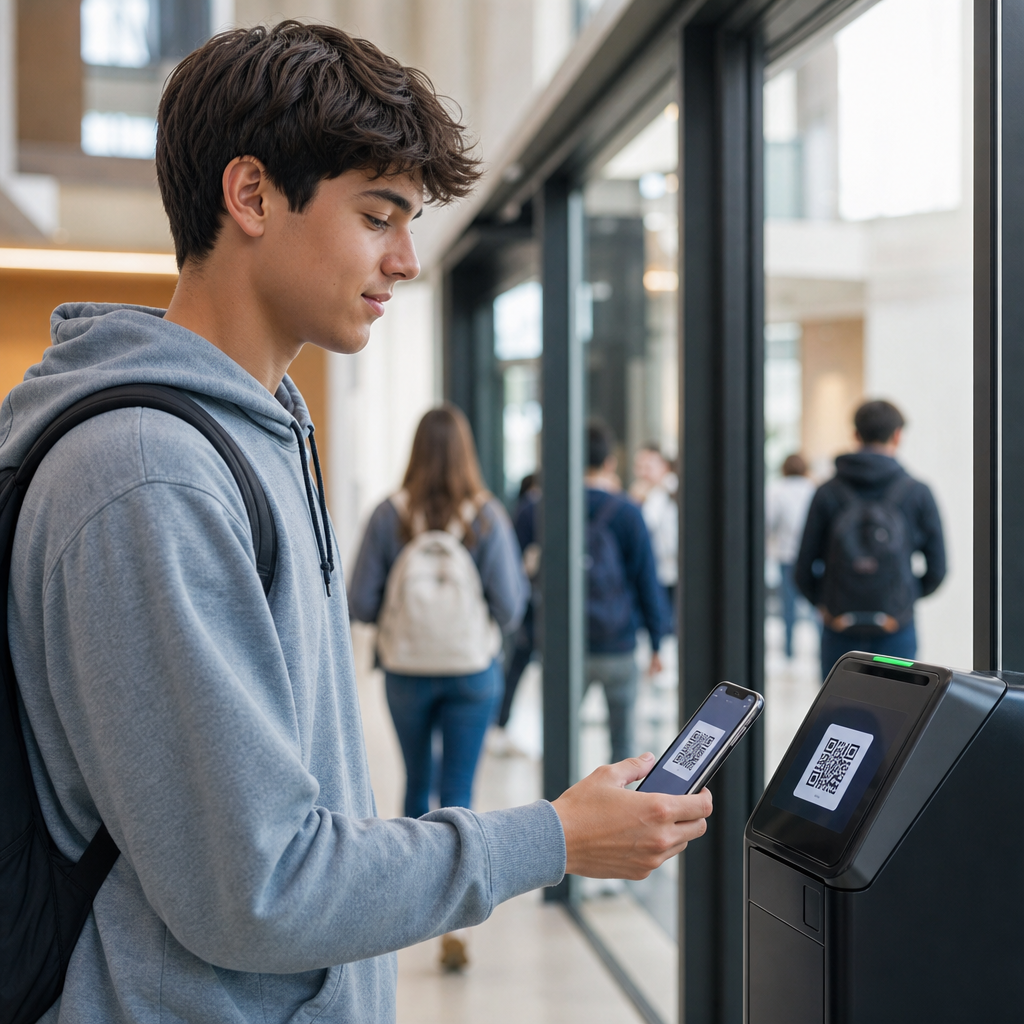
QR codes for student ID and access control have become a practical foundation for modern campus operations, giving schools a faster way to verify identity, manage building entry, and connect physical spaces with digital systems. In education, a student ID is more than a card; it is a credential tied to attendance, library borrowing, meal plans, printing quotas, residence halls, transportation, and event access. Access control refers to the rules and technologies that determine who can enter a location or use a service, at what time, and under what conditions. When schools replace or supplement magnetic stripe cards, barcodes, or manual check-ins with QR codes, they gain lower hardware costs, easier mobile delivery, and quicker deployment across departments.
I have worked with institutions that started with QR-based event ticketing and expanded into full campus identity workflows because the underlying advantages are straightforward. A QR code can be printed on a plastic badge, displayed in a student app, embedded in a PDF admission pass, or issued temporarily to visitors and substitute staff. Standard smartphone cameras read it, front-desk scanners process it, and cloud platforms can validate it against live enrollment data. That flexibility matters in education because schools rarely operate as one environment. A K-12 district manages buses, cafeterias, and parent pickup. A university manages labs, dorms, recreation centers, and testing facilities. The same identity layer must serve all of them reliably.
This matters because educational institutions face competing demands: they need strong security, reasonable budgets, good student experience, and administrative systems that work across fragmented software stacks. QR codes help bridge those demands when implemented correctly. They simplify issuance, reduce replacement friction, and create clear audit trails for who entered where and when. They also support contactless workflows, which became mainstream during the pandemic and stayed because they are efficient. For schools building a broader education identity strategy, QR codes sit at the center of connected articles on attendance tracking, visitor management, library circulation, campus events, and mobile credentials.
How QR codes work for student identity on campus
A QR code used as a student ID is a machine-readable token linked to a person’s record in a student information system, identity provider, or access management platform. In the strongest implementations, the code does not simply expose the student number in plain text. Instead, it contains a signed token, rotating identifier, or encrypted reference that points to a validated record in the backend. When scanned, the access system checks the code’s status, the user’s privileges, and any contextual rules such as time of day, location, or current enrollment. This is why a QR code can function as a real credential rather than just a visual label.
Schools usually deploy QR student IDs in one of two ways. The first is static issuance: a code is printed on a card and remains unchanged for a semester or academic year. This is simple and inexpensive, often suitable for library checkouts, classroom attendance, and low-risk areas. The second is dynamic issuance: a code is generated in a mobile app and changes every few seconds or minutes, similar to airline boarding passes or secure wallet credentials. Dynamic QR codes are far better for higher-risk use cases such as dormitory entry, testing centers, and after-hours building access because screenshots and copied images are less useful.
In practice, integration determines success. A district using PowerSchool or Infinite Campus can connect QR IDs to attendance and lunch balances. A university using Banner, Ellucian, or Workday Student can sync provisioning with registration status, course rosters, and residence assignments. Access control platforms such as HID, Genetec, LenelS2, and Kisi increasingly support mobile and QR-based workflows either natively or through middleware. The result is a credential that can follow the student from admissions welcome day to graduation, while permissions change automatically as the person’s role changes.
Core education use cases across K-12 and higher education
The most common use case is front-door entry. Students scan at turnstiles, reception desks, or classroom buildings, and the system records entry in real time. In K-12, schools can match scans against expected attendance windows and alert staff when a student arrives late or attempts to enter at an unusual time. In higher education, the same mechanism can control access to dorms, labs, maker spaces, libraries, and athletics facilities. Because the code can be tied to live status checks, a withdrawn student or expired summer-program participant can be blocked instantly without collecting physical cards first.
Attendance is another strong fit. Faculty can scan IDs as students enter lectures, while schools can also use kiosk-based self-check-in for tutoring centers, advising offices, and study halls. This creates cleaner records than paper sheets and reduces disputes. I have seen universities recover staff hours simply by eliminating manual reconciliation of sign-in logs after midterms. Libraries use QR student IDs for borrowing privileges, self-service checkout, and room reservations. Cafeterias use the same code to apply meal plans or subsidy eligibility, which is especially useful in districts that need auditable records for free and reduced-price meal programs.
Visitor and event management also benefit. Guest lecturers, contractors, parents, and alumni can receive time-limited QR passes by email or text. Schools running concerts, examinations, commencement ceremonies, or orientation events can issue unique access credentials without printing large badge batches. The same framework supports transportation, too. Some districts place QR codes on student badges for bus boarding verification, helping confirm that younger riders are on the correct route. In special education and after-school programs, those logs can support custody and handoff procedures when paired with guardian pickup verification.
Security, privacy, and compliance requirements
QR codes improve convenience, but they are not automatically secure. The first design rule is to avoid putting personally identifiable information directly into the code. Names, dates of birth, addresses, and unrestricted student numbers should stay in secured databases, not inside a scannable image. A tokenized approach is safer because the scanner retrieves only the minimum data needed to make an access decision. For higher-risk environments, institutions should use short-lived dynamic codes, device binding, or app-based authentication layers. This reduces replay attacks, copied screenshots, and fraudulent badge sharing among students.
Privacy is equally important in education. In the United States, schools must consider FERPA obligations when access logs reveal attendance patterns, disciplinary restrictions, or service usage. Colleges handling health clinics or counseling centers may face additional data-separation requirements. Retention policies should define how long entry logs are stored, who can review them, and how requests are audited. Role-based access matters: a library worker may need to verify active status, but not see residence hall assignments; a residence manager may need room-access history, but not meal transactions. Good QR implementations enforce least privilege by default.
Physical security standards still apply. Scanner placement must prevent tailgating, emergency egress must remain compliant with fire codes, and backup procedures must exist for outages. Schools should define what happens when Wi-Fi fails, a student phone battery dies, or a substitute teacher lacks app enrollment. In my experience, the best programs maintain a fallback path such as an offline allowlist, manual verification screen, or temporary printed credential. Security succeeds on campuses when policy, hardware, and user training are aligned rather than treated as separate projects.
Implementation model, costs, and platform choices
Most institutions roll out QR codes in phases because the technology touches admissions, IT, security, student affairs, facilities, and often finance. A realistic implementation starts by mapping identity sources, access points, scanner types, and lifecycle events such as enrollment, suspension, transfer, graduation, and visitor issuance. Then the school decides whether QR codes will supplement existing RFID badges, replace them in low-risk areas, or become the default mobile credential. This decision is usually driven by threat level, user population, and reader infrastructure already installed across the campus estate.
The cost profile is one reason QR adoption is growing. Compared with full card-reader replacement projects, QR deployments can be lighter because many checkpoints can use tablets, phone-based scanners, or multi-technology readers. Printing costs are low, and mobile issuance removes reprint volumes for lost cards. However, schools should budget for identity integration, app development or licensing, scanner durability, and support workflows. The hidden cost is governance. If permissions are not automated from authoritative systems, staff end up manually fixing access exceptions, which undermines the efficiency the project was meant to create.
| Use case | Recommended QR model | Main benefit | Primary limitation |
|---|---|---|---|
| Class attendance | Static printed or app code | Low cost, fast rollout | Code sharing risk if unsupervised |
| Residence hall entry | Dynamic mobile code | Stronger security and revocation | Requires phone access and app support |
| Library checkout | Static or dynamic | Works with self-service kiosks | Needs clean SIS synchronization |
| Visitors and events | Time-limited dynamic code | Easy remote issuance | Requires expiration rules and monitoring |
Platform selection should focus on interoperability. Look for support for SAML or OpenID Connect for identity, SCIM or API-based provisioning, audit logging, and webhook events for real-time status changes. If a school already uses Apple Wallet or Google Wallet credentials, confirm whether QR passes can coexist with NFC options. The best education deployments are not isolated tools; they are part of a campus identity architecture that can later support digital diplomas, secure exam admission, and parent or guardian credentials without starting from scratch.
Best practices for adoption and long-term success
The most effective campus programs start with a clear rule set. Define which spaces require stronger authentication, which users can receive mobile-only credentials, and when printed badges remain necessary. Pilot with one high-volume but manageable environment such as the library or student center before expanding to dorms or labs. During pilots, track three metrics closely: scan success rate, exception rate, and mean time to resolve access issues. Those numbers reveal whether the problem is code design, network connectivity, scanner ergonomics, or backend synchronization. Without measurement, schools mistake anecdotal complaints for system truth.
Communication is just as important as technology. Students need simple instructions for wallet setup, lost-phone procedures, and privacy expectations. Faculty and staff need to understand what a scan does and does not prove. A successful QR scan confirms that a credential is valid according to configured rules; it does not replace all identity checks in sensitive situations such as exam proctoring or minor release. Institutions should publish transparent policies on data use, retention, and emergency overrides. That clarity builds trust and reduces resistance from parents, unions, and campus governance groups.
QR codes for student ID and access control work best when schools treat them as a strategic identity layer, not a standalone gadget. They reduce friction, speed up issuance, and connect education operations across attendance, facilities, services, and events. They also create a strong base for related education applications, from visitor management to transportation and library systems. The key is disciplined implementation: secure tokens, reliable integrations, sensible fallback procedures, and clear governance. If your institution is building its education identity roadmap, start by auditing current credentials, access points, and data flows, then pilot a QR-based program where speed and simplicity will deliver immediate value.
Frequently Asked Questions
How are QR codes used for student ID and access control on campus?
QR codes can serve as a digital student credential that connects a person’s identity to multiple campus systems. Instead of relying only on a plastic card, schools can issue a QR code through a student portal, campus app, or printable pass. When scanned at a door, classroom, library desk, cafeteria, residence hall, or event entrance, the code can quickly confirm whether the student is authorized for that specific service or location.
In practice, this means a single QR code can support a wide range of functions. A student may use it to check in for attendance, enter a lab during approved hours, borrow library materials, access meal plan balances, verify transportation eligibility, or attend student activities. Because the QR code is tied to back-end records, schools can update permissions centrally without reissuing physical cards every time a student’s status changes. That flexibility is especially useful for temporary access, visitor management, after-hours privileges, and changes related to enrollment, housing, or discipline.
For access control, the QR code is only one part of the larger system. The full solution typically includes scanners, door controllers, identity databases, and rules that determine who gets in, where, and when. This allows schools to define access by role, schedule, building, program, or residence assignment. The result is a faster and more connected campus experience where identity verification and physical access are managed through the same digital framework.
What are the main benefits of using QR codes instead of traditional student ID cards?
One of the biggest advantages is convenience. Most students already carry a smartphone, so a mobile QR-based ID can reduce dependence on physical cards that are often lost, forgotten, damaged, or shared inappropriately. For institutions, that can lower replacement costs and reduce the administrative workload tied to reprinting credentials. It also gives schools a faster way to issue IDs to new students, short-term program participants, and approved visitors.
QR codes also improve operational speed and flexibility. A school can activate, suspend, or update permissions in real time through a central system, rather than manually collecting and replacing cards. If a student changes dorms, loses eligibility for a facility, or gains temporary access to a studio or testing center, administrators can update the rules in software. This is particularly valuable for dynamic campus environments where access needs change frequently across academic terms, special events, and residential assignments.
Another major benefit is integration. QR code credentials can connect physical access with academic and administrative systems such as attendance tracking, library services, dining plans, print management, transportation, and student engagement tools. That creates a more unified record of campus activity while making it easier for departments to coordinate services. In addition, QR systems can support analytics, helping schools understand traffic flow, utilization patterns, and compliance with access policies. When deployed thoughtfully, QR-based student IDs can modernize the campus experience without requiring students and staff to learn an entirely new behavior.
Are QR code student IDs secure enough for building access and identity verification?
They can be secure, but the level of security depends on how the system is designed. A basic static QR code that never changes and contains plain information is less secure because it may be copied, photographed, or shared. A stronger implementation uses dynamic or time-sensitive QR codes that refresh regularly and are validated against a live database. This approach makes unauthorized reuse much harder, especially when combined with additional checks such as device binding, login authentication, or role-based access rules.
Security also improves when QR codes are treated as tokens rather than containers of sensitive data. Instead of storing private student details directly in the code, the QR can reference a secure record held in the institution’s system. The scanner reads the code, checks the back-end platform, and confirms whether the person is currently authorized. This reduces exposure of personal information and helps schools control access centrally. Encryption, secure API connections, audit logs, and administrative permissions are also important parts of a strong deployment.
For higher-risk areas such as residence halls, research facilities, testing centers, or records offices, schools may choose layered security. That can include QR codes plus photo verification, PINs, turnstiles, staffed checkpoints, or mobile app authentication. No access technology is secure by default; the effectiveness comes from policy, infrastructure, and ongoing management. When institutions follow best practices for credential lifecycle management, privacy protection, and system monitoring, QR code student IDs can provide reliable and practical security for many campus use cases.
Can QR codes be integrated with attendance, libraries, meal plans, and other campus services?
Yes, and this is one of the strongest reasons schools adopt them. A QR code student ID can act as a single credential across many operational systems, reducing friction for students and simplifying administration for staff. For attendance, instructors or classroom devices can scan the code to record presence automatically. In the library, the same code can identify the borrower, check eligibility, and link transactions to the student’s account. In dining settings, it can validate meal plans, monitor balances, and enforce time or location restrictions.
Beyond those core services, QR codes can also connect to printing quotas, campus transportation, residence hall entry, fitness centers, labs, student events, health appointments, tutoring sessions, and visitor workflows. Because the credential is tied to a centralized identity record, schools can create a more consistent user experience across departments that historically operated in separate systems. This helps reduce duplicate data entry, improve reporting, and make entitlement management more accurate.
The key to successful integration is planning the identity architecture behind the QR code. Institutions need to define how student records, permissions, schedules, and service entitlements are synchronized across platforms. They also need to decide who manages exceptions, how offline scenarios are handled, and how privacy rules apply to each use case. When integration is done well, the QR code becomes more than a digital badge; it becomes a practical access layer that connects students to the services they need throughout the day.
What should schools consider before implementing QR codes for student ID and access control?
Schools should begin with goals, not just technology. It is important to define whether the priority is faster entry, improved security, lower card replacement costs, better attendance tracking, stronger system integration, or a combination of these outcomes. From there, institutions can map the use cases that matter most, such as classroom check-in, dormitory access, event admission, library borrowing, or visitor credentials. This helps determine the right technical requirements, hardware needs, and rollout strategy.
Institutions should also evaluate security, privacy, and operational resilience. Questions to address include whether the QR code is static or dynamic, how credentials are revoked, what happens if a student’s phone battery dies, whether printed backup passes are allowed, how personal data is protected, and how access logs are stored and governed. Device compatibility, scanner placement, network reliability, and emergency procedures are all critical. A campus-wide solution must work in real-world conditions, not just in ideal demonstrations.
Finally, schools should consider user adoption and administrative impact. Students, faculty, security staff, residence life teams, and service departments all interact with the credential in different ways. Training, support, and clear communication are essential, especially during transition from legacy cards. Many institutions benefit from a phased rollout that starts with one department or building, then expands after testing and feedback. When schools treat QR-based student ID and access control as a campus identity project rather than a simple code-scanning upgrade, they are more likely to achieve a secure, scalable, and student-friendly result.





