
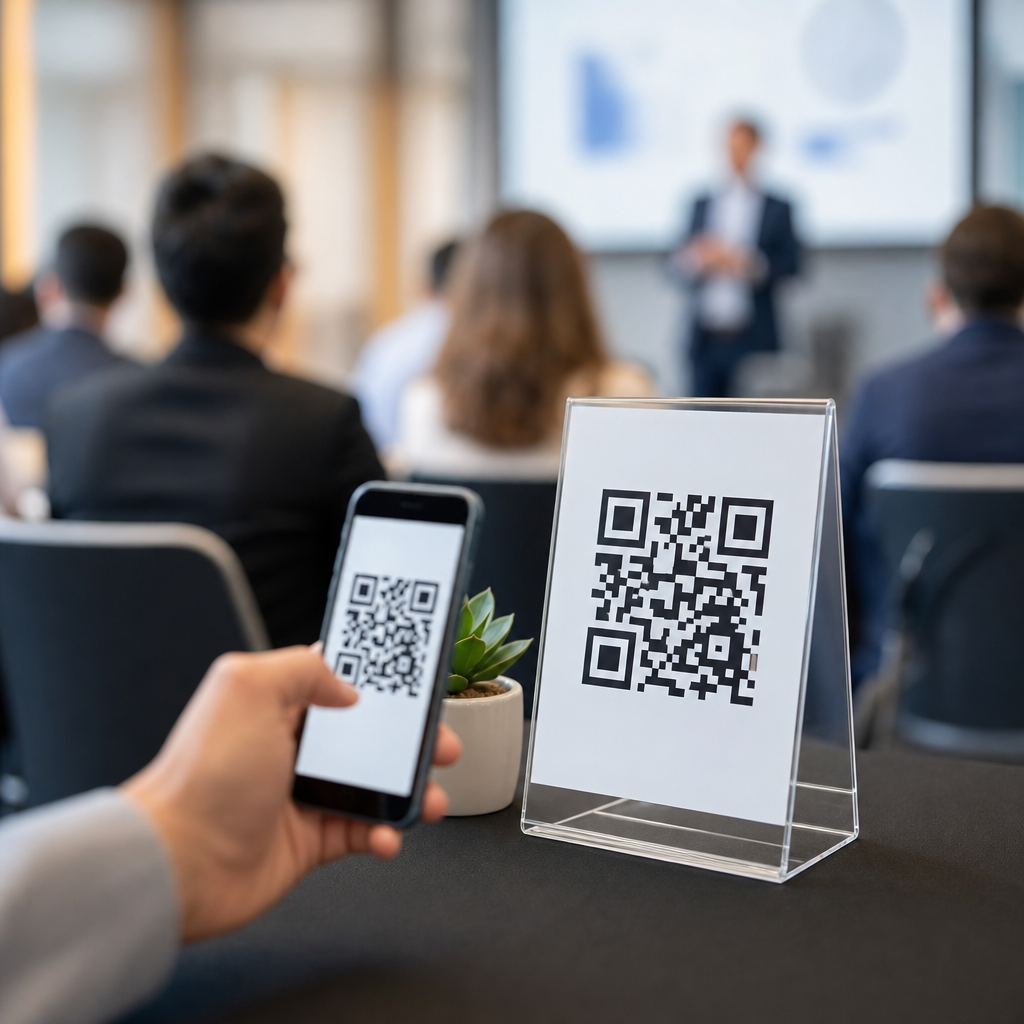
QR codes for event feedback and surveys give organizers a fast, low-friction way to capture attendee opinions at the exact moment an experience is still fresh. In events and ticketing, that timing matters because response quality drops sharply when people are asked to remember a session, a venue, or a check-in process days later. A QR code is a scannable image that opens a digital destination, usually a survey form, review page, poll, or follow-up resource. Event feedback is the structured collection of attendee reactions, while event surveys turn those reactions into measurable data about satisfaction, logistics, content quality, and future intent.
I have implemented QR-based feedback flows for conferences, trade shows, campus events, and paid workshops, and the pattern is consistent: when the code is visible, the ask is specific, and the form is short, participation rises. This matters because events run on thin margins and expensive assumptions. Organizers need evidence about what worked, what caused friction, and which improvements will actually increase renewals, repeat attendance, exhibitor retention, and sponsor value. For ticketed events, feedback also affects pricing strategy, staffing, venue selection, accessibility planning, and programming decisions.
As a hub topic within events and ticketing, QR codes connect multiple operational areas. They can support check-in feedback, post-session ratings, food and beverage surveys, exhibitor lead qualification, volunteer debriefs, VIP experience audits, and post-event net promoter analysis. They also bridge print and digital environments: badges, seat backs, table tents, lanyards, stage screens, receipts, and exit signage can all become survey touchpoints. Used well, QR codes do more than collect opinions. They create a reliable system for measuring the attendee journey from arrival to follow-up, and that system helps teams improve event experience with less guesswork.
Why QR codes work especially well for events and ticketing
QR codes work in live-event environments because they remove the biggest barrier to feedback: effort. People already have their phones in hand for tickets, schedules, maps, messaging, and payments. Asking them to scan one more code is easier than directing them to a long URL, handing out paper forms, or sending a generic email after the event. The best response rates usually come from contextual placement. A code outside a breakout room can ask about speaker clarity and session relevance, while a code near the exit can ask about crowd flow, wait times, and overall satisfaction.
They also create operational flexibility. Static codes point to a fixed destination, while dynamic codes let organizers change the landing page without reprinting signage. That matters when schedules shift, rooms change, or a survey needs updated branching logic after day one. In platforms such as Typeform, Google Forms, SurveyMonkey, Jotform, and Microsoft Forms, teams can create mobile-friendly questionnaires that open instantly after a scan. Dynamic QR platforms also provide scan analytics such as time, device type, and location trends, helping teams compare engagement by entrance, booth area, or session track.
For ticketing teams, QR survey flows can be tied to specific transaction moments. A purchase confirmation page can display a code for pre-event preference collection. Printed tickets can include a code for arrival instructions or accessibility requests. After entry, signage can route guests to a one-question pulse check. At the close, a final code can collect overall satisfaction and future attendance intent. This layered approach is more useful than one long survey because it matches questions to the attendee journey and produces cleaner data.
Where to place QR codes across the attendee journey
The strongest event feedback systems are mapped to moments, not just locations. Before the event, organizers can place QR codes on registration confirmations, agenda pages, and physical mailers to gather dietary requirements, networking interests, app-download prompts, or session priorities. During arrival, codes at parking entrances, shuttle stops, box office windows, and badge pickup stations can ask whether directions were clear or queues were moving efficiently. These early signals are valuable because staff can still fix issues while the event is live.
During the core program, each environment should have its own survey goal. Main-stage codes can measure keynote relevance, audio quality, and timing. Breakout room codes can capture learning outcomes and speaker ratings. Expo floor codes can ask exhibitors and attendees about traffic quality, lead relevance, and booth navigation. Hospitality areas can measure food quality, cleanliness, and seating availability. For festivals or sports-adjacent ticketed experiences, concourse and restroom area codes often reveal service bottlenecks that email surveys never surface because people forget specifics later.
Placement details affect performance. Put codes at eye level, with strong contrast, ample white space, and a clear instruction such as “Scan to rate this session in 20 seconds.” Include a backup short URL for accessibility and older devices. Avoid placing a single code on a distant stage screen and expecting room-wide participation. In practice, table cards, seat inserts, badges, handouts, or repeated slides outperform one-time displays. When internet connectivity is weak, venue Wi-Fi onboarding pages can include a survey link, or staff can deploy roaming signs in high-traffic areas.
How to design surveys that people actually complete
Most event survey problems are form-design problems, not audience problems. Attendees will respond if the request is relevant, brief, and obviously useful. In my experience, the sweet spot for in-event surveys is one to five questions, with one core metric and one optional comment field. Post-event surveys can go longer, but only if the value exchange is clear. Good event survey design starts with a decision: what action will this answer change? If the team cannot name the decision, the question should probably be removed.
Use plain language and focused prompts. Ask “How satisfied were you with check-in speed?” instead of “Please evaluate the registration experience.” Ask “Was the session too basic, too advanced, or about right?” instead of a vague usefulness score. Mobile-first design is essential because nearly every QR scan happens on a phone. Use large tap targets, progress indicators, and conditional logic so attendees only see relevant questions. If someone did not attend a workshop, they should not answer workshop questions. That reduces fatigue and improves completion rates.
| Event moment | Best question type | Primary metric | Example action |
|---|---|---|---|
| Check-in | Single-rating plus comment | Wait-time satisfaction | Add more badge printers next year |
| Session exit | Rating plus multiple choice | Content relevance | Adjust track depth by audience segment |
| Expo visit | Multiple choice | Lead quality or navigation ease | Rework floor layout and booth zoning |
| Event close | NPS-style question plus comment | Overall advocacy | Prioritize improvements with biggest loyalty impact |
Incentives can help, but they are not always necessary. A prize draw may increase volume while lowering response quality. A better approach is to promise visible improvements: “Your input shapes next year’s schedule.” If incentives are used, keep them proportionate and disclose any rules clearly.
Measurement, analytics, and integration with event operations
Collecting responses is only useful if the data flows into decisions. For event teams, that means connecting QR survey results to registration data, session attendance, ticket types, sponsor packages, and operational logs. A conference organizer might compare satisfaction between early-bird and standard ticket buyers, or between attendees who used self-check-in kiosks and those who went through staffed counters. A venue team might compare scan volume and complaints by entrance gate to identify crowd-management failures. These are practical uses, not abstract reporting exercises.
Most teams can start with a simple stack: a dynamic QR code platform, a survey tool, and a spreadsheet or dashboard in Looker Studio, Power BI, or Tableau. More advanced teams feed responses into a CRM such as HubSpot or Salesforce, or into event platforms like Cvent, Bizzabo, Eventbrite integrations, or Swapcard. That allows segment-level analysis by attendee type, sponsor, exhibitor, pass category, and content track. The key is consistent naming conventions. If one session is labeled three different ways across systems, reporting becomes unreliable.
Pay attention to governance. If feedback includes personal data, organizers need lawful collection practices, a visible privacy notice, and retention controls aligned with regulations such as GDPR or applicable state privacy laws. Anonymous pulse surveys often produce more candid feedback, but named surveys are better for service recovery when a guest had a poor experience. The tradeoff should be intentional. Also test every code before print production, monitor scan failures during the event, and keep fallback methods ready for low-connectivity areas.
Best practices for different event formats and future planning
Different event types need different QR feedback strategies. At conferences, the priority is usually session-level insights, networking quality, and sponsor ROI. At trade shows, exhibitor and attendee pathways matter more, so floor navigation, booth traffic, and meeting outcomes should be measured separately. For concerts, festivals, and sports-related ticketed experiences, operational comfort often outranks content questions; entry speed, concessions, cleanliness, safety perception, and transportation become central. Corporate internal events may need stronger anonymity protections so employees feel safe sharing honest feedback.
Hybrid and recurring events benefit most from QR systems because they generate comparable data over time. If every annual summit uses the same core metrics, teams can track whether venue changes improved wayfinding, whether new pricing affected value perception, or whether revised agenda formats increased session ratings. This hub also supports related topics across events and ticketing, including QR codes for digital ticket delivery, contactless check-in, sponsor activations, lead capture, menu access, event maps, and post-event content distribution. Feedback should connect to all of those functions, because attendee experience is cumulative.
The main benefit of QR codes for event feedback and surveys is speed with context. They let organizers ask the right question in the right place while the memory is still accurate. When paired with concise mobile forms, thoughtful placement, analytics integration, and clear privacy practices, they become a durable measurement layer across the attendee journey. For any events and ticketing team building a stronger feedback program, start small: choose three moments, assign one decision to each survey, and test the system at your next event. Then improve it with every show.
Frequently Asked Questions
How do QR codes improve event feedback and survey response rates?
QR codes improve response rates by removing as much friction as possible from the feedback process. Instead of asking attendees to remember a web address, search for an email link later, or complete a survey after they have already left the venue, organizers can place a scannable code exactly where the experience happens. That might be at session exits, registration desks, exhibitor booths, food areas, or inside post-event slides and signage. When someone can scan a code in seconds and respond while the experience is still fresh, the likelihood of completion rises significantly.
They also help capture more accurate feedback. In events and ticketing, timing matters because attendees quickly forget specific details about speaker quality, venue flow, wait times, check-in efficiency, and session relevance. A QR code allows organizers to ask for reactions in the moment, which leads to more precise and useful responses. Short mobile-friendly surveys accessed through QR codes also feel less intrusive than longer follow-up emails, especially when the attendee only needs a minute or two to share their opinion.
Another advantage is visibility. A well-placed QR code acts like a constant prompt that attendees can engage with on their own schedule throughout the event. If paired with clear calls to action such as “Rate this session,” “Tell us how check-in went,” or “Vote for your favorite speaker,” the code becomes a direct bridge between the attendee experience and the organizer’s data collection process. That convenience, relevance, and immediacy are what make QR codes so effective for event feedback and surveys.
Where should organizers place QR codes at an event for the best feedback results?
The best placement depends on what kind of feedback the organizer wants to collect, but the general rule is simple: put the QR code as close as possible to the moment being evaluated. If the goal is session feedback, place codes at room exits, on presentation slides, on seat cards, or within the event app immediately after the session ends. If the goal is operational feedback, such as comments about check-in, signage, security, or concessions, place codes at registration counters, entrance and exit points, food stations, and service desks.
High-traffic areas are especially valuable because they increase visibility and give attendees repeated opportunities to participate. Examples include badge pickup areas, networking lounges, rest areas, digital displays, printed agendas, exhibitor kiosks, and tabletop signs. For multi-day events, repeating the same code across different touchpoints can improve overall participation because attendees may ignore the first prompt but respond later when they have more time. For targeted surveys, different QR codes can be assigned to specific zones, sessions, or attendee groups so organizers can compare performance across the event.
Placement should also account for usability. Codes need to be large enough to scan easily, displayed with adequate contrast, and positioned where attendees can safely stop and use their phones without blocking traffic. It helps to include a short explanation of what the scan leads to, how long it takes, and why the feedback matters. A message like “30-second survey: help us improve tomorrow’s sessions” is more effective than displaying a QR code alone. Strategic placement combines visibility, context, and a clear value proposition.
What should an event feedback survey linked to a QR code include?
A strong QR code survey should be short, focused, and designed for mobile completion. Most attendees will scan with their phones, often while standing, walking, or transitioning between activities, so the survey needs to respect their time. Start with the most important questions first, such as overall satisfaction, session quality, staff helpfulness, venue experience, or likelihood to recommend the event. If attendees drop off before finishing, the organizer will still capture the most critical insights.
The questions should align with the event goals. For educational sessions, ask about relevance, speaker clarity, pacing, and practical value. For operations, ask about registration speed, crowd management, signage, cleanliness, and accessibility. For sponsors and exhibitors, questions might focus on booth experience, product interest, or lead quality. A mix of rating scales, multiple-choice questions, and one or two open-text prompts usually works best. Closed-ended questions make the data easier to analyze, while open responses reveal issues and ideas the organizer may not have anticipated.
It is also important to keep the survey purposeful. Avoid asking for information that is not essential, and do not overload respondents with long forms just because the survey is digital. In many cases, three to seven well-crafted questions are enough for in-the-moment feedback. If deeper insights are needed, the initial QR survey can act as a quick pulse check and then offer an optional follow-up. A good survey also reassures attendees about privacy, especially if responses are anonymous, and confirms that their input will be used to improve future event experiences.
Can QR codes be used for more than just post-event surveys?
Yes. One of the biggest strengths of QR codes in events and ticketing is that they can support feedback collection before, during, and after the event. Before the event, organizers can use QR codes in registration materials, confirmation emails, or promotional signage to gather attendee expectations, dietary preferences, topic interests, or accessibility needs. That information helps shape programming and logistics in advance. During the event, QR codes can power live polls, satisfaction checks, speaker ratings, exhibitor engagement, and service recovery workflows when problems arise.
They are especially useful for real-time intervention. If attendees report long check-in lines, room temperature issues, audio problems, or unclear wayfinding through a QR survey during the event, organizers can respond before those issues affect more people. That turns feedback from a passive reporting tool into an operational improvement system. QR codes can also connect attendees to review pages, knowledge resources, presentation downloads, contact forms, contest entries, and sponsor experiences, making them a flexible engagement channel rather than a one-time survey link.
After the event, QR codes can still play an important role in wrap-up communications, post-event reports, and on-demand content access. For example, attendees can scan codes in thank-you emails, recap slides, printed materials, or digital certificates to complete more detailed evaluations. This staged approach works well because it captures quick reactions immediately and more reflective feedback later. In short, QR codes are not limited to post-event surveys. They can support a continuous feedback loop across the entire attendee journey.
What are the best practices for creating effective QR codes for event feedback and surveys?
Effective QR code campaigns start with a clear objective. Organizers should decide whether they want feedback on a specific session, the overall event, venue operations, exhibitor engagement, or attendee satisfaction across multiple touchpoints. Once that goal is defined, the destination should match it exactly. A session feedback QR code should open directly to that session’s survey, not to a generic homepage or a form that requires extra navigation. Every additional step increases drop-off.
Mobile experience is critical. The linked survey page should load quickly, display well on different screen sizes, and be simple to complete with one hand. Use short forms, large tap targets, and minimal typing requirements. Dynamic QR codes are often a smart choice because they allow organizers to update the destination URL without reprinting signage, and they can provide scan analytics that reveal where and when engagement happened. This is especially helpful for large events where performance may differ by room, time slot, or audience segment.
Design and messaging matter as much as the code itself. The QR code should be easy to scan, tested in the actual event environment, and printed or displayed with enough size, contrast, and white space. Add a strong call to action so attendees know exactly why they should scan. Phrases such as “Share your feedback,” “Rate this session in 1 minute,” or “Help us improve your event experience” are more effective than showing the code alone. When possible, offer a small incentive or clearly communicate the benefit of participating, such as improving next day scheduling, future speaker selection, or venue logistics.
Finally, organizers should plan for trust and follow-through. Let attendees know whether responses are anonymous, how the data will be used, and whether they may be contacted for follow-up. After the event, review the results quickly and act on patterns that emerge. The most successful QR feedback programs do not just collect responses; they turn those responses into visible improvements. When attendees see that their input leads to better sessions, smoother operations, and more responsive event experiences, they are more likely to participate again in the future.





