QR codes for concert and festival tickets have become the standard for fast entry, fraud control, and connected event operations. In events and ticketing, a QR code is a two-dimensional barcode that stores a unique token linked to a ticket record, purchaser, seating assignment, access tier, or dynamic credential. When scanned by a venue reader, the system checks that token against a live database or secure offline list and returns a clear status such as valid, already used, transferred, refunded, or blocked. I have helped deploy these systems for reserved-seat arenas, multi-day festivals, and VIP hospitality programs, and the shift from paper stubs to mobile-first QR tickets has changed not only entry speed but the entire event workflow.
This matters because modern live events operate at a scale where seconds at the gate affect revenue, staffing, safety, and fan sentiment. A sold-out arena with 18,000 attendees cannot rely on visual inspection or static PDFs that can be copied endlessly. Festivals add more complexity: multiple entrances, camping access, age verification, parking, wristband pickup, and patchy cellular service. QR ticketing addresses these challenges by giving organizers a scannable identity layer that can be validated quickly and updated centrally. For attendees, the benefits are convenience and transferability. For promoters and venues, the benefits are lower fraud, better reporting, cleaner customer support, and stronger integration with CRM, payment, and access control platforms.
As a hub topic, events and ticketing includes more than gate scanning. It covers ticket issuance, wallet delivery, resale controls, access segmentation, sponsor activations, guest list management, and post-event analytics. The best QR ticket strategy treats the code as a secure access credential within a larger system, not as a graphic pasted onto an email. That distinction is crucial. A reusable image without authentication is weak; a rotating or server-validated token tied to entitlement rules is robust. Understanding how QR codes work across concerts, clubs, theaters, sports-adjacent festivals, and hybrid events helps organizers choose the right architecture and helps attendees know what to expect before they arrive.
How QR ticketing works across concerts and festivals
At a practical level, the lifecycle starts when a ticketing platform generates a unique identifier for each admission right. That identifier may represent one seat, one day of entry, one shuttle pass, or one backstage credential. The platform encodes the identifier into a QR code and delivers it through email, an event app, Apple Wallet, Google Wallet, or a secure account portal. At the venue, scanning software reads the code, checks the entitlement rules, and marks the ticket as redeemed. A successful scan usually triggers a green confirmation with details such as section, gate, or patron name, while exceptions produce a red or amber status for staff review.
Concerts and festivals use two main validation models: online and offline. Online validation connects each scan to a central server, which supports real-time transfer updates, fraud flags, and capacity monitoring. Offline validation downloads encrypted allowlists or cryptographic signatures to handheld scanners before gates open. I prefer hybrid setups for festivals because rural sites often have bandwidth bottlenecks exactly when crowds surge. In that model, scanners validate locally during network drops and sync redemption logs once connectivity returns. Established providers such as Ticketmaster, AXS, Eventbrite, Universe, See Tickets, and custom access vendors all support variations of this approach, though implementation depth varies.
Dynamic QR codes improve security because the displayed code can refresh periodically while still pointing to the same underlying entitlement. Screenshots then become less useful to bad actors. Some major ticketing systems also delay barcode availability until shortly before doors, a tactic that reduces speculative scraping and unauthorized resale. For reserved seating, the QR code maps to a specific seat inventory object. For general admission festivals, it often maps to an admission product plus add-ons like camping, lockers, or VIP lounges. The ticket itself is only one layer; business rules around transfer windows, refund status, and identity checks determine whether the scan should succeed.
Security, fraud prevention, and operational control
The most common ticketing fraud problems are duplicated screenshots, counterfeit PDFs, chargeback abuse, and unauthorized resale outside approved marketplaces. QR systems reduce these risks when each code is unique, server-validated, and invalidated after first successful redemption. In my experience, the biggest mistake organizers make is treating a QR code image as the security feature. The image is just the carrier. Security comes from token design, encryption, timed release, transfer controls, and audit trails. If a copied image can open the gate multiple times because staff are not synced or scanners are misconfigured, the problem is operational architecture, not the symbol type.
Good systems also log device ID, timestamp, gate location, and operator action for every scan event. That audit trail matters when resolving disputes about denied entry, duplicate use, or suspected insider misuse. For high-demand tours, rotating barcodes and mobile wallet delivery have become common because they narrow the attack surface. Some organizers add identity matching for VIP packages or will-call pickup using government ID, while others use wristband encoding after an initial QR scan. Age-gated festivals may pair ticket validation with ID scanning to enforce alcohol rules and reduce line duplication at beverage checkpoints.
| Ticketing need | QR-based method | Operational benefit |
|---|---|---|
| Fast general admission entry | Unique mobile QR validated by handheld scanners | Shorter queues and accurate redemption counts |
| Fraud reduction | Dynamic or delayed-release QR linked to live status | Less screenshot copying and easier invalidation |
| Multi-day festival access | Per-day QR or initial scan tied to wristband issuance | Controlled reentry and simpler daily auditing |
| VIP and backstage control | QR credential with entitlement rules by zone and time | Granular access management for staff and guests |
| Low-connectivity venues | Offline encrypted validation lists on scanners | Reliable entry during network congestion or outages |
Operational control extends beyond the front gate. The same ticket token can govern parking lots, premium club entry, merchandise redemption, shuttle boarding, or meet-and-greet check-in. That consolidation cuts reconciliation errors because all access events live in one reporting stream. It also improves incident response. If weather forces a temporary evacuation, organizers can review scan volumes by zone and estimate how many guests were admitted before the stoppage. For event managers, that level of visibility is one of the strongest arguments for QR-based ticketing.
Attendee experience, accessibility, and customer support
The attendee experience improves when QR ticketing removes friction instead of adding steps. The best implementations deliver the ticket instantly, allow easy wallet storage, display clear event details, and provide backup options for low battery or weak signal conditions. I always recommend including a plain-language pre-event email that answers predictable questions: When will the code appear? Can it be transferred? Is a screenshot accepted? What if my phone dies? Where is the correct entrance? These messages lower support volume because most gate problems are expectation problems, not software failures.
Accessibility must be built in early. Not every attendee uses a smartphone comfortably, and some cannot use one at all. Venues should support accessible alternatives such as printed backup credentials, staffed resolution desks, screen-reader-friendly delivery flows, and large-format scanning lanes. Brightness guidance also helps; many failed scans are simply dim screens under direct sunlight. For older devices, wallet passes often scan more reliably than ticket links opened inside overloaded email apps. At large festivals, charging stations, Wi-Fi zones, and clearly marked help tents are not conveniences; they are part of the ticketing infrastructure.
Customer support teams need direct visibility into ticket state changes. If a guest transferred a pass, accepted it on another account, then arrives with the original code, support should see that history immediately. Good platforms expose logs for purchase, transfer, resale, refund, and scan attempts, allowing frontline staff to explain the issue confidently. This is especially important for family groups and corporate hospitality, where one buyer distributes several tickets to different attendees. A smooth support workflow preserves trust even when the answer is no entry.
Integrations, analytics, and event-specific use cases
QR ticketing becomes more valuable when integrated with the broader event stack. Common connections include CRM platforms like Salesforce or HubSpot, marketing automation tools, payment systems such as Stripe or Adyen, access control hardware from Zebra or Janam scanner ecosystems, and data pipelines into reporting tools like Looker or Power BI. These integrations let organizers segment audiences, trigger reminders, monitor sell-through by channel, and compare attendance against purchases. For example, a promoter can identify that Friday single-day buyers redeemed at 92 percent while Sunday redemptions dropped after a weather alert, then adjust staffing and communications for the next edition.
Different event formats use QR codes differently. Arenas with reserved seating care about gate balancing, seat verification, and premium upgrades. Independent music venues prioritize speed, guest list handling, and low hardware cost. Multi-day festivals often combine QR tickets with RFID wristbands after initial entry because wristbands simplify reentry, cashless payments, and campsite access. Conferences with evening concerts may issue separate QR credentials for sessions, parties, and sponsor lounges. In each case, the code works best as the first trusted handshake in a connected access journey.
This subtopic also links naturally to deeper articles on dynamic QR code security, wallet pass delivery, festival wristband workflows, ticket resale governance, mobile scanning hardware, and post-event attendance analysis. As the hub for events and ticketing, the key principle is simple: match the ticket design to the event’s risk profile and operational reality. A 500-person club show can run well on straightforward validated QR tickets. A 70,000-person camping festival needs redundancy, zone rules, offline scanning, and a trained exception process. The technology is mature, but success depends on disciplined configuration and communication.
QR codes for concert and festival tickets solve a practical problem with measurable impact: they move people through gates quickly while protecting inventory and improving event intelligence. When implemented correctly, they reduce counterfeit entry, support transfers and upgrades, and give organizers a real-time picture of attendance across entrances and access levels. For attendees, they simplify admission and reduce the uncertainty that used to come with paper tickets, will-call lines, or informal guest lists. For venues and promoters, they create a reliable operational record that supports staffing, security, reconciliation, and future planning.
The most effective approach is to think beyond the square code itself. Choose secure tokenization, decide how online and offline validation will work, build accessible fallback paths, and train staff on exception handling. Then connect ticketing data to support, marketing, and reporting systems so each scan contributes to a clearer view of the event. Whether you run intimate club dates or large destination festivals, QR ticketing can be adapted to the format if the workflow is designed with real crowd behavior in mind.
If you are building or upgrading an events and ticketing program, start by mapping your entry points, fraud risks, connectivity limits, and attendee support needs. From there, select the QR ticket model that fits your venue, audience, and event scale, and use this hub as the foundation for deeper decisions across the rest of your ticketing stack.
Frequently Asked Questions
How do QR codes work for concert and festival tickets?
QR codes for concert and festival tickets work by linking a scannable code to a unique ticket record inside the event organizer’s system. Instead of storing all ticket details directly inside the image, the QR code usually contains a secure token or identifier that points to information such as the purchaser’s record, seat location, admission level, date, gate permissions, or special entitlements like VIP access. When an attendee arrives, venue staff scan the code using a handheld reader, mobile device, or fixed entry scanner. The ticketing platform then checks that token against a live database or a secure offline validation list and returns a simple status such as valid, already used, transferred, refunded, canceled, or not recognized.
This process is valuable because it combines speed with control. Entry staff do not need to manually inspect every ticket for authenticity, and attendees can move through gates much faster than with printed paper stubs or fully manual check-in. At the same time, the system can record exactly when and where a ticket was used, helping event teams manage crowd flow, prevent duplicate entry, and respond quickly if a ticket needs to be updated or revoked. For large concerts and multi-day festivals, this real-time validation is especially important because it supports multiple entrances, tiered access zones, and dynamic operations without sacrificing security.
Why are QR code tickets considered more secure than traditional paper tickets?
QR code tickets are generally more secure than traditional paper tickets because they allow verification against a centralized ticketing system rather than relying on the appearance of the ticket alone. A paper ticket can be photocopied, reprinted, or visually imitated, and staff may not be able to tell the difference at a busy gate. A QR code ticket, by contrast, is tied to a specific digital record. Once the ticket is scanned and marked as used, the system can immediately reject any later attempts to use the same credential. This single-use validation is one of the biggest advantages in reducing fraud.
Security can be strengthened even further with dynamic QR codes, rotating credentials, transfer tracking, refund synchronization, and purchaser identity checks when needed. For example, if a ticket is refunded, voided, or officially transferred to another attendee, the status in the system can change instantly. That means old versions of the code can be invalidated even if someone saved a screenshot or printed a copy. Organizers can also use encrypted tokens, time-limited access rules, and device-aware validation tools to reduce the chances of unauthorized duplication. In practical terms, QR ticketing gives venues much better fraud control because authenticity is confirmed by system logic, not just by visual inspection.
Can I use a screenshot or printed copy of my QR code ticket at the venue?
In many cases, a screenshot or printed copy of a QR code ticket can still be scanned successfully, but whether it is acceptable depends on the event’s ticketing rules and security setup. If the QR code is static and the ticket remains valid, a screenshot or printed version may work because the scanner only needs to read the encoded token clearly. This is often convenient for attendees who want a backup option in case of poor cellular service, low phone battery, or app login issues at the gate.
However, not all events allow screenshots or printouts. Some organizers use dynamic or frequently refreshing QR codes specifically to reduce ticket fraud and unauthorized sharing. In those cases, only the code displayed inside the official app or secure mobile wallet may be considered valid. A screenshot could be rejected because it does not reflect the most current credential state. Even for printable tickets, only the first successful scan will usually be accepted, so if the same code has already been used, every later attempt will return an “already used” status. The safest approach is to follow the delivery instructions from the ticket seller, keep your phone charged, save the ticket in the recommended format, and bring a backup if the event permits one.
What happens when a QR code ticket is scanned at entry?
When a QR code ticket is scanned at entry, the venue’s validation system reads the token embedded in the code and compares it to the event’s ticket database or approved offline records. The scanner is not simply checking whether the code exists. It is verifying whether that ticket is valid for that specific event, date, time, gate, and admission type. The system may also confirm whether the ticket has already been redeemed, whether it has been transferred to another attendee, whether it has been refunded or canceled, and whether it includes access to certain sections such as general admission, reserved seating, backstage, hospitality, or multi-day festival areas.
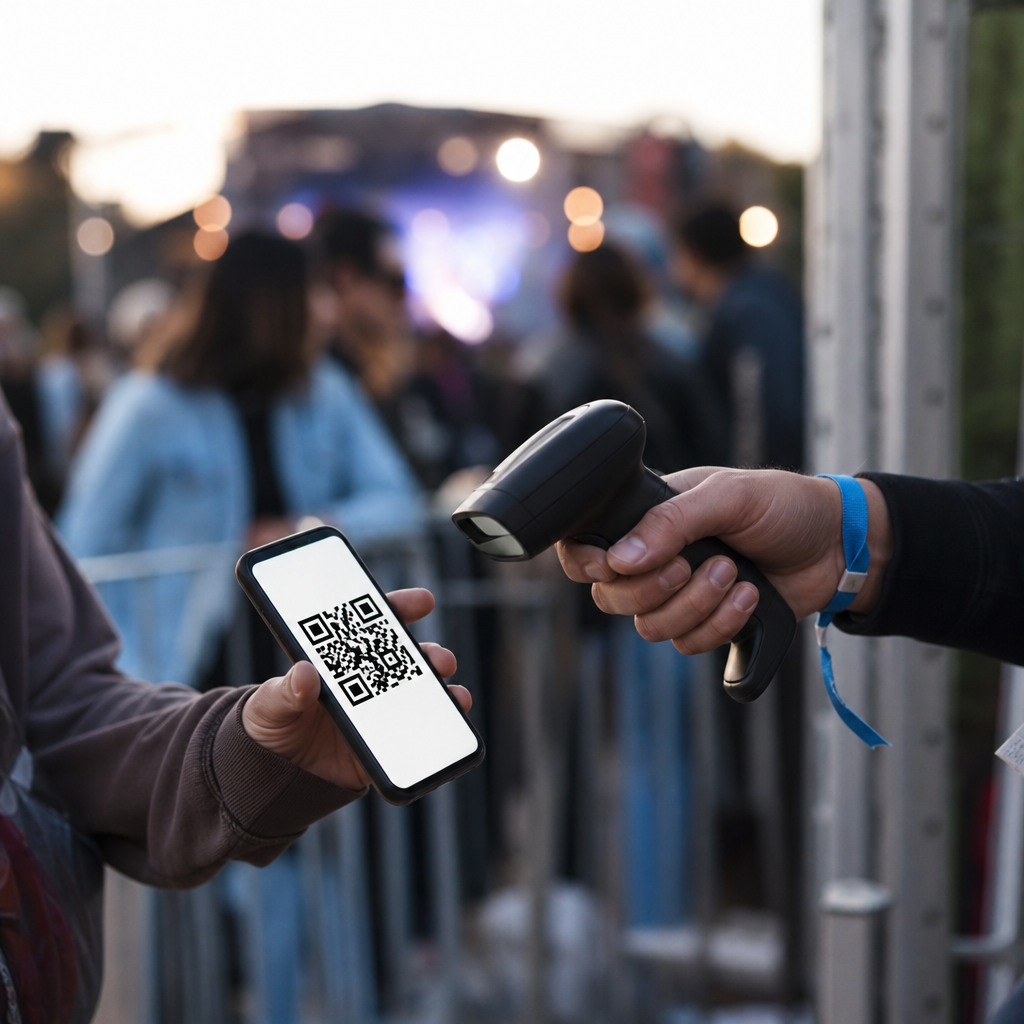
Once that check is complete, the scanner returns a clear result to the staff member, typically with an audio or visual indicator such as green for valid and red for denied. A successful scan usually marks the ticket as used in the system immediately, which prevents duplicate entry using the same code. At more advanced events, the scan can also trigger operational actions behind the scenes, such as updating attendance counts, unlocking zone access, syncing with wristband systems, recording gate usage, or feeding live dashboards for security and event management teams. This is why QR code ticketing is not just a convenience feature. It is a core part of connected event operations, helping organizers manage entry accuracy, speed, and crowd visibility in real time.
What should attendees and organizers do if a QR code ticket will not scan?
If a QR code ticket will not scan, the first step is to determine whether the issue is with readability, connectivity, or ticket status. For attendees, common problems include a dim phone screen, cracked display, low brightness, an image that is zoomed or cropped, poor print quality, or using an outdated screenshot instead of the current ticket inside the official app. Sometimes the code is perfectly valid but the scanner cannot read it quickly because of glare, motion, or screen damage. In those cases, increasing screen brightness, opening the original ticket source, or presenting a clean printed backup can often solve the problem within seconds.
For organizers, the response should be both technical and procedural. Staff should be trained to distinguish between a scan failure and a validation failure. If the scanner cannot read the code, they can try another device, switch lanes, or manually search for the ticket by name, order number, email address, or seat assignment. If the scanner reads the code but returns a status such as already used, refunded, transferred, or invalid, staff need a clear escalation path to resolve the situation consistently and securely. Reliable events also prepare for weak network conditions by using offline validation lists, syncing scanners before gates open, and maintaining support stations for edge cases. A good QR code ticketing system is not only about successful scans in ideal conditions. It is also about giving both attendees and event teams a dependable fallback process when something goes wrong.