
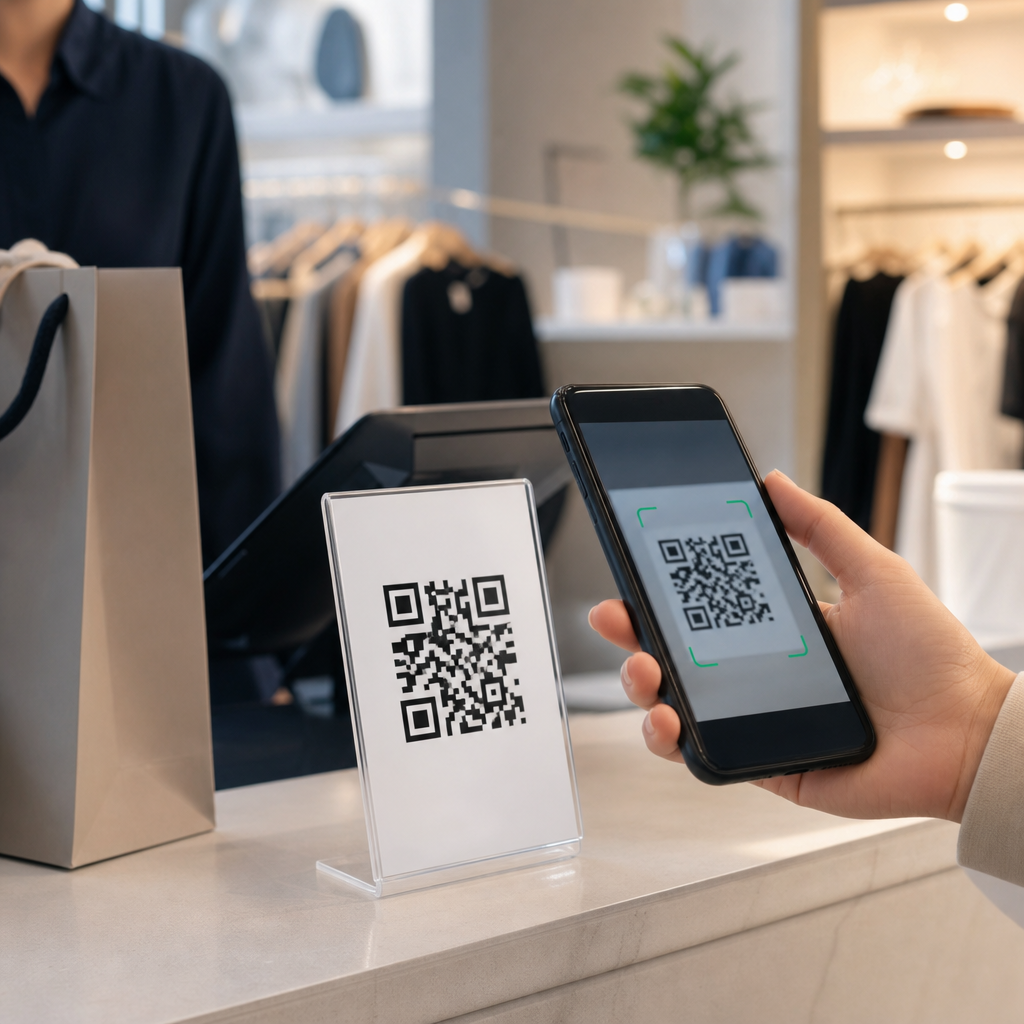
QR codes for contactless shopping experiences have moved from a convenience feature to a core retail and e-commerce infrastructure. A QR code, or Quick Response code, is a two-dimensional barcode that stores data such as a URL, product identifier, payment token, coupon, or customer service link. Shoppers scan it with a smartphone camera and reach a digital destination instantly, without typing, touching shared screens, or waiting for staff assistance. In retail, that simple action bridges the physical shelf and the digital storefront. In e-commerce, it extends digital journeys into packaging, returns, loyalty, and post-purchase support.
This matters because customer expectations changed permanently. During the pandemic, retailers used QR codes to replace paper menus, printed catalogs, and payment terminals, but the strongest use cases stayed after restrictions lifted. I have seen store teams adopt QR codes first as a health measure and then keep them because they reduced friction at every stage of the buying journey. A shopper can scan for inventory, compare colors, redeem a coupon, join a loyalty program, pay, request delivery, or leave a review in seconds. For retailers, the same scan creates measurable first-party data, improves merchandising, and connects offline behavior to online conversion.
As a hub topic within retail and e-commerce, QR codes touch store operations, digital marketing, fulfillment, customer service, and analytics. They are not a gimmick. They are an interface layer. When implemented well, they shorten the path between intent and action. When implemented poorly, they send customers to broken links, generic homepages, or non-mobile pages that kill conversion. Understanding how QR codes support contactless shopping means understanding the full customer journey, the underlying technology choices, and the operational rules that make scans reliable at scale.
How QR codes improve the retail customer journey
In stores, QR codes solve the biggest problem in modern retail: customers often need more information than can fit on packaging or shelf labels. A code on a display can open product specs, care instructions, size guides, nutrition details, customer reviews, or video demonstrations. In apparel, that means a customer scanning a hanger tag to see fit videos and stock by size. In electronics, it means comparing battery life, compatibility, and warranty terms without waiting for an associate. In grocery, it can surface allergen data and recipe ideas. Each case reduces uncertainty, and lower uncertainty raises conversion.
QR codes also enable true contactless shopping. Retailers can attach codes to shelves for scan-and-go checkout, to window displays for after-hours purchasing, and to pickup counters for curbside check-in. Larger chains have used these flows to cut queue times and reassign staff from basic transactional tasks to higher-value service. A home goods retailer, for example, can place a code beside a bulky furniture item that lets the customer pay on mobile and schedule delivery, avoiding a cart, register line, and paper receipt. The buying experience feels faster because the customer controls the pace.
For e-commerce brands, the contactless shopping journey starts before the customer even visits the site. QR codes in direct mail, product inserts, out-of-home ads, and packaging bring customers back into a digital experience with almost no friction. I have seen branded inserts outperform generic “visit our website” prompts simply because the code removes typing and links to a dedicated landing page with the exact next step: reorder, register a warranty, subscribe, or review the product. The code is not the strategy by itself; the strategy is the tailored destination behind it.
High-value QR code use cases across retail and e-commerce
The strongest QR code programs focus on clear customer intent. That usually falls into five categories: product discovery, payment, loyalty, fulfillment, and post-purchase service. Product discovery includes shelf tags linking to richer content, social proof, and live inventory. Payment includes scan-to-pay, self-checkout, and invoice settlement through platforms such as PayPal, Square, Stripe, Alipay, or WeChat Pay, depending on market. Loyalty includes instant sign-up, point redemption, personalized offers, and digital receipts. Fulfillment covers curbside arrival, locker access, and return initiation. Post-purchase service includes assembly videos, troubleshooting guides, reorder links, and support chat.
Retailers should prioritize use cases where the customer gets an immediate benefit. A luxury beauty store might use QR codes on testers to show ingredient sourcing, dermatologist guidance, and shade-matching tools. A sporting goods chain might link in-store displays to expert buying guides and local stock availability. A fashion brand might place unique codes on receipts or garment tags that open styling suggestions and a “buy the look” page. These examples work because the code answers a real question at the exact moment the shopper has it.
| Use case | Customer benefit | Retail impact |
|---|---|---|
| Scan product tag | Instant specs, reviews, sizing, ingredients | Higher confidence and conversion |
| Scan to pay | Faster checkout with less contact | Shorter lines and lower labor pressure |
| Loyalty enrollment | Quick sign-up and rewards access | More first-party data and repeat visits |
| Curbside check-in | Simple pickup arrival notification | Improved fulfillment speed and accuracy |
| Packaging QR code | Easy returns, support, reorders, reviews | Higher retention and lower service costs |
In e-commerce operations, packaging is often underused media. A QR code inside the box can drive reorder rates for consumables, collect user-generated content, and route customers to setup instructions before they contact support. Consumer electronics brands have used this approach for years because reducing avoidable service calls has direct margin value. Subscription brands use insert-based codes to let customers scan and change cadence, add products, or pause shipments. The key is to map every code to a measurable business objective instead of generating one code and reusing it everywhere.
Implementation best practices that determine results
Good QR code performance depends on execution details. First, choose the right code type. Static QR codes are fixed and suitable for permanent destinations, while dynamic QR codes use a redirect that can be edited later and tracked centrally. For most retail programs, dynamic codes are the better choice because campaigns change, URLs break, and stores need scan analytics by location, date, and creative. Platforms such as Bitly, Beaconstac, Flowcode, and QR Code Generator Pro support dynamic management, UTM tagging, and campaign controls that basic free generators do not.
Second, design for scan reliability. Use high contrast, sufficient quiet zone, and print sizes matched to viewing distance. A common rule is a minimum of roughly one inch square for close-range scans, increasing with distance and placement height. Avoid glossy surfaces, low-light corners, and warped labels on curved packaging when possible. Include a direct call to action beside the code, such as “Scan for sizes in stock” or “Scan to pay now,” because unlabeled codes consistently underperform. Error correction level matters too; codes placed on packaging or outdoor signage benefit from resilience against minor damage or glare.
Third, optimize the landing experience. The destination must be mobile-first, fast, and specific to the context of the scan. Sending every in-store code to the homepage is one of the most common failures I encounter. A shelf code should open that product page or comparison tool, not a site search result that forces extra taps. Page speed matters because shoppers in aisles are impatient. Core Web Vitals, compressed images, simplified forms, and wallet-ready payment options directly affect whether a scan becomes a sale.
Finally, connect scans to analytics and operations. Use campaign parameters, event tracking in Google Analytics 4, and CRM or CDP integration where possible. If a code promotes local inventory, the product availability feed must be accurate. If a code triggers curbside pickup, store staff need a clear workflow in the order management system. The customer sees only a quick scan, but the retailer must build dependable handoffs behind the scenes. Contactless shopping fails when the digital promise is faster than the operational reality.
Measurement, compliance, and the future of contactless retail
Retailers should measure QR code success with business metrics, not scan volume alone. Useful indicators include conversion rate after scan, assisted revenue, average order value, loyalty sign-ups, return rate, support deflection, and time-to-pickup. A code with fewer scans can outperform a heavily scanned code if it drives higher-intent actions. For example, a code on high-consideration furniture may attract fewer users than a front-door promotion, yet produce more revenue per scan because customers are deeper in the decision process. Segment results by store, placement, campaign, and device to identify what actually changes behavior.
Compliance and trust are equally important. Customers are increasingly aware that QR codes can be abused through sticker tampering or misleading destinations. Retailers should use branded domains, HTTPS, and clear destination cues on the landing page. For payments, follow PCI-compliant processes through established providers rather than custom shortcuts. For loyalty and personalization, disclose data use clearly and honor consent standards under laws such as GDPR and CCPA where applicable. Accessibility also matters: include nearby text URLs or associate assistance when a shopper cannot scan easily. Contactless should expand access, not create a new barrier.
Looking ahead, QR codes will remain central because they are cheap, universal, and compatible with nearly every smartphone. Near field communication, computer vision, and app clips will grow, but QR codes keep winning on cost and deployment speed. They also support omnichannel retail in a practical way: one printed square can connect shelves, packaging, email, social, and support into one measurable system. If you manage retail or e-commerce experiences, audit every step where a customer pauses, asks a question, or waits. Then deploy QR codes where a scan can remove that friction, and build the landing pages and operations to match. That is how contactless shopping becomes genuinely better, not merely more digital.
Frequently Asked Questions
1. What are QR codes, and how do they support contactless shopping experiences?
QR codes, or Quick Response codes, are two-dimensional barcodes that can store a wide range of information, including website links, product details, payment tokens, coupons, app download links, digital receipts, and customer service destinations. In contactless shopping, they act as an instant bridge between the physical shopping environment and digital retail tools. Instead of touching a kiosk, handling printed materials, or waiting for an associate, shoppers can simply open their smartphone camera, scan the code, and immediately access the information or action they need.
This makes QR codes especially effective in modern retail and e-commerce operations because they reduce friction at key moments in the buyer journey. A shopper might scan a code on a shelf tag to view product specifications, customer reviews, inventory availability, color options, or assembly instructions. In another scenario, the same shopper could scan a QR code at checkout to complete a mobile payment, apply a promotion, join a loyalty program, or receive a digital receipt. The process is fast, familiar, and highly scalable, which is why QR codes have evolved from a convenience feature into a core part of contactless retail infrastructure.
2. How are retailers using QR codes in stores and online to improve the shopping experience?
Retailers are using QR codes across nearly every stage of the shopping journey to make experiences faster, more informative, and more self-directed. In physical stores, QR codes commonly appear on product packaging, shelf labels, endcaps, window displays, fitting room signage, restaurant tables, and point-of-sale areas. When scanned, these codes can lead shoppers to product comparisons, nutritional data, how-to videos, styling inspiration, ingredient transparency, subscription options, or live inventory updates. This helps stores deliver richer product education without adding more printed materials or requiring employees to answer the same questions repeatedly.
Online and omnichannel retailers also use QR codes to connect digital browsing with real-world action. For example, a code on a direct mail piece can send a customer to a personalized landing page, while a code in an email or on a packing insert can make returns, reorders, warranty registration, or support requests easier. Retailers also use QR codes for curbside pickup check-ins, buy online pick up in store workflows, contactless menu access, smart packaging, and loyalty enrollment. The advantage is consistency: a single scan can move the shopper directly into the next intended step, reducing drop-off and making the brand experience feel seamless across channels.
3. Are QR code payments safe for contactless shopping?
QR code payments can be very safe when they are implemented correctly and supported by trusted payment systems. In many retail settings, the QR code itself does not store sensitive card data in plain view. Instead, it usually directs the customer to a secure payment environment, references a transaction session, or passes a tokenized payment request through an approved processor. This setup can reduce reliance on shared terminals and speed up checkout, especially in settings where customers prefer to use their own devices for hygiene, convenience, or accessibility reasons.
That said, security depends heavily on best practices. Retailers should use secure HTTPS destinations, dynamic or authenticated payment codes when possible, and reputable payment platforms with encryption and fraud monitoring. Customers should also be encouraged to scan codes only from trusted displays, packaging, or official brand materials, since malicious actors can sometimes replace legitimate QR codes with fraudulent ones. Clear branding, tamper-resistant placement, and code verification processes all help reduce that risk. When combined with strong mobile payment security, QR-based checkout can be both efficient and reliable for contactless commerce.
4. What are the main benefits of QR codes for retailers and customers?
For customers, the biggest benefit is reduced friction. QR codes eliminate the need to type long URLs, touch shared screens, wait in line for simple product information, or rely on printed handouts that may be outdated. A scan can instantly unlock tutorials, reviews, promotions, product care instructions, payment pages, or support tools, helping shoppers make faster and more confident buying decisions. They also support greater convenience in self-service environments, where customers want quick answers and smooth transactions without unnecessary interruptions.
For retailers, QR codes offer a flexible, low-cost way to digitize store operations and improve engagement. They can increase conversion by connecting interest to action at the exact moment of purchase intent. They also help reduce printing costs, make updates easier, support omnichannel behavior, and open up valuable performance tracking. Retailers can measure scans, monitor engagement by location or campaign, test different calls to action, and learn what information customers actually want in the aisle or at checkout. In addition, QR codes can support operational efficiency by streamlining returns, support requests, onboarding, loyalty participation, and inventory-related workflows. The result is a shopping experience that is more responsive, measurable, and scalable.
5. What should businesses consider when implementing QR codes for contactless shopping experiences?
Businesses should approach QR code implementation strategically rather than treating it as a simple add-on. The first priority is purpose: each QR code should lead to a clear, useful destination that matches customer intent in that moment. A code placed near a product should not send users to a generic homepage if what they really need is pricing, specifications, reviews, or availability. Placement, visibility, and usability also matter. Codes should be easy to spot, large enough to scan quickly, and accompanied by concise instructions or a call to action so customers know exactly what they will get by scanning.
Technical performance is just as important. Landing pages should be mobile-friendly, fast-loading, and secure. Businesses should test codes across different devices, lighting conditions, and store environments to make sure the experience works reliably. Dynamic QR codes are often a strong choice because they allow retailers to update destinations without reprinting signage, which is useful for changing promotions, seasonal inventory, or service information. It is also wise to build in analytics so teams can track scan volume, engagement patterns, and downstream conversions. Finally, businesses should consider accessibility, branding, and security from the start. A well-designed QR strategy is not just about adding a scannable image; it is about creating a smooth, trustworthy customer journey that supports contactless shopping from discovery through purchase and post-sale support.





