
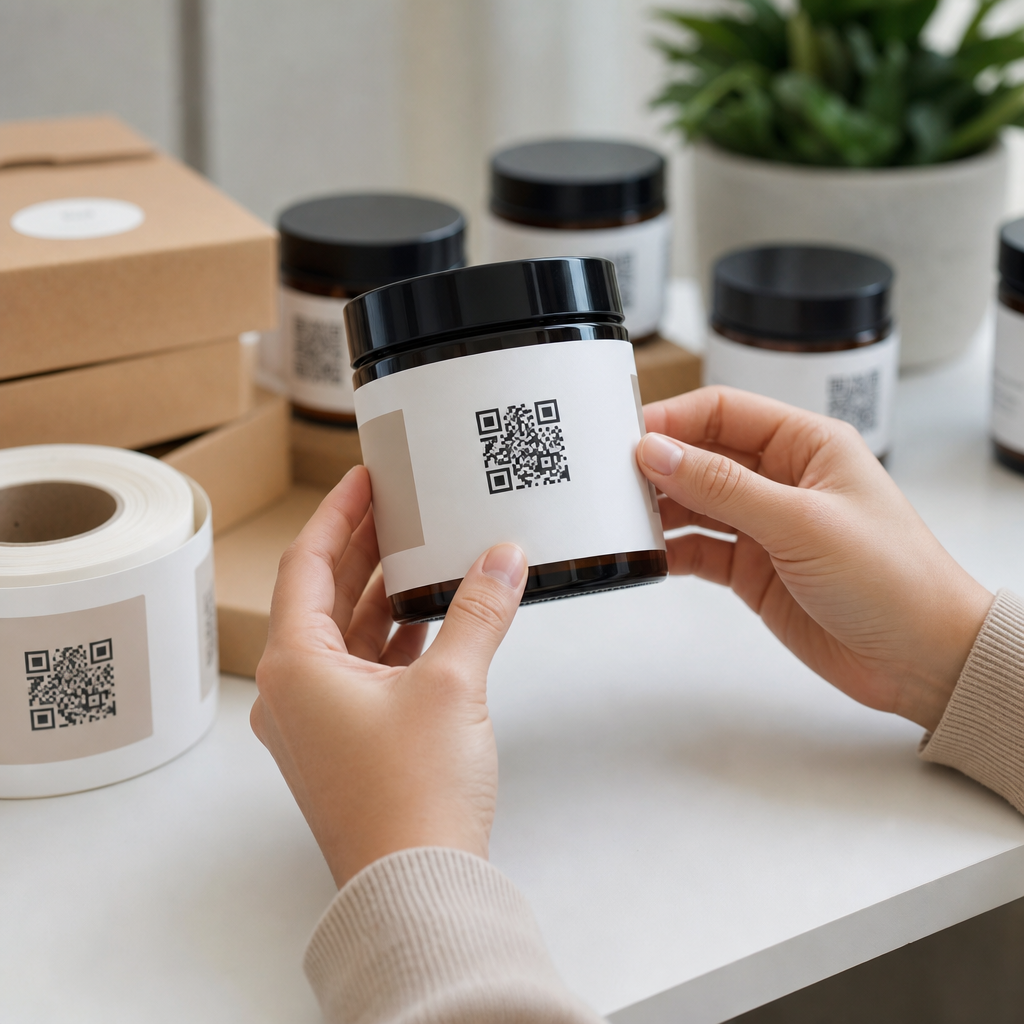
QR codes on product labels let retailers and e-commerce brands connect a physical package to digital content with a quick smartphone scan. In practice, that means a shopper can open setup instructions, ingredient details, warranty registration, authenticity checks, reorder pages, or campaign landing pages directly from the label. I have implemented QR label programs for product launches, warehouse relabeling projects, and post-purchase support workflows, and the same lesson appears every time: a code only adds value when it serves a clear customer task. For retail and e-commerce teams, this matters because packaging is one of the few touchpoints every buyer sees, whether the sale happens in a store aisle, through a marketplace, or from a direct-to-consumer shipment.
To add QR codes to product labels successfully, you need to understand four things: the destination URL, the code format, the print specifications, and the measurement plan. A static QR code points directly to a fixed destination and cannot be changed after printing. A dynamic QR code uses a short redirect URL so you can update the final destination later, track scans, and run experiments without reprinting inventory. Product labels are also constrained surfaces. You must balance branding, regulatory copy, barcodes, lot codes, and scannability. If the quiet zone is too small, the contrast is weak, or the material reflects light, scan rates drop fast.
Retail and e-commerce is the right place to use QR codes because labels already carry essential data, and customers increasingly expect instant mobile access to details that do not fit on-pack. In the United States, most smartphone users have native camera scanning, lowering adoption friction. Large retailers have normalized QR interactions through app downloads, digital receipts, and self-service information. At the same time, marketplaces and direct brands need better post-purchase engagement because shipping boxes and product labels are often the last branded assets a customer handles before deciding whether to keep, review, reorder, or return a product. A well-designed label QR strategy turns that moment into service, education, and measurable conversion.
Choose the Right QR Code Use Case for Retail and E-Commerce
The first step is not generating a code; it is defining the customer job to be done. On product labels, the highest-performing QR code use cases usually fall into six categories: product information, how-to support, compliance and traceability, reviews and loyalty, replenishment, and authentication. For example, a cosmetics brand may link a label to shade-matching guidance, ingredient sourcing, and application videos. A small appliance seller may send buyers to assembly instructions and troubleshooting flows. A food brand may route shoppers to allergen details, recipes, and batch-specific traceability records. A supplement company may use the code for certificates of analysis and usage guidance, which supports both transparency and customer confidence.
Keep the destination tightly aligned with the product and channel. In stores, the scan often happens before purchase, so the landing page should answer buying questions quickly: dimensions, fit, ingredients, compatibility, or proof of authenticity. In e-commerce fulfillment, scans often happen after unboxing, so setup, registration, care instructions, and reorder links outperform generic homepages. I have seen brands waste prime label space by sending every SKU to the same top-level website. Scan data then looks weak, not because shoppers dislike QR codes, but because the destination ignored intent. The best product label QR codes feel like a shortcut, not a marketing detour.
Hub pages in retail and e-commerce should also connect to deeper resources by product type and journey stage. That means linking internally from the main QR code strategy page to articles on apparel tags, food packaging, cosmetics labels, electronics onboarding, marketplace inserts, returns reduction, and anti-counterfeit labeling. This structure helps teams plan implementations by category while keeping one central page for shared principles. It also improves discoverability for buyers, operations managers, and packaging teams who need guidance on industry-specific applications rather than one-size-fits-all advice.
Decide Between Static and Dynamic QR Codes
For most retail and e-commerce label programs, dynamic QR codes are the better choice because inventory lives for months, sometimes years. If you change a support article, replace a product page, localize content for a region, or update a campaign after a launch, a dynamic code prevents obsolete labels. It also supports analytics such as total scans, time by day, device type, and location at an aggregate level depending on the platform. Tools commonly used by brands include Bitly, QR Code Generator Pro, Beaconstac, Flowcode, and enterprise marketing platforms with redirect capabilities. For regulated sectors, verify data handling, retention, and access controls before deployment.
Static QR codes still have a place. They are appropriate when the destination is permanent, privacy requirements are strict, or cost must be minimized. A static code linking to a canonical product care page can work well for long-life goods if the URL structure is stable and you control redirects at the website level. However, static codes are unforgiving. A typo, expired microsite, or platform migration can break thousands of labels. In my experience, the cost of reprinting usually exceeds the cost of using a managed dynamic system from the start, especially for distributed retail inventory.
| Option | Best for | Main advantage | Main limitation |
|---|---|---|---|
| Static QR code | Permanent content, low-budget runs, simple packaging | No ongoing platform fee | Destination cannot be edited after print |
| Dynamic QR code | Retail rollouts, campaigns, support content, localization | Editable destination with analytics | Requires platform management and governance |
Whichever format you choose, use a short, clean URL path and maintain redirect documentation. Label assets often outlive campaign owners, agencies, and even ecommerce platform migrations. A naming convention tied to SKU, market, and revision date prevents confusion when support, legal, packaging, and merchandising teams all touch the same asset library.
Design the Product Label for Reliable Scanning
A QR code that looks good in a mockup can still fail in the field. Reliable scanning depends on size, contrast, placement, error correction, and substrate. A practical minimum size for many consumer labels is around 0.8 x 0.8 inches, though dense codes or long URLs may require larger dimensions. Use high contrast, ideally black on white, and preserve the quiet zone, the blank margin around the code, at roughly four modules wide. Avoid placing the code over patterns, metallic foils, transparent films, or curved edges that distort the symbol. If your label will be applied to a bottle or tube, test scans on the final container, not just on flat proofs.
Error correction levels matter. QR codes support L, M, Q, and H levels, with higher levels tolerating more damage or design interference at the cost of greater symbol density. For retail labels exposed to abrasion, condensation, or handling, M or Q often provides a good balance. Resist the temptation to over-style the code with heavy logos, inverted colors, or decorative frames unless you have validated performance across devices. Branded QR codes can work, but only after scan testing under real lighting conditions with both iPhone and Android cameras. The packaging line, store shelf, and kitchen counter are less forgiving than a design review on a desktop screen.
Add clear scan instructions next to the code. Simple copy like “Scan for setup,” “Scan for ingredients,” or “Scan to reorder” consistently improves engagement because it explains the payoff. Context is especially important in retail, where shoppers make split-second decisions. If the label includes multiple machine-readable elements, such as a UPC, Data Matrix code, and lot code, separate them visually to reduce confusion for both customers and operations staff.
Build Landing Pages That Match Product, Channel, and Intent
The destination experience determines whether your QR code creates value or friction. Every label should route to a mobile-first page that loads quickly, reflects the specific product, and answers the most likely question above the fold. For retail and e-commerce, that usually means a product support hub with modular blocks: quick start, specifications, FAQs, compatibility, care, reviews, and contact options. If you sell across channels, append campaign parameters or use dynamic routing so in-store scans, Amazon package scans, and direct-to-consumer scans can land on slightly different versions tailored to buyer context.
For example, an electronics brand can send in-store scans to a comparison page with battery life, included accessories, and warranty terms, while post-purchase scans on the shipped unit open activation, firmware updates, and troubleshooting. An apparel label can route to fit guidance before purchase and washing instructions after purchase. A gourmet food brand can offer sourcing, nutritional details, and chef recipes from the shelf, then shift repeat buyers toward subscription reorders later. The code stays the same, but the destination evolves based on customer needs and business goals.
Do not hide essential compliance information behind a QR code if regulations require it on-pack. Instead, use the code to extend detail, provide translations, surface videos, or deliver batch-level data. Accessibility also matters. Make the landing page readable, keyboard navigable, and compatible with screen readers. If the scan leads to a PDF, provide an HTML version too. The fastest way to reduce scan value is to send mobile users to a desktop page, an app wall, or a generic homepage with no clear next action.
Track Performance, Governance, and Operational Rollout
Measurement should start before printing. Define success by use case: reduced support contacts, increased registration rate, better review volume, higher reorder conversion, or stronger dwell time on product education pages. Then instrument your QR destinations with analytics events in Google Analytics 4, Adobe Analytics, or your customer data platform. At minimum, track scans, landing-page engagement, click-through to key actions, and outcomes such as registration completion or add-to-cart. If you sell through multiple retailers, segment by SKU, market, and packaging version so you can compare results across channels.
Operational governance is just as important. Create an approval workflow covering destination URLs, legal review, packaging artwork, QA scan testing, and redirect ownership. I recommend maintaining a master spreadsheet or PIM-connected registry with SKU, code type, target URL, live date, owner, and archive status. This prevents orphaned redirects and broken experiences after staff changes. On the production side, test print files at final size, verify contrast on the actual substrate, and run scans from multiple phone models at different distances. For high-volume programs, request samples from the printer and validate batch consistency before full release.
Common mistakes are predictable: linking to the homepage, using tiny codes, skipping mobile optimization, forgetting redirects during site migrations, and launching without a content owner. Avoid them, and QR codes become one of the most practical bridges between physical retail and digital commerce. Start with one product line, document results, and expand to other retail and e-commerce applications such as loyalty enrollment, serialized authenticity checks, multilingual instructions, and returns reduction. Done well, product label QR codes improve customer service, preserve packaging space, and create measurable insight from a surface brands already control. Audit your labels, choose one high-intent use case, and pilot a QR program with clear metrics this quarter.
Frequently Asked Questions
1. What is the best way to add a QR code to a product label?
The best approach is to start with the outcome you want the scan to produce, then build the label around that goal. A QR code on a product label should do more than simply exist on the package; it should send the customer to a page that is useful, fast, mobile-friendly, and directly relevant to the product in their hand. For example, a cosmetics label might link to ingredient details and usage instructions, while an electronics label might open setup videos, warranty registration, and troubleshooting steps. When the destination is clear, it becomes much easier to decide what kind of QR code to use, how large it needs to be, and where it should be placed on the label.
In most cases, a dynamic QR code is the smarter choice because it lets you change the destination URL later without reprinting the label. That flexibility matters in real-world retail and e-commerce workflows, especially when products are updated, campaign pages expire, or support content needs to be revised after launch. Once the QR code is generated, test it at actual print size on the real label material, not just on a computer screen. Placement also matters: the code should be easy to find, not wrapped around a curve too tightly, and not crowded by other design elements, seams, folds, or regulatory text. A short call to action such as “Scan for setup,” “Scan for ingredients,” or “Scan to register” often improves engagement because it tells the shopper exactly why they should use it.
2. How big should a QR code be on a product label for reliable scanning?
A QR code should be large enough to scan quickly under normal shopping, warehouse, and post-purchase conditions, but there is no single perfect size for every label. The right size depends on scan distance, printing method, packaging material, and how much data is encoded. As a practical rule, keeping the QR code at least around 0.75 inches to 1 inch square works well for many product labels, especially when customers will scan at close range with a smartphone. Smaller codes can still work, but they become less forgiving if the print quality drops, the package surface is reflective or curved, or the lighting is poor.
Equally important is the quiet zone, which is the blank margin around the QR code. If design elements, borders, text, or background patterns crowd the symbol, scan performance can suffer even if the code itself is technically large enough. High contrast is also essential: dark code on a light background is still the most reliable combination. If a brand wants a stylized QR code with custom colors or a logo in the middle, it should be tested extensively before production. In my experience, brands often focus on making the code smaller to preserve label space, but the better decision is usually to protect readability first. A QR code that fails in-store or after delivery creates friction exactly where the label is supposed to help.
3. Should I use a static or dynamic QR code on product packaging?
For most product label applications, dynamic QR codes are the better long-term option. A static QR code permanently stores the final destination inside the code itself, which means if the linked page changes, breaks, or needs to be replaced, you typically have to print new labels. That can become expensive and disruptive, especially for products already in inventory, products distributed across multiple channels, or packaging with long shelf life. Dynamic QR codes, by contrast, point to a redirect that you can update later, allowing you to change the destination without replacing the printed label.
This flexibility is especially valuable for product launches, warehouse relabeling projects, and support workflows. A brand may initially send customers to a launch landing page, then later redirect scans to setup documentation, reorder pages, or a customer support hub. Dynamic codes also make analytics possible in many platforms, letting you see scan volume, timing, device trends, and sometimes location data in aggregate. Those insights can help measure customer engagement and improve packaging strategy over time. Static codes still have a place when the destination will never change and simplicity is the top priority, but for most retailers and e-commerce brands, dynamic QR codes provide better control, better adaptability, and less risk once labels are already in circulation.
4. What should a QR code on a product label link to?
A product label QR code should link to content that makes the customer’s next step easier, faster, or more informative. The most effective destinations are tightly matched to the product and the point in the customer journey. Before purchase, a shopper may want product specifications, ingredient transparency, compatibility information, reviews, or authenticity verification. After purchase, they may need setup instructions, user manuals, care guidance, warranty registration, replacement parts, refill ordering, or support contact options. The key is relevance. If a customer scans a product label and lands on a generic homepage, the code usually underperforms because it adds friction instead of removing it.
It is also worth thinking beyond a single use case. A well-planned QR experience can support the full lifecycle of the product. For example, food and beverage brands can use the code for sourcing details, allergy information, promotions, and reorders. Consumer electronics brands can route users to onboarding content, firmware updates, and troubleshooting. Apparel brands can link to care instructions, fit guides, and product authentication. Whatever the destination, it should load quickly on mobile devices, be easy to read without pinching or zooming, and clearly reflect the product the person scanned. If possible, use a page specifically built for that SKU, product family, or campaign rather than a broad site page. The more specific the destination, the more useful the label becomes.
5. What are the most common mistakes to avoid when putting QR codes on product labels?
The most common mistake is treating the QR code like a decorative add-on rather than a functional part of the label. When that happens, brands often make the code too small, place it over busy graphics, print it on reflective or curved areas without testing, or send users to a weak destination page. Another frequent problem is skipping real-world testing. A code may scan perfectly from a design proof on a monitor but fail when printed on textured materials, shrink sleeves, glossy coatings, or dark packaging. Every final label should be tested using multiple phone models, in different lighting conditions, and from realistic scanning distances.
Another major mistake is failing to provide context. Customers are far more likely to scan when the label explains the benefit, such as “Scan for assembly video,” “Scan to verify authenticity,” or “Scan for nutrition details.” Brands also run into trouble when they use static QR codes for content that later changes, or when they do not maintain the linked page over time. A broken link, expired campaign page, or non-mobile landing page can make the label feel unreliable. Finally, compliance and placement should not be overlooked. The QR code should not interfere with required label information, barcodes, or critical product text. The strongest QR label programs succeed because they combine clear purpose, careful print execution, mobile-friendly content, and ongoing maintenance after the labels are already in the market.





