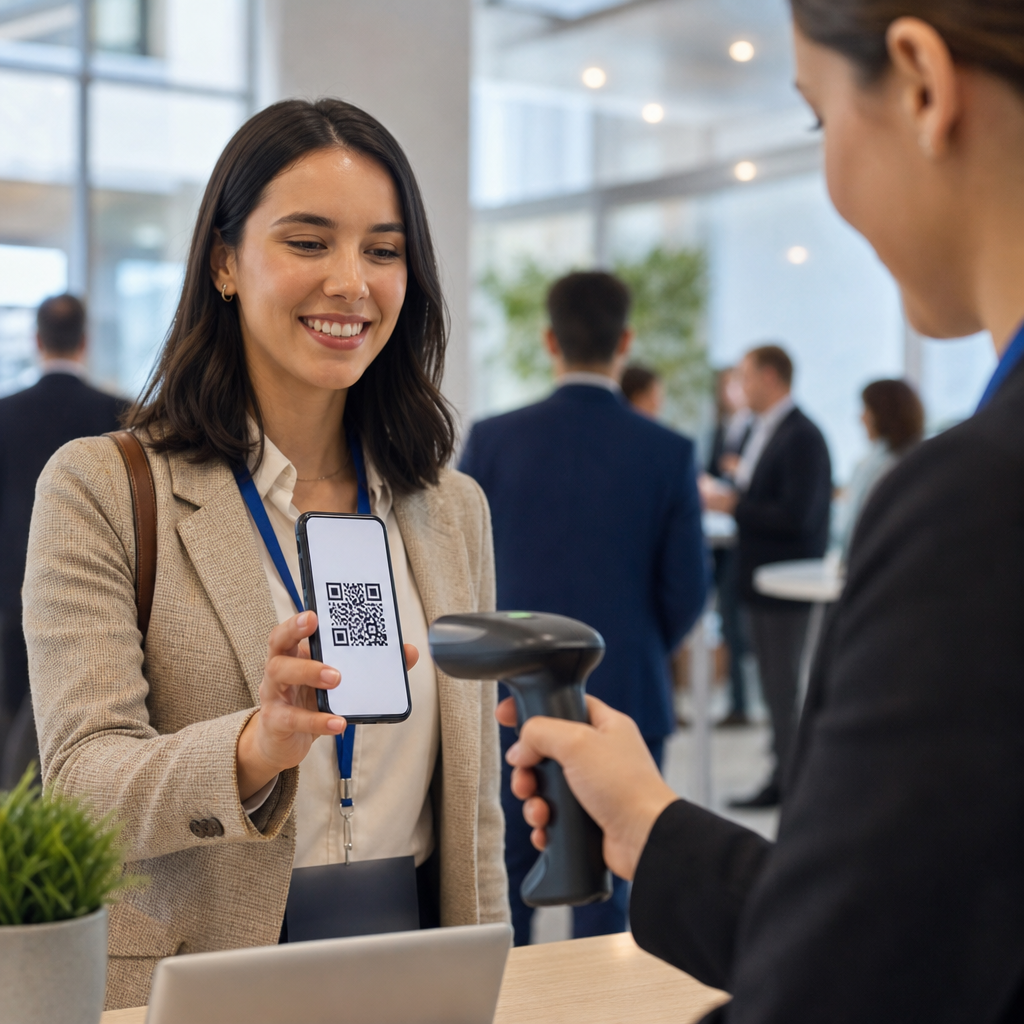
QR codes for attendee registration have become a core tool in events and ticketing because they turn a slow, error-prone check-in line into a fast digital workflow that organizers can measure, secure, and scale. In practical terms, a QR code is a two-dimensional barcode that stores data such as a registration ID, ticket number, URL, or encrypted token. When scanned by a phone, tablet, kiosk, or handheld reader, that code instantly pulls up the attendee record and confirms access. For conferences, trade shows, concerts, fundraisers, festivals, corporate meetings, and training sessions, that single scan can trigger validation, badge printing, session tracking, meal entitlement, and post-event reporting.
I have implemented QR registration systems for both small association events and multi-entrance business conferences, and the biggest shift is operational, not cosmetic. Staff no longer shuffle printed guest lists or manually search inboxes for confirmation emails. Attendees move faster, fewer names are misspelled at check-in, and organizers get live attendance data instead of rough estimates. This matters because registration is the first in-person touchpoint. If it fails, the entire event feels disorganized; if it works, every later process benefits, from room capacity planning to sponsor lead capture.
As the hub page for events and ticketing, this guide explains how QR codes support attendee registration from invitation through entry and reporting. It covers the setup decisions, security standards, hardware choices, staffing model, and measurement practices that make the system reliable in real venues, not just in demos. It also answers the practical questions planners ask most often: what data should a QR code contain, how do you prevent duplicate use, what happens when Wi-Fi drops, and which event formats gain the most value from QR-based registration.
How QR registration works across the event lifecycle
In events and ticketing, QR registration usually starts when a registrant completes a form in an event platform such as Eventbrite, Cvent, Bizzabo, Hopin, Whova, or a custom registration stack connected to a CRM. The platform generates a unique attendee identifier and associates it with ticket type, payment status, access level, and profile fields. That identifier is embedded in a QR code and delivered by email, wallet pass, mobile app, PDF ticket, or confirmation page. At the venue, a scanner reads the code and the system checks whether the identifier is valid, unused, and permitted at that location or time.
The best implementations treat the QR code as a lookup key rather than stuffing every attendee detail directly into the image. This keeps the code compact and easier to scan on dim screens or wrinkled printouts. It also reduces privacy exposure because a lost ticket reveals less information. In one conference deployment I managed, the code contained a token mapped to the attendee record in the database, while the check-in app displayed the person’s name, company, badge type, and session entitlements only after validation. That design shortened scan times and simplified updates when a registration changed hours before doors opened.
QR registration supports more than front-door entry. Organizers use it for self-service check-in kiosks, on-demand badge printing, session attendance capture, VIP lounge control, exhibitor lead retrieval, meal and drink redemption, shuttle boarding, and certificate issuance. Because every scan creates a timestamp, event teams can see arrival patterns by entrance, compare no-show rates by ticket class, and verify whether a room was actually over capacity or simply experienced a late rush. Those operational insights are why this topic belongs at the center of events and ticketing strategy rather than as an isolated check-in feature.
Benefits for organizers, venues, and attendees
The primary benefit of QR codes for attendee registration is speed. A trained staff member using a modern scanning app can process arrivals in seconds, and self-scan kiosks can move simple traffic even faster. Speed reduces line abandonment, late session starts, and labor costs. At one trade event with several hundred attendees arriving within forty minutes, switching from alphabetical paper lookup to QR scanning cut average check-in time dramatically and freed staff to handle exceptions instead of every guest.
Accuracy is the second major gain. Manual entry creates duplicates, spelling errors, and mistaken check-ins, especially when several people share similar names. Scanning a unique code reduces those errors and creates a definitive attendance log. That matters for paid events where access rights differ, and for compliance-sensitive gatherings where organizers must demonstrate who entered restricted sessions. It also improves the post-event data used by sales teams, membership staff, and sponsors.
Attendees benefit from predictability. They can store the QR code on a phone, in Apple Wallet or Google Wallet, or on a printed confirmation if they prefer paper. They do not need to remember an order number or search a crowded inbox at the door. For venues, QR registration helps smooth traffic because entrances can be segmented by attendee type, day pass, or VIP status. Real-time dashboards also let operations teams open another lane before lines become a problem.
Implementation requirements and recommended setup
A reliable QR registration system depends on process design more than on the graphic itself. Organizers need a registration database, unique token generation, a scanning application, user permissions, and a synchronization plan between devices. For paid events, the registration record should also be tied to payment confirmation, refund status, and transfer rules. For multi-session conferences, it should map to entitlements at the agenda-item level so a scan can answer not only “Is this attendee valid?” but also “Are they allowed in this room right now?”
Hardware choices affect throughput. Smartphone cameras are acceptable for low-volume events, but higher-volume entrances benefit from tablets with rugged cases, dedicated sled scanners, or handheld imagers that perform better with cracked screens and glossy badges. Badge printers should be tested with the registration software well before show day, particularly if the workflow includes auto-print after scan. Zebra and Brother devices are common in this environment, but reliability depends on driver compatibility, media settings, and network stability.
Connectivity planning is nonnegotiable. Venues often promise strong Wi-Fi yet struggle once thousands of devices come online. The safer approach is to use a system with offline mode, cached attendee lists, and conflict handling for duplicate scans. I also recommend separate networks for registration operations and guest access, battery backups for kiosks, and a paper fallback list for VIPs or speakers. The registration manager should run a rehearsal using the actual floor plan, actual lighting, and actual devices, because scanning performance changes dramatically in bright outdoor entries and dark theater lobbies.
| Component | Best practice | Why it matters |
|---|---|---|
| QR data | Use a unique token, not personal data | Improves privacy and scan reliability |
| Scanner app | Support offline validation and duplicate alerts | Prevents entry errors during network outages |
| Badge printing | Trigger print only after successful validation | Avoids wasted stock and duplicate badges |
| Entrances | Create lanes by attendee type or access level | Reduces congestion and exception handling |
| Testing | Run end-to-end rehearsals with live devices | Finds workflow failures before doors open |
Security, fraud prevention, and privacy controls
Security is where many event teams underestimate the complexity of QR codes for attendee registration. A visible code can be forwarded, screenshotted, or copied unless the system validates it against business rules. The minimum standard is server-side verification of ticket status and immediate marking of first use. Better systems also flag duplicate scans, limit access by time window or zone, and require staff override for suspicious cases. Dynamic QR codes, rotating tokens, or app-based wallet passes can raise security further for higher-risk events.
Fraud risks vary by event type. At a free community gathering, the main concern may be duplicate check-ins or inflated attendance numbers. At a paid concert or premium conference, unauthorized transfer and resale become larger issues. Some platforms bind tickets to a named attendee and allow controlled transfer workflows, while others support identity checks at the door for restricted categories such as media, staff, or underage admission bands. The code itself is not the security model; the validation logic is.
Privacy controls should follow the principle of data minimization. Avoid encoding names, email addresses, or phone numbers directly into the QR image when a token will do. Publish a clear privacy notice explaining what scan data is collected, how long it is retained, and whether it will be shared with sponsors or exhibitors. If attendee behavior will be tracked across sessions, that should be disclosed at registration. For organizations handling European attendees, the lawful basis and retention policy need to be aligned with GDPR expectations, and US healthcare or education events may face additional constraints depending on the data involved.
Use cases across events and ticketing
Conferences use QR registration to manage check-in, badge pickup, breakout attendance, and sponsor analytics. Trade shows extend the model by linking scans to exhibitor lead capture and hosted buyer appointments. Concerts and festivals focus more on rapid gate entry, anti-duplication controls, and offline resilience at outdoor venues. Fundraising galas often combine QR invitations, silent auction access, table assignments, and paddle raise reconciliation. In training programs and continuing education events, scan logs support attendance verification for credits or certification.
Each format has different priorities. A music festival needs extremely high throughput and durable wristband integration. A corporate summit may value identity accuracy, custom badging, and session-level access rights. A museum event might care more about timed entry to control capacity. Hybrid events add another layer, because the same registration profile can govern both in-person attendance and virtual access. When teams design the workflow around the event objective instead of treating all QR scans the same, the registration system becomes a strategic asset rather than a generic utility.
Measuring success and improving future events
The most useful metrics are scan rate, average check-in time, peak arrivals by interval, duplicate-scan incidents, exception rate, no-show percentage, and session attendance versus registration. These figures help planners staff entrances correctly, schedule opening remarks realistically, and compare marketing channels by actual attendance rather than raw registrations. They also support sponsor reporting, especially when sponsors paid for hosted sessions or branded registration experiences.
After every event, review the exceptions first. How many people arrived without codes? How many had unpaid or transferred tickets? Which entrance had the longest queue, and was the cause staffing, hardware, lighting, or weak connectivity? In my experience, the biggest gains come from fixing one operational bottleneck per event cycle rather than changing platforms too quickly. QR codes for attendee registration work best when the technology, staffing plan, venue setup, and communication emails are tuned together.
QR codes for attendee registration give event teams a faster, more accurate, and more measurable way to handle arrivals across the full events and ticketing lifecycle. They reduce line friction, strengthen access control, support badge printing and session tracking, and produce attendance data that improves both operations and marketing follow-up. The strongest systems use unique tokens, real-time or offline-capable validation, tested hardware, and clear privacy rules. They are designed for actual venue conditions, not ideal ones.
As this hub page shows, the value of QR registration extends well beyond the front door. It supports conferences, trade shows, concerts, festivals, galas, trainings, and hybrid formats with workflows tailored to each environment. If you are building or upgrading an event registration process, start by mapping attendee types, access rules, and failure scenarios, then choose tools that can validate quickly and report cleanly. A well-planned QR system does more than admit guests; it sets the operational standard for the entire event.
Frequently Asked Questions
What are QR codes for attendee registration, and how do they work at event check-in?
QR codes for attendee registration are scannable two-dimensional barcodes used to identify and verify guests when they arrive at an event. In most event workflows, each registrant receives a unique QR code after signing up, often by email, text message, mobile wallet pass, or printable ticket. That code may contain a registration ID, ticket number, secure token, or a link to the attendee’s record in the event management system. When staff scan the code with a phone, tablet, kiosk, or dedicated handheld device, the system immediately retrieves the attendee profile and confirms whether that person is approved for entry.
At a practical level, this replaces manual name lookups, paper lists, and error-prone badge searches with a faster digital process. For conferences, trade shows, seminars, and ticketed events, that speed matters. A line that once required staff to search for names alphabetically can become a quick scan-and-go experience. The result is shorter wait times, better attendee satisfaction, and less pressure on front-desk teams during peak arrival periods.
QR code registration systems also make event operations more measurable. Organizers can see exactly when each attendee checked in, which entrance was used, and how traffic flowed throughout the venue. That data helps with staffing, session planning, security monitoring, and post-event reporting. In short, QR codes are not just a convenience feature; they are a foundational tool for modern attendee registration because they improve speed, reduce mistakes, and give organizers real-time visibility into event access.
Why are QR codes better than manual attendee check-in methods?
QR codes are generally better than manual attendee check-in because they reduce friction at every step of the arrival process. Manual methods often rely on printed guest lists, emailed confirmations that staff must read by hand, or verbal name searches that slow down lines and increase the risk of misspellings, duplicate records, and mistaken entries. A QR code allows staff to scan and verify a guest in seconds, which dramatically improves throughput when hundreds or thousands of attendees arrive within a short time window.
Accuracy is another major advantage. With manual check-in, staff may select the wrong person with a similar name, miss a status note, or overlook whether a ticket has already been used. QR-based registration minimizes those issues by linking each code to a specific record and instantly updating the attendee’s status in the system. That creates a more reliable audit trail and lowers the chance of duplicate entry, badge confusion, or unauthorized access.
Operational efficiency improves as well. Because QR scanning is so fast, organizers can often manage check-in with fewer staff or reassign personnel to customer service and on-site support. This is especially valuable for conferences where attendees may need badges printed, session credentials assigned, or special access levels recognized at arrival. The digital workflow also makes it easier to capture attendance data, trigger automated notifications, and integrate check-in information with reporting dashboards, CRM systems, or lead retrieval tools. Overall, QR codes outperform manual registration methods because they are faster, more scalable, more consistent, and far easier to measure.
Are QR codes secure enough for attendee registration and event access control?
Yes, QR codes can be very secure for attendee registration when they are implemented correctly. The security of the system depends less on the visible square code itself and more on what the code contains and how the event platform validates it. A well-designed setup usually assigns a unique code to each attendee and connects that code to a live database record or encrypted token. When scanned, the system checks whether the code is valid, whether it has already been redeemed, and whether the attendee has the correct permissions for that entry point or session.
Organizers can strengthen QR code security in several ways. They may use one-time-use codes, time-sensitive tokens, encrypted identifiers, or rotating credentials for higher-security events. Staff devices can be configured to authenticate scans against a central system, preventing simple screenshot duplication from bypassing controls. For multi-day conferences or events with VIP areas, workshops, or paid add-ons, access rules can be tied directly to the QR code so the system verifies exactly what each attendee is allowed to enter.
It is also important to pair QR code security with sound event operations. That includes using trusted registration software, protecting attendee data, restricting scanner access to trained staff, and monitoring for duplicate or suspicious scan attempts. For larger events, real-time validation is especially valuable because it helps detect reused tickets or entry at the wrong gate. While no access system is completely risk-free, QR-based attendee registration is widely considered secure, practical, and more controllable than many paper-based alternatives when supported by the right software and procedures.
Can QR codes scale for large conferences, trade shows, and multi-entry events?
QR codes are highly scalable, which is one of the main reasons they are now standard in conferences, trade shows, festivals, and other high-volume events. Whether an organizer is checking in 100 guests or 50,000 attendees, the underlying process remains efficient: each attendee presents a unique code, a staff member or kiosk scans it, and the system validates access almost instantly. Because scanning is so fast, organizations can deploy multiple lanes, entrances, and devices without redesigning the registration workflow from scratch.
This scalability is especially useful for complex event environments. At a large conference, attendees may need to check in at the main entrance, scan into breakout sessions, enter sponsor lounges, collect materials, or access evening networking functions. A QR-based system can support all of these touchpoints while maintaining a consistent attendee identity across the event. That means organizers can track attendance by session, monitor room capacity, measure engagement, and control access by ticket type or registration package.
Another key benefit is flexibility under pressure. Large events often experience sudden surges at opening hours, keynote sessions, or lunch transitions. QR registration helps absorb those peaks because organizers can add scanning stations, use self-service kiosks, or equip roaming staff with mobile devices. Many systems also support offline or low-connectivity operation with sync capabilities, which is important in crowded venues where network performance can be inconsistent. For high-attendance events, QR codes do more than speed up entry; they create a structured, scalable framework for registration, access control, and attendance analytics.
What should organizers look for when choosing a QR code attendee registration system?
Organizers should start by evaluating speed, reliability, and ease of use. A good QR code attendee registration system should allow attendees to receive their codes quickly, present them easily on a phone or printed pass, and be scanned without delays at entry. The interface for staff should be simple enough to use during busy check-in periods, with clear visual confirmation for valid, invalid, duplicate, or restricted entries. If the system is confusing at the front door, even strong features in the backend will not deliver a smooth event experience.
Integration is another major consideration. The registration platform should connect well with the tools the event team already uses, such as ticketing software, badge printing, CRM systems, marketing automation platforms, payment systems, and attendance reporting dashboards. For conferences, it is especially valuable if the system can support multiple pass types, session-level access, exhibitor scanning, and on-site badge updates. Organizers should also assess whether the platform supports real-time syncing, offline scanning, multi-device management, and role-based permissions for staff.
Security, reporting, and support should round out the decision. Look for features such as encrypted or tokenized QR codes, duplicate-scan detection, access rules by ticket tier, and audit logs for check-in activity. Strong reporting tools can help teams understand arrival trends, no-show rates, session attendance, and staffing needs. Finally, dependable vendor support matters more than many organizers realize. Live event operations move quickly, and any issue at check-in needs immediate resolution. The best QR code attendee registration systems combine speed, security, operational flexibility, and actionable data, making them a smart long-term investment for event teams focused on efficiency and attendee experience.