
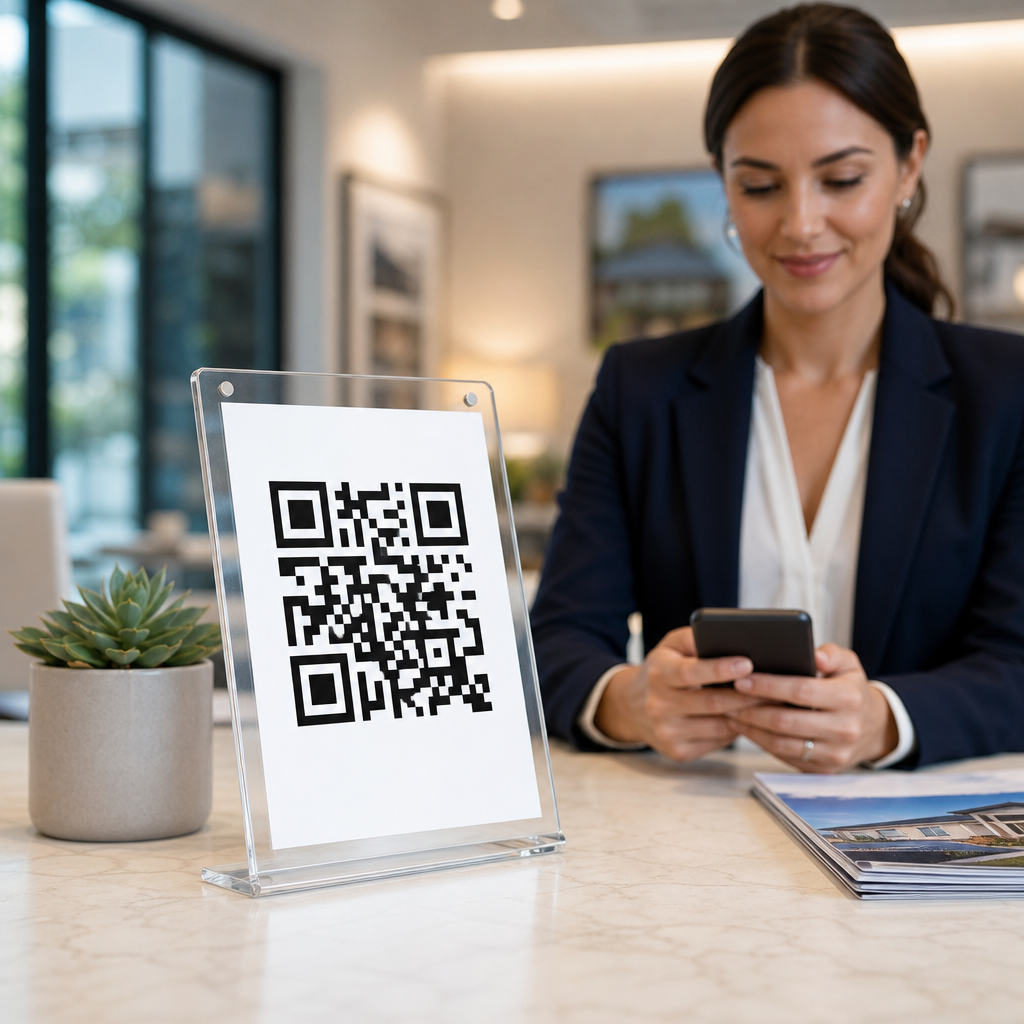
QR codes for agent profiles and contact info have become a practical marketing tool in real estate because they turn offline attention into immediate digital action. In plain terms, a QR code is a scannable square barcode that opens a destination such as a profile page, vCard, listing gallery, review page, or scheduling form. For real estate professionals, that simple scan closes one of the biggest gaps in lead generation: the delay between interest and follow-up. A buyer standing outside a sign, a seller browsing postcards, or an investor walking a property can get agent details instantly without typing a URL or saving a number manually.
I have seen this work best when the code is tied to a single, well-designed next step rather than a generic homepage. Real estate is a timing-driven business. Response speed, clear identity, and frictionless contact matter because prospects often compare multiple agents at once. National Association of Realtors research has consistently shown that consumers begin their home search online, but many first interactions still happen in physical environments: yard signs, open houses, print brochures, direct mail, lockbox instructions, and office displays. QR codes bridge those channels. They also help unify branding across an agent profile, brokerage information, listings, testimonials, and contact options in a way that is measurable.
This matters especially for a real estate hub page because agent profile QR codes are not just a design trend. They support mobile lead capture, improve contact accuracy, reduce lost inquiries, and give teams a reusable system across property types and campaigns. The strongest approach combines a mobile landing page, clear calls to action, compliant disclosures, and analytics. When executed correctly, QR codes support buyers, sellers, renters, commercial clients, and referral partners across the full real estate customer journey.
What QR codes should link to in real estate
The best destination depends on context, but the rule is simple: match the scan environment to the user’s immediate intent. On a yard sign, most people want listing details, agent contact information, and a way to book a showing. At an open house, they may want property disclosures, financing resources, neighborhood details, or an instant registration form. On a business card, they typically want to save contact details, view a profile, and verify credibility through reviews or recent sales.
In practice, I recommend four primary destination types. First, a mobile agent profile page with headshot, specialties, service areas, license information, social proof, and direct contact buttons. Second, a digital contact card, usually a vCard or platform-based contact save page, so users can add the agent to their phone in one tap. Third, a listing-specific landing page for signs, flyers, and brochures, ideally with photos, price, map, property facts, and inquiry form. Fourth, a scheduling page connected to a CRM or calendar tool so high-intent prospects can book a call or tour immediately.
Avoid sending users to a desktop-heavy brokerage homepage with several menu layers. That creates drop-off. Real estate scans are usually mobile, often outdoors, and often happen while the prospect is distracted. The destination must load quickly, present the agent identity instantly, and offer one clear action. Good examples include a “Text or Call Now” button, “See All Photos,” “Book a Showing,” or “Save My Contact.”
Where agent profile QR codes perform best
Real estate gives QR codes unusually strong placement opportunities because the business already relies on physical marketing. Yard signs remain the highest-visibility asset for many residential agents, especially in suburban markets where drive-by discovery is common. A sign rider with a QR code can capture people who do not want to call immediately but are willing to scan for price, photos, and the listing agent’s information. Open house signage is another strong use case because visitors are already on-site and motivated. The code can identify the agent, collect visitor registration, and distribute property packets without printed handouts.
Direct mail also benefits. A postcard announcing a just-listed property, market update, or neighborhood farming campaign can use a QR code to push recipients to a local market report or the agent’s seller profile. In multifamily and commercial real estate, QR codes on window displays, leasing boards, and property brochures help prospects access floor plans, availability, and broker contacts after hours. I have also seen strong results from QR codes on presentation folders, email signatures, buyer guides, closing gifts, and office lobby materials.
The common thread is convenience. Real estate prospects rarely want to type long URLs from a sign or flyer. A scan is faster, less error-prone, and easier to track than phone number recall alone.
How to structure the landing experience for conversions
A high-performing QR code campaign is really a landing page strategy. The code itself only starts the interaction. The landing page must answer five questions within seconds: Who is the agent, what property or service is this about, where is it located, what should I do next, and why should I trust this person? When those answers are obvious, conversion rates improve.
Start with a mobile-first design. Keep the agent headshot visible near the top, add the full name and brokerage, and include tap-to-call and tap-to-text buttons above the fold. If the code appears on a listing sign, show the property address, price, and strongest image immediately. Include a concise value proposition such as “Local listing agent for Downtown Austin condos” or “Serving first-time buyers in North Phoenix.” Then support credibility with testimonials, transaction history, certifications, or neighborhood expertise.
Speed matters as much as design. Compress images, use modern formats like WebP when possible, and avoid scripts that delay rendering. Every extra second reduces the chance that a roadside scanner will stay engaged. Add a short form only when necessary. For many real estate use cases, direct call, text, WhatsApp, or calendar booking is more effective than a long lead form. If you do collect data, connect the page to a CRM such as Follow Up Boss, kvCORE, HubSpot, or Salesforce so inquiries route instantly and can be tagged by source.
Recommended QR code setups by real estate use case
The right setup depends on audience, property type, and campaign objective. Static QR codes can work for permanent destinations, but dynamic QR codes are usually better for agents and brokerages because the destination can be updated without reprinting signs or collateral. Dynamic codes also support scan analytics, A/B testing, and campaign segmentation by office, neighborhood, or listing category.
| Use case | Best destination | Primary goal | Recommended CTA |
|---|---|---|---|
| Yard sign | Listing page plus agent contact | Showing requests | See photos and book a tour |
| Business card | Digital contact card and profile | Save contact | Add me to your phone |
| Open house sign-in | Registration form with property packet | Lead capture | Check in to access details |
| Direct mail | Seller or buyer landing page | Consultation booking | Get your home value or schedule a call |
| Commercial brochure | Availability page and broker profile | Qualified inquiry | View plans and contact broker |
For teams, use separate codes for individual agents, listing types, and farm areas. That creates cleaner attribution and helps identify which collateral produces real conversations rather than low-intent scans.
Branding, compliance, and trust considerations
Real estate marketing has stricter disclosure expectations than many industries, so QR code implementation should respect brokerage policy and local regulation. Agent profile pages should clearly show the licensed name, brokerage affiliation, and any required equal housing or licensing disclosures based on jurisdiction. If the code leads to a listing page, confirm the data is current and that status changes are reflected quickly. A stale “available” page damages trust and can create compliance problems.
Branding also affects scan behavior. People are more likely to scan when the code appears intentionally designed rather than pasted on as an afterthought. Use sufficient contrast, a visible quiet zone, and a short instruction such as “Scan for price, photos, and agent info.” Branded frames and logos can improve recognition, but do not over-customize to the point that lower-quality cameras struggle to read the code. Test across iPhone and Android devices under bright sun and low-light conditions, because real estate scanning often happens outdoors.
Privacy matters too. If you collect registration data, say what the user is signing up for and where follow-up will occur. Consent language should be easy to understand, especially for SMS follow-up. Trust in real estate is cumulative; clear disclosures and accurate expectations outperform aggressive capture tactics.
Measuring performance and improving results over time
The advantage of QR codes over traditional print-only marketing is measurability. At minimum, track scans, unique users, time of scan, device type, and conversion action. Better setups use UTM parameters, CRM source tagging, and call tracking numbers to connect scans with appointments, tours, and closings. That is how you determine whether a postcard drove actual seller consultations or whether a luxury sign campaign produced high-quality buyer leads.
I typically evaluate three layers of performance. First, scan rate by placement: sign, card, mailer, brochure, or open house. Second, landing page behavior: bounce rate, clicks on call or text buttons, form completion, and scroll depth. Third, business outcome: meetings, listing agreements, tenant tours, buyer representation agreements, or closed transactions. If scans are high but inquiries are low, the problem is usually the landing page or call to action, not the code itself. If scans are low, placement, incentive, visibility, or audience fit may be weak.
Continuous testing produces gains. Change one variable at a time: the CTA wording, page layout, lead magnet, sign placement, or destination type. In several campaigns I have worked on, replacing “Scan for info” with “Scan for price and private tour” increased meaningful engagement because it answered the user’s immediate question more clearly.
QR codes for agent profiles and contact info work in real estate because they shorten the path from curiosity to conversation. They help buyers access listings faster, help sellers evaluate an agent quickly, and help brokers measure offline marketing with more precision. The most effective implementations are simple: a scannable code, a mobile-first page, a credible agent profile, and one clear next action. When those elements align, signs, postcards, business cards, brochures, and open house materials become active lead generation assets instead of static branding pieces.
As the hub for real estate applications, this topic connects naturally to deeper pages on yard signs, open houses, digital business cards, listing brochures, direct mail, and CRM tracking. Each subtopic builds on the same core principle: remove friction, present trust signals immediately, and make contact effortless on a phone. If you are building or refreshing a real estate marketing system, start with your highest-traffic offline asset, add a dynamic QR code tied to a purpose-built landing page, and measure what happens next. That small change can improve response speed, data quality, and lead capture across your entire pipeline.
Frequently Asked Questions
What are QR codes for agent profiles and contact info, and why do they matter in real estate?
QR codes for agent profiles and contact info are scannable codes that instantly connect a person from a physical marketing touchpoint to a digital destination. In real estate, that destination might be an agent bio page, a digital business card, a listing gallery, a reviews page, a home valuation form, or a scheduling link. Their value comes from removing friction. Instead of asking a prospect to remember a name, type in a long web address, or search later, the code turns immediate interest into immediate action with a single scan.
This matters because real estate decisions often begin in the moment. A buyer may be standing outside a property sign, walking through an open house, reading a postcard, or seeing a flyer in a local business. If they have to wait until later to look up the agent, there is a strong chance that interest fades or another agent captures the lead first. A QR code shortens that path dramatically. It allows prospects to engage while motivation is highest, which can improve lead capture, response speed, and overall conversion rates.
For agents, QR codes also support a more professional and trackable marketing approach. They can direct traffic to assets the agent controls, help organize inquiries, and make offline advertising measurable. When used well, they bridge the gap between print and digital marketing, giving prospects a convenient experience and giving agents a practical tool for generating and managing leads.
Where should real estate agents place QR codes for the best results?
The best placement for a QR code depends on where prospects are most likely to notice it and scan it without effort. In real estate, high-performing placements often include yard signs, open house signage, brochures, property feature sheets, business cards, postcards, listing presentations, email signatures, and office window displays. The common thread is visibility at the exact moment someone wants more information. If a potential buyer sees a home they like, the code should be easy to find and easy to scan from a comfortable distance.
Property signs are one of the most effective uses because they capture high-intent interest. A QR code on a sign can send a buyer directly to listing photos, property details, mortgage information, or a contact form. Open house materials are another strong option because visitors are already engaged. A code on a sign-in sheet, kitchen counter card, or take-home flyer can lead to the agent profile, a saved-search signup, or a page for booking a follow-up consultation.
Printed marketing also benefits from QR code placement when the call to action is clear. On a business card, the code can open a digital contact card so the recipient can save the agent’s number instantly. On postcards, it can lead to neighborhood listings or seller resources. The key is to match the destination to the context. Someone scanning a code on a listing sign likely wants property details right away, while someone scanning a code on an agent introduction flyer may be more interested in credentials, reviews, and contact information.
For the best results, make sure the code is large enough to scan easily, has sufficient contrast, and is paired with simple instructions such as “Scan for listing details” or “Scan to save my contact info.” Good placement is not just about exposure. It is about making the next step obvious and useful.
What should a QR code link to: an agent profile, a vCard, a review page, or a scheduling form?
The right destination depends on the prospect’s intent and the marketing situation. There is no single best option for every use case. An agent profile works well when you want to introduce your brand, showcase experience, highlight specialties, and provide multiple ways to connect. A digital profile page is especially effective on business cards, personal branding materials, and community sponsorship signage because it gives prospects a complete snapshot of who you are and how you can help.
A vCard or digital contact card is ideal when the goal is speed and convenience. It allows the person scanning to save your phone number, email, brokerage, and website directly to their device. This is highly effective in networking environments, open houses, and print materials where the main objective is making sure people can reach you later without retyping anything. If contact retention is the priority, a vCard destination is often the smartest choice.
A review page is useful when trust-building is the focus. Social proof can heavily influence whether a prospect decides to call, especially in a competitive market. QR codes linking to testimonials or third-party reviews can work well on listing packets, seller presentations, postcards, and event materials where prospects may be evaluating multiple agents. Seeing real feedback from past clients can strengthen credibility quickly.
A scheduling form is best when the prospect is ready to take action. If the goal is booking a buyer consultation, listing appointment, or showing request, a direct scheduling page reduces delay and back-and-forth communication. This can be especially effective on “For Sale” signs, open house follow-up materials, and targeted mailers to sellers.
In many cases, the most effective solution is a mobile-friendly landing page that offers several options in one place. For example, the page might include buttons to call, text, save contact info, view active listings, read reviews, and schedule a meeting. That approach gives prospects flexibility while still keeping the experience streamlined and intentional.
How can agents make QR codes more effective for lead generation and follow-up?
To make QR codes effective for lead generation, agents should start with a clear purpose. Every code should support a specific action, such as viewing a listing, saving contact information, requesting a showing, or booking a consultation. Vague destinations create drop-off. Focused destinations improve results. Pair the code with a direct call to action so prospects know exactly what they will get when they scan it.
The landing experience matters just as much as the code itself. The page should load quickly, look good on mobile devices, and present the most important information immediately. Long, cluttered pages can lose attention fast. If the goal is lead capture, keep forms short and practical. Ask only for the information you truly need. If the goal is contact, make the phone number, text option, and email button visible without scrolling.
Agents should also tailor QR code destinations to the source. A code on a listing flyer should not necessarily go to the same page as a code on a networking card. Context-specific landing pages perform better because they align with the reason the person scanned. This also helps with tracking. Using unique QR codes for different signs, mailers, events, or neighborhoods allows agents to see which placements and campaigns are generating the most engagement.
Follow-up strategy is equally important. A QR code can open the door, but the agent still needs a process for responding quickly. If the code leads to a form submission, calendar booking, or text inquiry, the response should be prompt and relevant. Fast follow-up is one of the main advantages of using QR codes in the first place. When agents combine immediate digital access with organized lead management, they create a smoother experience for prospects and a more reliable pipeline for the business.
Finally, test and refine over time. Track scan rates, click-through behavior, appointments booked, and lead quality. Small improvements such as changing the call to action, using a better landing page, or repositioning the code on a sign can make a meaningful difference. The strongest QR code strategy is not just convenient. It is intentional, measurable, and built around conversion.
Are there any best practices or mistakes to avoid when using QR codes on agent marketing materials?
Yes. The best practices are straightforward, but they make a significant impact. First, always use a mobile-friendly destination. Since most people scan QR codes with their phones, the page needs to load fast, display properly on small screens, and make the next action simple. Second, use high-contrast, clean code designs that scan reliably. Branding is helpful, but readability should never be sacrificed for style. A fancy code that does not scan consistently is a missed opportunity.
Another best practice is to provide a clear reason to scan. People are more likely to engage when the benefit is obvious. Instead of placing a standalone code with no explanation, add wording such as “Scan for instant listing photos,” “Scan to save my contact details,” or “Scan to schedule a showing.” That short instruction increases usability and sets expectations. It also helps prospects feel confident about what will happen next.
Agents should avoid linking to generic homepages when a more relevant page is available. Sending a prospect to a broad website homepage often creates unnecessary friction because they still have to search for the information they wanted. A targeted landing page usually performs better. It is also important to avoid placing QR codes too small, too high, or in areas with glare, poor lighting, or physical obstruction. If a person cannot comfortably scan the code in a few seconds, usage will drop.
Another common mistake is failing to test. Every code should be scanned on multiple devices before it goes live. Test both the code and the full user journey after the scan. Make sure the page opens correctly, forms work, links function, and contact buttons behave as expected. Agents should also review where the code points over time, especially if the linked listing expires or the campaign changes. Broken or outdated destinations weaken trust and waste traffic.





