
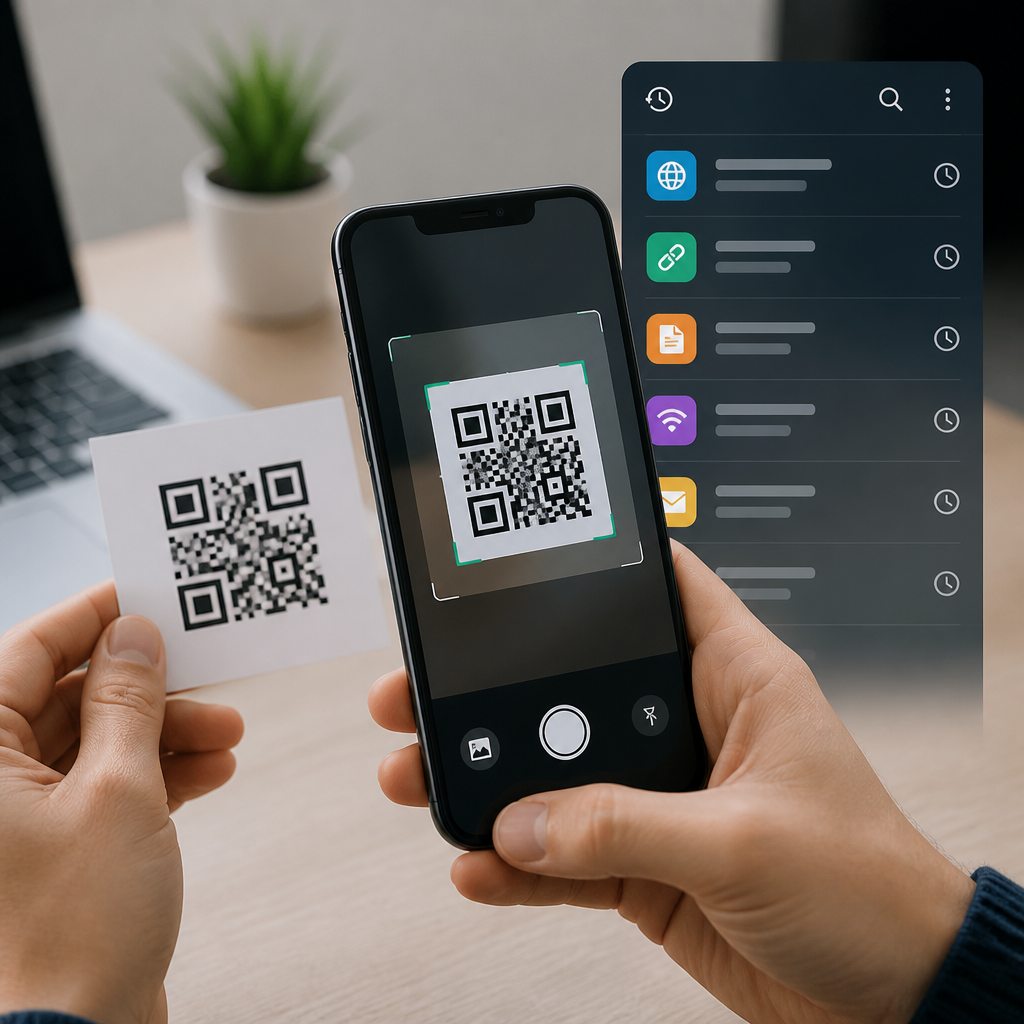
QR code scanner apps with history tracking have become essential mobile tools for anyone who regularly scans payment links, restaurant menus, Wi-Fi credentials, event tickets, login prompts, and product labels. A QR code scanner app uses a phone camera and decoding software to read the black-and-white matrix pattern and convert it into structured data such as a URL, plain text, contact card, location pin, or one-time authentication string. History tracking is the feature that records previous scans, often with timestamps, labels, thumbnails, export options, and search filters, so users can return to important information instead of scanning the same code again. That matters because QR codes are now woven into everyday commerce and identity flows, and a missing scan record can mean losing a boarding pass, discount link, or proof of payment. In my own testing across Android and iPhone devices, the difference between a basic scanner and one with a well-designed history log is immediate: the second app saves time, reduces repeat scans, and creates a reliable trail of digital interactions. For users researching QR code scanner apps, history tracking is no longer a bonus feature; it is a core requirement.
The best QR code scanner apps do more than decode symbols. They classify scan types, open links safely, store prior results locally or in the cloud, and give users control over privacy and deletion. Some are lightweight consumer tools built around speed, while others support batch workflows for retail, field service, inventory checks, and attendance management. This hub article explains what history tracking in QR code scanner apps actually includes, how the strongest apps differ, which features matter most on Android and iOS, and where these tools fit within the broader mobile QR code scanning ecosystem. If you are comparing apps for personal convenience, team operations, or secure business use, the sections below outline the practical standards that separate dependable scanners from disposable ones.
What history tracking means in QR code scanner apps
History tracking is the persistent record of every QR code your app has scanned, usually stored as a list that can be searched, sorted, revisited, shared, or deleted. At minimum, a good history system logs the content of the code and the date and time of the scan. Better apps also show the content category, such as URL, text, email address, calendar event, SMS command, payment request, or Wi-Fi setup string. The strongest implementations let you favorite entries, add notes, rename scans, sync them across devices, and export records as CSV or JSON for audit or workflow use.
This feature matters because many QR interactions are not one-time events. A freelancer may scan client Wi-Fi codes across several offices and need to reconnect later. A shopper may scan warranty registration codes and want the product page again weeks later. A warehouse worker may scan location markers all day and need a chronological list to verify completed rounds. In these examples, history is not just convenience; it is operational memory. Without it, the app functions like a camera with no gallery.
Core features that separate the best apps from basic scanners
When I evaluate QR code scanner apps, I look beyond whether they can decode a code from the camera. Modern phone operating systems already offer basic QR recognition in the native camera, so a standalone app has to earn its place with stronger controls and records. The most useful apps add scan history search, duplicate detection, safe-link previews, flashlight access, image import, batch scanning, and clear retention settings. Safe-link previews are especially important because they let users inspect a destination before opening a browser, reducing phishing risk from malicious QR codes.
Speed and reliability also matter. A strong scanner locks focus quickly in low light, reads damaged or angled codes, and handles dynamic QR codes that redirect through marketing or ticketing platforms. History becomes more valuable when each record contains enough context to be useful later. For example, a scan list that shows only raw URLs is weaker than one that displays the page title, merchant name, or saved note. The best apps act like lightweight knowledge managers for scanned information, not just decoders.
| Feature | Why it matters | Best use case |
|---|---|---|
| Timestamped scan history | Creates a reliable record of prior scans | Receipts, tickets, inventory checks |
| Search and filters | Finds old scans quickly by type or keyword | Frequent business or travel use |
| Safe-link preview | Helps detect suspicious destinations before opening | Security-conscious users and teams |
| Cloud sync or backup | Preserves records across device changes | Shared workflows and long-term reference |
| Export options | Turns scans into usable reports or logs | Operations, audits, and compliance |
Android and iPhone differences in QR code scanner apps
Android and iPhone users both have strong built-in scanning options, but third-party QR code scanner apps still fill important gaps. On iPhone, the Camera app and Control Center scanner are fast and polished, yet their history controls are limited compared with dedicated apps. On Android, Google Lens and many OEM camera apps read QR codes well, but behavior varies by manufacturer, Android version, and preinstalled software. Dedicated apps provide a more consistent experience, especially for people who scan frequently and need organized records.
Platform permissions and storage models also influence app quality. On iOS, background access and file exports are more tightly managed, which can improve privacy but restrict some workflow automation. On Android, apps often have more flexibility for file management and integrations, but users need to be more careful about permission prompts, ad-heavy scanners, and excessive data collection. In practical terms, iPhone users should prioritize export quality and search within history, while Android users should also scrutinize permissions, offline operation, and the reputation of the developer in Google Play.
Privacy, security, and data retention standards
Because scan history can include sensitive URLs, payment references, personal contact cards, and login tokens, privacy is central to choosing a QR code scanner app. The safest apps explain whether history is stored locally on the device, encrypted in transit, backed up to a cloud account, or shared with analytics providers. They also provide retention controls, including manual deletion, auto-delete schedules, biometric locks, and the ability to clear image caches. If an app cannot explain where scan data goes, it should not be trusted with frequent use.
Security-conscious users should look for developers that publish privacy policies aligned with platform disclosure rules from Apple and Google. For business deployments, mobile device management compatibility and export governance matter as much as scan speed. A retail manager may want centralized backups, while a healthcare or legal professional may need strict local-only storage to avoid exposure. There is no universal answer here. The right history model depends on whether convenience, collaboration, or confidentiality carries the highest weight.
Real-world use cases for scan history
Scan history becomes especially valuable in workflows where the same person handles many codes over time. Delivery drivers use it to revisit proof-of-delivery pages or navigation links. Conference staff rely on it to confirm badge scans and sponsor activations. Small retailers use QR history to trace supplier links, reorder pages, and digital invoices. Even at home, parents often scan school forms, medical check-in links, and setup codes for devices, then need the same records again days later.
One overlooked use case is fraud detection. When users can review scan timestamps and destinations, they are more likely to notice an unusual redirect or a code that led to an unexpected domain. Another is continuity after device replacement. If an app supports backup or sync, a user who changes phones can restore scan records instead of rebuilding from memory. That continuity is the difference between a temporary utility and a dependable part of a mobile productivity stack.
How to choose the right QR code scanner app for this subtopic
For a hub page on QR code scanner apps, the key point is that history tracking should be evaluated alongside accuracy, safety, and usability. Start with your scan volume. If you scan only occasionally, a lightweight app with a clean local history may be enough. If you scan throughout the day, choose an app with filters, labels, favorites, and exports. Next, check privacy settings, developer reputation, update frequency, and user reviews that mention history reliability. Reviews complaining about lost records, aggressive ads, or forced web redirects are strong warning signs.
You should also test how the app handles imports from screenshots, damaged codes, and poor lighting, because real QR scanning rarely happens under perfect conditions. For broader mobile QR code scanning and technology research, this topic connects naturally to deeper guides on security, offline scanning, QR code generation, dynamic versus static codes, barcode support, and enterprise deployment. As the hub for QR Code Scanner Apps, this page sets the baseline: the best apps decode quickly, preserve scan history accurately, protect user data, and make old scans easy to use again. Compare your options with those standards, install two or three candidates, and keep the one that turns every scan into a searchable, trustworthy record.
Frequently Asked Questions
1. What is a QR code scanner app with history tracking, and why is it useful?
A QR code scanner app with history tracking is a mobile application that uses your phone’s camera and decoding engine to read QR codes and then saves a record of what was scanned. Instead of only opening the code once and forgetting it, the app keeps a searchable log of past scans, which can include URLs, payment requests, restaurant menus, Wi-Fi credentials, digital tickets, login prompts, product information, contact cards, map locations, and other structured data stored inside the code.
This is especially useful for people who scan codes regularly throughout the day. For example, if you scan a parking payment QR code in the morning, a café menu at lunch, and an event ticket later in the evening, history tracking lets you go back and find each one without needing to rescan the original code. That convenience matters when the QR code is no longer in front of you, the sign has been removed, or the printed label has been discarded.
History also adds an organizational benefit. Many modern apps let users sort or filter scans by date, content type, favorites, or recent activity. That makes it easier to revisit frequently used Wi-Fi codes, compare product links, retrieve a previously scanned login token, or confirm where a payment link came from. In practical terms, history tracking turns a basic scanner into a more complete productivity tool by combining quick access, recordkeeping, and easier follow-up actions.
2. What kinds of information can a QR scanner app save in scan history?
A good QR scanner app can save much more than just a link. QR codes can contain many data formats, and the scan history often reflects that variety. Common examples include website URLs, plain text notes, telephone numbers, email addresses, SMS prompts, contact cards, calendar events, geographic coordinates, app download links, payment requests, and Wi-Fi network credentials. Some apps also recognize specialized login tokens used for authentication, ticketing data for events or travel, and merchant-specific product codes.
When history tracking is well designed, it does not simply store a raw string of characters. It often categorizes the result so the user can understand at a glance what was scanned and what action it triggered. A URL may be labeled as a website, a string beginning with wireless network formatting may be recognized as Wi-Fi access information, and a payment payload may be identified as a transaction request. This improves usability because users can quickly scan their history list and find the exact item they need.
Some scanner apps also store useful metadata alongside the scan result. That may include the time and date of the scan, whether the code was opened or shared, the title pulled from a webpage, a thumbnail preview, location context, or notes added manually by the user. More advanced apps may allow tagging, exporting, or syncing scan history across devices. If history management is important to you, these details can make a major difference in how easy it is to retrieve and use past scans later.
3. Is it safe to use a QR code scanner app that stores scan history?
Yes, it can be safe, but the safety depends on both the app’s privacy practices and your own scanning habits. A QR scanner with history tracking is storing records of what you have scanned, and those records may include sensitive information such as payment links, authentication prompts, personal contact details, or Wi-Fi credentials. That means users should choose apps from reputable developers, review permissions carefully, and understand where the history data is stored.
The safest apps are transparent about local storage, cloud sync, encryption, and data sharing. Ideally, scan history should be stored securely on the device, with optional protections such as app lock, biometric access, or encrypted backup. If an app syncs history to the cloud, users should verify whether that information is encrypted in transit and at rest, and whether it is shared with advertisers or analytics providers. A scanner app that asks for unrelated permissions or lacks a clear privacy policy should be treated cautiously.
It is also important to remember that the QR code itself can be risky, not just the history feature. Malicious QR codes can lead to phishing websites, fake login pages, suspicious downloads, or fraudulent payment destinations. A strong scanner app helps reduce that risk by showing a preview before opening links, identifying suspicious domains, or requiring confirmation before launching external actions. In short, history tracking is safe when paired with a trustworthy app, good privacy controls, and careful user judgment before interacting with unknown codes.
4. What features should I look for in the best QR code scanner apps with history tracking?
The best QR scanner apps combine speed, accuracy, and security with practical history tools. At a minimum, look for fast camera recognition, reliable decoding in different lighting conditions, and support for a wide range of QR content types. Beyond that, the history feature should be easy to browse and genuinely useful, not just a simple list of old scans. Search, filters, favorites, folders, and date-based sorting can greatly improve the experience for users who scan often.
Security features are equally important. A quality app should let you preview the contents of a QR code before opening it, especially for websites, app links, and payment requests. Some apps offer warning indicators for suspicious URLs, blocked actions for unsafe content, or confirmation screens before launching another app. Privacy controls such as local-only storage, the ability to delete history manually, automatic history clearing, export tools, and optional passcode or biometric protection are also valuable.
Other useful features include dark mode, flashlight support, batch or continuous scanning, offline decoding, support for barcodes in addition to QR codes, and integration with sharing or note-taking apps. If you plan to use the history as a reference tool, look for apps that allow editing titles, adding notes, organizing scans into categories, or backing them up for long-term access. The best choice depends on how you use QR codes, but in general, the strongest apps are the ones that make scanning effortless while giving you meaningful control over saved history.
5. Can I delete, export, or manage my scan history in a QR code scanner app?
In most well-designed QR scanner apps, yes. History management is one of the main reasons people choose a scanner with this feature, so many apps include options to delete individual entries, clear all scan history, mark important scans as favorites, or organize results for future reference. This is helpful if you want to keep your recent scans tidy, remove sensitive records such as temporary login prompts, or preserve only the codes you actually need to revisit.
Exporting is another useful capability, particularly for work, research, inventory checks, event operations, or frequent payment use. Some apps allow you to export scan history as a text file, CSV, or shareable list, making it easier to keep records outside the app. Others support cloud backup or sync across devices, which can be convenient if you scan codes on one phone and want access later on another device. However, exporting and syncing should be handled carefully if the scan data contains anything private.
Good management tools also improve long-term usability. Search bars, date filters, category views, and custom labels make it easier to locate an old restaurant menu, a product page you scanned last week, or a Wi-Fi setup code you use regularly. If privacy matters, it is worth choosing an app that gives you granular control over what stays in history, what gets deleted automatically, and whether any data leaves your device. In practical terms, the ability to manage scan history well is what separates a simple scanner from a dependable everyday utility.





