
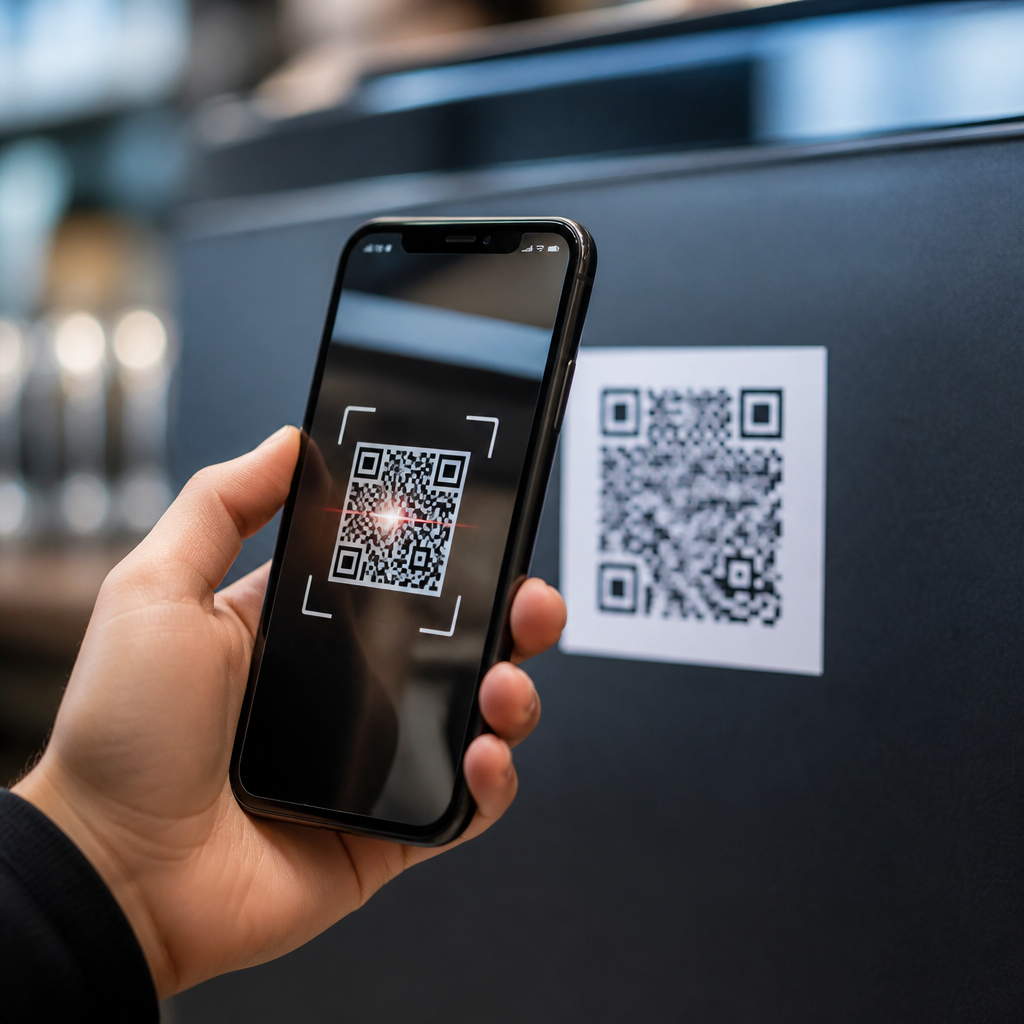
QR codes are convenient, cheap to deploy, and now embedded in payments, menus, tickets, product packaging, and identity workflows, but they also create real security, privacy, and compliance risks for businesses and consumers. A QR code, or Quick Response code, is a two-dimensional barcode that stores data such as a URL, payment address, contact record, or app action. Safety depends less on the code image itself than on the destination, surrounding controls, and the user behavior it triggers. I have worked with organizations that adopted QR codes quickly during contactless rollouts, then discovered they had expanded their attack surface without updating fraud controls, mobile device policies, or customer guidance.
That is why the question “Are QR codes safe?” needs a precise answer. QR codes are safe only when the full journey is safe: code generation, placement, scanning, redirection, data collection, and post-scan authentication. The same square image can lead to a trusted restaurant menu, a malware download, or a phishing page that perfectly imitates a bank login. For businesses, weak QR code governance can produce chargebacks, account takeover, brand damage, and regulatory problems. For consumers, the risks include credential theft, payment fraud, invasive tracking, and accidental data disclosure. Understanding those risks is the first step toward using QR technology responsibly.
This article serves as a practical hub for QR code security, privacy, and compliance. It explains the main threat categories, outlines the legal and operational issues teams must address, and shows how businesses and individuals can reduce risk without giving up the speed and convenience that make QR codes useful in the first place.
How QR codes create security risk
QR codes are risky because they compress trust decisions into a split second on a mobile device. Most people cannot inspect a code visually and do not know what will happen after scanning. Attackers exploit that uncertainty through “quishing,” or QR code phishing, by placing malicious codes on parking meters, printed flyers, package inserts, fake invoices, or emails displayed on a laptop screen for scanning with a phone. In incident reviews I have seen, the mobile device was often outside the normal web filtering, email security, and endpoint monitoring controls that protected the user’s desktop environment.
The most common threat is a malicious URL. A victim scans a code expecting a menu, payment page, Wi-Fi login, or loyalty offer, then lands on a spoofed site that steals passwords, multifactor tokens, or card details. Because the action starts with a camera rather than a typed web address, users often skip normal verification steps. Shortened links and redirect chains make the problem worse by hiding the final destination. Dynamic QR platforms can also be abused if an attacker compromises the account controlling redirection and silently changes the destination after printed materials have already been distributed.
QR codes can also trigger risky device actions. Depending on the scanner and operating system, a code may prompt a phone call, text message, email draft, calendar event, application download, or Wi-Fi network join. Those actions are not always malicious, but they expand the set of things an attacker can manipulate. A fake guest Wi-Fi QR code, for example, can route users to a rogue network login page. A malicious app download can bypass user skepticism if the code appears on product packaging or event signage that looks official. The code itself is not magic; it simply accelerates social engineering.
Business risks: fraud, operations, and brand damage
For businesses, QR code risk extends far beyond individual phishing attempts. Payment fraud is a major issue, especially where static payment codes are displayed in stores, on invoices, or at kiosks. Criminals can place a sticker over a legitimate merchant code and redirect funds to another wallet or account. In sectors with unattended infrastructure, such as parking, vending, charity collection, and transportation, that simple physical tampering technique remains effective because customers are in a hurry and employees may not inspect signage frequently. Every successful swap damages both revenue and trust.
Operational risk is equally important. If a campaign QR code links to a compromised microsite, a broken page, or an expired domain, customers experience the failure as a brand failure. Marketing, IT, legal, and customer support all feel the downstream effect. I have seen companies print tens of thousands of brochures and product labels tied to unmanaged domains that later lapsed. Once an expired domain is re-registered by a third party, the original QR code can become a permanent threat vector. Unlike a typo in a social post, a printed QR mistake can persist in the field for months or years.
There is also a governance problem. Many organizations let separate teams generate QR codes with free online tools, often without an inventory, naming convention, approval workflow, or retention policy. That creates shadow infrastructure. Nobody knows which codes are live, what data they collect, which vendor hosts the redirect, or who can edit the destination. In regulated environments, that lack of control is unacceptable. Financial services, healthcare, education, and public sector organizations need documented ownership, testing, logging, and incident response procedures for QR assets just as they do for web forms and payment links.
Consumer risks: privacy loss and account compromise
Consumers face two broad categories of harm: direct fraud and silent data collection. Direct fraud happens when a scan leads to a fake login, payment request, package rescheduling page, tax notice, or customer support portal. Attackers increasingly mimic brands with mobile-optimized pages, valid TLS certificates, and persuasive urgency. A victim may enter a password, approve a push notification, or send a real-time payment before realizing anything is wrong. Mobile screens make detection harder because the visible URL is truncated, browser chrome is smaller, and people often scan while distracted in public spaces.
Privacy risk is less dramatic but more pervasive. A QR campaign can collect device type, time of scan, approximate location, referral data, and behavioral analytics. If the destination page includes ad tech, pixels, or third-party scripts, one scan can feed multiple data brokers. Consumers rarely receive meaningful notice at the moment of scanning, especially on posters, packaging, menus, and receipts. Even where consent banners appear after the scan, the initial tracking may already have begun through server logs and link management platforms. Safe use therefore includes asking not only “Is this code legitimate?” but also “What data will this interaction collect?”
| Risk area | Typical QR scenario | Main consequence | Practical control |
|---|---|---|---|
| Phishing | Fake parking or delivery payment code | Credential theft or payment fraud | Verify domain before entering data |
| Tampering | Sticker placed over merchant code | Funds diverted to attacker | Inspect physical signage routinely |
| Privacy | Marketing code tied to analytics platform | Tracking without clear notice | Use transparent notices and data minimization |
| Governance | Unmanaged dynamic QR redirect | Compromise, outage, or rogue edits | Maintain inventory and access controls |
Compliance, legal, and industry obligations
QR code compliance depends on what the scan initiates and what data is processed afterward. If the code leads to a payment flow, payment security rules apply. If it collects personal data, privacy laws apply. If it is used in healthcare, education, or government services, sector-specific requirements may apply as well. The important point is that a QR code is not exempt from existing obligations simply because it is a barcode. Regulators and courts will evaluate the end-to-end experience, including notice, consent, authentication, recordkeeping, and reasonable security controls.
Privacy laws such as the GDPR in Europe and the CCPA and CPRA in California focus attention on transparency, lawful basis, purpose limitation, and data minimization. If a business uses QR codes for campaigns, event check-ins, warranty registration, or loyalty programs, it should disclose what information is collected, how long it is retained, and whether it is shared with vendors. Accessibility matters too. A QR-only experience can disadvantage users who cannot scan or who do not have a smartphone, creating consumer protection and accessibility concerns. Offering a short URL or human-readable alternative is a sound practice.
Contractual and audit obligations also matter. Organizations should review whether their QR management platform supports role-based access control, change logs, encryption, custom domains, retention settings, and breach notification commitments. Free generators rarely provide the governance features a serious business needs. Internal audit teams increasingly ask for asset inventories and approval records for public-facing digital touchpoints, and QR codes belong in that scope. If a code is printed on packaging, in a branch, or on an invoice, it is part of the customer journey and should be controlled accordingly.
How businesses and consumers can use QR codes safely
Businesses can reduce QR code risk with a layered approach. Start by using a managed platform with access controls, custom branded domains, logging, and the ability to disable or update destinations centrally. Maintain an inventory of every production QR code, including owner, purpose, destination, print locations, and retirement date. Use tamper-resistant placement where possible, inspect physical codes routinely, and train frontline staff to spot overlays or suspicious stickers. For high-risk actions such as payments, account login, or document upload, require strong authentication on the destination page rather than trusting the scan itself.
Technical hygiene matters. Host QR landing pages on domains users already recognize, enforce HTTPS, limit redirect chains, and monitor domains for expiration. Test codes on both iOS and Android because scanner behavior differs by device and app. Use mobile-safe anti-phishing design, including prominent domain display and plain-language warnings before sensitive actions. If a QR code is tied to a campaign, set an end date and decommission it formally. For internal use, include QR codes in mobile device management policies, phishing simulations, and awareness training so employees understand that a camera scan can be an attack vector.
Consumers should treat a QR code like an unknown link. Pause before scanning, especially if the code appears as a sticker, arrives in an unexpected message, or pressures immediate payment. Preview the URL when the phone allows it. Check the domain carefully, not just the page design. Avoid entering passwords or card details after scanning a public code unless you independently trust the source. Use official apps or type the known website directly for banking, deliveries, parking, and government services. If something feels off, it probably is. Smart skepticism is the simplest defense, and reviewing your organization’s QR processes today is the best next step.
Frequently Asked Questions
What are the main security risks associated with QR codes for businesses and consumers?
The biggest QR code risk is that the code itself hides its destination. A person can see a web address in a normal link, but a QR code often requires scanning before the destination becomes visible. That creates opportunities for cybercriminals to redirect users to phishing sites, fake payment pages, malware downloads, fraudulent login portals, or scam customer support channels. In physical settings, attackers may place a malicious sticker over a legitimate code on a menu, parking meter, payment terminal, product display, or event sign. In digital settings, QR codes can also be inserted into emails, ads, invoices, or social media posts to bypass a user’s normal caution around clickable links.
For businesses, the risks go beyond direct fraud. A compromised QR code campaign can lead to reputational damage, customer complaints, account takeover incidents, payment diversion, and data protection issues. If customers scan a business-associated QR code and are sent to a malicious destination, they may still blame the brand even if the business was not the attacker. For consumers, the danger includes stolen credentials, unauthorized payments, exposed personal information, device compromise, and privacy loss. The practical lesson is that QR code safety depends less on the graphic image and more on where it points, what action it requests, and what controls exist around the user journey.
How do criminals use QR codes in phishing and payment scams?
Criminals often use a tactic known as “quishing,” or QR phishing, to push people toward a malicious website without showing a suspicious URL upfront. The code may lead to a fake bank login page, an imitation Microsoft or Google sign-in screen, a bogus parcel delivery update, or a counterfeit password reset prompt. Because users scan with a phone, they may be outside the protections they normally rely on at a desktop, such as secure web gateways, browser inspection habits, or enterprise email filtering. Attackers may also build urgency into the message, telling the victim to scan immediately to avoid account suspension, complete a payment, confirm a booking, or resolve a security alert.
In payment scams, the QR code may encode a payment address that sends funds directly to the attacker. This can happen in retail, donation drives, parking systems, peer-to-peer transfers, restaurant bills, utility invoices, or charity appeals. A fake code placed on top of a real one can reroute customer payments without the business realizing it right away. Some scams also direct the user to a convincing payment page that collects card details or wallet credentials. For businesses, these schemes are especially dangerous because they can create chargebacks, customer distrust, and operational confusion. Strong controls include tamper checks on printed codes, destination verification, transaction monitoring, and customer education that encourages people to confirm the merchant name, web domain, and payment details before proceeding.
Are QR codes a privacy risk even when they are not overtly malicious?
Yes. Even legitimate QR codes can create privacy concerns if they are used to collect more data than users expect or if the data is handled without adequate transparency and safeguards. When someone scans a code, the destination may log device identifiers, IP addresses, approximate location, time of access, referral information, app behavior, and conversion activity. In marketing, packaging, loyalty programs, event tickets, digital menus, and identity workflows, QR codes are often tied to analytics platforms that measure engagement and attribute actions to a person, household, or customer profile. That may be commercially useful, but it can also raise concerns about notice, consent, retention, profiling, and data sharing.
For businesses, privacy risk becomes a compliance issue when QR code journeys involve personal data, sensitive categories of information, geolocation, payment details, employee data, or identity verification steps. Organizations should be clear about what data is collected after a scan, why it is collected, how long it is stored, and who receives it. They should also avoid using QR codes to expose confidential information directly in the code itself unless it is protected appropriately. Consumers should understand that scanning a code can trigger tracking just like clicking a digital ad or visiting a web page. The safest approach is to treat QR scans as data collection events, not merely as quick shortcuts.
What should businesses do to make QR code deployments safer and more compliant?
Businesses should start by treating QR codes as part of their broader security and governance program, not as harmless graphics. Every code should have an owner, a documented purpose, and a controlled destination. Static and dynamic codes should be inventoried, and the links or actions they trigger should be tested regularly. Printed codes in public places should be inspected for tampering, especially in environments where attackers can easily place stickers over originals. If QR codes are used for payments, businesses should validate payment routing, display merchant identity clearly, and monitor for anomalies such as sudden drops in successful transactions or spikes in customer complaints.
From a compliance perspective, organizations should review privacy notices, consent mechanisms, accessibility, retention practices, and vendor risk where third-party QR code platforms are involved. Security teams should use HTTPS destinations, trusted domains, minimal redirects, and authentication controls where appropriate. Marketing and operations teams should coordinate so that codes are not launched without review. Employee awareness is also important, especially in finance, customer service, facilities, and event operations where fraudulent code replacement can occur. In higher-risk use cases such as login, onboarding, identity verification, and account recovery, businesses should add layered controls like domain confirmation, transaction verification, device checks, and user warnings before sensitive actions are completed.
How can consumers protect themselves before scanning or using a QR code?
Consumers should pause before scanning any QR code, especially one found in an unexpected email, text message, poster, payment request, or public location. The safest habit is to preview the destination if the phone allows it and inspect the domain carefully before opening the link. If the code appears on a parking meter, restaurant table, product package, invoice, or event sign, it is wise to look for signs of tampering such as stickers placed over another label, poor print quality, mismatched branding, or instructions that seem unusual. If the scan leads to a login page, payment prompt, app download, or request for personal information, users should slow down and independently verify that the request is legitimate.
Additional protection comes from basic cyber hygiene. Keep your phone updated, use mobile security features where available, and avoid entering passwords or payment information into sites reached through suspicious QR codes. Instead of scanning a code in a message claiming to be from a bank, delivery company, or employer, manually visit the official website or use the organization’s app. Consumers should also be cautious about granting permissions, downloading apps, or approving wallet transactions after a scan. A QR code is simply a trigger; the real decision is whether the destination and requested action are trustworthy. Treating each scan like any other security-sensitive interaction greatly reduces the risk.





