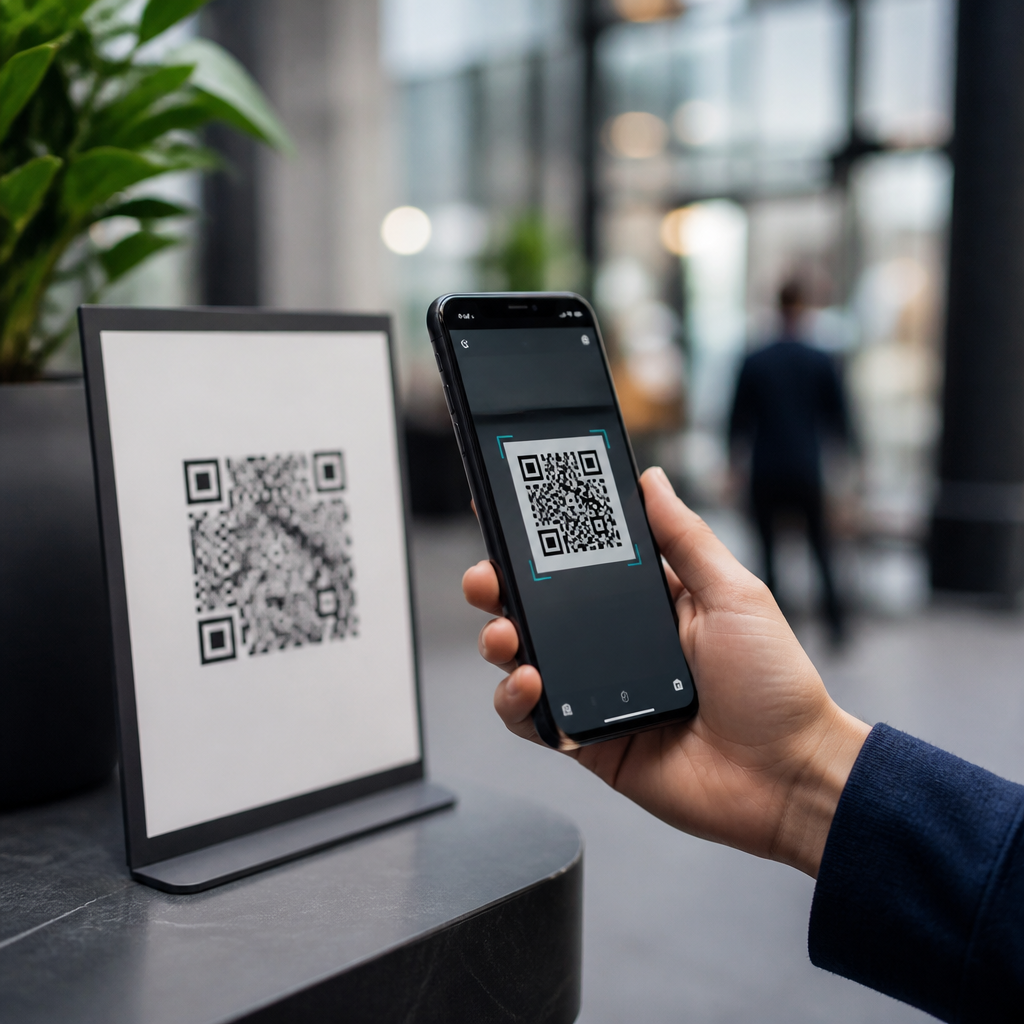
QR codes are convenient, cheap to deploy, and now embedded in payments, menus, tickets, product packaging, and identity workflows, but they also create a direct bridge between the physical world and digital systems, which makes security mistakes easy to exploit. A QR code, or Quick Response code, is a two-dimensional barcode that stores data such as a URL, payment address, contact card, Wi-Fi credential, or app link. When a smartphone camera or scanner reads that data, it usually opens a destination instantly. That speed is the benefit and the risk. In my work reviewing QR campaigns for retailers, event teams, and software vendors, the same question always appears first: are QR codes safe? The accurate answer is that QR codes themselves are neutral, but the content behind them, the placement around them, and the scanning behavior of users determine the real security outcome.
This matters because QR adoption accelerated faster than most organizations updated their security controls. During the pandemic, many businesses replaced touchpoints with scan-to-order experiences. Since then, criminals have used fake stickers, phishing pages, malicious redirects, and payment substitution schemes to exploit user trust. Security teams now treat QR interactions as part of mobile threat exposure, not just marketing infrastructure. A useful way to think about QR code safety is to separate three layers: the symbol, the destination, and the surrounding context. The symbol can be copied easily. The destination can change through redirects or compromised links. The context can be manipulated through social engineering. Understanding those layers helps consumers scan more safely and helps businesses design systems that reduce fraud, privacy leakage, and compliance failures.
For a hub article on QR code security, privacy, and compliance, the core objective is simple: explain the common QR code security risks in plain language while showing where controls actually work. The most common threats include QR phishing, malicious app downloads, credential harvesting, payment diversion, unauthorized tracking, data overcollection, and operational tampering. There are also legal and governance concerns when codes link to forms that collect personal data, transmit location details, or connect to regulated payment flows. Safe use therefore depends on both individual habits and organizational safeguards. If you understand how attacks happen, what warning signs look like, and which technical controls are proven, QR codes can remain useful without becoming an easy path to compromise.
How QR code attacks actually work
The most common QR code threat is QR phishing, often called quishing. An attacker places a code where people expect a legitimate one: on a parking meter, restaurant table, utility bill, poster, package insert, or office noticeboard. The victim scans it and lands on a fake sign-in page, a payment page, or a malware delivery site. Because users cannot visually inspect the encoded destination before scanning, QR codes remove a safety cue that exists with ordinary links. On mobile devices, that hiddenness matters. Many people decide in seconds, especially when the code appears in a trusted physical environment.
Attackers also abuse redirects. A printed QR code may lead to a short link or redirect service that forwards the user elsewhere. Even if the initial domain looks reasonable, the redirect chain may end on a hostile site. In other cases, criminals compromise a legitimate website and swap the destination after materials are already printed, which is why static trust in a code is risky. I have seen this issue in event campaigns where teams assumed the poster was the control point, when the real control point was the web server handling the redirect. If that server is weakly protected, every distributed code becomes an attack vector.
Payment substitution is another major risk. In cryptocurrency, a QR code may encode a wallet address; in conventional payments, it may embed an invoice, merchant ID, or account details. Replace the code, and the money goes elsewhere. This has affected parking systems, charity collections, and peer-to-peer sales. Credential theft follows the same pattern. A fake code can direct staff to a spoofed Microsoft 365 or Google Workspace login page, harvesting passwords and session tokens. Once credentials are stolen, the QR code was only the first step in a larger compromise.
Consumer risks: phishing, malware, and unsafe redirects
For individual users, the biggest question is not whether a QR code can infect a phone by itself, but what happens after the scan. Modern phone operating systems generally do not execute a QR code directly as code. The immediate risk is that the scan opens a website, app store listing, payment prompt, file download, or device action. That distinction is important because it means most consumer harm still depends on social engineering. The QR code initiates the interaction; the victim completes it by entering credentials, approving permissions, downloading software, or sending money.
Malicious destinations often mimic familiar brands. A user scans a code to “track a package,” “verify a payment,” or “view a menu,” then lands on a page that asks for an email password, card number, or one-time passcode. Attackers know mobile interfaces hide browser details and shorten visible URLs, making deception easier. Some campaigns push users to sideload apps on Android or install configuration profiles on iPhone, which can expand access or route traffic through attacker-controlled services. Browser-based exploits are less common than phishing, but outdated devices still increase risk.
The safest user behavior is to treat a scanned QR destination exactly like an unexpected link in email. Pause before acting. Check the full domain, not just the page design. Avoid entering passwords after scanning a public code unless you independently confirm the organization and web address. Use password managers, because they will usually refuse to autofill on lookalike domains. Keep the phone updated, use mobile security features built into iOS or Android, and prefer a scanner that previews the destination before opening it. Those small habits stop a large percentage of QR-related fraud.
Business risks: brand abuse, payment fraud, and operational compromise
Organizations face broader exposure because QR codes sit inside real workflows. A malicious sticker over a restaurant table code can redirect guests to a fake ordering page that steals card details and damages the venue’s reputation. In offices and warehouses, codes attached to devices, visitor systems, or maintenance instructions can be swapped to capture employee credentials or route users to malware. Retailers using packaging QR codes for warranty registration or promotions also create a trust channel that can be hijacked if print vendors, redirect platforms, or campaign dashboards are not secured properly.
Operational compromise often begins with weak ownership. Marketing may generate the code, IT may host the landing page, and operations may place the physical signage, yet nobody owns end-to-end governance. That gap creates failures in inventory, change control, and monitoring. A company can have excellent website security and still lose money if field teams never inspect tampering on kiosks or storefronts. Conversely, a carefully protected physical deployment still fails if the linked domain expires, gets taken over, or forwards through an unmaintained shortener.
| Risk | Typical attack method | Business impact | Strongest control |
|---|---|---|---|
| QR phishing | Sticker replacement or fake printed code | Credential theft, account takeover | Verified domains and user training |
| Payment diversion | Substituted merchant or wallet details | Direct financial loss | Transaction confirmation and tamper checks |
| Malicious redirects | Compromised redirect service or short link | Brand damage, malware exposure | Secure hosting and redirect monitoring |
| Data overcollection | Forms requesting unnecessary personal data | Privacy complaints, regulatory risk | Data minimization and consent controls |
| Asset tampering | Unauthorized replacement in the field | Service disruption, fraud | Physical inspections and asset inventory |
Named controls matter here. Use HTTPS everywhere, enforce HSTS, protect DNS records with registry locks where possible, and require multifactor authentication on the platforms that manage redirects and landing pages. Maintain an inventory of every deployed code, its owner, destination, print version, and location. If a code supports payments, display the merchant name clearly before confirmation. For higher-risk use cases, use signed URLs, one-time tokens, or authenticated in-app scanning rather than open web redirection.
Privacy and compliance issues behind QR deployments
QR code safety is not only about fraud. Privacy risk appears when a code silently triggers analytics, location inference, device fingerprinting, or form collection beyond what the user reasonably expects. A simple scan-to-menu flow can expose IP address, device type, time of visit, and referral parameters. In regulated sectors, that matters. Healthcare, education, finance, and employment contexts must consider whether the linked experience gathers personal data, health information, account identifiers, or consent records. The code is merely the gateway; the compliance duty sits with the data processing behind it.
Data minimization is the first principle. If a QR code only needs to show a menu, it should not force account creation. If a warranty page needs proof of purchase, it should not also request date of birth unless there is a documented reason. Transparent notice is equally important. Users should know what data will be collected, why it is needed, how long it will be retained, and whether third parties receive it. Established standards such as GDPR and CCPA emphasize purpose limitation, lawful basis, and consumer rights, which apply whether the interaction begins from a typed URL or a scanned code.
There are also records management and accessibility implications. Printed QR-only instructions can disadvantage users without smartphones or with assistive technology needs. Compliance teams increasingly require an alternative path, such as a short URL or staffed option. Retention policies should cover QR analytics logs and submitted forms, not just the visible website content. In audits, I often see organizations document the webpage but forget the campaign platform collecting scan metadata. That omission creates unnecessary exposure because ungoverned analytics data can become a liability during breach reviews or regulatory inquiries.
Best practices for safer QR code use
Effective QR security combines user caution with system design. For consumers, the practical checklist is short: scan only when the context makes sense, inspect the destination before interacting, avoid urgent payment or login requests from public codes, and stop if the page asks for information unrelated to the task. For businesses, the controls are more structured. Generate codes through approved tools, map every code to an asset owner, secure the linked domain, limit redirects, and monitor for changes. Field inspections should be routine anywhere printed codes drive payments, sign-ins, or customer support.
Design choices reduce risk dramatically. Use branded domains instead of generic shorteners. Keep the displayed URL readable near the code so users can verify it manually. For sensitive actions, route users into an official app already installed on their device, where certificate pinning, account context, and fraud controls are stronger than in the open web. When codes are posted physically, use tamper-evident labels or placement methods that make overlays obvious. During incidents, be ready to revoke or reroute destinations quickly and publish replacement guidance through official channels.
Are QR codes safe, then? Yes, when the destination is trustworthy, the deployment is governed, and the user is not rushed into blind trust. No, when organizations treat QR as a simple graphic instead of a live access point into payments, credentials, and personal data. The main benefit of understanding common QR code security risks is not fear; it is control. Teams that apply basic web security, physical inspection, privacy discipline, and clear ownership can keep the convenience while cutting avoidable exposure. Review your existing QR codes, document where they lead, and fix the risky ones before attackers find them first.
Frequently Asked Questions
What are the most common security risks associated with QR codes?
The most common QR code security risks stem from the fact that a code itself is not easy for a person to verify before scanning. Unlike a visible web address printed in full, a QR code hides its destination until a phone or scanner interprets it. That creates opportunities for attackers to send users to phishing websites, malicious downloads, fake payment pages, or fraudulent login portals. In practice, a person may scan a code expecting a restaurant menu, parking payment page, event ticketing portal, or product information site, but instead land on a lookalike page designed to steal passwords, card details, or other sensitive information.
Another major risk is physical tampering. Because QR codes are often printed on stickers, signs, posters, receipts, or packaging, criminals can replace a legitimate code with a fake one in seconds. This is especially dangerous in public spaces where people scan quickly and trust the context. Payment fraud is also a growing issue, with attackers swapping merchant payment codes so funds are redirected to a criminal wallet or account. In addition, some QR codes can trigger actions such as connecting to a Wi-Fi network, opening an app store listing, downloading a file, or composing a message, which can expose users to malware, tracking, or social engineering. The core issue is that QR codes create a fast bridge from the physical world into digital systems, and that convenience reduces the normal pause people might take before clicking a suspicious link.
Can a QR code itself contain malware, or is the danger in where it sends you?
In most cases, the primary danger is not the image of the QR code itself, but the action it triggers after scanning. A QR code typically contains data such as a URL, payment identifier, contact card, app link, or Wi-Fi credential. By itself, that pattern of squares is just encoded information. The security problem arises when a phone interprets that information and automatically opens a website, prompts a download, launches an app, or performs another action that leads the user into an unsafe environment.
That said, the distinction matters. A QR code usually does not “infect” a device merely by being viewed, but it can direct the user to a malicious website that exploits browser vulnerabilities, persuades the user to install a harmful app, or tricks the user into entering credentials or payment details. It can also connect a device to an untrusted network or initiate workflow steps that expose private information. So while the code itself is generally just a container for instructions or data, the destination can absolutely be dangerous. This is why secure scanning behavior matters so much: users should preview links when possible, check for misspellings or suspicious domains, avoid installing software from unfamiliar prompts, and be especially cautious when a scan leads directly to payment or login requests.
How do fake or tampered QR codes work in real-world scams?
Fake or tampered QR code scams work by exploiting trust in the physical setting. An attacker takes a legitimate use case such as a parking meter, café menu, utility bill, transit kiosk, product label, or event sign and places a replacement code over the original. The victim sees what appears to be an official code in the expected location, scans it, and is taken to a fraudulent page that looks convincing enough to complete the scam. In payment scenarios, the fake page may collect card details or redirect funds to the attacker. In account-related scenarios, it may mimic a sign-in portal to harvest usernames, passwords, or multifactor authentication codes.
These attacks are effective because people often assume that if a QR code is physically present in a trusted environment, it must be legitimate. Attackers also use short links, lookalike domains, cloned branding, and mobile-friendly page designs to reduce suspicion. In more targeted campaigns, fake QR codes may appear in emails, printed letters, or product inserts, making the scam feel official. Businesses can reduce this risk by using tamper-evident materials, routinely inspecting deployed codes, keeping visual branding consistent, and offering alternate ways to access the same resource, such as a plainly printed web address. Users can protect themselves by checking whether a sticker appears layered on top of another code, reviewing the destination preview before opening it, and stopping immediately if the page requests unexpected credentials, urgent payments, or unusual permissions.
What should users look for before scanning a QR code or interacting with its destination?
Before scanning a QR code, users should first evaluate context. Ask whether the code is expected, whether it appears to belong to the business or organization involved, and whether there are any signs of tampering such as misaligned stickers, poor print quality, or a label pasted over an existing code. In public locations, it is smart to be extra cautious with codes related to payments, account verification, Wi-Fi access, or software downloads, because those actions carry higher risk if something is wrong.
After scanning, the next step is to inspect the destination before proceeding. Many smartphones and scanning apps show a preview of the URL or action. This preview is critical. Users should look for secure and familiar domains, watch for spelling tricks, extra subdomains, odd characters, or shortened links that conceal the final destination, and avoid continuing if anything seems inconsistent with the brand or location. Once the page opens, the same normal web safety rules apply: do not enter credentials unless the site is clearly legitimate, do not approve unexpected payment requests, do not install apps outside trusted app stores, and do not grant permissions that seem unnecessary. If a code immediately triggers a sensitive action with no transparency, that is a warning sign. In short, users should treat a QR code like an untrusted link until proven otherwise.
How can businesses and organizations make QR code deployments more secure?
Businesses and organizations should approach QR codes as part of their broader security and user experience design, not just as a convenient print asset. A secure deployment starts with controlling where codes point, using official domains, avoiding unnecessary redirects, and making the destination clearly branded and easy for users to recognize. Organizations should also consider adding nearby text that explains what the code does, such as “Scan to view our menu at example.com/menu,” because giving users a human-readable expectation helps them identify suspicious behavior. For payment use cases, strong controls are especially important, including account verification, monitoring for fraud, and visible instructions that help customers confirm they are paying the correct recipient.
Physical protection matters too. Codes placed in public areas should be inspected regularly for tampering, printed with high-quality materials, and, where practical, protected with tamper-evident labels or signage. In digital and operational terms, organizations should secure the web pages behind the codes with HTTPS, strong authentication where appropriate, content monitoring, and prompt patching. They should also avoid linking directly to risky actions unless necessary and provide fallback options such as a typed URL or official app path. Finally, businesses should educate both staff and users. Employees need to know how to spot replacement attempts and report suspicious activity, while customers benefit from simple guidance on what a legitimate QR interaction should look like. Secure QR code use is not about avoiding the technology; it is about reducing blind trust at every step from scan to destination.