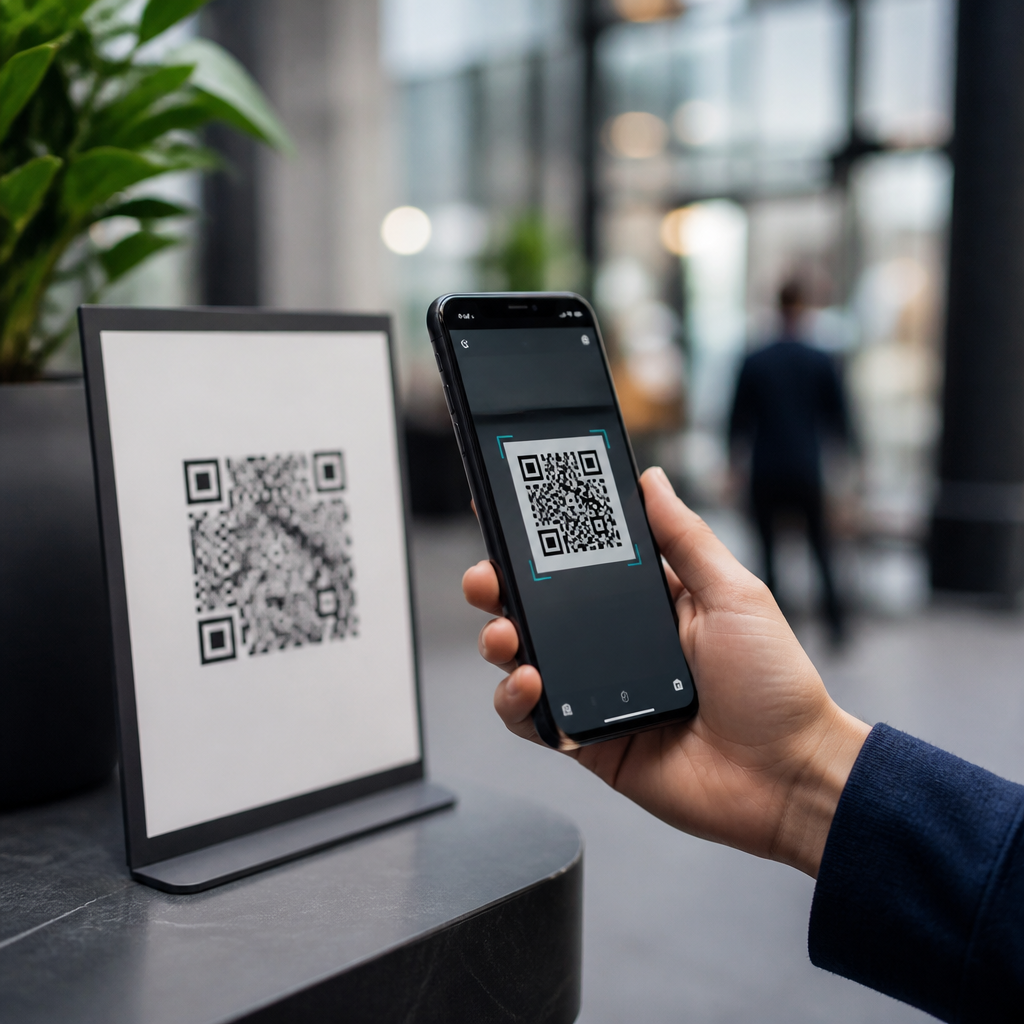
QR codes are everywhere: restaurant menus, parking meters, event tickets, packaging, login screens, and payment terminals. Their convenience is real, but so is the confusion around safety. When people ask, “Are QR codes dangerous?” they usually mean two different things: can the square code itself harm a device, and can scanning it lead someone into a scam, malware download, or privacy problem? The accurate answer is simple. A QR code is only a machine-readable way to store data, most often a web address, so the image itself is not inherently dangerous. The risk comes from what that data makes your phone do after the scan.
That distinction matters because modern attacks increasingly rely on trust, speed, and distraction rather than sophisticated hacking. Security teams now use the term “quishing,” short for QR phishing, to describe scams where a code sends a victim to a fake login page, payment screen, or support site. The FBI warned consumers in 2022 that cybercriminals were tampering with QR codes to redirect payments and steal credentials. In day-to-day work evaluating mobile sign-in flows, printed campaigns, and code management platforms, I have found that most QR incidents are not technical exploits of the symbol. They are social engineering attacks wrapped in a familiar convenience.
This hub explains what is myth, what is fact, and what practical steps reduce risk. It also covers the broader issues readers usually need answered in one place: how QR code scams work, whether scanning can infect an iPhone or Android phone, what businesses should do to protect customers, and where privacy and compliance enter the picture. If you understand how a QR code functions, you can use them safely without treating every code like a threat.
What a QR Code Can and Cannot Do
A QR code, or Quick Response code, is a two-dimensional barcode that encodes characters such as a URL, plain text, contact card data, Wi-Fi credentials, or app deep-link information. On its own, it is passive. It does not execute code, spread through the air, or bypass phone security simply because a camera recognized it. Scanning typically triggers one of three actions: showing the encoded text, opening a browser, or handing the data to a specific app such as Maps, Phone, or a payment wallet.
That means the common myth “QR codes contain viruses” is misleading. A QR code cannot directly infect a phone the way a malicious executable file can. The fact is that it can point a user to a malicious destination. If that destination tricks the user into entering passwords, approving a wallet transaction, downloading a harmful profile, or installing a rogue app from outside trusted stores, the damage is real. The code is the doorway, not the weapon.
There is also a practical difference between static and dynamic QR codes. A static code usually embeds the final destination directly. A dynamic code often points first to a redirect service, which then forwards the user elsewhere. Dynamic systems are useful for updating links, tracking scans, and measuring campaigns, but they create an additional trust layer. If the account controlling that redirect is compromised, the destination can be changed without altering the printed code.
Common Myths vs Facts About QR Code Safety
Several myths keep appearing because they sound plausible. Myth one: “Scanning a QR code automatically hacks your phone.” Fact: modern iOS and Android devices generally require follow-up actions before anything consequential happens. A browser opens, a prompt appears, or an app asks for confirmation. Myth two: “Only tech novices get tricked.” Fact: well-designed landing pages can fool experienced users, especially in high-pressure environments like parking lots, transit stations, or building lobbies where speed matters.
Myth three: “Legitimate-looking printed codes are safe.” Fact: attackers routinely place stickers over real codes on meters, posters, and restaurant tables. Myth four: “Short links behind QR codes are normal, so they must be fine.” Fact: shortened or branded redirects are common, but they also conceal the final domain, making verification harder. Myth five: “A QR code from a known brand is trustworthy.” Fact: brand impersonation is one of the most effective phishing tactics because users focus on logos, colors, and wording instead of the actual URL.
The safest mental model is this: a QR code deserves the same caution as a clickable link in an email or text message. If you would not trust an unsolicited login link, payment request, or software download in your inbox, do not trust the same action simply because it arrived through your camera.
How QR Code Scams Work in the Real World
Most QR code attacks follow recognizable patterns. The first is payment redirection. A criminal covers a parking meter’s real payment code with a fraudulent one. The victim scans, enters card details on a cloned site, and either pays the attacker or unknowingly exposes billing data. The second is credential harvesting. The code leads to a fake Microsoft 365, Google Workspace, bank, or corporate single sign-on page. Because the user initiated the action, the request feels more legitimate than an unexpected email.
The third pattern is malicious app or profile installation. On mobile devices, a site may urge the user to install an enterprise profile, “security update,” or APK file. This is more common on Android because sideloading is possible, but iPhone users can still be manipulated into installing configuration profiles or granting permissions they do not understand. The fourth pattern is support fraud, where a code on packaging, receipts, or ads leads to a fake help desk that requests remote access or payment.
| Scenario | What the user sees | Main risk | Safer response |
|---|---|---|---|
| Parking meter sticker | Code labeled “Pay here” | Card theft or fake payment | Use the city app or typed official URL |
| Office sign-in code | “Scan to reauthenticate” | Credential phishing | Open the service directly, not through the code |
| Package support code | “Activate warranty now” | Personal data harvesting | Visit the brand site from search or packaging text |
| Promo poster | Discount landing page | Tracking or scam checkout | Preview the domain before opening |
These incidents succeed because QR interactions compress the decision window. Users often scan while standing, walking, traveling, or trying to complete a task quickly. Good security practice therefore focuses less on the graphic and more on validating the destination, the requested action, and the context in which the code appears.
Are QR Codes Safe on iPhone and Android?
In most cases, yes, provided the phone is updated and the user does not proceed blindly. Both Apple and Google have added friction that helps. Camera apps typically display the destination before opening it. Browsers mark insecure pages, app stores screen submissions, and operating systems isolate apps through sandboxing. Those protections significantly reduce the chance that a simple scan alone compromises a device.
Still, platform differences matter. Android users face more exposure to harmful app files because APK installation can be enabled outside Google Play. iPhone users are more constrained, which helps, but Safari phishing pages, malicious calendars, spam profile prompts, and credential theft remain possible. On either platform, the highest-probability harm is account compromise, fraudulent payment, or privacy leakage, not a cinematic instant “phone hack.”
Users should keep the operating system current, disable unnecessary sideloading, review prompts carefully, and use a password manager. A password manager is particularly effective because it only autofills on the correct domain. If a fake banking page appears after a scan and autofill does not activate, that is a strong warning sign. Multifactor authentication also reduces damage if credentials are stolen, although attackers increasingly try to capture one-time codes in real time.
Privacy, Compliance, and Business Risk
QR code safety is not only a consumer issue. For businesses, QR deployments touch privacy, governance, and legal accountability. Dynamic QR platforms often collect scan time, approximate location, device type, and campaign attribution data. That can be useful for analytics, but it may trigger obligations under privacy laws such as the GDPR in Europe or the CCPA and CPRA in California, especially when scan data is linked to identified or identifiable individuals.
From a governance perspective, organizations should treat QR codes as part of their digital asset inventory. Every printed code should map to an approved destination, a named owner, an expiration or review date, and a change control process. I have seen companies secure email and websites rigorously while leaving lobby posters, product inserts, and trade show signage unmanaged. Attackers notice those gaps. A forgotten redirect domain, expired microsite, or compromised campaign account can turn a trusted printed code into a long-lived liability.
Basic controls are straightforward: use branded domains, HTTPS everywhere, mobile-friendly landing pages, and redirect logging; restrict who can edit dynamic destinations; monitor destination changes; and remove or replace codes when campaigns end. For regulated sectors such as healthcare, finance, and education, disclosures should explain what data is collected after a scan and why. Trust rises when users know where a code leads and what happens next.
Best Practices: How to Use QR Codes Safely
For individuals, the rule set is simple. Preview the link before opening it. Look closely at the domain, not just the brand name in the page header. Be skeptical of codes that request urgent payment, login renewal, account recovery, or software installation. Prefer official apps and manually typed addresses for sensitive tasks. If a code is physically attached as a sticker, poorly aligned, or placed over another code, assume tampering until proven otherwise.
For organizations, safe QR implementation is part design, part security operations. Put the plain-text domain near the code so people know what to expect. Avoid unnecessary redirects. Use short campaign durations and retire old codes. Test every code on multiple devices before release. Add server-side protections such as web application firewalls, phishing-resistant authentication for admin accounts, and alerts when redirect targets change. Staff training should include quishing scenarios, because many employees still recognize email phishing more easily than QR phishing.
The bottom line is clear: QR codes are safe when managed like links, not magic. The symbol itself is not the threat; the destination, context, and follow-up action determine the risk. Treat scans with the same scrutiny you would give emailed links, build governance around every public code, and keep mobile security basics in place. If you use or publish QR codes, audit your current codes today and close the trust gaps before attackers find them.
Frequently Asked Questions
Are QR codes themselves dangerous to phones?
No. A QR code by itself is not dangerous to your phone in the way a virus or malicious app is dangerous. It is simply a visual pattern that stores data, usually a website address, contact card, Wi-Fi credential, payment link, or login token. Scanning the code does not physically harm a device, and the black-and-white squares cannot “infect” a phone on their own. In that sense, the idea that a QR code itself is inherently harmful is a myth.
The real risk comes from what the code contains and what happens after you scan it. If the QR code points to a fake website, a fraudulent payment page, a phishing login screen, or a file download, then the danger comes from the destination, not the code format. This is similar to clicking a suspicious link in an email or text message. The QR code is just another delivery method for information, and like any shortcut to a web address, it can be used legitimately or abused by scammers.
Can scanning a QR code automatically install malware?
Usually, no. In most cases, scanning a QR code does not automatically install malware because modern phones are designed to limit silent installs and warn users before opening certain content. A typical QR scan simply reveals a link and asks whether you want to open it. On current iPhones and Android devices, apps generally cannot be installed without additional user action, such as visiting an app store, approving a download, or changing security settings.
That said, QR codes can still be part of a malware scam. A malicious code may send you to a fake site that pressures you to download an app, install a profile, allow device permissions, or enter sensitive information. Some scams disguise themselves as package tracking pages, parking payment systems, banking logins, or software updates. So while the act of scanning alone is not the same as being infected, following the next steps without caution can create real security problems. The safest approach is to preview the destination when possible, avoid unknown downloads, and never rush through prompts just because a QR code appears in a trusted-looking place.
How do scammers use QR codes in phishing and payment scams?
Scammers use QR codes because they are quick, familiar, and harder for people to inspect at a glance than a typed web address. Instead of showing a suspicious-looking URL in full, a QR code hides the destination behind a scan. Criminals take advantage of this by placing fake codes on parking meters, restaurant tables, flyers, package slips, posters, utility notices, or even emails and text messages. In many cases, they place a sticker with their own code over a legitimate one, hoping people will scan first and think later.
One common scam is payment redirection. You think you are paying for parking, transit, or an event ticket, but the QR code sends you to a fake payment page that steals your card details or charges you through a fraudulent merchant. Another common tactic is credential theft. A code may lead to a page that imitates a bank, Microsoft 365, Google, or another familiar login service and asks for your username, password, or verification code. Some campaigns also use QR codes in business phishing, where employees scan a code in a PDF or printed notice and end up on a page built to harvest corporate credentials. The best defense is to verify the source, look closely for signs of tampering, and use official apps or manually typed website addresses for important payments and logins.
What are the warning signs that a QR code may not be safe?
There are several practical warning signs. First, be cautious if the code appears in an unusual or low-trust setting, such as a random sticker on a public surface, a printed notice with urgent language, or an unsolicited email attachment asking you to scan immediately. Second, inspect the physical code when possible. If it looks pasted over another label, poorly aligned, recently added, or different from nearby branding, that can indicate tampering. This is especially important on parking meters, kiosks, vending machines, and restaurant tables, where scammers may cover a real code with a fake one.
After scanning, pay attention to the destination and the behavior of the page. If the preview shows a strange domain, misspelled brand name, shortened link, or a website unrelated to the business you expected, stop there. Be suspicious of pages that demand immediate payment, ask for login credentials without context, request unusual permissions, or push you to download an app outside an official app store. Also watch for poor design, spelling mistakes, generic branding, or pressure tactics such as countdowns and warnings that your account will be locked. A legitimate QR code should lead to a destination that makes sense for the situation, and you should still feel in control of what happens next.
What is the safest way to use QR codes without avoiding them altogether?
The safest approach is not to fear QR codes, but to treat them the same way you would treat any link you did not type yourself. Use your phone’s built-in camera or a trusted scanner, since many devices now show a preview of the web address before you open it. Take a second to read that destination carefully. If you are about to log in, pay money, or share personal information, slow down even more. For restaurants, parking, banking, event entry, and account access, official apps and manually entered website addresses are often safer than scanning a code from an unknown source.
It also helps to keep your phone updated, use a mobile security solution if appropriate for your situation, and avoid installing apps or configuration profiles from unfamiliar sites. For businesses and organizations, the safest practice is to place QR codes where tampering is easier to notice, explain what the code is for, and direct users to recognizable domains. For everyday users, the key fact is simple: QR codes are tools, not threats by default. They become risky only when they are used to lead you somewhere deceptive. A little verification goes a long way, and with basic caution, most people can use QR codes safely and confidently.