
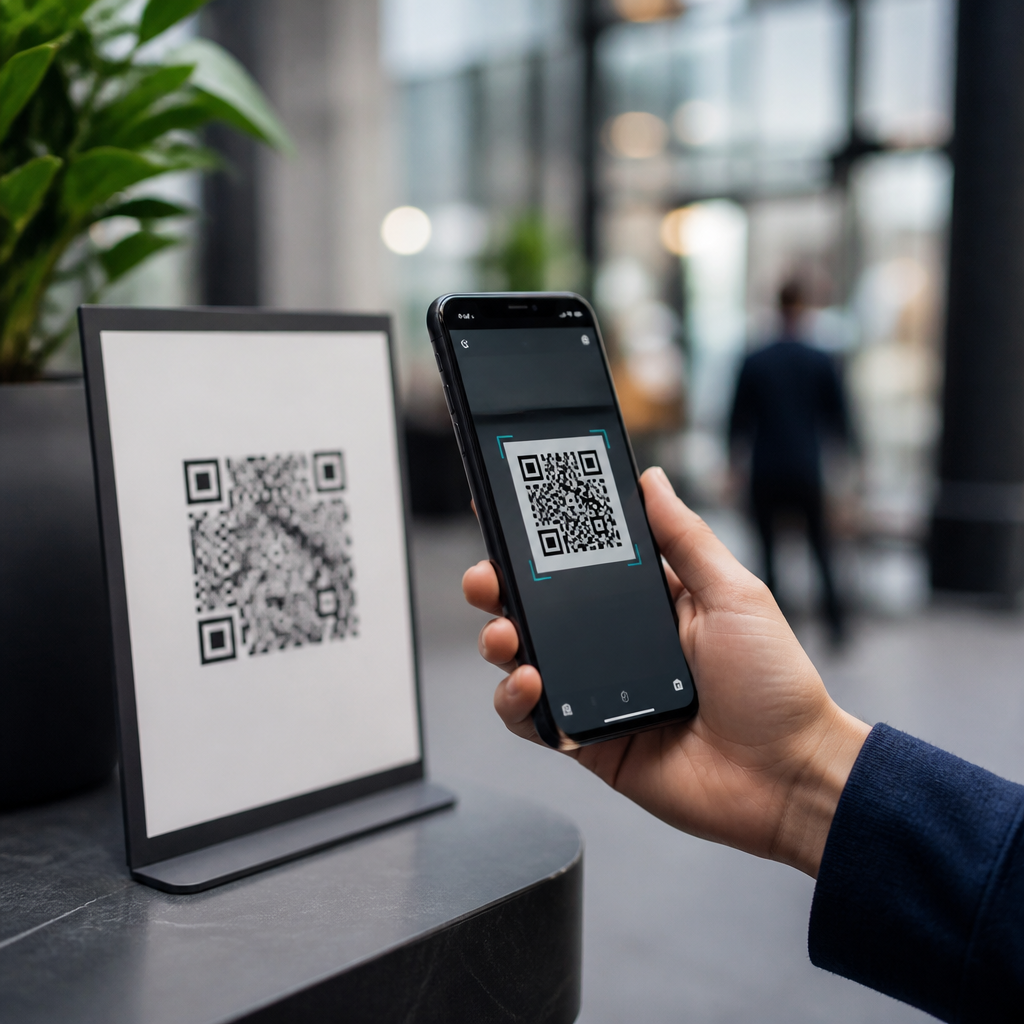
Public QR codes are convenient, cheap to deploy, and now embedded in daily life, but they are only as safe as the destination they open and the controls surrounding them. A QR code, or Quick Response code, is a two-dimensional barcode that stores a link, payment request, contact card, Wi-Fi credential, or other machine-readable data. Scanning one is not inherently dangerous; the risk comes from where it sends you, what it downloads, and whether the code has been tampered with. That distinction matters because restaurants, parking meters, event posters, package labels, utility bills, and retail displays all rely on QR codes to reduce friction. I have audited QR campaigns for hospitality, healthcare, and field-service teams, and the same pattern appears repeatedly: the code itself is neutral, while the surrounding process determines the security outcome. For businesses, unsafe QR use creates phishing exposure, payment fraud, privacy issues, and compliance headaches. For consumers, it can mean credential theft, device compromise through malicious downloads, or simple but costly redirection to fake payment pages. Understanding when public QR codes are safe to scan requires looking at the threat model, the signals of legitimacy, the role of mobile operating systems, and the governance practices that organizations should follow when they publish codes in public spaces.
What makes a public QR code risky or safe?
A public QR code is any code placed where anyone can scan it: storefronts, transit stations, hotel lobbies, printed mailers, receipts, street signage, conference badges, or shared digital screens. Safety depends on three factors. First, destination integrity: does the code resolve to a legitimate domain, app store listing, payment endpoint, or file? Second, physical integrity: has someone covered the original code with a malicious sticker or swapped the sign entirely? Third, user context: are you being prompted to log in, pay, download, or grant permissions unexpectedly? In practical terms, a code leading to a clearly branded HTTPS page on a known domain is lower risk than one using a URL shortener, a random domain, or a disguised payment request. Dynamic QR codes add another layer. They are useful because the destination can be updated without reprinting the code, but that flexibility also means access control on the management platform matters. If an attacker compromises the account behind a dynamic code, every public placement becomes a distribution channel. Safe public QR use therefore combines secure destination management, tamper-resistant placement, and user verification at scan time.
Common threats linked to public QR codes
The most common QR threat is quishing, a phishing attack delivered through a QR code. Instead of clicking a suspicious link in email, the victim scans a code on a parking meter, flyer, or poster and lands on a fake login or payment page. Attackers favor QR codes because people cannot visually inspect the embedded destination before scanning, and mobile screens reveal less context than desktop browsers. Payment diversion is another frequent abuse. Fraudsters place stickers over legitimate parking or ticketing QR codes so users pay a fake merchant. I have seen this in municipal pilots where the printed code had no anti-tamper laminate and no nearby text showing the official domain. Malware delivery is less common on modern phones than on unmanaged laptops, but it still matters when codes trigger APK downloads on Android, configuration profiles, or links to fake app listings. Privacy risk is broader than outright fraud. Some QR campaigns collect location, device, and campaign attribution data, which may be appropriate only with clear notice and consent. In regulated sectors, linking a QR code to patient portals, employee resources, or account statements also raises access-control and retention concerns.
How mobile devices handle QR code security
Modern iPhone and Android devices reduce some risk, but they do not eliminate it. Native camera apps usually show a preview of the destination before opening it, giving users one chance to inspect the URL. Browsers enforce HTTPS indicators, Safe Browsing warnings, certificate validation, and app sandboxing, which block many low-quality attacks. Apple and Google app stores also screen submissions, reducing but not removing malicious app risk. However, operating system safeguards do not verify that a public QR code belongs to the business named on the sign, and they cannot detect social engineering if a page looks convincing. Mobile device management tools such as Microsoft Intune, VMware Workspace ONE, and Jamf can limit exposure on corporate devices by blocking unknown app installs, enforcing web filtering, and applying managed browser policies. For consumers, the practical takeaway is simple: the phone can warn you about some technical dangers, but it cannot judge trust on your behalf. A safe scan still depends on recognizing the expected domain, avoiding unnecessary downloads, and confirming that the action matches the context, such as paying the city parking service rather than an unrelated processor.
How to tell whether a public QR code is legitimate
You can evaluate most public QR codes in under ten seconds if you know what to check. Start with the physical sign. Is the code professionally printed, aligned with branding, and integrated into the original material, or does it look like a sticker placed over another code? Next, inspect the preview URL before opening it. A legitimate code should usually point to a recognizable domain controlled by the organization, not an obscure hostname or generic short link. Then compare the requested action to the setting. A table menu should not ask for Microsoft 365 credentials; a utility bill should not redirect to a peer-to-peer payment handle. Finally, check the page after it opens: HTTPS, correct branding, sensible permissions, and no rushed pressure tactics.
| Signal | Lower-Risk Example | Higher-Risk Example |
|---|---|---|
| Physical placement | Printed under laminate on an official parking meter | Sticker layered on top of another code |
| Destination URL | pay.cityname.gov | city-paynow-secure.co |
| Requested action | View menu or meter session details | Immediate card payment with no context |
| Download behavior | Opens a mobile web page | Prompts APK or profile installation |
| Brand consistency | Matches signage, logo, and support contact | Typos, generic design, missing support details |
When any one of these signals looks wrong, stop and use a trusted alternative channel. Type the known website manually, use the official app, or ask staff to confirm the correct code. In my experience, that simple pause prevents most QR-driven fraud.
Best practices for consumers scanning public QR codes
For consumers, the safest habit is to treat public QR codes the way you should treat links in unsolicited messages: useful, but never above verification. Keep your phone updated so browser and operating system protections stay current. Use the built-in camera or a reputable scanner rather than unknown third-party apps, because many dedicated scanner apps add unnecessary ads, trackers, or risky permissions. Preview the link, look for the correct domain, and prefer official apps for banking, government services, transportation, and parking. If a QR code initiates payment, verify the merchant name, amount, and service description before submitting. Avoid scanning codes that demand software downloads outside official app stores. If you are on a work-managed device, follow company policy and use the managed browser provided by IT. Also remember that QR codes can encode Wi-Fi credentials, SMS drafts, contact cards, and calendar events; these functions are convenient, but they still deserve scrutiny because they can trigger actions or expose metadata. If a code seems urgent, unusual, or physically tampered with, the safest move is not to scan at all and instead reach the service through its publicly listed website or customer support line.
Best practices for businesses publishing public QR codes
Organizations that publish QR codes in public should design for abuse from day one. Use domains you control, preferably short branded domains with HSTS enabled, and avoid generic URL shorteners that hide destination identity. If you use dynamic QR codes, secure the platform account with multifactor authentication, role-based access, change logging, and periodic reviews of destination history. On physical assets, apply anti-tamper labels or laminate codes into signage so sticker replacement is obvious. Pair every code with visible plain-text instructions, the official domain, and support contact details; this gives users a verification path if they hesitate. For payments, use trusted processors, merchant descriptors that match the brand, and confirmation pages that state exactly what is being purchased. Measure scans with privacy in mind: collect only the analytics needed, disclose tracking where required, and align retention with your privacy notice. In regulated environments, involve legal, security, and compliance teams early. A QR code on patient intake materials, for example, may implicate HIPAA workflows, while codes tied to loyalty or identity data can trigger GDPR or CCPA obligations. Good governance turns a QR code from a blind redirect into a controlled, auditable customer touchpoint.
When public QR codes should be avoided entirely
Some situations carry enough downside that scanning a public QR code is simply not worth the risk. Avoid codes that appear on temporary flyers covering official signage, on unattended payment points with no visible business identifier, or in locations where tampering is easy and monitoring is rare. High-risk transactions deserve extra caution, including account recovery, tax payments, cryptocurrency transfers, wire instructions, and software installation. Public QR codes should also be avoided on shared or unmanaged devices used for privileged business access, because one bad redirect can expose credentials or session tokens. For businesses, there are cases where QR is the wrong channel entirely. If users must authenticate, sign legal documents, access medical records, or submit sensitive personal data, a clearly communicated official portal or app often provides stronger assurance than a code on a poster. Convenience should not outrank trust. Public QR codes are safe enough for many low-friction tasks, such as viewing menus, opening product information, checking event schedules, or starting a parking session, but only when the destination, placement, and user journey have been deliberately secured. If you publish or scan QR codes, build and follow a verification habit now, because a two-second check is usually the difference between convenience and compromise.
Frequently Asked Questions
Are public QR codes safe to scan?
Public QR codes can be safe to scan, but they are not automatically trustworthy simply because they appear in a restaurant, parking meter, poster, or package. A QR code itself is just a way of encoding information, much like a barcode. The real safety question is what the code does after you scan it. If it opens a legitimate website, launches a trusted app, or displays harmless information, the risk is low. If it redirects you to a fake login page, prompts you to install an app, starts a payment request, or has been replaced with a malicious sticker, the risk increases significantly.
The key distinction is that scanning is not inherently dangerous; acting on a malicious destination is where problems start. Criminals take advantage of the fact that QR codes hide the full destination until your device reads them. In public spaces, that creates an opportunity for “quishing,” or QR-code phishing, where attackers place their own code over a legitimate one or distribute codes that send users to fraudulent websites. As a result, public QR codes should be treated the same way you would treat an unexpected link in an email or text: with caution, verification, and a quick review before you proceed.
What are the biggest risks of scanning a public QR code?
The biggest risks usually involve phishing, payment fraud, malicious downloads, and data theft. A public QR code may send you to a convincing fake site designed to steal usernames, passwords, or payment card details. For example, a code posted at a parking kiosk could lead to a fraudulent payment page that looks authentic enough to fool users into entering billing information. Similarly, a code on a flyer or public sign could redirect to a page that asks you to log in with your email, social media, or banking credentials.
Another major risk is tampering. Because QR codes are easy to print and cheap to deploy, they are also easy to cover, replace, or alter. Attackers may place a sticker with a malicious QR code on top of a legitimate one, especially in busy public environments where people scan quickly without inspecting the code or surrounding signage. In some cases, the destination may prompt a user to download a file, install an app, join a network, or grant permissions that create additional security issues. While modern smartphones include protections, users can still be tricked into approving actions that expose their information or compromise their device. The danger is not the square pattern itself, but the hidden action behind it.
How can I tell whether a public QR code is legitimate before scanning it?
You often cannot tell with complete certainty before scanning, which is why visual context and physical inspection matter. Start by looking closely at the code and its placement. If the QR code is on a sticker layered over another surface, appears crooked, looks recently added, or does not match the branding around it, that is a warning sign. In legitimate settings, such as retail checkouts, transit systems, and restaurant tables, QR codes are usually integrated neatly into official signage, menus, packaging, or displays. Misspellings, poor print quality, generic instructions, or odd requests for urgent payment should all raise suspicion.
After scanning, use the preview features on your phone before opening the destination. Many devices now show the URL or action before you continue. Check whether the web address is spelled correctly, uses a recognizable domain, and matches the organization you expected. For example, if a code at a coffee shop sends you to an unrelated or shortened URL that gives you no confidence about the source, it is better not to proceed. If a code requests a payment, app installation, login, or personal information, verify the destination through another trusted source first, such as the business’s official website, app, or customer support. A legitimate company will not mind if you take a moment to confirm.
What should I do if a public QR code asks me to log in, download something, or make a payment?
Pause and verify before doing anything. A public QR code that leads directly to a login page, software download, payment screen, or request for sensitive information deserves extra scrutiny. Rather than continuing immediately, compare the destination with the organization’s official channels. If it is a parking meter, for instance, check the city or provider’s website manually instead of relying on the QR code alone. If it is a restaurant menu that suddenly asks you to sign in with a personal account, that is unusual and should be treated carefully. If it is a download prompt, avoid installing anything unless you are certain it comes from a trusted app store or the official provider.
For payments, the safest approach is to navigate independently to the official payment method whenever possible. Fraudulent QR payment pages are designed to look familiar and urgent, and once card details are submitted, recovering funds can be difficult. If you have already entered information and later suspect the code was malicious, act quickly: change passwords, monitor account activity, contact your bank or card issuer, and report the incident to the business or venue where the code was posted. Taking a few extra seconds to verify can prevent much larger problems later.
What are the best practices for scanning public QR codes safely?
The best approach is a combination of awareness, device hygiene, and verification. First, inspect the QR code physically before scanning it. Look for signs of tampering, such as stickers placed over another code or placement that seems out of context. Second, use your phone’s built-in camera or a trusted scanner rather than a random third-party scanning app, since built-in tools are generally better integrated with your device’s security features. Third, review the previewed destination carefully and avoid clicking through if the URL looks suspicious, misspelled, or unrelated to the place where you found the code.
It also helps to keep your phone and browser updated, since security patches reduce the chance that a malicious site can exploit your device. Avoid entering passwords, payment details, or personal information unless you are sure the site is legitimate. Be cautious with QR codes that trigger downloads, Wi-Fi connections, contact imports, or app launches, especially in public areas. When in doubt, skip the code and reach the same service another way, such as by typing the business’s web address manually or using its official app. Public QR codes are useful and often completely harmless, but they are safest when treated as links that deserve the same level of skepticism and verification as any other public-facing digital prompt.





