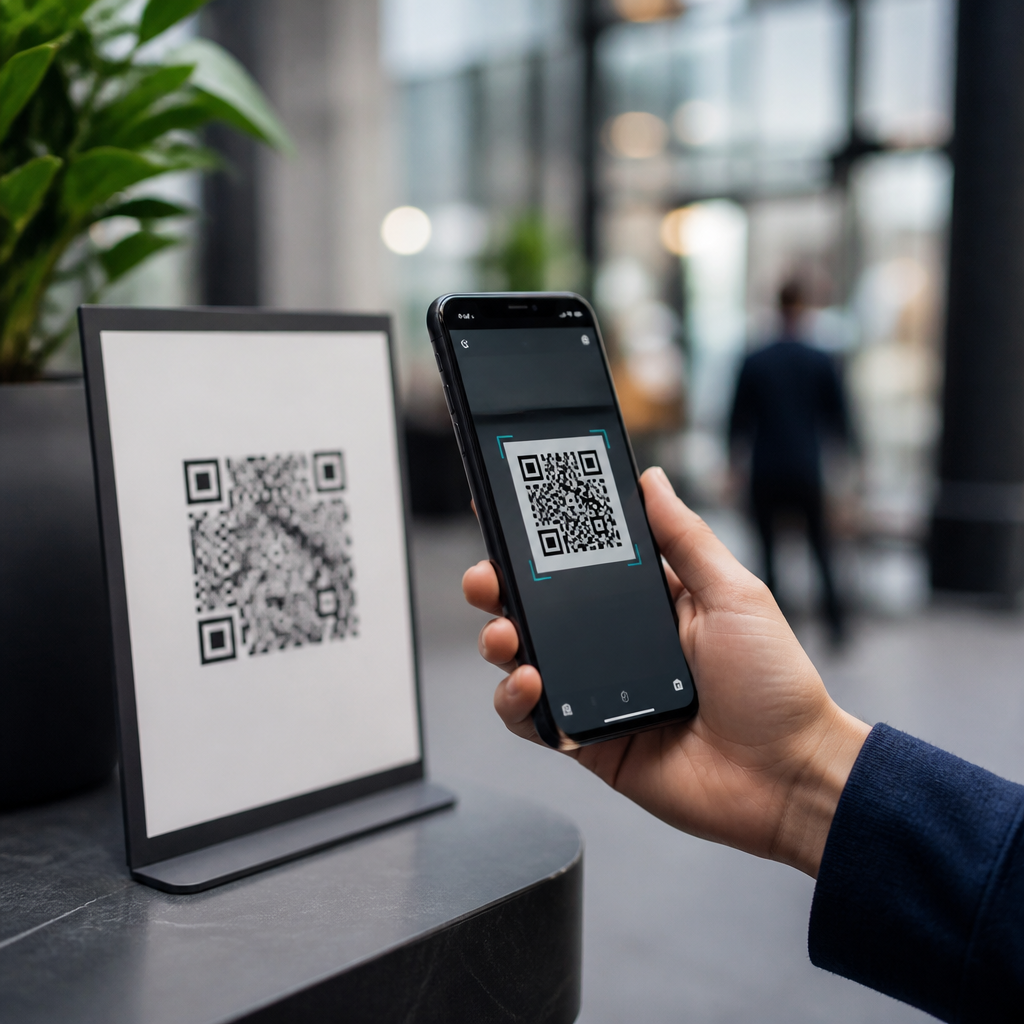
QR codes are convenient, cheap to deploy, and easy to scan, but they can absolutely be abused, which is why the right question is not simply “can QR codes be hacked?” but “how safe is the entire QR code experience from creation to scan to destination?” In practice, a QR code itself is just a machine-readable pattern that stores data, most often a URL, payment payload, contact card, Wi-Fi credential, or app deep link. The code does not execute malware by itself, yet it can send a person to a malicious website, trigger an unsafe download, expose private data, or facilitate payment fraud. That distinction matters because it changes how organizations should manage risk. I have worked with QR campaigns in retail, events, and healthcare, and the most common failure is not the symbol on the poster; it is weak governance around where the code points, who can edit it, and how users are trained to verify a destination before they act.
Safety matters because QR usage has moved far beyond restaurant menus. Consumers now scan codes to pay invoices, log into services, join guest Wi-Fi, confirm identity, track parcels, access patient forms, and redeem offers. According to industry reporting from Juniper Research and payment network briefings, billions of QR payment interactions now occur annually worldwide, especially in Asia-Pacific and increasingly in North America and Europe. As usage expands, so does attacker interest. Criminals use sticker overlays on parking meters, phishing pages that mimic Microsoft 365 or banking portals, and fake support links that collect credentials or card details. Organizations also create risk for themselves when they use dynamic QR platforms without access controls, leave expired destinations active, or embed personal information directly in printed codes. A secure QR strategy therefore combines technical controls, operational processes, and user awareness.
How QR code attacks actually work
A QR code can be dangerous when the content encoded inside it leads to a harmful action. The most common attack is “quishing,” or QR phishing, where the code opens a fraudulent site designed to harvest passwords, multifactor codes, or payment data. Because phone cameras often open links quickly and show only a partial URL, users may miss subtle domain tricks such as paypaI.com with a capital I, micros0ft-login.example, or a lookalike subdomain on a compromised website. I have seen fraud teams trace incidents back to a simple sticker placed over a legitimate code at a transit kiosk. The victim thought they were paying a municipal fee and instead sent money to a criminal wallet or typed card details into a fake checkout page.
Attackers also abuse QR codes in physical environments where trust is assumed. Printed menus, conference badges, mailers, utility bills, and package inserts are common targets because users expect codes to be present there. A malicious actor can replace a poster, alter a PDF before print, or use social engineering in email by placing a QR code in a message that bypasses traditional secure email filters focused on clickable text links. The QR code itself remains visually opaque to most people, which is why governance and validation are essential. If a destination redirects several times before loading, that increases risk because the scanner cannot easily inspect the final page in advance.
Common risks, realistic impact, and who is most exposed
The impact of a malicious QR scan depends on the payload. For consumers, the biggest risks are credential theft, payment fraud, fake app downloads, and leakage of contact or location data. For businesses, the risks include brand impersonation, compromised customer journeys, account takeover, chargebacks, malware delivery through unsafe landing pages, and regulatory exposure if personal data is handled carelessly. Healthcare, hospitality, education, and public sector organizations face elevated risk because they use QR codes in high-trust environments and often serve users who act quickly on mobile devices. In one internal review I supported for an events operator, the biggest weakness was not phishing but stale QR destinations that redirected to expired vendor pages later acquired by unrelated parties.
Static and dynamic QR codes carry different security considerations. A static QR code permanently stores its content, so if a printed URL becomes unsafe later, the code cannot be updated without replacing the asset. A dynamic QR code points through a management platform that can update destinations, add analytics, and apply expiration rules. Dynamic codes are usually safer operationally because they can be changed immediately if a link is compromised, but they also introduce platform risk. If an attacker gains access to the QR management account, they can silently swap a trusted destination for a malicious one across thousands of printed materials. Strong authentication, role-based access control, and audit logs are therefore nonnegotiable for dynamic deployments.
| Risk area | How it happens | Likely impact | Best control |
|---|---|---|---|
| Phishing | QR opens fake login or payment page | Stolen credentials or card data | Preview URLs, verify domain, use passkeys or MFA |
| Physical tampering | Sticker placed over legitimate code | Payments diverted, trust damaged | Tamper checks, secure signage, frequent inspection |
| Dynamic platform compromise | Admin account hijacked | Mass redirection to malicious site | SSO, MFA, least privilege, audit logging |
| Privacy leakage | Code contains personal data or trackable identifiers | Unnecessary exposure, compliance issues | Minimize data, tokenize, set retention limits |
| Malicious downloads | Landing page prompts unsafe app or file | Device compromise or fraud | Use official app stores, mobile threat defense |
Are QR codes safe for payments, logins, and public use?
QR codes are reasonably safe when the surrounding process is designed well, but they are not inherently trustworthy just because they appear in print. For payments, the strongest implementations use standardized payloads, merchant validation, transaction confirmation screens, and app-based authorization. EMVCo QR payment specifications improved consistency for merchant-presented and consumer-presented payments, reducing ambiguity in how payment data is structured. Even so, fraud still occurs when criminals replace merchant codes or impersonate billers. A legitimate payment flow should clearly display the payee name, amount, and reference before authorization. If the app jumps straight from scan to payment without confirmation, that is poor design and higher risk.
For login flows, QR sign-in can be secure if the code merely links a browser session to an already authenticated app session, similar to device pairing used by WhatsApp, Slack, or desktop login systems. In these designs, the code should represent a short-lived nonce, not a password or reusable secret. The mobile app should display the relying service, approximate location, and time, then require biometric or app-based confirmation. Public use cases such as menus, museum guides, or transit information are lower risk because they should lead only to content. However, organizations often add forms, payments, or app prompts later, which changes the threat model. Whenever the scan leads to identity, money, or software, the code must be treated as a security-sensitive entry point.
How to use QR codes safely as a consumer
The safest habit is to verify before you tap. Most modern smartphones show a link preview after scanning; read the domain carefully, not just the brand name in the page title. Watch for misspellings, unusual top-level domains, long redirect chains, and pressure tactics such as countdown timers or urgent account warnings. If a QR code on a parking meter, utility letter, or table tent asks for card details, compare it with the official website or app first. I advise users to type the known domain manually for sensitive actions when possible. On iPhone and Android, keep the operating system updated, use the browser’s safe browsing protections, and avoid sideloaded apps unless managed in a corporate environment.
Consumers should also understand what data a QR code may expose. A vCard can import contact details, a Wi-Fi QR can reveal the network SSID and password to anyone who sees the code, and some marketing platforms append unique identifiers that track who scanned and when. That does not make QR codes unsafe, but it does mean you should be selective about scanning codes in unsolicited emails, text messages, and printed notices from unknown senders. If a site opened from a QR code asks for a corporate password, banking login, or one-time code, stop and verify through another channel. Password managers help here because they autofill only on the correct domain, making phishing pages easier to spot.
How organizations can secure QR campaigns and stay compliant
Businesses should treat QR codes like any other customer-facing digital asset, with inventory, ownership, change control, and monitoring. Start by classifying each use case: informational, transactional, authentication, or operational. Informational codes may need simple uptime monitoring and brand checks. Transactional and authentication codes need stricter controls, including approved destination domains, HTTPS everywhere, web application firewall coverage, redirect restrictions, and periodic testing on both iOS and Android. Use dynamic QR platforms that support single sign-on, multifactor authentication, role-based permissions, and detailed logs. Every code should have an owner, purpose, location, creation date, and retirement date. Without that registry, orphaned codes remain in the field long after teams forget they exist.
Privacy and compliance depend on data minimization. Do not encode personal data directly in a QR code unless there is a clear, necessary reason and appropriate legal basis. In healthcare, education, and employment settings, direct identifiers can create unnecessary exposure if materials are copied or photographed. Instead, use random tokens that resolve server-side after authorization. Publish a clear privacy notice on landing pages, set retention limits for scan analytics, and document vendor due diligence if a third-party QR platform processes data. For regulated industries, align controls with established frameworks such as NIST Cybersecurity Framework, ISO/IEC 27001, and where applicable PCI DSS for payment pages. Then test the full journey: scan, redirect, form submission, confirmation, and incident response. Audit a sample of physical placements every month and remove or replace anything damaged, outdated, or unverifiable.
QR codes can be safe, but only when people and organizations stop treating them as harmless graphics and start treating them as gateways. The code itself is usually not the threat; the destination, management process, and user behavior determine the real level of risk. Consumers should preview links, verify domains, avoid entering sensitive information after scanning unknown codes, and prefer official apps or manually typed addresses for important actions. Organizations should maintain a QR inventory, secure dynamic platforms with strong access controls, inspect physical placements for tampering, and minimize the data exposed through scans. Payment and login use cases deserve the highest scrutiny because they combine urgency, trust, and mobile-first behavior.
As the hub for QR code security, privacy, and compliance, this topic comes down to one practical rule: trust the process, not the pattern. A well-governed QR program improves convenience without creating avoidable risk, while a loosely managed one can become a phishing, fraud, or data protection problem at scale. Review every QR touchpoint your business or household uses today, confirm where each one leads, and tighten the controls before the next scan.
Frequently Asked Questions
Can QR codes themselves be hacked, or is the real risk somewhere else?
The most accurate answer is that a QR code itself is usually not “hacked” in the way people think of software or networks being hacked. A QR code is simply a visual method of storing data, often a URL, payment request, contact information, Wi-Fi credential, or app deep link. By itself, the pattern does not run code, infect a phone, or actively break into a device. The larger security issue is what happens before and after the scan: who created the code, whether it has been tampered with, where it sends the user, and what the destination asks the user to do next.
That is why the better question is not just “can QR codes be hacked?” but “how safe is the entire QR code experience?” If a scammer replaces a legitimate restaurant payment QR code with one that routes money to a fraudulent account, the danger is not the black-and-white squares themselves but the malicious intent behind the payload. The same is true when a code points to a fake login page, a misleading app download, or a website designed to steal payment details. In short, QR codes are not inherently dangerous, but they are very effective delivery mechanisms for social engineering and redirection attacks.
How do scammers use QR codes in real-world attacks?
Most QR-based attacks rely on deception rather than technical wizardry. A common tactic is physical replacement, where an attacker places a fraudulent QR code sticker over a legitimate one in a public place such as a parking meter, poster, restaurant table, transit station, or retail checkout area. The victim scans what appears to be an official code, lands on a convincing payment or login page, and enters sensitive information or sends money directly to the attacker.
Another frequent method is digital impersonation. Fraudulent QR codes can appear in emails, invoices, text messages, social posts, printed mailers, or customer support messages that look authentic. Because many people trust QR codes as a quick shortcut, they may skip the caution they would normally apply to a clickable link. Attackers take advantage of that convenience by embedding URLs that lead to phishing sites, fake account portals, malware-hosting pages, or manipulated payment destinations. In business settings, QR codes can also be used in invoice fraud, where a fake payment code directs funds to the wrong recipient. The pattern across these attacks is consistent: the QR code is used as a bridge to gain trust and reduce scrutiny.
Can scanning a QR code infect your phone with malware?
In most cases, simply scanning a QR code does not automatically infect a device. A QR code is typically just decoded into data, and the scanner then presents or opens that data. The code itself does not magically execute malware merely because the camera recognized it. However, that does not mean the experience is risk-free. If the QR code sends you to a malicious website, prompts you to download a dangerous file, pushes you toward a fake app, or exploits a browser or operating system vulnerability, then scanning can become the first step in a broader compromise.
The level of risk depends heavily on the device, operating system, scanner app, browser, and user behavior. Modern phones generally include security protections, permission controls, and warnings that reduce the odds of silent infection. Still, users can be tricked into approving downloads, entering credentials, installing untrusted apps, or accepting malicious configuration prompts. So the practical takeaway is this: scanning is not usually the damaging event by itself, but what you do after the scan can expose you to phishing, fraud, account takeover, or malware delivery. Treat a QR code scan the same way you would treat any unknown link.
What are the biggest warning signs that a QR code may be unsafe?
One of the clearest warning signs is context that does not feel right. If a QR code appears as a sticker placed over another code, looks poorly aligned, seems recently added, or is located somewhere that makes no sense, it deserves extra scrutiny. Suspicious urgency is another red flag. If the code promises a prize, demands immediate payment, claims your account will be locked, or pressures you to verify personal information quickly, it may be part of a scam. The same is true for codes delivered through unexpected emails, random text messages, or unofficial customer support interactions.
After scanning, pay close attention to the destination. If the preview URL looks misspelled, uses a strange domain, includes odd subdomains, or does not match the brand you expected, do not proceed. Be cautious if the page asks for login credentials, credit card details, one-time passcodes, crypto transfers, or app downloads without a clear and legitimate reason. Also be careful with shortened links or redirects that hide the true destination. A trustworthy QR experience should feel consistent from source to destination. If anything about the placement, branding, link preview, or request seems off, stop immediately and verify through an official website or trusted contact channel.
How can individuals and businesses use QR codes more safely?
For individuals, the best defense is a combination of verification and restraint. Before opening a QR code’s destination, review the URL preview if your phone shows one. Prefer scanning codes from trusted sources, and avoid entering passwords or payment details unless you are confident the page is legitimate. Keep your phone, browser, and security software updated so known vulnerabilities are patched. If you need to reach a bank, retailer, utility, or service provider, it is often safer to navigate directly through the company’s official app or website rather than relying on a QR code from a poster, message, or handout. When in doubt, do not scan—or scan, inspect, and exit without interacting further.
For businesses, QR code safety is as much an operational issue as a technical one. Use secure QR code generators, manage destination URLs carefully, and avoid exposing customers to unnecessary redirects. Monitor printed and public-facing codes for tampering, especially in unattended locations. If QR codes are used for payments, make sure the landing page clearly reflects your brand, domain, and security practices so customers can verify authenticity. Dynamic QR codes can be useful for updating destinations, but they also require strong access controls because anyone who gains account access may be able to redirect traffic. Finally, educate staff and customers that the main risk is not the code pattern itself but the possibility of substitution, impersonation, or malicious destinations. A safe QR strategy protects the full journey from creation to scan to final action.