
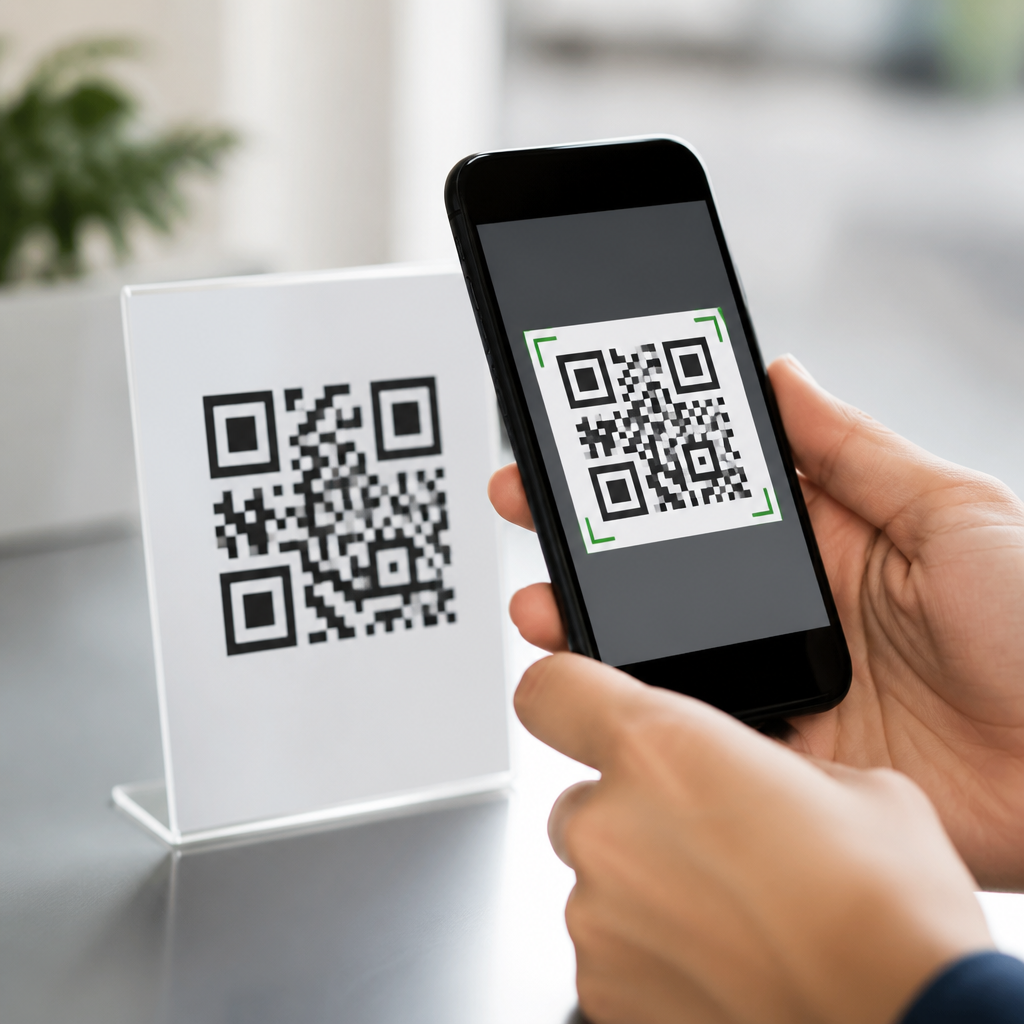
QR codes are everywhere now, from restaurant menus and parking meters to package labels, payment terminals, and product manuals, which makes one question more important than ever: how to tell if a QR code is safe. A QR code, short for Quick Response code, is a two-dimensional barcode that stores data such as a website address, payment request, contact record, app link, or Wi-Fi credential. The code itself is not inherently dangerous, but the action it triggers can be. In practice, the risk comes from where the code sends you, what it asks you to install, what information it collects, and whether the code has been tampered with. I have worked on QR campaigns for retail, events, and payments, and the safest assumption is simple: treat every scan like clicking an unknown link. That mindset matters because QR adoption has outpaced user caution, and criminals increasingly use “quishing,” or QR phishing, to redirect people to fake login pages, malware downloads, and fraudulent payment forms. Understanding how to evaluate a code before and after scanning is now a basic digital safety skill for consumers and businesses alike.
Are QR Codes Safe by Themselves?
Yes, QR codes are safe as a format, but not automatically safe as an experience. A printed QR code is just a machine-readable container for data. It does not execute malware on paper, and scanning it does not instantly infect a phone. The real issue is what happens next. If the code opens a legitimate HTTPS website owned by a known business, the risk is usually low. If it launches a spoofed domain, a fake payment page, or a file download, the risk rises sharply. This distinction is important because many people ask, “Are QR codes safe?” when they really mean, “Is the destination behind this QR code trustworthy?” That is the question to answer every time.
There are also several types of QR code content. Some open URLs, some draft an email, some begin a phone call, some add calendar events, and some connect a device to Wi-Fi. Static QR codes contain fixed data that cannot be changed once printed. Dynamic QR codes use a short redirect URL that can be updated later through a management platform. Dynamic codes are useful for campaigns and analytics, but they also mean a safe-looking code on a poster can point somewhere different tomorrow if the account behind it is compromised. That does not make dynamic codes unsafe; it means businesses need access controls, and users need to inspect destinations carefully.
Common QR Code Threats to Watch For
The most common threat is quishing. Attackers place a code in an email, text message, flyer, or physical sticker and push the user to “verify,” “claim,” or “pay now.” Because the code bypasses visible link text, people lose a key clue they would normally use in email security. A second threat is physical tampering. I have seen fraud cases where attackers placed a sticker over a real parking payment code, redirecting drivers to a fake checkout page that collected card details. A third risk is malicious downloads. A code may point to an APK file outside the Apple App Store or Google Play, or to a fake update page that pressures the user to install software.
Privacy is another concern. A code can collect device information, location, referral data, and behavior analytics once the user lands on a page. In regulated sectors such as healthcare, education, and finance, that matters because the code may become part of a data collection workflow. Even legitimate campaigns can create compliance exposure if they send users to forms without proper consent language, retention policies, or secure transport. Finally, shortened links can hide destination details, and open redirects on trusted domains can be abused to bounce users to malicious sites. The attack patterns are not theoretical; the Federal Trade Commission and cybersecurity vendors have repeatedly warned about QR phishing in public and enterprise settings.
How to Check Whether a QR Code Is Safe Before You Scan
The safest scan starts with context. Ask who created the code, why it is here, and whether the request is expected. A code on an official product box from a known brand is different from a random sticker on a utility pole. Examine the physical presentation. If a printed code appears layered over another code, misaligned, or placed in an unusual area, assume possible tampering. In restaurants, hotels, transit stations, and parking kiosks, compare the code with nearby branding and official instructions. Businesses that rely on QR codes should use branded signage, short explanatory text, and anti-tamper placement precisely because context helps users detect fraud.
Your device can provide another layer of defense. Most modern smartphone cameras show a preview of the destination before opening it. Use that preview. Read the domain carefully, including spelling, subdomains, and top-level domain. “Pay.company.com” is not the same as “company-pay-checkout.co.” Look for HTTPS, but remember that HTTPS only confirms encrypted transport, not legitimacy. If the domain is unfamiliar, manually search for the company instead of tapping through. On managed business devices, mobile threat defense tools such as Microsoft Defender for Endpoint, Lookout, or Zimperium can inspect risky links and known malicious domains. Consumer users can still benefit from browser safe browsing protections and password managers that refuse to autofill on lookalike domains.
What to Verify After You Scan a QR Code
Once a QR code opens, verify the page before you interact with it. The fastest method is to compare the page with what you expected. If a parking meter code opens a generic payment page with no city branding, no zone number confirmation, and no clear support information, stop. If a bank-related code asks for a password, one-time code, or card PIN, stop. Legitimate financial institutions rarely ask customers to authenticate through a random QR landing page. Review the URL bar, the page title, and the certificate details if needed. Check for poor grammar, distorted logos, and urgent warnings, all of which are common signs of phishing.
Be especially cautious with QR codes that trigger actions other than opening a webpage. If a code asks to join a Wi-Fi network, confirm the network name with staff or printed documentation. If it prompts an app install, use the official app store and search for the app yourself. If it creates a payment request, confirm the merchant name, amount, and payment processor. If it opens a digital contact card or calendar invite, inspect the data before saving it. Safe use is not about avoiding QR codes altogether; it is about pausing long enough to validate the action. Most successful scams rely on speed, distraction, and trust in the setting.
Practical Safety Checks for Consumers and Businesses
The following checks cover the highest-value habits for scanning safely and deploying codes responsibly. They are the controls I recommend most often because they work in busy real-world environments, not just in policy documents.
| Check | What to Look For | Why It Matters |
|---|---|---|
| Physical integrity | Stickers, overlays, damaged print, odd placement | Helps detect tampered codes in public spaces |
| Destination preview | Recognizable domain, correct spelling, HTTPS | Reduces phishing and fake checkout risk |
| Brand consistency | Matching logo, support info, expected page design | Flags spoofed landing pages quickly |
| Payment validation | Merchant name, amount, processor, receipt flow | Prevents fraudulent transfers and card theft |
| App install hygiene | Official store listing, publisher name, reviews | Blocks sideloaded malware and fake apps |
| Business governance | Access controls, redirect monitoring, code inventory | Protects dynamic QR campaigns from abuse |
For businesses, safe QR code deployment starts before printing. Use a reputable QR management platform with role-based access control, multifactor authentication, and audit logs. Maintain an inventory of where each code is placed and what it is meant to do. If you use dynamic codes, monitor redirect changes and set alerts for unauthorized edits. Host landing pages on domains your customers already recognize, and avoid unnecessary link shorteners. In physical locations, inspect high-risk placements such as parking stations, lobby signs, and event booths. For compliance-sensitive campaigns, document consent flows, privacy notices, retention periods, and vendor responsibilities. A QR code often looks like a tiny square, but operationally it is an entry point into your payment, marketing, and data environment.
Limitations, Edge Cases, and Best Practices
No single signal proves a QR code is safe. HTTPS can appear on scam sites. A familiar brand can be spoofed convincingly. Even app store listings can host copycat apps before moderation catches them. That is why layered verification works better than any one test. Context, preview, domain inspection, page validation, and action review should all happen together. There are also edge cases worth noting. Some QR scanners open links immediately without showing a preview. If your device behaves that way, consider switching to a scanner that exposes the URL first. On corporate devices, mobile device management policies can limit risky behavior and route web traffic through protective filters.
Best practice is straightforward. Scan only when there is a clear reason. Prefer codes from trusted sources. Avoid entering credentials after scanning unless you navigated independently to a verified site. Keep your phone updated, because browser and operating system protections improve over time. Use a password manager, since it helps detect lookalike domains by withholding autofill. Report suspicious codes to the business or property owner, especially in payment contexts where others may also be targeted. If you already interacted with a malicious code, disconnect if necessary, change affected passwords from a clean device, contact your bank for payment issues, and monitor accounts for fraud. Fast response limits damage.
Knowing how to tell if a QR code is safe comes down to one principle: trust the destination only after you verify it. QR codes are useful, efficient, and widely safe when they connect people to legitimate resources, but they also remove the visual cues users rely on when judging ordinary links. The smartest approach is to combine physical inspection, destination preview, domain checking, and careful review of any payment, login, download, or data request. For businesses, the same principle applies at scale through access controls, monitoring, branded landing pages, and regular inspections of printed materials. If you treat every QR scan as a security decision, you dramatically reduce the odds of phishing, payment fraud, malware installation, and unnecessary data exposure. Use that habit consistently, teach it to your team or family, and review every code with the same caution you would give an unfamiliar link. That simple pause is the difference between convenience and compromise.
Frequently Asked Questions
How can you tell if a QR code is safe before you scan it?
The safest approach is to treat every QR code like an unknown link. Before scanning, look at where the code appears and whether it makes sense in that setting. A QR code posted on official product packaging, a restaurant menu handed to you by staff, or a verified company sign is generally more trustworthy than a random sticker placed on a wall, parking meter, or payment terminal. Physical tampering is one of the biggest warning signs, so check whether the code looks like it was pasted over another label, printed on cheap paper, peeling at the edges, or positioned awkwardly compared with surrounding branding and instructions.
You should also think about what the code is asking you to do. If scanning it is supposed to open a menu, manual, or product page, that is fairly routine. If it immediately pushes you toward entering payment information, downloading an app, logging into an account, or sharing personal details, you should slow down. Many phones now show a preview of the destination link before opening it. That preview is extremely useful because it lets you inspect the web address and decide whether it matches the business or service you expected. If the URL looks misspelled, unusually long, full of random characters, or unrelated to the company in front of you, that is a strong sign not to continue.
In short, a safe QR code is not just about the image itself. It is about context, destination, and expected behavior. If anything feels inconsistent, do not scan it or do not proceed after scanning. Instead, go directly to the organization’s official website, ask an employee, or use a trusted app or saved bookmark to reach the same service more safely.
What makes a QR code dangerous if the code itself is not inherently harmful?
A QR code is simply a storage format for information, much like a barcode or printed link. The danger comes from what happens after the scan. A QR code can send you to a fake website, trigger a payment request, download an app, open a malicious file, or prompt you to connect to an unsafe Wi-Fi network. That means the real risk is not the black-and-white square itself, but the action it causes your device or browser to take.
Cybercriminals take advantage of the fact that people often trust QR codes more than they trust shortened links in emails or text messages. With a QR code, you cannot immediately read the destination just by looking at it. That makes it easier to hide phishing pages, scam payment portals, fake login screens, and malware delivery sites. For example, an attacker might place a fraudulent QR code over a legitimate parking meter label so users end up paying the criminal instead of the city or parking provider. In other cases, the QR code may lead to a cloned website that looks nearly identical to a bank, retailer, delivery service, or streaming platform.
Another reason QR codes can be risky is speed. People often scan them while they are standing in line, trying to pay quickly, or accessing something on the go. That rushed behavior reduces scrutiny. A dangerous QR code relies on urgency and convenience. The best protection is to pause, review the destination, and only continue if the result clearly matches the context and the trusted organization you intended to interact with.
What are the most common signs that a QR code might be a scam?
Several warning signs should make you suspicious right away. One of the most common is a code that appears to have been placed over another code or label. Scammers often use stickers because they are fast and inexpensive to deploy in public places. If a QR code looks newer than the surface around it, has mismatched branding, includes poor-quality printing, or seems oddly attached to a sign, machine, flyer, or payment station, do not trust it. Public parking areas, gas pumps, bulletin boards, and transit stops are common places for this kind of tampering.
Another major red flag appears after the scan: the destination does not match the situation. If you scan a code at a restaurant and it sends you to a login page for an unrelated service, that is suspicious. If you scan a product label and it asks for payment details, that does not fit the expected purpose. Be especially cautious if the page creates pressure with phrases like “act now,” “payment overdue,” “account locked,” or “verify immediately.” Scammers often use urgency to stop people from thinking carefully.
You should also watch for strange URLs, websites with spelling errors, missing contact information, poor design, or a lack of secure HTTPS encryption. While HTTPS alone does not guarantee safety, the absence of it on a page asking for sensitive information is a serious concern. In addition, be wary if the QR code leads directly to an app download outside an official app store, asks for unusual permissions, or tries to open files unexpectedly. Any request for passwords, banking information, one-time codes, or full card details should trigger extra caution. A legitimate business may use QR codes for convenience, but a scam often reveals itself through inconsistency, urgency, and requests that go beyond what the context reasonably requires.
Is it safe to scan QR codes for payments, logins, or app downloads?
It can be safe, but only when you verify the destination and trust the source. Payment-related QR codes deserve the highest level of caution because they often lead directly to a transfer of money. If you are paying at a parking meter, donation stand, restaurant, or retail counter, confirm that the QR code belongs to the business or service provider. Look for official branding, compare the payment page URL with the business name, and avoid completing payment if the page looks generic, poorly designed, or unrelated to the service you are using. Whenever possible, use the company’s official app or manually type the web address instead of relying solely on a posted code.
For logins, be even more careful. QR codes are sometimes used for legitimate sign-in flows, but they can also direct users to fake login pages designed to steal usernames, passwords, and two-factor authentication codes. If a QR code asks you to log in, stop and ask whether that is normal for the service. Then inspect the URL carefully. Fraudulent domains often mimic trusted brands with slight misspellings, extra words, or unusual endings. If you are unsure, open the service separately through your browser or app rather than through the QR code.
App downloads should ideally happen through official app stores only. If a QR code sends you to an installation file, an unfamiliar website, or a page asking you to bypass normal phone security settings, do not continue. Even when the code is legitimate, it is often safer to search the app store directly for the company or application name. In all three cases—payments, logins, and downloads—the safest rule is simple: convenience should never replace verification.
What should you do if you scanned a suspicious QR code by mistake?
If you scanned the code but did not interact further, your risk may be limited, especially if you closed the page before entering information or downloading anything. Still, take a moment to review what happened. Check the URL that opened, close the browser tab, and do not grant permissions, install apps, or approve payments. If the site asked for any sensitive data and you did not provide it, that is a good sign, but you should remain cautious and watch for unusual behavior on your device.
If you entered login credentials, payment details, or personal information, act quickly. Change the affected password immediately, and if you used the same password elsewhere, update those accounts too. Contact your bank or card issuer if payment information was involved, monitor transactions for fraud, and consider freezing or replacing the card if necessary. If you provided a one-time code or completed a login on a suspicious site, review recent account activity and enable stronger security features such as multifactor authentication through an authenticator app. For business accounts, email accounts, and financial services, fast action matters because criminals often move quickly after getting access.
If you downloaded something or approved a device action, run a security scan using trusted mobile security software, remove unfamiliar apps, and review permissions on your phone. Keep your operating system and apps updated, since updates often patch vulnerabilities that malware tries to exploit. Finally, report the suspicious QR code to the business, property owner, or service provider where you found it so others are less likely to be targeted. A mistaken scan does not always lead to harm, but treating it seriously can help you limit any damage and protect your accounts.





