
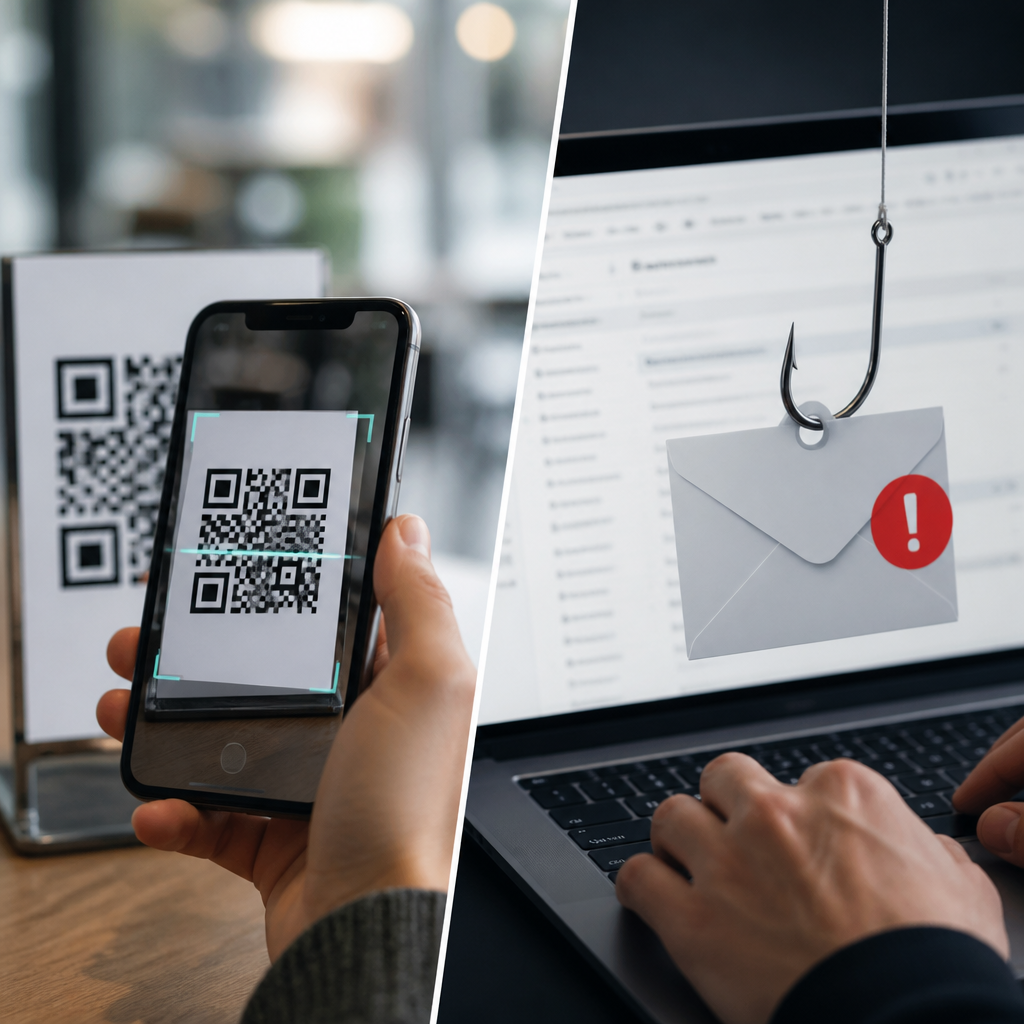
QR code phishing and traditional phishing exploit the same human instincts—curiosity, urgency, and trust—but they reach victims through different channels and require different defenses. In security practice, I treat them as related threats with distinct attack surfaces: traditional phishing relies on email links, fake websites, attachments, or spoofed messages, while QR code phishing, often called quishing, hides the malicious destination inside a scannable image. That difference matters because many established email controls inspect visible URLs and attachment behavior, yet a printed or embedded QR code can bypass those checks until a user scans it with a phone. For organizations building a serious strategy for preventing QR code fraud, understanding how quishing compares with classic phishing is the starting point. It shapes policy, employee training, mobile device management, incident response, and vendor selection. It also matters for privacy and compliance because a fraudulent QR code can steal credentials, redirect payments, harvest personal data, or trigger unauthorized app downloads, creating regulatory exposure under frameworks such as GDPR, HIPAA, PCI DSS, and state breach notification laws.
Both threats aim to capture something valuable: usernames, passwords, multifactor authentication codes, card data, session tokens, or direct payments. The delivery method changes the warning signs. A suspicious email may show a mismatched sender domain, poor grammar, or a deceptive hyperlink preview. A malicious QR code may appear on a parking meter, restaurant table, utility bill, package insert, public poster, or PDF invoice, often replacing a legitimate code with a sticker or embedding a code in a fake document. Because scanning usually happens on a mobile device, the victim is outside the protected desktop environment and may move faster, inspect less, and trust more. That is why a hub page on preventing QR code fraud must do more than define the threat. It must explain how attacks work, where controls fail, and which safeguards reduce risk in the real world.
How QR code phishing differs from traditional phishing
Traditional phishing generally begins in inboxes, messaging platforms, or social media. The attacker impersonates a bank, cloud provider, coworker, or supplier and pushes the target toward a link or attachment. Defenders have mature countermeasures: secure email gateways, DMARC, SPF, DKIM, URL rewriting, sandboxing, browser isolation, and user reporting workflows. QR code phishing starts with the same deception goal but changes the delivery object. The QR image stores the URL, payment address, Wi-Fi profile, contact card, or action trigger. Since the destination is not visible in plain text, users cannot easily judge it before scanning, and some systems cannot analyze it until after delivery. In several incidents I have reviewed, malicious QR codes entered environments through conference posters, printed letters, invoices, and emails that embedded only an image, reducing the effectiveness of text-based detection.
The mobile context creates additional risk. Employees often use personal phones for quick scans, especially in hybrid workplaces, logistics, retail, and field service operations. Those devices may lack enterprise web filtering, managed DNS, or browser protections. Attackers know this. They build mobile-optimized credential harvesting pages that imitate Microsoft 365, Google Workspace, Okta, DocuSign, or payment portals and ask for passwords and one-time passcodes in a compressed flow. Some campaigns use QR codes to route victims to fake MFA reset pages, effectively turning the victim into the last-mile bypass for technical controls. Traditional phishing still dominates by volume, but quishing is growing because it exploits a monitoring gap between physical media, email images, and mobile browsing.
Common QR code fraud scenarios and why they succeed
Preventing QR code fraud starts with recognizing the highest-probability scenarios. Payment redirection is one of the most damaging. Criminals place sticker overlays on parking kiosks, EV charging stations, restaurant menus, donation boxes, or transit machines. The victim scans the code, lands on a realistic payment page, and enters card details or sends funds to the attacker. Another common pattern is fake account verification. An email claims that the recipient must reauthenticate a mailbox, payroll account, or HR portal, but instead of a visible link it contains a QR code labeled “scan to review securely.” The code leads to a cloned sign-in page designed for mobile screens.
Physical tampering succeeds because people assume printed materials are trustworthy. Digital embedding succeeds because image-based codes feel less suspicious than long URLs. Urgency increases conversion rates in both cases. During tax season, invoice cycles, open enrollment, and package delivery peaks, users are primed to act quickly. Attackers also exploit brand familiarity. A QR code next to a recognizable logo creates a false sense of legitimacy, especially when the victim is already expecting a payment request or login prompt. In practice, fraud prevention depends on reducing that automatic trust response and adding verification steps where users naturally pause.
| Attack type | Typical channel | Primary objective | Most effective defense |
|---|---|---|---|
| Traditional phishing email | Email, chat, social DM | Credential theft or malware delivery | Email authentication, URL analysis, user reporting |
| Embedded QR phishing | Email image, PDF, slide deck | Mobile credential harvesting | Image analysis, mobile-safe browsing, awareness training |
| Physical QR replacement | Posters, kiosks, menus, meters | Payment fraud or data capture | Tamper checks, official app use, location inspections |
| Invoice QR fraud | Bills, statements, vendor documents | Payment diversion | Out-of-band verification, AP controls, supplier validation |
Technical controls that reduce exposure
No single product prevents QR code fraud, but a layered control set works well. First, inspect image content in email and collaboration tools. Modern secure email platforms and computer vision add-ons can decode QR images and submit extracted URLs to reputation, sandbox, and brand impersonation checks. If your gateway cannot do this natively, integrate a cloud security layer or CASB workflow that analyzes image attachments and embedded media. Second, extend web filtering and DNS security to mobile devices through mobile device management and secure access service edge policies. If employees scan with managed phones, the same risky destination can be blocked whether it came from a typed link or a QR code.
Third, harden identity systems. Phishing-resistant authentication such as FIDO2 security keys or platform passkeys sharply reduces the value of harvested passwords and OTP codes. Conditional access should flag impossible travel, unfamiliar device registration, and risky sign-in behavior immediately after a QR scan campaign. Fourth, standardize browser isolation for untrusted destinations, especially on shared or kiosk-like mobile devices. Finally, instrument reporting. A simple “report suspicious QR” path in your help desk app or collaboration platform shortens response time. In incidents I have handled, rapid reporting was the difference between one compromised account and a broader business email compromise chain.
Training employees and customers to verify before scanning
User education for quishing must be concrete, not generic. Telling people to “be careful” does little. Effective training explains exactly what to check: whether the code is printed on a sticker over another code, whether the destination domain preview matches the brand, whether the request asks for credentials after a scan, and whether payment should be made only through an official app or bookmarked site. Most phone cameras show a link preview before opening it. Employees should be taught to pause there and inspect the domain carefully. They should also know that a QR code should rarely be the only path to a critical action like payroll changes, MFA resets, or urgent invoice payment.
Customer-facing environments need visible guidance too. Retailers, venues, healthcare offices, and municipalities should post short notices near legitimate QR codes: “Use only this official code,” “Do not enter email passwords after scanning,” or “Payments are accepted only in the official app.” This lowers fraud risk and strengthens defensibility if an incident occurs. Simulations help. Just as organizations run phishing tests, they should run controlled QR phishing exercises in offices, warehouses, and field locations. Measure who scanned, who reported, and where confusion occurred. The goal is not blame; it is to find process gaps before attackers do.
Governance, compliance, and a practical prevention program
Preventing QR code fraud is also a governance problem. Security teams need ownership over where QR codes are created, published, and maintained. Marketing, facilities, procurement, accounts payable, and customer support often deploy codes independently, which creates shadow risk. Establish a centralized inventory of official QR codes, their destinations, owners, and expiration dates. Use dynamic QR code management carefully: it improves update control and analytics, but the redirect domain must be protected with strong admin controls, logging, and change approval because a compromised redirect service becomes a single point of failure.
Compliance obligations depend on what the fraud exposes. If a malicious QR code captures health information, cardholder data, login credentials, or government identifiers, incident response may trigger contractual notice obligations, forensic preservation, and regulator reporting. PCI DSS requires protection of payment flows and monitoring for tampering. Privacy programs should treat QR landing pages like any data collection endpoint, with lawful basis, notice, minimization, and retention controls. The strongest hub strategy combines physical inspections, image-aware filtering, mobile protections, identity hardening, supplier verification, and realistic training into one repeatable program. Review every place your organization uses QR codes, replace ad hoc deployments with governed ones, and make verification easy for employees and customers. That is the most reliable way to prevent QR code fraud while also reducing the broader phishing risk that surrounds it.
Frequently Asked Questions
What is the main difference between QR code phishing and traditional phishing?
The core difference is the delivery mechanism. Traditional phishing usually tries to lure a victim through clickable links in emails, fake login pages, malicious attachments, text messages, or spoofed communications that imitate a trusted brand, coworker, bank, or service provider. QR code phishing, often called quishing, uses a QR code as the gateway instead of a visible link. When someone scans the code with a phone or other device, the scan opens a website, prompt, download, payment page, or login form that may be malicious.
From a security perspective, both attacks depend on the same social engineering triggers: urgency, curiosity, fear, convenience, and trust. What changes is the attack surface. In traditional phishing, users can sometimes inspect a URL before clicking, hover over links on desktop, or notice suspicious formatting in a message. With quishing, the true destination is often hidden inside the image until after the scan. That extra layer of abstraction can make malicious intent less obvious, especially on mobile devices where screen space is limited and users move quickly.
This distinction matters because defenses also differ. Email filtering, safe-link rewriting, attachment scanning, and user awareness around suspicious links help reduce traditional phishing risk. Quishing requires additional habits such as verifying where a QR code came from, checking the preview URL before opening it, and treating unexpected QR codes in emails, posters, invoices, restaurant stands, parking meters, or package inserts as potentially untrusted. In short, the psychology is similar, but the technical path to compromise is different.
Why can QR code phishing be harder to detect than traditional phishing?
QR code phishing can be harder to detect because it obscures the destination in a format people do not naturally inspect. With a normal phishing email, a careful user may notice a mismatched sender address, awkward grammar, a strange domain, or a link that does not match the text around it. A QR code, by contrast, looks like a harmless block pattern. The user cannot visually evaluate the destination without scanning it, and many people assume that if a code appears in a polished email, printed sign, or official-looking document, it must be legitimate.
Another reason quishing is challenging is that it often shifts the attack to mobile devices. People tend to make faster trust decisions on phones, and mobile browsers may display less context than desktop browsers. Security tools may also be less visible to the user during the scan-and-open flow. For example, an employee might scan a QR code in a message that claims to be from IT, then enter credentials into a fake Microsoft 365 or payroll portal on a phone screen without noticing small red flags in the URL or page layout.
Attackers also exploit real-world placement. A malicious QR code can be pasted over a legitimate one on a parking kiosk, menu, event flyer, or lobby sign. In those cases, the victim is not even starting from a suspicious email; they are acting in a physical environment that feels trustworthy. This crossover between physical and digital deception makes quishing especially effective. It is not inherently more sophisticated than traditional phishing, but it often bypasses the user’s normal caution because the threat is packaged in a less familiar, more convenient form.
Do QR code phishing and traditional phishing lead to the same kinds of damage?
Yes, both can lead to many of the same outcomes, including credential theft, account takeover, financial fraud, malware infection, data loss, session hijacking, and unauthorized payments. Whether the victim clicks a bad email link or scans a malicious QR code, the attacker’s goal is usually the same: get the person to reveal something valuable, approve a fraudulent action, or install something harmful. Once that objective is achieved, the downstream impact can be nearly identical.
For individuals, this might mean stolen banking credentials, compromised email accounts, exposed personal information, fraudulent subscription charges, or access to work systems through reused passwords. For organizations, the consequences can be much broader: business email compromise, payroll diversion, ransomware delivery, cloud account breaches, and lateral movement inside corporate environments. A quishing campaign that captures a single employee’s single sign-on credentials can be just as damaging as a conventional phishing email that does the same thing.
That said, the path to damage sometimes differs in useful ways. Traditional phishing frequently relies on users clicking links in email or opening attachments from spoofed senders. Quishing may push users toward mobile-first credential theft pages, fake multifactor authentication prompts, or fraudulent payment interfaces linked to real-world scams like parking payments or invoice settlement. Understanding the overlap helps security teams avoid treating quishing as a novelty. It is not a separate universe of risk; it is another delivery channel for familiar objectives, and it deserves the same level of operational attention.
How can people protect themselves from QR code phishing compared with traditional phishing?
The best protection starts with a simple mindset: treat QR codes with the same skepticism you would apply to links in email or text messages. If a QR code appears unexpectedly, pressures you to act quickly, offers a reward, asks you to log in, or requests payment, pause before scanning. If you do scan, review the destination preview carefully before opening it. A legitimate company should not need to hide a rushed login request behind a random QR code. If the domain looks odd, misspelled, shortened, or unrelated to the brand being referenced, do not proceed.
For traditional phishing, users should continue following established best practices: verify sender addresses, avoid unexpected attachments, inspect links before clicking, and navigate to sensitive accounts by typing the official website directly or using a saved bookmark rather than following a message prompt. For quishing, add mobile-specific caution. Do not assume that a code in a PDF, email footer, posted sign, or printed document is safe just because it looks professional. If the QR code claims to relate to your bank, employer, package delivery, or multifactor authentication update, confirm through an independent channel before interacting with it.
Organizations should reinforce those habits with layered controls. That includes security awareness training that explicitly covers quishing, mobile device management where appropriate, strong email filtering, DNS and web protection, multifactor authentication that is resistant to phishing, and clear reporting procedures for suspicious messages or physical signage. In public settings, users should be especially careful with payment-related QR codes and verify that the code has not been tampered with. The practical rule is straightforward: scanning a code is a form of clicking a link, so the same caution applies before, during, and after the interaction.
What should businesses include in security training about quishing versus regular phishing?
Businesses should teach employees that quishing is not just a trendy variation of phishing but a real operational threat that exploits the same human behavior through a different interface. Training should explain how traditional phishing typically appears in email, chat, SMS, collaboration platforms, and fake websites, while quishing may show up in email attachments, embedded images, printed invoices, conference materials, posters, delivery notices, badge mailers, parking systems, and office signage. Employees need to understand that a QR code is not automatically safer than a hyperlink; it is simply a different way to reach a potentially malicious destination.
Effective training should include realistic examples. Show side-by-side scenarios: a fake password reset email with a suspicious link, and a fake HR message asking staff to scan a QR code to review updated benefits. Demonstrate what happens on mobile after a scan, including URL previews, redirect chains, cloned login pages, and fake approval prompts. Employees should practice verifying domains, recognizing urgency language, and reporting suspicious content without fear of blame. If the organization uses legitimate QR codes for onboarding, Wi-Fi access, event check-in, or equipment inventory, training should explain exactly how those are delivered so employees can better spot impostors.
Security programs should also go beyond awareness. Policies should define when QR codes are acceptable in internal communications, how official codes are validated, and what users should do if they encounter suspicious physical labels in the workplace. Technical teams should evaluate whether existing monitoring covers mobile access patterns tied to quishing campaigns, especially credential harvesting against cloud services. The strongest training message is practical and repeatable: do not trust because it is convenient, do not scan because it looks official, and always verify sensitive requests through a known-good source.





