
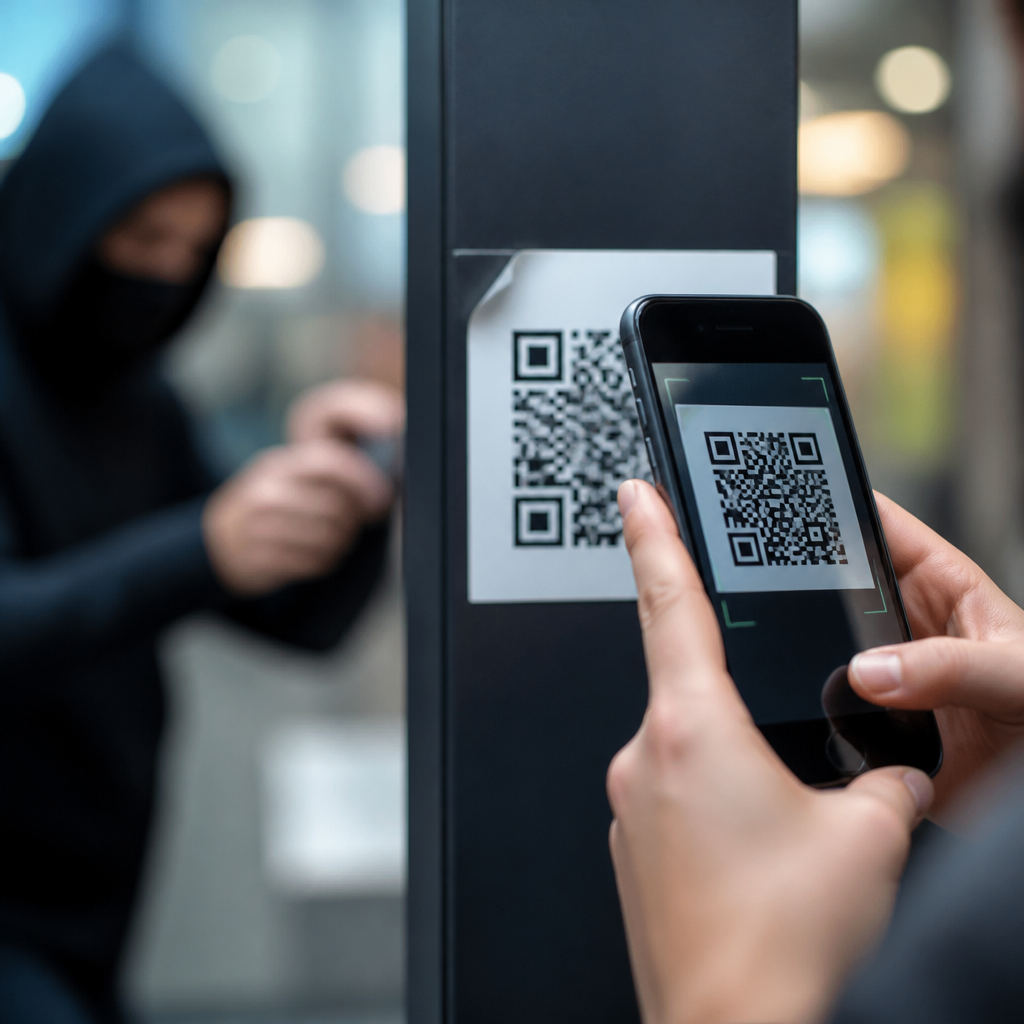
QR code fraud has moved from a niche scam to a mainstream security risk because quick-response codes now sit everywhere people pay, log in, download apps, confirm identities, and access support. A QR code is simply a machine-readable image that stores a destination such as a website, payment address, file, Wi-Fi credential, or app action. That simplicity is exactly why criminals like it. Users cannot inspect a QR code visually, mobile devices often hide the full destination until after a scan, and many people have been trained to trust codes printed on menus, posters, parking meters, invoices, and product packaging. In practice, I have seen organizations treat QR deployment as a marketing decision while ignoring the security controls they would apply to email links or payment forms. That gap creates an easy opening for fraud.
Preventing QR code fraud matters because the damage extends beyond one mistaken scan. A malicious code can steal login credentials, redirect a payment, install malware, harvest personal data, trigger a fraudulent support call, or place a victim inside a larger business email compromise chain. Regulators increasingly view these incidents through the lenses of consumer protection, privacy, and payment security, so prevention is not just a user-awareness issue. It is part of governance. This hub explains the most common QR code fraud tactics, the conditions that make them effective, and the practical controls that reduce risk for businesses, employees, and consumers. If your organization publishes, accepts, or operationalizes QR codes, you need a repeatable fraud-prevention framework.
How QR code fraud works in the real world
Most QR scams follow a simple pattern: gain trust, redirect action, and capture value. Attackers place a malicious code where a legitimate one is expected, or they send a code through a persuasive message that creates urgency. When scanned, the code opens a phishing page, prepopulates a payment transfer, starts an app download, or launches a chat with a fake support agent. The user believes the code is a shortcut, but the attacker uses it as a concealed link.
The tactic often called “quishing,” or QR phishing, has grown because it bypasses habits users developed for email safety. People know to hover over links on desktop, but they cannot hover over a paper sticker on a parking kiosk. They also tend to trust physical contexts. A code on a restaurant table, utility letter, or conference badge appears official even when it is counterfeit. In several campaigns reported by banks and municipal agencies, criminals covered genuine parking-payment codes with fraudulent stickers that redirected drivers to lookalike websites requesting card details. The victim thought they were paying a meter fee; instead, they handed over card data and billing information.
Common QR code fraud tactics
Sticker replacement is one of the most common methods. Criminals print a malicious QR code and place it over an authentic code on a poster, meter, package, or sign-in desk. Because few users compare the destination against a known domain, this low-tech attack remains highly effective. Payment redirection is another major category. A code can encode a wallet address, bank transfer details, or payment request that looks routine but sends funds to the attacker. This is especially dangerous in crypto transactions, where blockchain transfers are generally irreversible.
Phishing via fake login pages is equally common. Attackers create convincing copies of Microsoft 365, Google Workspace, payroll portals, or delivery-service tracking pages, then distribute QR codes through email attachments, printed notices, or messaging apps. Mobile screens hide design inconsistencies, so victims often enter usernames, passwords, and multifactor prompts without noticing the fraud. Malware delivery appears less often than phishing, but it still matters. A QR code can lead to a sideloaded Android package, a malicious configuration profile, or a fake software update page. Support scams also use codes effectively: the code opens a page claiming the device is infected and urges the user to call a fraudulent helpline.
| Tactic | Typical placement | Main objective | Primary prevention control |
|---|---|---|---|
| Sticker replacement | Parking meters, posters, restaurant tables | Phishing or payment theft | Tamper checks and destination verification |
| Invoice payment redirection | Bills, PDFs, emailed statements | Divert funds | Out-of-band payment confirmation |
| Credential harvesting | Email, mailers, office signage | Steal logins and MFA approvals | Phishing-resistant authentication |
| Malware delivery | Fake app downloads, package inserts | Install malicious software | Mobile device management and app controls |
Why users and organizations fall for QR scams
QR code fraud succeeds because it exploits trust shortcuts. Users assume a printed code has been vetted, especially in a physical location they already trust. On mobile, they are also moving quickly. They may be standing at a meter in the rain, checking in at a hotel desk, or logging into a meeting while distracted. Attackers thrive in these moments because people want convenience, not inspection. That is why fraud rates increase in environments where scanning is tied to speed, such as parking, ticketing, and account verification.
Organizations contribute to the problem when they deploy QR codes without governance. I routinely see teams publish static codes that redirect through third-party shorteners, skip ownership records, and lack any inspection process for field locations. Marketing controls the design, operations posts the signage, and security is never asked to review the destination. Static codes are not inherently unsafe, but unmanaged codes create blind spots. If there is no QR inventory, no approved domain list, and no tamper-evident printing standard, fraud can persist for weeks before anyone notices. Weak incident response makes the damage worse because customer service agents often do not recognize QR-related fraud patterns quickly enough to escalate them.
How to prevent QR code fraud effectively
The best prevention strategy starts with destination control. Every public-facing QR code should point only to domains your organization owns or explicitly governs. Avoid unnecessary redirects, and never send users to raw payment links that they cannot verify. When payment is involved, display the payee name, amount, and domain clearly before a transaction is authorized. Dynamic QR systems should use role-based access, change logs, and approval workflows so an attacker cannot silently alter a destination. If a code is printed in public, use tamper-evident materials and perform documented inspections, especially for high-risk assets like parking kiosks, donation signs, and point-of-sale displays.
User education must be specific. Telling people to “be careful” does not work. Train them to preview URLs before opening, confirm the domain against official channels, avoid scanning codes from unsolicited emails, and stop immediately if a payment request or login page appears unexpectedly. On managed mobile devices, enforce browser protections, safe browsing controls, and mobile threat defense where appropriate. For workforce logins, deploy phishing-resistant multifactor methods such as FIDO2 security keys or passkeys; these sharply reduce the value of credentials stolen through fake QR login pages. For finance teams, require out-of-band verification for any invoice or account change introduced through a QR-enabled document.
Building a compliant QR security program
Preventing QR code fraud is not only a security exercise; it intersects with privacy, accessibility, and records management. If a QR code directs users to a form collecting personal data, the landing page must provide lawful notice, limit collection to what is necessary, and protect transmission with HTTPS. If it initiates payment, controls should align with your broader payment security policies and vendor due diligence process. Public-sector and regulated organizations should also maintain an auditable inventory of where codes are placed, what systems they connect to, who owns them, and how changes are approved. That record becomes critical during incident response, customer remediation, and legal review.
Operationally, the strongest programs treat QR codes as link-bearing assets subject to the same lifecycle controls as websites and authentication flows. Assign ownership, classify risk, test destinations, monitor for abuse, and retire codes that no longer serve a purpose. Include QR fraud scenarios in tabletop exercises: a fraudulent sticker at a branch entrance, a spoofed payment code on invoices, or a phishing campaign using badge-registration codes. These exercises quickly expose policy gaps. Common improvements include approved design templates, signed print vendors, field inspection schedules, fraud-reporting channels, and customer-facing guidance pages that explain where official codes are used and where they are never used.
QR code fraud is preventable when organizations stop treating codes as harmless graphics and start managing them as trusted access points. The core lessons are straightforward: attackers hide malicious destinations inside familiar experiences, physical placement does not equal legitimacy, and payment or login actions triggered by a scan deserve the same scrutiny as any emailed link. Effective prevention combines secure destination design, tamper controls, workforce training, strong authentication, and operational ownership. As the hub for preventing QR code fraud, this page should anchor your broader work on secure deployment, mobile phishing defense, payment integrity, privacy safeguards, and incident response. Review every live QR code your organization uses, remove unnecessary ones, and put formal controls around the rest today.
Frequently Asked Questions
What is QR code fraud, and why has it become so common?
QR code fraud is any scam that uses a malicious or misleading QR code to trick someone into visiting a fake website, sending money, downloading malware, sharing login credentials, or approving unauthorized actions. It has become much more common because QR codes are now built into everyday life. People use them to pay bills, access restaurant menus, sign in to services, verify accounts, connect to Wi-Fi, download apps, and contact customer support. The more familiar the behavior becomes, the less cautious many users are when scanning.
Criminals are drawn to QR codes because they hide the destination in a format people cannot visually inspect. A person can often judge whether a typed web address looks suspicious, but a square pattern of black and white blocks reveals nothing to the naked eye. On top of that, many mobile experiences are designed for speed and convenience, so users may scan first and think later. Attackers take advantage of that split-second trust. They place fake QR stickers over legitimate ones, send QR codes through email or text messages, post them on flyers or social media, or embed them in phishing campaigns that appear urgent or official.
Another reason QR code fraud has grown is that it works across many scam types at once. A single code can redirect to a credential-harvesting page, a fake payment request, a malicious app download, or a support scam. That flexibility makes QR codes a powerful delivery tool for fraud. In short, QR code fraud is common because the codes are everywhere, they are easy to disguise, and they let attackers move victims quickly from curiosity or convenience into a high-risk action.
What are the most common QR code fraud tactics people should watch for?
The most common tactic is QR code replacement. A scammer places a fake QR code sticker over a real one in a public place such as a parking meter, transit kiosk, restaurant table, event sign, or retail checkout area. When scanned, the replacement code sends the victim to a fraudulent payment page or login form. Because the physical sign may still look legitimate, many people never realize the code itself was altered.
Another widespread tactic is QR phishing, sometimes called “quishing.” In this version, the QR code arrives through email, text message, printed mail, or messaging apps and is presented as a secure way to confirm an account, reset a password, view a document, track a package, or fix a billing issue. Once scanned, the victim lands on a fake website designed to steal usernames, passwords, multifactor authentication codes, or payment information. These scams often imitate trusted brands and use urgency to push fast action.
Payment diversion is also very common. Instead of taking a user to a legitimate merchant or bill-pay portal, the QR code directs funds to the scammer’s wallet or payment account. Victims believe they are paying for parking, utilities, donations, invoices, or tickets when they are actually sending money directly to a criminal. In business settings, attackers may even insert fraudulent QR codes into invoices or account statements.
Other common tactics include malicious app downloads, fake customer support pages, and account takeover attempts. A QR code may prompt a user to install a harmful app outside the official app store, connect to a dangerous Wi-Fi network, or call a bogus support number staffed by fraudsters. In some cases, the code leads to a page that asks the user to approve a login session or device enrollment, effectively handing over account access. The main pattern to remember is simple: if a QR code asks you to log in, pay, download, approve, or share sensitive information, it deserves extra scrutiny.
How can I tell whether a QR code is safe before I scan it or act on it?
The safest approach is to treat every QR code as untrusted until proven otherwise. Start with context. Ask yourself where the code came from, why it is being presented, and whether the request makes sense. A code taped over a sign, printed on a low-quality sticker, sent unexpectedly by text, or included in an urgent email should immediately raise suspicion. If the message pressures you to act quickly to avoid penalties, secure an account, claim a reward, or resolve a problem, that is a classic scam signal.
If you do scan the code, pause before opening the destination. Many phones show a preview of the URL or action. Read it carefully. Look for misspellings, extra words, unusual subdomains, random strings, or domain names that imitate a real brand without actually being the official site. For example, a scammer may use a domain that looks close to a bank, delivery company, or payment provider but is not the authentic address. If the preview is shortened, unclear, or hidden, that is another reason not to proceed.
You should also think about what the QR code is asking you to do. A legitimate restaurant menu might be low risk. A QR code asking for your password, card number, government ID, remote device access, or payment approval is much higher risk. In those cases, it is smarter to bypass the code completely and navigate manually. Type the company’s known web address into your browser, use its official app, or contact customer support through a verified phone number listed on the company’s website.
For public and business environments, visual inspection matters too. Check whether the code appears tampered with, layered over another code, poorly aligned, or inconsistent with the surrounding branding. If you are paying at a machine or kiosk, compare the payment instructions with the organization’s official guidance. If anything feels off, stop. A few seconds of verification can prevent stolen credentials, financial loss, or a compromised device.
What should I do if I scanned a suspicious QR code or entered information after scanning one?
If you scanned a suspicious QR code but did not submit any information, close the page immediately and do not download anything, approve any prompts, or grant permissions. Clear the browser tab, disconnect from any network the code may have joined automatically, and check your phone for newly installed apps, unusual profiles, configuration changes, or altered security settings. If the code led to a file download or app installation, remove it unless you are absolutely certain it is legitimate.
If you entered login credentials, change the password for that account right away from a known safe device or by typing the official website address manually. If you reused that password elsewhere, change those accounts too, because password reuse can turn one mistake into multiple account compromises. Enable or review multifactor authentication, but be cautious: if the attacker is still actively targeting you, they may try to trick you into sharing verification codes or approving login requests. Check recent account activity, logged-in devices, forwarding rules, recovery email changes, and security alerts.
If you entered payment information or made a payment, contact your bank, card issuer, or payment provider immediately. Report the transaction as potentially fraudulent and ask what protections or reversals may be available. The faster you act, the better your chances of limiting financial damage. If the scam involved cryptocurrency or direct wallet transfers, recovery may be much harder, which makes immediate reporting and evidence preservation especially important.
It is also wise to run a mobile security scan, update your device operating system, and monitor for follow-on attacks. Scammers frequently use one successful interaction to launch more convincing phishing attempts later. Save screenshots, suspicious URLs, messages, receipts, and transaction details in case you need to file reports with your employer, IT team, payment provider, or law enforcement. Quick action will not always undo the event, but it can significantly reduce the fallout.
How can individuals and businesses reduce the risk of QR code fraud long term?
For individuals, the most effective defense is a habit change: never assume a QR code is safe simply because it is easy to scan. Use official apps and manually entered web addresses for sensitive actions such as banking, bill payments, account logins, password resets, and software downloads. Keep your phone updated, install apps only from trusted app stores, use strong unique passwords, and enable multifactor authentication wherever possible. Also learn to slow down when a QR code appears in an urgent message, public payment setting, or identity verification flow.
For businesses, prevention starts with controlling where QR codes are used and how they are managed. Organizations should maintain an inventory of official QR codes, document their intended destinations, and review them regularly. In physical locations, staff should inspect signs, kiosks, tables, posters, and payment stations for tampering. If QR codes are used for payments, support, or login flows, businesses should provide clear instructions about what customers should expect to see after scanning and what they will never be asked to provide. That kind of user education reduces the effectiveness of impersonation.
Technical controls matter as well. Businesses can use short, branded, and monitored URLs behind QR codes, implement domain protection and anti-phishing measures, and monitor for lookalike sites or abuse of their brand. Secure mobile experiences should show recognizable domains, minimize unnecessary permission requests, and use strong authentication safeguards. Employees should be trained to recognize QR phishing in emails, printed invoices, and workplace signage, especially in departments that handle payments, procurement, IT support, and account recovery.
Ultimately, long-term risk reduction comes from combining awareness, process controls, and fast reporting. QR code fraud succeeds when convenience overrides verification. Whether you are an individual scanning a parking sign or





