
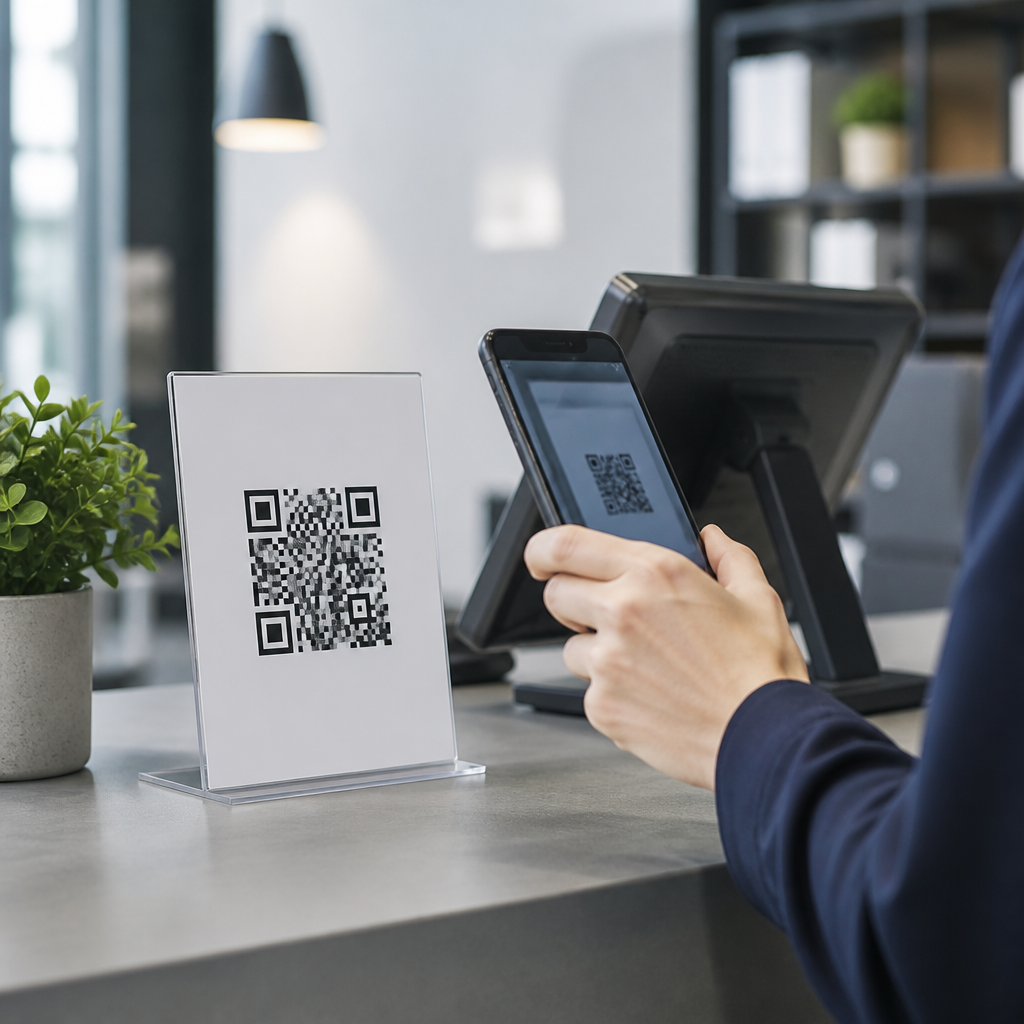
QR code fraud prevention for businesses starts with understanding why these simple black-and-white squares have become a trusted bridge between physical and digital customer journeys, and why that trust is now being exploited. A QR code, or quick response code, is a two-dimensional barcode that stores a URL, payment request, login token, contact record, or other machine-readable instruction. Businesses use QR codes on menus, invoices, posters, packaging, event badges, warehouse labels, and support documentation because scanning is fast, inexpensive, and familiar to customers. I have helped teams deploy QR-driven campaigns in retail, hospitality, logistics, and field service, and the pattern is consistent: convenience increases adoption, but weak governance creates openings for fraud. Criminals replace legitimate codes with malicious stickers, redirect users to lookalike payment pages, embed phishing links in printed materials, or exploit dynamic redirect platforms with poor access controls. The cost is not limited to chargebacks or a few failed scans. Fraud can trigger customer account compromise, business email compromise, malware delivery, reputational damage, and regulatory exposure when personal data is mishandled. Preventing QR code fraud matters because QR codes compress trust into a single scan. When a customer sees a code on a counter, receipt, parking meter, or email attachment, they often assume the destination has already been vetted. That assumption is useful for commerce and dangerous for security. Businesses need a practical framework that covers design, printing, hosting, monitoring, employee training, customer education, and incident response so every QR touchpoint is treated as part of the attack surface.
How QR Code Fraud Happens in Real Business Environments
Preventing QR code fraud begins with knowing the most common attack paths. The clearest example is physical code substitution. A fraudster places a counterfeit sticker over a restaurant table code, parking payment sign, product display, or charity donation placard. The replacement sends users to a fake payment page that captures card details or wallet transfers. This tactic works because customers rarely inspect destination domains before paying, especially on mobile devices. In offices and warehouses, I have seen internal QR labels used for asset tracking become targets because workers scan quickly during receiving or maintenance tasks. If the scan opens a credential prompt or downloads a malicious file, the attack can move from fraud into broader compromise.
The second major pattern is digital impersonation. Attackers send emails, SMS messages, invoices, and PDFs containing QR codes instead of clickable links. This technique bypasses some email filtering because the malicious URL is embedded as an image. Security teams often call this quishing, and it has grown because users are conditioned to trust scanned destinations more than typed links. A fake Microsoft 365 reauthentication notice with a QR code can push an employee to a convincing login clone, where credentials and multifactor tokens are harvested. In business contexts, finance, HR, and procurement are frequent targets because they already process external documents and payment requests.
The third pattern involves misuse of dynamic QR infrastructure. Dynamic QR codes rely on a redirect service that points the visible code to a managed destination. That is useful for campaign updates, analytics, and A/B testing, but if the account behind the redirect platform is weakly protected, an attacker can change the target without altering printed materials. The code on the poster stays the same while the destination silently changes. This risk is especially important for franchises, distributed retail networks, and event operators that delegate code creation across many users and vendors.
Core Controls Every Business Should Implement
The strongest QR code fraud prevention programs combine governance with technical controls. First, create a QR code inventory. Every code used in customer-facing or operational processes should have an owner, purpose, destination URL, deployment date, and review schedule. Without inventory, compromised or outdated codes remain active for months. Second, standardize generation. Use an approved QR platform with role-based access control, multifactor authentication, audit logs, and domain allowlisting. Third, lock down destinations. Redirect only to domains your organization owns or explicitly approves, and use HTTPS everywhere. Fourth, establish print and placement controls. Physical materials should include tamper-evident features, versioning, and routine inspection procedures, especially in unattended environments such as kiosks, lobbies, parking areas, and event venues.
Fifth, build clear user expectations. Customers should know what a legitimate scan looks like before they scan. For example, a payment QR code should be accompanied by the exact merchant name, the expected domain, and a short explanation such as “You will be taken to pay.example.com.” In my experience, posting destination guidance reduces successful spoofing because it trains users to compare what they see. Sixth, train employees who create or deploy codes. Marketing teams need review workflows, operations teams need inspection checklists, and frontline staff need instructions for reporting suspicious stickers or redirects. Finally, test your controls. Perform routine scans from iOS and Android devices, validate redirects, and review analytics for geographic anomalies, sudden destination changes, or unexplained traffic spikes.
| Control Area | Recommended Practice | Fraud Reduced |
|---|---|---|
| Code creation | Approved platform with MFA, RBAC, audit logs | Unauthorized redirect changes |
| Destination security | HTTPS, domain allowlists, short redirect chains | Phishing and man-in-the-middle abuse |
| Physical deployment | Tamper checks, serial numbers, routine inspections | Sticker replacement scams |
| Customer communication | Display merchant name and destination domain | Payment spoofing |
| Monitoring | Scan analytics, alerting, periodic validation | Long dwell time after compromise |
Secure Design, Hosting, and Redirect Management
Technical implementation determines whether a QR program is resilient or fragile. Static QR codes are harder to hijack through platform compromise because the destination is encoded directly, but they are harder to update if a URL changes. Dynamic QR codes are operationally superior for campaigns and distributed environments, yet they introduce account and redirect risk. The right choice depends on the use case. For permanent packaging or regulated documentation, static may be safer if the destination is stable. For marketing, service manuals, and event assets, dynamic is usually justified, provided the platform is secured properly.
Use branded domains rather than generic URL shorteners whenever possible. A branded domain improves customer recognition and gives security teams direct control over TLS certificates, DNS records, and logging. Keep redirect chains short; each additional hop adds latency and obscures visibility. Apply least privilege to QR management accounts, separating creators, approvers, and administrators. If an agency or printer needs access, give time-bound permissions and review them after each campaign. On the web side, harden landing pages with standard protections: web application firewall rules, content security policy where practical, certificate monitoring, and server-side logging. Payment pages should support strong customer authentication where applicable and should never request unnecessary data.
Analytics should serve security as well as marketing. Monitor for scans from unexpected countries, impossible travel patterns, traffic spikes after hours, or abrupt shifts in device mix. A charity poster in one city should not suddenly receive scans from multiple regions at industrial volume. That can indicate automated abuse, social reposting by attackers, or a compromised redirect. Mature teams feed QR telemetry into a SIEM such as Microsoft Sentinel, Splunk, or Google Security Operations so anomalies are correlated with identity events, DNS changes, and endpoint alerts.
Operational Defenses for Physical, Customer, and Employee Touchpoints
Physical QR code fraud prevention requires routine discipline. High-risk locations should be inspected on a defined cadence and after cleaning, maintenance, or vendor visits. Staff should know how legitimate materials are mounted, what labels should look like, and where serial numbers or print marks appear. For payment stations and restaurant tables, use adhesive and surface designs that make over-stickers obvious. For packaging, integrate codes into the artwork rather than applying them later as separate labels. In logistics and manufacturing, restrict who can print operational labels and keep templates in controlled systems, not shared folders that anyone can edit.
Customer-facing protection is equally important. Train staff to explain safe scanning behavior in plain language: check the previewed domain, avoid entering passwords after scanning an unexpected code, and stop if the page asks for unusual permissions. Many smartphone camera apps now display a URL preview before opening; businesses should encourage users to read it. If your organization uses QR codes for payments, returns, guest Wi-Fi, or support, publish those official entry points on your website so customers can verify them independently. This page should internally link to detailed guidance on secure QR payments, phishing-resistant customer messaging, and mobile landing page best practices across your broader security and compliance hub.
Employee-targeted QR attacks deserve separate treatment. Include QR examples in phishing simulations, especially for mobile-first workflows. Block unmanaged devices from accessing sensitive applications reached through scanned login prompts. Mobile device management, conditional access, and passwordless authentication reduce the damage if an employee scans a malicious code. In several rollouts I supported, simply teaching employees that “a QR code can be a link in disguise” materially improved reporting rates. That mindset shift matters because users often apply more caution to email links than to camera scans.
Incident Response, Compliance, and Long-Term Governance
No control set is perfect, so businesses need a QR-specific incident response plan. The first steps are containment and preservation: disable the redirect, remove physical materials where possible, preserve logs, and capture screenshots of the malicious destination. Then assess scope by identifying where the code was deployed, how many scans occurred, what data may have been exposed, and whether payments were diverted. Customer communications should be factual and fast, with clear instructions on payment disputes, password changes, and fraud reporting. If personal data was compromised, legal and privacy teams must evaluate notification duties under applicable laws and contracts. PCI DSS obligations may apply if cardholder data was involved, and consumer protection issues can arise when deceptive payment flows are presented under a business brand.
Long-term governance turns one-time fixes into durable risk reduction. Assign executive ownership, usually across security, digital, and operations. Review vendors that provide QR generation, printing, campaign hosting, or payment processing. Include security clauses, breach notification terms, logging requirements, and access review expectations. Audit the program at least annually, and more often for high-volume consumer use. The core benefit of a disciplined approach is simple: customers can scan with confidence, employees can work faster without blind trust, and the business can use QR technology without handing criminals an easy social engineering channel. If your organization relies on QR codes anywhere in the customer or operational journey, now is the time to inventory them, secure the platforms behind them, and establish clear inspection and response procedures.
Frequently Asked Questions
What is QR code fraud, and why should businesses take it seriously?
QR code fraud is any scam or malicious activity that uses a QR code to trick employees, customers, vendors, or partners into visiting a harmful website, approving a fraudulent payment, sharing login credentials, downloading malware, or revealing sensitive business information. Because QR codes are designed to be scanned quickly and conveniently, people often trust them without verifying where they lead. That convenience is exactly what makes them attractive to attackers.
For businesses, the risks are much broader than a single bad scan. A tampered QR code on a storefront poster, restaurant table, payment terminal, invoice, product package, warehouse label, or event badge can damage customer trust, expose internal systems, and create financial losses. Fraudsters may place fake QR stickers over legitimate ones, swap printed materials during distribution, or create lookalike payment pages that capture money and data. In some cases, the scam targets customers directly; in others, it targets employees who scan codes for inventory, authentication, support workflows, or vendor communications.
Businesses should take QR code fraud seriously because it affects security, brand reputation, compliance, and customer experience all at once. If a customer scans a code associated with your brand and ends up on a phishing page, they may blame your organization even if the attack came from a third party. Preventing QR code fraud means treating QR codes as part of your digital attack surface, not just as a marketing or operational tool.
How do criminals typically use QR codes to scam businesses and customers?
Criminals use QR codes in several common ways, and most of them rely on one basic weakness: the user cannot easily see the destination before scanning. One frequent tactic is physical replacement. A fraudster places a fake QR sticker over a legitimate one on a menu, sign, checkout station, parking meter, flyer, kiosk, package, or invoice. The replacement code may lead to a counterfeit payment page, a credential-harvesting login screen, or a malware download.
Another method is digital impersonation. Attackers create emails, PDFs, or messages containing QR codes that appear to come from a trusted source such as a bank, software vendor, shipping company, HR department, or executive. The message may instruct the recipient to scan the code to reset a password, approve a payment, review a document, or complete a security check. In reality, the scan sends the victim to a phishing site designed to steal credentials or multi-factor authentication tokens.
Some scams target payment workflows directly. A fake code can redirect funds to a criminal-controlled account instead of the intended business account. Others exploit customer support or account access processes by sending codes that trigger unauthorized device pairing, fake single sign-on prompts, or malicious app installations. In operational settings, fraudulent codes on labels or assets can disrupt inventory records, routing, tracking, or access control.
The key pattern is deception through trust and speed. QR codes feel routine, which lowers suspicion. That is why businesses need controls around creation, placement, monitoring, and user education rather than assuming people will recognize a scam in the moment.
What are the most effective ways for a business to prevent QR code fraud?
The most effective defense is a layered approach that combines physical security, digital governance, employee training, and continuous monitoring. Start by controlling how QR codes are created and approved. Businesses should generate codes through authorized systems, maintain a record of where each code is used, and assign ownership for reviewing links, destinations, and campaign changes. If a code points to a URL, use a secure, business-controlled domain rather than a third-party link that may be harder for users to recognize and for your team to audit.
Physical protection matters just as much. Inspect printed QR codes regularly in stores, offices, event venues, fulfillment centers, and other public-facing environments. Look for signs of tampering such as stickers placed over originals, mismatched branding, damaged surfaces, or altered payment instructions. When practical, incorporate QR codes into printed designs in ways that make replacement obvious, such as branded backgrounds, tamper-evident materials, serialization, or placement behind protective covers. In high-risk settings, post a short instruction near the code telling users exactly what they should expect after scanning.
On the digital side, send users to landing pages with HTTPS, clear branding, and simple destination cues. Use mobile threat protection, web filtering, and domain monitoring to detect suspicious redirects or lookalike sites. Restrict where QR codes can be embedded in internal workflows, and review any use tied to payments, logins, or account recovery with extra scrutiny. For employee-facing QR processes, apply the same security standards you would use for email links or authentication systems.
Training is also essential. Teach employees and frontline staff to question unexpected QR codes, especially in invoices, urgent emails, payment requests, password resets, and public signage. Customer-facing teams should know how to respond if someone reports a suspicious code. Finally, establish a response plan so tampered codes can be removed quickly, impacted users can be notified, and fraudulent domains or payment destinations can be reported and blocked. Prevention works best when QR security is treated as an ongoing operational process rather than a one-time setup task.
How can businesses make their QR codes safer for customers to scan?
Businesses can make QR codes safer by reducing ambiguity and giving customers confidence about what will happen after they scan. First, use branded, recognizable destinations. A QR code should lead to a clearly named page on the company’s official domain, secured with HTTPS, and consistent with the brand’s visual identity. If customers land on a generic page, a shortened link, or a domain that looks unrelated to the business, confusion increases and fraud becomes harder to detect.
It also helps to set expectations before the scan happens. Add nearby text that explains the purpose of the code, such as “View our menu,” “Pay your invoice securely at ourdomain.com,” or “Register your product warranty.” This small step gives customers a reference point. If the code suddenly requests a login, asks for unnecessary personal data, or displays a different brand, they are more likely to stop. Clear instructions are especially important anywhere payments are involved.
Design and placement matter too. Print QR codes cleanly and professionally, and place them in locations that are easy for staff to inspect. Avoid leaving important payment or login codes exposed in uncontrolled public areas without oversight. If a code is used on packaging or documents, consider pairing it with a human-readable URL so users have another way to verify the destination. In some cases, dynamic QR systems can be useful because they allow businesses to update destinations centrally while maintaining governance and tracking.
Finally, invite reporting. A simple line such as “If anything looks suspicious, please contact us before proceeding” encourages customers to speak up. The safer experience is not just about the code itself; it is about building a scan journey that is predictable, transparent, and easy to verify.
What should a business do if it discovers a fraudulent or tampered QR code?
If a business discovers a fraudulent or tampered QR code, it should respond immediately as both a security incident and a customer trust issue. The first step is containment: remove or disable the malicious code, secure the affected location or asset, and verify whether any related digital destination, payment process, or printed material has also been compromised. If the code appears on a physical sign, product, terminal, menu, invoice, or label, inspect nearby materials as well to determine whether the issue is isolated or part of a broader tampering campaign.
Next, assess impact. Identify where the code was displayed, how long it may have been active, what it was supposed to do, and what the fraudulent version actually did. Determine whether users may have submitted payments, passwords, personal information, or device access. Review website logs, campaign records, payment data, customer reports, and surveillance or operational records if available. If the incident involves financial fraud, credential theft, malware, or regulated data exposure, involve the appropriate security, legal, compliance, and fraud teams right away.
Communication is critical. Notify affected employees, customers, partners, or vendors with clear instructions on what happened, what risks exist, and what actions they should take next. That may include avoiding the code, changing passwords, monitoring transactions, disputing payments, or contacting support. Be specific and practical rather than vague. If a fraudulent domain or payment destination was used, report it to hosting providers, payment platforms, browsers, and relevant authorities as quickly as possible.
Finally, use the incident to strengthen controls. Review why the tampering was not detected sooner, update inspection schedules, improve code design and placement, tighten approval workflows, and expand staff awareness training. A strong response does more than solve the immediate problem; it reduces the chance of repeat attacks and shows customers that your business takes QR code security seriously.





