
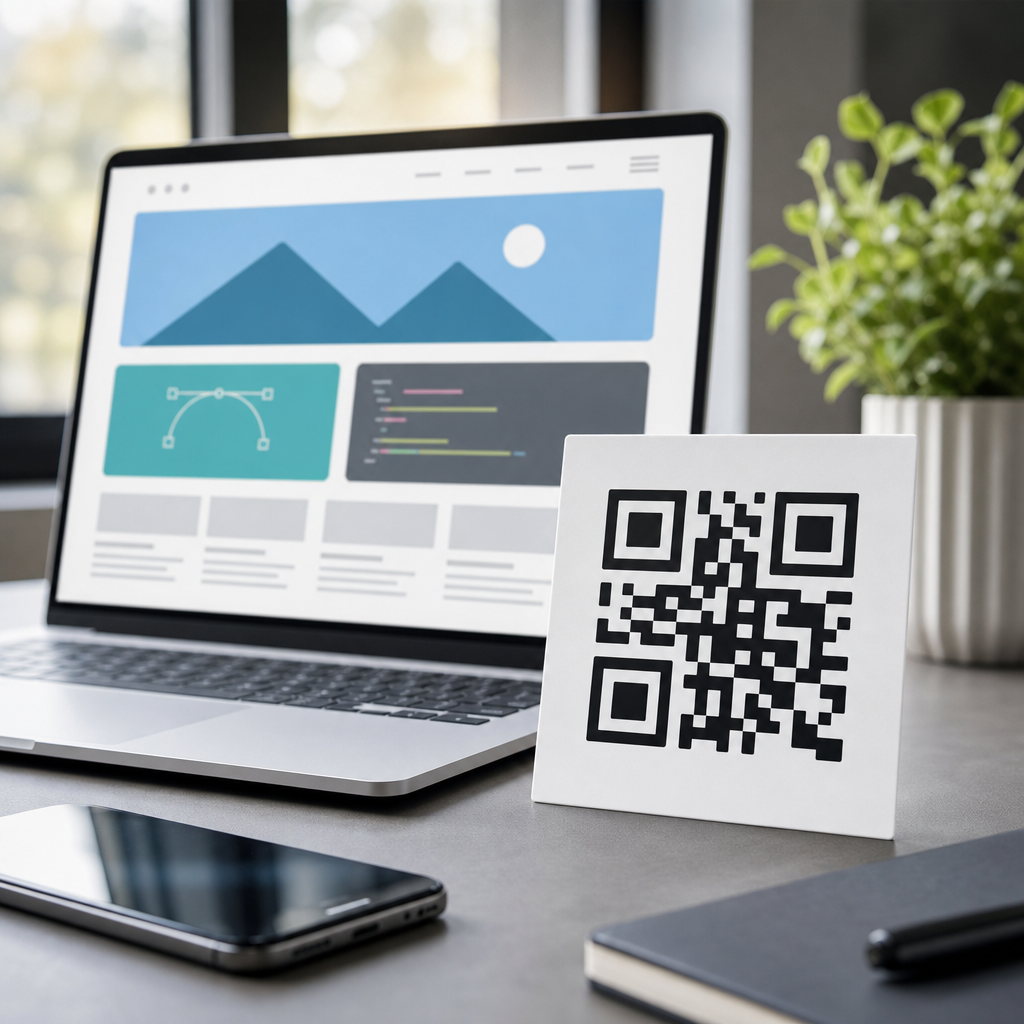
SVG QR codes give web designers a scalable, lightweight, and brand-friendly way to place scannable codes across modern digital experiences. A QR code is a matrix barcode that stores data such as a URL, vCard, Wi-Fi credential, app deep link, or payment request. SVG, short for Scalable Vector Graphics, is a vector file format based on XML. Unlike PNG or JPG, an SVG QR code can scale to any size without blurring because it uses paths and shapes rather than fixed pixels. That single distinction matters in web design, where the same asset may appear in a mobile hero banner, a desktop footer, an email signature, a kiosk screen, or a printed handout generated from the site.
In practice, SVG QR codes solve three common problems I see in production builds. First, they stay sharp on high-density displays such as Apple Retina and modern Android devices. Second, they are easy to style, compress, and embed inline in a page, which can improve page performance and design flexibility. Third, they support clean handoff between web and print, making them useful for responsive campaigns that bridge physical and digital touchpoints. Because this article sits under Creating Mobile QR Codes, the focus is not just on code appearance but on reliable mobile scanning, file format tradeoffs, and implementation choices that affect usability, accessibility, and analytics.
To use SVG QR codes well, you need to understand the broader family of QR code formats and file types. Teams often ask whether they should export SVG, PNG, EPS, PDF, or even WebP. The answer depends on use case. Web pages usually benefit from SVG because of sharp rendering and small transfer sizes for simple geometry. Social media uploads and legacy systems may still need PNG. Large-format print often leans on vector formats such as SVG, EPS, or PDF. Dynamic QR code platforms may also add tracking parameters, redirects, and campaign labels, so the image format is only one part of the decision. The real goal is dependable scanning across devices, lighting conditions, and viewport sizes.
What makes SVG QR codes different from raster formats
An SVG QR code is made of mathematical instructions describing squares, paths, and viewBox dimensions. A PNG QR code is a grid of colored pixels at a fixed resolution, such as 512 by 512. If you enlarge the PNG beyond its native size, edges soften and scanner reliability can drop, especially when a logo or gradient already reduces contrast. SVG avoids that problem. On responsive websites, I routinely use one SVG asset that works for a 96-pixel mobile card and a 480-pixel desktop panel without creating multiple versions. That simplifies asset management and reduces the chance that someone uploads the wrong size to a content management system.
SVG also offers styling control that raster files cannot match. You can change fill color with CSS, add hover states for nonessential decoration, or animate surrounding elements while keeping the encoded pattern intact. Inline SVG can be part of the DOM, which means designers can assign ARIA labels, titles, and classes. That said, the QR modules themselves should remain visually stable. Excessive animation, low contrast, or clipping masks near the quiet zone can harm scan performance. A safe rule is simple: keep the encoded shape plain, preserve a four-module quiet zone, and reserve branding for the frame around the code rather than the finder patterns.
When to use SVG, PNG, EPS, and PDF for QR code delivery
Choosing the right QR code file type starts with destination. For websites, SVG is usually the best default because it scales cleanly, often compresses well with GZIP or Brotli, and can be embedded directly in markup. For email platforms, PNG is often safer because many clients limit SVG support. For print workflows, SVG, EPS, and PDF all work, but print vendors often prefer PDF or EPS if the artwork enters Adobe Illustrator or InDesign. For social posts, ads, and app uploads, PNG remains the lowest-friction choice because every platform understands it.
The hub topic of QR Code Formats and File Types becomes clearer when you compare practical constraints: rendering, editability, transparency, compatibility, and scan reliability. SVG is editable and ideal for web delivery. PNG is universally supported but resolution dependent. EPS is a legacy vector format still common in professional print shops. PDF is excellent for packaging vector artwork into print-ready layouts. JPG should generally be avoided for QR codes because lossy compression creates artifacts around sharp module edges. WebP can work for raster QR codes on the web, but its advantage is usually smaller bitmap delivery, not better scanning than SVG.
| Format | Best use | Main strength | Main limitation |
|---|---|---|---|
| SVG | Web pages, responsive layouts, print crossover | Infinite scaling and CSS-friendly styling | Not consistently supported in all email clients |
| PNG | Email, social uploads, simple web embeds | Universal compatibility | Blurs when enlarged beyond native resolution |
| Print-ready documents and design handoff | Reliable vector packaging | Less convenient for direct web embedding | |
| EPS | Legacy print workflows | Accepted by many professional printers | Weak fit for browser delivery |
How to add SVG QR codes to a website without hurting performance
There are three standard implementation methods: inline SVG in the markup, linked SVG as an image, and CSS background usage. Inline SVG gives the most control. You can set width and height in relative units, expose a meaningful accessible name, and style surrounding frames without extra requests if the SVG is included directly in the document. Linked SVG, using an img tag, is simpler for content teams and benefits from browser caching. CSS backgrounds work for decorative use, but they are weaker for accessibility and should not be the only way a user receives a critical action such as a payment or login link.
Performance depends on file complexity and delivery strategy. A basic black-and-white QR code in SVG is often compact because the geometry is simple, and text-based vector files compress very efficiently. Minification helps, especially if a generator outputs verbose metadata. Inline delivery can reduce requests but increases document size if the same code appears many times. External files are better when one QR code repeats across multiple pages. In testing, I also avoid embedding massive logos or filters inside the SVG because they erase the simplicity advantage. For mobile-first pages, the target is fast paint, stable layout, and immediate scan usability without zooming.
Design rules that keep mobile QR codes easy to scan
The best-looking QR code is worthless if phones cannot read it quickly. Mobile scanning depends on module clarity, contrast, quiet zone, and target size. ISO/IEC 18004 defines the QR code standard, and while designers do not need to memorize every clause, they should respect the fundamentals. Use dark modules on a light background. Preserve the quiet zone around the symbol. Avoid reversing the code to light-on-dark unless testing confirms scanner compatibility. Keep finder patterns intact and do not place logos so large that they erase data modules beyond the chosen error correction level.
For web design, size should be tied to expected viewing distance. A small website footer code intended for a user holding a second phone nearby can work at modest dimensions, but campaign landing pages viewed on a laptop often need a larger presentation. I usually start at a displayed width around 160 to 240 CSS pixels for on-screen use, then test with recent iPhone and Android devices under ordinary indoor lighting. Dynamic QR code platforms such as Bitly, QR Code Generator Pro, Beaconstac, and Flowcode can provide scan analytics, but analytics never compensate for weak visual execution. Good scans begin with clean geometry and adequate space.
Accessibility, security, and tracking considerations for SVG QR codes
Accessibility is often overlooked because QR codes are visual by nature. On a website, always pair the code with a visible text link or button that performs the same action. Screen reader users should not be forced to interpret an image. If the SVG is inline, include a title or aria-label that explains the destination, such as “Open the mobile app download page.” This approach also helps users on desktop who prefer clicking over scanning. The code should complement the interface, not replace basic navigation.
Security matters because users cannot inspect a QR destination by looking at the image. Use trustworthy domains, short redirect chains, and HTTPS everywhere. If you are deploying dynamic QR codes, manage redirects carefully and document ownership so abandoned campaigns do not become dead links. For tracking, UTM parameters remain useful, but they should be standardized and not endlessly stacked. I recommend labeling campaign, medium, and placement in a naming convention shared across marketing and product teams. That makes analytics readable in GA4, Adobe Analytics, or server logs and helps distinguish web footer scans from in-store poster scans.
Building a file-type workflow for teams managing many QR codes
Most organizations need more than one export. A practical workflow is to create a master dynamic QR code, store the destination and metadata in a central spreadsheet or asset manager, and export SVG for web, PNG for email and social, and PDF for print layouts. Name files consistently by campaign, destination, and date, then version them when the target URL changes. This prevents the common failure where the design team updates a poster but the web team still serves an older bitmap from the CMS. A format matrix also makes internal linking between related guidance pages easier, such as pages on PNG QR codes, print QR code sizes, and dynamic versus static QR codes.
Quality assurance should include cross-device scan testing, contrast checks, and print proofs when relevant. I treat QR codes like functional interface components, not decorative assets. Before launch, test iOS Camera, Google Lens, Samsung Camera, and at least one lower-end Android phone because autofocus and exposure vary. Validate that the SVG renders correctly in Chrome, Safari, and Firefox, and verify that lazy loading or content security policies do not block it. When teams establish these habits, SVG QR codes become a dependable part of web design rather than a last-minute marketing add-on.
SVG QR codes are the strongest default choice for web design because they stay sharp at any size, adapt well to responsive layouts, and support a clean bridge between digital and print. The broader lesson from QR Code Formats and File Types is that no single export works everywhere. SVG leads for websites, PNG remains essential for broad compatibility, and PDF or EPS still matter in print workflows. Success depends on more than format alone: preserve contrast and quiet zones, provide accessible text alternatives, secure the destination, and test on real phones in real conditions.
If you are building a mobile-first QR strategy, start by standardizing your file workflow and using SVG as the web master asset. Then create companion exports only where distribution channels require them. That approach reduces design errors, improves scan reliability, and keeps campaigns easier to maintain over time. Review your current QR library, replace oversized or blurry raster files, and set clear rules for web, email, and print usage so every new code performs as well as it looks.
Frequently Asked Questions
What is an SVG QR code, and why is it useful in web design?
An SVG QR code is a QR code created in Scalable Vector Graphics format instead of a raster format like PNG or JPG. The biggest advantage is that SVG is resolution-independent, which means the code can be resized up or down without becoming blurry or pixelated. In web design, that matters because a QR code may appear in many contexts, including mobile screens, desktop layouts, landing pages, digital signage mockups, downloadable assets, and print-ready marketing materials. Using SVG allows one source file to stay sharp everywhere.
SVG QR codes are also lightweight and flexible. Because SVG files are built from XML-based paths and shapes, they can often be smaller and easier to style than image-based alternatives, especially in responsive layouts. Designers can adjust colors, add branded framing elements, or integrate the code into a modern interface without sacrificing visual quality. This makes SVG QR codes especially useful when a site needs both design consistency and reliable scanning performance.
From a practical standpoint, SVG QR codes help bridge aesthetics and function. A QR code still needs to scan quickly and accurately, but it also needs to fit the brand language of the page. SVG makes that balance easier by giving designers more control over scale, layout, and presentation while preserving crisp edges that scanners depend on.
How do SVG QR codes compare with PNG or JPG QR codes?
The primary difference is how the file is constructed. PNG and JPG files are pixel-based, so they are created at a fixed resolution. If you enlarge them beyond their intended size, they can lose sharpness and become harder to scan. SVG QR codes, by contrast, are vector-based, so they can scale indefinitely while keeping clean edges. For web designers working across responsive breakpoints and high-density displays, this is a major advantage.
SVG files also tend to offer more customization. Since the shapes are defined in code, designers can edit fills, strokes, sizes, padding, and even certain decorative elements more easily than with a flattened bitmap image. That can be helpful when aligning QR codes with a design system or brand palette. In some cases, SVG can also improve workflow efficiency because the same asset can be used on a website, in a presentation, and in print collateral without exporting multiple sizes.
That said, PNG still has a place. Some legacy systems, email platforms, or third-party tools may handle raster images more predictably than inline or linked SVG. JPG is generally the least ideal choice for QR codes because compression artifacts can interfere with scan accuracy. If image quality and adaptability matter, SVG is usually the stronger option, while PNG remains a solid fallback when compatibility is the priority.
What are the best practices for using SVG QR codes on a website?
The first priority is scanability. No matter how attractive a QR code looks, it has to work. Maintain strong contrast between the foreground and background, usually dark modules on a light background. Avoid overly complex textures behind the code, and preserve the quiet zone, which is the clear margin around the QR code that scanners need in order to recognize it properly. If that spacing is removed or crowded by surrounding elements, scan performance can drop significantly.
Size and placement are equally important. Even though SVG can scale perfectly, that does not mean every display size is practical for users. On a webpage, the code should be large enough to scan comfortably from the expected viewing distance and device context. For example, a QR code embedded in a desktop layout may need more visual emphasis than one shown in a mobile app flow. Designers should test across screen sizes, browsers, and camera apps rather than assuming a code that looks sharp will also scan reliably.
It is also smart to pair the QR code with supporting text. Tell users what the code does, such as opening a product page, saving a contact card, joining Wi-Fi, downloading an app, or starting a payment flow. This improves usability and trust. Accessibility matters too: provide a text link or equivalent action for users who cannot scan the code. Finally, keep the destination optimized for mobile, because most scans happen on phones, and a poor landing experience can undermine an otherwise well-designed QR interaction.
Can you customize an SVG QR code to match a brand without breaking it?
Yes, but customization should be handled carefully. SVG makes it easier to adjust the visual style of a QR code by changing colors, rounding corners, adding a logo, or placing the code inside a branded container. Those changes can make the code feel more integrated with the rest of the website and less like a generic utility graphic. For many brands, that visual consistency improves engagement because users are more likely to trust and interact with a code that feels intentionally designed.
However, there are boundaries. A QR code is still a machine-readable pattern, and certain design choices can reduce reliability. Low-contrast color combinations, excessive logo size, decorative overlays, distorted proportions, and missing quiet zones are common problems. If you customize the finder patterns or data modules too aggressively, some camera apps may fail to detect the code quickly. It is best to use a QR generator that supports error correction appropriately and to make design enhancements incrementally rather than all at once.
The safest approach is to preserve the core structure, maintain high contrast, and test the final code in real-world conditions. Try multiple phones, operating systems, and lighting environments. If a branded SVG QR code scans instantly and consistently, then the customization is successful. In other words, brand expression is valuable, but usability and scannability should always remain the top priorities.
Where should SVG QR codes be used in modern web design projects?
SVG QR codes are especially effective anywhere a digital experience needs a quick bridge to another action or platform. Common examples include event pages that link to registration, restaurant sites that open menus, product pages that connect to manuals or videos, portfolio sites that share contact details, and landing pages that send users to app downloads or payment flows. Because SVG QR codes stay sharp at any size, they are well suited for responsive components, hero banners, callout sections, and downloadable branded assets.
They are also useful in cross-channel design systems. A web designer may create a QR code once and reuse it in on-site graphics, social media assets, presentation decks, digital brochures, or print materials without rebuilding the file for every size. That consistency helps teams maintain visual quality across marketing touchpoints while reducing production friction. For campaigns that move users from physical spaces to digital destinations, SVG provides a durable asset format that adapts well across mediums.
Still, placement should be intentional. A QR code works best when it serves a clear purpose and removes friction. If a user is already on a mobile device, asking them to scan a code on the same screen may not make sense. In those situations, a direct button or link is often better. The strongest use cases are the ones where scanning is genuinely convenient, such as moving from desktop to mobile, from print to web, or from a public display to a personalized action. When used thoughtfully, SVG QR codes can be both highly functional and visually polished.





