
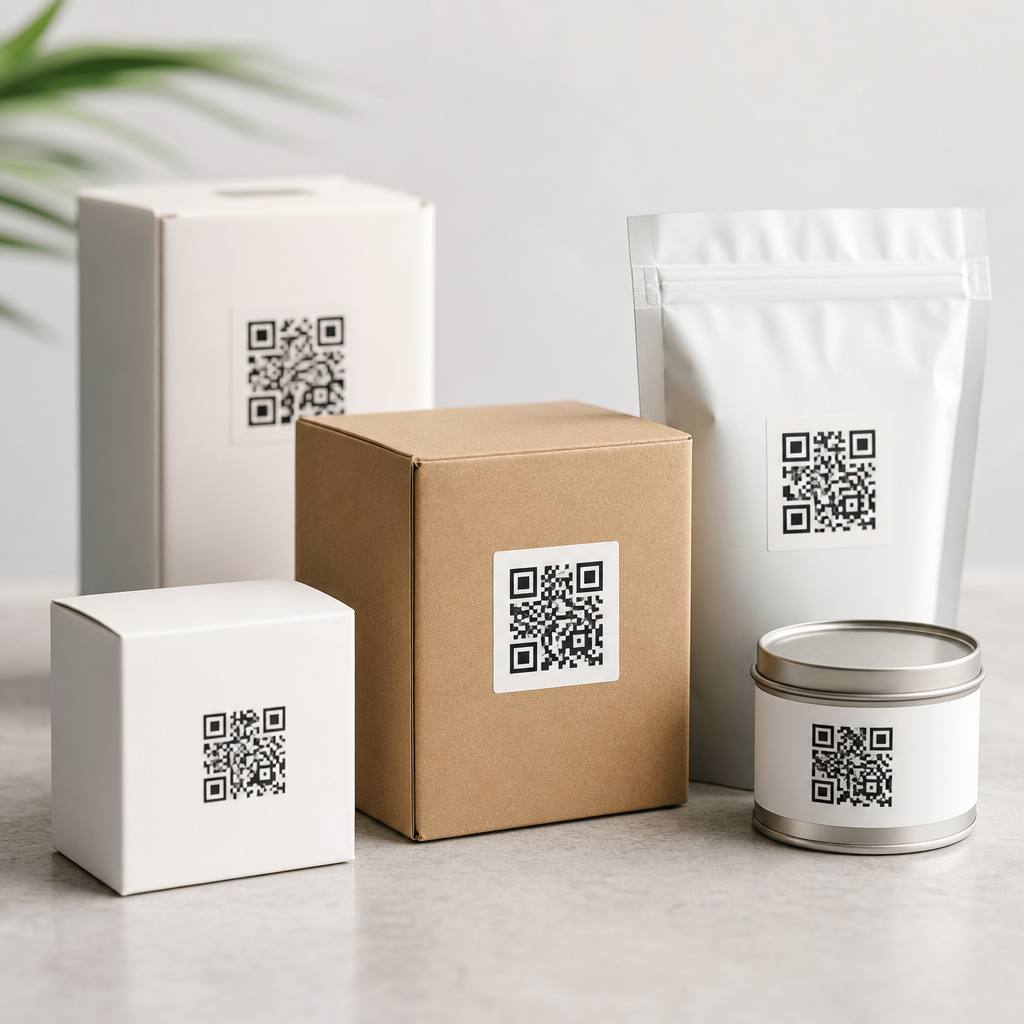
Choosing the best file formats for QR codes on packaging is not a cosmetic decision; it directly affects scan reliability, print quality, production speed, and long-term brand consistency. In packaging workflows, a QR code file format is the digital container that stores the code artwork, whether as vectors such as SVG, EPS, and PDF, or rasters such as PNG, JPEG, and TIFF. That choice determines how the code scales on a carton, pouch, label, bottle, shipper, or flexible film without losing critical module definition. I have seen packaging teams create perfectly valid QR destinations yet still miss scan targets because they sent a low-resolution JPEG into prepress, let a retailer resize it, or flattened it into artwork without checking contrast and quiet zone. For brands building mobile QR code programs across multiple SKUs, understanding QR code formats and file types is essential because packaging is unforgiving: materials vary, print methods vary, and consumers scan under poor lighting, curved surfaces, and moving retail conditions.
This article serves as the hub for QR Code Formats & File Types within the broader creating mobile QR codes topic. It explains which file formats work best, when to use vector versus raster, how print methods influence the decision, what specifications packaging teams should request from agencies and QR platforms, and where common production failures occur. The practical goal is simple: choose a format that preserves scan accuracy from design through prepress, printing, distribution, and real-world scanning. If you manage packaging, design labels, prepare artwork for flexography or digital print, or approve assets in a DAM, this guide will help you standardize QR code outputs for dependable mobile performance.
Vector vs raster: the core decision for packaging QR codes
The first and most important distinction is vector versus raster. Vector files describe shapes mathematically, so the QR code can scale up or down without becoming blurry. Raster files store a fixed grid of pixels, so quality depends on resolution at the final print size. For packaging, vector is usually the preferred master format because QR codes are geometric by design: sharp square modules, clean edges, and consistent spacing. SVG, EPS, and press-ready PDF preserve those qualities well. If a packaging line needs the same code on a 20 mm label and a 60 mm carton panel, a vector master prevents edge softening and resampling errors.
Raster formats still have a place. PNG is often useful for web previews, mockups, approval decks, and some digital print workflows. TIFF can work when a printer explicitly requests high-resolution raster artwork, especially in legacy prepress environments. JPEG is generally the weakest option for packaging QR codes because its lossy compression introduces artifacts around high-contrast edges, exactly where scanners need clarity. In testing production files, I have repeatedly seen small JPEG QR codes degrade first when printed on corrugate or flexible film. The rule is straightforward: keep a vector master whenever possible, and only export raster files at a controlled resolution for a defined output size.
Best file formats for QR codes on packaging by use case
The best file format depends on where the asset will live and who will handle it. SVG is excellent for modern design systems because it is lightweight, scalable, editable, and broadly supported by tools such as Adobe Illustrator, Figma, Inkscape, and many QR code generators. EPS remains common in packaging production because older RIPs, label converters, and brand asset libraries still support it reliably. PDF is strong when the QR code must be embedded in final packaging artwork with fonts outlined, colors controlled, and printer handoff simplified. PNG works for digital applications tied to packaging, such as retailer portals, approval systems, and companion landing pages that mirror on-pack codes.
For a practical packaging standard, use SVG as the editable master for design teams, PDF or EPS for printer-ready exchange when required, and PNG for previews or non-print usage. TIFF is acceptable when a print vendor explicitly asks for it at sufficient resolution, usually 600 dpi or higher at final size for small codes. Avoid JPEG unless there is no alternative and the code is large, high contrast, and minimally compressed. A packaging hub article should say this plainly: if your team wants one safest default for print, choose a vector QR code file first and keep raster exports secondary.
| Format | Type | Best use on packaging | Main advantage | Main limitation |
|---|---|---|---|---|
| SVG | Vector | Design master, scalable artwork | Resizes without quality loss | Some legacy print workflows resist it |
| EPS | Vector | Prepress and converter handoff | Widely accepted in packaging production | Less convenient for web teams |
| Vector/container | Final artwork placement and proofing | Reliable print exchange format | Editability depends on export settings | |
| PNG | Raster | Mockups, approvals, limited print cases | Lossless compression | Quality fixed by resolution |
| TIFF | Raster | Vendor-specific high-resolution print files | Good image integrity | Large file sizes |
| JPEG | Raster | Last-resort previews | Small file size | Compression artifacts hurt scanning |
How packaging materials and print methods affect format choice
Packaging is not a single environment. A QR code on a folding carton printed offset behaves differently from one on a shrink sleeve, corrugated shipper, pressure-sensitive label, or flexible pouch printed flexographically. Offset and digital presses can often reproduce fine detail cleanly, which gives more tolerance for moderate code density. Flexography can spread ink, especially on absorbent substrates, so tiny modules may fill in. Gravure can deliver excellent consistency at scale but still requires attention to contrast and substrate reflectivity. On curved surfaces like bottles or cans, distortion and glare reduce scanning performance even when the source file is perfect.
These production realities affect file format decisions. Vector files are more forgiving because prepress can scale them precisely to the substrate and print process. If the packaging team learns late that a code needs to increase from 12 mm to 18 mm for corrugate, an SVG or EPS adapts cleanly. A raster PNG built for the original size may need to be recreated. Material also matters: matte coatings generally scan more reliably than glossy varnishes because they reduce specular reflection. Dark backgrounds with reversed-out light modules usually underperform standard dark-on-light codes, regardless of file format. The format protects artwork integrity, but print conditions still decide whether consumers can scan the code quickly from a mobile phone.
Technical specifications that prevent scan failures
The best file format for QR codes on packaging is only one part of a scan-safe specification. The code needs an adequate quiet zone, typically four modules wide on all sides under ISO/IEC 18004 guidance. It needs sufficient size for the intended scan distance; many packaging teams use around 15 to 25 mm as a baseline for consumer packs, then increase size for dense data, curved surfaces, or lower-quality print methods. Error correction level matters too. Higher correction can improve resilience when codes are partially obscured or scuffed, but it also increases module density, which can make small printed codes harder to scan. In practice, medium to quartile correction often balances resilience and simplicity for packaging applications using dynamic URLs.
Resolution rules are equally important when raster files are unavoidable. For small print QR codes, 300 dpi is often the bare minimum, while 600 dpi provides a safer margin; some specialty workflows go higher. Export in pure black where appropriate, preserve strong contrast, and avoid anti-aliasing that softens module edges. In Illustrator or Acrobat preflight, verify that the code has not been transparently flattened in a way that introduces seams or color shifts. Before final approval, test the printed proof with both iPhone and Android devices, using native camera apps and common scanning conditions. A code that scans only under studio lighting is not production-ready.
Workflow recommendations for brand, design, and prepress teams
The most effective packaging programs treat QR codes like governed brand assets, not ad hoc graphics. Maintain a central source of truth in your DAM or packaging asset management system with the destination URL, redirect ownership, campaign naming convention, approved file formats, print size guidance, and test records. For dynamic QR codes, document who controls redirects and analytics so packaging does not outlive the campaign destination. I recommend storing at least one vector master, one approved print PDF, and one preview PNG for every live code. Naming files by brand, market, SKU family, language, and revision reduces costly mix-ups during localization and line extensions.
Build approval gates into the workflow. Designers should place only approved masters, prepress should verify size and contrast, and packaging engineers should review substrate and distortion risks. Printers should receive explicit instructions not to recreate the QR code manually or export it through unknown office software. For enterprise teams, standard operating procedures should define acceptable formats by channel: for example, SVG for internal design, PDF/X-4 for final artwork exchange, and PNG for retailer content systems. This hub article should connect naturally to deeper guides on SVG QR codes, PNG QR codes, EPS for print, raster versus vector QR codes, and QR code sizing, because teams rarely solve format questions in isolation.
Common mistakes and the smartest default choice
The most common mistakes are predictable: using JPEG, placing a screenshot of a QR code into artwork, shrinking a dense code below the printer’s capability, removing the quiet zone to save space, applying brand colors with weak contrast, and failing to test on the actual package. Another frequent issue is exporting a transparent PNG, then placing it on patterned packaging where the background disrupts module visibility. I have also seen teams embed QR codes in variable data layouts without locking dimensions, so each market version outputs slightly differently. These are avoidable failures, and most begin with poor file governance rather than poor intent.
The smartest default choice is to generate the QR code as SVG, keep that file as the editable master, and provide PDF or EPS to print partners when their workflow requires it. Use PNG only for screen use, mockups, or tightly controlled print situations, and reserve TIFF for vendor-specific requests. Avoid JPEG for production packaging. Pair that format decision with clear size standards, a preserved quiet zone, strong dark-on-light contrast, and proof testing on the real substrate. If you are building or refining a mobile QR code program, standardize your file format policy now, then audit every package template and printer specification against it. That one change will prevent rework, improve scan rates, and make every future QR code rollout easier to manage.
Frequently Asked Questions
What file format is best for QR codes on packaging?
In most packaging environments, vector formats are the best choice for QR codes because they preserve sharp edges and can be scaled up or down without losing accuracy. SVG, EPS, and print-ready PDF are the leading options. A QR code works only when scanners can clearly distinguish the contrast between its modules, quiet zone, and finder patterns, so clean geometry matters far more than visual style. On a small label, a folding carton, a corrugated shipper, or flexible film, vector files help maintain that precision throughout design, proofing, and production.
SVG is often ideal for modern design workflows because it is lightweight, editable, and easy to place in digital artwork. EPS remains common in legacy print environments and with vendors using older prepress systems. PDF is especially strong when teams want a dependable handoff format that locks artwork into a print-ready file while preserving vector quality. If your QR code will appear in multiple package sizes or across several SKUs, vector formats support consistent reuse without creating separate files for every size.
Raster formats like PNG, TIFF, and JPEG can still work, but they are usually better treated as secondary options. Once a raster QR code is enlarged beyond its original resolution, its edges soften or pixelate, which can reduce scan performance. For packaging, where production methods, substrates, coatings, and ink spread can already challenge readability, starting with a vector master file is the safest and most scalable decision.
When should I use SVG, EPS, or PDF for a packaging QR code?
Use SVG when your workflow is design-driven, digital-first, or requires frequent edits. It is especially helpful for packaging teams working in modern creative applications, web-to-print systems, or variable content environments. SVG keeps the QR code crisp at any size and typically allows easy color updates, placement changes, and integration into master packaging layouts. If your team regularly adapts artwork for pouches, labels, cartons, and promotional sleeves, SVG gives you flexibility without sacrificing quality.
Choose EPS when you are working with printers, converters, or prepress departments that rely on established print production systems. EPS has long been used in packaging and remains compatible with many professional workflows. It is a practical choice when brand owners need to send QR artwork to multiple vendors, some of whom may still prefer older industry-standard formats. EPS also performs well when the code needs to be embedded into larger vector packaging files.
Use PDF when you want a stable, shareable, print-ready format for review, approval, and final output. PDF is often the strongest delivery format for packaging production because it can preserve vector data while fitting neatly into proofing and press workflows. It is particularly useful when the QR code is already placed in the final packaging artwork and needs to move cleanly from design to prepress to print. In many cases, the best process is to keep the original QR code as SVG or EPS for editing, then export or package the final artwork as a print-ready PDF for production.
Are PNG, JPEG, and TIFF good choices for QR codes on packaging?
They can be, but only under the right conditions, and they are usually not the first choice for high-quality packaging production. PNG is the strongest raster option for QR codes because it supports sharp contrast and lossless compression, which helps retain edge definition. If a packaging workflow requires a raster file for a digital proof, a short-run label application, or a fixed-size placement, a high-resolution PNG may perform well. TIFF is also a viable raster format in professional print environments because it supports high image quality and is often accepted by prepress systems, though it can produce larger files.
JPEG is generally the weakest option for QR codes on packaging because it uses lossy compression. That compression can introduce visual artifacts around the code’s edges, which may interfere with scanning, especially when the code is printed small or on challenging substrates. Since QR readability depends on clean transitions between dark and light areas, even mild image degradation can become a problem once ink spread, varnish, curvature, or low contrast are added in production.
If you must use a raster file, keep the QR code at its final print size or larger, use a high resolution, maintain a strong quiet zone, and avoid repeated export or recompression. Even then, raster files are less forgiving than vectors. On packaging, there are already enough variables that affect performance, so using a raster format should be a deliberate exception rather than the default standard.
How does file format affect scan reliability and print quality on different packaging materials?
File format directly affects how accurately a QR code is reproduced on press, and that has a major impact on scan reliability. A vector file keeps the code’s structure mathematically precise, which helps preserve the square module shapes that scanners expect to read. That is especially important on packaging materials that can distort printed graphics, such as flexible film, textured labels, shrink sleeves, corrugated board, and coated cartons. If the source file is already compromised by pixelation or compression, those material and print-process variables can push the code past the point of reliable scanning.
Different packaging materials create different production risks. On porous substrates, ink can spread and soften edges. On glossy or reflective surfaces, glare can reduce contrast. On curved bottles or small containers, placement and distortion can affect readability. On flexible packaging, sealing areas and wrinkles can interfere with the quiet zone. A strong vector source file does not solve every problem, but it gives the printer the cleanest possible artwork so the code has the best chance of surviving real-world production conditions.
Print quality also depends on size, color contrast, background simplicity, and production tolerances. File format is one of the earliest decisions in that chain, and poor choices compound downstream. A low-resolution raster QR code that looks acceptable on screen may fail once resized, trapped, separated, screened, and printed on-pack. That is why experienced packaging teams treat file format as a functional decision tied to scan performance, not just a design preference.
What is the best workflow for maintaining QR code consistency across multiple packaging products and print vendors?
The best workflow starts with a vector master file and a clear internal standard. Create the QR code once, store it in a controlled brand asset library, and keep editable versions in SVG or EPS. From there, place that master into packaging layouts for cartons, labels, pouches, bottles, and shippers as needed. This approach helps ensure that every team uses the same core code artwork rather than recreating it from screenshots, copied images, or low-quality exports. That consistency is critical for preserving both brand presentation and scan performance across product lines.
Next, define practical usage rules. Set minimum print sizes, quiet zone requirements, approved color treatments, contrast standards, and placement guidelines for different package types. Specify when a print-ready PDF should be supplied to vendors and when an editable vector file should be shared for integration into artwork. If raster files are ever allowed, document the exact resolution and final-size requirements. These standards reduce production errors and make it easier to onboard new agencies, printers, or converters without compromising quality.
Finally, test before full production. Even the best file format should be validated through proofs, mockups, and live scan testing on actual materials. A QR code that works on a flat digital proof may behave differently on a metallic pouch or curved bottle. By combining a vector-first asset strategy with documented specifications and real-world testing, brands can maintain reliable, repeatable QR code performance across SKUs, packaging formats, and vendor networks.





