
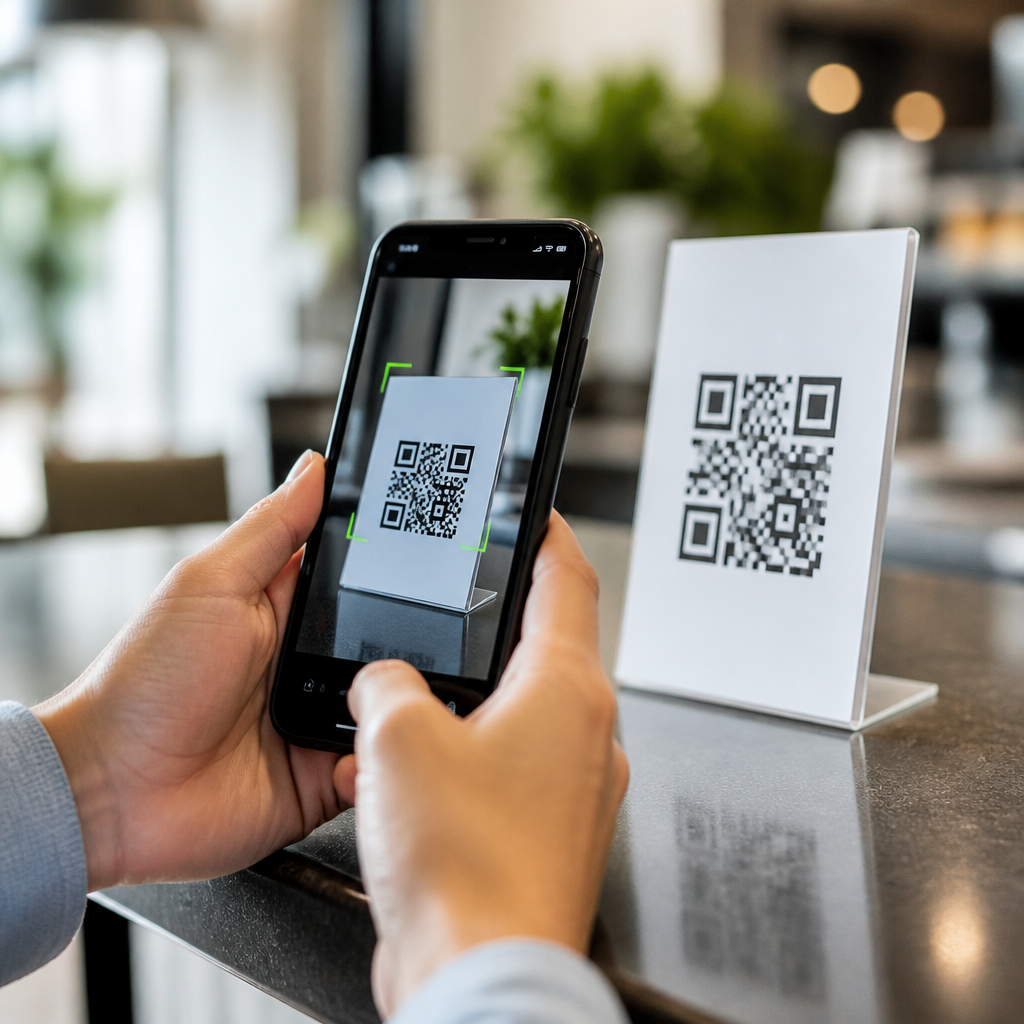
QR code scan speed determines whether a user moves instantly from camera view to content or hesitates, retries, and abandons the action. In practical terms, scan speed is the time between presenting a code to a device camera and successfully decoding the embedded data. When teams ask how to improve QR code scan speed, they are usually trying to solve a mix of issues: poor code design, weak contrast, bad placement, slow autofocus, low light, damaged surfaces, and software decoding limits. I have worked on retail packaging, event check-in systems, restaurant table tents, and warehouse labels, and the pattern is consistent: most “scanner problems” are not caused by the QR standard itself but by preventable implementation choices. Improving speed matters because a delay of even one or two seconds changes behavior. At a store shelf, that means lower engagement. At a point of entry, it means longer lines. In logistics, it means lost throughput and more manual exceptions. A strong troubleshooting process starts with understanding what the camera needs to decode quickly: sharp edges, sufficient module size, high contrast, adequate quiet zone, stable framing, and an error correction level appropriate to the environment. This hub explains the core causes of slow QR code scans, the fixes that work, and the testing methods that reveal hidden failure points before they affect users in the field.
Start with the physical QR code: size, contrast, and quiet zone
The fastest way to improve QR code scan speed is to fix the printed or displayed symbol before touching software settings. A QR code is made of square modules, and scanners need to distinguish those modules cleanly. If the code is too small for the camera distance, the modules blur together and decoding slows down. In production, I usually begin with the viewing distance rule: the farther the expected scan distance, the larger the code must be. For consumer packaging scanned from 20 to 40 centimeters, a code around 2 to 3 centimeters wide is often workable, but dense codes carrying long URLs or tracking parameters may need more space because each module becomes smaller. Shortening the payload is one of the least appreciated speed improvements.
Contrast is equally important. Black on white remains the most reliable option because it gives image processors a clear luminance difference. Dark blue on white can work; light gray on cream often fails under warm indoor lighting. In restaurant deployments, I have seen matte black ink on kraft paper look stylish but decode slowly because the substrate reduced effective contrast. A camera does not interpret branding intent; it interprets edge separation. If a code must use brand colors, verify contrast with real phones, not only a design mockup.
The quiet zone, the blank margin around the code, is another common failure point. ISO/IEC 18004 specifies clear space around the symbol so the decoder can isolate it from surrounding graphics. When logos, text, borders, or background patterns creep too close, scan speed drops because the software spends extra time locating finder patterns. On product labels, leave generous whitespace and avoid placing the code over photographs, gradients, foil, or textured laminates. Many slow scans disappear once the code is printed larger, darker, and with proper margin.
Control data density, error correction, and code styling
QR code troubleshooting often focuses on visibility, but data structure has a direct effect on scan speed. The more information encoded, the more modules the symbol needs, and the smaller each module becomes at a fixed print size. That means long URLs with multiple campaign tags, session IDs, and redirect chains can create dense symbols that mobile cameras struggle to resolve quickly. Use short URLs, dynamic QR platforms, or branded short domains to reduce module count. In campaigns I have optimized, shortening the destination from a long parameter-heavy link to a compact redirect improved first-attempt scan performance immediately, especially on older Android devices.
Error correction level is a tradeoff, not a universal maximum. QR codes offer L, M, Q, and H levels, allowing roughly 7 percent, 15 percent, 25 percent, and 30 percent recovery from damage. Higher correction helps when codes may be scratched, folded, or partially obscured, but it also increases symbol complexity. For pristine digital displays or fresh packaging, medium correction is often the balanced choice. For warehouse bins exposed to abrasion, higher correction may be justified. The right setting depends on the surface, expected wear, and available print area.
Custom styling can also slow scans. Rounded modules, inverted colors, embedded logos, and decorative frames may still be technically valid, yet every deviation from standard geometry reduces decoder certainty. A centered logo is acceptable only if the code is generated with appropriate correction and then field-tested. I advise teams to treat stylistic modifications as optional enhancements, never baseline assumptions. If scan speed is a business priority, standard square modules with strong contrast outperform artistic treatments almost every time.
Optimize the scanning environment: lighting, angles, glare, and movement
Even a perfect QR code can scan slowly in a bad environment. Smartphone cameras depend on sufficient light to maintain fast shutter speed, low noise, and accurate autofocus. In dim restaurants, concert venues, or parking garages, users often move the phone while the camera hunts for focus, which delays decoding. The simplest fix is environmental: increase ambient light or place the code where direct lighting reaches it. For kiosks and counters, a small diffused LED source near the code can outperform any software tweak.
Glare is another major cause of slow scans. Gloss laminate, acrylic signage, and phone screens can reflect overhead lights and wash out finder patterns. I have corrected this in retail displays by changing the mounting angle a few degrees, switching from gloss to matte stock, or increasing code size so reflections cover a smaller percentage of the symbol. Outdoor placements add another challenge: harsh sunlight raises contrast overall but can create specular hotspots on smooth surfaces. Matte finishes consistently scan faster in these conditions.
User motion matters too. A code on a swinging lanyard, moving vehicle dashboard, or curved bottle introduces distortion and blur. If the object cannot be stabilized, give the scanner more visual information by enlarging the symbol and simplifying the payload. When I troubleshoot event badges, I also look at how people present them. A quick instruction such as “hold 6 inches away and keep still” can reduce repeated attempts. Troubleshooting QR code scans is not only about the code; it is about the physical interaction between person, camera, and surface.
Match the code to the device and scanning software
Mobile QR code scanning performance varies significantly by hardware and software. Newer phones with larger sensors, phase-detect autofocus, and stronger image signal processors decode faster than budget devices from several years ago. Native camera apps on iPhone and many Android models are now highly capable, but enterprise apps sometimes use older SDKs or conservative camera settings that slow detection. If your audience scans through your own app, review the decoding library, autofocus mode, frame resolution, and continuous scan behavior. ZXing, ML Kit, Scandit, and Dynamsoft each have different strengths depending on speed, offline use, and low-light tolerance.
In one warehouse project, scan delays were traced not to the labels but to an app that waited for full autofocus lock before attempting decode. Switching to continuous focus with multi-frame decode reduced average scan time materially because the software stopped treating focus perfection as a prerequisite. Resolution settings matter as well. Very high resolution increases processing load, while very low resolution loses module detail. Many implementations perform best with a balanced preview size and aggressive region-of-interest cropping.
| Problem | Likely cause | Most effective fix |
|---|---|---|
| Code scans only at very close range | Code too small or too dense | Increase print size and shorten payload |
| Scanner hunts, then fails in dim rooms | Low light and motion blur | Improve lighting and steady the target |
| Works on some phones, not others | Older camera hardware or weak SDK settings | Test across devices and tune the scanning app |
| Slow on glossy signage | Glare obscuring finder patterns | Use matte material or change angle |
| Fails near logos and graphics | Insufficient quiet zone | Add clear margin around the symbol |
Compatibility testing should include old and new iPhones, mainstream Samsung and Pixel devices, lower-cost Android models, and both native camera apps and any dedicated scanning app you expect users to open. Without a device matrix, teams often misdiagnose a hardware limitation as a design failure or vice versa.
Build a repeatable troubleshooting workflow and measurement plan
The best way to improve QR code scan speed consistently is to use a structured troubleshooting checklist instead of anecdotal testing. Start by documenting the exact failure mode: slow first scan, need for multiple attempts, success only at certain angles, or complete failure in one environment. Then isolate variables one at a time. Test the same code at different sizes. Test the same size with a shorter payload. Test matte versus glossy output. Test under daylight, office lighting, and low light. Record the device model, camera app, scan distance, and time to decode. A stopwatch is enough at the beginning, but larger programs should capture scan analytics inside the app or through observational studies.
I recommend setting acceptance thresholds tied to the use case. For consumer marketing, a first-attempt successful scan within about one second on mainstream phones is a practical target. For access control or inventory workflows, the target may be even tighter because repeated scans create queues and labor cost. Include durability testing if the code will crease, scratch, or fade. Thermal labels, UV exposure, and condensation all change performance over time.
As the hub for troubleshooting QR code scans, this topic connects to several deeper articles your team should maintain internally: QR code size guidelines, QR code contrast requirements, best error correction levels, how glare affects scanning, how to test QR codes across smartphones, and how to improve in-app barcode scanner performance. Used together, those resources turn scattered fixes into a reliable operating standard.
Improving QR code scan speed comes down to a simple principle: reduce the amount of work the camera and decoder must do. Larger modules, higher contrast, proper quiet zone, shorter payloads, controlled error correction, matte surfaces, better lighting, and tuned scanning software all contribute directly to faster results. In my experience, the highest-impact fixes are usually physical, not algorithmic. Teams often look for a decoding trick when the real answer is a denser-than-necessary symbol printed too small on a reflective surface. Once you troubleshoot systematically, patterns become obvious and repeatable. For any organization working within mobile QR code scanning and technology, this hub should be the starting point: diagnose the physical code, check the environment, validate device and app behavior, and measure performance against real use conditions. If you want better conversion, shorter lines, and fewer failed scans, audit your current QR codes with this checklist and test them on the phones your audience actually uses.
Frequently Asked Questions
What factors have the biggest impact on QR code scan speed?
The biggest factors are usually contrast, size, print quality, lighting, placement, and the scanning device itself. A QR code scans fastest when it has strong contrast between the dark modules and the light background, enough physical size for the viewing distance, and clean edges that are not blurred by poor printing or low-resolution display rendering. If the code is too small, placed on a curved or reflective surface, partially damaged, or shown in dim light, the camera has to work harder to focus and the decoder needs more time to interpret the pattern. That delay is what users experience as slow scan speed.
Device behavior also matters. Some phones autofocus quickly and process QR patterns almost instantly, while others struggle in low light or when the code fills too little of the frame. On top of that, certain camera apps and embedded scanners are more capable than others at decoding slightly imperfect codes. In real-world campaigns, slow scanning is rarely caused by one problem alone. It is usually the result of several small frictions adding up, such as weak contrast, awkward placement, and environmental glare. Improving scan speed means optimizing the entire scanning path, from code creation to where and how people encounter it.
How can QR code design be optimized for faster scanning?
Start with a clean, standards-based QR code that prioritizes readability over decoration. The most reliable approach is to use a simple black code on a white background, preserve the required quiet zone around the code, and avoid visual effects that interfere with module recognition. Rounded shapes, heavy logos, gradients, low-contrast brand colors, and overly stylized patterns may look attractive, but they can slow down scanning because they make it harder for the camera and decoder to separate the code from the background. If branding is important, keep customizations conservative and test them across multiple devices before publishing.
Data density is another key design variable. The more data encoded directly into the QR code, the denser and more complex the symbol becomes. Dense codes typically take longer to scan, especially on older devices or from longer distances. One of the simplest ways to improve scan speed is to use a short URL or dynamic QR code instead of embedding long strings of text or parameters. That reduces complexity and makes the modules easier to detect. Also make sure the code is exported at high resolution for print and displayed sharply on screens. Crisp edges and adequate spacing improve recognition speed much more than most design embellishments ever will.
Does QR code size and placement affect how quickly it scans?
Yes, significantly. Size determines whether the camera can capture enough detail without forcing the user to move closer, hold still longer, or retry. A code that is too small for its intended scanning distance will almost always feel slow because the phone must search for focus and pattern alignment before decoding can begin. A useful rule is that the farther away users are expected to scan, the larger the QR code needs to be. For posters, signage, product packaging, menus, and displays, size should be chosen based on realistic user behavior, not just available design space.
Placement is just as important. A well-designed code can still scan poorly if it is positioned too high, too low, behind glass, near seams or folds, on curved packaging, or in an area with heavy glare or shadows. Codes should be easy to approach, easy to frame with a phone camera, and placed on flat, stable surfaces whenever possible. If users must twist their wrist, lean into awkward angles, or fight reflections to scan, perceived speed drops quickly. Good placement reduces motion, improves focus acquisition, and allows the camera to lock onto the code with less effort. In practice, thoughtful placement can be one of the fastest ways to improve real-world scan performance.
How do lighting conditions and surface materials influence scan performance?
Lighting has a direct effect on how quickly a camera can focus and how clearly the QR pattern appears to the decoder. In bright, even lighting, scan speed is usually fastest because the camera can capture sharp contrast without introducing noise or motion blur. In low light, many phones slow their shutter speed, hunt for focus, or digitally amplify the image, which makes edges less distinct and decoding less reliable. Harsh directional light can be just as problematic if it creates bright hotspots, reflections, or washed-out areas on the code surface. For the best results, codes should be used in environments with consistent illumination and minimal glare.
Surface material matters because it changes how the code appears when viewed from different angles. Glossy labels, laminated posters, metallic packaging, glass panels, and curved bottles can all distort or reflect light in ways that interfere with scanning. Even a perfectly generated code may become slow to scan if reflections obscure the finder patterns or if the print stretches across a crease or rounded edge. Matte finishes, flat mounting surfaces, and non-reflective print treatments generally perform better. If a campaign depends on fast scanning in uncontrolled environments, testing the code on the actual material and under realistic lighting conditions is essential. Laboratory-perfect designs often reveal hidden problems only after they are printed and deployed.
What are the best ways to test and improve QR code scan speed before launch?
The most effective approach is structured real-world testing. Scan the code on multiple devices, including older phones and both major mobile platforms, in different lighting conditions and at the expected scanning distance. Test using the native camera app as well as any in-app scanner your audience may use. Pay attention not only to whether the code scans, but how long it takes, how often users need to reposition the phone, and whether autofocus struggles before decoding. A code that scans eventually is not necessarily optimized. Fast scanning should feel immediate and effortless.
If results are inconsistent, troubleshoot one variable at a time. Increase contrast, enlarge the code, simplify the encoded data, improve print quality, restore the quiet zone, and move the code to a flatter or less reflective surface. If the destination experience feels slow even after a quick scan, remember that users may interpret page load time as part of scan speed, so the landing page should also be lightweight and mobile-friendly. The best teams treat QR performance as a full journey: detect quickly, decode instantly, and load useful content without delay. That end-to-end mindset is what turns a technically functional QR code into one that performs well in the real world.





