
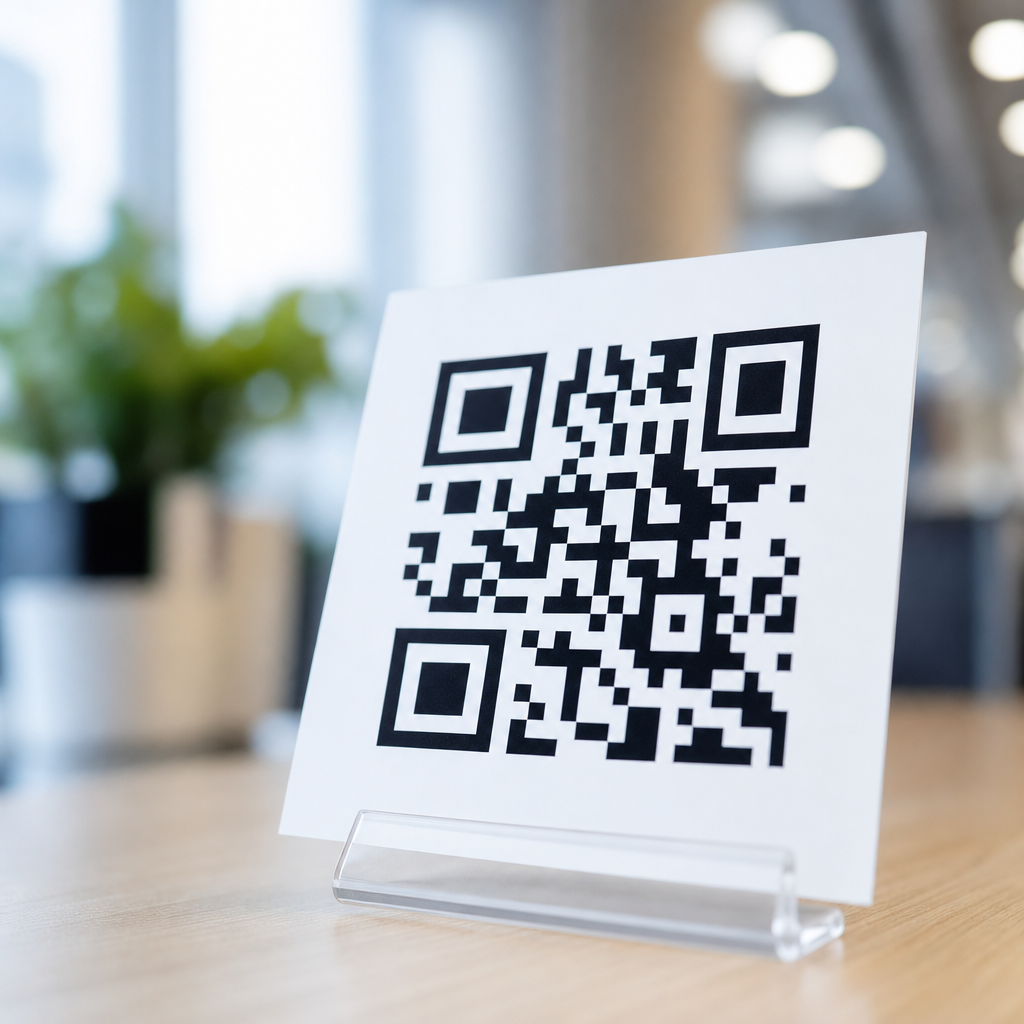
QR codes look simple on a phone screen, but each square pattern is a carefully engineered data system designed for fast reading, error recovery, and compact storage. In the context of mobile QR code basics, understanding how QR codes use patterns to store data means understanding how smartphones turn black and white modules into text, links, payment requests, Wi-Fi credentials, tickets, and app actions in a fraction of a second. A QR code, short for Quick Response code, is a two-dimensional matrix barcode invented by Denso Wave in 1994 to encode more information than a standard one-dimensional barcode. Unlike linear barcodes that store data along one axis, QR codes store data both horizontally and vertically, which dramatically increases capacity while improving scan reliability.
For mobile users, this matters because nearly every modern scan experience depends on pattern recognition. When I have implemented QR campaigns for product packaging, restaurant menus, event check-ins, and mobile payments, the biggest misconception I encounter is that a QR code is just a random arrangement of squares. It is not random at all. Every visible region has a job: some patterns help the camera locate the code, some define orientation, some synchronize the grid, some carry payload data, and some repair damaged sections. That structure is why a phone can scan a code on a curved bottle, a dim poster, or a cracked display and still resolve the intended content. Knowing how mobile QR codes work also helps businesses create better codes, troubleshoot scan failures, and choose the right size, contrast, and data format for real-world use.
This hub article explains the complete logic behind QR code patterns, from the fixed finder shapes in the corners to the encoded data, masking process, and error correction system that makes mobile scanning resilient. It also connects the technical design to practical mobile behavior: how camera apps detect a code, why dense codes become harder to read, and what design choices improve reliability. If you want one foundational explanation of how QR codes store data on mobile devices, this is the page to start with.
The core pattern system inside every QR code
A QR code is built on a square grid of tiny cells called modules. Each module is either dark or light, representing binary information after a defined encoding process. The overall symbol is not a freeform image; it follows an international specification, ISO/IEC 18004, which defines how modules are arranged, how data is encoded, and how scanners should interpret the result. The size of the grid depends on the version. Version 1 is 21 by 21 modules, and each higher version adds 4 modules per side, up to Version 40 at 177 by 177 modules.
The most recognizable patterns are the three large finder patterns in three corners. These square targets let a mobile camera quickly detect that the image contains a QR code and identify its orientation, even if the code is rotated. A smaller alignment pattern appears in many versions to correct distortion, especially when the code is printed on uneven surfaces. Timing patterns, which are alternating dark and light modules running between finder patterns, help the scanner measure the spacing of the grid. Quiet zones, the blank margins around the symbol, are also essential because they separate the code from surrounding graphics and prevent false detection.
Format information and, in larger versions, version information are also embedded into reserved positions. Format information tells the scanner which error correction level and mask pattern were used. Version information identifies the symbol size for versions 7 and above. Once these functional patterns are placed, the remaining modules are available for encoded data and error correction codewords.
How QR codes turn text, links, and actions into modules
QR codes do not store website pages or images directly in most everyday uses. They usually store compact text strings interpreted by software on the phone. A URL QR code contains a web address. A Wi-Fi QR code stores network name, encryption type, and password in a standardized string. A payment QR code may store merchant account data or a payment payload according to a scheme such as EMVCo. Contact QR codes often use vCard or MeCard text formats.
Before placement into the grid, the content is converted into binary according to an encoding mode. Common modes include numeric, alphanumeric, byte, and kanji. Numeric mode is the most efficient for digits only, while byte mode is common for URLs because it can represent general characters. The encoder first writes a mode indicator, then a character count indicator, then the payload bits, and finally terminator and padding bits if needed. Those bits are grouped into codewords, typically 8-bit units.
Capacity depends on both version and error correction level. A small code can store a short link, while a larger code can store much more text. In practice, however, mobile performance often improves when you store less data and use a short URL instead of a long string. Dense symbols require smaller modules, and smaller modules are harder for smartphone cameras to resolve at distance or in poor lighting. That is why dynamic QR platforms often use short redirect links: they reduce symbol complexity and preserve scanning speed.
Why error correction makes QR codes reliable on mobile
Error correction is one of the defining reasons QR codes work so well in mobile environments. QR codes use Reed-Solomon error correction, a mathematical method that adds redundant codewords so missing or damaged data can be reconstructed. Four standard levels are available: L, M, Q, and H. Higher levels allow more damage recovery but reduce data capacity because more modules are reserved for redundancy.
| Error correction level | Approximate recovery capacity | Typical mobile use case |
|---|---|---|
| L | About 7% | Clean digital displays or simple short-link campaigns |
| M | About 15% | General marketing, packaging, and posters |
| Q | About 25% | Codes exposed to moderate wear or partial obstruction |
| H | About 30% | Branded designs, harsh environments, or small logo overlays |
In field testing, I usually recommend level M or Q for printed mobile QR codes because they balance capacity and resilience. Level H is useful when a brand wants to place a logo in the center, but it is not a free pass for aggressive customization. Error correction can recover damaged modules, not poor contrast, missing quiet zones, or extreme distortion. The practical lesson is simple: redundancy helps, but strong fundamentals still matter more than decorative styling.
How mobile phones detect, read, and decode a QR code
When a smartphone scans a QR code, the process starts with computer vision rather than data decoding. The camera app or embedded scanner first searches the image for the three finder patterns and the contrast boundaries around them. Apple’s Camera app, Google Lens, and scanning libraries such as ZXing and ML Kit all use detection routines that identify geometric relationships before interpreting data. Once the code is found, the software corrects perspective distortion, estimates the grid, and samples each module position as dark or light.
After sampling, the decoder reads format information to determine mask and error correction settings. QR codes use one of eight mask patterns to avoid problematic visual artifacts such as large blank areas or long runs of identical modules that are harder to scan reliably. The mask is mathematically removed, revealing the original encoded bits. The decoder then parses codewords, applies Reed-Solomon correction, reconstructs the bit stream, reads the mode and count indicators, and converts the payload back into usable text.
On mobile devices, this entire sequence typically completes in milliseconds, but performance depends on camera quality, autofocus behavior, motion blur, glare, screen refresh, and code design. That is why a code that looks sharp to the human eye can still scan poorly if the modules are too small or contrast is weak.
What the visible patterns mean for real-world QR code design
Understanding pattern roles leads directly to better implementation. The quiet zone should generally be at least four modules wide on all sides. Dark modules should sit on a light background with strong contrast; black on white remains the safest choice. In print, minimum physical size depends on distance, but a common baseline for mobile use is around 2 by 2 centimeters for short URLs at close range, increasing substantially for posters or storefront signage.
Data density also matters. A long URL with tracking parameters can force a higher QR version, making each module smaller. I routinely shorten destination links before generating production codes because cleaner payloads scan faster across more devices. Surface conditions matter too. Glossy materials create reflections, curved packaging bends the grid, and low-resolution printing blurs module edges. Alignment patterns and error correction help compensate, but they do not eliminate the need for testing on actual phones under realistic lighting.
Customization is another area where pattern knowledge prevents mistakes. Rounded modules, altered colors, and embedded logos can work if the finder patterns remain distinct, contrast stays high, and enough redundancy is preserved. The safest workflow is to generate the code to specification, apply restrained branding, then validate it across iPhone and Android devices before release.
Common questions about how mobile QR codes work
Do QR codes store personal data automatically? No. A QR code stores only the data encoded into it, usually as plain text or a structured string. Whether that data triggers tracking depends on the destination system, such as a web analytics platform, not on the QR pattern itself. Can a QR code work offline? Yes, if the payload is offline-friendly, such as plain text or Wi-Fi credentials, though web links still require connectivity to open their destination.
Why do some QR codes scan instantly while others fail? The usual causes are excessive data density, poor contrast, inadequate quiet zones, print damage, glare, or weak destination formatting. Are static and dynamic QR codes different visually? Sometimes no. The visible pattern only reflects the encoded string. A dynamic code often contains a short redirect URL, while a static code contains the final destination directly. From the scanner’s perspective, both are just encoded text.
Can a phone read any QR code orientation? Yes, the finder pattern arrangement allows rotation detection. Can a damaged code still work? Often yes, because Reed-Solomon recovery can reconstruct missing codewords within the limits of the selected correction level.
QR codes use patterns to store data by combining fixed locator shapes, structured metadata, binary payload modules, masking rules, and Reed-Solomon error correction into one compact symbol that mobile cameras can detect quickly and decode accurately. That combination is what makes QR codes far more than black and white squares. The finder, alignment, timing, and format patterns tell the phone where the code is and how it was built. The data modules carry the actual content. Error correction restores damaged information. Masking improves scan stability. Together, these systems explain how mobile QR codes work in everyday conditions, from payment terminals and boarding passes to product labels and restaurant tables.
For anyone building under the mobile QR code basics topic, the main takeaway is practical: a QR code succeeds when its data is concise, its structure is preserved, and its physical presentation respects scanner constraints. Shorter payloads usually scan faster. Strong contrast and quiet zones matter more than visual flair. Moderate error correction improves resilience, but testing on real phones is still essential. If you are creating a broader QR code resource library, use this page as the hub for deeper articles on QR code sizes, static versus dynamic codes, scan troubleshooting, and mobile QR code best practices.
Start by reviewing the QR codes you already use on mobile touchpoints. Check payload length, print size, contrast, and scan performance across devices, then improve the pattern conditions that make decoding reliable.
Frequently Asked Questions
How do QR codes actually store information using patterns?
QR codes store information by arranging tiny black and white squares, called modules, in a square grid. Each module represents binary data, which is the same basic language computers use: ones and zeros. When data such as a URL, contact card, payment request, or Wi-Fi password is encoded into a QR code, that information is first converted into a structured binary format. The code generator then places those bits into specific areas of the grid according to strict technical rules.
Not every square in a QR code is used for the actual message. Some patterns are reserved to help devices identify and read the symbol correctly. The large squares in three corners are finder patterns, which allow a smartphone camera to detect the code’s position and orientation quickly. Other areas handle alignment, timing, formatting, and version information. The remaining modules carry the encoded data and error-correction information.
What makes this system so effective is that the pattern is highly organized, not random. A phone does not just “look” at the image and guess what it means. It analyzes the structure, identifies the functional patterns, determines the size of the grid, reads the data modules in the proper order, and converts the binary information back into usable content. That careful layout is why a QR code can store a surprising amount of information in a compact visual pattern and still be scanned in a fraction of a second.
What are the large squares and smaller lines inside a QR code for?
The large squares in three corners of a QR code are called finder patterns, and they are essential for rapid detection. When a smartphone camera scans a QR code, it first looks for these distinctive square shapes. Because they appear in three corners, the scanning software can determine where the code is located in the image, how it is rotated, and whether it is being viewed at an angle. This is one of the main reasons QR codes scan so quickly compared with simpler barcode systems.
In addition to finder patterns, QR codes include timing patterns, which are alternating black and white modules running between the finder areas. These help the scanner measure the spacing of the grid so it can correctly identify each module. Larger QR codes may also include alignment patterns, which are smaller square markers placed deeper inside the symbol. Their job is to help correct distortion caused by curved surfaces, perspective shifts, or imperfect printing.
There are also format and version information areas. Format information tells the scanner important details such as the error-correction level and the data mask used during encoding. Version information appears on larger QR codes and indicates the code’s size and structure. Together, these patterns create a visual framework that helps a device separate the support features from the actual data. In short, the visible shapes inside a QR code are not decoration; they are the key engineering features that make accurate, fast reading possible.
How can a QR code still work if part of it is damaged or covered?
One of the most impressive features of QR code technology is error correction. QR codes are designed with built-in redundancy, which means they store extra recovery data alongside the main content. This allows a scanner to reconstruct the original information even if part of the code is scratched, smudged, printed poorly, or partially hidden. That is why many QR codes still scan successfully even when they are not visually perfect.
This recovery system is based on Reed-Solomon error correction, a mathematical method widely used in digital communications and storage. When the QR code is created, the original data is processed to generate additional correction codewords. These codewords are embedded into the pattern along with the main message. During scanning, if some modules cannot be read correctly, the software uses the remaining readable data plus the correction information to infer what was lost or damaged.
QR codes can be generated at different error-correction levels, commonly labeled L, M, Q, and H. Higher levels allow more of the code to be damaged while still remaining readable, but they also reduce the amount of space available for actual content. This design tradeoff is important in real-world uses. A marketing QR code on outdoor signage may benefit from stronger error correction, while a clean digital display may not need as much. This balance between storage efficiency and resilience is one reason QR codes work so reliably in everyday environments.
How do smartphones read a QR code so quickly?
Smartphones read QR codes quickly because both the code design and the scanning software are optimized for speed. The process begins when the camera captures the QR code image. The scanning system then searches for the finder patterns, those three large corner squares that make the code easy to spot even in a busy visual scene. Once those are detected, the phone can estimate the code’s orientation, scale, and boundaries almost immediately.
After locating the code, the software maps the grid of modules and corrects for common problems such as tilt, blur, glare, or slight perspective distortion. It uses the timing and alignment patterns to determine where each square begins and ends. Then it reads the black and white modules in the correct sequence, removes the masking pattern applied during generation, and decodes the binary data into meaningful information such as a web address, event ticket, payment instruction, or app action.
Modern phones also benefit from strong image processing hardware and mature computer vision algorithms built into mobile operating systems. Many devices can detect QR codes directly through the default camera app without requiring a separate scanner. Because QR codes were engineered with high-contrast shapes, fixed reference patterns, and error correction, the phone does not need much time to interpret them. The result is a fast, reliable experience where a complex two-dimensional data pattern becomes a useful action almost instantly.
Why can QR codes hold more data than traditional barcodes?
QR codes can hold more data than traditional one-dimensional barcodes because they use two dimensions instead of one. A standard barcode stores information in the widths and spacing of vertical lines across a single horizontal direction. That limits how much information can fit in a practical amount of space. A QR code, by contrast, uses both height and width, packing data into a matrix of small square modules. This gives it far greater storage density.
Another reason is flexibility in encoding. QR codes can store numeric data, alphanumeric characters, binary data, and even kanji in efficiently defined modes. They also support different versions, which means the grid can grow in size as more information needs to be stored. Smaller versions can hold short links or simple identifiers, while larger versions can contain more complex content such as full contact details, long URLs, authentication tokens, or network credentials.
Even with this higher capacity, QR codes remain practical because they are designed for fast detection and include error correction. That combination sets them apart from basic barcodes, which are generally more limited in both capacity and scanning tolerance. In mobile use, this is especially important because people expect a code to trigger a meaningful action right away. A single QR code can contain enough structured information to open a webpage, join a Wi-Fi network, initiate a payment, redeem a ticket, or launch an app workflow, all from one compact printed or on-screen pattern.





