
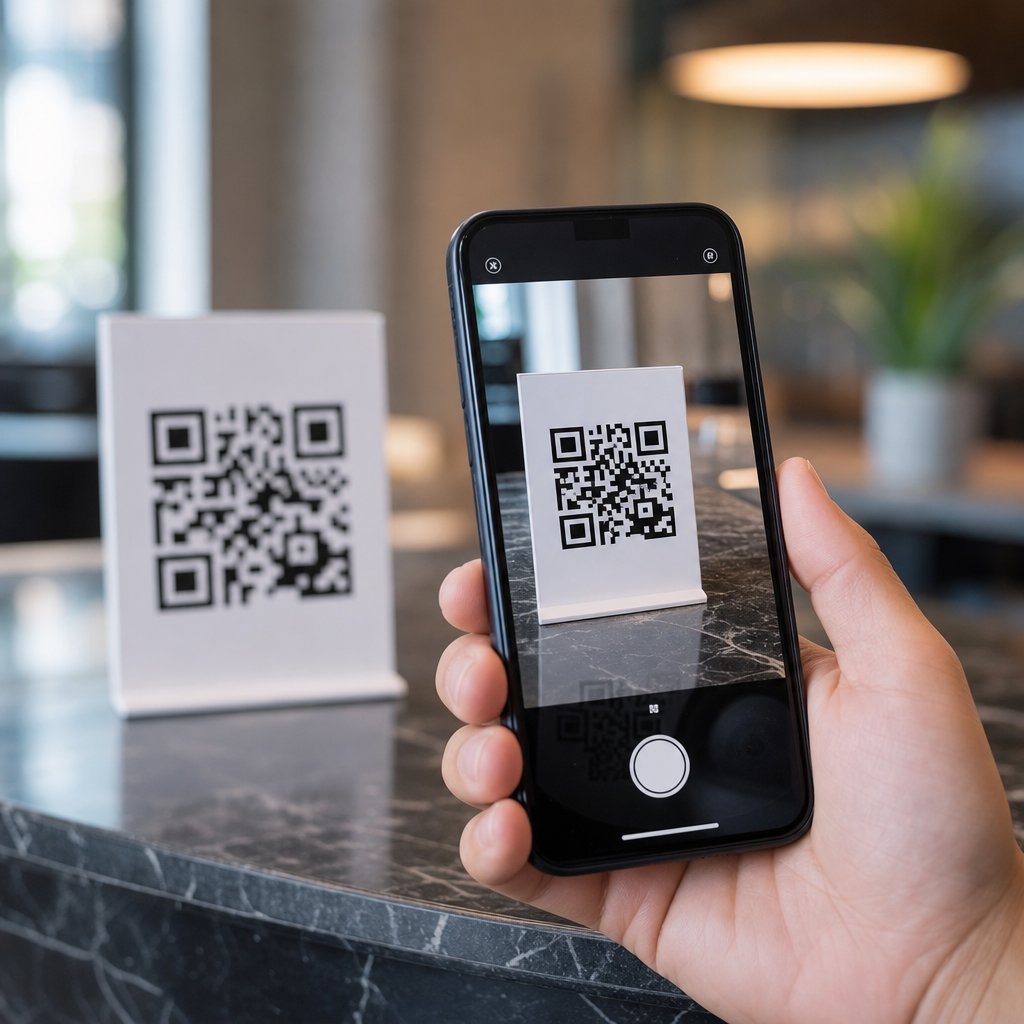
QR codes have become one of the fastest ways to connect a printed object to a mobile action, but most people still think of them as simple links. In practice, a QR code is a machine-readable data container that tells a smartphone what to do next, often within seconds of a camera scan. Understanding how mobile QR codes work matters for marketers, product teams, operations managers, and consumers because the quality of that handoff determines whether a user lands on a website, joins Wi-Fi, opens a payment screen, saves a contact, or starts an app flow without friction.
A QR code, short for Quick Response code, is a two-dimensional barcode originally developed by Denso Wave for industrial tracking. Unlike a traditional one-dimensional barcode, which stores data in a single line of varying widths, a QR code stores data both horizontally and vertically. That design dramatically increases capacity. A code can hold numeric, alphanumeric, byte, or kanji data, along with error correction that allows the symbol to remain readable even when part of it is damaged or obscured. On mobile devices, the camera captures the pattern, software identifies key markers, decodes the payload, and routes the phone to the appropriate action.
When people ask how QR codes trigger mobile actions automatically, they are usually asking two separate questions. First, how does the phone technically read the image? Second, how does the decoded data become a real action such as opening a browser, composing an SMS, or launching a payment app? I have implemented QR campaigns for retail packaging, restaurant ordering, and field service workflows, and the difference between a smooth automatic action and a failed scan almost always comes down to payload format, mobile OS behavior, and destination design. The code itself is only the beginning.
How a smartphone reads a QR code
The scanning process starts with computer vision. When a user points a phone camera at a QR code, the camera app or embedded scanner searches for three square finder patterns positioned in the corners. Those patterns tell the software that the image contains a QR symbol and help it determine orientation, angle, and scale. The scanner then identifies alignment patterns, timing patterns, and the grid structure so it can map each module, the small black or white square, to a binary value. Modern phones from Apple, Samsung, and Google do this natively in the camera app, while many business apps use libraries such as ZXing or ML Kit to achieve the same result inside branded experiences.
After detection, the decoder applies the QR standard defined in ISO/IEC 18004. It reads the format information, determines the error correction level, and reconstructs any missing data with Reed-Solomon error correction. That is why a slightly scratched menu card or curved product label can still scan. The payload is then interpreted according to its mode. If the data is a URL, the phone typically presents a prompt or opens a browser preview. If the payload uses a recognized scheme such as mailto:, tel:, sms:, or a Wi-Fi configuration string, the operating system maps that scheme to a supported action. Automatic does not always mean silent; many mobile platforms still ask for confirmation to prevent abuse.
What data inside the code tells the phone what to do
A mobile QR code works because its payload follows a format the phone understands. The most common payload is a web URL, which pushes the user to a browser destination. This is the safest and most universal approach because every smartphone can handle HTTPS links. However, QR codes can also encode phone numbers, email drafts, plain text, geolocation coordinates, calendar events, and wireless network credentials. For example, a QR code containing WIFI:T:WPA;S:OfficeNet;P:Str0ngPass!;; can trigger a join-network prompt on many Android devices and some iPhones through the camera or settings workflow.
Deep links make QR codes more powerful. A universal link on iOS or an app link on Android can open a specific screen inside an installed app while falling back to a website if the app is missing. Retailers use this for loyalty sign-in, airlines use it for boarding passes, and delivery platforms use it for order tracking. Payment systems add another layer. EMVCo-compliant merchant-presented QR codes can encode payment instructions that banking apps understand, while region-specific systems such as UPI in India or PromptPay in Thailand attach account identifiers and transaction context. In each case, the code does not “perform” the action itself; it delivers structured data that the mobile operating system or installed app resolves into the next step.
Common mobile actions triggered by QR codes
The range of mobile actions is broader than most users realize. In daily deployments, I usually group QR-triggered actions into access, communication, transaction, and content flows. Access includes joining Wi-Fi, downloading an app, authenticating into a session, or checking into a building. Communication covers initiating a call, drafting an email, opening a chat channel, or adding a contact card. Transaction actions include mobile payment, coupon redemption, ticket validation, and loyalty point collection. Content flows send users to videos, PDF manuals, support pages, product registration, or augmented reality experiences tied to packaging and displays.
| QR payload type | Typical mobile action | Real-world example |
|---|---|---|
| HTTPS URL | Open webpage or in-app browser | Restaurant menu, product page, event registration |
| tel: | Open dialer with number filled | Roadside assistance sticker in a vehicle |
| mailto: | Open email composer | Trade show booth lead inquiry |
| SMS or chat link | Open messaging app with prefilled text | Customer support initiation |
| Wi-Fi string | Prompt network connection | Hotel lobby guest access |
| Deep link | Open specific app screen | Loyalty account, coupon wallet, check-in flow |
| Payment payload | Launch banking or wallet app | Store checkout, parking meter, peer payment |
These actions feel automatic when three conditions are met: the payload is properly formatted, the device recognizes the scheme, and the destination is optimized for mobile context. A parking meter QR code that opens a cluttered desktop webpage is technically functional but operationally broken. A better implementation detects the mobile OS, loads a lightweight payment page, and preserves meter location parameters in the URL so the driver reaches a ready-to-pay screen in one step. That is what users mean by seamless.
Why some QR codes open instantly and others fail
Scan reliability depends on both symbol quality and environmental conditions. Size matters: a practical field rule is a scanning distance ratio of roughly 10:1, meaning a code viewed from 50 centimeters should be about 5 centimeters wide. Contrast should be high, ideally black on white, and the quiet zone, the empty margin around the code, must be preserved so the scanner can isolate the symbol. Glossy surfaces, warped labels, poor lighting, dense payloads, and low print resolution increase failure rates. I have seen beautifully branded codes underperform simply because a designer inverted colors, removed the margin, or embedded too large a logo over the data area.
Software behavior creates another set of issues. iOS and Android do not always react identically to the same payload, especially with custom URI schemes or Wi-Fi strings. Some enterprise security settings block unknown link handlers. Deep links can break when app association files are misconfigured. Dynamic QR codes, which route through a short URL before forwarding to the final destination, add flexibility but also introduce dependencies on redirect speed, SSL configuration, and analytics scripts. If a redirect chain takes too long, users abandon. If the destination is not mobile friendly, the conversion path collapses after a successful scan.
Static vs dynamic QR codes in mobile workflows
Static QR codes store the final payload directly in the symbol. Once printed, they cannot be changed. They are useful for stable information such as a permanent homepage, a serial number reference, or a straightforward vCard. Dynamic QR codes usually encode a short redirect URL managed by a platform such as Bitly, QR Code Generator PRO, Beaconstac, or Flowcode. The marketer or operator can later change the destination without reprinting the code. For physical assets like packaging, signage, manuals, and equipment labels, that flexibility is often the difference between a one-time campaign and a durable mobile touchpoint.
Dynamic codes are also better for measurement and governance. They can track scans by time, device type, approximate location, and campaign source, while preserving a single printed code across multiple landing pages. That supports A/B testing, regional routing, outage recovery, and lifecycle updates. The tradeoff is reliance on the platform managing the redirect. If the service expires, the domain changes, or the provider suffers downtime, the mobile action fails even though the printed code remains perfectly readable. For long-lived assets, use a controlled domain, document ownership, and test redirects regularly.
Security, privacy, and implementation best practices
Because QR codes hide their destination until scanned, they can be abused for phishing, malicious app prompts, and credential theft. Users should preview links when possible, look for HTTPS, and avoid scanning codes placed over existing signage where tampering may have occurred. Businesses should reduce risk by using branded domains, concise landing pages, and familiar trust signals. Payment codes should align with recognized payment specifications, and login or authentication flows should use token expiration, device binding, and server-side validation rather than exposing sensitive data directly in the code.
For implementation, start with the user’s immediate intent. A poster at a bus stop should open a fast, low-bandwidth page with location-aware actions. A product package should route to support, registration, manuals, and warranty in a single mobile hub. A warehouse asset label should prioritize speed, large symbols, and error correction over decorative styling. Test across current iPhone and Android models, check scan distance in real lighting, and validate every deep link after app updates. If you want QR codes to trigger mobile actions automatically, design the entire journey, not just the square. Audit your existing codes, simplify each destination, and make every scan earn the user’s next tap.
Frequently Asked Questions
What does a QR code actually do when someone scans it with a smartphone?
A QR code does not “do” anything by itself in the way an app or website does. Instead, it stores structured data in a machine-readable format that a smartphone can interpret almost instantly through its camera and scanning software. When a user points their phone at the code, the camera detects the QR pattern, decodes the embedded information, and identifies the action associated with that data type. If the content is a web URL, the phone offers to open a browser. If it contains Wi-Fi credentials, the device may prompt the user to join a network. If it holds a phone number, SMS template, calendar event, app deep link, or payment payload, the phone routes that information to the appropriate built-in function or installed app.
This is why QR codes are better understood as mobile action triggers rather than just “square links.” They act as a bridge between a physical surface and a digital outcome. The speed of that handoff matters because users expect a nearly frictionless experience. A well-formed QR code can move someone from packaging, signage, a menu, a poster, or a product label into a specific mobile action within seconds. The real value comes from pairing the correct data format with the user’s device capabilities, so the scan results in a clear, relevant next step rather than confusion or extra taps.
Are QR codes only used to open websites, or can they trigger other mobile actions automatically?
QR codes can trigger far more than a website visit. While URLs are still the most common use case, modern smartphones can recognize multiple data types embedded in a QR code and suggest actions based on that content. Common examples include connecting to a Wi-Fi network, launching a maps destination, opening an app through a deep link, composing a text message, starting a phone call, adding a contact card, saving a calendar event, initiating a payment flow, or displaying authentication information. In each case, the QR code is carrying instructions in a format the phone understands.
The word “automatically” is important, but it needs a practical definition. Most phones do not perform sensitive actions with zero user interaction for security reasons. Instead, they identify the intent of the QR code and present the most relevant action immediately. That might feel automatic to the user because the device removes manual typing and navigation. For example, scanning a Wi-Fi QR code can take a user directly to a “Join Network” prompt, and scanning a deep link can open a specific screen inside an app rather than a generic homepage. So while a QR code may not bypass every confirmation screen, it can dramatically reduce the steps between scan and outcome.
How do smartphones know what action to take after scanning a QR code?
Smartphones determine the next action by reading the type and structure of the data encoded inside the QR code. QR codes can contain plain text, but they often contain standardized formats that operating systems and apps are designed to recognize. For example, a string beginning with “https://” is interpreted as a web address, a properly formatted Wi-Fi payload is recognized as network login information, and a telephone or SMS schema signals communication-related actions. The scanning software, whether built into the camera app or handled by a third-party app, parses that data and maps it to an available mobile function.
Once the phone identifies the content type, the operating system decides how to present the action. If the QR code points to a web page, the browser may open. If it references an installed app through a universal link or deep link, the app may launch directly to a product page, ticket screen, account area, or feature flow. If no compatible app is available, the device may fall back to a mobile website. This decision tree is part of what makes QR implementation so important for businesses. A technically valid code is not enough; the destination logic must also be optimized for different devices, app states, and user contexts so the experience feels instant and intentional.
Why does the quality of the QR code handoff matter so much for marketers, product teams, and operations managers?
The handoff from physical scan to mobile action is the moment where intent becomes conversion, and that is why it matters so much across teams. For marketers, a weak handoff can waste media spend, reduce campaign performance, and create drop-off before a user even reaches the intended landing page or offer. For product teams, the scan experience affects onboarding, feature discovery, app engagement, and the reliability of deep linking. For operations managers, QR workflows are often tied to logistics, service instructions, check-ins, device setup, inventory control, payments, or support processes, where speed and accuracy directly influence efficiency.
In practical terms, a poor QR handoff looks like this: the code scans slowly, opens the wrong destination, sends users to a desktop page, breaks on certain devices, requires unnecessary taps, or creates trust concerns with unfamiliar URLs. A strong handoff does the opposite. It is fast to scan, visually placed where users expect it, clearly labeled with what will happen next, and connected to a mobile-optimized destination that matches user intent. It also accounts for edge cases such as whether the app is installed, whether the user is online, and whether the action should route differently by device type or geography. When that end-to-end flow is designed correctly, QR codes become a high-performance trigger for acquisition, activation, support, and operational execution.
What are the best practices for creating QR codes that reliably trigger the right mobile action?
Start by defining the exact outcome you want from the scan. A QR code should not simply point somewhere “useful”; it should trigger the most direct next step for the user. If the goal is website traffic, send users to a fast mobile landing page. If the goal is app engagement, use deep links with a reliable fallback path for users who do not have the app installed. If the goal is Wi-Fi access, contact sharing, event registration, payment, or support, use the proper structured format so smartphones can recognize the intended action immediately. Matching the QR payload to the user journey is the foundation of performance.
Next, focus on execution quality. Use a high-contrast design, adequate sizing, and enough quiet space around the code so cameras can detect it quickly. Test across both iPhone and Android devices, under different lighting conditions, and from realistic scanning distances. Make sure the destination loads quickly and is optimized for mobile screens. Use trustworthy branded domains when possible, and label the QR code with a short callout such as “Scan to join Wi-Fi,” “Scan to open the app,” or “Scan to view setup instructions” so users know what to expect. This increases confidence and scan rate.
Finally, think strategically about management and measurement. Dynamic QR codes are often preferable because they let teams update the destination without reprinting the code, and they support scan analytics, campaign attribution, and ongoing optimization. Monitor where scans happen, what devices are used, and where users drop off after the scan. That data helps teams improve not just the code itself, but the full mobile journey that follows. The most effective QR implementations are not one-time graphics; they are maintained mobile entry points designed to move people smoothly from offline attention to online action.





