
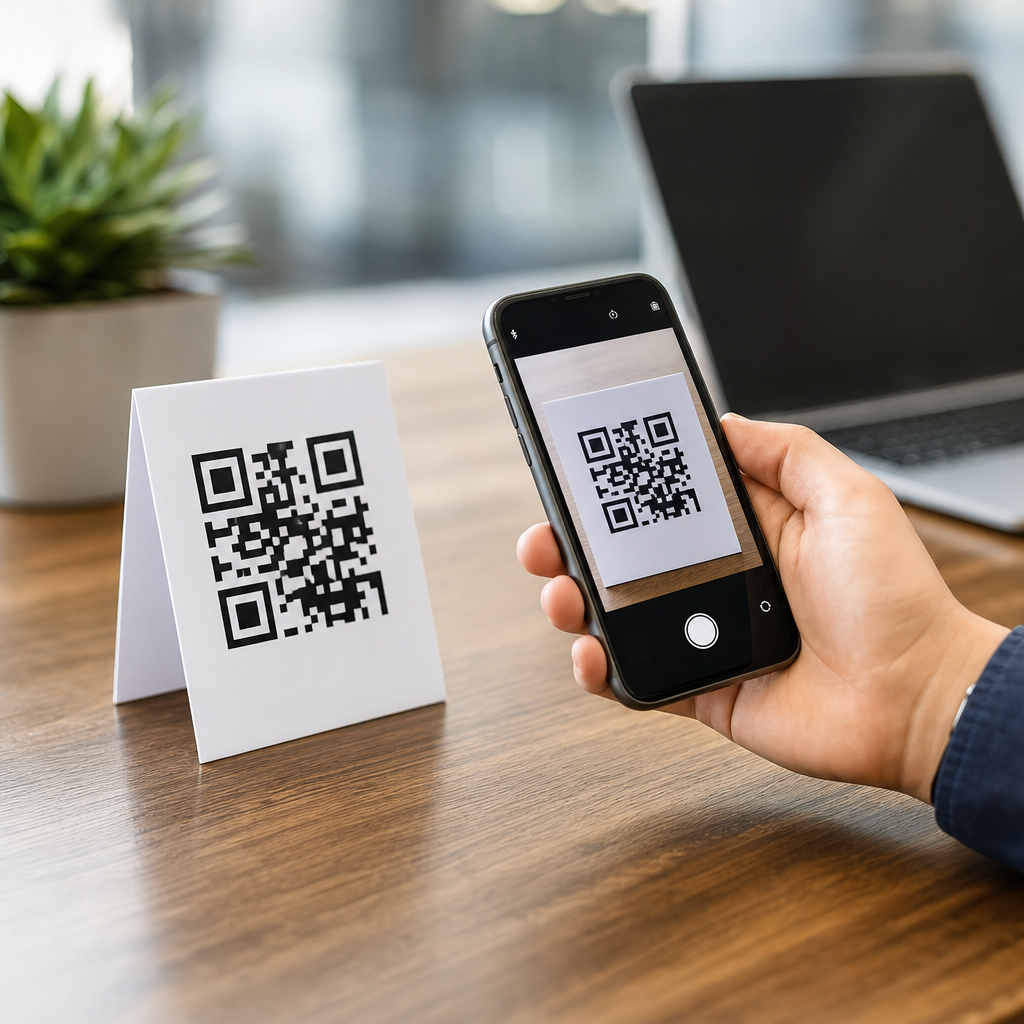
QR codes can work without internet, but the answer depends on what the code contains and what action your phone takes after scanning it. A QR code is a two-dimensional barcode that stores data in black-and-white modules arranged on a square grid. When a phone camera or scanning app reads that pattern, it decodes the embedded data locally on the device. In practice, I have tested QR campaigns in warehouses, retail floors, museums, and construction sites where connectivity was unreliable, and the same rule always applies: scanning itself does not require internet, but some destinations do.
That distinction matters because many people assume QR codes are inherently online tools. They are not. A QR code can hold plain text, contact details, Wi-Fi credentials, calendar events, a phone number, an SMS draft, or a web address. If the code contains information the phone can interpret on its own, it can work fully offline. If it points to online content, such as a landing page, app store listing, payment gateway, or cloud-hosted menu, the phone will need internet after the scan. Understanding that boundary is essential for businesses building reliable mobile experiences and for users who need a code to function in low-signal environments.
As a hub article for mobile QR code basics, this guide explains how mobile QR codes work, when they work without internet, what types of QR codes are best for offline use, and where the practical limitations appear. It also clarifies related concepts such as static versus dynamic QR codes, device-level decoding, camera app behavior, and error correction. If you are planning product packaging, event signage, field service documentation, or contactless onboarding, these details determine whether your QR code is dependable in the real world.
How mobile QR codes work on a phone
A mobile QR code workflow has three layers: image capture, decoding, and action. First, the phone camera identifies the square symbol, including position markers in three corners that help it detect orientation. Second, the scanning software decodes the encoded data using the QR standard defined in ISO/IEC 18004. Third, the operating system or app decides what to do with the decoded result. That final step is where internet may or may not become necessary.
Modern iPhone and Android devices usually scan QR codes natively through the camera app. The decoding happens locally. If the decoded payload is plain text, the phone simply displays it. If it is a vCard, the phone can offer to create a contact. If it is a Wi-Fi configuration string, the phone can prompt the user to join a network. If it is a URL, the device presents a link and opens the browser when tapped. The browser, not the QR code itself, is what needs network access to retrieve the website.
This local-first behavior is why QR codes are often dependable in places with poor reception. In a manufacturing plant, for example, I have used QR labels on equipment to surface asset IDs and maintenance steps stored as plain text. Technicians could scan the label underground with no service and still retrieve the core instructions. By contrast, when the same label was changed to a cloud document URL, the code still scanned, but the content could not load until the device regained signal.
When QR codes work without internet
QR codes work without internet whenever the entire user task can be completed from data stored in the code itself or processed locally by the phone. The simplest example is text. A code that says “Boiler Room Valve A-17” needs no network. Contact cards can also work offline because the contact fields are embedded in the code. Calendar event QR codes, phone number QR codes, and prefilled SMS drafts are similarly offline at the scanning stage, though sending the SMS or placing an internet-based call may later require connectivity.
Wi-Fi QR codes are one of the most useful offline-friendly formats. They encode the network name, password, and security type, typically WPA or WPA2, in a standardized string. A guest scans the code and the phone offers to connect. No internet is needed to read the code or submit the credentials; however, actual browsing still depends on whether the Wi-Fi network itself has internet access. This is a subtle but important distinction for hotels, clinics, and conference venues.
Another strong offline use case is authentication or check-in in controlled environments. An organization can encode a locally meaningful ID, such as employee number, asset number, or ticket reference, then have a mobile app validate it against data already cached on the device. Airlines, transit systems, and event apps commonly use this pattern. The scan succeeds offline because the app was designed to recognize the token locally and sync later.
When QR codes need internet
Internet is required when the scan is only the starting point for retrieving external content or completing an online transaction. The most common case is a QR code containing a website URL. Restaurant menus, product pages, registration forms, video links, and PDF downloads all depend on a browser request to a remote server. If the phone has no mobile data and no working Wi-Fi, the user can scan the code but cannot reach the destination.
Dynamic QR codes also typically depend on internet for the end-user experience. A dynamic code usually contains a short redirect URL rather than the final content. That redirect sends the user to a destination chosen by the QR platform, which makes analytics, edits, and campaign changes possible. Marketers value this flexibility, but it introduces a dependency: if the redirect service is unavailable, misconfigured, or blocked, the code may scan but fail to deliver content.
Payments are another area where the answer varies. Some payment QR systems support offline-presented credentials with delayed settlement, but most consumer payment flows rely on live authorization, fraud checks, or app-to-server communication. In practical terms, a payment QR code at a street market often needs internet somewhere in the chain, either on the customer device, the merchant device, or both. Businesses should test the exact wallet and acquiring setup before assuming offline support.
Static, dynamic, and offline behavior compared
Choosing between static and dynamic QR codes affects reliability, editing, and analytics. Static codes store the final data directly in the symbol. Dynamic codes store a short URL that redirects elsewhere. For offline scenarios, static codes are usually more dependable because there is no redirect layer and no platform dependency after decoding.
| QR code type | What it stores | Works offline after scan? | Best use case |
|---|---|---|---|
| Static text | Message or identifier in the code | Yes | Labels, instructions, asset tags |
| Static vCard | Contact fields in the code | Yes | Business cards, staff badges |
| Wi-Fi QR | SSID, password, security type | Yes for joining network | Guest access, offices, clinics |
| Static URL | Full web address | No for website content | Simple web links |
| Dynamic QR | Redirect URL managed by platform | No in most cases | Campaigns, editable destinations, analytics |
I generally recommend static codes for mission-critical offline workflows and dynamic codes for marketing programs where editability and scan tracking outweigh the connectivity requirement. This is not just theory. In field operations, every additional dependency increases failure rates: dead zones, captive portals, expired domains, and redirect outages all break the user path. In advertising, those risks may be acceptable because flexibility is valuable. In maintenance or safety contexts, they are not.
What phones and apps actually do after a scan
Phone behavior differs slightly by operating system, camera app, and security settings. On current iOS and Android versions, the camera usually recognizes the QR code automatically and shows a preview banner. Tapping that banner triggers the associated action. Some enterprise devices disable certain actions through mobile device management policies, and older devices may require Google Lens or a third-party scanner. Even then, the decoding still happens on-device in most implementations.
Security prompts matter here. Phones often warn before opening links because QR codes can conceal the destination until scanned. That is one reason branded short domains and clear surrounding copy improve trust. If a sign says “Scan to view offline setup steps” but the phone opens an unrelated shortened URL, completion rates drop. In usability testing, straightforward labels outperform clever but vague calls to action because users want to know what will happen before they tap.
Error correction also affects mobile performance. QR codes support four standard error correction levels: L, M, Q, and H. Higher levels preserve readability when part of the code is damaged, dirty, or covered, but they reduce data capacity. For mobile scanning in real environments, I usually prefer M or Q unless the printing conditions are harsh. A code that technically fits more data but scans poorly under glare or from a curved surface is a bad design choice.
Best practices for reliable mobile QR code experiences
Reliable QR deployment starts with matching the data type to the environment. If users may have weak signal, encode essential information directly into the code or into an app that caches data locally. Use dynamic links only when editability or analytics are truly necessary. Keep destination URLs short, maintain HTTPS, and avoid chaining multiple redirects because each handoff adds latency and another point of failure.
Printing and placement matter as much as encoding. Maintain strong contrast, preserve the quiet zone around the code, and size the symbol for expected scanning distance. A common field rule is a 10:1 distance-to-size ratio, meaning a 1 inch code scans comfortably from about 10 inches away, though camera quality and lighting affect results. Matte finishes often scan better than glossy ones under overhead lights. On packaging, avoid folds, seams, and extreme curvature that distort the grid.
Finally, test with real devices in real conditions. Use both iPhone and Android, current and older models, bright light and dim light, online and offline states. Check what happens when the user has no browser session, no app installed, or a captive portal blocks access. The central lesson is simple: QR codes absolutely can work without internet, but only when the mobile experience is designed for offline completion. If you are building under the Mobile QR Code Basics hub, audit each scan path and decide whether the user needs local data, online content, or a hybrid approach. Then publish the code that fits that reality.
Frequently Asked Questions
Can QR codes work without an internet connection?
Yes, QR codes can absolutely work without an internet connection, but it depends on what the QR code is designed to do after it is scanned. A QR code itself is simply a visual pattern that stores data, and your phone or scanning app can read that data locally without needing to go online. In other words, the act of scanning and decoding the code does not require internet access. This is why QR codes are often reliable in places like warehouses, factory floors, museums, construction sites, parking garages, and other environments where connectivity may be weak or inconsistent.
Where internet becomes relevant is in the next step. If the QR code contains plain text, contact information, a phone number, Wi-Fi credentials, calendar data, or other information that your device can process directly, then it can be fully useful offline. But if the code points to a website, cloud document, online video, app store page, or any other web-based destination, the phone will still decode the QR code offline but will need internet access to open that online resource. So the short answer is yes: QR codes can work without internet, but the result depends on whether the embedded content lives on the device or on the web.
What types of QR codes work offline?
QR codes that store data directly inside the code itself are the best fit for offline use. These include plain text QR codes, which can display instructions, serial numbers, product details, or safety information right on the device after scanning. They also include vCard QR codes for contact details, phone and SMS QR codes that can prompt a call or text, email QR codes that prefill recipient information, calendar event QR codes, and Wi-Fi QR codes that let users connect to a local network without typing a password manually. In each of these cases, the phone reads the encoded data directly from the QR code pattern, so no live internet connection is needed just to access that information.
This is one reason offline QR implementations are so effective in operational settings. For example, in a warehouse, a QR code can reveal an internal item code, handling instructions, or maintenance notes even when mobile reception is poor. In a museum, a code can show a short exhibit description stored directly in the symbol. On a construction site, a QR code can provide equipment IDs, safety steps, or inspection references without relying on a live signal. As long as the intended outcome is based on embedded data rather than an online destination, offline QR codes are practical, fast, and dependable.
Do QR codes linked to websites still scan without internet?
Yes, a QR code linked to a website will still scan without internet because scanning and decoding happen locally on the phone. The camera or QR scanning app reads the black-and-white modules, interprets the stored data, and recognizes that the content is a URL. That part works whether you are online or offline. What changes is what happens next: if your device tries to open the website, it will need an internet connection to load the page. Without connectivity, the scan succeeds, but the destination cannot be reached until the phone gets back online.
This distinction is important for planning QR code campaigns. Many people assume a QR code “doesn’t work” when the real issue is that the code works fine, but the linked content requires network access. In environments with unstable connectivity, this can create a poor user experience if the QR code sends people straight to a website, video, PDF, or cloud-hosted form. If offline reliability matters, it is often smarter to encode critical information directly into the QR code or provide a fallback message so users still get something useful even when the web page cannot load.
How can you use QR codes effectively in places with poor or no connectivity?
The most effective strategy is to match the QR code content to the environment. If you know users may be scanning in low-signal areas, prioritize QR code formats that deliver value offline. That means storing essential information directly in the code whenever possible, such as instructions, IDs, equipment details, contact data, or local access credentials. This approach removes the dependency on real-time internet access and makes the experience far more consistent. In practical deployments, this is often the difference between a QR code system that feels dependable and one that frustrates users when the network drops.
It also helps to think in terms of user intent. If someone on a retail floor needs product specs quickly, or a technician in a remote facility needs an asset identifier, they do not necessarily need a live webpage to complete the task. A short text-based QR code may be more effective than a URL. If web content is necessary, consider clear labeling so users know the scan opens an online page, and test the experience in the actual location rather than assuming connectivity will be good enough. In real-world use, QR performance is often less about the code itself and more about whether the destination and workflow were designed for the environment.
What is the difference between scanning a QR code and accessing its content?
This is the key idea that clears up most confusion about whether QR codes need internet. Scanning a QR code means your phone detects the code, reads its visual pattern, and decodes the data stored inside it. That process happens on the device and does not inherently require internet access. Accessing the content, however, refers to what the phone does with that decoded data afterward. If the content is self-contained, such as text or contact information, the phone can display or use it immediately offline. If the content points to something online, such as a website or hosted file, internet is required only for that second step.
Understanding this difference is essential for both users and businesses. It explains why a QR code can appear to scan successfully but still fail to deliver the expected result in an offline setting. The code did its job; the destination simply was not available without connectivity. This is why QR code planning should focus not just on whether the code scans, but on whether the action after the scan can succeed under real conditions. When that distinction is understood, it becomes much easier to choose the right QR code type and create a better experience in both online and offline scenarios.





