
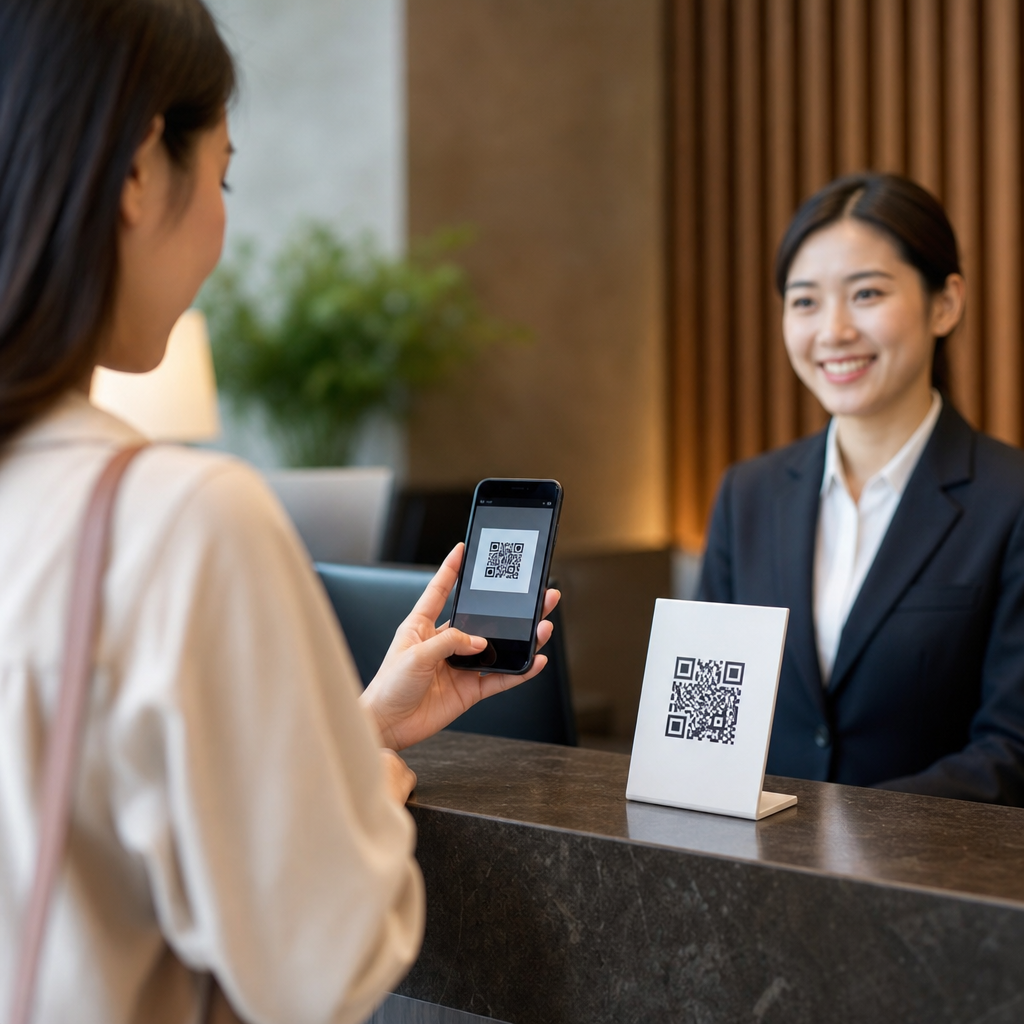
QR codes have become a practical foundation for contactless customer service because they connect a physical moment to a digital action in seconds. A customer can scan a code on a table tent, package, receipt, storefront window, kiosk, or product label and immediately reach a menu, payment page, service form, help center, loyalty offer, or live chat. In customer service terms, contactless means reducing unnecessary physical exchange while still delivering support, information, and transaction capability through a smartphone. For businesses building a mobile-first experience, that shift matters because convenience, speed, and safety now shape customer expectations as much as price.
In my work helping companies deploy mobile QR code programs, the strongest results come when the code is treated as a service gateway, not a novelty. Static codes point to a fixed destination, while dynamic codes redirect through a managed short URL, making it possible to update content, track scans, and segment campaigns without reprinting materials. That flexibility is why QR codes support everything from restaurant ordering to hotel check-in, equipment support, event registration, and post-purchase service. They reduce friction at the exact moment a customer needs help.
This matters within Mobile QR Code Basics because the benefits of mobile QR codes are broader than simple link sharing. They lower wait times, reduce printing overhead, improve data accuracy, create measurable service interactions, and give customers self-service options on their own devices. They also support accessibility when paired with clear instructions, strong contrast, and mobile-optimized landing pages. The central question is not whether a business can use QR codes, but where they remove steps from the customer journey. When implemented well, they turn signs, counters, packaging, and receipts into responsive service touchpoints.
Why QR codes work so well for contactless customer service
QR codes work because the smartphone is already the customer’s primary service device. Most modern phone cameras read codes natively, so there is usually no app barrier. That matters in high-intent moments. A customer standing outside a locked office can scan a window decal for directions, after-hours contact options, or appointment booking. A diner can scan a table code for a menu, allergen details, and mobile payment. A traveler can scan a lobby display for digital check-in, Wi-Fi access, and concierge information. In each case, the code shortens the path between question and answer.
From an operational perspective, QR codes also standardize service delivery. Instead of relying on staff to repeat routine information, businesses can route common requests into structured digital flows. I have seen service teams reduce repetitive front-desk questions simply by placing clearly labeled codes at entry points: “Scan for returns,” “Scan for setup help,” or “Scan for appointment changes.” This improves consistency because every customer sees the same approved information. It also reduces errors that happen when instructions are delivered verbally or from outdated printed materials.
Another reason QR codes perform well is that they bridge offline and online attribution. A flyer, shelf tag, poster, invoice, or product insert can now generate a measurable digital interaction. Dynamic QR code platforms such as Bitly, QR Code Generator Pro, Beaconstac, and Flowcode provide scan counts, timestamps, device types, and location patterns. Those data points help businesses understand which service touchpoints are used most and where customers drop off. That insight makes QR codes a service optimization tool, not just a convenience feature.
Core benefits of mobile QR codes across the customer journey
The benefits of mobile QR codes become clear when mapped to the full customer journey. Before purchase, codes can deliver product details, reviews, comparison charts, promotions, and store navigation. During purchase, they can support line busting, mobile payment, digital forms, identity verification, and queue management. After purchase, they can route customers to setup guides, warranty registration, troubleshooting content, reorder pages, and support tickets. Because the same scanning behavior works across all stages, customers do not need to learn a new process each time.
One of the biggest advantages is speed. A short scan replaces manual URL entry, paper form handling, and back-and-forth staff assistance. Another is accuracy. When customers enter information into a digital form launched from a QR code, the data is cleaner than handwritten notes or verbal dictation. A third benefit is agility. If service hours change, a product guide is updated, or a promotion ends, a dynamic code can point to the new destination immediately. That protects printed assets from becoming obsolete and lowers replacement cost.
Mobile QR codes also improve scale. A small business can use one code for appointment booking and another for payments, while a larger enterprise can deploy codes by store, department, product line, or service scenario. This makes localized support possible without redesigning every interaction. Importantly, QR codes empower self-service without eliminating human support. The best implementations give customers a clear next step, then provide escalation options such as call, chat, or email when the issue is complex. That balance strengthens customer satisfaction because people can solve simple issues fast and reach staff when needed.
Common contactless customer service use cases
Businesses use QR codes most effectively when each code has a single, explicit purpose. Restaurants use them for menus, ordering, table payment, and feedback. Retail stores place codes on shelves and fitting room signs that open size availability, product specs, care instructions, and loyalty enrollment. Healthcare clinics use them for digital intake, wayfinding, post-visit instructions, and billing. Hotels place them in rooms for housekeeping requests, room service menus, maintenance reporting, and local recommendations. Manufacturers include them on packaging for assembly videos, manuals, warranty registration, and replacement part ordering.
These use cases work because they remove bottlenecks. Consider parcel delivery: a QR code on a missed-delivery notice can take the recipient straight to redelivery scheduling or pickup instructions, avoiding a phone queue. In field service, a code affixed to industrial equipment can launch a maintenance log, troubleshooting checklist, or parts catalog. In events, a code on signage can handle registration, agenda access, venue maps, and sponsor offers. For public services, codes on counters or notices can link residents to forms, payment portals, eligibility information, or multilingual guidance.
| Customer service scenario | QR code destination | Primary benefit |
|---|---|---|
| Restaurant table service | Menu, ordering, payment | Faster service and fewer printed materials |
| Retail shelf support | Specs, reviews, inventory | Better purchase confidence |
| Post-purchase product support | Manuals, setup guides, warranty | Lower support volume |
| Clinic or office reception | Forms, check-in, directions | Reduced waiting and paperwork |
| Hotel guest services | Requests, concierge, local info | Convenient in-stay assistance |
Implementation best practices that improve results
Successful QR code customer service programs depend on execution details. First, the destination must be mobile optimized. If the landing page loads slowly, requires pinching and zooming, or asks for unnecessary fields, scan rates may look healthy while completion rates stay poor. Second, the call to action must be explicit. “Scan for setup video” performs better than a bare code because customers understand the value before scanning. Third, the code must be placed where the need naturally occurs: on packaging for setup, at checkout for payment, on a receipt for returns, or in a waiting area for check-in.
Design standards matter. Use adequate quiet zone spacing, strong contrast, and a tested size based on scanning distance. A practical rule is at least a 10:1 distance-to-size ratio, meaning a code scanned from one meter away should be roughly 10 centimeters wide. Follow ISO/IEC 18004 fundamentals for symbol readability, and test on both iPhone and Android devices under realistic lighting conditions. If a branded code uses custom colors or a logo in the center, verify error correction and scan reliability before deployment. Attractive design never compensates for poor readability.
Measurement should be built in from the start. Use UTM parameters, dynamic redirects, and analytics dashboards to track not only scans but downstream outcomes such as form submissions, payments, bookings, and support deflection. In practice, I recommend assigning each service touchpoint its own code so the business can compare performance across locations and purposes. Security is equally important. Link only to HTTPS destinations, monitor for tampering on physical signs, and avoid asking for sensitive information unless the page is trusted, branded, and compliant with the company’s privacy policies.
Limits, risks, and how to address them
QR codes are effective, but they are not universal. Some customers may have older devices, low digital confidence, or limited connectivity. Others may simply prefer speaking with a person. That is why contactless customer service should include a fallback, such as a phone number, front-desk option, or short URL printed beside the code. Accessibility also requires attention. Pair the code with plain-language instructions, make landing pages screen-reader friendly, and avoid using QR codes as the only path to critical information like safety notices or legal terms.
Security concerns are real because users cannot see the destination before scanning in every context. Businesses can reduce hesitation by using branded domains, clear labels, and predictable placement. Staff should be trained to recognize tampered stickers or unofficial replacements. There is also a content governance risk. If a QR code points to outdated hours, expired promotions, or removed files, the customer experience breaks immediately. Dynamic management helps, but only if someone owns reviews, updates, and testing. The convenience of QR codes depends on reliable operations behind the scenes.
Cost and complexity are usually manageable, yet they still require planning. A simple static code is inexpensive, but enterprise-scale programs need platform controls, naming conventions, campaign taxonomy, analytics integration, and compliance review. Even then, the return can be strong because QR codes often reduce call volume, speed service, and extend the useful life of printed materials. The key is to match the code to a real customer task. When a QR code solves a specific problem faster than any alternative, adoption follows naturally.
QR codes support contactless customer service by turning everyday physical touchpoints into immediate digital help. Their value goes far beyond menus and payments. They streamline check-in, simplify support, improve data capture, reduce print waste, and make customer journeys easier before, during, and after a purchase. As a hub within Mobile QR Code Basics, this topic connects to every major benefit of mobile QR codes: speed, convenience, measurability, flexibility, and scalable self-service.
The most effective programs start small and stay focused. Choose one high-friction service moment, create a mobile-friendly destination, label the code clearly, and measure what happens after the scan. Then expand to adjacent use cases such as returns, onboarding, product education, or loyalty enrollment. Businesses that treat QR codes as a service system rather than a decorative add-on consistently get better results. Review your customer journey, identify where people wait or repeat steps, and deploy QR codes where one scan can remove the friction.
Frequently Asked Questions
How do QR codes improve contactless customer service?
QR codes improve contactless customer service by removing friction at the exact moment a customer needs help, information, or a way to complete a task. Instead of waiting for a staff member, touching shared materials, or searching manually for a website or support page, the customer can scan a code and instantly open the right digital destination on their phone. That destination might be a menu, self-service portal, payment page, troubleshooting guide, appointment form, order status page, or live chat window. The value is not just speed; it is relevance. A QR code placed on a receipt, product label, hotel room card, restaurant table, or retail display can lead directly to the service action that fits that specific context.
This approach supports a more efficient service model because it lets businesses answer common needs without unnecessary physical interaction. Customers can request support, read instructions, register a product, redeem an offer, or start a return without standing in line or handling printed documents. At the same time, staff members are freed to focus on more complex issues that require personal attention. In practice, QR codes act as a bridge between the physical customer experience and the digital support system, making service feel faster, cleaner, and more convenient while still giving customers immediate access to assistance.
What types of customer service actions can a QR code support?
A QR code can support a wide range of customer service actions because it can direct customers to almost any mobile-friendly digital experience. Common uses include opening digital menus, initiating contactless payments, launching FAQ pages, connecting to live chat, starting support tickets, checking order or delivery status, accessing warranty information, downloading product instructions, enrolling in loyalty programs, leaving feedback, and booking appointments. In environments such as restaurants, hotels, clinics, stores, events, and transportation hubs, this flexibility makes QR codes especially practical because one simple scan can replace several manual steps.
They are also useful after the sale, which is where customer service often has the biggest long-term impact. A QR code on packaging can lead to setup videos or troubleshooting steps. A code on a receipt can connect customers to return policies, digital invoices, or satisfaction surveys. A code on a storefront window can route people to hours, support contact options, or an online ordering page even when the location is closed. Because QR codes can be linked to targeted pages, businesses can tailor the customer journey based on location, product type, or service scenario. That makes them more than a convenience feature; they become a scalable tool for delivering fast, self-guided, and context-specific support.
Are QR codes better than printed instructions or traditional customer service materials?
QR codes are often more effective than printed instructions or traditional service materials when the goal is speed, flexibility, and up-to-date information. Printed materials are static. Once they are produced, they can quickly become outdated if pricing changes, policies are revised, products are updated, or support procedures improve. A QR code, by contrast, can send customers to a live digital resource that businesses can update without reprinting every physical item. That means a code on a product package, brochure, poster, or receipt can continue to deliver accurate information long after the item is distributed.
That said, QR codes work best as an enhancement to customer service, not always as a total replacement for every traditional format. Some customers still prefer human assistance or may not feel comfortable scanning a code in every situation. The strongest service strategies use QR codes to reduce routine friction while keeping other support options available. For example, a business might place a QR code next to a short printed prompt such as “Scan for setup help, returns, or live support,” while also listing a phone number for customers who want direct assistance. In that balanced role, QR codes outperform static materials because they offer richer content, faster access, easier updates, and a more interactive support experience without eliminating customer choice.
What makes a QR code experience effective for customer support?
An effective QR code customer support experience starts with clear intent. Customers should know exactly what will happen when they scan the code, whether that is viewing a menu, submitting a request, opening a chat, or accessing help articles. Labels matter because they set expectations and improve trust. Placement matters too. Codes should appear where a customer naturally needs help, such as on a table when ordering, on packaging during setup, at a kiosk during check-in, or on a receipt after purchase. If customers have to guess why the code is there, usage drops and the service value declines.
The digital destination is just as important as the code itself. The landing page should load quickly, work well on mobile devices, and take the customer directly to a useful action instead of making them search again. Long forms, cluttered pages, and vague navigation defeat the purpose of contactless convenience. A good experience is simple, immediate, and relevant. Businesses should also consider accessibility, multilingual support, and fallback options for users who need alternative help. When QR codes are thoughtfully designed as part of the service journey, they feel intuitive rather than promotional, and they can significantly improve response speed, satisfaction, and overall customer confidence.
Can QR codes help businesses measure and improve customer service performance?
Yes, QR codes can help businesses measure and improve customer service performance because they create trackable entry points into the customer journey. When a customer scans a code to access support, payment, product information, or feedback, the business can analyze how often the code is used, which locations generate the most scans, which devices are common, and which destinations produce the best outcomes. For example, a company might discover that codes placed on product packaging lead to high usage of setup guides, while receipt-based codes produce strong survey completion rates. Those insights help teams understand where customers need the most assistance and where digital support is working well.
Beyond scan volume, QR codes can also support service optimization. Businesses can test different placements, labels, landing pages, and calls to action to see which versions reduce support requests, increase self-service completion, or improve customer satisfaction. If a code linked to a help center still results in frequent live support escalation, that may signal unclear instructions or missing information. If a payment QR code sees high abandonment, the checkout flow may need simplification. In this way, QR codes do more than provide contactless access; they generate practical data that can shape better service design. Used strategically, they help businesses make customer support faster, more responsive, and more aligned with real customer behavior.





