
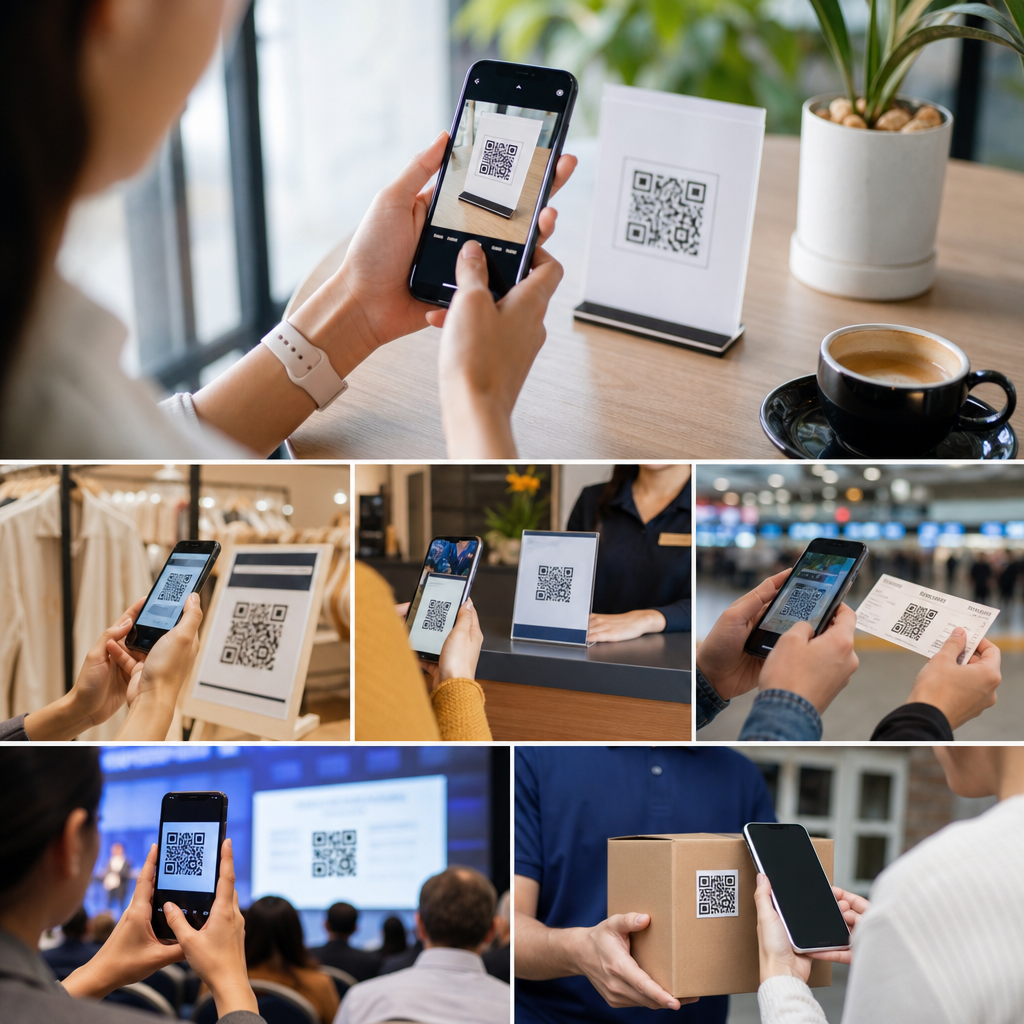
Mobile QR codes have moved from a novelty on posters and restaurant tables to a practical bridge between physical spaces and digital actions. A mobile QR code is a scannable matrix barcode designed to be read quickly by a smartphone camera, opening content such as a webpage, app screen, payment prompt, contact card, or authentication step. In plain terms, it lets a person point a phone at a printed or on-screen square and complete a task in seconds. That speed matters because mobile users abandon slow paths. When I have implemented QR campaigns for retailers and service teams, the strongest results came from removing friction: fewer taps, less typing, clearer intent, and faster completion.
Understanding common use cases for mobile QR codes matters for three reasons. First, QR codes influence conversion, because they shorten the distance between attention and action. Second, they improve measurement, especially when marketers use dynamic QR codes tied to campaign parameters, analytics dashboards, and landing pages built for mobile devices. Third, they now support operational tasks beyond marketing, including payments, identity checks, onboarding, customer support, and field service. The most effective deployments are not generic. They match the scan context, the user’s device, the network conditions, and the desired outcome. This hub explains the most important use cases, how each works, where it fits, and what teams should watch for before rollout.
Marketing and product discovery
The most familiar use case for mobile QR codes is marketing, but the value goes beyond sending people to a homepage. A good campaign QR code points to a purpose-built mobile landing page that answers the immediate question a user has after seeing an ad, package, shelf tag, or event display. For example, a cosmetics brand can place a QR code on endcap signage that opens a product finder with shade matching, reviews, and inventory by store. A beverage company can put a code on packaging that leads to recipe ideas, loyalty enrollment, and user-generated content permissions. In both cases, the code is not just a link; it is the first step in a measured funnel.
Dynamic QR codes are especially useful here because the destination can change without reprinting the code. I have used them for seasonal campaigns where the same printed code first drove sweepstakes entries, then shifted to coupon redemption, then to a post-campaign survey. Marketers also gain attribution by attaching UTM parameters and segmenting scan sources by placement, geography, or creative variation. The rule is simple: one placement, one intent. If a bus shelter ad promotes a free trial, the scan should open the trial page, not a broad navigation menu that forces users to hunt for the offer.
Payments, ordering, and in-store transactions
Mobile QR codes are now a standard tool for payments and ordering because they reduce hardware needs and speed up transactions. Consumers encounter them in peer-to-peer payment apps, self-order kiosks, table ordering systems, parking meters, and pop-up retail. In practice, a QR payment flow can work in two directions: the merchant displays a code that the customer scans to pay, or the customer presents a code generated by a wallet app for the merchant to scan. Both methods are common in systems such as Alipay, WeChat Pay, PayPal, and regional banking apps.
Restaurants offer a clear example. A table QR code can open a digital menu, collect the order, apply modifiers, send items to the kitchen, and route payment without waiting for a server to return with a terminal. That cuts queue time and can increase average order value when add-ons are presented at the right step. Retailers also use shelf and window QR codes after hours, allowing shoppers to browse stock, reserve items, or complete buy-online-pick-up-in-store transactions. The limitation is trust and usability. Payment pages must show merchant identity clearly, use HTTPS, and load quickly on weak mobile connections. If the experience feels uncertain, users hesitate.
Customer support, onboarding, and account access
Another high-value use case is support and onboarding. A QR code on packaging, inside a quick-start guide, or on equipment can direct users to setup instructions, warranty registration, troubleshooting, or live support. This is more effective than printing long URLs or asking users to search for documentation. A consumer router, for instance, can include a QR code that opens the exact installation guide for that model, then prompts app download only if needed. Medical device makers, appliance brands, and enterprise hardware vendors use the same pattern to cut support calls and improve first-time success rates.
Account access and authentication also benefit from QR flows. Desktop-to-mobile login is a proven example: a website displays a QR code, the user scans it with an authenticated mobile app, and the phone confirms the session. Messaging services, collaboration platforms, and passwordless identity providers use this method because it reduces password entry and phishing risk. The best implementations include short session lifetimes, device binding, and clear confirmation screens that state what action is being approved. For onboarding, a printed QR code in a welcome kit can trigger app installation, identity verification, and first-use tutorials in sequence, turning a confusing setup into a guided path.
Events, tickets, and contactless check-in
Events are one of the clearest environments for mobile QR codes because speed and accuracy matter at the point of entry. QR codes can encode ticket identifiers, registration data, seating information, and access permissions. At conferences, a code in the attendee app or wallet pass can be scanned at check-in, at session rooms, and at sponsored booths to track attendance and qualify leads. Airlines, cinemas, and transit providers have used similar barcode workflows for years because they shorten lines and reduce manual verification errors.
The same principle applies to visitor management in offices, schools, and healthcare settings. A pre-registered guest receives a QR code, scans at arrival, verifies identity, and prints a badge or alerts the host. During implementation, I have found that offline fallback is essential. Venue Wi-Fi fails, battery levels drop, and screens crack. Reliable systems cache ticket records on scanners, allow brightness prompts for phone displays, and provide staff overrides for edge cases. A QR check-in process should feel faster than a paper list, not merely more modern.
Information access, education, and field operations
Many organizations use mobile QR codes to deliver context-specific information exactly where it is needed. Museums place them beside exhibits for multilingual audio guides. Manufacturers place them on machinery for maintenance records and safety instructions. Universities add them to campus maps, lab equipment, and library shelves. Utilities and field service teams attach durable labels to assets so technicians can scan and pull up service history, parts lists, and inspection forms from a phone in seconds.
| Use case | Typical QR destination | Main benefit | Key implementation note |
|---|---|---|---|
| Product packaging | How-to page, registration, reviews | Reduces support friction | Match the destination to the exact SKU |
| Restaurant table | Menu, ordering, payment | Speeds service and checkout | Design for weak connectivity and fast load times |
| Event ticketing | Check-in validation page or wallet pass | Cuts entry queues | Provide offline scanner fallback |
| Asset management | Maintenance log and service form | Improves field accuracy | Use durable labels and role-based access |
| Payments | Wallet or merchant payment prompt | Simplifies transactions | Show merchant identity and secure connection |
Education teams also use QR codes to connect physical materials with digital layers. A worksheet can link to a demonstration video; a textbook chapter can open quizzes; a campus poster can lead to enrollment or advising resources. The benefit is not novelty. It is precision. The user scans from a specific object, so the destination can be equally specific. For field operations, QR governance matters. Labels should include human-readable asset IDs, permission controls must protect sensitive records, and replacement processes must exist for damaged tags. The code is only as useful as the accuracy of the linked system behind it.
Best practices, limitations, and choosing the right use case
Choosing the right mobile QR code use case starts with the user’s immediate goal. Ask what the person wants at the moment of scanning: buy, pay, learn, register, prove identity, get help, or continue a process started elsewhere. Then build the destination around that intent. Static QR codes work for permanent destinations such as a vCard or fixed informational page. Dynamic QR codes are better when campaigns, offers, or routing rules may change. In either case, mobile optimization is nonnegotiable. Pages should load fast, use readable type, and keep forms short. If the scanner lands on a desktop page with tiny text and multiple pop-ups, the QR code has failed.
There are also limits. Not every audience is comfortable scanning, and not every environment supports phone use. Senior populations, safety-sensitive worksites, and low-connectivity locations may need alternatives such as NFC, short URLs, staffed assistance, or printed instructions. Security is another concern because malicious actors can place fake codes over legitimate ones. Organizations should use tamper-resistant placement where possible, verify destinations, and educate users to check the URL and merchant identity before submitting data or payment. Track results too. Scan volume alone is not success; completion rate, task time, bounce rate, and downstream conversion tell the real story.
Common use cases for mobile QR codes all point to the same advantage: they turn a phone camera into a fast action gateway. Whether the goal is product discovery, payment, support, event access, education, or field service, the strongest QR experiences remove friction and respect context. The code should appear where a user naturally needs the next step, and the destination should answer that need immediately. Teams that treat QR codes as part of a full mobile journey, not as isolated graphics, consistently get better results.
As a hub within Mobile QR Code Basics, this topic connects to deeper decisions about static versus dynamic codes, QR code security, landing page design, analytics setup, and industry-specific deployment patterns. Start by auditing one customer journey with obvious friction, then test a QR code that solves a single problem cleanly. Measure completions, not just scans, refine the destination, and expand from there. Used well, mobile QR codes are simple, measurable, and genuinely useful.
Frequently Asked Questions
What are the most common use cases for mobile QR codes?
Mobile QR codes are most commonly used anywhere a business or organization wants to reduce friction between a physical moment and a digital action. One of the biggest use cases is linking users to websites or landing pages from printed materials such as posters, packaging, flyers, brochures, direct mail, and in-store signage. Instead of asking someone to type a long URL into a mobile browser, the QR code takes them straight to the right page in a single scan.
Another major use case is contactless access to information and services. Restaurants use QR codes for digital menus, hotels use them for guest guides, event organizers use them for schedules and ticket validation, and retailers use them for product details, reviews, and promotions. In payments, mobile QR codes are widely used to launch payment prompts or connect users to a checkout experience without requiring cash, cards, or manual form entry. Businesses also use them for app downloads, Wi-Fi access, customer support, appointment booking, social media follows, loyalty programs, and lead generation forms.
What makes these use cases so effective is speed. Mobile users often abandon a task when it requires too many taps, too much typing, or too much searching. A QR code works well because it compresses the path from interest to action. If a person sees a product in a store, a sign at a venue, or a printed ad in the real world, the QR code creates an immediate bridge to the next digital step while attention is still high.
Why are mobile QR codes so effective for marketing and customer engagement?
Mobile QR codes are effective in marketing because they remove unnecessary steps at the exact moment a customer is most likely to act. Traditional offline marketing often creates a gap between seeing a message and responding to it. A customer may notice a poster, product display, or event booth, but lose interest if they have to remember a website name, search for the brand later, or manually enter a code. A QR code closes that gap by turning curiosity into action right away.
They also work well because they support measurable campaigns. Marketers can direct scans to specific landing pages, offers, videos, sign-up forms, or product collections and then track engagement through analytics. That makes it easier to understand which placement, campaign, or audience is generating results. A QR code on packaging may drive repeat purchases, while a QR code on a window display may generate foot traffic, app downloads, or coupon redemptions. This ability to connect physical media with digital measurement is one of the strongest reasons QR codes remain so useful.
From a customer engagement standpoint, QR codes are flexible. A single scan can deliver exclusive content, tutorials, warranty registration, rewards enrollment, event check-in, or personalized follow-up. That versatility allows brands to create smoother, more interactive experiences without asking users to jump through hoops. When implemented well, mobile QR codes feel helpful rather than promotional, and that is a big reason they tend to perform better than more cumbersome call-to-action methods.
How are mobile QR codes used in retail, restaurants, and in-person services?
In retail, mobile QR codes are often used to extend the in-store experience. A shopper can scan a code on a shelf tag, product label, or display to view product specifications, availability, color options, customer reviews, care instructions, or demonstration videos. This is especially useful when staff are busy or when a store wants to offer deeper information without overloading physical signage. Retailers also use QR codes for loyalty sign-ups, digital coupons, mobile checkout, returns portals, and post-purchase support.
In restaurants and hospitality settings, QR codes became well known for digital menus, but that is only one part of the story. They are also used for table ordering, bill payment, feedback collection, reservation management, allergy information, promotions, and multilingual menu access. Hotels and service providers use them in rooms, lobbies, and service counters to connect guests with amenity details, service requests, local recommendations, Wi-Fi instructions, and support channels. The benefit is convenience for both customers and staff.
For in-person services such as healthcare clinics, salons, repair shops, gyms, and professional offices, mobile QR codes simplify routine actions. Clients can check in, complete intake forms, confirm appointments, access aftercare instructions, leave reviews, or save contact details with a quick scan. In each of these environments, the QR code acts as a practical tool for reducing wait times, minimizing manual entry, and helping users complete tasks on their phones in a fast, familiar way.
Can mobile QR codes be used for payments, authentication, and secure access?
Yes, mobile QR codes are widely used for payments, login flows, and secure access, although the level of security depends on how the system behind the code is designed. In payments, a QR code can launch a payment app, load a merchant payment prompt, or encode transaction details that let a customer confirm a purchase on their phone. This approach is popular because it is quick, contactless, and easy to deploy in stores, at events, in taxis, at kiosks, and in peer-to-peer payment scenarios.
For authentication, QR codes are often used to speed up sign-in or device pairing. For example, a user may scan a code on a desktop screen to log into a service through a trusted mobile app, or scan a code to verify identity during two-step authentication. They are also used for ticketing, visitor management, membership access, and gated digital content. In these cases, the QR code is not just a link but part of a controlled process that checks permissions, validates a token, or confirms the user session.
That said, best practices matter. Secure use cases should rely on encrypted connections, expiring tokens, server-side validation, and clear branding so users can trust what they are scanning. Businesses should also avoid printing static codes for highly sensitive actions if those codes could be copied or redirected. When paired with strong backend security and thoughtful user experience design, mobile QR codes can be a reliable and efficient method for enabling payments, authentication, and access control.
What should businesses consider before using mobile QR codes?
Before using mobile QR codes, businesses should start with the destination experience, not the code itself. A QR code is only as useful as what happens after the scan. The landing page, app screen, form, or payment flow should load quickly, display properly on mobile devices, and make the next step obvious. If users scan a code and arrive at a slow, cluttered, or confusing page, the convenience advantage disappears immediately. Mobile-first design is essential because the entire point of the QR code is to help someone complete an action on a phone with minimal effort.
It is also important to think about placement, context, and motivation. Users need a clear reason to scan. A good QR code call to action tells them exactly what they will get, such as “View menu,” “Pay now,” “Download the app,” “See product details,” or “Claim your offer.” The code should be large enough to scan easily, placed where lighting and distance make scanning practical, and printed with enough contrast to remain readable. Testing across different phones, camera apps, and physical environments helps prevent frustrating failures.
Finally, businesses should consider management and measurement. Dynamic QR codes are often preferable because they allow destination updates without reprinting the code and can provide scan analytics. That is useful for campaigns, product packaging, and long-term signage. Teams should also monitor for broken links, expired promotions, and outdated content. From branding and usability to security and analytics, successful QR code deployment is not about adding a trendy square to a surface. It is about creating a fast, trustworthy path from a real-world interaction to a digital outcome that genuinely helps the user.





