
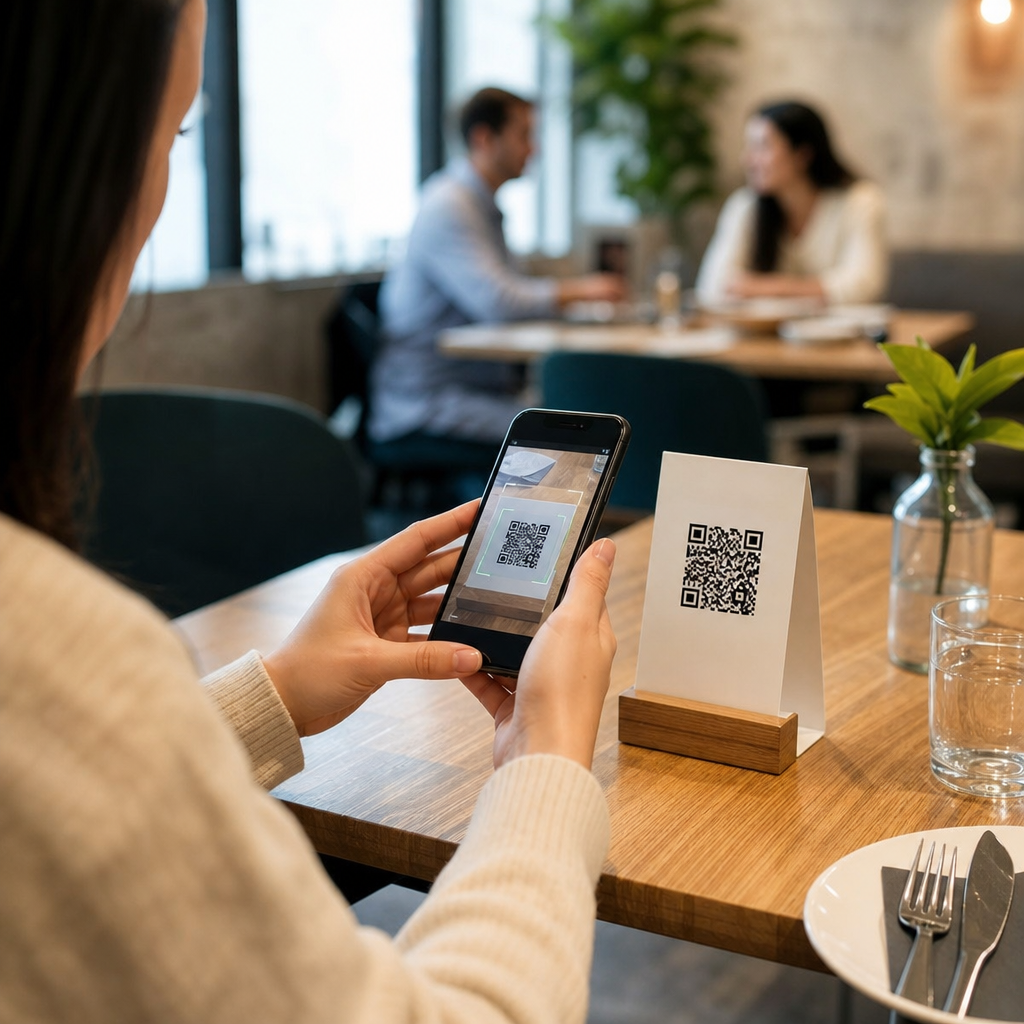
Restaurants use QR codes for menus and ordering because they solve three persistent problems at once: printing costs, slow table service, and friction between browsing, ordering, and paying. A QR code is a scannable two-dimensional barcode that opens digital content, usually a menu, ordering page, loyalty offer, or payment screen on a guest’s phone. In restaurants, the most common deployment is a table tent, window sticker, countertop card, or receipt prompt linked to a mobile web page. I have helped operators launch these systems in quick-service counters, full-service dining rooms, hotel bars, and multi-unit franchise environments, and the same lesson repeats every time: QR codes work best when they are tied to a clear service goal, not added as a novelty.
That distinction matters because “QR code menu” can mean several different things. Some restaurants simply publish a PDF menu. Others use a live menu platform that syncs with the point-of-sale system, marks items unavailable in real time, and supports modifiers, upsells, taxes, and payments. Ordering can also happen in different ways: scan-and-browse, scan-and-order at the table, scan for pickup, or scan to join a waitlist before ordering. Understanding these use cases is essential for owners choosing software, staff planning workflows, and guests deciding whether the experience is genuinely convenient. When implemented thoughtfully, QR codes reduce reprint waste, improve menu accuracy, shorten ordering delays, and create measurable digital touchpoints that a paper menu never could.
Restaurants adopted QR codes rapidly during the pandemic, but their staying power comes from operational value rather than emergency hygiene concerns. The National Restaurant Association has repeatedly highlighted digital ordering and contactless payment as durable consumer preferences, especially among younger guests and off-premise diners. Today, QR codes are part of a broader mobile-first hospitality model. They let restaurants update prices instantly, feature seasonal items without redesigning print collateral, capture email and SMS opt-ins, and route guests toward ordering channels with higher margin than third-party delivery apps. For a sub-pillar page on common use cases, the key question is simple: where exactly do QR codes create practical value inside a restaurant business?
Digital menus: the foundation use case
The simplest and most widespread use case is the QR code menu. A guest scans a code and lands on a mobile-optimized menu page showing categories, descriptions, prices, allergens, and images. This replaces or supplements printed menus. In practice, the quality gap between a basic PDF and a true digital menu is enormous. A PDF often loads slowly, forces pinching and zooming, and becomes outdated the moment a price or item changes. A purpose-built menu from platforms such as Toast, Square, Clover, BentoBox, or SpotOn is responsive, searchable, and easier for staff to maintain.
For operators, the operational benefit is immediate. If salmon is unavailable at 6:30 p.m., the menu can hide the item instead of disappointing every table that orders it. If happy hour runs from 4 to 6, the menu can switch automatically. If a brewery rotates taps daily, a manager can update the list in minutes. I have seen beverage programs cut service confusion significantly once digital menus reflected live availability instead of relying on verbal updates from servers. Accessibility also improves when menus include larger text options, allergen labels, or multilingual versions linked from the same QR code destination.
Table-side ordering in full-service and fast-casual formats
The next major use case is scan-to-order at the table. Here, the QR code does more than display items; it opens a cart, accepts modifiers, sends the order to the kitchen, and often stores the table number automatically. This model is common in fast-casual dining rooms, food halls, breweries, airport venues, and labor-constrained full-service restaurants. Guests can order another round, dessert, or extra sides without waiting for a server to circle back. That reduces idle time and can lift average check size when the interface presents smart add-ons such as “add fries,” “make it a combo,” or “pair with house lager.”
There are tradeoffs. Full-service restaurants that compete on hospitality should not assume table-side ordering can replace personal service. In higher-touch concepts, many guests still want recommendations, pacing guidance, and interaction with a knowledgeable server. The best implementations give guests a choice: order through staff, order through the QR code, or use the code for reorders and payment only. That hybrid approach protects the guest experience while still lowering friction. It also helps when staffing is uneven across dayparts. Lunch may lean heavily on QR ordering, while dinner preserves more traditional service.
Pickup, takeout, and curbside ordering
QR codes are especially effective for off-premise sales. A code on a storefront window, sidewalk sign, flyer, catering card, or parked vehicle can send a customer directly to an ordering page for pickup or curbside service. This shortens the path between impulse and purchase. Instead of searching the restaurant name, navigating a directory listing, and selecting a third-party app, the customer scans once and starts an order. For independent restaurants, that matters because direct digital orders usually carry lower fees than marketplace orders from aggregators.
Real-world examples are straightforward. A pizzeria can place a QR code on every box that links to “Reorder your favorite in 30 seconds.” A coffee shop can put one near the entrance for guests who want to skip the line. A fast-casual chain can use parking spot signs with unique QR codes that identify curbside stall numbers. This is where dynamic QR code management becomes important. Operators can track scans by location, campaign, or asset and measure whether a window decal drives more orders than a printed receipt prompt. Static QR codes cannot provide that flexibility because the destination is fixed forever.
Payment, tipping, and faster table turns
Another common use case is scan-to-pay. After dining, guests scan a code, review their bill, split payment, tip, and close out without waiting for a check presenter or card return. Platforms such as Sunday, Toast, and Square have popularized this workflow because it attacks one of the slowest moments in service: the time between “I’m ready for the check” and actual payment completion. In busy urban restaurants, shaving even several minutes from that process improves table turns and reduces end-of-meal frustration.
Payment QR codes also support practical features that guests increasingly expect, including Apple Pay, Google Pay, stored cards, digital receipts, and email capture for loyalty programs. Still, security and clarity are critical. The payment page must use HTTPS, brand-consistent design, and clear bill details so guests trust what they are paying. Staff should mention the option verbally rather than leaving guests to guess. Restaurants also need a fallback for people who prefer cash or physical cards. Convenience should expand payment choice, not narrow it.
Waitlists, reservations, loyalty, and feedback
Not every restaurant QR code is tied directly to a menu. Many are used at the top and bottom of the guest journey. At the front door, a QR code can join a waitlist, open reservation booking, or show estimated seating times through tools like OpenTable, Resy, Yelp Guest Manager, or Wisely. At the end of the meal, a code on the receipt or tabletop can enroll guests in loyalty, trigger a bounce-back offer, or collect feedback before dissatisfaction reaches a public review site. These are valuable because they convert anonymous foot traffic into measurable first-party relationships.
Restaurants should map each code to a specific intent. A single code that tries to handle reservations, menu viewing, ordering, feedback, events, and gift cards often overwhelms guests. Focused calls to action perform better. For example, a lunch counter may need only two codes: one to order ahead and one to join rewards. A neighborhood bistro may need separate codes for menu viewing, wine list access, and paying the bill. The goal is not to place QR codes everywhere, but to remove friction at moments where guests naturally reach for their phones.
Operational requirements and common mistakes
Successful restaurant QR code programs depend on operations as much as design. The destination page must load quickly on mobile networks, especially in older buildings where signal strength can be inconsistent. Menus need accurate modifiers, tax settings, and prep times. Table numbers must map correctly in the kitchen workflow. Staff training is essential because guests ask simple but important questions: Do I order here? Can I still pay you directly? How do I split the bill? If staff cannot answer confidently, adoption stalls.
| Use case | Main benefit | Common mistake | Better approach |
|---|---|---|---|
| Digital menu | Instant updates | Linking to a PDF | Use a mobile menu with live editing |
| Table ordering | Faster reorders | Forcing all guests to self-serve | Offer staff-assisted and self-order options |
| Pickup ordering | More direct orders | Sending users to a generic homepage | Deep-link to the active ordering page |
| Scan to pay | Quicker check close | Unclear or untrusted payment screen | Use branded, secure checkout with wallet support |
| Loyalty and feedback | More first-party data | Too many choices on one landing page | Match one code to one clear action |
Other recurring mistakes include tiny print, poor contrast, codes placed where phones cannot scan easily, and destinations that require app downloads before a guest can proceed. In most restaurant environments, the mobile web is the right default because it minimizes friction. Testing matters too. I advise operators to scan every code from different phones, carriers, and lighting conditions, then verify what the guest sees in under ten seconds. If the path is not obvious immediately, conversion drops.
Restaurants use QR codes for menus and ordering most effectively when each code serves a defined operational purpose. The common use cases fall into five groups: digital menus, table-side ordering, pickup and curbside ordering, contactless payment, and guest engagement tools such as waitlists, loyalty, and feedback. Each solves a different bottleneck, and the right mix depends on service style, staffing model, and customer expectations. A bar with frequent reorders benefits from table-side mobile tabs. A quick-service brand gains more from direct pickup ordering. A chef-driven dining room may use QR codes primarily for menus, wine lists, and payment while keeping personal ordering interactions intact.
The main benefit is not technology for its own sake. It is clearer information, faster decisions, fewer service delays, and better control over the guest journey. Start with one high-value use case, measure scan rates and conversion, train staff thoroughly, and refine the experience based on actual behavior. If you are building out a broader mobile QR code strategy, use this hub as your starting point and map every code to a real guest need before you print a single sign.
Frequently Asked Questions
Why do restaurants use QR codes for menus and ordering?
Restaurants use QR codes because they remove several operational bottlenecks at the same time. Instead of repeatedly printing and replacing paper menus, a restaurant can update one digital menu and make changes instantly across every table, counter, and pickup area. That is especially useful for price changes, seasonal specials, limited inventory, and daily promotions. QR codes also help speed up service. Guests can scan, browse, and in many cases place an order or pay without waiting for a server to deliver a menu, return for the order, and then bring a check. This reduces friction during busy periods and helps staff focus on hospitality, food delivery, and issue resolution rather than repetitive back-and-forth tasks.
They also improve the guest journey by connecting browsing, ordering, and payment in one mobile experience. A single scan can open a digital menu, highlight upsells, collect allergy or customization preferences, and move the customer directly to checkout. For quick-service restaurants, that can shorten lines and increase throughput. For full-service restaurants, it can support table-side ordering while still allowing staff to stay involved where needed. In short, QR codes are popular because they cut printing costs, improve speed, and create a smoother path from menu discovery to completed order.
How do QR code menus work in a restaurant setting?
A QR code menu works by linking a printed code to a digital destination, usually a mobile-friendly web page. The code is typically placed on table tents, stickers, countertop displays, takeout packaging, windows, or receipts. When a guest scans it with a smartphone camera, the phone opens the linked menu or ordering page automatically. From there, the customer can view categories, item descriptions, prices, photos, modifiers, and availability. In more advanced setups, the menu can be tied to a specific table number, service area, or location so the restaurant knows where the order is coming from.
In many restaurants, the QR experience goes beyond simply displaying menu items. It may include direct ordering, special instructions, tipping, loyalty enrollment, and payment processing. For example, a customer scans the code at the table, selects food and drinks, sends the order to the kitchen, and pays from the same screen. Some systems integrate with the restaurant’s point-of-sale platform, which means orders flow directly into kitchen workflows without manual re-entry. This reduces errors and saves staff time. The best implementations are simple, mobile-optimized, and clearly branded so guests immediately understand what the code does and what to expect after scanning.
Do QR codes actually improve restaurant efficiency and customer experience?
Yes, when implemented well, QR codes can improve both efficiency and the customer experience. On the operational side, they reduce the need for constant menu reprinting, make it easier to manage out-of-stock items in real time, and allow staff to handle more tables or more orders with less delay. Because guests can access the menu immediately, restaurants often reduce waiting time at the start of service. If ordering and payment are built into the flow, the restaurant can also reduce delays tied to taking orders manually and processing checks at the end of the meal.
From the customer’s perspective, convenience is the main advantage. Guests can browse at their own pace, zoom in on details, review ingredients, and place orders when they are ready instead of trying to catch a busy server’s attention. QR menus can also support accessibility by offering multiple languages, larger text, or clearer item descriptions than a crowded printed menu. That said, the experience depends heavily on execution. If the menu loads slowly, is difficult to navigate, or requires too many steps, it can create frustration rather than convenience. The most effective restaurants use QR codes to remove friction, not add it, and still provide a human service option for customers who prefer personal assistance.
What should restaurants include on a QR code menu or ordering page?
A strong QR code menu should include everything a customer needs to make a confident ordering decision without confusion. At a minimum, that means clear item names, current prices, descriptions, modifier options, and notes about allergens or dietary preferences when relevant. High-quality food photos can help increase conversions, especially for signature items, desserts, and combo offers, but they should not slow the page down. The menu should also be organized logically with categories such as appetizers, entrees, drinks, desserts, and specials, so guests can find what they want quickly on a small screen.
If the restaurant supports mobile ordering, the page should also include straightforward add-to-cart functionality, order notes, pickup or dine-in selection, estimated timing, and a secure payment process. Additional elements that often perform well include suggested add-ons, upsells, loyalty prompts, promotional bundles, and links to gift cards or future offers. Contact information, hours, and location details can also be useful, especially for takeaway or first-time visitors. Most importantly, the page should be easy to use on a phone, fast to load, and simple enough that a customer can move from scan to completed order with minimal effort.
Are there any drawbacks or best practices restaurants should consider before using QR codes?
QR codes are effective, but they are not a one-size-fits-all solution. One potential drawback is that not every customer wants to use a smartphone to access a menu or place an order. Some guests prefer printed menus, need accessibility accommodations, or may be uncomfortable with mobile payment. Restaurants should avoid forcing a digital-only experience unless that fits their audience extremely well. Another challenge is technical reliability. If a QR code links to a slow, outdated, or poorly designed page, it can frustrate guests and reflect badly on the brand. Internet connectivity, mobile responsiveness, and link maintenance all matter.
Best practices start with clarity and convenience. Restaurants should label each QR code clearly so customers know whether it opens a menu, ordering page, payment screen, or special promotion. The destination should be secure, mobile-friendly, and branded consistently with the restaurant’s identity. Dynamic QR codes are often the better choice because they let operators update the destination without reprinting materials. Placement matters too: codes should be easy to find, easy to scan, and positioned where guests naturally make decisions, such as on tables, counters, windows, and receipts. Finally, the smartest restaurants treat QR codes as a service tool, not just a tech trend. They combine digital convenience with human support, giving customers options while using QR workflows to improve speed, accuracy, and overall guest satisfaction.





