
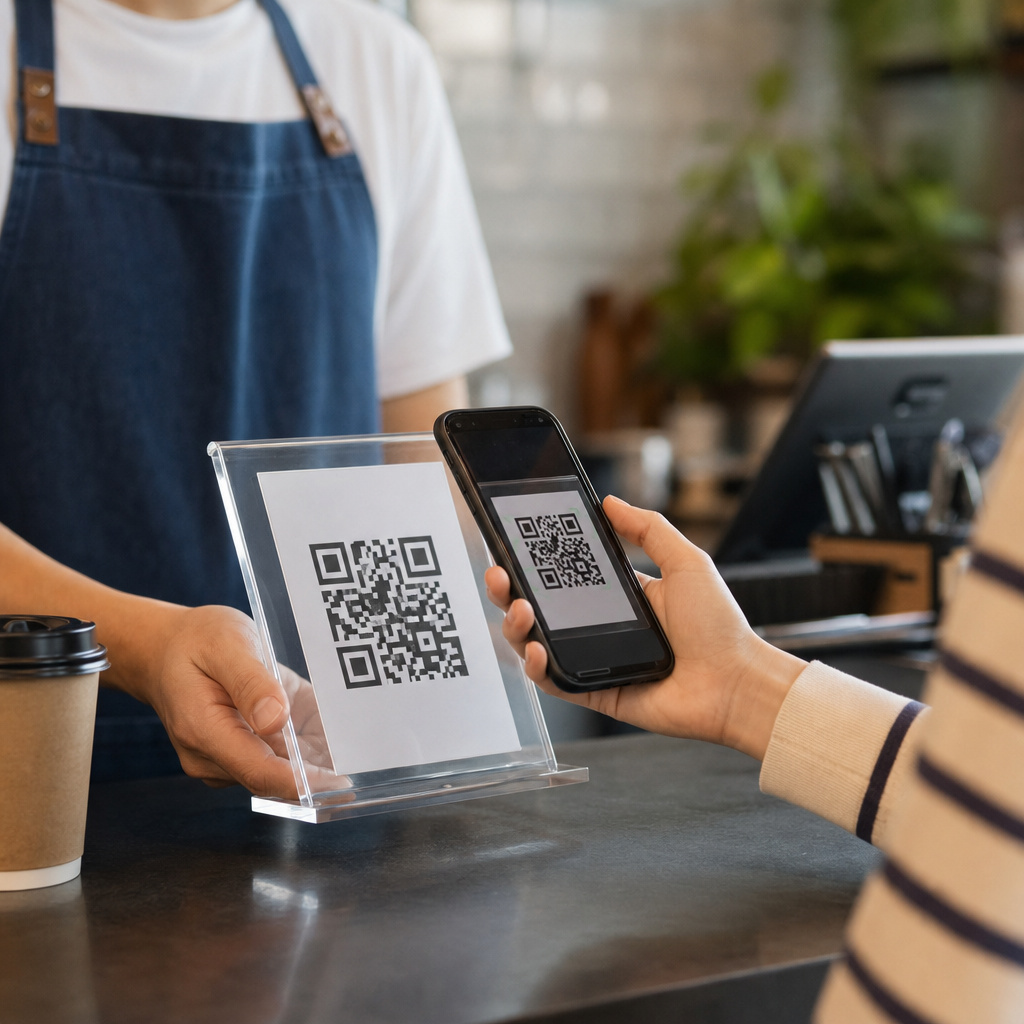
QR codes have become one of the simplest ways to move money without handing over a card, cash, or even a phone to another person. In contactless payments, a QR code acts as a machine-readable shortcut that connects a payer, a payee, and a payment network in seconds. I have implemented QR payment flows for retailers, restaurants, and service businesses, and the appeal is always the same: low hardware cost, fast setup, and familiar smartphone behavior. For businesses building a mobile payment strategy, understanding how QR codes power contactless payments is no longer optional.
A QR code, short for Quick Response code, is a two-dimensional barcode that stores data in a pattern of black and white squares. In payment systems, that data usually includes a merchant identifier, transaction reference, amount, payment URL, or tokenized request. A customer scans the code with a banking app, digital wallet, or camera, confirms the amount, and authorizes the transfer. Some systems are merchant-presented, where the business displays the code. Others are customer-presented, where the shopper shows a code to be scanned at checkout.
This matters because QR payments solve real operational problems. Small businesses can accept digital payments without buying near-field communication terminals. Large chains can combine payments, loyalty, and receipt delivery in one flow. Markets with uneven card infrastructure can leapfrog straight to account-to-account transfers through apps. During the pandemic, contactless habits accelerated adoption, but the model stayed because it is practical. As part of Mobile QR Code Basics, this hub explains the common use cases that make QR payments valuable, where they work best, and what businesses should consider before rolling them out broadly.
How QR Code Payments Work in Practice
At a technical level, a QR payment transaction starts with encoded payment instructions. In a static code, the merchant details remain fixed, and the customer enters the amount manually if needed. In a dynamic code, generated for a specific sale, the amount, currency, order ID, and expiration time are embedded or linked in real time. Dynamic codes reduce cashier error, improve reconciliation, and support refunds because every transaction has a unique identifier.
Once scanned, the payment app interprets the data and routes the user to an authorization screen. Depending on the system, the funds may move through card rails, bank transfer networks, stored-value wallets, or instant payment schemes. India’s UPI QR standard is a clear example of large-scale interoperability: a single code can often work across multiple banks and apps. In China, Alipay and WeChat Pay normalized QR-based daily spending years ago, proving that consumers will adopt scan-and-pay behavior quickly when acceptance is widespread and checkout is reliable.
Security relies less on the visible squares and more on the surrounding controls. Well-designed systems use encrypted transport, tokenization, signed requests, fraud rules, and device authentication such as biometrics or passcodes. A QR code itself is not automatically secure or insecure; the payment architecture determines risk. In my experience, the best implementations also train staff to verify transaction status on the merchant side rather than trusting a screenshot from a customer’s phone.
Retail Checkout and In-Store Payments
The most visible use case is retail checkout. A store can place a QR code at the register, on a countertop stand, or on the point-of-sale screen. Customers scan, approve, and show confirmation, or the POS receives an automatic callback. This setup is especially useful for small merchants that want digital acceptance without investing in expensive card terminals at every lane. Pop-up shops, convenience stores, salons, and independent grocers often start here because deployment is quick.
Large retailers use QR codes differently. They may generate dynamic codes tied to a basket in the POS, reducing mismatched amounts and speeding end-of-day reconciliation. The code can also carry a loyalty member ID, coupon redemption data, and a digital receipt preference. One practical advantage I have seen is lane flexibility: if a handheld device or customer-facing screen can display the code, staff can check out shoppers almost anywhere in the store during peak periods.
There are tradeoffs. Retail environments with older customers or weak mobile data can still benefit from cards and NFC taps as parallel options. Signage matters too. If customers do not know which app to open, conversion drops. The strongest retail programs use clear prompts, accepted-wallet decals, and immediate confirmation on the cashier screen so the process feels as dependable as a card authorization.
Restaurants, Hospitality, and Table-Side Service
Restaurants helped mainstream QR interactions by placing codes on tables for menus, ordering, and payment. In a contactless payment flow, the diner scans a table-specific or bill-specific code, reviews charges, adds a tip, and pays without waiting for a card machine. This reduces staff trips, shortens table turn times, and can improve tip capture because the interface can present clear suggested percentages. Quick-service restaurants also use counter or kiosk codes to let guests complete payment on their own devices.
Hotels and hospitality venues extend the same concept across the guest journey. A QR code at check-in can launch preauthorization, room upgrade offers, and digital folio payment. Pool bars, event spaces, and room service trays can each carry codes linked to location or order context. I have seen resorts use dynamic QR codes to route charges to either a saved card or a wallet app, depending on guest preference, which reduces front-desk congestion and manual posting errors.
The limitation is operational discipline. Table identifiers must be accurate, expired bills must close correctly, and staff must know how to handle split payments or disputed items. When those basics are in place, QR-based hospitality payments feel efficient rather than experimental.
Ecommerce, Bill Pay, and Omnichannel Journeys
QR codes are not limited to physical stores. In ecommerce, a desktop shopper can scan a code on the checkout page with a mobile banking app and complete payment without typing card details. This is common in markets where mobile banking is stronger than desktop card entry, and it reduces friction for users who trust their banking app more than a web form. The same pattern appears in bill payment, where utilities, insurers, and telecom providers print QR codes on invoices so customers can pay instantly from a statement.
Omnichannel use is where QR becomes especially powerful. A brand can move a customer from poster to landing page, from product packaging to subscription renewal, or from email invoice to payment confirmation with one scan. Because the QR can contain campaign parameters or order references, the business can track which channel generated payment and tune marketing spend accordingly. This is one reason QR payment programs often connect closely with analytics, customer relationship management systems, and checkout optimization work.
| Use case | Typical QR format | Main benefit | Key operational concern |
|---|---|---|---|
| Retail checkout | Dynamic merchant-presented | Fast acceptance without extra terminals | Real-time confirmation at POS |
| Restaurant table pay | Table-specific or bill-specific dynamic code | Faster turns and easier tipping | Accurate table and order mapping |
| Invoice and bill pay | Printed or digital amount-linked code | Lower payment friction | Expiry and partial payment handling |
| Events and transit | Static or dynamic entry-linked code | High-volume throughput | Offline fallback planning |
Events, Transit, Peer-to-Peer, and Field Payments
High-volume environments benefit from QR payments because the acceptance hardware can be minimal. At festivals, stadiums, and temporary events, vendors can display printed codes and start taking digital payments immediately. If connectivity is strong, dynamic codes tied to order systems add better control. Transit operators and parking providers also use QR codes for quick payment initiation, often linking directly to a pass purchase or a session-based parking fee. The user scans, pays, and receives a digital confirmation without queueing at a machine.
Peer-to-peer transfers are another major use case. Friends splitting dinner, parents sending allowance, and freelancers collecting small invoices all use person-to-person QR payments because they remove manual entry of account details. In markets with instant bank payments, this can be nearly frictionless. The same simplicity helps field service businesses such as plumbers, delivery drivers, and home repair technicians. A technician can complete a job, present a QR code on paper or screen, and get paid before leaving the site.
These scenarios require careful fraud controls. Printed static codes can be tampered with, and unofficial replacement stickers are a known scam in some regions. Merchants should inspect displays, use tamper-evident placement where possible, and encourage customers to verify the payee name in their app before approval.
Implementation Factors Businesses Should Evaluate
Choosing a QR payment approach starts with the payment rail, not the graphic. Businesses should ask whether they need card acceptance, account-to-account transfers, wallet support, or a mix. Then they should assess static versus dynamic codes, refund workflows, reporting depth, and integration with existing POS or order management systems. Standards matter. EMVCo specifications influence many interoperable QR payment designs, and local schemes may define required data fields, settlement timing, and merchant onboarding rules.
Customer experience should guide the final design. If the flow takes too many screens, asks users to install an unfamiliar app, or provides unclear success messages, adoption stalls. Strong implementations minimize steps, display the amount clearly, and return a verifiable merchant-side status. Accessibility also matters: codes must be large enough to scan, placed at reasonable angles, and supported by fallback payment methods.
For businesses building out Mobile QR Code Basics content, the main lesson is that common use cases are broad but not interchangeable. Retail checkout, restaurant table pay, invoice settlement, events, peer-to-peer transfers, and field collections each have different operational demands. The core benefit stays consistent: QR codes power contactless payments by linking physical or digital moments to secure authorization on a customer’s phone. If you are evaluating adoption, map the payment journey, test with real users, and choose the QR model that matches your channel, transaction size, and reconciliation needs.
Frequently Asked Questions
How do QR codes actually work in contactless payments?
In a contactless payment flow, the QR code serves as a fast bridge between the customer, the business, and the payment processor. Instead of swiping a card or tapping an NFC terminal, the customer scans a machine-readable code with a smartphone camera or payment app. That scan opens a payment destination that may contain a merchant ID, order information, a transaction amount, or a secure link to a hosted checkout page. From there, the payment app or mobile wallet handles authentication and sends the transaction through the appropriate payment network.
There are generally two common approaches. In a customer-presented flow, the customer shows a QR code from a wallet or banking app and the merchant scans it to pull payment credentials or verify the account. In a merchant-presented flow, the business displays the QR code and the customer scans it to initiate payment. Merchant-presented QR payments are especially popular because they are easy to deploy at a checkout counter, on a restaurant table, on printed invoices, or even on a screen inside an app.
What makes this model attractive is its simplicity. Businesses do not always need specialized card terminals, and customers do not have to hand over cash or insert a card. The code acts like a shortcut to the exact payment route needed for that transaction, which is why QR payments are widely used in retail, food service, transportation, and person-to-business transactions. When implemented well, the experience feels almost instant while still relying on secure payment rails behind the scenes.
Why are QR code payments so popular with small businesses and service providers?
One of the biggest reasons is cost. A business can begin accepting QR-based payments with far less hardware investment than a traditional point-of-sale setup. In many cases, a printed code, a smartphone, or a basic tablet is enough to get started. That low barrier matters for small retailers, restaurants, pop-up shops, delivery services, market vendors, and independent professionals who want to accept digital payments without buying and maintaining expensive terminals.
Speed of setup is another major advantage. A merchant can generate a static or dynamic QR code, connect it to a payment account, and start taking payments quickly. This is useful for businesses that need flexibility, such as seasonal operators, mobile service teams, or venues with temporary checkout points. It also works well in environments where customers are already comfortable scanning codes, such as casual dining, parking, event ticketing, and self-service ordering.
There is also a user-behavior benefit. Scanning with a phone feels familiar to most customers now. People already scan codes for menus, app downloads, logins, and product details, so extending that behavior to payments is natural. For businesses, that familiarity can reduce checkout friction. In practical deployments, the combination of low hardware cost, easy rollout, and a recognizable smartphone interaction is exactly why QR payment flows continue to gain traction across many types of merchants.
Are QR code payments secure enough for everyday transactions?
Yes, QR code payments can be very secure when they are designed and managed correctly. It is important to understand that the QR code itself is usually not the thing providing security. The code is primarily a data container or pointer. The real protection comes from the payment application, encrypted communication, tokenization, account authentication, and the controls enforced by the payment provider or wallet platform. In other words, the QR code starts the process, but the payment stack secures it.
That said, security depends heavily on implementation. Dynamic QR codes are often safer for live transactions because they can include order-specific data, timestamps, session identifiers, or one-time references that reduce misuse. Businesses should also make sure that the payment page or app opened by the scan is legitimate, uses secure HTTPS connections, and clearly identifies the merchant. On the customer side, trusted wallet apps, biometric authentication, and confirmation screens all add important protection before funds are actually transferred.
The biggest risks usually come from fraud and tampering, not from the QR format itself. For example, a scammer could place a fake sticker over a real merchant code and redirect payment to a different account. That is why businesses should inspect physical codes regularly, use tamper-resistant displays where possible, and educate staff on what the correct payment flow looks like. When supported by secure payment infrastructure and basic operational controls, QR code payments are absolutely suitable for routine consumer transactions.
What is the difference between static and dynamic QR codes in payment systems?
A static QR code usually points to a fixed payment destination. It may identify the merchant or account, but it does not change from one transaction to the next. This makes static codes simple and inexpensive to use. A business can print one code and place it at a counter, on packaging, or on an invoice. The customer scans it, enters an amount if needed, and completes the payment. Static codes are practical for tips, small vendors, charitable donations, and straightforward peer-to-business use cases.
A dynamic QR code is generated uniquely for a specific transaction or session. It can include a prefilled amount, order ID, tax details, location information, expiration timing, or a secure token that links directly to a checkout record in the merchant system. Because the code changes per transaction, it provides better tracking, easier reconciliation, and stronger control over the payment experience. Dynamic codes are especially useful in retail checkouts, restaurants, e-commerce handoff flows, kiosks, and any environment where businesses need accurate order matching and automated reporting.
From an implementation standpoint, dynamic QR payments are usually the better long-term choice for growing businesses because they support cleaner accounting, fewer manual errors, and more sophisticated customer experiences. Static codes still have a place, especially where simplicity matters most, but they require more customer input and often create more back-office work. Choosing between the two depends on transaction volume, system integration needs, and how much automation the business wants from its mobile payment strategy.
What should businesses consider when building a mobile payment strategy around QR codes?
Businesses should start by deciding what kind of payment experience they want to create. A QR code can support many different flows, including scan-to-pay at checkout, table-side restaurant payments, invoice payments, self-service ordering, loyalty-linked transactions, and in-app or cross-channel handoffs. The right design depends on where the customer is, what device they are using, and how much friction the business can tolerate. The best QR payment strategies are not just technically functional; they are mapped carefully to real customer behavior.
Integration is the next major consideration. A QR payment flow should connect cleanly with the business’s payment processor, point-of-sale system, order management tools, and reporting workflows. If the payment succeeds, staff should know immediately. If the amount is fixed, it should populate automatically. If refunds or partial payments are possible, the system should support those cases without manual workarounds. In strong implementations, the QR code is only one visible part of a broader transaction system that includes notifications, reconciliation, analytics, and customer support processes.
Security, branding, and reliability also matter. Businesses should use trusted payment partners, secure endpoints, clear merchant identity, and confirmation screens that reassure customers they are paying the correct party. Printed or displayed QR codes should be monitored for tampering, and fallback options should exist if a customer cannot scan. Finally, businesses should think beyond the initial launch. A solid QR-based payment strategy can evolve into a broader mobile commerce experience that includes digital receipts, rewards, repeat purchasing, and lower-friction checkout across multiple channels.





