
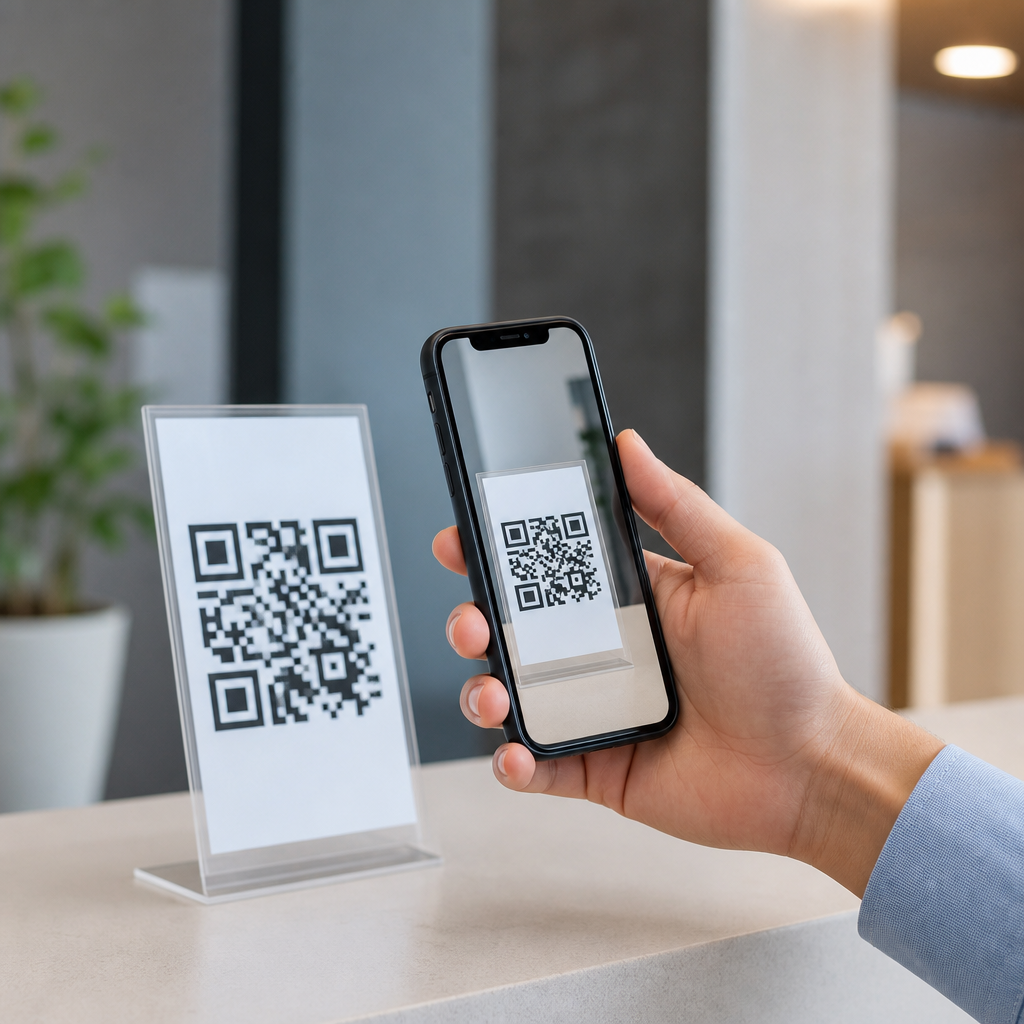
QR codes have become one of the simplest tools for connecting people to information, and their value is easiest to understand on a mobile phone. A QR code, short for Quick Response code, is a two-dimensional barcode that stores data such as a web link, contact record, payment request, app download, PDF, map location, or Wi-Fi credential. When a smartphone camera scans the code, the device translates the pattern into an action. In practice, that means a person can move from a printed sign, package, screen, or product label to useful digital content in seconds, without typing a long address or searching manually.
That basic convenience explains why mobile QR codes matter across retail, healthcare, events, education, logistics, hospitality, and public services. I have implemented QR campaigns for storefront posters, restaurant menus, onboarding guides, and field service manuals, and the strongest results always came from the same benefit: lower friction. Every extra step between a person and the information they need reduces response rates. QR codes remove steps. They let a customer open instructions at the shelf, a diner view allergens at the table, a patient access forms before an appointment, or an employee pull up a safety checklist beside a machine. Mobile QR codes are not valuable because they are novel; they are valuable because they compress the path to information.
For businesses building a practical mobile strategy, this makes QR codes an important access layer rather than a gimmick. They support speed, accuracy, measurability, and user choice. Static QR codes point to fixed content, while dynamic QR codes route through a short URL that can be updated without changing the printed code. That distinction matters for maintenance, analytics, and campaign control. As a hub topic within Mobile QR Code Basics, the benefits of mobile QR codes can be grouped into several clear themes: easier access, faster actions, stronger engagement, better data, lower operational cost, and broader use across physical environments where typing, remembering, or navigating would otherwise slow people down.
Instant access reduces friction and improves completion
The most important benefit of mobile QR codes is direct access. Instead of asking users to type a URL, search for a product page, install an app first, or request a printed handout, a code creates an immediate bridge from physical context to digital information. On modern iPhone and Android devices, scanning is built into the native camera app, which removes the earlier adoption barrier of requiring a separate scanner app. That native support is one reason usage accelerated after 2020, especially in restaurants, payments, and contactless service workflows.
In plain terms, QR codes work because they appear at the moment of need. A shopper standing in an aisle can scan for comparison charts, compatibility details, or setup videos. A museum visitor can scan for audio interpretation in multiple languages. A transit rider can scan a stop display for live arrival data. In each case, the person does not need to remember anything later. Information is available where the decision happens. This proximity improves completion rates because the user’s intent is already active. When I have tested QR access against “visit our website for details” instructions, the QR path consistently produced more visits and faster task completion.
Accuracy is another overlooked benefit. Typing errors, confusing navigation, and outdated printed instructions create drop-off. A well-managed QR code sends every user to the correct asset, whether that is a landing page, PDF, support article, or mobile form. Dynamic QR systems also allow redirects if a document changes, avoiding the waste of reprinting packaging or posters. That makes mobile QR codes especially useful when information updates frequently, as with schedules, menus, pricing, event agendas, and software instructions.
Mobile QR codes support many use cases from one format
QR codes are flexible because the same visual format can unlock many different content types. A single mobile QR code can open a website, trigger a phone call, draft an email, save a vCard, launch navigation in Google Maps or Apple Maps, connect to Wi-Fi, begin a payment flow, or open a file. That versatility is a major operational benefit. Teams do not need separate printed systems for each task; they can standardize around one familiar scanning behavior.
Common business use cases show how broad the benefits are. In retail, codes on shelves can link to size guides, product specs, inventory checks, loyalty signup, and user reviews. In healthcare, codes can direct patients to intake forms, medication instructions, telehealth portals, or post-visit care plans. In manufacturing and field service, equipment labels can link to maintenance logs, lockout/tagout procedures, parts diagrams, and troubleshooting videos. In education, classroom handouts can connect students to readings, quizzes, lab safety instructions, or office-hour booking pages. The code itself stays simple, while the destination adapts to the task.
Because this article serves as a hub for benefits of mobile QR codes, it helps to compare the most common advantages by scenario:
| Use case | What the QR code opens | Main benefit |
|---|---|---|
| Restaurant table tent | Digital menu with allergens and updates | Faster access and lower reprint costs |
| Product packaging | Setup video, warranty, and support page | Better customer experience after purchase |
| Event badge or poster | Schedule, registration, or lead form | Higher engagement at the point of attention |
| Clinic signage | Check-in form or patient instructions | Shorter queues and cleaner information flow |
| Equipment label | Manual, maintenance checklist, service log | Accurate information in the field |
This range matters because organizations rarely need just one outcome. They want easier access, but they also want consistency. QR codes provide a common mobile entry point across departments, locations, and customer journeys.
Better engagement, measurement, and content control
Another major benefit of mobile QR codes is that they turn offline touchpoints into measurable digital interactions. A printed brochure, sign, package insert, or window decal usually offers limited performance data on its own. Once a QR code is attached to that asset, the organization can measure scans, time, device type, location by IP approximation, and downstream conversions, depending on the platform and privacy setup. Tools such as Bitly, QR Code Generator PRO, Beaconstac, and Uniqode commonly support dynamic routing and analytics dashboards.
This measurability makes QR codes far more than convenience tools. They become part of campaign optimization. For example, a retailer can place different codes on shelf talkers, endcaps, and window posters to see which placement drives more product page visits. An event team can compare scans from registration desks, stage screens, and printed programs. A property manager can track whether residents use lobby signage to access maintenance forms or amenity booking pages. These insights help teams improve placement, messaging, and design rather than guessing.
Content control is equally important. With a dynamic QR code, the printed symbol remains the same while the destination can be updated. That protects physical materials from becoming obsolete and allows quick corrections if a link changes, inventory sells out, or an event room moves. I have seen this save significant reprint cost on packaging inserts and conference signage. It also enables localization, A/B testing, and device-aware routing. A single code can send iPhone users to the App Store, Android users to Google Play, or route by language preference when the platform supports rules-based redirects.
There are limits. Analytics are only as useful as the tracking setup behind them, and scan rates can be hurt by poor contrast, weak mobile landing pages, or vague calls to action. A QR code that says nothing about what happens next usually underperforms one that states “Scan to see assembly video” or “Scan for same-day menu updates.” The benefit comes from pairing easy access with a clear promise.
Cost efficiency, accessibility, and trust in real environments
Mobile QR codes also improve efficiency. Printing one code on packaging or signage is cheaper than printing full instructions, multilingual inserts, or frequently updated menus. In operations, that can reduce waste and simplify version control. In customer support, it can deflect routine questions by directing users to self-service content, which lowers call volume and shortens resolution time. In training environments, QR-linked resources keep printed materials lighter while preserving access to the latest procedures.
Accessibility benefits are practical as well. A QR code can link to content with screen-reader-friendly structure, zoomable text, audio, captions, translation options, and high-contrast design that a printed sheet cannot match. For public-facing services, this expands access without forcing every detail into a small physical format. However, good practice requires redundancy. Not every user can or will scan, and some settings have weak connectivity. Important information should not exist only behind a code. The strongest implementations provide a short URL, basic printed fallback, or staff assistance alongside the QR option.
Trust is another factor that determines whether QR codes truly make information easier to access. Users scan more confidently when branding is recognizable, destination domains are clear, and the context explains the purpose. Secure HTTPS pages, concise landing pages, and limited form fields all improve follow-through. In regulated sectors such as healthcare and finance, teams should review privacy, consent, and record-handling obligations before linking sensitive workflows. When the code leads to accurate, current, mobile-friendly information, people learn to rely on it.
QR codes make information easier to access because they remove friction at the exact moment someone needs an answer. They shorten the path from physical object to digital content, support many actions through one familiar format, and help organizations measure and improve offline-to-online engagement. For users, the benefits are speed, clarity, and convenience. For businesses, the benefits include better accuracy, lower printing waste, stronger analytics, and more flexible content management.
As a hub within Mobile QR Code Basics, the key takeaway is simple: the best mobile QR code strategy starts with useful information, not the code itself. Choose a clear destination, make the mobile page fast and readable, use dynamic codes when content may change, and always explain what the scan will deliver. Then place codes where intent already exists: on packaging, signage, menus, labels, forms, and displays. If you are building out this topic cluster, start by auditing places where people currently search, type, wait, or ask repetitive questions. Those are the strongest opportunities for QR-powered access.
Frequently Asked Questions
What is a QR code, and how does it make information easier to access?
A QR code, or Quick Response code, is a two-dimensional barcode designed to store information in a compact, machine-readable format. Unlike a traditional barcode that usually holds a simple product number, a QR code can contain a wide range of data, including website links, contact details, payment requests, app download links, PDF files, map locations, event information, and even Wi-Fi login credentials. Its biggest advantage is speed. Instead of asking someone to type a long URL, search for a page manually, or enter detailed information by hand, the code lets them reach the intended content almost instantly with a smartphone camera.
That speed is what makes QR codes so effective for access. A person can scan a code printed on a poster, package, menu, instruction sheet, business card, storefront sign, or product label and go directly to the exact information the creator wants them to see. On a mobile phone, this process feels natural and immediate. The camera recognizes the code, interprets the data, and offers the correct action, such as opening a webpage, saving a phone number, joining a wireless network, or launching a payment screen. In practical terms, QR codes remove friction. They shorten the gap between interest and action, which is why they have become such a useful tool for sharing information quickly and clearly.
What kinds of information can a QR code link to or store?
QR codes are highly flexible, which is one of the main reasons they are so useful across industries and everyday situations. They can direct users to a website, product page, instructional video, restaurant menu, digital brochure, social media profile, support form, booking page, or online payment portal. They can also hold structured information directly, such as a digital business card, calendar event details, SMS template, email address, geographic coordinates, or Wi-Fi network credentials. This versatility allows a single printed code to become a shortcut to many different kinds of digital experiences.
For businesses, that means a QR code can turn offline materials into interactive tools. A package can link to setup instructions, warranty registration, safety details, or recycling guidance. A flyer can open a landing page, discount offer, or event signup form. A storefront window can direct people to current hours, ordering options, or customer service information even when the location is closed. In education, healthcare, transportation, hospitality, and retail, QR codes help organize and deliver information in a format that is simple to scan and easy to update when linked to online content. Their usefulness comes from how many communication tasks they can simplify with one small visual code.
Why are QR codes especially useful on mobile phones?
QR codes are especially effective on mobile phones because smartphones combine a camera, an internet connection, and the ability to take immediate action. Most modern phones can scan QR codes directly from the native camera app, so users usually do not need special software. That convenience matters. If the scanning process is easy, people are much more likely to use it. With one quick scan, a phone can open a webpage, display a file, start a call, save a contact, show directions, connect to Wi-Fi, or complete a payment. The phone is not just reading the code; it is also the device used to act on the information right away.
This creates a smooth bridge between physical and digital spaces. Someone standing in front of a sign, holding a product, reading printed instructions, or attending an event can get more information without typing anything or switching devices. That is particularly valuable in fast-moving environments where convenience matters, such as retail stores, restaurants, public transit stations, trade shows, classrooms, and offices. Mobile phones make QR codes practical because people already carry them everywhere, and the scan-to-action process feels immediate. In other words, the smartphone is what turns the QR code from a simple graphic into a powerful access tool.
How do QR codes improve convenience for businesses and customers?
QR codes improve convenience by reducing effort for both the organization sharing information and the person receiving it. For customers, the benefit is straightforward: they can get what they need faster. Instead of searching a website, typing a web address, asking for printed materials, or waiting for assistance, they can scan and go directly to the right destination. That might be a menu, instruction guide, support page, special offer, payment screen, or downloadable document. This saves time, lowers frustration, and increases the likelihood that people will actually engage with the information.
For businesses, QR codes create a more efficient and adaptable way to communicate. They can place one code on print materials, packaging, displays, receipts, or signage and use it to guide users to the most relevant digital content. If the QR code points to a dynamic online destination, the business can update the linked information without reprinting every physical asset. That is helpful for changing promotions, seasonal products, revised instructions, updated policies, or new campaign pages. QR codes can also support tracking and analytics, helping businesses understand engagement patterns such as how often a code is scanned, where scans occur, and which materials are driving interest. Altogether, QR codes make communication more direct, measurable, and user-friendly.
Are QR codes safe to use, and what are the best practices for scanning them?
QR codes are generally safe to use, especially when they come from trusted sources such as established businesses, official signage, product packaging, reputable publications, or recognized organizations. The code itself is simply a container for information or a trigger for an action. However, as with any link-based technology, safety depends on where the code leads. A malicious QR code can direct a user to a misleading website, fake login page, or suspicious download. For that reason, it is smart to treat QR codes with the same caution you would apply to links in emails or text messages.
Best practices are simple and effective. Scan codes from sources you recognize, and pay attention to the preview or prompt your phone displays before opening the destination. If the URL looks unusual, misspelled, or unrelated to the context, avoid tapping through. Be cautious with codes placed on stickers over existing signs or in locations where tampering is possible. Keep your phone updated so built-in security features remain current, and avoid entering personal or payment information unless the destination clearly belongs to a legitimate provider. When used thoughtfully, QR codes are a safe and highly convenient way to access information. Their value comes from speed and simplicity, and with basic awareness, users can enjoy those benefits confidently.





