
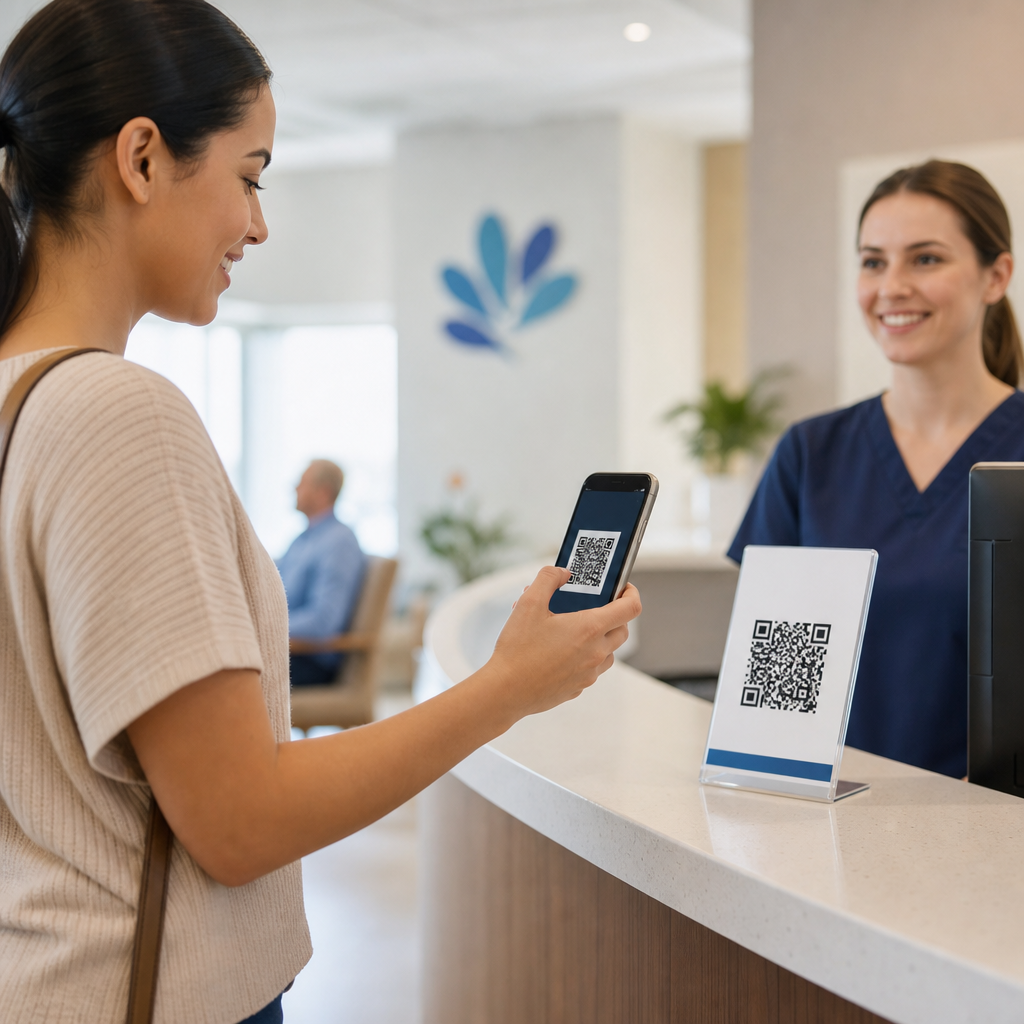
Healthcare providers use QR codes for patient check-in to reduce front-desk friction, improve data accuracy, and move patients from arrival to care with fewer delays. In this context, a QR code is a scannable two-dimensional barcode that opens a digital form, verifies an appointment, confirms identity details, or launches a secure workflow on a patient’s phone or a clinic-owned device. Patient check-in includes every step that happens between arrival and rooming: confirming demographics, insurance, consent forms, copays, screening questions, and queue status. I have implemented these workflows in outpatient clinics, imaging centers, and specialty practices, and the same pattern appears everywhere: when check-in is simplified, staff spend less time chasing paperwork and patients spend less time waiting. That matters because registration errors can delay treatment, create claim denials, and expose providers to privacy risk if paper forms are mishandled.
QR-based check-in also matters because healthcare now operates under pressure from staffing shortages, rising patient expectations, and stricter security requirements. A well-designed process can support Health Insurance Portability and Accountability Act compliance by limiting shared clipboards and reducing spoken disclosure at crowded desks, but it must be configured carefully. Not every patient wants to use a smartphone, not every waiting room has reliable connectivity, and not every electronic health record connects smoothly to mobile intake tools. The real value is not the code itself. The value comes from linking that code to secure scheduling, registration, consent, and communication systems that remove repetitive work without making access harder for older adults, low-tech users, or patients with disabilities. When healthcare organizations treat QR codes as part of a broader digital intake strategy, they improve throughput, patient satisfaction, and documentation quality at the same time.
What QR Code Patient Check-In Looks Like in Healthcare
In most healthcare settings, QR code patient check-in starts before the visit. A patient receives an appointment reminder by text, email, or portal message with a unique link or downloadable code. On arrival, the patient scans a posted code in the lobby or presents the personal code from the reminder. That scan opens a mobile-friendly workflow to confirm name, date of birth, address, insurance, reason for visit, copay, required signatures, and screening answers. In a more advanced setup, the scan also marks the patient as arrived in the practice management system and notifies staff through the EHR dashboard or queue board. This is common in urgent care, primary care, radiology, physical therapy, and multi-site specialty groups where front-desk bottlenecks create backlogs within minutes.
There are two main implementation models. The first uses a static lobby code that routes patients to a location-specific intake page. The second uses dynamic, patient-specific codes tied to an appointment ID or token. Static codes are easier to deploy and work well for simple arrivals, but they require stronger matching logic to connect the patient to the correct encounter. Dynamic codes are more precise and can prefill information, but they require integration with scheduling and messaging systems. In practice, many providers use both: a personal code in reminders and a fallback code on signage for walk-ins or patients who cannot find the message.
Operational Benefits for Clinics, Hospitals, and Specialty Practices
The biggest operational gain is speed. Manual check-in forces staff to hand out forms, decipher handwriting, re-enter data, scan insurance cards, collect signatures, and answer repetitive status questions. QR workflows move much of that work to the patient’s device and validate fields before submission, which cuts rework. In one multi-provider ambulatory practice I worked with, moving annual paperwork and insurance confirmation to mobile intake reduced average desk interaction time from several minutes to well under two minutes for returning patients. That kind of reduction compounds quickly during the morning rush and lowers line formation, which patients immediately notice.
Accuracy improves too. Digital forms can require complete fields, enforce date formats, and pull current insurance or pharmacy data from connected systems. That reduces downstream denials caused by missing subscriber numbers, outdated addresses, or unsigned consent forms. It also improves clinical readiness because nurses and medical assistants see completed screening information before rooming. During respiratory illness surges, many providers used QR check-in to ask exposure and symptom questions in advance, allowing staff to redirect higher-risk patients with fewer waiting room interactions. For hospital outpatient departments and imaging centers, that same approach helps ensure prep instructions, prior authorizations, and contraindication questionnaires are complete before a slot is wasted.
| Setting | Common QR Check-In Use | Main Operational Benefit |
|---|---|---|
| Primary care clinic | Demographic updates, copays, annual forms | Shorter front-desk lines and fewer registration errors |
| Urgent care | Arrival confirmation, waitlist entry, symptom screening | Faster triage and better queue visibility |
| Imaging center | Insurance verification, prep confirmation, consent | Fewer delayed or canceled studies |
| Physical therapy practice | Episode intake, outcome forms, visit acknowledgments | More therapist time and cleaner documentation |
| Hospital outpatient department | Wayfinding, registration, specialty questionnaires | Better throughput across large facilities |
How QR Codes Connect with EHR, Practice Management, and Payments
QR code check-in works best when it is connected to the systems providers already rely on. At a minimum, the workflow should write completed registration data back to the practice management platform, update arrival status, and store signed documents in the patient record. Common ecosystems include Epic, Oracle Health, athenahealth, eClinicalWorks, NextGen Healthcare, and specialized radiology or dental platforms. Some organizations use native patient intake tools inside those systems, while others connect third-party platforms such as Phreesia, Solutionreach, NexHealth, Jotform Enterprise, or custom FHIR-based applications. The technical details vary, but the principle is consistent: if staff must re-enter mobile submissions by hand, the value of QR check-in drops sharply.
Payments are another major integration point. Providers often attach a card-on-file update, copay collection step, or open balance prompt to the same workflow. That is especially useful for high-volume specialties where collecting at check-in materially affects revenue cycle performance. However, payment collection must be handled through PCI-compliant processors and clearly separated from protected health information where appropriate. The same caution applies to identity verification. A QR code should not expose medical details if someone else scans it. Mature programs use short-lived tokens, session timeouts, encrypted transmission, and minimal data in the code itself. The code is a pointer, not a storage container for sensitive information.
Privacy, Security, and Accessibility Requirements
Healthcare providers cannot treat QR codes like a restaurant menu link. The workflow touches regulated information, so privacy and security controls must be designed from the start. That includes HTTPS everywhere, vendor due diligence, business associate agreements when required, audit logs, role-based access, and data retention rules aligned with organizational policy. Shared signage should send users to a secure landing page that asks for appointment matching details rather than exposing visit information. Patient-specific codes should expire after use or after a defined time window. Staff also need procedures for fraud, such as spoofed stickers placed over real signs, which is a known physical security issue in public spaces.
Accessibility is just as important as security. Check-in must remain available to patients who do not own smartphones, have low digital literacy, use screen readers, have limited English proficiency, or cannot comfortably type on mobile devices. The best deployments offer alternatives: staffed kiosks, tablets in privacy stands, printed short links, large-font instructions, multilingual forms, and immediate human assistance. Under the Americans with Disabilities Act and general patient access expectations, convenience for most patients cannot become a barrier for others. In real clinics, adoption rises when staff introduce the process in plain language, signage is uncluttered, and fallback options are visible rather than hidden.
Best Practices for Rolling Out QR Check-In Successfully
The most effective implementations start with workflow mapping, not software demos. Providers should document every current check-in step, identify which fields are legally required, note where staff re-enter data, and separate arrival tasks from clinical questionnaires. From there, build the smallest useful mobile journey first: appointment confirmation, demographics, insurance photo capture, forms, payment, and arrival status. Pilot it in one location or service line, measure completion rates, desk time, no-show impact, and form error reduction, then expand. Clear ownership matters. Operations, compliance, IT, front-desk leads, and clinical staff all influence success, and projects stall when no one owns exception handling.
Training should focus on patient support scenarios, not just button clicks. Staff need scripts for questions such as: What if the patient has no phone? What if the QR code does not load? What if the insurance card image is blurry? What if the patient completed forms but is not marked arrived? Signage should explain the benefit in one sentence and show the expected result after scanning. Reminders should include both a direct link and a QR image. For ongoing optimization, review abandonment points, browser compatibility, and lobby Wi-Fi performance. A good healthcare QR code check-in program is measured by fewer delays and cleaner data, not by scan volume alone.
QR codes have become a practical tool for patient check-in because they solve a real operational problem: too much manual intake at the exact moment clinics are busiest. When connected to scheduling, EHR, registration, consent, and payment systems, they help providers shorten lines, improve data quality, and create a calmer arrival experience for patients and staff. The strongest healthcare deployments use the code as an entry point into a secure, mobile-friendly workflow rather than as a novelty. They also recognize the limits of digital intake by preserving nonmobile options, accessibility support, and clear staff escalation paths.
For healthcare organizations building out industry-specific QR code programs, patient check-in is the natural hub because it touches nearly every administrative and clinical workflow that follows. It can support primary care, urgent care, imaging, therapy, ambulatory surgery, and hospital outpatient operations, while also linking to related use cases such as wayfinding, bedside education, medication instructions, and post-visit surveys. If you are evaluating where QR codes fit in healthcare, start with check-in, map the workflow carefully, and pilot a secure process that reduces effort for both patients and staff. That is where measurable value appears fastest.
Frequently Asked Questions
How do healthcare providers use QR codes during patient check-in?
Healthcare providers use QR codes to simplify and speed up the steps that happen between a patient’s arrival and being called back for care. When a patient scans a QR code with their phone, the code can open a mobile-friendly check-in page, confirm the appointment, prompt the patient to review demographics, verify insurance details, complete forms, sign required consent documents, and notify staff that the patient has arrived. In some settings, the QR code may be displayed on appointment reminders, at the front desk, on self-service kiosks, or on signage in the waiting area. The patient scans the code and is guided into a secure workflow without needing staff to manually hand over clipboards or re-enter information.
This approach reduces front-desk congestion because routine tasks are shifted into a guided digital process. Instead of verbally confirming a name, date of birth, address, insurance card, and reason for visit, patients can review and update that information directly on their own device or a clinic-owned tablet. Staff can then focus on exceptions, questions, and higher-value patient support rather than repetitive data collection. In practical terms, QR code check-in helps providers create a more organized intake process, move patients through registration with fewer delays, and improve the consistency of information captured before rooming begins.
What are the main benefits of using QR codes for patient check-in?
The biggest benefits are speed, accuracy, and a better overall patient experience. QR codes reduce friction at the front desk by cutting down on manual paperwork and repetitive verbal verification. Patients can complete common intake tasks more quickly, and registration teams spend less time typing information from handwritten forms into the electronic health record or practice management system. That alone can reduce bottlenecks during busy clinic hours, especially in high-volume practices, urgent care settings, specialty clinics, and multi-provider offices.
QR codes also improve data accuracy. When patients enter or confirm their own demographic and insurance information directly in a digital form, there is less risk of staff mishearing details, misreading handwriting, or entering outdated information. More accurate records can support cleaner eligibility verification, fewer billing issues, and better downstream communication. Another important benefit is workflow visibility. A QR-based check-in system can instantly mark a patient as arrived, alert staff to completed forms, and show which steps still need attention. That visibility helps teams prioritize work and move patients from arrival to rooming more efficiently. From the patient’s perspective, the process often feels more modern, private, and convenient because much of the check-in can be handled on a familiar mobile device rather than in a crowded waiting room.
Are QR code patient check-in systems secure and HIPAA-conscious?
They can be, provided the healthcare organization implements them correctly. A QR code itself is simply a way to launch a digital action, but the security depends on what happens after the scan. In a well-designed check-in workflow, the code leads to a secure, encrypted page or application that limits access to only the information necessary for that patient and visit. Providers typically pair the scan with identity verification steps such as confirming date of birth, entering a one-time code, validating appointment details, or using a secure patient portal login. These safeguards help ensure that patient data is not exposed simply because someone can scan a code.
Healthcare providers also need to think beyond the scan. HIPAA-conscious implementation usually includes encrypted data transmission, access controls, audit trails, device management policies for clinic-owned tablets or kiosks, timeout features, and vendor agreements that address the handling of protected health information. Staff training matters as well, because even secure technology can be undermined by poor workflow design or inconsistent procedures. For example, organizations should avoid using static links that expose sensitive details without authentication and should make sure screens do not remain open where others can view patient information. When QR code check-in is deployed as part of a secure registration workflow, it can support privacy while making intake faster and more efficient.
What happens if a patient does not want to use a QR code or cannot scan one?
Healthcare providers should always offer alternative check-in options. A QR code workflow works best when it is one convenient path among several, not the only way a patient can register. Some patients may not have a smartphone, may have limited digital literacy, may prefer in-person assistance, or may need accessibility accommodations. Others may have a dead phone battery, difficulty using the camera, language barriers, or concerns about privacy. A good patient experience depends on meeting people where they are, so clinics typically keep staff-assisted check-in, self-service tablets, kiosk options, or traditional verbal registration available as backups.
In fact, the most successful implementations treat QR code check-in as a tool for reducing friction rather than creating a new obstacle. Staff can guide patients through the process when needed, provide translated instructions, offer large-print signage, and make sure alternative workflows are clearly visible and easy to access. This matters for both equity and operational resilience. If a network issue, device problem, or user difficulty occurs, the practice can continue checking patients in without disrupting care. In other words, QR codes are valuable because they add convenience and efficiency, but a patient-centered clinic will still design intake around flexibility, accessibility, and support for different comfort levels with technology.
How can healthcare providers implement QR code check-in successfully?
Successful implementation starts with mapping the actual check-in journey from arrival to rooming. Providers should identify which tasks are repetitive, which data elements are most prone to error, and where delays usually happen. From there, they can decide what the QR code should trigger: appointment confirmation, demographic review, insurance verification, balance collection, consent completion, screening questionnaires, or all of the above in a staged workflow. The digital experience should be mobile-friendly, easy to understand, and tightly integrated with existing scheduling, EHR, and revenue cycle systems so staff do not have to reconcile information manually.
Operational details are just as important as the technology itself. Clinics should place QR codes where patients naturally look, such as appointment reminder emails and texts, entrance signs, front-desk displays, and waiting room materials. They should test the workflow on different phone types, browsers, and connectivity conditions. Staff should be trained not only on how the system works, but also on how to assist patients quickly and how to handle exceptions. Providers should also monitor performance after launch, including check-in times, form completion rates, registration errors, patient feedback, and front-desk workload. Over time, those metrics can show whether the QR code process is truly reducing friction, improving data quality, and helping patients move from arrival to care with fewer delays.





