
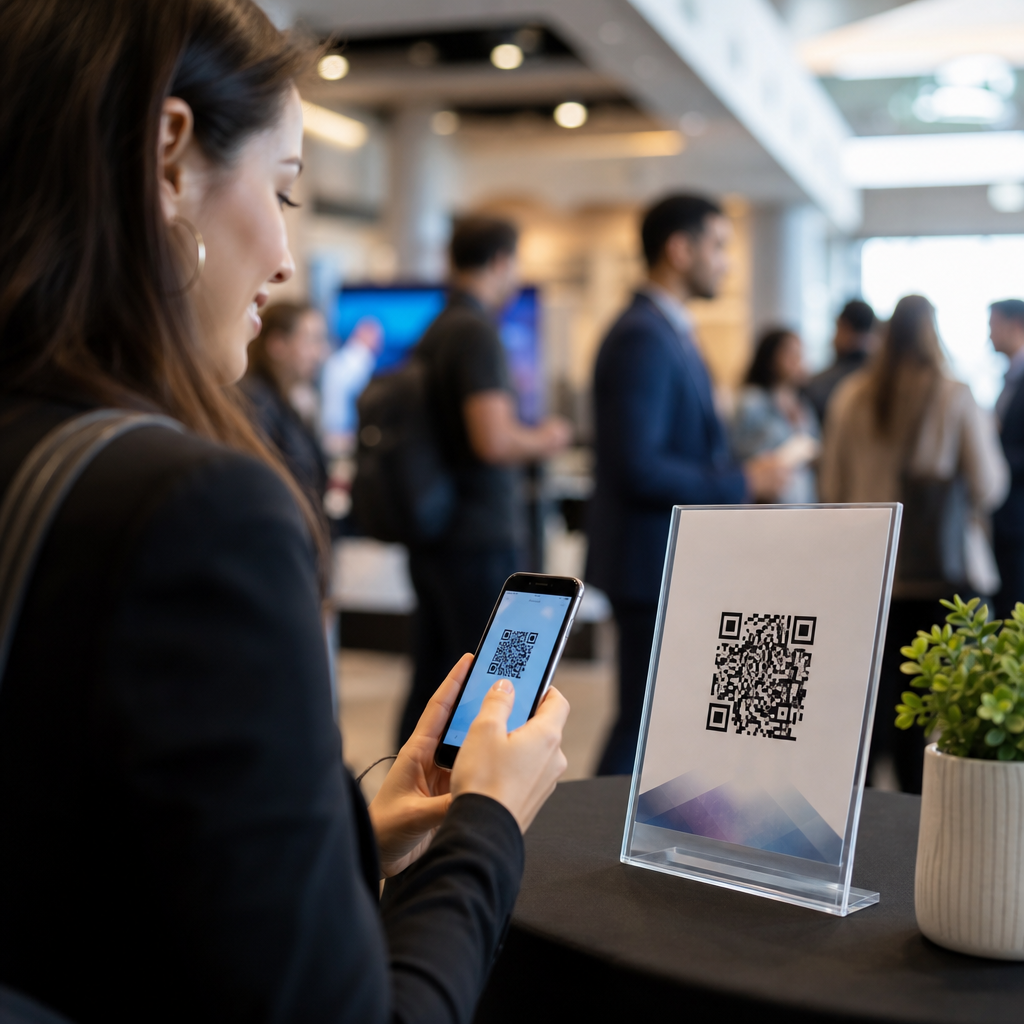
QR codes have become a core tool in events and ticketing because they connect printed materials, mobile devices, payments, registration systems, and post-event analytics in one fast scan. In practical terms, a QR code is a two-dimensional barcode that stores a URL, text string, contact record, payment request, or unique identifier, and modern smartphone cameras can read it without extra hardware. For event organizers, that simple action solves several expensive problems at once: long check-in lines, paper-heavy handouts, low sponsor engagement, poor lead capture, and fragmented attendee data. I have used QR codes across conferences, trade shows, festivals, donor galas, and private corporate events, and the difference between a thoughtful deployment and a rushed one is dramatic. The best practices for QR codes at events are not just about design. They cover security, scan distance, error correction, ticket validation, ADA-minded placement, network resilience, and measurable conversion paths. This matters because attendees now expect touchless entry, instant agendas, mobile maps, and easy sharing. Sponsors expect attributable traffic. Operations teams need faster throughput. Finance teams want fewer printed assets and tighter fraud control. When QR codes are planned as part of the event journey rather than added at the last minute, they improve both attendee experience and event performance.
Where QR codes fit in the event lifecycle
The most effective event teams map QR codes to each phase of the attendee journey: promotion, registration, arrival, participation, networking, purchasing, and follow-up. Before the event, codes can drive ad viewers to landing pages, early-bird registration, venue information, or speaker announcements. During registration, a unique code embedded in a digital ticket becomes the attendee’s credential for check-in. At the venue, large-format codes can open agendas, exhibitor lists, menus, floorplans, emergency instructions, and Wi-Fi login pages. Inside sessions, speakers can use slides with QR codes to collect questions, distribute decks, or launch polls. Exhibitors can place codes on booths, product labels, and demo stations to capture lead information without relying on business cards. After the event, follow-up codes in recap emails or signage can push attendees to surveys, certificate downloads, on-demand recordings, and future event registration.
This hub approach matters for events and ticketing because each use case has a different operational requirement. A code used for ticketing must be unique, encrypted or at least hard to guess, and tied to a live validation system. A code on a banner must be readable from several feet away and should point to a mobile-optimized page with fast load times. A code used for sponsor activations should carry campaign parameters so the marketing team can attribute scans by placement, date, and audience segment. Thinking in lifecycle terms prevents a common mistake: using one generic QR code everywhere and losing all meaningful segmentation.
Ticketing, access control, and fraud prevention
For events and ticketing, the highest-stakes QR code use case is access control. A ticket QR code should represent a unique attendee record in the event management platform, not just a public webpage. In production environments, teams typically encode a token or order identifier that the scanning app verifies against a server in real time. Platforms such as Eventbrite, Cvent, Bizzabo, and Ticketmaster support this workflow with check-in apps that mark tickets as redeemed and block duplicates. That matters because static, reusable codes are easy to screenshot and share. If your process treats a QR code as proof of entry without validation, you have created a fraud path.
Best practice is to pair unique codes with rotating status in the backend, role-based permissions for staff scanners, and an offline fallback mode. Offline functionality is essential at stadiums, convention centers, and outdoor festivals where connectivity can degrade when thousands of people arrive at once. In those environments, the scanning app should cache ticket records locally, apply redemption rules, and sync when service returns. I have seen otherwise well-run events back up for forty minutes because the team assumed venue Wi-Fi would handle peak load. Redundancy matters: cellular hotspots, pre-event sync windows, spare devices, and a printed exception list for VIPs or accessibility accommodations should all be part of the check-in plan.
Security extends beyond entry. If a QR code opens a payment page, donation form, or credential pickup portal, use HTTPS, a recognizable branded domain, and a destination page that clearly states the organizer name. Malicious sticker-over attacks are real at public events; bad actors place fake codes over legitimate signage to redirect users. Staff should inspect high-traffic signs, and critical codes should include visual branding, tamper-evident placement, or short companion URLs so attendees can verify destination legitimacy.
Design and placement rules that improve scan rates
Most QR code failures at events are physical, not technical. The code may be too small, placed in glare, printed with low contrast, or mounted where people cannot comfortably scan. A reliable rule is to size the code based on expected scan distance. For nearby use, such as badges, tabletop signs, and brochures, a code around 1 x 1 inch can work if printed sharply. For poster boards and wall signs, larger is safer, especially when attendees are moving. Keep strong contrast, ideally dark modules on a light background, and preserve the quiet zone around the code. Decorative brand treatments are acceptable only if they do not reduce readability.
Destination experience matters just as much as print quality. If a code opens a page that is slow, cluttered, or not mobile optimized, the scan fails in practice even if the code itself is technically perfect. Use dynamic QR codes when possible so you can update destinations without reprinting signage. Dynamic codes also support analytics, campaign segmentation, and emergency changes such as room updates. Short redirects managed through a trusted platform make this easier and provide auditability.
| Use case | Recommended placement | Primary goal | Key technical requirement |
|---|---|---|---|
| Ticket check-in | Mobile ticket, wallet pass, confirmation email | Fast entry | Unique token with live or cached validation |
| Agenda and floorplan | Entrance signs, lanyards, registration desk | Reduce confusion | Mobile-first page with fast load speed |
| Sponsor activation | Booths, product displays, stage screens | Lead capture | Tagged links and CRM integration |
| Payments and donations | Bars, merch tables, charity displays | Frictionless transactions | Secure branded domain and HTTPS |
| Feedback and surveys | Session exits, rest areas, post-event email | Measure satisfaction | Short form optimized for mobile completion |
Analytics, attribution, and operational measurement
If you cannot measure QR performance, you cannot improve it. Event teams should define success metrics before the first sign is printed. For ticketing, monitor scan throughput per gate, failed scan reasons, duplicate attempts, and average check-in time. For engagement codes, track total scans, unique users, time of day, conversion rate, bounce rate, and downstream actions such as registrations, downloads, purchases, or survey completion. Google Analytics 4, CRM systems like Salesforce or HubSpot, and event platforms with built-in reporting can tie these actions to campaigns and attendee segments.
Attribution becomes especially valuable in sponsor and exhibitor programs. A sponsor often wants to know not only how many people scanned a code, but whether those scans turned into qualified leads, demo requests, or ecommerce purchases. Distinct dynamic QR codes for each sign location, session, or sponsor package make this possible. For example, one conference I worked on issued separate codes for booth towers, product shelves, and breakout-room slides. The sponsor learned that slide-based scans produced fewer total scans than booth towers but generated a far higher lead-to-meeting rate, which changed the sponsor’s budget allocation for the next year.
Operational analytics also reveal friction. If one entrance shows a higher failed-scan rate, the problem may be glare, staff training, or poor cellular service. If survey codes near session exits outperform email follow-up by three times, shift your collection strategy in real time. QR code data is only useful when paired with action.
Accessibility, privacy, and attendee trust
Best practices for QR codes at events must include accessibility and privacy, not treat them as side issues. Not every attendee can easily scan a code from the same angle, height, or distance. Place codes where wheelchair users can reach them visually and physically, avoid forcing upward scans on reflective surfaces, and provide a short readable URL as a backup. For critical functions such as menus, maps, or safety instructions, offer a non-QR alternative at the same location. Staff should be prepared to assist without creating a separate, slower experience for disabled attendees.
Privacy is equally important in events and ticketing. A QR scan can reveal intent, attendance behavior, device data, and purchase actions. Collect only the data needed for the use case, disclose what happens after the scan, and route users to pages with clear consent language when forms are involved. In regulated contexts, especially healthcare conferences, education events, or children’s programming, coordinate with legal and data governance teams. Attendee trust is practical, not abstract: people scan more readily when the signage is clearly branded, the value proposition is obvious, and the destination looks legitimate. “Scan for agenda and room updates” performs better than a bare code with no explanation because it reduces uncertainty and sets an immediate expectation.
How to build a reliable QR code playbook for event teams
The strongest event teams standardize QR code planning instead of reinventing it for every show. Start with a use-case inventory: ticketing, wayfinding, content delivery, sponsor leads, food and beverage, surveys, and emergency communications. Assign an owner for each code, define the destination, decide whether the code must be static or dynamic, and document what success looks like. Then test in the real environment, not just on a desktop proof. Scan under venue lighting, from expected distances, on both iPhone and Android devices, using weak connectivity where relevant. Include frontline staff in testing because they catch usability problems planners miss.
Next, build governance. Use one approved generator or platform, consistent naming conventions, campaign tags, expiration rules, and a destination review process. Keep a master spreadsheet or dashboard with every live code, its purpose, owner, and last verification date. For high-attendance events, rehearse failure scenarios: dead scanner batteries, duplicate ticket disputes, blocked redirects, or swapped signs during load-in. A QR code strategy is really an operations strategy with a barcode on the front end. When the operational details are handled well, attendees experience it as convenience.
QR codes work best at events when they are intentional, secure, measurable, and easy to use. The core practices are straightforward: match each code to a defined attendee need, validate ticket codes against a live system, design for real scanning conditions, use dynamic destinations where flexibility matters, track performance with meaningful metrics, and protect accessibility and privacy at every step. For events and ticketing teams, the payoff is tangible: faster entry, lower print waste, better sponsor reporting, stronger attendee satisfaction, and cleaner operational data for future planning. This page serves as the hub for the full Events & Ticketing topic because every related tactic, from contactless check-in to exhibitor lead capture, depends on getting these fundamentals right. Audit your next event journey, identify every moment where a scan can remove friction, and implement QR codes with the same discipline you apply to registration, security, and customer experience.
Frequently Asked Questions
1. What are the most important best practices for using QR codes at events?
The most important best practices start with clarity, reliability, and user experience. First, every QR code should have a single, well-defined purpose, such as attendee check-in, agenda access, venue maps, lead capture, contactless payments, feedback collection, or post-event downloads. When a code tries to do too much or leads to a confusing landing page, scan rates drop quickly. Event organizers should place codes where attendees naturally pause, including registration desks, entry points, badges, booth signage, table tents, presentation slides, and printed handouts. Size and placement matter: the code should be large enough to scan comfortably from the expected distance, printed with strong contrast, and surrounded by sufficient white space so smartphone cameras can detect it instantly.
It is also essential to use dynamic QR codes whenever possible. Dynamic codes allow organizers to change the destination URL or underlying content without reprinting signs and materials, which is extremely valuable when schedules shift, rooms change, or sponsors update offers. Before the event, every code should be tested on multiple devices, operating systems, screen brightness levels, and network conditions. If an event venue has weak Wi-Fi or overloaded cellular service, organizers should prepare lightweight mobile pages and backup workflows. Good QR code strategy also includes branding and instruction. A short call to action such as “Scan to Check In,” “Scan for the Session Deck,” or “Scan to Pay” increases confidence and improves participation because people immediately understand the value of scanning.
Finally, the best event QR code programs are measured, not guessed. Organizers should track scan volume, time of day, conversion rates, and follow-through actions such as registrations completed, surveys submitted, or payments made. That data reveals which placements work, which attendee journeys create friction, and where staffing or signage should be improved for future events. In other words, the most effective QR code use at events is not just about generating a scannable image. It is about designing a fast, intuitive, trackable pathway that supports both the attendee experience and the organizer’s operational goals.
2. How can QR codes improve event check-in and reduce long entry lines?
QR codes are one of the most effective tools for speeding up event check-in because they replace manual lookups and paper-heavy verification with a fast digital scan. Instead of asking staff to search attendee names alphabetically, verify IDs one by one, or manage printed ticket lists, each attendee can present a unique QR code on a phone or printed ticket. A staff member scans the code, and the registration system instantly confirms ticket validity, attendee status, access level, and arrival time. This dramatically reduces processing time per guest, which is especially important during peak arrival windows when even a few extra seconds per person can create long and expensive bottlenecks.
To make this process work smoothly, organizers should issue QR codes in advance through confirmation emails, event apps, digital wallets, or downloadable tickets. Attendees should be reminded to save the code before arriving, especially if cellular service at the venue may be unreliable. It is also wise to offer both digital and printable options so guests are not excluded if they have low battery, damaged screens, or accessibility needs. On the operations side, event teams should use scanning software that updates attendance records in real time and flags duplicate entries, canceled tickets, and unauthorized access attempts. Separate QR workflows can also be created for VIPs, speakers, exhibitors, media, and staff to support faster routing and better crowd management.
Another major advantage is the data generated during check-in. QR-based entry gives organizers precise insight into arrival patterns, no-show rates, peak queue times, and zone-specific traffic. That data helps with staffing decisions, future schedule planning, and sponsor reporting. It also supports stronger security because each scan creates a timestamped record, making it easier to audit access and identify irregularities. In short, QR codes reduce lines not just because they are faster to scan than manual systems, but because they connect entry, validation, segmentation, and analytics into one efficient process.
3. Where should QR codes be placed at an event for the highest scan rates?
High-performing QR code placement depends on attendee intent and physical context. The best locations are places where people already expect to take an action or need information immediately. For example, at registration areas, QR codes can support express check-in, digital badge retrieval, or event app downloads. Near venue entrances, they can direct attendees to agendas, maps, emergency information, or access credentials. Inside session rooms, they work well on presentation slides, seat cards, and signage for downloading speaker materials, joining live polls, or submitting questions. At exhibitor booths, they are especially effective when tied to a concrete value exchange, such as product sheets, demos, giveaways, meeting booking, or lead capture forms.
Visibility and scanning comfort are just as important as location. A QR code should not be placed too high, too low, on reflective surfaces, in poor lighting, or where foot traffic forces people to stop awkwardly. If attendees need to scan while walking, the code and its call to action must be readable at a glance. If the action requires more attention, such as payment or form completion, the code should be placed near a surface where people can pause comfortably. Organizers should also avoid clutter. When several codes appear close together without clear labeling, attendees may scan the wrong one or ignore them altogether. Each code should be paired with a short explanation of what the attendee gets and why it is worth scanning.
For the strongest results, placement should reflect the full event journey. Pre-event emails can include QR codes for registration management or calendar adds. Onsite signage can support navigation, session engagement, and transactions. Post-event materials can drive survey completion, content downloads, and follow-up offers. Testing different placements and tracking scan data allows organizers to identify which touchpoints produce the highest engagement. In practice, the best placement strategy is not random distribution across the venue. It is intentional positioning at moments where convenience, relevance, and timing make a scan feel natural.
4. How do event organizers make QR codes easy to scan for all attendees?
Making QR codes easy to scan begins with good technical design. The code should be high resolution, printed or displayed with strong contrast, and surrounded by adequate quiet space so camera software can isolate it. Dark code on a light background is still the most reliable option. While branded QR codes can be effective, excessive styling, low contrast, or crowded logos can reduce scan performance, so branding should never compromise readability. Organizers should also size codes appropriately for the viewing distance. A small code may work on a badge or brochure held in the hand, but a code intended for a wall sign, stage screen, or hanging banner must be much larger to support quick scanning from farther away.
Accessibility and device diversity also matter. Not every attendee has the latest smartphone, perfect vision, or fast mobile connectivity. Organizers should include a short fallback URL near the QR code so users can manually type the destination if needed. Instructions should be simple and action-oriented, avoiding assumptions that everyone is comfortable with QR interactions. Mobile landing pages should load quickly, avoid unnecessary pop-ups, and be optimized for smaller screens. If a form is involved, it should ask only for essential information. If network conditions may be inconsistent, lightweight pages and cached app content can make a major difference in usability.
Operational testing is the final step that separates polished execution from preventable frustration. Every QR code should be tested in the actual event environment when possible, including under venue lighting, on final print materials, and from realistic viewing angles. Teams should check how quickly pages load on venue Wi-Fi and on major cellular networks. Staff should be trained to help attendees who have trouble scanning and to offer immediate alternatives when needed. Easy-to-scan QR codes are not just about the image itself. They result from thoughtful design, accessible instructions, mobile optimization, and real-world testing that anticipates attendee behavior before the doors open.
5. How can QR codes support payments, engagement, and post-event analytics?
QR codes are especially powerful because they do far more than enable entry. At events, they can streamline payments by linking attendees directly to secure checkout pages for concessions, merchandise, upgrades, donations, parking, or premium experiences. This reduces cash handling, shortens transaction time, and creates a cleaner audit trail for finance teams. To make payment QR codes effective, organizers should use trusted payment providers, secure HTTPS destinations, clear pricing, and confirmation screens that reassure users their transaction was successful. In high-traffic environments, placing payment QR codes at ordering points, tables, kiosks, and receipts can significantly improve throughput while giving attendees a more convenient self-service option.
Beyond payments, QR codes can drive meaningful engagement throughout the event lifecycle. They can be used for session polls, live Q&A, contest entries, exhibitor lead forms, networking profile exchanges, digital business cards, sponsor activations, and content downloads. The key is to tie each scan to a clear benefit. People are far more likely to participate when they know exactly what they will receive, whether that is exclusive content, easier networking, a faster transaction, or a chance to win something relevant. For exhibitors and sponsors, QR codes can also improve lead quality by capturing structured information directly into a CRM or event platform instead of relying on manual note-taking or badge photos.
From an analytics perspective





