
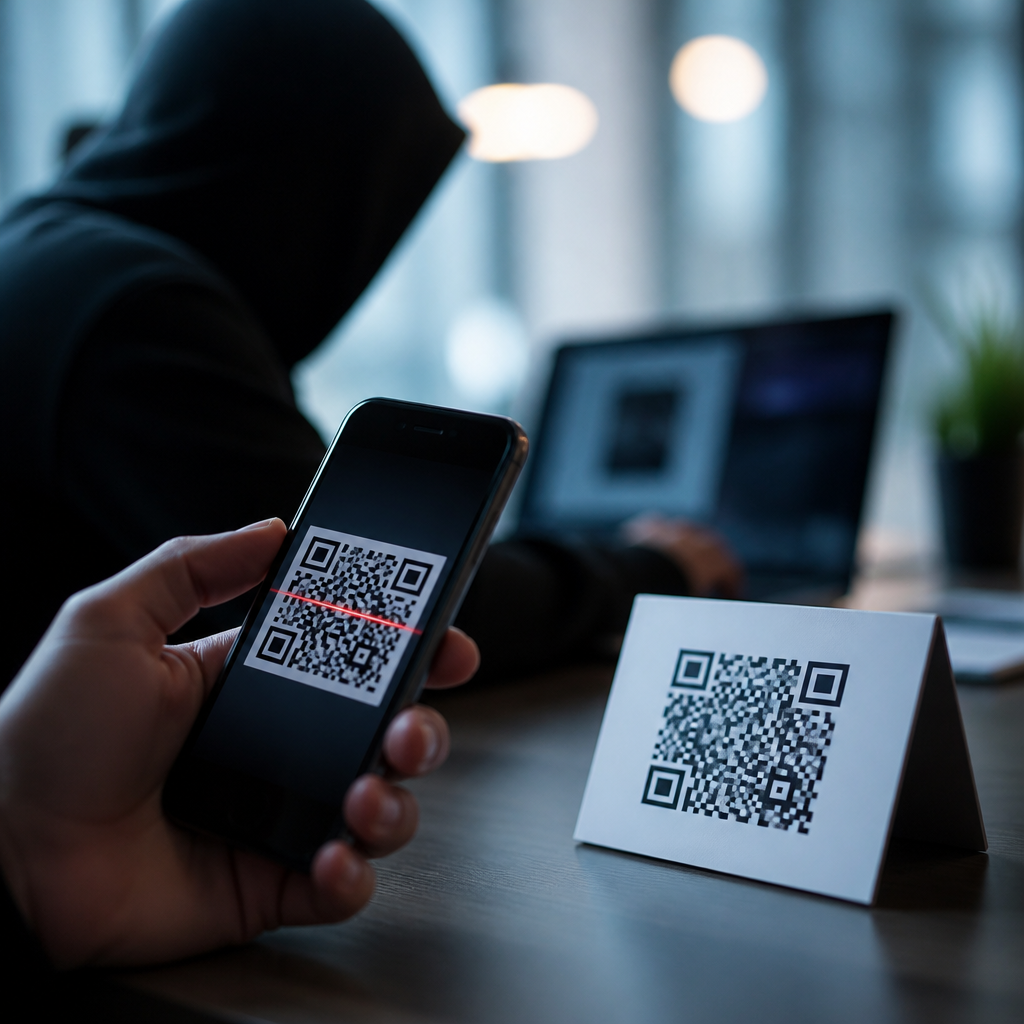
QR codes now appear on parking meters, restaurant tables, utility bills, package labels, login screens, and printed ads, which makes them a powerful convenience tool and a growing phishing vector. In security work, I have seen attackers exploit that convenience by hiding malicious links behind innocent-looking squares, counting on users to scan first and verify later. This tactic is often called QR code phishing, or “quishing,” and it refers to any social engineering attack that uses a QR code to deliver a fraudulent website, malware payload, payment request, or account takeover flow. Understanding how hackers use QR codes for phishing matters because mobile devices reduce visible context: users cannot easily inspect a full URL, browser protections vary by app, and urgent real-world situations push fast decisions. A strong QR code security program must therefore combine technical controls, employee awareness, vendor review, and incident response. This hub explains the main attack methods, the signs of QR code fraud, and the most effective ways to prevent QR code phishing in workplaces, public spaces, and consumer environments.
How QR code phishing works in practice
Hackers use QR codes for phishing by replacing trust signals with speed and convenience. A QR code is simply a machine-readable container for data, most often a URL, but also payment instructions, Wi-Fi credentials, or contact records. Because the code itself is opaque to the human eye, attackers can hide destination details that would look suspicious in ordinary email links. In campaigns I have investigated, criminals commonly send emails claiming to be Microsoft 365 password resets, DocuSign requests, or multi-factor authentication updates, then embed a QR code instead of a clickable link. The victim scans the code with a phone, lands on a spoofed login page, and enters credentials that are immediately replayed against the real service.
Physical attacks are equally common. A criminal prints a sticker and places it over a legitimate QR code on a parking kiosk, charity poster, or café table. The replacement code routes victims to a fake payment page that captures card details or diverts money to the attacker. Dynamic QR services make this easier because the visible code may remain unchanged while the linked destination is updated behind the scenes. Attackers also exploit mobile-first blind spots: on many phones, users open links inside embedded browsers from camera apps, messaging platforms, or social apps, where the address bar is abbreviated and certificate details are harder to inspect. The result is a cleaner path to credential theft, payment fraud, malware delivery, or business email compromise.
The most common QR code phishing scenarios
Preventing QR code fraud starts with recognizing the patterns. The first and most widespread scenario is credential harvesting. Attackers impersonate Microsoft, Google Workspace, Okta, Adobe, or a corporate VPN portal and tell users they must scan to reauthenticate, view a secure document, or update MFA settings. The second scenario is payment diversion. I routinely see this in parking fraud, fake toll notices, invoice scams, and counterfeit restaurant ordering systems. The code leads to a payment page controlled by the attacker, often with branding copied from the legitimate business. A third scenario is malware or profile installation. Some campaigns push users toward downloading an Android APK from outside Google Play or installing a malicious mobile device management profile that grants persistent control. A fourth scenario targets messaging apps by linking a victim to a fake QR-based account pairing flow, such as a counterfeit WhatsApp Web or Signal login screen.
Attackers choose QR codes because they bypass habits users learned for email safety. People may hover over a desktop link, but they rarely decode a printed QR before scanning. Security filters can inspect clickable URLs in email bodies, yet image-based QR codes may require separate computer vision or secure email gateway analysis. Public trust also plays a role. Users assume a code printed on a poster, package insert, or help desk notice has been vetted. That assumption is exactly what criminals exploit.
Warning signs that a QR code may be fraudulent
Several indicators reliably separate legitimate codes from malicious ones. A code placed on a sticker, especially one covering another label, is high risk. So is any QR code paired with pressure language such as “scan immediately to avoid penalties,” “revalidate your payroll account,” or “urgent MFA expiry.” Mismatched branding is another clue: a city parking sign that redirects to a generic payment domain, or a utility bill that sends users to a shortened URL unrelated to the provider, should trigger suspicion. In enterprise settings, requests to scan a QR code to log in are especially sensitive unless your organization formally uses a known passwordless or device enrollment workflow.
The safest immediate test is to preview the destination before opening it. Most modern phone cameras display the URL before launch. Look for misspellings, extra words, odd subdomains, punycode, or unrelated country-code domains. A fake Microsoft page might use a domain such as login-microsoft-secure.example.co rather than microsoft.com or a trusted identity provider domain. If the QR initiates a download, requests admin permissions, or asks for card details that the original context did not require, stop. Legitimate organizations rarely demand urgent action exclusively through a QR code when safer channels exist.
Prevention measures that work across public, workplace, and consumer settings
The most effective defense against QR code phishing is layered control, not a single reminder to “be careful.” Start with governance. Every organization that deploys QR codes should maintain an inventory of where codes appear, what domains they resolve to, who owns them, and how changes are approved. Marketing teams often use dynamic QR platforms for analytics, but those services must be reviewed like any other third-party software because a compromised account can silently redirect traffic. In physical locations, tamper-evident labels and routine inspections reduce sticker replacement attacks. I advise clients to place QR codes behind clear covers or integrate them into printed designs that make overlays obvious.
On the technical side, mobile threat defense tools, secure web gateways, DNS filtering, and conditional access policies materially reduce impact. Microsoft Defender for Office 365, Proofpoint, Mimecast, and similar platforms increasingly detect image-based phishing lures, while mobile security products can block known malicious domains after the scan. Identity hardening matters just as much. Use phishing-resistant MFA such as FIDO2 security keys or passkeys where possible, because even if a user reaches a fake login page, hardware-backed authentication is far harder to replay than SMS codes or push prompts.
| Control | What it prevents | Practical example |
|---|---|---|
| Destination preview training | Blind scans to fake domains | Employees verify the full URL before opening a QR link |
| Tamper checks on posted codes | Sticker replacement fraud | Store staff inspect parking, menu, and payment codes daily |
| Phishing-resistant MFA | Credential replay after fake login | Passkeys block attackers who capture usernames and passwords |
| Approved domain inventory | Unauthorized redirects | Marketing QR campaigns resolve only to listed company domains |
| Mobile web filtering | Access to known malicious sites | Managed phones block newly observed phishing domains |
User education should be scenario-based, not generic. Show employees examples of QR code phishing emails, fake parking codes, and counterfeit invoice inserts. Teach them to navigate manually to known websites instead of scanning when the action involves authentication, payments, payroll, or account recovery. For consumers, the rule is similar: if the code appears in a high-stakes context, use the official app or type the trusted URL yourself. These small behavior changes stop a large share of fraud.
Building a QR code fraud response plan
Even mature organizations will eventually encounter suspicious or malicious QR codes, so prevention must be paired with response. The first step is reporting. Employees and frontline staff need a simple process to submit a photo, location, and context for any questionable code. Security teams should capture the destination URL safely in an isolated environment, review redirects, preserve screenshots, and check domain reputation through tools such as VirusTotal, urlscan.io, Google Safe Browsing, and internal DNS logs. If credentials may have been entered, reset passwords, revoke sessions, review MFA changes, and inspect sign-in logs from Entra ID, Okta, or the relevant identity platform.
For physical fraud, remove or cover the malicious code immediately and inspect adjacent signage for additional tampering. Notify affected customers or employees with the exact legitimate domains and payment channels they should use. If financial theft occurred, involve the payment processor and bank quickly; speed matters for chargebacks and account freezes. Long term, feed findings back into awareness training, signage design, and vendor controls. The best QR code security programs treat each incident as a process failure to be corrected, not just an isolated trick by a clever attacker.
Best practices for a long-term QR code security strategy
A durable strategy for preventing QR code fraud rests on three principles: reduce unnecessary QR dependence, make legitimate codes easy to verify, and assume attackers will imitate every successful workflow. Use QR codes where they add real convenience, but avoid making them the only path for sensitive actions. Pair every code with a readable domain name, an alternative URL, or instructions to use the official app. Standardize branded landing pages and keep final destinations on first-party domains whenever possible. Review dynamic QR providers for access controls, audit logging, and domain ownership hygiene. Finally, test your environment with phishing simulations that include QR codes, because measurement changes behavior. Track scan rates, report rates, and time to containment.
Hackers use QR codes for phishing because the format compresses trust, urgency, and obscurity into a single scan. That is precisely why organizations must treat QR codes as part of the attack surface, not as harmless graphics. When you inventory every code, secure the linked domains, harden identity, inspect physical placements, and teach users to verify before scanning, QR code fraud becomes far easier to stop. If this page is your starting point for preventing QR code fraud, turn these practices into policy now, then review every live QR deployment across your business this week.
Frequently Asked Questions
What is QR code phishing, and why do hackers use it?
QR code phishing, often called “quishing,” is a social engineering attack in which a scammer uses a QR code to send someone to a malicious destination. Instead of showing a readable web address that a person might recognize as suspicious, the attacker hides the destination inside the code itself. When the victim scans it, they may be taken to a fake login page, a payment form, a malware download, or a site designed to steal personal or business information.
Hackers use QR codes because they take advantage of convenience and trust. People are now used to scanning codes on parking meters, restaurant tables, utility bills, package labels, event posters, and app login screens. That familiarity lowers suspicion. In many cases, users scan first and verify later, which is exactly the behavior attackers want. A QR code also works well in both digital and physical environments, so criminals can place them in emails, PDFs, text messages, printed flyers, stickers, and signs. That flexibility makes quishing especially effective because it blends into normal routines and bypasses the caution people might otherwise apply to clickable links.
How do malicious QR code scams usually work in the real world?
Most malicious QR code scams follow a simple pattern: create urgency or legitimacy, get the victim to scan, and then push them toward a harmful action. For example, an attacker may place a fake QR code sticker over the real code on a parking meter and direct users to a lookalike payment page. In another case, they may send an email claiming there is a problem with payroll, multi-factor authentication, package delivery, or account access, then instruct the recipient to scan a code to resolve the issue immediately.
Once scanned, the QR code often leads to a phishing site that imitates a trusted brand such as Microsoft 365, Google, a bank, a shipping company, or an internal corporate portal. The page may ask for login credentials, payment details, or a one-time passcode. Some attacks go further and prompt users to install an app, grant permissions, or approve a login request. The reason this works so well is that the code itself hides the destination, and many users assume a QR code must be safe if it appears in a professional-looking message or familiar location. Attackers rely on that split-second trust to capture sensitive data before the victim pauses to verify what is happening.
Where are QR phishing attacks most commonly found?
QR phishing attacks appear anywhere people expect scanning to be normal. Common physical locations include parking kiosks, restaurant ordering systems, utility or municipal payment notices, package labels, public bulletin boards, transit stations, printed advertisements, and event signage. Attackers may replace or cover legitimate codes with fraudulent ones, especially in places where users are in a hurry and unlikely to inspect the code source closely.
Digital environments are just as common. Security teams increasingly see quishing in email messages, PDF attachments, online forms, chat tools, and text messages. Instead of including a clickable link that email security tools might analyze more easily, attackers embed a QR code and tell the user to scan it with a phone. That can move the victim away from a protected corporate device onto a personal mobile device with different visibility and security controls. This cross-device tactic is one reason quishing has become so attractive to attackers: it can weaken traditional defenses while still feeling routine to the target.
How can you tell whether a QR code might be malicious before scanning or using it?
The first warning sign is context. If a QR code appears unexpectedly in an email, letter, text message, or posted sign and asks you to log in, make a payment, verify an account, or fix an urgent problem, treat it with caution. Attackers often use pressure, fear, and convenience together. Look closely at where the code is placed. On a physical sign, check for tampering such as a sticker placed over another code, odd alignment, mismatched branding, poor print quality, or wording that feels inconsistent with the organization involved.
If you do scan a code, do not rush to open the destination. Many phones display a preview of the URL before launching it. Read that address carefully. Watch for misspellings, extra words, unusual domains, shortened links, or brand names placed in the wrong part of the URL. Also be suspicious if the site immediately asks for credentials, payment details, or a multi-factor authentication code. A legitimate organization rarely needs you to scan a random code to resolve a serious account issue on the spot. When in doubt, avoid using the code entirely and go directly to the company’s official website, app, or customer support channel instead.
What are the best ways to protect yourself and your organization from QR code phishing?
For individuals, the best defense is to treat QR codes the same way you would treat an unexpected link. Pause before scanning, verify the source, inspect the destination preview, and never enter passwords or payment details on a page you reached through an untrusted code. Use official apps or manually type known website addresses when paying bills, signing in, or managing accounts. Keep your phone updated, use mobile security protections where appropriate, and report suspicious codes or messages rather than interacting with them further.
For organizations, protection requires both user awareness and technical controls. Employees should be trained to recognize quishing tactics, especially in email-based attacks that ask them to scan with personal phones. Security teams should include QR phishing in phishing simulations, incident response planning, and awareness campaigns. It also helps to strengthen email filtering, web protection, and mobile device security while clearly communicating approved login and payment workflows. In physical environments, regularly inspect posted QR codes for tampering and use branding or tamper-evident placement when possible. The key principle is simple: a QR code is just another delivery mechanism for social engineering, so it should be verified with the same discipline as any suspicious link or attachment.





