
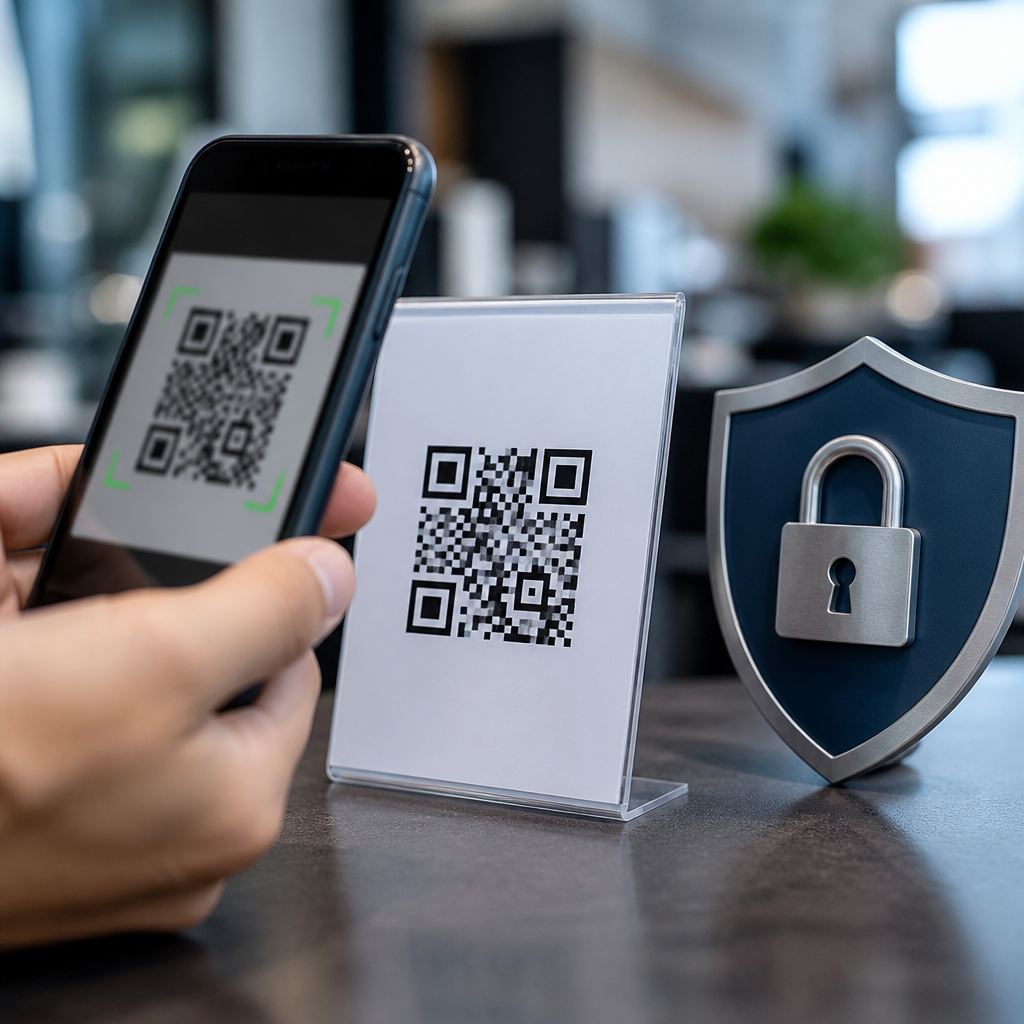
QR code fraud is the deceptive use of quick response codes to steal money, credentials, personal data, or device access by directing people to malicious destinations that appear legitimate at the moment of scanning. As QR payments, contactless menus, parking systems, ticketing, and package tracking have become routine, fraud has followed the same adoption curve. I have seen this shift firsthand in retail rollouts and workplace security reviews: teams secure email and websites carefully, then overlook the printed square on a counter, poster, parcel, or invoice. That gap matters because a QR code compresses trust into an image. Users cannot inspect the destination easily before scanning, and attackers exploit that convenience.
Preventing QR code fraud starts with understanding what a QR code actually does. It is not dangerous by itself; it is simply a machine-readable container for information such as a URL, payment address, Wi-Fi credential, vCard, or app deep link. The risk appears when the encoded action sends a user to a fake payment page, launches a phishing site, installs a malicious application, or triggers a social engineering sequence. Fraudsters commonly place stickers over legitimate codes, embed links in counterfeit emails, or swap destination URLs after a campaign goes live. Because the image looks harmless and familiar, people often lower their guard.
This matters to consumers and organizations for three reasons. First, QR fraud attacks both digital and physical channels, so traditional web defenses alone are not enough. Second, losses can be immediate, especially in payment diversion scams tied to parking meters, restaurant tabs, charity appeals, and invoice settlement. Third, trust is fragile. One successful incident can damage customer confidence, create compliance exposure, and trigger chargebacks, breach notifications, or reputational harm. A strong prevention strategy combines secure code generation, destination control, user verification, physical inspection, mobile device safeguards, and incident response. When those layers work together, QR codes remain useful without becoming an easy fraud vector.
How QR Code Fraud Works in Practice
Most QR code fraud follows a simple pattern: replace trust, rush the decision, and hide the real destination until the user is committed. In one common scenario, an attacker places a fraudulent sticker over a legitimate parking meter code. The victim scans it, lands on a payment page that closely copies the municipality or parking operator, enters card details, and receives a fake confirmation. The payment may be stolen, the card harvested, or both. Similar attacks target restaurant ordering, event check-in, meter top-ups, and package redelivery notices.
Another pattern uses digital distribution instead of physical tampering. Attackers embed QR codes in emails, PDFs, text messages, or printed invoices to bypass link detection habits. Many users have been trained not to click suspicious links, yet they will scan a code on a document because it feels separate from the risky message. Security teams increasingly classify this tactic as quishing, or QR phishing. Microsoft and other major security vendors have documented the rise of QR-based phishing in enterprise environments because it can evade some email filtering and move the attack from a monitored desktop to a less protected personal phone.
The core defense lesson is direct: a QR code should be treated as a concealed link or concealed action. If users and businesses apply the same scrutiny they would apply to a shortened URL, fraud success rates drop sharply. Prevention depends on removing ambiguity before the scan, during the scan, and after the code resolves.
Consumer Habits That Stop Most QR Scams
The best consumer protection is a disciplined scanning routine. First, inspect the context. If a code appears on a parking machine, utility bill, or lobby poster, ask whether that location normally uses QR payments and whether branding, spelling, and placement look consistent. Tampered stickers often show bubbles, mismatched color, uneven alignment, or a layer placed over an original code. Second, use your phone’s preview feature. Both iOS and Android commonly show a destination preview before opening a link. Read the domain carefully, not just the page design. Attackers rely on lookalike domains, added words, and subtle character swaps.
Third, do not complete sensitive actions on a page reached from a code if the request feels unexpected. Instead of signing in from the scanned page, open the official app or type the company’s known web address directly. This single step blocks many credential theft attempts. Fourth, avoid scanning codes from unsolicited emails about invoices, payroll, voicemail, multifactor authentication resets, or parcel delivery problems. These are common lures because they create urgency. If the request is real, you can usually complete it through the provider’s app, your account portal, or a verified customer service number.
Consumers should also keep mobile operating systems, browsers, and security software updated. Modern phones include phishing protection, safe browsing warnings, and app permission controls that reduce damage if a malicious page loads. Payment cards with transaction alerts, virtual card numbers, and strong dispute processes add another layer. No single habit is perfect, but together these steps stop the majority of opportunistic QR scams before money or data changes hands.
Business Controls for Secure QR Code Deployment
Organizations that publish QR codes need a governed process, not ad hoc design requests. Start with destination control. Every production QR code should resolve to a domain the organization owns or manages, protected by HTTPS, certificate monitoring, and change management. I strongly recommend using a dedicated subdomain structure, such as pay.company.com or events.company.com, because it gives users a recognizable pattern and gives administrators cleaner logging, DNS oversight, and incident isolation. Avoid linking directly to third-party destinations unless there is a documented business need and a vendor review behind it.
Code creation should be centralized through approved tools, with naming conventions, inventory records, and owner assignments. Dynamic QR codes can be useful because they allow destination updates without reprinting, but they also introduce risk if access controls are weak. Limit who can edit redirect targets, require multifactor authentication on the QR management platform, and log every destination change. Static codes reduce redirect abuse, yet they are harder to rotate if a destination changes or if tampering is suspected. The right model depends on the use case, volume, and governance maturity.
Physical security matters as much as digital security. For signs, tables, kiosks, and meters, use tamper-evident materials, routine inspection checklists, and placement that makes sticker overlays more obvious. In higher-risk environments, print the destination domain in plain text next to the code so customers can compare it before scanning. For payments, align QR workflows with PCI DSS requirements, use tokenized payment pages from established processors, and minimize any collection of personal data on landing pages. A QR code should initiate a secure process, not bypass the organization’s normal controls.
Implementation Checklist for Preventing QR Code Fraud
| Control Area | What to Do | Why It Works |
|---|---|---|
| Destination security | Use owned domains, HTTPS, certificate monitoring, and URL allowlists | Reduces redirection to untrusted sites and helps users verify legitimacy |
| Access control | Restrict who can generate or edit codes; require multifactor authentication | Prevents internal mistakes and account takeover of QR platforms |
| Physical inspection | Check public codes routinely for overlays, damage, or replacement | Detects common sticker-based tampering before customers scan |
| User verification | Show the full domain near the code and teach users to confirm it | Creates a simple trust signal at the moment of scan |
| Landing page design | Keep pages minimal, branded, and free of unnecessary data collection | Makes suspicious requests easier to spot and reduces exposed data |
| Monitoring | Track scans, redirects, anomalies, and complaint patterns | Speeds detection of fraud spikes, misuse, or destination changes |
Training, Monitoring, and Incident Response
Training should focus on realistic scenarios, not generic warnings. Show employees what a tampered code looks like, how QR phishing appears in invoices or visitor communications, and when to stop and verify through another channel. Frontline staff in hospitality, parking, facilities, events, and retail need special attention because they are closest to customer-facing codes and can spot physical tampering early. For consumers, concise prompts work best: scan only when expected, verify the domain, and use the official app for payment or login.
Monitoring should combine web analytics, fraud signals, and physical reporting. Sudden changes in scan geography, device mix, conversion rates, or bounce patterns can indicate abuse. Customer support tickets about payment failures or unfamiliar pages are often the first signal of a compromised public code. Mature teams tie QR destinations into their broader security stack, including DNS logs, web application firewall alerts, certificate transparency monitoring, and takedown procedures for lookalike domains. If a dynamic code platform is used, review audit logs regularly and alert on redirect target changes.
When fraud is suspected, response speed matters. Remove or cover affected physical codes immediately, disable redirects, and publish the verified destination through official channels. Preserve evidence, including photographs of tampered materials, redirect logs, support transcripts, and payment processor records. Notify impacted users with specific guidance on card replacement, password resets, and fraud reporting. Then close the loop with root-cause analysis: Was the weakness vendor access, missing inspections, poor signage, or an avoidable third-party redirect? Strong prevention grows out of these details, not from broad awareness messages alone.
Preventing QR code fraud is ultimately about restoring visibility and control to a channel designed for speed. Consumers need habits that turn a hidden link into a verified destination. Businesses need governance that treats each code as a managed security asset, with clear ownership, secure domains, controlled redirects, inspections, and monitoring. The most effective programs do not ban QR codes; they make the safe path obvious and the risky path difficult.
The key takeaways are straightforward. Treat every QR code like a link you cannot fully see. Verify the domain before acting, use official apps for logins and payments, and be skeptical of codes delivered through urgent emails or unexpected documents. If your organization publishes QR codes, centralize creation, protect the destination, print trust signals beside the code, and inspect public placements regularly. Those measures prevent the most common fraud patterns without sacrificing convenience.
Use this page as your starting point for a broader QR code security, privacy, and compliance program. Review every customer-facing and employee-facing code you use today, document who owns it, where it points, and how it is monitored. Then fix the gaps you find first in payment, login, and high-traffic public environments. That practical audit will do more to prevent QR code fraud than any warning poster ever could.
Frequently Asked Questions
What is QR code fraud, and why has it become such a common threat?
QR code fraud is the misuse of a QR code to send someone to a malicious destination while making the experience look routine and trustworthy. A scam code can open a fake payment page, a spoofed login screen, a malware download, a fraudulent app install, or a form designed to capture personal information. The danger is that the code itself does not reveal its destination visually, so people often scan first and verify later. That makes QR-based attacks especially effective in fast-moving environments like parking meters, restaurant tables, package tracking notices, transit kiosks, office lobbies, and event check-in stations.
This type of fraud has grown because QR codes are now built into everyday transactions. As businesses adopted contactless payments, digital menus, self-service checkouts, and mobile authentication, criminals followed the same path. In practice, many organizations put strong controls around email links and websites but pay less attention to physical QR placements or mobile scanning workflows. That gap creates opportunity. A fake sticker placed over a legitimate code, a phishing email with a QR code attachment, or a text message containing a scan prompt can all feel credible in the moment. The combination of convenience, habit, and limited visibility into the destination is exactly what makes QR code fraud so common today.
How can I tell whether a QR code is safe before I scan it?
The safest approach is to treat a QR code the same way you would treat any unknown link. Before scanning, consider the source, the placement, and the context. If the code appears on a poster, payment terminal, parking machine, table tent, or printed notice, look for signs of tampering. A sticker placed over another sticker, mismatched branding, peeling edges, unusual wording, or a code positioned in a way that looks added later are all warning signs. If the code appears in an email, text message, or social media post, ask whether you were expecting it and whether the sender is independently verified. Attackers often create urgency by saying your account must be updated, your package cannot be delivered, or your payment is overdue.
After scanning, do not tap through immediately. Most smartphones and scanning apps display a preview of the destination URL before opening it. Read that preview carefully. Look for misspellings, extra words, odd subdomains, shortened links, or domains that do not match the business you believe you are dealing with. For example, a restaurant menu should usually open on the restaurant’s own site or a recognized ordering platform, not an unrelated domain. A payment QR code should lead to a payment processor or merchant page you can recognize and verify. If anything looks off, stop there and use a safer path, such as typing the company’s web address manually, using a saved bookmark, or asking staff to confirm the correct code.
What are the best ways to prevent QR code payment scams in public places?
Prevention starts with slowing down at the exact moment fraudsters expect you to act quickly. In public places such as parking lots, vending areas, train stations, festivals, and cafés, avoid scanning a payment QR code simply because it is present. First confirm that the code belongs to the business or machine you are using. Check for tampering, duplicate stickers, or instructions that differ from official signage. If there is a card reader, app, website, or printed phone number listed by the operator, compare the payment options. A legitimate merchant usually offers consistent branding and clear payment instructions across all channels. If the QR code seems to be the only path and the setup looks improvised, that is reason to be cautious.
It is also wise to control the payment flow yourself. Whenever possible, use the official app of the parking service, venue, transit operator, or merchant instead of scanning a code posted in the environment. If you do scan, verify the web address before entering card details or approving a digital wallet transaction. Watch for requests that do not fit the situation, such as a parking meter asking for your email password, your full identity number, or unusual permissions on your phone. Turn on transaction alerts from your bank or card issuer so unauthorized charges are caught quickly. For businesses, the prevention side should include regular inspections of physical QR placements, tamper-evident labels, staff training, and clear customer instructions that explain how official payment QR codes are presented and what users should expect to see after scanning.
What should I do if I scanned a fake QR code or entered information on a suspicious page?
If you scanned a suspicious QR code, the right response depends on what happened next. If you only opened the page and did not interact with it, close the browser tab, do not download anything, and clear it from your recent activity. Run a security scan on your device if you were prompted to install an app, profile, or file. If you entered login credentials, change your password immediately on the real site by navigating there manually, not through the QR code. If you reused that password elsewhere, change those accounts too. Enable multi-factor authentication where available, because it can help prevent account takeover even if your password was exposed.
If you entered payment details or approved a transaction, contact your bank, card issuer, or payment provider right away to report fraud and secure the account. Review recent activity for unauthorized charges and ask about replacing the card if necessary. If you gave away personal information, monitor your accounts closely and consider placing fraud alerts or credit monitoring if the exposure was serious. For workplace devices, report the incident to IT or security immediately, especially if the QR code led to a login page, software install, or mobile configuration prompt. Finally, document where the code was located and who appeared to be responsible for it. Reporting the fake code to the venue, merchant, property manager, platform, or local authority can help protect others from the same scam.
How can businesses reduce the risk of QR code fraud for customers and employees?
Businesses should treat QR codes as part of their broader attack surface, not as harmless convenience tools. That means controlling where codes are created, how they are deployed, and who monitors them after rollout. Use a centralized process to generate official QR codes, maintain an inventory of where each one is posted, and link only to domains the organization owns or officially authorizes. Avoid letting departments create ad hoc codes without oversight. For physical environments, inspect QR placements regularly for stickers, overlays, or substitutions. Tamper-evident materials, protective covers, location photos, and routine walkthroughs can make manipulation much easier to spot. The goal is to remove ambiguity so customers and employees can distinguish official codes from fake ones at a glance.
Training and communication matter just as much as technical control. Staff should know how official codes look, where they are placed, what destinations they should open, and how to respond if a customer reports something suspicious. Customers should be told what to expect before they scan, including the exact app, domain, or payment provider they should see. On the digital side, secure the landing pages behind QR codes with HTTPS, strong access controls, and brand-consistent design so spoofing stands out more clearly. For internal use cases such as badge access, device setup, or employee authentication, organizations should add mobile threat awareness to security training and establish policies that prohibit scanning unknown codes from emails, printed handouts, or public areas without verification. When QR code governance is built into security reviews instead of added later, the risk of fraud drops significantly.





