
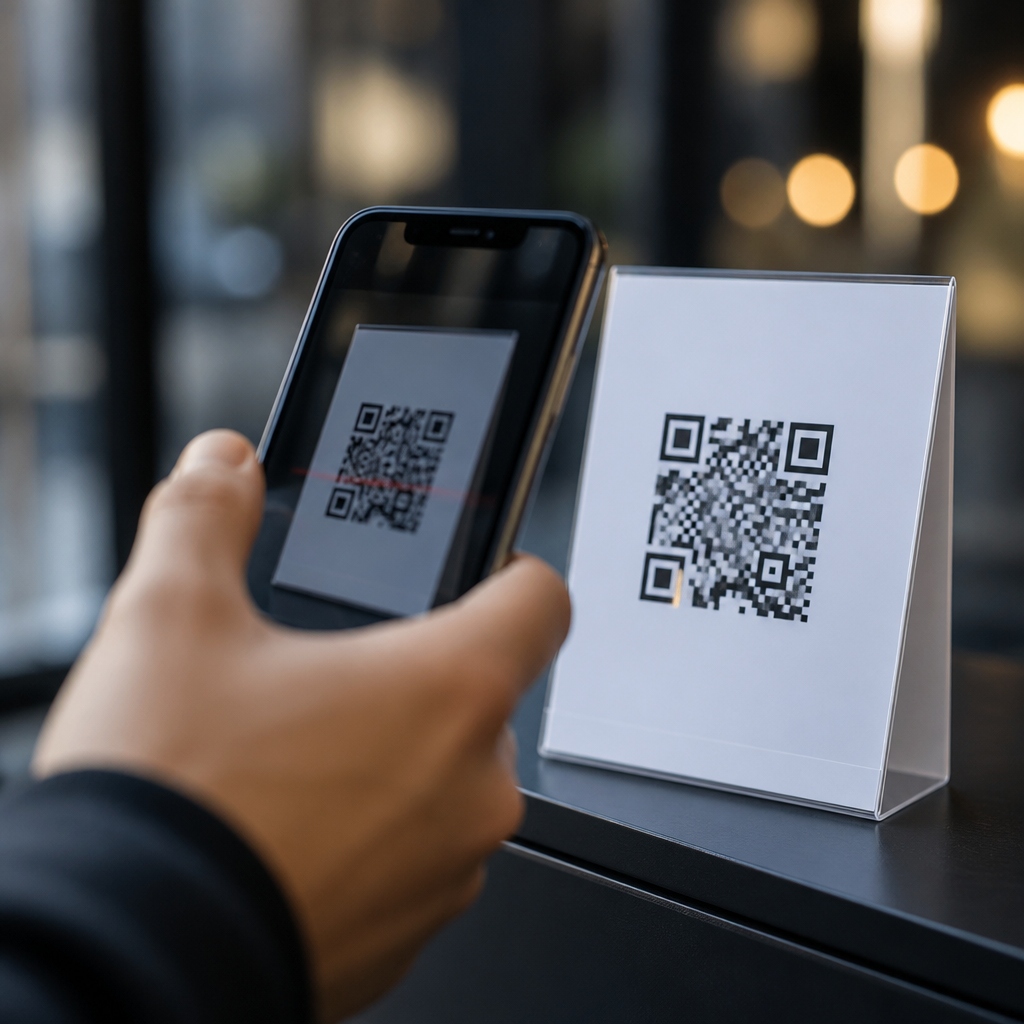
QR code scams have become a practical security problem because the small square symbol people trust for menus, parking, payments, delivery updates, and account logins can hide a malicious destination with almost no visible warning. A QR code, short for Quick Response code, stores data such as a URL, payment request, Wi-Fi credential, or app action that a phone camera can read instantly. That convenience is exactly why criminals use it. In security work, I have seen fake codes placed over real restaurant menus, parking meters, and package notices, and the pattern is consistent: attackers exploit speed, distraction, and familiarity. Preventing QR code fraud matters because one scan can lead to credential theft, card fraud, malware installation, or social engineering that escalates into wider identity theft.
Understanding the threat starts with understanding what a QR code does not show you. Unlike a printed web address, the code itself is unreadable to a person. Users often scan first and inspect later, if they inspect at all. Attackers know this and design scams around routine moments when people are in a hurry: paying for parking before a ticket is issued, scanning a code on a utility bill, or following a sign at an event. Businesses also face risk. A fraudulent code on a point-of-sale display can divert payments, damage customer trust, and create compliance headaches. For consumers and organizations alike, the central question is simple: how do you verify a QR code before acting on it?
The answer is a mix of technical controls, staff training, physical inspection, and secure process design. Safe QR code use means checking where the code came from, previewing the destination, confirming the domain name, and avoiding any page that asks for unnecessary credentials or payment details. It also means knowing the common forms of QR code scams so red flags become obvious. This article serves as a hub for preventing QR code fraud by explaining the main attack types, the warning signs, the best defenses for consumers, and the controls businesses should implement across marketing, payments, customer support, and physical locations.
How QR code scams work in the real world
Most QR code fraud follows a straightforward chain: the attacker places or sends a code, the user scans it, a malicious page or action opens, and the scammer harvests money or data. The code itself may link to a phishing site that imitates Microsoft 365, Google, a bank, or a parcel carrier. It may launch a payment page controlled by the criminal. It may trigger a download, prefill a text message, or push the user into a fake support chat. Because smartphones treat QR scans as low-friction interactions, criminals can compress an entire social engineering attack into a few taps.
A common example is “quishing,” or QR phishing. Employees receive an email claiming to be a security alert, benefits update, or MFA reset notice, but instead of a clickable link the message contains a QR code. Secure email gateways that are tuned to inspect links may miss part of the risk if teams are less mature in image analysis and user training. Once scanned on a personal phone, the victim lands on a spoofed sign-in page and enters credentials outside the protections of the corporate browser. I have seen this tactic succeed because users assume scanning with a phone is safer than clicking on a laptop. It is not.
Physical replacement is another effective tactic. Fraudsters print stickers with their own codes and place them over legitimate ones on parking meters, café tables, kiosks, posters, or product packaging. The victim sees an official-looking logo, scans the code, and pays the attacker. In one widely reported pattern, fake parking payment codes lead to lookalike sites that collect card details and billing addresses while never registering the parking session. Similar fraud appears in charitable giving drives, where temporary signs and emotional urgency reduce scrutiny. Any environment with public signage and frequent foot traffic is a target.
Warning signs every user should recognize
The most reliable defense is disciplined verification before interaction. A safe QR code destination should make sense in context, use a recognizable domain, and request only the minimum information needed for the transaction. If a code on a parking meter opens a generic payment gateway with no city branding, that is a warning. If a code on a package asks for account credentials to release delivery, that is another. If the page uses urgency such as “pay in 10 minutes or incur a fine,” stop and verify through an independent channel.
Users should also watch for physical tampering. A code printed on a sticker, placed slightly crooked, or layered over another surface deserves suspicion. In retail and hospitality locations, compare the code with nearby branding, signage quality, and expected payment flow. Ask staff whether the location normally uses QR payments or whether a paper menu code should redirect to a branded site. On phones, the preview pane matters. Modern camera apps often show the destination before opening it. Read it. A domain like pay-cityparking-secure.com may look plausible, but it is not the same as the municipal domain users expect.
| Scenario | Common scam signal | Safer action |
|---|---|---|
| Parking payment | Sticker placed over original code, unfamiliar payment domain | Use the official parking app or type the known city website manually |
| Email security alert | QR code asking for Microsoft 365 or Google login on a phone | Open the official app or company portal directly instead of scanning |
| Restaurant menu | Code redirects to a login page or app download before showing menu | Ask staff for the menu URL or a printed menu |
| Package delivery notice | Fee request, credential prompt, or shortened domain | Track the package through the carrier’s official website or app |
Best practices for consumers to prevent QR code fraud
Consumers can avoid most QR code scams by slowing down the interaction and using trusted paths. First, preview the URL before opening it. Second, confirm the domain carefully, not just the brand name on the page. Third, avoid entering passwords after scanning a code from email, posters, mailers, or public signs. Instead, navigate to the service manually through a bookmark, known app, or typed address. Fourth, keep the phone updated so browser protections, safe browsing features, and app security patches remain current.
Payment hygiene matters too. If a QR code initiates payment, use a credit card or a wallet with fraud protections rather than debit where possible. Review the merchant name before authorizing. If the destination asks for bank transfer, cryptocurrency, or gift cards, treat that as a high-risk indicator. On Android and iPhone, disable automatic actions you do not need, and be careful with prompts to join Wi-Fi networks, install profiles, or download apps from outside official stores. Many scams rely on users accepting prompts without understanding what permission they grant.
When something feels wrong, verify independently. Call the business using a number from its official website, not the page opened by the code. For donations, navigate through the nonprofit’s main website. For account alerts, sign in from the provider’s app. If you already scanned and submitted information, act quickly: change passwords, revoke sessions, contact the bank, freeze cards if needed, and report the incident. Rapid response limits damage. Most victims lose more because they delay than because the initial scan was technically sophisticated.
How businesses can reduce QR code security risk
Organizations need stronger controls because they create, print, distribute, and manage QR codes at scale. Start with governance. Maintain an inventory of every production QR code, what it points to, who owns it, and when it was last reviewed. Use dynamic QR management only through reputable platforms with access control, audit logs, and domain restrictions. If marketing teams can change destinations after printing, security should require approvals and monitor redirects. I recommend using branded short domains that the company controls so users learn what legitimate destinations look like.
Physical protections are equally important. Inspect public-facing codes routinely, especially on parking assets, storefronts, event booths, and table displays. Tamper-evident labels, protective covers, and regular photo-based audits help. Staff should know how legitimate codes are placed and what to do if a sticker appears or a customer reports a strange destination. In higher-risk settings, pair the QR code with a human-readable URL and brief instructions such as “only use ourdomain.com.” That simple redundancy gives customers a way to verify authenticity before scanning.
Email security and identity controls must also adapt. Train employees that a QR code in an email is still a link, just hidden in an image. Mobile phishing-resistant authentication, conditional access, and sign-in risk detection reduce the impact of credential theft. Companies using Microsoft Defender, Google Workspace security tools, or mobile threat defense products should tune policies for image-based lures and unusual mobile sign-ins. Logging matters. If a user scans a fake MFA reset code and enters credentials, rapid detection of impossible travel, new device enrollment, or suspicious token use can stop account takeover.
Building a long-term QR code fraud prevention program
Preventing QR code fraud is not a one-time awareness campaign. It is an operational program that combines secure design, user education, incident response, and ongoing measurement. Define approved use cases for QR codes in payments, support, onboarding, and marketing. Standardize landing pages with clear branding, HTTPS, and minimal data collection. Test user flows on mobile devices to ensure legitimate pages are simple enough that customers are not trained to accept confusing prompts. The easier the authentic process is, the easier it is for users to spot a fake one.
Measure outcomes, not just activity. Track reports of suspicious codes, scan-to-conversion anomalies, payment disputes, and phishing incidents involving image-based lures. Review whether public locations with QR signage have inspection schedules and ownership. Include QR scenarios in tabletop exercises: a replaced donation code, a fake parking sticker near a venue, or a phishing campaign targeting field workers. Strong programs also coordinate legal, compliance, and customer support teams because fraud touches chargebacks, privacy notifications, and customer communications as much as it touches technical security controls.
QR codes are useful, and banning them outright is usually the wrong answer. The better approach is controlled trust. Users should expect to verify before they tap. Businesses should design QR experiences that are easy to authenticate and hard to tamper with. The key takeaways are clear: treat every QR code as a link, inspect the destination, prefer official apps and typed addresses, and respond quickly if data was entered on a suspicious page. If you manage QR codes in your organization, audit every live code, tighten ownership, and train staff now. Those simple steps prevent most QR code scams before they become costly fraud.
Frequently Asked Questions
What is a QR code scam, and why are these scams so effective?
A QR code scam happens when a criminal uses a QR code to send you somewhere harmful without making the destination obvious first. The code itself may lead to a fake login page, a fraudulent payment screen, a malware download, a phishing form, or a setup action that gives the attacker access to your device or account. Because a QR code is just a pattern of black and white squares, most people cannot visually inspect it the way they might check a normal web address in an email. That removes one of the most basic warning signals people rely on online.
These scams are effective because QR codes are associated with speed and convenience. People scan them in everyday situations where they are moving quickly and not expecting danger, such as paying for parking, viewing a restaurant menu, tracking a delivery, joining Wi-Fi, confirming a login, or paying a bill. Attackers take advantage of that trust. A fake sticker placed over a real code can be enough to reroute a victim to a convincing phishing page or a payment request controlled by the scammer. In many cases, the victim believes they are completing a routine task and does not slow down to verify the destination, the payment details, or the legitimacy of the request.
Where are QR code scams most commonly found?
QR code scams often appear anywhere people expect to scan quickly without much thought. Common examples include parking meters, restaurant tables, public posters, package delivery notices, utility bills, event flyers, transit signs, and storefront windows. Criminals may print a counterfeit code and place it over a legitimate one, especially in locations where the original code is publicly accessible and easy to tamper with. This is one of the simplest and most practical attack methods because it does not require technical skill, only access and a believable sticker or label.
They also show up in digital channels. Scammers send QR codes by email, text message, messaging apps, and social media, often claiming you need to scan to reset a password, verify your account, confirm a payment, claim a package, or unlock a secure document. These messages are designed to create urgency. In corporate environments, QR codes may be used in fake multi-factor authentication prompts or phishing campaigns that mimic Microsoft 365, Google, banking portals, or internal IT tools. The key point is that QR scams are not limited to posters and printouts. They can appear in both physical and digital settings, and the risk is highest when the request feels routine, urgent, and familiar.
How can I tell whether a QR code is safe before I scan it or act on it?
The safest approach is to treat a QR code the same way you would treat a suspicious link. Before scanning, look at the context. Ask whether the code makes sense for the situation, whether it appears professionally placed, and whether there are signs of tampering such as a sticker layered on top of another code, mismatched branding, crooked placement, low-quality printing, or instructions that feel unusual. If a parking machine suddenly asks you to scan a code instead of using the normal meter interface, or if a printed sign pressures you to log in immediately, pause and verify through another channel.
After scanning, do not act instantly. Most phones show a preview of the destination before opening it. Check the full domain name carefully, not just a familiar brand name in the page design. Attackers often use lookalike domains, extra words, misspellings, or unrelated web addresses hidden behind a convincing page. Be especially cautious if the code leads to a login screen, requests payment, asks for personal information, prompts an app download, or tries to trigger a device action such as joining a Wi-Fi network. If there is any doubt, go directly to the official website or app yourself instead of continuing from the QR code. That one habit blocks many real-world QR scams.
What should I do if I scanned a suspicious QR code?
If you only scanned the code and did nothing else, your risk may be limited, but you should still be cautious. Close the page immediately, do not enter any credentials, do not approve any login request, and do not download anything. If the code opened a website, note the address in case you need to report it. If it tried to start a payment or connect your phone to a network, cancel the action. Then clear the browser tab and monitor your device for anything unusual.
If you entered a username and password, change that password immediately on the real site, not through the QR-linked page. If the same password was reused elsewhere, change those accounts too. If you submitted payment information, contact your bank or card provider right away and watch for unauthorized transactions. If you approved a login prompt or multi-factor request you did not fully verify, review recent account activity, sign out of other sessions, and update your security settings. If you downloaded an app or configuration profile, remove it and run a security check. In business settings, report the incident to your IT or security team promptly. Quick reporting can help prevent wider compromise, especially if the same fake code is targeting multiple people.
What are the best ways to protect myself from QR code scams long term?
The most effective protection is to build a verification habit. Do not assume a QR code is safe just because it appears in a familiar place. Slow down before scanning, inspect public codes for signs of tampering, and always review the destination before continuing. Whenever possible, use trusted alternatives. For example, open the official parking app, type the company web address yourself, or navigate through a known bookmark instead of relying on a posted QR code. If you receive a QR code by email or text asking you to log in, pay, or verify something, independently contact the organization or visit its official site rather than following the code.
It also helps to strengthen your overall account security. Use unique passwords, enable multi-factor authentication, keep your phone and apps updated, and avoid installing software from QR-driven prompts unless you initiated the action and trust the source. For organizations, regular awareness training is important because employees are increasingly targeted with QR-based phishing campaigns. Staff should know how to inspect codes, verify destinations, and report suspicious signage or messages. QR codes are not inherently dangerous, but they hide critical details behind a quick scan. The more you treat them like any other untrusted link, the harder it becomes for scammers to succeed.





