
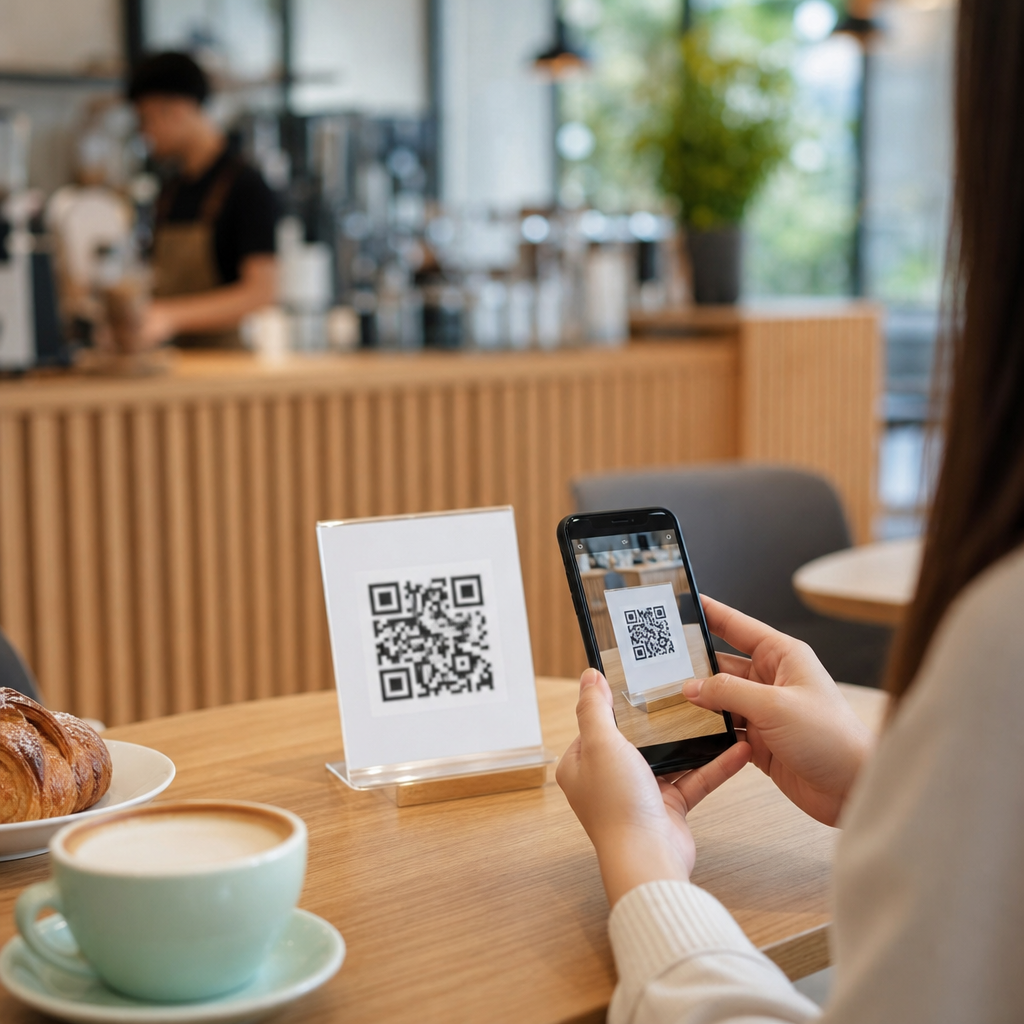
QR codes for mobile ordering have moved from a convenience feature to a core operating tool for cafes, restaurants, and hospitality venues. In practical terms, a QR code is a scannable image that opens a digital destination, usually a menu, ordering page, payment screen, loyalty offer, or feedback form. Mobile ordering means the guest uses a smartphone to browse items, customize choices, submit an order, and often pay without waiting at a counter. For cafes, that changes the flow of service. For the wider restaurants and hospitality sector, it changes labor allocation, table turnover, average order value, and the amount of usable guest data a business can collect.
I have helped hospitality operators roll out QR ordering in neighborhood coffee shops, hotel lounges, food halls, and quick-service counters, and the pattern is consistent: the technology works best when it solves a specific service bottleneck. Morning queues, short staffing, menu updates, and order accuracy are the most common reasons cafes adopt it first. Then the use expands. A single code can route a commuter to a pickup menu, a dine-in guest to table service, and a hotel resident to room delivery. That flexibility is why this topic sits at the center of industry-specific QR code strategy for restaurants and hospitality.
This hub article explains how cafes use QR codes for mobile ordering, what systems they connect to, where they deliver measurable gains, and what tradeoffs operators should plan for. It also serves as a foundation for related subtopics across restaurants and hospitality, including table ordering, hotel food service, contactless payment, loyalty, guest feedback, and menu management. If you want a clear picture of how QR ordering functions in real service environments, start here: the operational logic is simple, but execution details determine whether the system speeds up service or creates friction.
How QR code mobile ordering works in cafes
At a basic level, a cafe places a dynamic QR code on a table tent, window sign, receipt, takeaway bag, or wall display. When a guest scans it, the code opens a mobile web app or branded ordering page. The guest selects items, adds modifiers such as milk type or syrup, chooses pickup or dine-in, pays through a gateway like Stripe, Square, or Adyen, and the order is sent into the point-of-sale system or kitchen display system. Good implementations use dynamic codes rather than static links because the destination can be changed without reprinting every asset.
In cafes, the most effective flows are usually limited and intentional. A rush-hour pickup menu may include only top sellers like espresso drinks, brewed coffee, pastries, and breakfast sandwiches. That reduces decision time and simplifies production sequencing. For dine-in service, the same platform can expose a fuller menu with table numbers or seat identifiers. Many operators also trigger SMS receipts, digital tipping prompts, and loyalty enrollment after checkout. The technical stack often includes a POS such as Square, Toast, Clover, or Lightspeed, plus inventory syncing, menu rules, and analytics dashboards that show scan volume, conversion rate, and average ticket size.
Order throttling is one detail many owners miss at first. If ten guests scan at once and the system promises every drink in five minutes, the technology damages trust instead of improving service. Strong mobile ordering platforms let cafes cap order volume by time slot, hide sold-out items automatically, and set prep-time buffers by product category. In restaurants and hospitality settings, these controls matter even more because service modes vary by location. A lobby cafe inside a hotel, for example, may need a different queue logic than a street-facing coffee bar with heavy commuter traffic.
Why cafes adopt QR ordering across restaurants and hospitality
The first benefit is speed. Mobile ordering shifts ordering time away from the register, which shortens visible lines and lets staff focus on drink production and guest handoff. In my experience, cafes with heavy morning demand often see the strongest impact because even a small reduction in counter interactions can smooth the entire rush. The second benefit is accuracy. Guests enter modifiers themselves, which reduces misheard names, wrong milk selections, and omitted add-ons. The third is basket growth. Digital menus consistently make upsells easier because prompts are automatic and do not depend on whether a cashier remembers to ask.
Across the broader restaurants and hospitality category, QR code ordering also improves flexibility. A full-service restaurant can add table ordering during peak periods without redesigning the dining room. A hotel can place codes in rooms, pool areas, meeting spaces, and lobby seating, each tied to a different menu or service route. A food hall can use one signage system to route guests to separate vendors. Because QR codes are cheap to deploy and easy to update, they work especially well in environments where menus, pricing, and hours change often.
There are labor implications too, but they need careful framing. QR ordering does not simply replace staff. In well-run cafes, it reallocates labor from repetitive order entry to hospitality tasks that guests actually notice: resolving issues, maintaining cleanliness, checking order readiness, and greeting customers. That distinction matters. Restaurants that treat mobile ordering only as a labor cut often create a colder guest experience. The strongest operators use it to remove friction while keeping human help visible and easy to access.
Common use cases by service model
Cafes use QR codes differently depending on format, guest behavior, and production constraints. The table below summarizes the most common mobile ordering patterns across restaurants and hospitality and where each one fits best.
| Service model | QR code placement | Primary goal | Best use case |
|---|---|---|---|
| Counter-service cafe | Front window, queue sign, receipts | Reduce line length | Morning commuter rush |
| Dine-in coffeehouse | Table tents, menus, wall cards | Enable seat-side ordering | Small teams covering many tables |
| Hotel lobby bar or cafe | Tables, lounge seating, room key sleeves | Serve dispersed guests faster | Mixed dine-in and takeaway demand |
| Food hall stall | Shared seating areas, vendor counters | Distribute ordering traffic | High-volume, multi-vendor spaces |
| Poolside or patio service | Umbrellas, cabanas, side tables | Extend service reach | Guests far from a staffed station |
Each model changes the operational design. In a counter-service cafe, mobile ordering works best when pickup shelves are clearly labeled and order names are standardized. In a dine-in coffeehouse, table numbers must be obvious and durable; handwritten identifiers create avoidable delivery mistakes. In hotels, location tagging is critical because “lobby,” “mezzanine,” and “pool deck” mean different dispatch routes. Restaurants and hospitality teams that map these details before launch usually outperform venues that start with generic software settings.
What cafes need for successful implementation
Successful QR code mobile ordering depends on four components: menu design, systems integration, signage, and staff training. Menu design is the first priority. A digital menu should not copy a printed menu line for line. It should group items logically, limit excessive modifier trees, display allergens clearly, and surface high-margin add-ons in natural places. If a guest must click through six screens to order a latte, adoption falls. If modifier logic is sloppy, production errors rise. Restaurants and hospitality operators should treat the mobile menu as a service interface, not a static PDF.
Systems integration is next. Ideally, the ordering platform sends orders directly into the POS and downstream production systems. Manual tablet checking is manageable at low volume but becomes risky under pressure. Integrations should support inventory sync, tax rules, service charges where relevant, and refund workflows. Payment security also matters. Reputable providers use PCI-compliant processing and tokenized payment methods. For hotels and larger hospitality groups, role-based permissions and centralized menu governance are important because multiple outlets may share one brand while needing different prices or availability rules.
Signage determines whether guests actually use the system. The code should be easy to scan, paired with plain-language instructions, and placed where the decision happens. “Skip the line. Scan to order ahead” performs better than a code with no explanation. Table signage should tell guests what comes next: order at your table, pay on your phone, and a staff member will bring items out. Finally, staff training closes the gap between technology and service. Teams need a script for first-time users, a backup process for guests who prefer traditional ordering, and a clear escalation path when an item is unavailable or a payment fails.
Challenges, limitations, and best practices
QR ordering is not frictionless for every guest. Some customers dislike scanning codes, have older phones, or simply prefer speaking to a person. Accessibility must be considered from the start. Menus should be readable on small screens, contrast should meet WCAG guidance, and critical information such as allergens should never be hidden in tiny expandable sections. Cafes also need a non-digital path, whether that is a staffed register, printed menu, or staff-assisted ordering. In hospitality settings, multilingual support can be essential, especially in hotels and tourist-heavy districts.
Another common issue is overcomplication. Operators often add too many categories, promotions, and pop-ups, which slows ordering and hurts conversion. The best practice is to simplify the first session and deepen engagement later through loyalty or remarketing. Data should guide decisions. Track scan-to-order conversion, menu abandonment, prep-time accuracy, modifier error rates, and repeat purchase behavior. If scans are high but orders are low, the problem is usually unclear value, poor mobile UX, or slow load time. If ticket size rises but complaints increase, production flow may be the bottleneck.
Privacy and branding deserve attention too. Dynamic QR platforms can collect first-party data, but guests should know what is being captured and why. Clear consent language builds trust. Brand consistency matters because the scan experience should feel like an extension of the cafe, not a generic third-party checkout. For restaurants and hospitality brands building a long-term channel, ownership of customer relationships is strategic. The more the mobile ordering experience supports loyalty, feedback, and direct re-engagement, the more valuable the QR code becomes beyond a simple menu shortcut.
For cafes, QR codes for mobile ordering are most effective when they are treated as an operating system for service, not a novelty. They reduce queue pressure, improve order accuracy, support upselling, and give restaurants and hospitality teams a flexible way to serve guests across counters, tables, patios, and hotel spaces. The strongest results come from thoughtful menu design, direct integrations, clear signage, and staff who can guide guests without forcing the technology on them.
As this hub for restaurants and hospitality shows, mobile ordering sits at the center of a broader QR strategy that includes payments, loyalty, feedback, room service, and table service. Start with the bottleneck you need to fix, measure the guest response, and expand from there. If you are building an industry-specific QR code program for a cafe or hospitality venue, use this page as your foundation and map each next implementation to a clear operational goal.
Frequently Asked Questions
1. How do cafes use QR codes for mobile ordering in day-to-day service?
Cafes use QR codes as a direct bridge between the physical space and a digital ordering experience. In practice, the code is usually placed on tables, takeaway counters, window signs, printed receipts, menu boards, or packaging. When a guest scans it with a smartphone, it opens a mobile-friendly destination such as a digital menu, ordering page, payment screen, loyalty offer, or feedback form. From there, the customer can browse items, choose sizes, add modifiers like milk alternatives or flavor shots, leave notes, and submit the order without standing in line.
In day-to-day service, this changes how the front of house operates. Instead of staff spending most of their time taking repetitive orders at the counter, more of the ordering process happens through the guest’s phone. That can reduce congestion during morning rushes, speed up table turnover, and make service feel smoother for both dine-in and takeaway customers. Orders can be routed directly to the point-of-sale system, kitchen display, or barista workflow, which reduces the chance of misheard items and improves order accuracy.
Cafes also use QR codes to support different service models. A table QR code may allow guests to order another coffee or pastry without flagging down staff. A pickup QR code can send office workers straight to a pre-order page for faster collection. A code on packaging can prompt repeat business by linking to reorder pages, rewards programs, or limited-time offers. In that sense, QR-based mobile ordering is not just a menu replacement. It becomes a practical operating tool that helps cafes manage service flow, labor efficiency, upselling, and customer convenience in one system.
2. What are the main benefits of QR code mobile ordering for cafes and their customers?
The biggest benefit for cafes is operational efficiency. QR code mobile ordering reduces the bottleneck at the register because customers can browse and order on their own time rather than waiting for staff to become available. That helps especially during peak periods when lines can discourage purchases or slow the pace of service. With mobile ordering, a cafe can process more orders with less friction, which often improves throughput without needing to expand the physical ordering area.
Accuracy is another major advantage. Customers enter their own selections, customizations, and special instructions directly into the system, which lowers the risk of errors caused by miscommunication in a noisy environment. This is especially helpful in cafes where drink modifications are common, such as espresso shot changes, alternative milks, syrups, temperature requests, and food add-ons. A clearer ordering process usually means fewer remakes, less waste, and a more consistent customer experience.
For customers, convenience is the key draw. They can take their time reviewing the menu, checking prices, and customizing items without feeling rushed at the counter. Mobile ordering can also streamline payment, allowing guests to pay immediately from their phone and avoid another step in the process. For dine-in guests, QR ordering adds flexibility because they can place follow-up orders without getting back in line. For takeaway guests, it makes pre-ordering much simpler and can shorten wait times significantly.
There are also commercial benefits. Digital ordering environments make it easier for cafes to promote add-ons, meal bundles, seasonal drinks, loyalty enrollment, and targeted offers. A customer who might skip a pastry when ordering verbally may be more likely to add one when it is clearly suggested on-screen. Over time, that can increase average order value. At the same time, QR systems can provide useful data on ordering habits, peak demand times, and popular products, helping operators make smarter decisions about staffing, menu design, and promotions.
3. Do QR code ordering systems improve speed and reduce pressure on cafe staff?
Yes, when implemented well, QR code ordering systems can improve speed and reduce pressure on staff in meaningful ways. In many cafes, the slowest part of service is not necessarily making the coffee but managing the queue, repeating menu details, handling customizations, and processing payments. Mobile ordering shifts much of that workload onto a digital interface, allowing staff to focus more on preparation, quality control, and guest support rather than acting as order-entry clerks.
This can be especially valuable during rush periods. Instead of one cashier handling every customer in sequence, multiple guests can browse and submit orders at the same time from their phones. That parallel ordering capacity reduces visible lines and keeps the environment calmer. Orders can arrive in a structured format with modifiers clearly listed, which helps baristas and kitchen staff move more efficiently through tickets. In many setups, the order is already paid before preparation begins, eliminating an additional handoff step at pickup.
Reducing pressure on staff does not mean removing the human element. In strong cafe operations, QR ordering supports staff rather than replacing them. Team members can spend more time greeting guests, helping first-time users, answering product questions, resolving issues, and delivering a better hospitality experience overall. That matters because cafes still depend on warmth, speed, and service quality, even when the transaction becomes more digital.
That said, the results depend on good implementation. If the ordering page is slow, confusing, or poorly connected to the cafe’s workflow, it can create new problems instead of solving old ones. The best systems are simple to scan, easy to navigate, integrated with existing operations, and supported by clear signage and staff guidance. When those pieces are in place, QR ordering can absolutely reduce friction, improve speed, and make busy service periods more manageable.
4. What should cafes include in a QR code mobile ordering setup to make it effective?
An effective QR code mobile ordering setup starts with the basics: the code must be easy to find, easy to scan, and linked to a fast, mobile-optimized experience. That means using high-quality printed codes, placing them in logical locations, and making the call to action clear. Customers should instantly understand what happens when they scan, whether that is viewing the menu, ordering for pickup, ordering from a table, joining a loyalty program, or paying. Confusion at the first step can reduce usage quickly.
The digital menu itself should be structured for real ordering behavior, not just copied from a printed menu. Items should be organized clearly, descriptions should be concise but useful, and options for customizations should be intuitive. Popular modifiers, allergen notes, availability updates, and accurate pricing all matter. Good product photos can help in some cafe formats, but speed and clarity are usually more important than visual complexity. The goal is to help customers place an order quickly and confidently on a small screen.
Integration is another critical piece. The QR ordering system should connect smoothly with the point-of-sale, kitchen, barista workflow, payment processing, and order notifications. If staff have to manually re-enter mobile orders, the efficiency benefit drops sharply. Cafes should also think through pickup logistics, table identification, estimated wait times, and how customers will know when their order is ready. A clean customer-facing interface is important, but the operational handoff behind the scenes is what determines whether the system truly works.
Finally, cafes should include trust-building and retention features where appropriate. Secure payment options, clear order confirmations, loyalty integration, reorder functions, and post-visit feedback links can all improve the customer experience. Some venues also benefit from multilingual support or accessibility-friendly design. The strongest setups are not overloaded with features, but they do remove friction at every stage, from scanning to ordering to fulfillment to repeat purchase.
5. Are there any challenges cafes should consider before adopting QR codes for mobile ordering?
Yes, and it is important to approach QR code mobile ordering as an operational change, not just a technology add-on. One common challenge is customer adoption. While many guests are comfortable scanning codes and ordering from their phones, not everyone prefers that method. Some customers may want personal interaction, may be less comfortable with digital tools, or may simply not want to use their phone during a cafe visit. For that reason, cafes usually benefit from offering QR ordering as a flexible option rather than forcing it in every situation.
Another challenge is usability. If the mobile experience is slow, cluttered, or difficult to navigate, customers can abandon the order before completion. Poor menu structure, confusing modifiers, broken links, and weak internet access inside the venue can all undermine the system. Cafes also need to train staff so they can assist guests, troubleshoot problems, and manage the new order flow confidently. Even the best technology can fail if the in-store process around it is not clearly defined.
Operational alignment is also essential. Mobile ordering can increase order volume and compress demand into shorter periods, which sounds positive but can strain production if the cafe is not prepared. A surge of prepaid phone orders during a morning rush may overwhelm a small team unless ticket pacing, staffing, and pickup handling are planned properly. Cafes need to think carefully about queue management, promised pickup times, and how digital orders interact with walk-in traffic and third-party delivery orders.
There are also branding and customer experience considerations. A cafe known for personal service should make sure digital ordering supports that identity rather than making the visit feel impersonal. The right approach is usually a balanced one: use QR codes to remove unnecessary friction while keeping staff available for hospitality, recommendations, and relationship-building. When cafes evaluate both the benefits and the trade-offs, they are far more likely to implement a QR mobile ordering system that





