
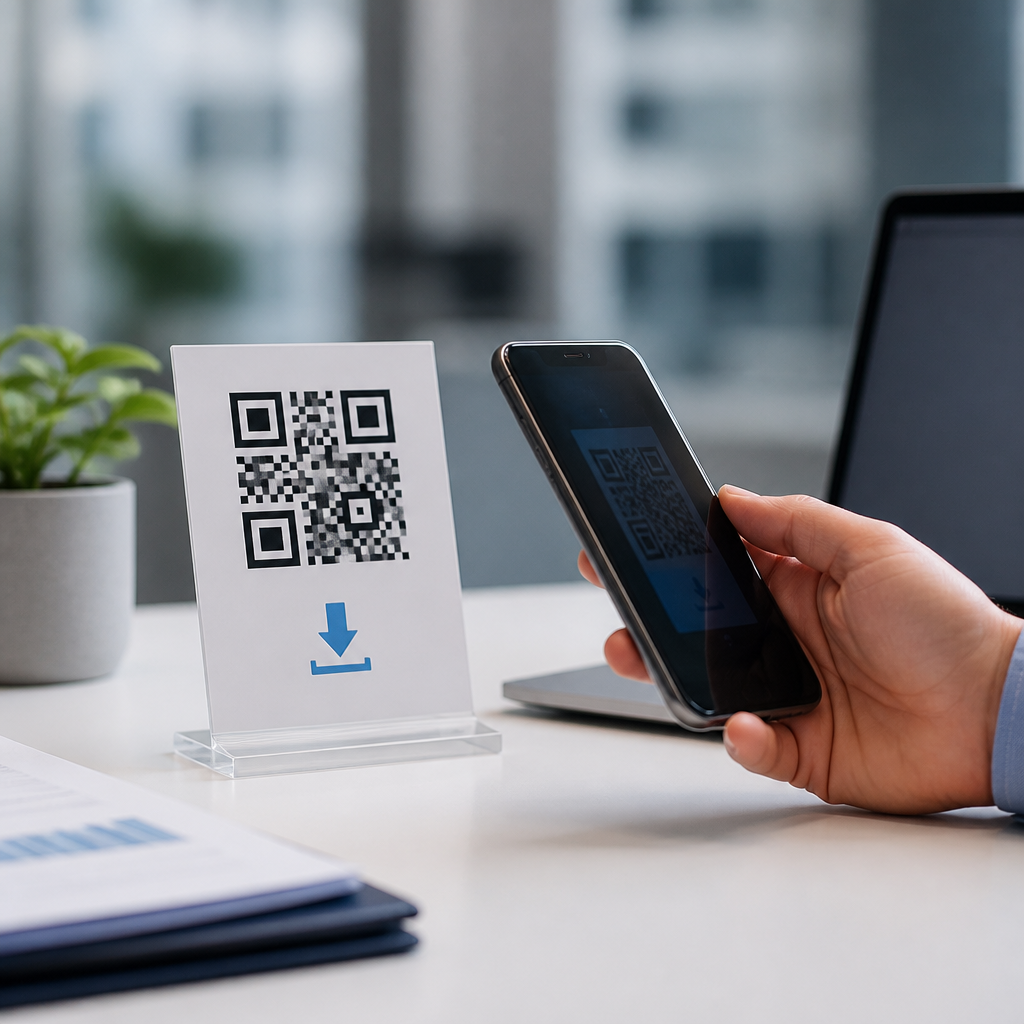
File download QR codes let a smartphone camera open a direct link to a downloadable asset such as a PDF, app package, image set, audio guide, coupon, menu, warranty card, or product manual. Within mobile QR code basics, they sit inside the broader family of QR code types because the code itself stores or points to a file destination rather than simply displaying plain text. That distinction matters: a text QR code reveals information immediately, while a file download QR code initiates a retrieval action from the web, cloud storage, or content delivery network. I have implemented these codes for retail packaging, trade show handouts, restaurant menus, training documents, and field service manuals, and the same operational questions appear every time: what file types work, should the code be static or dynamic, how large can the file be, how do you measure scans, and what happens when the file changes?
Understanding file download QR codes also helps explain types of mobile QR codes more generally. A QR code can launch a website, open a map, start a call, join Wi-Fi, compose an email, reveal a vCard, or trigger an app deep link. A file download version is usually built on a URL QR code, but the user intent is narrower and more transactional: get the asset fast, on a phone, with minimal friction. That means mobile usability, hosting reliability, analytics, security, and file format choices matter more here than in many other QR implementations. When this type is configured well, it reduces printing costs, shortens support interactions, and gives users the latest version of a document without replacing labels, packaging, signs, or brochures.
For businesses building a mobile QR code program, this page serves as the hub for understanding where file download QR codes fit, how they compare with related QR code types, and how to deploy them in a way that works across iPhone and Android devices. The key principle is simple: the code must lead to a stable, secure, mobile-friendly file experience. Everything else, from design to analytics, supports that outcome.
What a file download QR code is and how it works
A file download QR code is a scannable matrix barcode that sends the user to a URL where a file can be viewed, saved, or downloaded. Most are dynamic, meaning the visible pattern on the printed code stays the same while the destination URL can be changed in the QR platform dashboard. In practice, the scan often opens an intermediate landing page optimized for mobile, then presents a download button for the file. That extra step improves compatibility because mobile browsers handle PDFs, ZIP files, MP3s, and app packages differently. Direct file links can work, but a landing page gives you better control over branding, analytics, consent language, and fallback instructions.
Technically, the QR code does not usually contain the file itself. It contains encoded data, most often a URL. The phone camera or scanning app decodes that data, passes it to the browser, and the browser requests the asset from a server. If the server responds quickly over HTTPS and the file is in a supported format, the experience feels instant. If the hosting is slow, the certificate is invalid, or the file is too large for a cellular connection, users abandon the task. That is why file download QR codes should be treated as part of a mobile content delivery workflow, not just a graphic placed on packaging.
How file download QR codes compare with other mobile QR code types
Among the main types of mobile QR codes, file download codes share mechanics with URL QR codes but differ in user expectation. A website QR code usually sends users to browse information. A PDF QR code or brochure download code asks users to obtain a specific asset quickly. An app store QR code points to Apple App Store or Google Play listings, while a direct APK download QR code is more restricted and raises stronger security concerns. Menu QR codes may present an HTML web menu or offer a downloadable PDF menu; the first is easier to update and read on small screens, while the second preserves print layout and brand design.
Contact QR codes, calendar QR codes, SMS QR codes, and Wi-Fi QR codes encode actions or data directly and often work offline after scanning. File download QR codes almost always require internet access because the asset is hosted externally. That creates a clear tradeoff. They offer flexibility, version control, and rich content, but they depend on network quality. In my deployments for manufacturing clients, this distinction determined placement strategy: equipment labels in low-connectivity environments performed better with short mobile pages than with large manual downloads, while showroom displays with strong Wi-Fi handled high-resolution spec sheets without issue.
| QR code type | Primary action | Best use case | Main limitation |
|---|---|---|---|
| URL | Open a webpage | General information, campaigns | Requires maintained destination page |
| File download | Retrieve a PDF, image, audio, or app file | Manuals, menus, brochures, tickets | File size and mobile compatibility matter |
| vCard | Save contact details | Business cards, sales teams | Limited branding and analytics |
| Wi-Fi | Join a network | Hotels, offices, events | No rich content beyond credentials |
| App store | Open an app listing | Consumer app promotion | Extra step before installation |
Common file formats, hosting choices, and device behavior
The most common file format is PDF because it preserves layout, supports multi-page documents, and opens natively in modern mobile browsers. Other practical formats include JPEG and PNG for image downloads, MP3 for audio guides, MP4 for short videos, and PKPass for Apple Wallet passes. ZIP files are possible but should be used sparingly on mobile because they add friction. If the goal is reading, a mobile web page often outperforms a document file. If the goal is preserving a formatted asset for later use, download makes sense.
Hosting should be secure and fast. Reliable options include your own HTTPS website, cloud object storage such as Amazon S3 or Google Cloud Storage, or a QR platform that hosts files and manages redirects. A content delivery network improves global performance by serving files from edge locations. For public campaigns, I recommend keeping individual files small when possible, ideally under 5 MB for instant access over average mobile connections. If a sales brochure must be larger because of photography, provide a lightweight summary page first. Also name files clearly. A link ending in product-warranty-guide-2026.pdf signals legitimacy far better than an opaque string.
Device behavior varies. iPhones often preview PDFs in Safari before saving; Android behavior depends on browser and manufacturer customizations. Some devices automatically stream media, others prompt for download. Test with current versions of iOS and Android, using native camera scans rather than only third-party QR apps. That testing catches issues with MIME types, cross-origin settings, redirects, and cookie banners that can break the experience on mobile even when the file works on desktop.
Static versus dynamic QR codes for file delivery
Static file download QR codes point permanently to one encoded destination. They are appropriate when the file will never change, the campaign is short, and analytics are not critical. Dynamic QR codes are usually the better choice because you can update the linked file without reprinting the code. That matters for product instructions, compliance documents, seasonal menus, software installers, event materials, and educational handouts. If a regulation changes or a typo is found, you replace the destination in the dashboard and every printed code keeps working.
Dynamic codes also support scan analytics such as time, location by IP approximation, device type, and total scan counts. Those metrics help determine whether people actually access the document and from which channels. For example, a retailer can compare scans from shelf talkers versus packaging inserts if each placement uses a distinct dynamic code. The tradeoff is dependence on the provider’s redirect infrastructure. Choose a platform with strong uptime, exportable reporting, custom domains, and clear data retention policies. If the service is discontinued, redirect continuity becomes a real risk.
Best practices for creating effective file download QR codes
Start with the user’s question: what file do they expect, and what will they do with it on a phone? Label the code explicitly with action-oriented copy such as “Scan to download installation guide” or “Scan for PDF warranty.” Include the file type and size when relevant. That small detail reduces hesitation and helps users on limited data plans. Use sufficient quiet zone, high contrast, and print size appropriate for scanning distance. A common baseline is at least 2 x 2 cm for close-range packaging, but larger is safer on posters or uneven surfaces.
Avoid placing the only copy of essential information behind the code. Printed fallback text, a short URL, or key safety instructions should remain visible. For accessibility, make the destination page screen-reader friendly and ensure the file itself is selectable text, not just scanned images embedded in a PDF. Add meaningful document titles, searchable headings, and compressed images. If the file contains personal data or restricted materials, place authentication in front of the download rather than exposing an open public link. Finally, monitor the destination over time. Broken files, expired certificates, and accidental permission changes are among the most common causes of QR failure.
Use cases, measurement, and the role of this hub in mobile QR code basics
File download QR codes are especially useful where physical space is limited but document depth is high. Manufacturers use them for multilingual manuals and safety sheets. Real estate teams use them for floor plans and disclosure packets. Schools use them for consent forms and course guides. Restaurants use them for printable menus, allergen sheets, and catering packets, though HTML menus are often better for frequent updates and readability. Events use them for maps, agendas, and tickets. In each case, the strongest implementations match file type to intent instead of assuming every document should be a PDF.
Measurement should focus on completion, not just scans. A scan tells you interest; a completed download or meaningful file open indicates utility. Track scans with QR analytics, then pair them with web analytics events on the landing page or file server logs. Use UTM parameters where appropriate, segment by placement, and compare bounce rates between direct-download flows and preview-page flows. As the hub for types of mobile QR codes, this page sets the framework: choose the QR action that minimizes friction for the user’s goal. If a downloadable asset is truly the destination, file download QR codes are the right tool. Audit your current print materials, identify documents users repeatedly request, and replace bulky handouts with fast, tested mobile downloads.
Frequently Asked Questions
What is a file download QR code, and how is it different from a standard text QR code?
A file download QR code is a QR code designed to send a user to a downloadable digital asset instead of simply showing information on the screen. When someone scans it with a smartphone camera or QR scanning app, the code typically opens a URL that leads directly to a file such as a PDF, product manual, menu, coupon, image gallery, audio guide, warranty card, or app package. In practical terms, the QR code acts as a fast bridge between the physical world and a stored digital file.
The key difference is in what happens after the scan. A standard text QR code contains plain text that can be displayed immediately by the scanning device, such as a serial number, short message, or simple instructions. A file download QR code, by contrast, points to a destination where the file is hosted, so the user experience involves retrieval rather than instant display. That distinction places file download QR codes within the broader family of QR code types that connect users to web-based content instead of embedding all the information directly inside the code itself.
This matters for both usability and planning. Text QR codes are best for short, static information. File download QR codes are better when the content is too large, too complex, or too formatted to fit as plain text. If you want to deliver a branded PDF, a high-resolution image pack, an instruction sheet, or a downloadable media asset, a file download QR code is the more practical and scalable choice.
What types of files can a file download QR code deliver?
File download QR codes are flexible and can be used to deliver many kinds of digital assets. Common examples include PDFs for brochures, menus, user guides, training handouts, event programs, and warranty documents. Businesses also use them for image collections, presentation decks, coupon files, promotional materials, and downloadable product specifications. In hospitality and retail, they often link to menus, care instructions, size charts, or limited-time offers. In education and training, they can point to worksheets, slide decks, and reference documents.
They can also support media-based file delivery. A QR code may lead to an audio guide, pronunciation file, podcast episode, music sample, or spoken instructions. In some cases, it can point to app packages or software installers, although linking users to official app stores is often the safer and more trusted route for mobile apps. For technical industries, file download QR codes can connect users to CAD sheets, safety documents, compliance records, or installation manuals.
The most important consideration is compatibility. The file format should open easily on a typical smartphone without creating unnecessary friction. PDFs are popular because they preserve formatting and are widely supported across devices. If the file is large, make sure the hosting environment is fast and mobile-friendly. A QR code can create a smooth experience, but the final result still depends on whether the file is accessible, secure, and easy for the user to open once they scan.
How does a file download QR code work when someone scans it on a smartphone?
When a user scans a file download QR code, the smartphone reads the encoded destination, which is usually a URL. The device then opens that link in the browser or the appropriate app. From there, the linked page may automatically start the download, display a preview, or offer a button to open or save the file. The exact behavior depends on the file type, the hosting setup, and the operating system on the phone.
For example, if the QR code points to a PDF manual, the phone may open the PDF in the browser immediately and allow the user to download or share it. If it points to an audio file, the phone may begin playback or open a media player. If it links to a coupon image or menu file, the user may see a preview first. This process is different from a plain text QR code, where the information is often visible right away without the need to retrieve external content.
From the user’s perspective, the experience should feel simple: scan, open, access the file. To make that happen reliably, the destination should be mobile-optimized, secure, and clearly labeled. If possible, add context near the QR code itself, such as “Scan to download warranty PDF” or “Scan for audio guide,” so users know what to expect before they scan. That small detail improves trust and increases the likelihood that people will complete the action.
When should you use a file download QR code instead of another type of QR code?
You should use a file download QR code when the goal is to give people access to a document or downloadable asset that is too long, too visual, or too structured to work well as plain text. It is especially useful when the content needs formatting, branding, pagination, graphics, or offline saving. A restaurant might use one for a downloadable menu, a manufacturer for a product manual, a retailer for a warranty card, or an event organizer for a PDF schedule. In each case, the file itself is the valuable content, not just a short piece of text.
It is also a strong choice when you want to reduce printing costs or keep materials more current. Instead of printing large instruction booklets, catalogs, or multilingual guides, you can place a QR code on packaging, posters, signage, or inserts and direct users to the latest version of the file. That makes distribution more efficient and can improve the customer experience, especially when people expect immediate mobile access.
That said, it is not always the best option. If all you need to share is a short sentence, contact detail, or simple code, a text QR code may be faster and more direct. If your goal is to send users to a landing page with multiple actions rather than one specific downloadable asset, a standard URL QR code may be more appropriate. The best choice depends on intent: if the destination is a file the user should open, save, read, or use, then a file download QR code is usually the right fit.
What are the best practices for creating an effective file download QR code?
Start by making the destination reliable and user-friendly. Host the file on a secure, fast-loading page and test it on multiple devices before publishing the QR code. The file should be easy to open on both iPhone and Android, and the page should not require unnecessary steps, pop-ups, or complicated logins unless access control is intentionally part of the process. If the file is large, consider compression or a preview page so users are not surprised by a heavy download on mobile data.
Clarity is equally important. Label the QR code with a short instruction that explains what the user will get, such as “Scan to download product manual PDF” or “Scan for coupon.” This sets expectations and builds trust. If relevant, mention the file type or size, especially for larger downloads. People are more likely to scan when they understand the value and know the result will be useful.
Design and placement also matter. Use a high-contrast QR code with enough size for easy scanning, and place it where users can comfortably scan it from the expected distance. Avoid cluttered backgrounds or extreme styling that could reduce readability. If the code appears on packaging, posters, menus, or equipment labels, make sure there is adequate lighting and space around it. Finally, maintain the linked file over time. Broken links and outdated documents quickly damage trust, so ongoing testing and content updates are essential if the QR code will remain in circulation for months or years.





