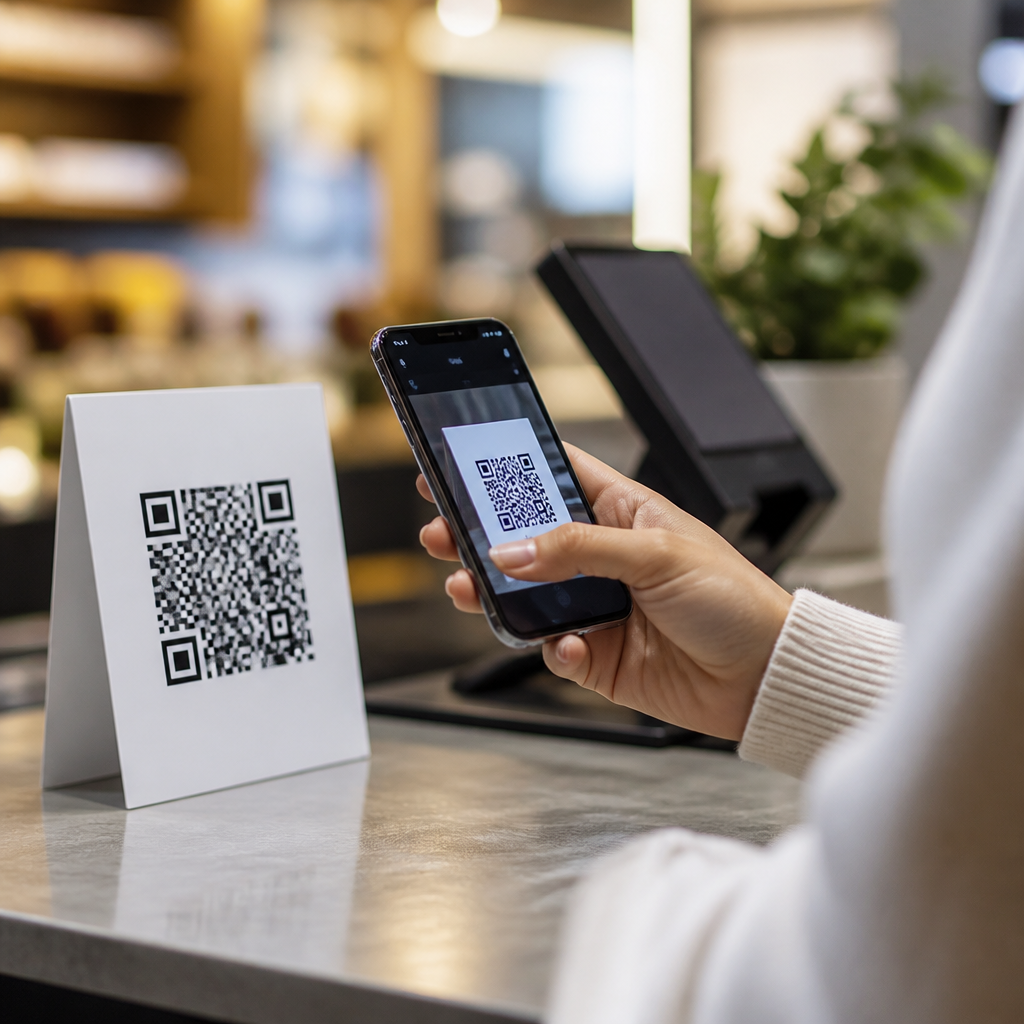

QR codes have become one of the most practical tools for event operations, and nowhere is that clearer than at check-in. In this case study hub on QR codes for event check-in success, the goal is not just to explain that the method works, but to show how and why it improves speed, accuracy, security, and attendee experience across conferences, trade shows, concerts, fundraisers, and private corporate events. Event check-in refers to the process of verifying registration or ticket validity when a guest arrives, usually while assigning access credentials such as badges, wristbands, or digital permissions. A QR code is a machine-readable square barcode that stores a unique identifier, URL, or encrypted payload, which a scanner or smartphone can read in seconds.
I have worked with event teams that shifted from printed guest lists and manual badge lookups to QR-based check-in systems, and the difference is measurable from the first arrival wave. Lines shorten because staff stop searching spreadsheets alphabetically. Error rates drop because attendees no longer depend on exact name spelling, outdated confirmations, or duplicated records. Organizers also gain something more valuable than speed: a timestamped record of who arrived, when they entered, and which access point they used. That operational visibility matters for staffing decisions, sponsor reporting, fire-code compliance, and post-event analytics.
This page serves as a hub for case studies and success stories within the broader topic of QR code trends, statistics, and future use. It covers the common patterns behind successful deployments, the technologies typically involved, the metrics that matter, and the lessons teams learn after live execution. If you want to understand whether QR codes are effective for event check-in, the short answer is yes: when paired with reliable registration software, clear attendee instructions, trained staff, and offline backup procedures, QR-based check-in is faster and more resilient than manual methods in nearly every event format.
What Successful QR Code Event Check-In Looks Like
A successful QR code event check-in system does four things consistently. First, it links each registration to a unique code, usually delivered by email, wallet pass, or event app. Second, it validates that code instantly through a scanner, tablet camera, kiosk, or mobile phone. Third, it triggers a workflow such as badge printing, access approval, session tracking, or payment verification. Fourth, it records the scan against a central attendee database in real time, or syncs once connectivity returns. Platforms such as Cvent, Eventbrite, Bizzabo, Swapcard, and Whova support versions of this flow, often integrated with badge printers from Zebra, Brother, or Epson.
In practice, the operational gains come from removing friction at arrival. At a regional business conference I observed, staff previously handled 1,200 attendees with six registration desks and paper lists. Average wait times during the first 45 minutes exceeded 14 minutes. After switching to email-delivered QR codes and on-demand badge printing, the same event processed a slightly larger audience with four staffed stations and two self-service kiosks, cutting average waits to under four minutes. The change was not caused by the code alone. It came from redesigning the check-in workflow around rapid identity matching, fewer manual decisions, and real-time synchronization between registration records and printers.
Another marker of success is low exception volume. Every event has edge cases: dead phone batteries, forwarded tickets, duplicate scans, walk-ins, and guests who registered under assistants’ email addresses. Strong implementations plan for these scenarios. They create an express lane for valid codes, a help desk for exceptions, and an admin view that lets staff search by name, company, or order number. The best case studies show that check-in succeeds not because nothing goes wrong, but because the system handles predictable failures without collapsing the line.
Case Study Patterns Across Event Types
Different event categories use QR codes differently, yet their best outcomes follow the same logic. Conferences use codes for registration verification, instant badge printing, and session attendance tracking. Trade shows layer exhibitor lead capture onto attendee check-in, letting sponsors scan badges later for qualified contacts. Concerts and festivals focus on anti-fraud validation and high-throughput gate entry. Nonprofit galas often combine ticketing, table assignment, and donation tracking. Internal corporate events use QR codes to manage security, floor access, and attendance reporting tied to HR or learning platforms.
At a multi-day trade show, for example, organizers may send dynamic QR codes before the event and print encoded badges on arrival. Day one check-in confirms identity and produces the badge. Days two and three rely on badge rescans at entrances, VIP zones, or educational sessions. This creates a complete movement trail that organizers can use to report sponsor exposure, identify congested periods, and compare registration against actual attendance. For sponsors paying premium rates, scan-backed attendance data is stronger evidence than rough headcounts.
In higher-security corporate meetings, static screenshots are not always enough. Some teams use rotating or time-bound QR codes displayed in an event app, similar to airline boarding passes or secure visitor management systems. If a code is shared outside the approved attendee account, it fails validation because the underlying token has expired or already been redeemed. That approach is especially useful when events involve confidential product launches, investor briefings, or regulated industry access controls.
| Event type | Primary check-in goal | Typical QR code workflow | Key success metric |
|---|---|---|---|
| Conference | Fast registration and badge printing | Email code scanned at desk, badge printed instantly | Average wait time |
| Trade show | Attendance verification and lead capture foundation | Entrance scan plus encoded badge for exhibitors | Check-in to badge completion time |
| Concert or festival | High-volume entry and fraud prevention | Ticket QR validated at gate against redemption status | Scans per minute per lane |
| Fundraiser or gala | Guest management and table assignment | Code scan retrieves guest record and seating details | Exception handling rate |
| Corporate event | Security and access logging | App-based dynamic code checked against permissions | Unauthorized entry prevention |
Technology Stack, Metrics, and Operational Lessons
The strongest event check-in case studies do not start with the code design. They start with the stack. A dependable system usually includes registration software, a QR code generation method tied to unique attendee IDs, scanning hardware or mobile devices, badge printing if required, staff permissions, and analytics dashboards. Connectivity matters, but offline mode matters more. The best platforms cache attendee lists locally so check-in can continue if venue Wi-Fi fails. After reconnection, records reconcile automatically. If a vendor cannot explain offline scanning behavior clearly, that is a warning sign.
Metrics should be defined before the event begins. The most useful are average check-in time per attendee, queue length by time block, first-hour throughput, percentage of self-service versus staffed check-ins, duplicate scan rate, exception rate, badge reprint rate, and no-show percentage. For paid events, teams should also track fraudulent or invalid entry attempts. For sponsors and programming teams, session scan data can reveal conversion from registered attendees to actual room attendance. These metrics turn a check-in tool into a planning system for future events.
One recurring lesson from real deployments is that attendee communication affects check-in performance almost as much as software quality. When confirmation emails clearly tell guests where to find the QR code, whether screenshots are accepted, and what to do if they cannot access the original message, arrival lines move faster. Another lesson is staffing design. Putting your most experienced people at the exception desk instead of the main queue prevents rare issues from slowing simple scans. Signage also matters. Separate lanes for pre-registered attendees, walk-ins, VIPs, and exhibitors reduce confusion immediately.
Privacy and compliance cannot be ignored. QR codes themselves do not need to expose personal data. In well-designed systems, the code contains a token or record ID, while attendee information is retrieved securely after scan. This reduces data leakage risk if a code is photographed. Event teams handling EU residents should review General Data Protection Regulation obligations, especially retention policies and lawful basis for attendance tracking. For health care, education, or enterprise events, access logs may also fall under contractual or industry-specific controls. Convenience should never bypass basic data governance.
Why These Success Stories Matter for the Future of Event Operations
QR code event check-in success matters because it points to a broader shift in how live experiences are managed. Registration is no longer an isolated front-desk task. It is now the opening transaction in a connected event data chain that can include access control, networking, exhibitor engagement, session analytics, food entitlement, continuing education credits, and post-event follow-up. When the first scan is accurate, every downstream workflow becomes more reliable. That is why so many event technology roadmaps now treat QR-enabled identity and attendance tracking as core infrastructure rather than a convenience feature.
Across the case studies and success stories in this hub, the consistent takeaway is simple: QR codes improve event check-in when they are implemented as part of a full operational system. The code must connect to clean registration data, resilient scanning tools, sensible queue design, trained staff, and backup processes for inevitable exceptions. Done well, organizers reduce wait times, gain trustworthy attendance records, strengthen security, and deliver a smoother first impression for every guest category. Done poorly, they merely digitize confusion.
If you are building or refining an event check-in process, use this hub as your starting point. Review examples by event type, compare platforms and workflows, define the metrics you want to improve, and test the experience under live conditions before opening doors. QR codes are not a trend in event operations anymore; they are an established standard with clear performance advantages. The organizations that benefit most are the ones that treat check-in as a measurable system and continuously improve it after every event.
Frequently Asked Questions
How do QR codes improve event check-in compared with manual or paper-based methods?
QR codes streamline event check-in by replacing slow, error-prone manual verification with a fast digital process. Instead of searching guest lists, checking printed tickets by hand, or correcting spelling and registration mismatches at the door, staff can scan a unique code tied directly to an attendee’s registration record. That single action confirms identity, validates ticket status, and often updates attendance in real time. In practical terms, this reduces line congestion, shortens wait times, and helps events process large volumes of attendees far more efficiently.
They also improve accuracy. Manual check-in often introduces avoidable issues such as duplicate entries, missed arrivals, incorrect badge assignments, or confusion around ticket tiers and access permissions. With QR-based systems, the registration data is already structured and linked to the code, which minimizes human error and creates a cleaner operational record. For conferences, trade shows, concerts, fundraisers, and private corporate events, that level of reliability matters because check-in is not just the first operational step—it sets the tone for the entire attendee experience.
Another major advantage is flexibility. QR codes can be delivered through email, mobile apps, digital wallets, or printable confirmations, making them easy for attendees to access in whatever format is most convenient. For organizers, that means less dependency on physical ticketing materials and fewer logistical points of failure. In many successful event check-in case studies, the biggest takeaway is not just that QR codes make entry faster, but that they create a smoother, more professional front-door experience while giving organizers better visibility into attendance patterns and real-time crowd flow.
Why are QR codes considered more secure for event check-in?
QR codes add security to event check-in because each code can be generated as a unique identifier connected to a specific registration, ticket type, or invitation record. When scanned, the system can instantly determine whether the code is valid, already used, assigned to a particular attendee, or authorized for certain access levels. This is significantly more secure than relying on printed lists, basic paper tickets, or visual badge checks, all of which are easier to duplicate, misuse, or manipulate.
Many event platforms also support additional security controls around QR-based entry. For example, codes can be set for one-time use, tied to time windows, restricted to designated event zones, or invalidated immediately if a ticket is refunded or transferred improperly. At multi-session conferences or VIP events, the same QR infrastructure can help enforce access control for breakout rooms, backstage areas, sponsor lounges, or private receptions. That means the code is not just a ticket—it becomes part of a broader event security and access management system.
Just as important, QR check-in creates a verifiable audit trail. Organizers can see when a code was scanned, where it was scanned, and whether a duplicate attempt occurred. That kind of data is valuable for resolving disputes, monitoring suspicious activity, and improving future planning. In a case study setting, security improvements often show up not only as fewer fraudulent entries, but also as stronger operational confidence. Staff spend less time second-guessing ticket validity and more time moving attendees through entry in a controlled, consistent way.
What types of events benefit the most from QR code check-in?
QR code check-in works well across nearly every event category, but it is especially valuable for events where speed, volume, and accurate verification are critical. Conferences and trade shows benefit because they often involve hundreds or thousands of attendees arriving within a compressed time frame, sometimes with different pass types, session access rules, and exhibitor permissions. QR scanning allows organizers to move people quickly while keeping attendee records synchronized across registration, badge printing, and access control systems.
Concerts, festivals, and fundraisers also see strong results because these events typically depend on efficient entry management and clear ticket validation. In those environments, even small delays at the gate can create long lines, crowd frustration, and staffing pressure. A QR-based process helps maintain flow and reduce the chance of invalid, duplicated, or resold tickets being accepted. For charity galas and fundraising events, QR codes can also simplify guest list management, sponsor table check-in, and last-minute adjustments to attendee records.
Private corporate events are another strong use case, especially when guest access needs to be controlled more tightly. Leadership summits, internal meetings, training sessions, product launches, and client events often require more than simple admission; they may involve restricted areas, pre-approved attendees, or rapid on-site updates. QR codes support that kind of controlled flexibility well. Ultimately, the events that benefit most are those that want to reduce friction at arrival while improving visibility, professionalism, and operational control from the first attendee scan onward.
What operational results do event organizers typically see after adopting QR code check-in?
Organizers who switch to QR code check-in typically report faster entry times, lower staffing strain, and fewer check-in errors. One of the most visible improvements is reduced queue length. Because scanning is much quicker than manually searching a list or verifying printed paperwork, teams can process attendees at a much higher rate. This matters especially during peak arrival periods, when long lines can negatively affect attendee mood before the event even begins. A smoother check-in process often translates directly into better first impressions and a more polished event reputation.
Another common result is cleaner attendance data. QR scans create immediate, trackable records of who arrived, when they arrived, and sometimes which entry point they used. That data can support post-event reporting, sponsor metrics, staffing analysis, and future planning. Organizers gain a clearer picture of actual attendance versus registration counts, no-show rates, session demand, and peak arrival windows. In a case study environment, these insights are often just as important as the speed improvement because they help justify event strategy and budget decisions with measurable evidence.
There are also broader operational gains that may not be obvious at first. Staff training becomes easier because the process is simpler and more standardized. On-site support teams spend less time resolving preventable check-in confusion. Badge printing and attendee management workflows tend to become more coordinated. In some events, QR-based systems even support better emergency planning by giving organizers a more accurate real-time view of who is on site. The overall pattern is clear: QR code check-in does more than accelerate entry; it strengthens the event’s operational foundation.
What should organizers consider when implementing QR codes for event check-in successfully?
Successful implementation starts with choosing a registration and check-in system that can reliably generate, distribute, and validate unique QR codes. Organizers should make sure the platform integrates well with their broader event workflow, including ticketing, badge printing, access control, and reporting. It is also important to think through the attendee journey in advance. Codes should be easy to find in confirmation emails or mobile apps, and instructions should clearly explain whether attendees should present them on a phone screen or bring a printed copy as backup.
Operational planning matters just as much as the technology itself. Staff need training on scanner use, exception handling, and escalation procedures for invalid or missing codes. Entry lanes should be designed to support efficient flow, and organizers should test the full process before event day under realistic conditions. That includes checking scan speed, internet reliability, device readiness, battery management, and fallback procedures in case of connectivity issues. The most successful event teams do not treat QR check-in as a plug-and-play feature; they treat it as a core operational workflow that deserves rehearsal and contingency planning.
Finally, organizers should align QR code implementation with attendee experience goals. A good system should feel quick, intuitive, and low-friction, not overly technical or confusing. Branding the check-in journey, communicating expectations in advance, and offering support for edge cases all help reinforce confidence at the door. In strong case study examples, success usually comes from combining the right technology with thoughtful execution. When that happens, QR codes become more than a convenience—they become a reliable engine for faster entry, better data, stronger security, and a noticeably more professional event experience.