
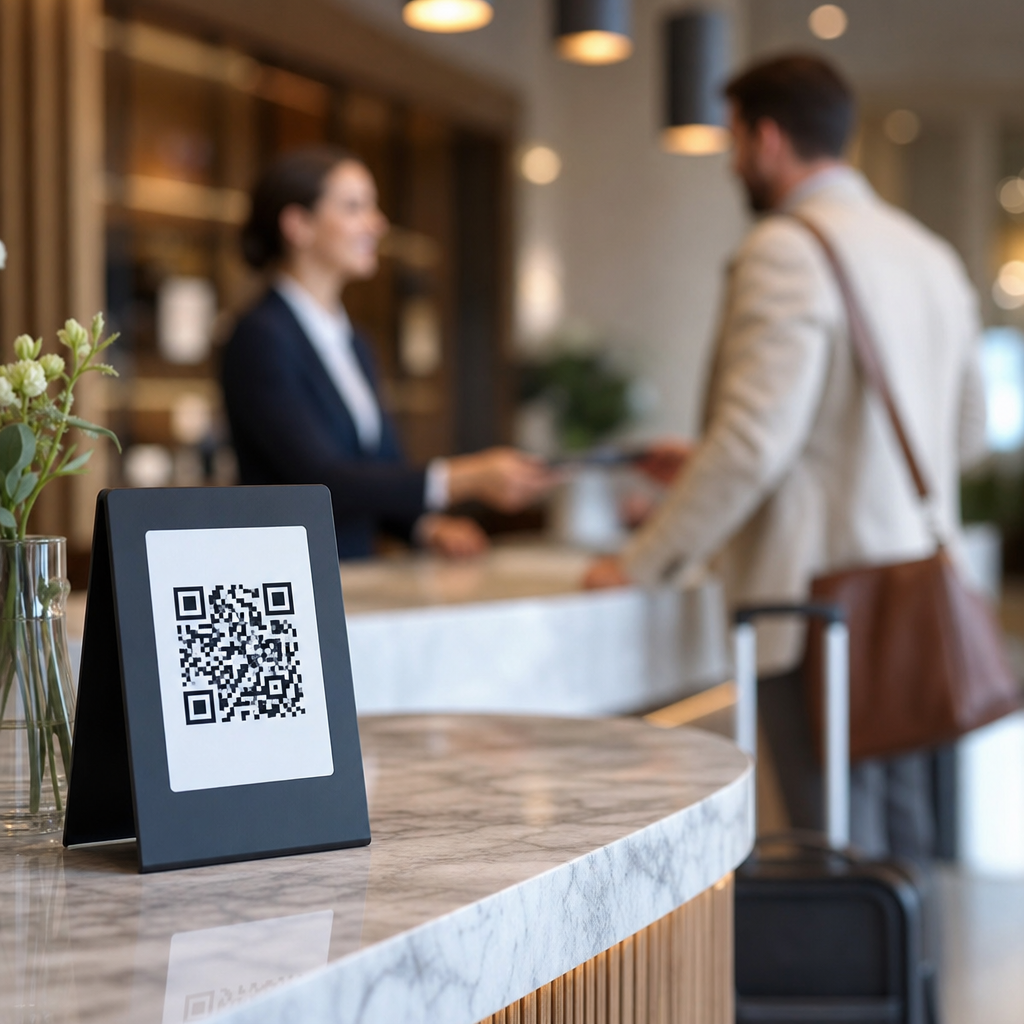
QR codes have become a core operational tool for restaurants, hotels, bars, cafes, and event venues because they connect physical spaces to digital actions in seconds. In hospitality, a QR code is a scannable two-dimensional barcode that opens a menu, check-in form, payment page, loyalty program, review request, or guest service portal on a phone. When used well, QR codes reduce friction, speed up service, support staffing efficiency, and create measurable guest journeys from table or lobby to transaction or follow-up. When used poorly, they confuse guests, break trust, and interrupt the experience at exactly the moment convenience should feel effortless.
I have seen both outcomes firsthand. In one restaurant rollout, replacing worn printed menus with dynamic QR menus cut reprint costs and let the team update sold-out items in minutes. In another property, tiny low-contrast codes placed under glossy table lights produced scan failures and frustrated guests before they even ordered drinks. The difference was not the technology itself. It was execution. Best QR code practices for hospitality businesses focus on placement, design, destination experience, accessibility, measurement, and staff training, not just generating a code and hoping guests use it.
This hub article covers Restaurants and Hospitality comprehensively because the use cases overlap, but the stakes vary by setting. A quick-service counter needs speed and order accuracy. A full-service restaurant needs menu clarity and upsell opportunities without hurting hospitality. A hotel needs QR journeys that support check-in, room service, Wi-Fi access, concierge requests, local recommendations, and post-stay feedback. Across all of them, the goal is the same: make every scan intentional, reliable, and useful to the guest.
Start with the guest task, not the code
The strongest QR deployments begin by identifying the exact task a guest is trying to complete in that moment. In restaurants, common tasks include viewing menus, placing orders, paying at the table, joining a waitlist, redeeming promotions, and leaving reviews. In hotels, guests may need mobile check-in, digital room guides, spa booking, event schedules, or maintenance requests. If a single code tries to handle too many choices at once, completion rates usually drop. Guests should know what will happen before they scan, and the landing page should match that promise immediately.
That means every code needs a clear call to action next to it. “Scan to view today’s menu” performs better than “Scan here.” “Scan for pool towel service” is better than a generic hospitality portal. In practice, task-specific language reduces hesitation and reassures less technical guests. It also helps operations teams map codes to measurable goals. If one code is for brunch ordering and another is for loyalty signup, each can be tracked separately in analytics, POS reporting, or campaign dashboards.
A practical way to structure a hospitality QR program is by guest journey stage: arrival, ordering, service, payment, and follow-up. This article serves as the hub for that broader subtopic because each stage supports more detailed companion articles, such as QR code menus, hotel digital concierge systems, contactless payments, review generation, and location-based promotions. Building that structure early prevents scattered implementation and makes internal linking between related resources more useful for operators and marketers alike.
Design QR codes for real hospitality environments
QR code design is not mainly about branding. It is about scan reliability in noisy, busy, reflective, low-light spaces. Hospitality businesses often place codes on laminated menus, acrylic tents, table stickers, room cards, receipts, posters, elevator placards, coasters, and packaging. Each surface changes readability. Follow ISO/IEC 18004 principles indirectly by preserving high contrast, sufficient quiet zone, and error correction appropriate to the print context. Dark code on a light matte background remains the safest standard. In testing, I avoid reversing colors unless the print vendor proves consistent scan performance across current iPhone and Android cameras.
Size matters more than many teams expect. A table tent viewed from arm’s length can use a smaller code than a lobby sign viewed several feet away. As a rule, increase physical size as scan distance increases, and test under actual venue lighting. Glossy lamination, direct sun on patio tables, candlelit dining rooms, and wrinkled takeaway labels all create scan friction. A beautiful custom code with embedded logos is worthless if older phone cameras struggle to read it. Brand styling should never compromise function.
Use dynamic QR codes for most hospitality scenarios because destinations change. Dynamic codes let a restaurant swap breakfast to lunch menus without reprinting, redirect expired campaign pages, and pause promotions after inventory runs out. Hotels can update event microsites, room guides, or safety information centrally. Static codes still have a place for permanent, low-risk destinations such as Wi-Fi instructions or a stable homepage, but dynamic management is usually the better operational choice.
Create landing pages that load fast and convert
The QR code is only the doorway. The destination determines whether the guest finishes the task. Landing pages for hospitality should load quickly on mobile data, avoid forced app downloads, and present one primary action above the fold. For a restaurant menu, that means readable categories, allergy indicators, modifiers, pricing, and item availability. For hotel services, it means direct paths to housekeeping, dining reservations, spa scheduling, or local transport details. If a guest scans a room card and lands on a cluttered homepage, the code has failed its purpose.
Speed is especially important because hospitality scans often happen in weak-signal environments such as elevators, parking areas, conference halls, or outdoor patios. Compress images, minimize scripts, and test Core Web Vitals on mobile. A five-second delay feels much longer when a server is waiting at the table or a traveler is standing at reception. I have consistently seen higher completion when businesses use lightweight pages instead of PDF menus. PDFs remain common, but they pinch-zoom poorly, can be inaccessible to screen readers, and rarely support easy updates.
Mobile UX should also respect context. Table ordering interfaces need large buttons, visible cart summaries, and clear service fees or gratuity prompts. Hotel service portals should identify the property immediately, especially for chains. Include phone and in-person alternatives so the QR path feels like convenience, not a forced gate. Good hospitality design gives guests choice.
Match QR use cases to operational goals
Not every hospitality business needs the same QR stack. The right mix depends on service model, staffing, property type, and guest expectations. Restaurants usually get the best returns from menu access, ordering, payment, loyalty enrollment, and review generation. Hotels often benefit most from check-in support, digital compendiums, room service ordering, amenity booking, and multilingual guest information. Event venues can use QR codes for ticket validation, seating maps, sponsor offers, and concession ordering.
| Use case | Best for | Primary benefit | Main risk |
|---|---|---|---|
| Digital menu | Restaurants, bars, cafes | Instant updates and lower print costs | Poor readability if built as PDFs |
| Table ordering | Quick service, casual dining, venues | Faster throughput and fewer order errors | Can feel impersonal in full-service settings |
| Pay at table | Restaurants, hotels, lounges | Shorter wait times and better table turns | Trust concerns if payment page looks unfamiliar |
| Digital concierge | Hotels, resorts | Lower front desk volume and better self-service | Too many choices reduce task completion |
| Review request | All hospitality businesses | More first-party feedback and public reviews | Asking too early can hurt sentiment |
The tradeoff to watch is service perception. Some diners appreciate control and speed; others see mandatory QR ordering as a downgrade. Luxury and high-touch brands should use QR codes to support staff, not replace them. For example, a sommelier can still guide wine selection while the QR menu handles vintage updates and stock changes behind the scenes.
Train staff, track data, and protect trust
Even the best QR system fails if staff do not know when to introduce it, how to troubleshoot it, or what fallback process to offer. Front-of-house teams should be able to explain the benefit in one sentence, such as “You can scan here to see live menu updates and pay whenever you’re ready.” They should also recognize common barriers: older guests who prefer printed menus, tourists without data roaming, or guests with accessibility needs. A printed backup, verbal ordering option, and staff-assisted payment path are essential safeguards.
Measurement should connect scans to outcomes, not vanity metrics. Track scan volume by location, menu views, order starts, completed payments, average check, review submissions, and time-of-day patterns. Use UTM parameters, POS integrations, and analytics platforms such as Google Analytics 4, Toast, Square, or hotel guest experience software where available. Data often reveals surprising issues. A code with many scans but low conversions may point to weak Wi-Fi, a confusing landing page, or a mismatch between the call to action and destination.
Trust and security matter because guests are increasingly aware of malicious QR code tampering, sometimes called quishing. Inspect physical codes regularly, especially on outdoor tables, public posters, and shared lobby surfaces. Use branded domains, HTTPS, and landing pages that clearly identify the business before requesting payment or personal details. Avoid URL shorteners that obscure destination trust signals. If collecting guest data, follow privacy obligations and store only what operations or marketing genuinely need. Transparency builds confidence, and confidence increases usage.
Build a scalable Restaurants and Hospitality QR strategy
The best QR code practices for hospitality businesses are simple: start with a clear guest task, design for scan reliability, send users to fast mobile pages, choose use cases that fit the service model, and support everything with staff training, analytics, and security controls. Restaurants and Hospitality brands that treat QR codes as part of the guest journey, not a novelty, usually see better efficiency and smoother service. They also create a stronger foundation for related initiatives such as loyalty, feedback collection, digital upselling, and multilingual support.
As the hub page for this subtopic, this guide should anchor your broader Restaurants and Hospitality content strategy. From here, expand into detailed articles on QR code menus, hotel concierge workflows, pay-at-table systems, accessibility standards, and review generation programs. That structure helps operators compare options and helps every location implement consistent standards. Audit your current codes this week, test every scan on multiple phones, and fix the weakest guest journey first.
Frequently Asked Questions
What are the most effective ways hospitality businesses can use QR codes?
Hospitality businesses get the best results from QR codes when they connect guests to fast, useful actions that remove friction from the experience. In restaurants and cafes, that often means digital menus, table ordering, mobile payment, loyalty sign-ups, and review requests. In hotels, QR codes can support mobile check-in, room service ordering, Wi-Fi access, spa bookings, concierge services, local recommendations, and housekeeping requests. Bars and event venues can use them for drink menus, ticket verification, event schedules, VIP upgrades, and lead capture for future promotions.
The key is to match each QR code to a clear guest intent at a specific moment. A table tent code should solve a table-side need, such as viewing the menu or paying the bill. A lobby sign should guide guests to check-in details, amenities, or service directories. A post-stay or post-meal QR code should focus on reviews, loyalty enrollment, or rebooking. The most effective implementations feel natural and immediate, not promotional for the sake of it. When the destination page is relevant, mobile-friendly, and quick to load, QR codes become a practical operational tool rather than a novelty.
How can restaurants, hotels, and venues make QR codes easy for guests to use?
Ease of use starts with placement, clarity, and trust. Guests should instantly understand what happens after they scan, so every QR code should be paired with a short instruction such as “Scan to view menu,” “Scan to order room service,” or “Scan to pay your tab.” Without that context, even well-designed codes can be ignored. Placement also matters. Codes should be positioned where the action makes sense: on tables, front desks, room key sleeves, lobby signage, receipts, event check-in areas, and in-room materials. They should be large enough to scan comfortably, printed with good contrast, and not distorted by low-resolution artwork or awkward angles.
The digital destination is just as important as the code itself. Landing pages should load quickly, require as few steps as possible, and work cleanly on mobile devices without unnecessary pop-ups or forced app downloads. If the goal is ordering or check-in, guests should be able to complete the task in seconds, not navigate a confusing website. It also helps to provide a backup option for accessibility and preference, such as a printed menu, front desk assistance, or verbal service support. Hospitality is about convenience and comfort, so QR codes should enhance service, not become a barrier to it.
What are the best design and placement practices for QR codes in hospitality settings?
Strong QR code design balances brand presentation with scan reliability. Hospitality businesses often want their codes to reflect brand identity, and that can work well as long as function comes first. Use high contrast between the code and background, avoid overly decorative customizations, and leave sufficient white space around the code so phone cameras can detect it easily. Test printed versions under real lighting conditions, especially in restaurants, bars, and event spaces where dim light is common. Materials also matter. Glossy surfaces, folds, curved placements, and worn signage can all reduce scan performance.
Placement should align with guest behavior and traffic flow. In a restaurant, codes should be visible from a seated position and easy to scan without moving plates or drinks. In a hotel, useful locations include the front desk, elevators, rooms, welcome booklets, and pool or spa areas. At event venues, QR codes should be placed at entrances, registration desks, wayfinding signs, and concession points. Avoid cluttering every surface with multiple codes, which can create confusion and reduce engagement. Each code should serve a distinct purpose, and guests should never have to guess which one to use. A well-placed QR code feels like a helpful shortcut embedded naturally into the guest journey.
How can hospitality businesses track QR code performance and measure results?
One of the biggest advantages of QR codes is that they can create measurable guest journeys from physical locations to digital actions. To track performance effectively, businesses should use dynamic QR codes whenever possible. Dynamic codes allow the destination URL to be updated without reprinting the code, and they typically provide analytics such as scan volume, time of scan, location data, and device type. This makes it easier to compare performance across tables, rooms, properties, campaigns, or service areas.
Beyond basic scans, the most valuable measurement comes from linking QR activity to business outcomes. For example, a restaurant can track how many menu scans lead to orders, how many payment page scans result in completed transactions, or how many receipt QR scans generate reviews. Hotels can measure room service conversions, spa bookings, late checkout requests, or loyalty registrations. Event venues can monitor check-in completions, concession orders, sponsor engagement, or ticket upgrades. Adding UTM parameters, conversion tracking, and platform integrations with POS, booking, CRM, or review systems gives a clearer picture of ROI. The goal is not simply to know that a code was scanned, but to understand whether it improved speed, guest satisfaction, revenue, or operational efficiency.
What common mistakes should hospitality businesses avoid when using QR codes?
A common mistake is using QR codes without a clear purpose. If a guest scans a code and lands on a generic homepage, a desktop-style website, or a page that requires too many steps, the experience immediately loses value. Another frequent problem is poor maintenance. Printed codes may link to expired promotions, broken pages, outdated menus, or unavailable services, which creates frustration and undermines trust. Hospitality businesses should review all live QR code destinations regularly and update them as menus, hours, events, booking links, or service policies change.
Businesses should also avoid assuming every guest wants a fully QR-based experience. While many guests appreciate speed and convenience, others prefer traditional service options. Replacing all human touchpoints with QR codes can make the experience feel impersonal, especially in premium hospitality settings. It is better to use QR codes to support staff, not eliminate hospitality. Additional mistakes include placing codes in low-light areas, using designs that are hard to scan, failing to explain what the code does, and overlooking privacy considerations when collecting guest data. The best practice is to treat QR codes as part of a broader service system: useful, tested, mobile-optimized, and always aligned with what guests actually need in the moment.





