
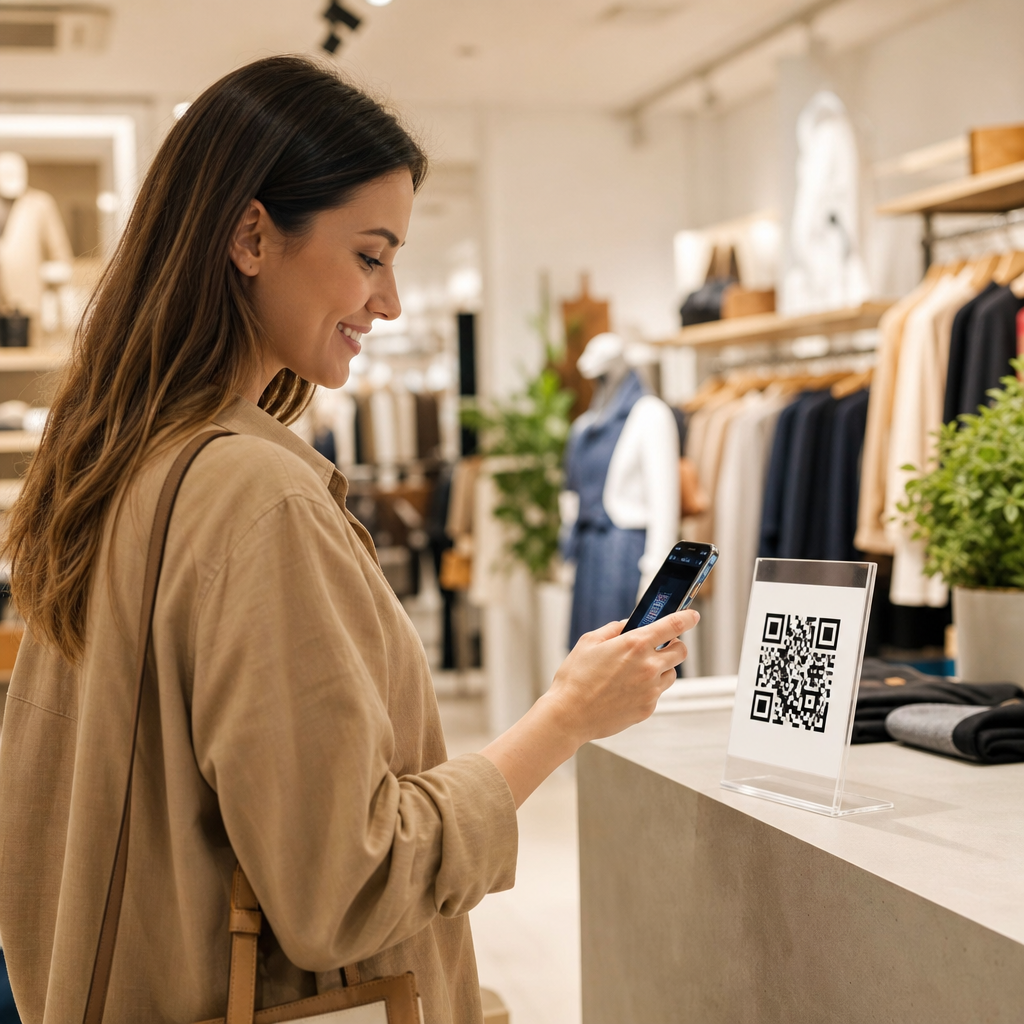
Retail stores use QR codes to boost sales by removing friction at the exact moment a shopper is ready to act, whether that means learning about a product, joining a loyalty program, redeeming an offer, or completing a purchase. In retail and e-commerce, a QR code is a scannable matrix barcode that opens a digital destination such as a product page, coupon, app download, payment screen, review form, or inventory lookup. I have helped retailers deploy QR programs on shelf talkers, packaging, window displays, fitting rooms, receipts, and point-of-sale materials, and the pattern is consistent: when the scan leads to a useful next step, conversion rises. This matters because modern shoppers move fluidly between physical and digital channels. They compare prices in the aisle, read reviews before buying, and expect real-time answers about sizing, availability, delivery, and returns. QR codes bridge those expectations without requiring expensive hardware or major store redesigns.
For retailers, the value goes beyond convenience. QR codes can connect in-store discovery to online content, capture first-party data, shorten checkout, and attribute offline activity to digital campaigns. They also support measurable omnichannel behavior. A customer may scan a code on a mannequin tag, save the item to a wishlist, receive a follow-up email, and buy later through the website. That sequence is difficult to create with signage alone. Done well, QR codes improve customer experience and sales performance at the same time. Done poorly, they frustrate shoppers with broken links, generic homepages, or pages that are not mobile optimized. The difference comes down to strategy, placement, offer design, analytics, and operational discipline. As a hub for retail and e-commerce applications, this guide explains where QR codes create revenue, how leading stores use them, what metrics matter, and how to implement them in a way that scales across locations and product categories.
Where QR Codes Increase Retail Sales
Retail stores most often increase sales with QR codes in five places: product discovery, promotion redemption, loyalty enrollment, assisted selling, and checkout. On the sales floor, codes on shelf labels or display signs answer the question shoppers ask most often: “Is this right for me?” A beauty retailer can link a code beside a serum to ingredient details, dermatologist guidance, before-and-after imagery, and routines by skin type. A furniture store can link a sofa tag to dimensions, fabric options, assembly instructions, and room visualization. When useful information appears instantly, hesitation drops. In my experience, shoppers scan most when the code solves uncertainty that a package or price card cannot address in limited space.
Promotional QR codes also convert well when the value exchange is obvious. A grocery chain might place a code on an endcap offering a digital coupon for a new snack, redeemable at checkout through the store app or loyalty account. A fashion retailer can put a code in the fitting room that unlocks a limited-time bundle discount if the shopper buys the top and matching trousers together. These are not novelty interactions; they are mechanisms for moving someone from consideration to purchase. Because the destination is digital, retailers can test offers by store region, time of day, or customer segment without reprinting every sign.
Assisted selling is another high-impact use case. Staff in electronics, sporting goods, and home improvement often handle complex products with long specification lists. A code on a display can open comparison charts, setup videos, financing options, and live inventory for accessory items. This supports sales associates rather than replacing them. During busy periods, self-service access keeps customers engaged instead of waiting for help. Checkout is the final lever. Some retailers use QR codes for scan-to-pay, buy-online-pick-up-in-store confirmations, digital receipts, or post-purchase cross-sell pages. The result is a cleaner handoff from transaction to retention.
High-Performing Retail and E-Commerce Use Cases
The strongest QR code programs tie a physical touchpoint to a commercial outcome. Apparel retailers use codes on hangtags to show size guides, alternative colors, and user-generated photos of the same item on different body types. That reduces uncertainty and lowers return risk. Home goods stores use codes on showroom displays to surface online reviews, care instructions, and stock availability for nearby locations. Grocery and specialty food chains use them to tell sourcing stories, suggest pairings, and present recipes that increase basket size. In one rollout I supported for a premium food brand, recipe-linked shelf codes outperformed brand-story codes because shoppers had a more immediate reason to scan.
E-commerce teams also benefit because QR codes turn offline media into measurable traffic sources. A direct-mail catalog can place a unique code beside each featured product and track scans to product detail pages. A pop-up shop can use codes to capture email signups, retarget visitors, or complete transactions for items not stocked on site. Packaging inserts are especially effective after purchase. A code inside a shoebox can link to styling ideas, care instructions, referral rewards, or a review request. That extends customer lifetime value beyond the initial sale. Marketplaces and brand sites alike can use post-purchase QR flows to encourage replenishment and subscription enrollment.
| Retail use case | Customer benefit | Sales impact |
|---|---|---|
| Shelf or hangtag product code | Instant specs, reviews, sizing, and availability | Higher conversion on considered purchases |
| Coupon or bundle offer code | Fast access to relevant savings | Improved redemption and basket size |
| Loyalty signup code | Simple enrollment without paper forms | More repeat visits and owned audience growth |
| Packaging or receipt code | Easy reorders, reviews, and product education | Higher repeat purchase and retention |
| Scan-to-pay or checkout code | Faster payment and fewer queue delays | Reduced abandonment at peak times |
Luxury retail has its own variation. Brands use QR codes for product authentication, provenance, and clienteling. Scanning a handbag tag can register ownership, verify authenticity, and invite the customer into a members-only service ecosystem. Discount retailers use them differently, often emphasizing price matching, weekly circulars, and app installs. Both models work because the code serves the brand’s specific buying journey instead of copying a generic tactic.
Best Practices for Placement, Offers, and Mobile Experience
Placement determines whether a QR code gets noticed, but context determines whether it gets scanned. The best-performing signs answer three questions before the scan: what the shopper will get, why it is worth doing now, and what happens next. “Scan for ingredients and reviews” is stronger than “Scan me.” “Scan for 15% off today” is stronger than placing a code with no explanation. Codes should appear where intent is highest: next to a product under evaluation, at the fitting room mirror, in the queue line, on a storefront window after hours, or inside packaging when usage support is needed. They should be large enough to scan comfortably from the expected distance and printed with contrast that works under store lighting.
The landing experience must be mobile first. Retailers lose sales when codes open desktop pages, force unnecessary app downloads, or bury the promised content below banners and pop-ups. A shopper scanning a skincare display should land on the exact product or regimen page, not the homepage. A shopper scanning for a coupon should see the offer immediately, with a clear path to save it to wallet, loyalty profile, or cart. Load speed matters. Google’s Core Web Vitals are not just technical benchmarks; in a retail context, they directly affect conversion. If the page stalls on weak in-store Wi-Fi or cellular coverage, the code fails at the moment of highest purchase intent.
Dynamic QR codes are usually the right choice for retail because the destination can be updated without reprinting materials. That lets merchants swap expired promotions, localize pages by store, and run A/B tests on calls to action. Tools such as Bitly, QR Code Generator, Beaconstac, and enterprise campaign platforms support dynamic links, UTM parameters, and analytics dashboards. Retailers should also account for accessibility. Include a short URL near the code, use plain language instructions, and ensure the destination works with screen readers and common mobile browsers.
Measurement, Attribution, and Operational Control
Retail QR code programs should be managed like revenue channels, not one-off creative assets. The core metrics are scan rate, unique scanners, landing-page engagement, add-to-cart rate, redemption rate, average order value, and repeat purchase. Store teams also need operational metrics such as sign uptime, broken-link incidents, and code placement compliance. Without these basics, it is impossible to tell whether low performance comes from weak creative, poor visibility, or a technical failure. I recommend assigning each code a unique campaign structure by store, fixture, product family, and date range so performance can be compared accurately.
Attribution is one of the biggest advantages. With proper tagging in Google Analytics 4, Adobe Analytics, Shopify, or a customer data platform, retailers can connect scans to downstream behavior. A scan from a window poster may generate a same-day in-store sale, an app install, or an online purchase three days later. Loyalty ID matching and promo code redemption can strengthen the chain of evidence. For omnichannel businesses, this helps justify budget for signage, creative testing, and store-specific campaigns. It also reveals where QR codes are not the right tool. If a low-cost impulse item already sells without friction, a code may add little incremental value.
Governance matters at scale. Create naming conventions, expiration rules, and review workflows. Audit every live code before major promotions. Train associates so they can explain the benefit in one sentence and troubleshoot common issues. Above all, align the code to a genuine shopper need. That is the difference between a gimmick and a sales engine.
Conclusion
QR codes boost retail sales when they connect physical shopping moments to fast, relevant digital actions. They help customers answer questions, claim offers, join loyalty programs, pay faster, and continue the buying journey after leaving the store. For e-commerce teams, they turn print, packaging, and in-store media into trackable traffic and measurable revenue. The strongest programs focus on clear value, smart placement, exact landing pages, and disciplined analytics. They acknowledge tradeoffs too: poor mobile pages, weak signage, or generic destinations will suppress results even if the code itself works perfectly.
As the retail and e-commerce hub within industry-specific applications, this topic touches merchandising, customer experience, performance marketing, store operations, and retention. That is why QR codes remain practical, not trendy. They are inexpensive to deploy, easy to test, and powerful when integrated with inventory, loyalty, and campaign data. Start with one high-intent use case, such as shelf-level product education or a fitting-room offer, measure conversion carefully, and expand only after the customer journey is proven. Retailers that treat QR codes as part of a broader omnichannel sales system will see the most durable gains. Review your store journey, identify the moments of shopper friction, and deploy a QR experience that removes one barrier to purchase this quarter.
Frequently Asked Questions
How do QR codes actually help retail stores increase sales?
QR codes increase sales by reducing friction at the exact moment a shopper is interested in taking action. Instead of asking customers to search for a product online, ask an associate for more details, or remember an offer for later, a store can place a scannable code directly on shelf talkers, product packaging, endcaps, window displays, receipts, or signage. One quick scan can take the customer to a product page, comparison chart, size guide, how-to video, customer reviews, a limited-time coupon, or even a mobile checkout page. That convenience matters because every extra step in the buying process creates drop-off.
They also help retailers bridge the gap between physical shopping and digital conversion. For example, if a product is out of stock in-store, a QR code can send the shopper to an online inventory page or a buy-now option instead of losing the sale. If a customer is hesitant, a code can provide the reassurance they need through reviews, ingredient details, setup instructions, or social proof. Retailers also use QR codes to support upselling and cross-selling by linking to bundles, accessories, related products, or loyalty offers. In practical terms, QR codes turn static retail displays into interactive sales tools that can educate, persuade, and convert customers while interest is highest.
Where should retail stores place QR codes for the best results?
The best placement depends on the shopper’s intent at each point in the buying journey, but high-performing QR code programs usually start where customer questions or hesitation naturally occur. Shelf labels and shelf talkers are strong placements because that is where shoppers are actively comparing products, prices, features, and value. Packaging is another excellent location, especially for products that benefit from demonstrations, care instructions, recipes, compatibility information, or warranty registration. Endcap displays, in-store promotional signage, and window graphics also perform well because they capture attention and can connect foot traffic to a digital offer, product launch, or app download.
Retailers can also use QR codes after the initial purchase decision to drive repeat revenue and retention. Receipts, bag inserts, and post-purchase packaging can link to review requests, reorder pages, loyalty enrollment, referral programs, and personalized discounts. In apparel and home goods, fitting rooms and display areas can link to alternate sizes, color options, styling ideas, or inventory lookup. In grocery, beauty, and specialty retail, QR codes can connect shoppers to sourcing details, tutorials, subscription offers, or replenishment options. The key is to match placement to customer intent and make the value of scanning obvious with a clear call to action, such as “See reviews,” “Check stock,” “Unlock 15% off,” or “Watch how it works.”
What types of content should a retail QR code link to?
A retail QR code should link to content that helps the shopper make a decision faster or complete a transaction more easily. The most effective destinations are product pages, mobile-friendly checkout screens, digital coupons, loyalty sign-up forms, review pages, and inventory lookup tools. For products that need explanation, QR codes often work best when linked to video demos, buying guides, ingredient lists, assembly instructions, FAQs, comparison charts, or customer testimonials. The goal is not simply to send customers somewhere digital; it is to send them to the next best step in the purchase journey.
The content should also reflect the context of the scan. A code on a shelf next to a premium product might link to a side-by-side feature comparison or expert review content. A code on storefront signage might lead to a “shop this collection” landing page or a first-time customer offer. A code on packaging could point to setup support, refill subscriptions, accessory recommendations, or product registration. For the strongest results, retailers should avoid generic homepages and instead use dedicated landing pages that match the product, promotion, or display. Mobile optimization is essential, page load speed matters, and the experience should be simple enough that the customer can complete the intended action within seconds.
How can retailers measure whether QR codes are working?
Retailers can measure QR code performance by tracking both engagement metrics and sales outcomes. At the top of the funnel, useful indicators include scan volume, unique scans, time of day, device type, and location-based activity when available. These data points help identify which displays, products, or store zones are generating interest. At the conversion level, retailers should look at downstream actions such as coupon redemptions, loyalty enrollments, completed purchases, app installs, review submissions, add-to-cart rates, and average order value. This is where QR codes move from being a novelty to being a measurable revenue tool.
The most effective approach is to use unique, trackable QR codes for specific campaigns, placements, and stores. For example, a retailer can assign separate codes to shelf signage, packaging, and window displays to see which channel drives the most scans and conversions. Dynamic QR codes are especially useful because they can be updated without reprinting materials and often come with built-in analytics. Retailers should also connect scans to broader marketing data when possible, including POS reporting, e-commerce analytics, CRM activity, and loyalty program performance. When tracked properly, QR codes can reveal not only whether customers are scanning, but whether those scans are producing real business outcomes such as higher conversion rates, reduced lost sales from stockouts, stronger retention, and better campaign ROI.
What are the biggest mistakes retail stores should avoid when using QR codes?
The biggest mistake is offering no clear reason to scan. If a QR code is placed in-store without a compelling benefit, many shoppers will ignore it. A code should always be paired with a specific value proposition, such as instant savings, product information, ratings, stock availability, or a faster checkout path. Another common mistake is sending users to a generic homepage or a slow, poorly optimized mobile page. If the destination is not relevant to the exact product or promotion in front of the shopper, the experience feels disconnected and conversion rates suffer. A QR interaction should feel immediate, helpful, and purpose-built.
Other avoidable problems include poor placement, weak visibility, and lack of testing. Codes that are too small, placed in dim areas, obstructed by store fixtures, or printed on curved or reflective surfaces can be difficult to scan. Retailers also sometimes forget to test codes across different phones, operating systems, and network conditions before launch. From a strategy standpoint, failing to measure performance is another major issue, because without tracking, stores cannot tell which campaigns are driving sales and which need improvement. Finally, retailers should not treat QR codes as standalone gimmicks. The best results come when they are integrated into a larger customer journey that includes merchandising, loyalty, promotions, mobile commerce, and post-purchase engagement. When used thoughtfully, QR codes feel less like a tech feature and more like a natural extension of great retail service.





