
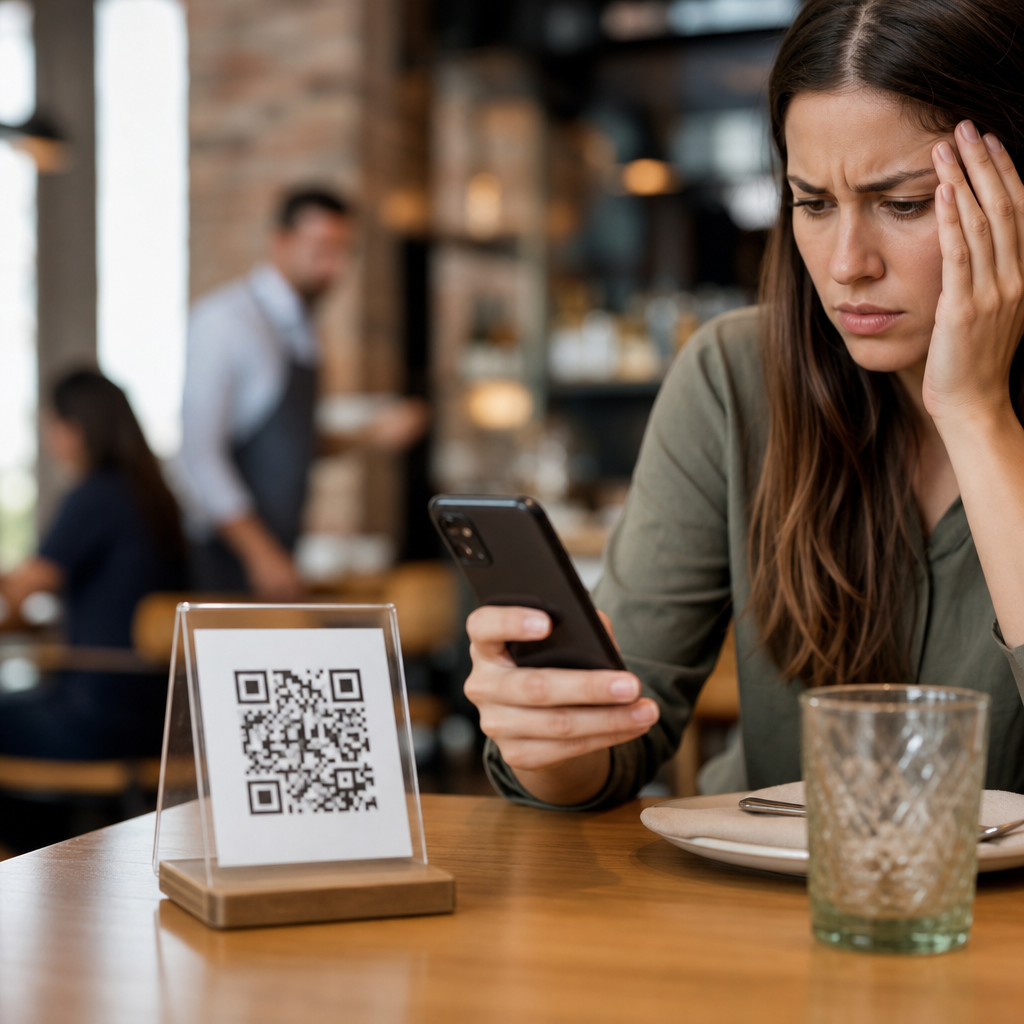
Restaurant QR codes can streamline ordering, menus, payments, loyalty, and guest feedback, but in practice I have seen many restaurants undermine those benefits with avoidable implementation mistakes. A restaurant QR code is simply a scannable code that sends diners to a digital destination, usually a menu, ordering page, review form, Wi-Fi login, loyalty program, or payment screen. In restaurants and hospitality, these codes matter because they shape speed of service, table turns, average order value, labor efficiency, and the guest’s perception of convenience. When they work well, they reduce friction. When they fail, they create confusion at the exact moment a customer wants to browse, order, or pay.
The most common mistakes with restaurant QR codes are not technical in the narrow sense. They are operational, design, accessibility, and measurement problems. I have audited dining rooms where the code linked to a PDF too large for cellular data, bars where dim lighting made scanning unreliable, and hotel restaurants where every table used the same generic landing page, making campaign tracking impossible. Hospitality teams often treat the code as the project, when the real project is the guest journey after the scan. That distinction matters for full-service restaurants, quick-service counters, cafés, food halls, bars, resorts, and room-service environments. A useful hub page on restaurants and hospitality should therefore cover menu usability, ordering flow, payment, branding, accessibility, analytics, staff training, compliance, and maintenance as one connected system.
This article explains the most common mistakes with restaurant QR codes, why they happen, and how to fix them in plain terms. It is designed as a hub for restaurants and hospitality teams evaluating digital menus, contactless ordering, table-side payments, review requests, and loyalty sign-ups. If you are deciding whether to place QR codes on tables, tents, receipts, packaging, windows, room keys, or in-lobby signage, the core lesson is simple: the code itself is only an entry point. The win comes from a fast, trustworthy, mobile-first experience that fits how guests actually dine.
Poor menu destinations create the first failure point
The most frequent mistake is linking a restaurant QR code to the wrong kind of content. Many venues still send diners to static PDFs designed for desktop screens. On a phone, that means pinching, zooming, waiting for large files to load, and struggling to read prices or modifiers. In a dining room with weak reception, that friction feels worse. A better destination is a responsive web page that loads quickly, presents categories clearly, and keeps the path to ordering or asking for service obvious. Mobile page speed is not a luxury here. If the menu takes more than a few seconds, some guests give up and ask for a printed copy, which defeats the purpose and puts staff back into recovery mode.
Another common problem is sending every guest to a generic homepage instead of a task-specific page. A table code should open the exact menu or ordering flow relevant to that location, daypart, or outlet. A hotel guest in a lobby bar should not land on the main corporate site and search for beverages manually. I have seen better results when restaurants use dedicated landing pages for brunch, happy hour, room service, or table-side ordering, with a prominent call to action above the fold. For multilingual audiences, the code should surface language options immediately, especially in tourist-heavy markets.
Weak physical placement and design reduce scan rates
Restaurants often focus on digital setup and forget that QR performance begins with print quality, placement, lighting, and context. A code that is too small, glossy, curved around a condiment bottle, or placed behind a centerpiece will scan poorly. Table tents work best when they sit upright, stay clean, and include a plain-language instruction such as “Scan to view menu and pay.” Window decals need enough contrast for bright daylight. Outdoor patios need weather-resistant materials. In bars and lounges, low light means larger codes and stronger contrast are essential.
Branding mistakes also hurt trust. Guests hesitate when the code appears as a random sticker with no restaurant name, logo, or explanation. Fraud concerns are legitimate, especially since counterfeit QR stickers have been used in public places. Restaurants should print branded materials, inspect them routinely, and avoid layered stickers unless tamper evidence is obvious. A short branded URL below the code reassures guests that the destination is legitimate and provides a fallback if scanning fails.
| Mistake | What Guests Experience | Better Approach |
|---|---|---|
| PDF menu | Slow loading, zooming, hard-to-read text | Responsive mobile menu with clear categories |
| Generic homepage link | Extra taps and confusion | Direct link to menu, order, or pay page |
| Small or glossy print | Failed scans | Matte finish, adequate size, high contrast |
| No branding | Suspicion and lower trust | Logo, purpose statement, short branded URL |
| No analytics tagging | No insight into usage | Unique URLs with campaign parameters |
Ignoring the guest journey leads to abandoned orders
A restaurant QR code should support a specific task from beginning to end. Too many implementations stop at “menu viewed” and ignore what happens next. If guests cannot filter allergens, customize dishes, split checks, or flag a server easily, the system creates new bottlenecks. In full-service restaurants, digital menus should complement hospitality rather than replace it. Guests still need intuitive paths to ask questions, order another round, request utensils, or close out quickly. In quick-service settings, the ordering flow must be short, with minimal account creation and wallet-friendly payment options such as Apple Pay and Google Pay.
One of the most expensive mistakes is forcing every diner into a mandatory app download. For most restaurants, a browser-based flow converts better because it removes friction. Apps make sense for chains with frequent repeat visits and strong loyalty economics, but even then, a guest should be able to browse and complete a basic transaction on the web first. I have also seen room-service QR programs fail because service fees, delivery times, and availability windows were unclear. Hospitality guests expect certainty. If breakfast ordering ends at 10:30 a.m., say so before they build a cart.
Accessibility and connectivity issues exclude real customers
Restaurants serve mixed audiences: older diners, tourists, families sharing one device, guests with low vision, and people with limited data service or older phones. A QR strategy that assumes every customer is comfortable scanning and ordering digitally is incomplete. Good implementation includes readable type sizes, strong color contrast, alt-text equivalents where relevant on the page, and plain navigation labels. Menu items should be text, not images of text, so screen readers can interpret them and translation tools can work properly. Accessibility is not only a compliance concern; it directly affects conversion and guest satisfaction.
Connectivity is the other neglected issue. Dining rooms with concrete walls, basements, or outdoor extensions often have inconsistent signal. If the restaurant expects QR ordering or payment, guest Wi-Fi should be reliable and simple to join. Captive portals that demand long forms before a menu loads are a mistake. A better approach is lightweight pages, compressed images, and testing on both Wi-Fi and cellular networks from multiple tables. Staff should also have a fallback, whether printed menus, handheld POS devices, or the ability to process a traditional check without awkward delays.
Missing analytics makes optimization impossible
Another common mistake with restaurant QR codes is failing to measure performance beyond total scans. Basic counts are not enough. Restaurants need to know which tables, placements, campaigns, and dayparts drive scans, orders, payments, review submissions, or loyalty sign-ups. Unique dynamic QR codes, tagged URLs, and event tracking in platforms such as Google Analytics 4, Adobe Analytics, or a restaurant commerce platform reveal where the guest journey breaks. If patio tables scan often but convert poorly, glare, signal issues, or a poor mobile payment flow may be responsible.
Operations teams should track metrics that map to revenue and service quality: scan-to-menu view rate, menu-to-order conversion rate, average order value, time to first order, payment completion rate, and review request completion. For multi-unit hospitality groups, location-level dashboards matter because one property’s success can hide another’s weak execution. Dynamic QR codes are especially useful because the destination can be updated without reprinting every asset. That flexibility helps when menus change seasonally, limited-time offers rotate, or a hotel restaurant needs separate pages for breakfast, pool service, and in-room dining.
Lack of staff training and maintenance erodes trust over time
Even a well-designed system fails if employees are not trained to support it. Hosts should know how to explain the QR menu to first-time users. Servers should know what guests see after scanning, how modifiers appear, and where payment errors occur. Managers should inspect printed codes daily for damage, spills, fading, or tampering. In restaurants, details decay fast. A laminated table card gets sticky, a seasonal menu link expires, a payment processor changes settings, or a review QR still points to a closed location profile. Guests notice these lapses immediately.
Maintenance should be run like any other operating checklist. Verify destination URLs, test scans from iPhone and Android devices, confirm page speed, review analytics weekly, and retire outdated assets promptly. For hospitality groups, governance matters too. Brand teams should define templates, naming conventions, and approved destinations so each property does not improvise. The most successful restaurant QR code programs are boring in the best way: they are documented, tested, measured, and refreshed routinely.
Restaurant QR codes work best when restaurants treat them as part of service design, not as a shortcut. The common mistakes are clear: slow PDF menus, generic landing pages, poor physical placement, unclear instructions, mandatory app downloads, inaccessible mobile experiences, weak connectivity, missing analytics, and inconsistent staff support. Each problem is fixable with practical changes that respect how guests actually move through a meal, from browsing to ordering to paying. In hospitality, convenience only counts when it feels effortless.
For restaurants and hospitality teams, the main benefit of getting QR codes right is not novelty. It is smoother service, better data, stronger guest trust, and more opportunities to increase revenue without adding friction. Start by auditing every current code in your dining room, bar, patio, lobby, or room-service collateral. Scan them on different phones, on cellular and Wi-Fi, in bright light and dim light, and ask whether the next step is obvious. Then fix the highest-friction points first. A restaurant QR code should make dining easier in one scan, not harder in five taps.
Frequently Asked Questions
What are the most common mistakes restaurants make with QR codes?
The biggest mistakes usually happen long before a guest ever scans the code. Many restaurants treat the QR code itself as the solution, when in reality the real guest experience depends on where that code leads and how easy that destination is to use. Common problems include linking to a PDF menu that is slow to load or hard to read on a phone, sending guests to a non-mobile-friendly page, using broken or outdated links, and placing codes in spots where they are difficult to notice or scan. Another frequent mistake is asking guests to complete too many steps before they can see a menu, place an order, or pay. Every extra click creates friction, and in a restaurant setting, friction directly affects speed of service, satisfaction, and conversion.
Operationally, restaurants also undermine QR code performance when they fail to connect the digital experience to real service goals. For example, a QR code intended to increase ordering speed can actually slow table turns if the online menu is confusing or if staff do not explain how it works. A code meant to collect feedback may produce poor results if it asks for too much information or appears at the wrong moment in the dining journey. Some restaurants also make the mistake of using a static QR code tied to a fixed destination, which becomes a problem when they need to change menus, promotions, or ordering platforms later. In short, the most common mistakes are poor usability, weak placement, lack of testing, and failure to design the QR code experience around actual guest behavior.
Why do some restaurant QR codes get ignored by customers?
Guests ignore QR codes for a few predictable reasons. First, the code may not look important or trustworthy. If it is printed small, tucked away on a table tent, placed in poor lighting, or surrounded by cluttered design, diners may not even notice it. If they do notice it, they may still hesitate if there is no clear instruction telling them what they will get by scanning. A QR code without context creates uncertainty. Guests want to know whether they are opening the menu, joining Wi-Fi, paying the bill, or being sent to a promotion. Simple prompts like “Scan to view menu,” “Scan to order and pay,” or “Scan for loyalty rewards” remove confusion and increase usage.
Another reason QR codes get ignored is that past experiences have trained customers to expect inconvenience. If diners have previously scanned restaurant codes that led to slow pages, tiny PDF menus, forced app downloads, or unnecessary form fields, they become less willing to try again. That means restaurants must earn trust through a smooth and immediate experience. The page should load quickly, display properly on mobile devices, and let users complete their task without effort. Staff behavior also matters. When servers briefly introduce the QR option in a helpful way, adoption tends to rise. When the code is left unexplained, many guests default to asking for a printed menu or waiting for a staff member. A QR code only works when it is visible, clearly labeled, easy to scan, and obviously useful.
Should restaurant QR codes link to a PDF menu or a mobile-friendly web page?
In most cases, a mobile-friendly web page is the better choice. PDFs are easy for restaurants to create, but they often create a weaker guest experience. On a phone screen, a PDF can be frustrating to read because users need to zoom in, pan around, and constantly adjust the view. Large files may load slowly, especially on weak cellular connections or crowded guest Wi-Fi. PDFs are also less flexible when restaurants need to update items, prices, specials, availability, or allergen details quickly. If the menu changes often, a web-based menu is much easier to maintain and gives operators more control over what guests see in real time.
A well-designed mobile web page supports a much better operational outcome. It can organize categories clearly, highlight modifiers and add-ons, surface high-margin items, and connect directly to ordering, payment, loyalty, or feedback flows. It is also better for tracking engagement, since restaurants can often measure scans, clicks, and conversions more effectively on a web platform than with a simple PDF. That said, the format matters less than the usability. If a restaurant does use a PDF, it should be lightweight, readable on a small screen, and tested on multiple devices. But as a general rule, restaurants that want QR codes to improve speed of service, average order value, and guest convenience should prioritize a fast, responsive mobile page over a static PDF document.
How can poor QR code placement affect restaurant operations and guest experience?
Placement has a direct impact on whether a QR code helps or hurts the dining experience. If the code is hard to see, awkward to reach, or positioned in glare, folds, or damaged surfaces, scan rates will drop. But the consequences go beyond simple usage. A poorly placed code can interrupt the natural flow of service. For instance, if guests cannot find the menu QR code quickly after being seated, they may wait for staff assistance, which slows ordering and adds pressure during busy periods. If the payment code is only printed on a receipt folder that arrives late, it cannot do much to speed up checkout or table turns. In other words, placement is not just a design decision; it is an operational one.
The best placement depends on the purpose of the code. Menu and ordering codes should be immediately accessible at the table, easy to scan from a seated position, and paired with a clear call to action. Payment codes should appear at the point where guests naturally expect to settle the bill. Loyalty or review codes should be introduced at moments when satisfaction is highest and the request feels timely rather than intrusive. Restaurants should also think about lighting, cleanliness, print quality, and durability. A smudged code on a worn tabletop is a small detail that can create a large amount of friction. The most effective implementations treat QR code placement as part of service design, not as an afterthought added during printing.
How can restaurants make QR codes more effective for ordering, payments, loyalty, and feedback?
The strongest QR code systems are built around one principle: remove effort for the guest while supporting operational goals for the restaurant. For ordering, that means fast-loading pages, clear item categories, intuitive modifiers, and a checkout process that does not force guests through unnecessary steps. For payments, it means a secure, mobile-friendly flow that is easy to trust and quick to complete. For loyalty, it means making sign-up and reward redemption simple, visible, and worthwhile. For feedback, it means asking concise, relevant questions at the right moment, rather than sending guests into a long survey that few will finish. In every case, the QR code should lead directly to a task-specific destination instead of a generic homepage where users must hunt for what they need.
Restaurants should also test QR code journeys regularly from the guest’s point of view. Scan the code using different phones, on different networks, and during actual service conditions. Check load speed, readability, broken links, and whether the experience still works when the dining room is busy. Train staff so they can explain the QR option confidently, especially to guests who are less comfortable with mobile ordering. Use dynamic QR codes whenever possible so destinations can be updated without reprinting materials. Finally, review performance data. If scans are high but conversions are low, the issue is probably the landing page or process. If scans are low, the problem may be placement, visibility, or messaging. Restaurants that treat QR codes as a living part of the guest journey, rather than a one-time setup, are much more likely to improve service speed, average order value, guest satisfaction, and repeat visits.





