
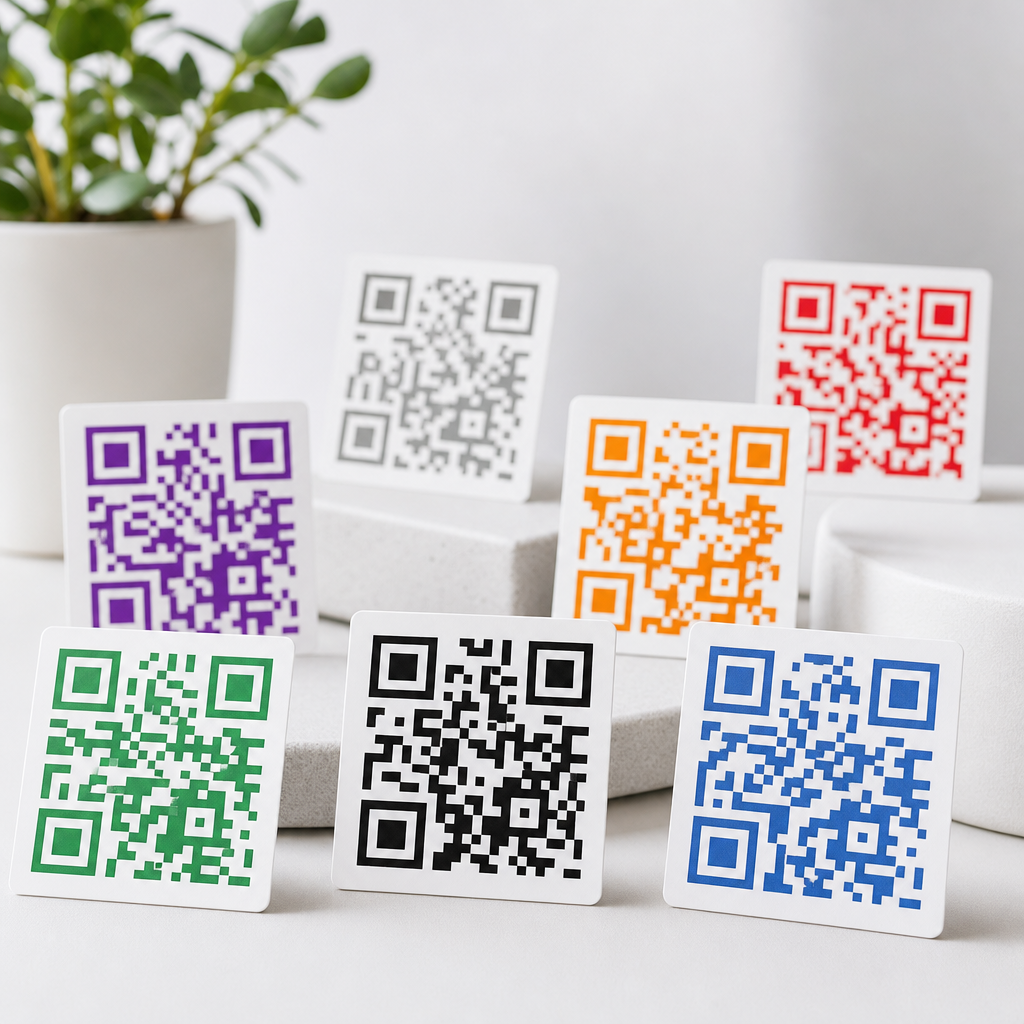
Choosing the best colors for QR codes is not just a branding decision; it directly affects whether a phone camera can scan the code quickly and reliably. In practical terms, QR code color means the relationship between the dark modules, the light background, surrounding contrast, and any added design elements such as logos or gradients. When I test QR campaigns for menus, event check-ins, retail packaging, and outdoor signs, scan failures almost always trace back to poor contrast rather than bad software. A beautiful code that does not scan is a broken user experience. That is why color selection sits at the center of designing effective QR codes for mobile use.
For anyone creating mobile QR codes, the core rule is simple: scanners detect light and dark patterns, not brand intent. Most camera-based readers convert the image to grayscale, then look for finder patterns, timing patterns, quiet zone spacing, and module alignment. If the foreground and background collapse into similar gray values, the code becomes difficult or impossible to read. This matters across print and digital environments because lighting, screen glare, ink spread, compression, and camera quality all reduce clarity. Understanding which colors work, which combinations are risky, and how to test them gives you a repeatable framework for designing QR codes that support both branding and performance.
The best colors for QR codes start with contrast
The safest and most effective choice is a dark foreground on a light background. Black on white remains the industry standard because it delivers the highest predictable contrast across devices, printers, and lighting conditions. Dark navy on white, deep green on cream, and dark charcoal on pale yellow also perform well when the contrast is strong. In my own tests, dark blue codes often scan nearly as well as black while feeling less harsh in premium packaging and hospitality signage. The important point is not the exact hue; it is the luminance difference. A QR scanner needs the modules to stand apart clearly from the background after the image is processed by the phone.
Good color selection also protects the structural parts of the symbol. The three large position markers in the corners, the timing pattern, and the data modules all rely on clean separation. If your design team wants branded colors, keep the modules in the darkest brand shade and reserve lighter accent colors for surrounding layout, call-to-action text, or a frame. This approach preserves scan performance without abandoning visual identity. It also supports consistency across related pages in a Creating Mobile QR Codes content hub, where readers may compare sizing, placement, and destination optimization alongside color design.
What colors to avoid and why they fail
The worst choices are light foreground colors on light backgrounds, low-contrast pairings, and combinations that look different to the eye but convert to similar grayscale values. Yellow modules on white, pastel pink on beige, light gray on silver, and orange on red are common failures. Another major problem is reversing the scheme without enough testing. White modules on a black background can work in some cases, but many low-quality generators, printers, and scanning apps handle inverted codes inconsistently. If you need an inverted style for a campaign, test it under realistic conditions before launch.
Metallic inks, reflective finishes, and transparent materials also create trouble. I have seen laminated tabletop QR codes fail in restaurants because overhead lights washed out the contrast. On storefront windows, a code that looked sharp on a mockup became unreliable once daylight passed through the glass. Gradient-heavy designs cause similar issues when parts of the code become too light. The rule is straightforward: avoid anything that introduces uneven contrast, glare, or ambiguity. If the code must sit on colored packaging or a photo background, place it inside a solid light panel with a full quiet zone so the scanner sees a stable target first.
How color behaves in print, packaging, and screens
Color performance changes by medium. In print, ink gain can thicken modules, especially on uncoated paper, while low-quality office printing can soften edges. In packaging, curved surfaces distort module geometry, and flexible materials create wrinkles that interfere with scan recognition. On screens, brightness settings, dark mode interfaces, and image compression affect readability. I routinely see marketers approve a QR code from a high-resolution desktop mockup, then lose performance when the same asset is exported into a compressed social post or displayed on a dim event tablet.
The practical solution is to design for the weakest likely viewing condition. Use strong contrast, avoid tiny module sizes, and test the final exported asset rather than only the source file. For print, request a proof on the actual stock. For digital display, test on iPhone and Android devices under indoor and outdoor lighting. For packaging, check the code after shrink wrapping, lamination, or varnish. These real-world checks matter more than theoretical compliance. A code that scans from three feet away on a matte poster may fail at arm’s length on glossy plastic if the color and surface treatment are working against the camera.
Recommended color combinations for reliable scanning
Several combinations consistently perform well because they preserve high contrast without introducing processing confusion. The table below summarizes options I recommend most often when balancing scan reliability with brand expression.
| Foreground | Background | Use case | Why it works |
|---|---|---|---|
| Black | White | Universal default | Maximum contrast and broad device compatibility |
| Dark navy | White | Corporate materials | Strong luminance difference with softer brand feel |
| Deep green | Cream | Sustainable packaging | Readable while fitting natural color palettes |
| Dark charcoal | Pale yellow | Retail signage | High visibility in indoor environments |
| Burgundy | Very light gray | Premium invitations | Elegant look if the gray stays bright enough |
Even with these combinations, maintain a plain background behind the full symbol and preserve the quiet zone, typically at least four modules wide. If your brand palette is mostly light tones, use the dark accent color for the QR code itself and keep lighter colors in surrounding design elements. This is the most reliable way to align visual identity with scan behavior.
Designing branded QR codes without hurting performance
Branded QR codes can work extremely well when customization respects the code’s error tolerance and visual structure. Dynamic QR platforms such as QR Code Generator Pro, Bitly, Beaconstac, and Flowcode allow color changes, frames, and logo placement, but the tools do not remove the physics of scanning. Keep logos small and centered, use high error correction only when necessary, and avoid changing square modules into decorative shapes so aggressively that they blur together. Rounded modules may scan fine at larger sizes, but intricate styling on a small business card often pushes the design past its margin for error.
A good branded implementation uses color strategically rather than artistically. Add a frame with a short instruction like “Scan to view menu” or “Scan for setup guide,” because users respond better when the destination is clear. Maintain sharp finder patterns, and do not recolor each corner differently unless the platform has proven output quality and you have tested across devices. When adding a logo, increase overall code size to compensate. In campaigns I have managed, a modest logo on a larger high-contrast code consistently outperformed a heavily stylized small code, even when both were technically valid according to the generator.
Testing standards, accessibility, and common mistakes
The fastest way to validate QR code color is to test in the environments where people will actually scan. Check at multiple distances, angles, and lighting levels. Test with native camera apps on recent iPhone and Android models, then add at least one lower-end Android device because camera sensors and autofocus vary widely. Verify the destination loads quickly on mobile data, since users often blame the code when the real problem is a slow landing page. For accessibility, pair the code with a visible short URL or NFC alternative when possible, especially in public settings where glare, disability, or device limitations may interfere with scanning.
Common mistakes include placing the code over busy imagery, trimming the quiet zone, exporting as a low-resolution JPEG, and assuming a generator preview equals production readiness. Another mistake is relying on color alone to signal importance without supporting text. A QR code should be discoverable and understandable at a glance. Follow established print production practices, use vector files such as SVG or EPS for scalable output, and review contrast with tools that estimate grayscale values if your palette is unconventional. The best results come from disciplined testing, not guesswork. If you are building out a broader Designing Effective QR Codes workflow, color should be reviewed alongside size, placement, error correction, destination relevance, and analytics tracking.
The best colors for QR codes are the ones that preserve clear contrast under real-world conditions, with dark modules on a light background remaining the most dependable choice. Black on white is still the benchmark, but dark navy, charcoal, burgundy, or deep green can work just as well when the background stays very light and uncluttered. What to avoid is equally important: pale modules, reflective finishes, busy imagery, heavy gradients, weak quiet zones, and any design treatment that makes the symbol harder for a phone camera to separate into light and dark patterns.
As the hub page for Designing Effective QR Codes within a Creating Mobile QR Codes strategy, this guidance should inform every related decision you make, from branding and print production to packaging, signage, and mobile landing pages. Reliable scanning is the goal, because every failed scan is a lost customer action. Choose high-contrast colors, keep branding disciplined, and test the final asset in context before publishing. If you are updating existing codes, audit your current color combinations first, then improve the weakest performers before launching the next campaign.
Frequently Asked Questions
What are the best color combinations for QR codes?
The most reliable QR code color combination is still a dark foreground on a light background. In real-world scanning, that usually means black on white, dark navy on white, dark green on cream, or deep charcoal on a very pale background. The reason is simple: phone cameras and scanning apps look for strong luminance contrast first. They need to clearly distinguish the square data modules from the background, and the greater that visual separation is, the faster and more consistently the code scans.
If you want a branded look, you do not have to stay with pure black and white, but you should stay within the same contrast logic. Choose a foreground color that remains visually dark and a background color that remains clearly light. Good examples include burgundy on pale blush, dark blue on light gray, or forest green on off-white. These pairings can feel on-brand without sacrificing usability. The safest rule is this: if the QR pattern is immediately obvious from a distance and in poor lighting, it is usually on the right track. If it looks subtle, soft, or decorative first and functional second, scanning reliability may suffer.
Why do some colored QR codes fail to scan even when they look good on screen?
A QR code can look sharp and attractive on a laptop or phone display yet still fail in practical use because screen appearance is not the same as camera detection. Most scan failures happen when there is not enough contrast between the dark modules and the background. Colors that seem different to the human eye may be interpreted much more similarly by a phone camera, especially in dim light, glare, motion, or at awkward angles. This is especially common with pastel-on-white designs, medium-gray on colored backgrounds, or combinations that are close in brightness even if they differ in hue.
Printing and environmental conditions also make a major difference. A code on glossy packaging may reflect light and wash out the modules. A sign in direct sunlight may lose detail. A menu card in a dim restaurant may reduce the camera’s ability to separate foreground from background. Add a logo, gradient, or stylized dots, and the margin for error gets even smaller. That is why testing matters so much. A QR code should be checked not just on a designer’s monitor but on actual printed materials, at realistic sizes, in real lighting, and with multiple phones. If a code only scans under ideal conditions, it is not truly optimized.
What colors should you avoid when designing a QR code?
You should avoid any color pairing that reduces contrast or makes the code harder for a camera to detect. The biggest mistakes are light foregrounds on light backgrounds, dark backgrounds with insufficiently dark modules, and combinations that are similar in brightness. For example, yellow on white, light gray on beige, pastel pink on cream, or red on black are all risky choices. Even if they match a brand palette, they often create scanning issues because the code pattern does not stand out clearly enough.
You should also be careful with reversed QR codes, where the background is dark and the modules are light. Some modern scanners can read them, but they are generally less dependable than the standard dark-on-light approach. Neon colors, metallic inks, reflective finishes, and low-opacity elements can also cause trouble. Gradients are another common problem when they pass through low-contrast areas or make parts of the code visually uneven. In short, avoid anything that prioritizes style over clarity. If a color treatment makes the QR code look artistic but less immediately legible, it is probably a poor tradeoff for actual scan performance.
Can you use brand colors, logos, or gradients without hurting QR code performance?
Yes, but they need to be used carefully and with scanning reliability as the top priority. Brand colors can work very well when they preserve the basic formula of dark modules and a light background. Many companies successfully use deep versions of their brand colors for the code itself while keeping the background clean and bright. The key is not whether the color is “on brand,” but whether it remains dark enough for cameras to recognize the pattern instantly. If the brand palette is mostly light or mid-tone colors, it is usually better to adapt rather than force a risky combination.
Logos can also be added, especially in the center of the code, but they should not cover too much of the data area. QR codes have error correction, which allows for some customization, but that does not mean the code can tolerate unlimited design changes. A large logo, rounded module shapes, thin quiet zones, and weak contrast can combine into a code that technically exists but scans poorly in the wild. Gradients are possible too, but they are safest when they stay within a consistently dark range for the modules and do not fade into the background. The smartest approach is to treat customization as a controlled enhancement, not a freeform design canvas. Every change should be tested on multiple devices, in print and on screen, before deployment.
How can you test whether a colored QR code is actually easy to scan?
The best way to test a colored QR code is to evaluate it under the same conditions where people will really use it. Start by scanning it with multiple smartphones, not just one. Use both iPhone and Android devices if possible, and try native camera apps as well as common scanning apps. Then test it at different distances, angles, and speeds. A good QR code should scan quickly without forcing the user to hold perfectly still or move closer than expected. If users have to hunt for the correct angle, contrast may be too weak.
You should also test across realistic environments. If the code will appear on menus, check it in low indoor lighting. If it will be on retail packaging, test it under store lighting and with curved surfaces. If it will be used on posters, windows, or outdoor signage, test it in bright sunlight, shadow, and glare. Print quality matters too, so always test the final printed version, not just the digital file. Pay close attention to the quiet zone, the blank space around the code, because surrounding graphics and colors can interfere with detection even when the code itself is well designed. The final standard is simple: a successful colored QR code should scan fast, repeatedly, and with minimal effort from ordinary users in ordinary conditions.





