
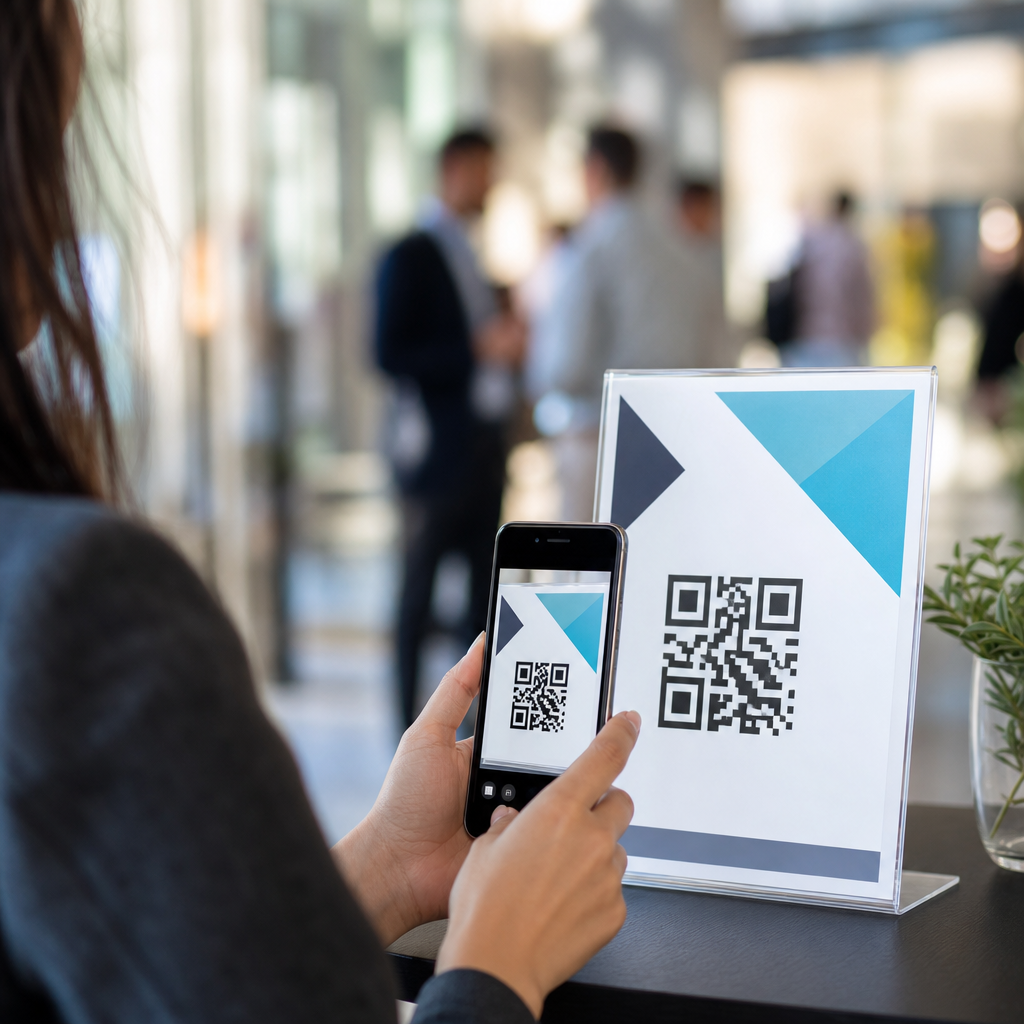
QR codes have become one of the most practical tools in events and ticketing because they bridge printed materials, mobile devices, and live schedule changes in a single scan. In event operations, a QR code is a machine-readable image that opens a web page, downloads a file, launches a map, or triggers another mobile action. When used for event schedules, the code usually directs attendees to a mobile-friendly agenda where sessions, speakers, room assignments, sponsors, and last-minute updates can be viewed in real time. I have used QR-based schedules at conferences, trade shows, school events, and ticketed festivals, and the biggest advantage is simple: they reduce friction while giving organizers control after signage has already been printed.
This matters because static schedules fail the moment a speaker runs late, a room changes, or weather affects an outdoor program. Reprinting handouts is expensive, and relying on attendees to install an event app often leads to low adoption. A well-placed QR code solves both problems by making the latest version of the schedule available instantly through a phone camera. For event planners, venue managers, promoters, and ticketing teams, this article serves as the central guide to using QR codes across events and ticketing workflows, from setup and design to analytics, accessibility, and attendee support. If you manage conferences, expos, concerts, fundraisers, campus events, or community festivals, understanding this system will improve communication, reduce confusion, and support a smoother guest experience.
What an event schedule QR code should do
An event schedule QR code should take attendees directly to the information they need with no unnecessary steps. In practice, that means linking to a responsive schedule page, not a desktop-only PDF buried in a menu. The destination should load quickly, show the current date and time zone, and clearly display session titles, start times, locations, and any changes. For multi-day events, filters by day, track, venue zone, or audience type are essential. If the event includes reserved sessions, workshops, meet-and-greets, or VIP access, the schedule page should distinguish public items from ticket-restricted ones so guests are not misled.
At a business conference, for example, I have seen one code on badges link to the general agenda and a separate code outside breakout rooms open that room’s live session lineup. At music festivals, schedule codes often include stage names, artist set times, map links, food vendor hours, and weather alerts. For weddings, galas, and nonprofit fundraisers, the same principle applies on a smaller scale: one scan can reveal ceremony timing, shuttle departures, seating notes, and donation or auction links. The best implementations focus on immediate utility. If someone scans because they want to know where to go next, the answer should appear within seconds.
Where to place QR codes for maximum schedule usage
Placement determines whether people actually scan. The highest-performing locations are the moments when attendees naturally need orientation: registration desks, entry gates, badge pickup stations, ticket confirmation emails, event websites, lanyards, printed programs, tabletop signs, elevator wraps, and wayfinding boards outside session rooms. For outdoor events and large venues, QR codes near map kiosks and food courts also perform well because attendees pause there and make choices about where to go next.
Use multiple placements rather than relying on a single poster. At one expo, scans were modest when the code appeared only on the welcome sign, but usage increased sharply after the same schedule QR code was added to badges, exhibitor packets, and digital signage. In ticketing workflows, including the code in pre-event emails and SMS reminders is especially effective because guests can save the schedule before they arrive. On-site, placement should follow basic scanning rules: high contrast, generous white space, a clear call to action, and mounting at eye level. Avoid glossy surfaces in bright light and tiny codes on crowded materials. If attendees must pinch-zoom a photo or step into a hallway to scan, adoption will drop.
Choosing the right format: static, dynamic, and integrated links
Not all QR codes are equal. A static QR code points to a fixed destination and cannot be edited after printing. A dynamic QR code redirects through a managed short link, allowing the organizer to change the destination later, track scans, and segment traffic by placement. For event schedules, dynamic codes are usually the correct choice because live events change constantly. If the keynote moves from Hall A to Hall C, you need to update the destination page once, not replace every poster in the building.
The destination format also matters. A mobile web agenda is usually better than a PDF because it supports search, filters, deep links, and faster updates. Some events use Google Calendar links, Apple Wallet passes, or event-platform pages from tools such as Eventbrite, Cvent, Whova, Bizzabo, Swoogo, and Hopin. Each option has tradeoffs. PDFs are familiar but clumsy on phones. Calendar links are useful for single sessions but weak for browsing a full program. Event-platform pages can be excellent when well configured, but they may hide important information behind login walls. The best choice is the one that makes core schedule data public, readable, and current on any smartphone browser.
Building a schedule page that attendees can actually use
An effective schedule page answers five questions immediately: what is happening now, what is next, where is it, who is it for, and has anything changed. Start with a simple hierarchy. Show the current day first, place the most immediate sessions near the top, and make room names consistent with on-site signage. If the venue says “Room 204B” on the wall, do not shorten it to “204” online. Inconsistent naming is one of the most common causes of missed sessions.
Include speaker names, session descriptions, duration, accessibility notes, and links to maps or floor plans where helpful. If your event has parallel tracks, color coding can support orientation, but do not rely on color alone; labels are necessary for accessibility. Time zones matter for hybrid and virtual events. So do localization and language support for international audiences. A practical structure looks like this:
| Element | Why it matters | Best practice |
|---|---|---|
| Current session view | Reduces decision time | Pin “Happening Now” at top |
| Room and map links | Improves navigation | Use exact venue naming |
| Live updates | Prevents outdated information | Refresh page without changing URL |
| Filters | Helps large-event browsing | Filter by day, track, audience, venue |
| Accessibility details | Supports all attendees | Note captions, ramps, quiet spaces, interpreters |
From experience, less clutter increases scans and repeat visits. Keep sponsor graphics present but secondary. The schedule page should function like a control panel, not a brochure.
Connecting QR codes to events and ticketing operations
As the hub page for events and ticketing, this topic goes beyond schedule publishing. QR codes can support nearly every guest touchpoint around a live event. The schedule itself should connect to registration details, venue maps, ticket policies, exhibitor lists, speaker bios, parking instructions, health and safety guidance, and post-session surveys. When those links are organized well, the schedule becomes the navigation center for the entire attendee journey.
For ticketing teams, coordination is critical. The schedule QR code should complement, not confuse, the admission QR code used for scanning tickets at entry. I recommend labeling them distinctly, such as “Scan for today’s schedule” versus “Show this code for entry.” This avoids gate delays. For seated shows, conferences with paid workshops, or festivals with tiered passes, the schedule page can also communicate access rules clearly: which sessions are first come, first served, which require prebooking, and which are restricted by badge type. That clarity reduces pressure on staff and minimizes line disputes. In event environments where thousands of people are moving at once, good schedule communication is not a convenience feature; it is operational risk management.
Measuring performance, troubleshooting problems, and improving results
You should track schedule QR code performance the same way you track other event engagement metrics. Dynamic QR platforms, link shorteners, and analytics tools can show total scans, unique scans, scan time, device type, and location trends. Combined with event platform data, this reveals where attendees seek information most often. If one entry sign generates many scans while another gets almost none, placement or visibility is probably the issue. If scans spike before keynote sessions, consider adding room-specific codes near breakout areas as well.
Testing is non-negotiable. Before doors open, scan every code with both iPhone and Android devices on Wi-Fi and mobile data. Confirm that pages load fast, SSL certificates are valid, and the destination does not require an app install, account creation, or unnecessary cookie banner clicks. Plan for low-connectivity environments by optimizing page weight and, if necessary, offering lightweight HTML versions instead of image-heavy designs. Also prepare staff with a fallback: a short URL printed under the code for people whose cameras fail or who prefer manual entry.
Common problems are predictable. Codes that are too small, low-contrast, or placed in dark corners get ignored. Pages hidden behind login walls frustrate guests. Last-minute edits made in one system but not reflected on the public page create trust issues. The fix is process discipline: one source of truth, one owner for schedule updates, and one final testing window before attendee arrival.
Accessibility, privacy, and practical limits
QR code schedules work best when they are inclusive and realistic about limitations. Not every attendee is comfortable scanning codes, and not every venue has reliable connectivity. That is why printed summary schedules, staffed information desks, and verbal guidance still matter. Accessibility also includes readable font sizes, screen-reader-friendly page structure, descriptive link text, and sufficient color contrast under WCAG guidance. If a session offers captions, hearing loops, wheelchair seating, scent-reduced areas, or ASL interpretation, the schedule page should say so plainly.
Privacy deserves attention too. A schedule QR code should not collect more personal data than necessary. If you use analytics, disclose that in your event privacy notice and avoid tying simple schedule scans to sensitive attendee profiles without a clear operational reason. For minors, schools, and healthcare-related events, be especially careful about what the schedule reveals publicly. Publishing room assignments for general sessions is fine; exposing participant names or restricted meeting locations may not be. Use QR codes because they improve access to information, not because they make tracking easier.
Using QR codes for event schedules is effective because it solves a real problem: live events change, and attendees need current information fast. The strongest approach is straightforward. Use dynamic QR codes, link to a mobile-friendly schedule page, place codes wherever people naturally seek direction, and make the destination page useful within seconds. Then connect that schedule to the wider events and ticketing experience through maps, access rules, speaker details, and service information. When planners treat the schedule as a live operations tool instead of a static handout, attendee confusion drops and staff spend less time answering repetitive questions.
The main benefit is not novelty. It is clarity at scale. Whether you run a conference, festival, fundraiser, campus program, trade show, or ticketed performance, QR code schedules help people get to the right place at the right time with fewer printed materials and faster updates. Start with one event, test placements, monitor scan data, and refine the schedule page based on actual attendee behavior. Build that system well, and it becomes the hub for your entire events and ticketing communication strategy.
Frequently Asked Questions
How do QR codes make event schedules easier for attendees to use?
QR codes make event schedules easier to use because they remove friction between seeing schedule information and accessing it on a mobile device. Instead of asking attendees to search for an event website, download a large PDF, or type in a long URL, a single scan can open the live agenda instantly. That agenda can include session times, speaker bios, room locations, sponsor details, exhibitor listings, maps, and announcements in one mobile-friendly destination. For attendees, this creates a faster and more convenient experience, especially when they are moving between sessions and need quick answers.
They are also especially useful because event schedules often change. Printed programs can become outdated the moment a room changes or a speaker runs late. A QR code connected to a dynamic schedule page gives organizers the ability to update information in real time without reprinting signage, posters, badges, table tents, or handouts. That means attendees are more likely to see the latest version of the agenda, which reduces confusion and cuts down on questions at registration desks or information booths.
From a usability standpoint, QR codes work well across many event touchpoints. They can be placed on entrance signs, registration counters, badges, lanyards, presentation screens, conference programs, and venue maps. This repetition makes it easy for attendees to access the schedule wherever they are. In practice, QR codes turn the event schedule into a living resource rather than a static document, which is why they have become such a practical tool in modern event operations.
What should a QR code link to when it is used for an event schedule?
The best destination for an event schedule QR code is usually a mobile-optimized web page with a live agenda. This is often better than linking directly to a static PDF because a web page is easier to update, easier to navigate on phones, and more useful for attendees who want quick access to the most current information. A strong schedule page should clearly display session titles, start and end times, room assignments, speaker names, and any session descriptions that help attendees decide where to go next.
For a better attendee experience, the page should include more than just a timetable. It can also feature filters by day, track, topic, or speaker; clickable maps for room navigation; links to sponsor profiles; calendar add options; and alerts for changes or cancellations. If the event has multiple venues or a large conference footprint, integrating maps and wayfinding tools can be especially helpful. The key is to make the landing page useful in the moment, not just informative in a general sense.
It is also important to think strategically about whether the QR code should link to a dynamic URL. Dynamic QR codes allow organizers to change the final destination after printing, which is valuable if the schedule platform changes or if different versions of the agenda need to be shown over time. In most cases, linking the QR code to a lightweight, responsive schedule page with real-time updates is the most effective approach because it combines flexibility for organizers with convenience for attendees.
Where should event organizers place QR codes for the best schedule access?
Placement has a major impact on how often attendees actually use a QR code. The most effective strategy is to place schedule QR codes at moments where people naturally need information. High-value locations include registration desks, check-in kiosks, venue entrances, elevator lobbies, hallway intersections, breakout room doors, expo entrances, and food or networking areas. These are the places where attendees often pause to figure out what is happening next, making them ideal for quick schedule access.
Printed materials are also excellent placement opportunities. QR codes can be added to event badges, lanyards, welcome packets, tent cards, table signage, printed programs, and sponsor handouts. Adding the code to badges can be especially effective because it keeps the schedule accessible throughout the event. If the code appears on large-format signage, make sure it is large enough to scan from a comfortable distance and that there is adequate lighting and contrast around it.
Organizers should also support the QR code with clear instructions and context. A simple label such as “Scan for Live Schedule” or “Scan for Today’s Agenda and Updates” performs much better than showing a code with no explanation. It is wise to test the scanning distance, verify readability on different phones, and avoid placing codes on curved, glossy, or obstructed surfaces. Good placement is not just about visibility; it is about putting the code where attendees are most likely to need timely schedule information.
Can QR codes be updated if the event schedule changes at the last minute?
Yes, and this is one of the biggest advantages of using QR codes for event schedules. If the QR code is created as a dynamic QR code, organizers can update the linked destination or modify the content on the landing page without changing the printed code itself. This means the same code on posters, badges, screens, and handouts can continue to work even if sessions are moved, speakers are replaced, rooms change, or start times shift. For live events where updates are common, this flexibility is extremely valuable.
There are generally two ways this works. One approach is to keep the QR code destination the same and update the web-based schedule page behind it. The other is to use a dynamic QR management platform that allows the code’s target URL to be changed if needed. Both methods help preserve continuity for attendees while reducing reprint costs and operational disruption for organizers. Instead of announcing every schedule adjustment manually, the event team can direct everyone to scan the code for the latest information.
To make this effective, organizers should have a clear workflow for schedule changes. Someone should be responsible for approving edits, publishing updates quickly, and confirming that the mobile schedule reflects the changes accurately. It is also smart to display a “last updated” timestamp on the schedule page so attendees know they are looking at current information. When paired with a reliable update process, QR codes become a practical tool for distributing real-time schedule changes at scale.
What are the best practices for creating an effective QR code experience for event schedules?
An effective QR code experience starts with making the destination useful, fast, and mobile-friendly. The code should open a schedule page that loads quickly, works well on different screen sizes, and presents information clearly without forcing attendees to zoom or scroll excessively. The most important event details should be easy to find right away, including current sessions, upcoming sessions, room names, and any urgent schedule changes. If possible, use a clean interface with simple navigation and readable text.
Design and technical execution matter as well. Use high-contrast QR codes, maintain adequate quiet space around the code, and avoid over-stylizing it to the point where scanning becomes unreliable. Test the code on multiple devices and camera apps before the event. Make sure the linked page uses a secure URL, works on both iPhone and Android devices, and performs well on venue Wi-Fi as well as cellular data. If the event app or schedule platform requires login, consider whether that extra step will discourage usage and whether a guest-access option would be better.
It is also important to think beyond the code itself. Add a clear call to action, place the code where people can comfortably scan it, and provide a fallback URL for anyone who cannot scan. Track scan analytics if available so you can measure engagement and learn which placements are working best. Finally, keep the attendee journey in mind. The goal is not simply to display a QR code, but to help people get the right schedule information at the right moment with as little effort as possible. When that happens, QR codes become a highly effective bridge between printed event materials and live digital updates.





