
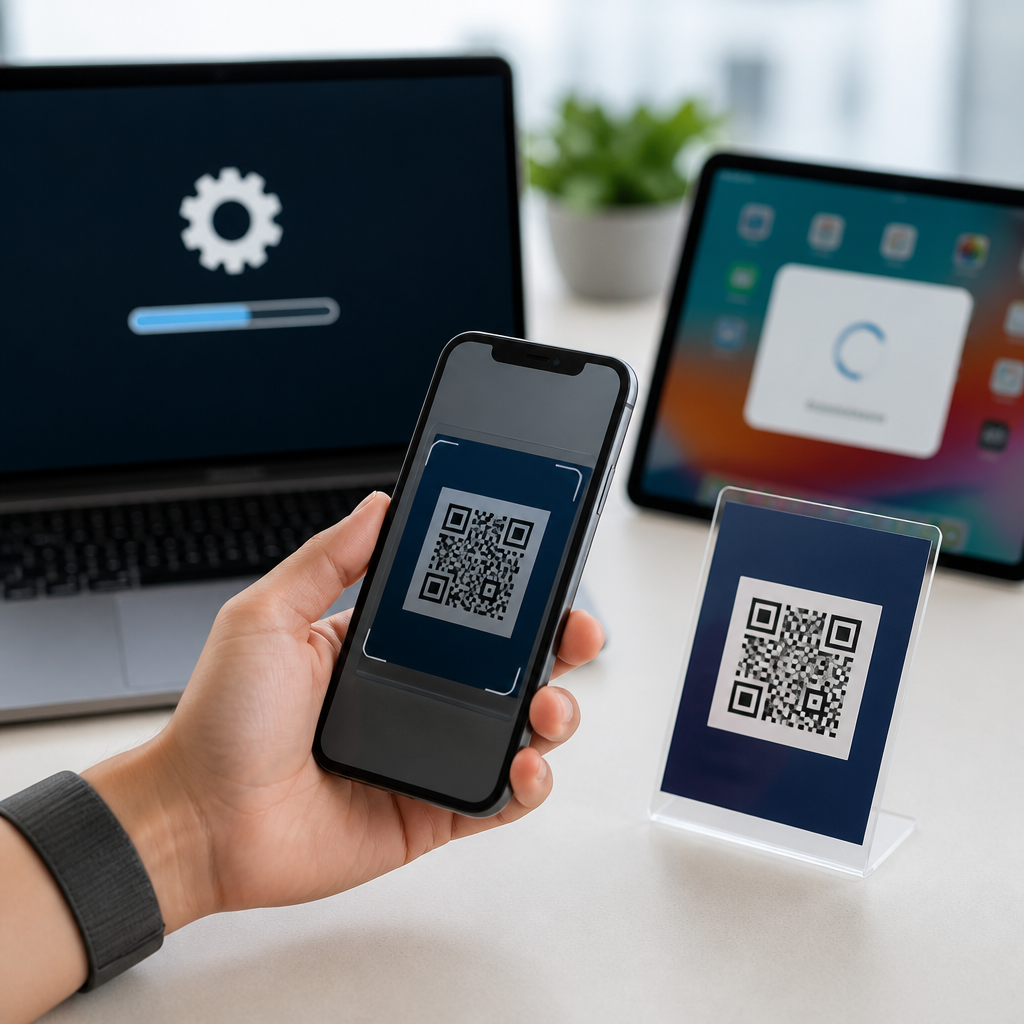
How OS updates impact QR code scanning is a practical question for any team that relies on mobile check-ins, payments, product authentication, or support workflows. In day-to-day deployments, I have seen the same QR code perform flawlessly on one phone and fail on another after a routine operating system update. The reason is simple: QR code scanning depends on a chain of components, including camera hardware, autofocus behavior, image signal processing, permissions, browser handling, and the operating system service that interprets the code. When one link changes, scanning speed, accuracy, and user experience can change with it.
Camera integration and OS support refer to how a mobile operating system connects the camera app, camera APIs, machine vision frameworks, and app permissions to deliver native QR code scanning. On modern phones, scanning may happen directly in the default camera, through a visual search layer, inside a wallet app, or in a third-party app using system APIs. Apple uses AVFoundation and Vision-related frameworks across iOS, while Android devices often rely on CameraX, camera vendor tuning, and Google services or OEM camera apps. These layers matter because QR code scanning is not just about reading black-and-white squares. It is about focus distance, exposure, lens distortion correction, decode libraries, and secure handoff to the destination content.
This topic matters because businesses often assume QR codes are universal. In reality, OS updates can improve compatibility, break edge cases, tighten security rules, or change how links open after a scan. A retailer may print millions of package labels expecting instant scans. A hospital may use QR wristbands where delays affect staff workflow. A restaurant may depend on table ordering with the native camera rather than a downloaded app. Understanding the impact of operating system updates helps teams design codes, landing pages, and support processes that keep working across iPhone and Android versions, device models, and browser environments.
Why operating system updates change QR scanning behavior
Operating system updates affect QR scanning because they modify the camera stack, permission model, decoding framework, and link-handling rules at the same time. A minor release can retune autofocus for close subjects, update the machine vision model that detects finder patterns, or alter low-light image processing. I have watched scan rates improve after updates that sharpen edge detection, especially for dense QR codes printed at small sizes. I have also seen regressions when noise reduction became too aggressive and blurred module boundaries on glossy packaging.
Security changes are another major factor. An update may warn users before opening certain URL schemes, block automatic redirects, or require stronger confirmation for app deep links. That protects users from malicious codes, but it can add friction to legitimate campaigns. Browser and WebView updates matter too. If a QR code opens a login page, payment page, or PDF, the destination may render differently after an OS-level browser change. The code itself may scan correctly while the user still experiences failure because the post-scan journey breaks.
Device manufacturers complicate the picture further. Android support is fragmented across Google Pixel, Samsung Galaxy, Motorola, Xiaomi, and other vendors, each with different camera apps and update timelines. Two phones on the same Android version can behave differently because the OEM camera app uses distinct tuning, autofocus thresholds, or QR detection overlays. That is why teams testing camera integration and OS support need a device matrix, not a single reference phone.
Native camera scanning on iPhone and Android
Native camera scanning means the user opens the default camera app and points it at a QR code. On iPhone, Apple has supported QR detection in the Camera app for years, and the experience is usually consistent across supported iOS versions because Apple controls both hardware and software. In practice, this produces predictable behavior in focus lock, notification banners, and link previews. Features such as Live Text and visual intelligence layers can interact with scanning, but the baseline QR experience remains tightly integrated.
On Android, native scanning can be excellent, but it is less uniform. Some devices surface QR detection directly in the camera preview, others require a mode switch, and older devices depend on Google Lens or a separate scanner. Recent Android releases and Google Play services updates have improved this significantly, especially on mainstream devices. However, if you support broad audiences, including budget phones or older enterprise fleets, you will still encounter variation in exposure handling, scan distance, and how quickly the device presents an actionable link.
For hub-level planning, the key point is this: native camera support reduces user friction more than any third-party scanner strategy. When the operating system supports QR detection directly, adoption rises because users do not need instructions to install an app. That makes OS compatibility a core part of campaign design, onboarding flows, printed material specifications, and support documentation across the mobile QR code scanning and technology stack.
Core camera factors affected by updates
Most scanning problems blamed on “bad QR codes” are actually camera pipeline issues. Updates can change autofocus speed, macro switching, HDR behavior, exposure metering, and sharpening. A code on a reflective poster may fail after an update if highlights clip the white quiet zone. A tiny code on medicine packaging may improve after an update that better handles close-focus transitions. In warehouse settings, I have seen enterprise Android devices become much more reliable after firmware and OS updates corrected focus hunting under LED lighting.
The decoding stage is equally important. QR readers look for finder patterns, timing patterns, alignment patterns, and module contrast. If image processing smooths edges too heavily, the decoder loses confidence. If the OS improves distortion correction, curved labels scan faster. If the update adds better multi-code detection, users can scan crowded displays more reliably. These changes are invisible to most users, but they directly affect scan completion rates and time to interaction.
| OS update area | What changes | Likely effect on QR scanning |
|---|---|---|
| Camera autofocus tuning | Focus distance thresholds and subject detection | Faster scans of small or close printed codes |
| Image processing | Noise reduction, HDR, sharpening, contrast | Better low-light scans or new failures on glossy surfaces |
| Decoder framework | Pattern recognition and error correction handling | Higher tolerance for damaged, curved, or dense codes |
| Permissions and security | Camera access prompts and link opening restrictions | More user trust but extra steps after scanning |
| Browser and WebView | Rendering, cookies, redirects, deep links | Scans succeed but landing pages behave differently |
Permissions, privacy, and secure link handling
Privacy controls are now part of the scanning experience. Mobile operating systems increasingly limit silent behavior, especially around camera access, clipboard actions, location sharing, and app-to-app handoff. If your QR code opens a deep link into an app, an OS update may require explicit confirmation or default to the browser first. If your workflow relies on embedded parameters, browser privacy protections may strip tracking details or limit cross-site cookies. That is not a scan failure, but from the user’s perspective it can feel like one.
Trust signals matter here. Native camera banners, domain previews, and secure connection indicators reduce the risk of malicious QR phishing. Teams should design around these protections, not try to bypass them. Use clean HTTPS URLs, avoid long redirect chains, and keep domains recognizable. In support audits, shortening a redirect path often improves success more than redesigning the QR symbol itself, because the camera already decoded the content correctly and the real issue was destination handling.
Testing strategy for camera integration and OS support
Effective testing starts with the user journey, not the code image alone. Test native camera scanning on current and older iPhones, flagship and budget Android devices, and managed enterprise phones if relevant. Include different lighting conditions, distances, print finishes, and code sizes. Validate not only detection speed but also the steps after the scan: banner tap, browser open, login persistence, deep link behavior, and return path if the app is missing. This is where OS updates most often introduce hidden breakage.
Use a repeatable matrix with device model, OS version, camera app version when available, browser, and result notes. Re-test after major iOS and Android releases, and after meaningful point updates. In production, monitor scan completion by device family and software version. If a sudden drop appears after an OS release, compare native camera success against third-party in-app scanning to isolate whether the problem lives in the camera pipeline or the destination experience.
Best practices for resilient QR deployments
To make QR code scanning resilient across OS updates, control what you can. Print codes with sufficient size and quiet zone, use high contrast, and avoid over-stylized designs for critical workflows. Keep landing pages lightweight, mobile-first, and compatible with default browsers. Offer fallback text such as a short URL for edge cases. For apps, implement standards-based deep linking and test how the latest operating systems handle installed versus noninstalled scenarios. If you build scanning into your own app, use maintained libraries and system camera APIs rather than unsupported custom camera stacks.
As the hub for camera integration and OS support, this topic connects every practical decision in mobile QR code scanning. Operating system updates can improve native camera performance, change security prompts, and reshape the browser handoff after a successful scan. The most reliable approach is to treat scanning as an end-to-end system, not a single image. Test across devices, monitor results after updates, and design destinations that respect modern privacy and security rules. If you manage QR campaigns, product packaging, payments, or field workflows, review your current device matrix and update your scanning tests before the next major OS release.
Frequently Asked Questions
Why can a QR code stop scanning properly after an operating system update?
An operating system update can change far more than the look of a device. It can affect the entire scanning chain that QR reading depends on, including camera drivers, autofocus tuning, image processing, permission handling, browser behavior, and the built-in QR detection logic used by the camera app or a third-party scanner. That means a QR code that worked reliably before an update may suddenly become slower to detect, fail at certain distances, open the wrong app path, or not register at all.
In real deployments, this often happens because the update changes how the camera prioritizes focus or exposure. If the phone now sharpens faces and foreground objects differently, a small code on glossy packaging or a code displayed on a screen may become harder to read. In other cases, privacy changes introduced by the OS can revoke camera access for an app, restrict background behavior, or alter how links open after a scan. Even browser updates bundled with the OS can affect whether the scanned destination loads properly, especially if the QR code leads to a deep link, a login flow, or a page that depends on modern web permissions.
The important takeaway is that the QR symbol itself is not always the problem. The issue is often the updated software environment interpreting the symbol differently. That is why teams using QR codes for check-ins, payments, authentication, or support should test on multiple devices after major iOS and Android releases rather than assuming past performance guarantees future compatibility.
Which parts of the mobile scanning process are most affected by OS updates?
The most commonly affected areas are the camera stack, autofocus behavior, image signal processing, app permissions, and browser or link-handling rules. These layers work together every time a user points a phone at a QR code. If one layer changes, overall scanning performance can change with it.
The camera stack includes the way the operating system communicates with camera hardware. A routine update may adjust exposure, contrast, noise reduction, edge enhancement, or macro switching. Those changes matter because QR decoding depends on clear contrast boundaries and stable focus. A code printed very small, placed on curved packaging, or shown on a dim screen may become harder to capture if the new software handles focus differently.
Autofocus is especially important in practical use. Some updates alter how aggressively a phone locks onto nearby objects or switches lenses automatically. Users may report that they have to move farther away, hold the phone steadier, or wait longer for detection. Image signal processing can also affect screen-based QR codes, where refresh rate, glare, and brightness interact with software changes in unexpected ways.
Permissions are another frequent source of trouble. Newer OS versions sometimes reset camera permissions, introduce one-time access controls, or tighten restrictions around app-to-app handoffs. Finally, browser handling can change how scanned URLs open, whether redirects are allowed, how universal links behave, or whether a web app can immediately request camera access again. For organizations relying on seamless scanning workflows, these are not minor technical details. They directly shape whether users experience a fast, reliable scan or a frustrating failure.
How can businesses reduce QR code scanning problems caused by iOS or Android updates?
The best approach is to design for variability instead of assuming all phones behave the same way. That starts with high-quality QR code creation: use sufficient size, strong contrast, quiet space around the code, and a realistic error correction level. Avoid making the code too dense by encoding overly long URLs when a short redirect link would work better. A cleaner code is more resilient when OS-level camera behavior changes.
Testing is equally important. Businesses should validate scanning on a representative device mix that includes different phone brands, older and newer models, and the latest major operating system versions. This matters because Android fragmentation can produce different outcomes even on the same OS release, while iPhones may vary based on camera hardware generations. It is also smart to test multiple conditions, such as low light, reflective surfaces, printed labels, on-screen codes, and varying scan distances.
Operationally, teams should provide fallback paths. If a scan fails, users should still be able to type a short URL, tap an NFC option if available, or access a manual entry code. Landing pages should be lightweight, mobile-friendly, and compatible with common in-app browsers. If an app is required, make sure the QR destination handles cases where the app is not installed or deep linking behaves differently after an update.
Finally, monitor support tickets and analytics after major OS releases. A spike in abandoned scans, camera permission issues, or failed redirects often reveals update-related compatibility problems early. Businesses that treat QR performance as an ongoing operational concern, rather than a one-time print decision, recover faster and provide a much more reliable user experience.
Are built-in camera scanners more reliable than third-party QR code scanning apps after updates?
Not always, but built-in camera scanners often have an advantage because they are tightly integrated with the operating system and hardware. Native camera apps typically benefit from direct support for autofocus, exposure control, image processing, and secure link handling. When an OS update is released, these first-party tools are usually aligned with the new system behavior faster than independent apps.
That said, third-party scanner apps can still outperform built-in tools in some situations. Specialized apps may handle difficult codes better, offer batch scanning, support industrial workflows, or include custom validation logic for inventory, authentication, and field service use cases. The tradeoff is that they are more exposed to permission changes, background restrictions, deprecated APIs, and browser handoff issues introduced by OS updates. If the app developer is slow to update the software, users may see failures that do not appear in the native camera app.
For most consumer-facing use cases, the safest assumption is that users will scan with whatever tool is most convenient, usually the default camera. That means the QR destination and code design should be compatible with native scanning behavior first. If your workflow depends on a dedicated app, you should maintain a clear testing and update process around each OS release and make sure users know how to grant camera access, update the app, and recover from failed scans. Reliability comes less from choosing one scanning method universally and more from validating the method your audience actually uses.
What should you check first when QR code scanning issues appear right after an OS update?
Start with the basics that are most likely to break during a system change. First, confirm whether the problem occurs in the default camera app, a third-party scanner, or both. If the native camera works but the dedicated app does not, the issue is likely app permissions, outdated SDK behavior, or a compatibility problem in the app itself. Next, verify camera permission status, because updates sometimes reset or tighten access settings without the user realizing it.
Then check whether the failure is happening at the scan stage or the destination stage. If the phone recognizes the QR code but the link does not open correctly, the issue may be with browser handling, redirects, universal links, or an app-deep-link configuration affected by the update. If the phone does not recognize the code at all, focus on optical factors such as focus distance, lighting, glare, screen brightness, print quality, and code density. Testing the same QR code on another device running a different OS version can quickly show whether the problem is device-specific or broader.
It is also worth testing a known-good QR code from a trusted source. If that code scans but yours does not, the update may have reduced tolerance for low contrast, tight margins, or visually complex designs. If no codes scan well, the update may have changed camera behavior or introduced an app-level bug. For teams managing production workflows, the fastest path is usually to isolate the issue in layers: device, OS version, scanning app, code design, and destination behavior. That structured troubleshooting approach prevents wasted time and helps identify whether you need a code redesign, an app update, a support workaround, or a platform-specific fix.





