
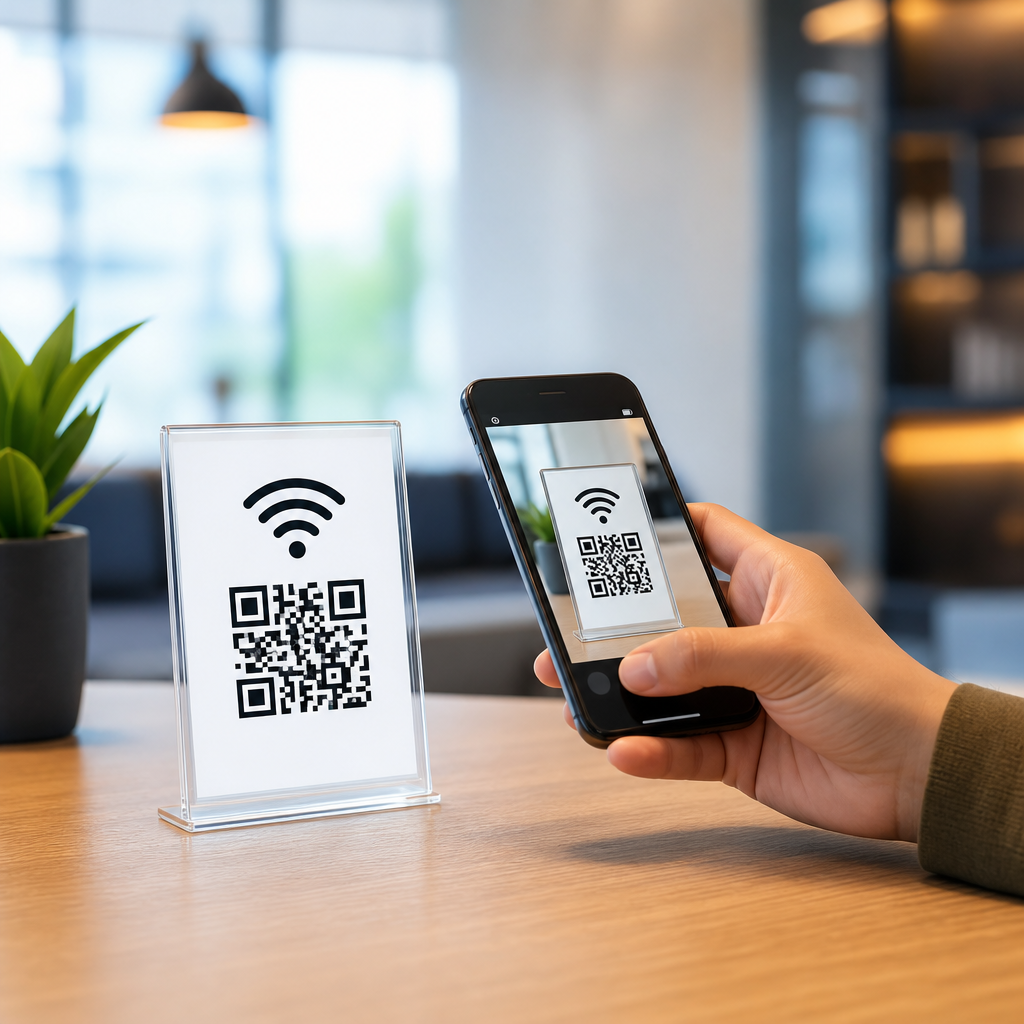
WiFi QR codes let people join a wireless network by scanning a code instead of typing a long password, and that simple change removes one of the most common points of friction in mobile connectivity. In practice, a WiFi QR code contains the network name, security type, and password in a standardized format that Android and iPhone cameras can interpret instantly. I have implemented these codes in cafés, clinics, events, and offices, and the pattern is consistent: fewer support requests, faster guest onboarding, and less password sharing written on scraps of paper. For a sub-pillar on types of mobile QR codes, WiFi codes matter because they show how a QR code can trigger a device action, not just open a webpage. They sit alongside URL, vCard, SMS, app deep link, and payment codes as one of the most practical mobile QR categories. Understanding how WiFi QR codes work helps readers evaluate the broader landscape of mobile QR code types, choose the right format for each use case, and avoid common mistakes involving security, compatibility, and maintenance.
A mobile QR code is a scannable matrix barcode designed to prompt a smartphone action. Depending on the encoded data, that action may be opening a site, saving contact details, launching a map, joining a network, composing an email, or initiating a payment flow. WiFi QR codes are distinct because the action happens at the operating-system level. Instead of routing a user through a browser, the phone reads a string such as SSID, encryption type, and password, then offers a direct connection prompt. That makes them especially useful in high-traffic environments where every extra tap increases abandonment. They also highlight a key distinction within types of mobile QR codes: static codes versus dynamic experiences. Most WiFi QR codes are static because the credentials are embedded directly in the symbol, yet the surrounding experience can still be managed dynamically through signage, captive portals, or segmented guest networks. That combination of convenience and control explains why they have become a staple in hospitality, retail, healthcare, education, and smart workplaces.
How WiFi QR codes work and where they fit among mobile QR code types
A WiFi QR code typically uses a plain-text schema that looks like this: WIFI:T:WPA;S:NetworkName;P:Password;;. The T field defines the security protocol, usually WPA, WPA2, WPA3, or nopass for open networks. The S field is the SSID, and P stores the password. Some implementations also include H:true to indicate a hidden network. When scanned, the phone parses the string and prompts the user to join that network. On current Android devices, this behavior is built into the camera and network stack. On iPhones, native support has improved significantly, though exact prompts can vary by iOS version and camera app context. Because the format is standardized enough for broad interoperability, WiFi QR codes are one of the easiest mobile QR types to deploy without a specialized app.
Within the broader family of types of mobile QR codes, WiFi belongs to the utility category. A URL QR code sends users to online content. A vCard QR code creates a contact. An SMS QR code pre-fills a text message. An app store QR code directs to a download destination. A payment QR code initiates a transaction flow through methods such as UPI, EMVCo merchant-presented QR, or wallet-specific schemes. A map QR code opens geolocation. A WiFi QR code, by contrast, solves a local access problem. It is closest to Bluetooth pairing codes and device provisioning codes, because its value is immediate configuration. In deployment planning, that means success is measured by connection rate, time to connect, and reduction in staff assistance, not by pageviews or click-through rate.
Core use cases: hospitality, events, offices, retail, and healthcare
Hotels and short-term rentals are the most obvious use case. Guests often arrive tired, juggling luggage and unfamiliar room controls. A clear sign near the desk or bedside table with a WiFi QR code reduces check-in friction and prevents mistyped passwords. In several property rollouts I have worked on, front-desk staff reported that WiFi questions dropped noticeably as soon as printed cards and in-room placards were replaced with scannable codes. Cafés and restaurants benefit for similar reasons. Customers want fast access without asking a barista to repeat a complex password over background noise. A tabletop display with a code speeds access and keeps lines moving.
Events and conferences gain another advantage: temporary segmentation. Organizers can create a guest SSID for attendees and display codes on badges, registration desks, or digital signage. If the event lasts two days, the credentials can be rotated afterward without touching the permanent corporate network. Offices use WiFi QR codes to separate employee, guest, and contractor access. Retail stores may place a code near seating areas or service counters, especially where customers need connectivity for digital receipts, loyalty programs, or app-based pickups. Healthcare settings use them cautiously, usually for guest access in waiting rooms or family lounges, not for clinical systems. In every case, the principle is the same: a dedicated guest network plus a scannable join method creates convenience without exposing sensitive infrastructure.
Implementation standards, security choices, and common mistakes
The first rule is simple: never point a public WiFi QR code at your internal business network. Use a segmented guest SSID isolated by VLANs, firewall rules, and bandwidth policies. Enterprise networks that rely on 802.1X with unique user credentials are usually not suitable for a shared WiFi QR code, because the point of those systems is per-user authentication. For guest access, WPA2-Personal remains common, while WPA3 adoption is growing. If you use WPA3-only settings, test older devices before wide rollout; some legacy phones still struggle. Hidden SSIDs also create avoidable friction. In nearly every environment I have audited, broadcasting a guest SSID with appropriate network isolation is safer operationally than hiding it and forcing edge-case troubleshooting.
| Setting | Recommended approach | Why it matters |
|---|---|---|
| Network type | Dedicated guest SSID | Prevents public users from touching internal resources |
| Security | WPA2 or WPA3, tested across devices | Balances protection with compatibility |
| Password policy | Memorable but strong, rotated on schedule | Reduces abuse and limits long-term exposure |
| Placement | Front desk, tables, rooms, waiting areas | Improves scan rate at the moment of need |
| Printing | High contrast, matte finish, quiet zone preserved | Ensures fast scanning under varied lighting |
| Testing | iPhone and Android validation before launch | Avoids support issues caused by formatting errors |
The second rule is to respect QR code production basics. Keep contrast high, preserve the quiet zone, and avoid placing codes behind glossy acrylic that reflects overhead light. If a code is printed on a tent card in a restaurant, test it from seated distance and at realistic angles. I also recommend adding plain-text fallback credentials underneath the code. Not every camera recognizes every format immediately, and accessibility matters. The third rule is governance. If you rotate the guest password every quarter, assign ownership so signage gets updated everywhere. Stale WiFi QR codes are one of the most common failure points because the printed artifact outlives the credential change.
Static versus dynamic strategy and the role of captive portals
Strictly speaking, WiFi QR codes are usually static because the network credentials are encoded directly in the symbol. If the password changes, the code must change too. That limitation matters when comparing WiFi with other mobile QR code types. A dynamic URL QR code can redirect without reprinting. A dynamic app campaign can swap destinations by device type. A WiFi code cannot magically rewrite saved credentials once it is on paper. However, the user experience around it can still be flexible. Many venues pair a static WiFi QR code with a captive portal that displays terms, collects marketing consent, or routes users to a branded landing page after connection. The code handles access; the portal handles messaging and analytics.
This distinction is useful for hub readers studying types of mobile QR codes. Some codes are content delivery tools, others are device configuration tools. WiFi sits firmly in the second group. If a business wants post-scan analytics, campaign attribution, or destination edits, a URL QR code is stronger. If the goal is immediate local access, WiFi is better. In mixed environments, both often appear together: one code to join the network and a second code to open menus, event schedules, help pages, or app downloads. That layered approach mirrors how mature QR programs are built, with each code type matched to a specific user intent rather than forced into a one-size-fits-all design.
Best practices for creating, testing, and measuring performance
Creating a WiFi QR code is straightforward, but production discipline separates reliable deployments from frustrating ones. Start with the exact SSID, security type, and password, paying attention to capitalization and special characters. Use a generator that supports the standard WiFi string format and export a vector file such as SVG for print. Before distribution, test on multiple devices: recent iPhones, mid-range Android phones, and at least one older handset if your audience is broad. Verify that the camera recognizes the code, the join prompt appears correctly, and the device receives internet access, not just local association. If there is a captive portal, confirm that it launches consistently after connection.
Measurement should be practical. Track guest network adoption, help-desk tickets about connectivity, time spent assisting visitors, and captive-portal completion rates if one exists. In a retail pilot, I found that the simplest success metric was not scans but fewer staff interruptions during peak hours. In a coworking space, the better metric was first-day member setup time. These examples matter because WiFi QR codes are operational tools. Their value is proven through reduced friction, cleaner onboarding, and controlled guest access. As you explore other types of mobile QR codes, use the same lens: identify the user action, choose the format that triggers it most directly, and test the real environment before scaling. If you manage guest connectivity anywhere, create a WiFi QR code, validate it on real phones, and deploy it where people actually need it.
Frequently Asked Questions
What is a WiFi QR code and how does it work?
A WiFi QR code is a scannable code that stores the key connection details for a wireless network, typically the network name (SSID), security type, and password. When someone points a compatible smartphone camera at the code, the device reads that information and offers to join the network automatically, removing the need to manually type a long or complex password. This is especially useful in places where guests need quick access, such as cafés, clinics, events, waiting rooms, retail spaces, and offices.
The code itself follows a standardized text format that many Android phones and iPhones can interpret natively. Instead of searching for the correct network, entering the password carefully, and troubleshooting typos, users can scan once and connect in seconds. That small convenience creates a big operational benefit: fewer interruptions for staff, fewer support questions from visitors, and a smoother first impression. In real-world environments, WiFi QR codes consistently reduce one of the most common points of friction in mobile connectivity.
Are WiFi QR codes secure to use?
WiFi QR codes are secure when they are used thoughtfully. The QR code does not “hack” into a network or bypass normal protections; it simply presents the same credentials a user would otherwise type manually. If your wireless network uses WPA2 or WPA3 encryption, the QR code passes those credentials to the phone in a faster and more accurate way. In that sense, the security level of the connection is determined by the network configuration itself, not by the fact that a QR code was used.
That said, best practice matters. If you are sharing access with customers, patients, attendees, or other visitors, it is usually smarter to generate a QR code for a separate guest network rather than your main internal network. This helps isolate business systems and sensitive devices from public traffic. It is also wise to use strong passwords, update them when needed, and place the QR code only where intended users can access it. For many organizations, WiFi QR codes actually improve security in day-to-day use because staff no longer need to verbally share passwords repeatedly or write them in places that are easy to misuse.
Do WiFi QR codes work on both Android phones and iPhones?
Yes, WiFi QR codes work on most modern Android phones and iPhones, especially newer devices with built-in QR scanning through the native camera app. On many Android devices, scanning the code will immediately trigger a prompt to join the network. On iPhones, the camera typically recognizes the code and presents a notification that allows the user to connect. The experience is designed to feel quick and natural, which is why WiFi QR codes are so effective in high-traffic environments.
Compatibility can vary slightly depending on the phone model, operating system version, and camera app behavior, so it is a good idea to test your code on multiple devices before posting it publicly. If you are deploying WiFi QR codes in a business setting, a simple test across recent iPhone and Android devices will usually confirm that everything is working as expected. In most cases, once the code is formatted correctly and the network credentials are accurate, users can connect with little to no instruction.
Where should I use a WiFi QR code for the best results?
WiFi QR codes deliver the best results anywhere people need fast, low-friction access to the internet. Common examples include café counters, restaurant tables, hotel lobbies, clinic waiting rooms, conference registration desks, trade show booths, coworking spaces, and office reception areas. In all of these settings, the value is the same: people arrive, scan, connect, and move on without creating a bottleneck for staff. It is a simple improvement that has an outsized effect on convenience and perceived professionalism.
Placement is important. The code should be visible, easy to reach, and accompanied by a short instruction such as “Scan to join WiFi.” In some environments, printing the code on table tents, posters, window decals, badges, welcome packets, or check-in signage works well. In others, digital displays or confirmation emails may be more effective. The best-performing setups make access obvious and effortless. When people do not have to ask for the password, staff save time and guests get connected faster, which improves the overall experience from the first interaction.
What should I do if I change my WiFi password or network settings?
If you change your WiFi password, network name, or security type, your existing WiFi QR code will usually need to be updated because the encoded connection details must match the live network exactly. If the information stored in the code is outdated, users may scan successfully but fail to connect. This is why it is important to treat your WiFi QR code as part of your network access setup rather than as a one-time graphic you never revisit.
The simplest approach is to regenerate the code as soon as any credential changes are made, then replace it everywhere it appears, including printed signage, front-desk materials, event collateral, digital displays, and web pages. Many businesses also keep a master file of their current QR code so updates can be rolled out quickly. If you expect credentials to change often, consider using a dedicated guest network with stable settings to avoid repeated reprints. A little planning goes a long way, and maintaining an accurate WiFi QR code ensures people continue to get the instant, hassle-free connection experience the system is meant to provide.





