
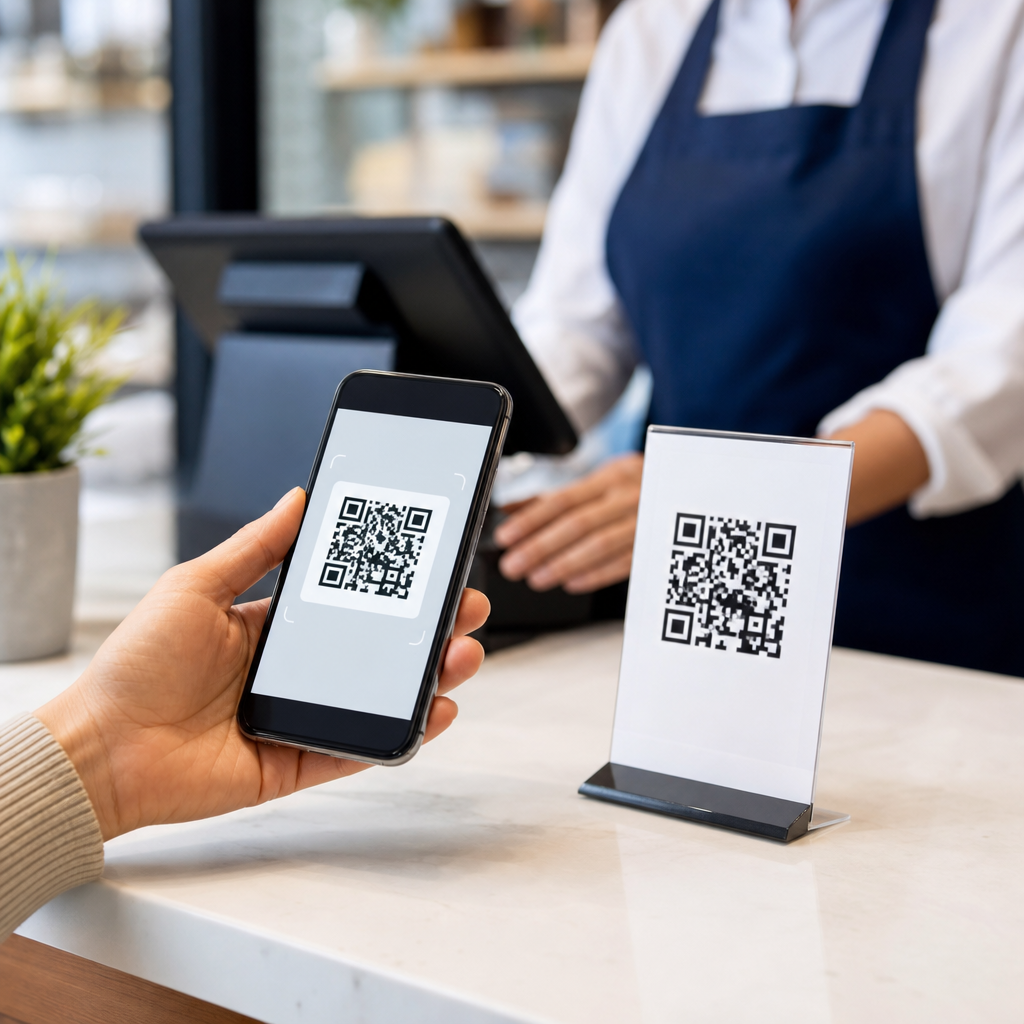
Payment QR codes let a customer open a banking app or digital wallet, scan a square code, confirm an amount, and complete a purchase without swiping a card or handling cash. In simple terms, a payment QR code is a machine-readable symbol that stores payment information such as a merchant identifier, transaction amount, account routing details, or a link to a secure checkout flow. I have implemented QR-based checkout for small retailers and service businesses, and the appeal is always the same: low hardware cost, fast onboarding, and broad smartphone compatibility. For buyers, the process feels familiar because the scan happens inside apps they already trust.
This matters because mobile payments are no longer limited to NFC tap-to-pay terminals. QR codes have become a practical option for street vendors, restaurants, freelancers, utilities, transit systems, charities, and global e-commerce sellers. They work across iOS and Android devices, support in-person and remote payments, and can be used by merchants that do not want the expense of dedicated card readers. They also solve a real operational problem: getting payment credentials from one device or printed surface into another app accurately, without manual typing errors.
Under the broader topic of mobile QR code basics, payment QR codes sit inside the larger family of mobile QR code types. Other mobile QR codes might open websites, download apps, share Wi-Fi credentials, add contacts, or launch product information pages. Payment QR codes are different because the data payload is tied to an authorization event and settlement process. That means they are not just links. They are part of a payments infrastructure that may involve banks, card networks, wallet providers, acquirers, payment service providers, and merchant systems.
What payment QR codes contain and how scanning works
A payment QR code usually contains structured data that tells a payment app where money should go and, in some cases, how much should be paid. Depending on the scheme, that data may include a merchant account alias, bank account token, virtual payment address, invoice reference, store ID, terminal ID, currency code, and transaction amount. Some systems encode all necessary information directly in the symbol. Others encode a short URL or token that calls a server, which then returns the live payment details. In both models, the customer scans, the app parses the payload, validates the format, displays the payee and amount, and asks for confirmation.
From there, the payment flow depends on the network. In account-to-account systems, the wallet or banking app sends a transfer instruction over a real-time payment rail or local clearing network. In card-linked wallets, the app may initiate a card-not-present transaction behind the scenes. In merchant-presented systems, the code is displayed on a countertop sign, printed receipt, website, or point-of-sale screen. In customer-presented systems, the shopper shows a code generated in their app, and the merchant scans it to pull funds or redeem a stored value balance.
The speed comes from standardized parsing. Many schemes use data objects with fixed tags and lengths so payment apps can read merchant name, city, country, and amount consistently. Security comes from the payment app, not from the pattern itself. The QR image is simply a transport layer for information; authentication is handled by device security, app login, passcodes, biometrics, tokenization, and network controls such as transaction risk scoring and confirmation prompts.
Types of mobile QR codes for payments
As the hub page for types of mobile QR codes, this is the most important distinction: payment QR codes are not one format but several operating models. The first split is static versus dynamic. A static payment QR code contains fixed payment destination details. The merchant can print it once and reuse it indefinitely. This is common for market stalls, donation boxes, taxis, and microbusinesses. A buyer scans the code, enters the amount if needed, and pays. Static codes are cheap and simple, but they provide less transaction context and can complicate reconciliation.
Dynamic payment QR codes are generated for a specific transaction. They may include the exact amount, invoice number, expiration time, cashier ID, order reference, tax components, or a one-time token. Restaurants use them for table-side bills, e-commerce sites for desktop-to-mobile checkout, and POS systems for exact till amounts. Dynamic codes are better for automated reconciliation, inventory linking, refund tracing, and fraud controls because each payment is uniquely identified.
The next split is merchant-presented versus customer-presented. Merchant-presented QR codes are what most people picture: a business displays a code and the customer scans it. Customer-presented QR codes reverse the direction. A transit rider, for example, opens a wallet app that generates a payment or stored-value code, and the gate scanner reads it. Airlines, event venues, and closed-loop cafeteria systems also use customer-presented models when identity or prepaid balance matters.
Another useful classification is by rail: account-to-account, wallet-based, and card-linked. Account-to-account QR payments are prominent in markets with fast bank transfer infrastructure, such as India’s UPI ecosystem and Brazil’s Pix. Wallet-based schemes may move money within a stored-value environment before settlement to a bank. Card-linked QR payments connect the scan flow to traditional card processing. For merchants, these distinctions affect fees, refund handling, settlement timing, dispute rights, and hardware requirements.
| Type | How it works | Best use case | Main limitation |
|---|---|---|---|
| Static merchant-presented | One reusable code points to the same payee every time | Small sellers, tips, donations | Weaker reconciliation and amount control |
| Dynamic merchant-presented | New code generated per sale with amount and reference | Retail POS, restaurants, invoices | Needs software integration or internet access |
| Customer-presented | Buyer app generates code that merchant scans | Transit, loyalty wallets, closed-loop systems | Merchant needs a scanner or camera workflow |
| Account-to-account | Scan triggers direct bank transfer | Low-cost instant payments | Availability depends on local banking rails |
| Card-linked | Scan initiates a card-funded wallet or checkout | Cross-border and familiar consumer protections | Higher processing costs than some bank rails |
Standards, interoperability, and the systems behind the code
Not all payment QR codes are interoperable. That is why standards matter. A major reference point is the EMVCo QR Code Specification, which defines data structures for merchant-presented and consumer-presented payments. National schemes often build on or align with that model while adding local rules for routing, aliases, compliance, and settlement. Examples include UPI QR in India, SGQR in Singapore, PromptPay in Thailand, DuitNow QR in Malaysia, and Pix QR in Brazil. Each scheme defines who can issue codes, how apps should parse them, and what happens after authorization.
In practice, interoperability determines whether one banking app can pay a code issued by another provider. I have seen merchants assume any QR image works with any wallet, then discover at rollout that closed-loop wallet codes are accepted only inside one app family. Open-loop schemes are broader and better for reach, but they require coordination among banks, acquirers, processors, and regulators. That coordination covers merchant onboarding, KYC, anti-money-laundering controls, settlement windows, exception handling, and branding rules.
Software tools also matter. Payment service providers often expose APIs to create dynamic QR codes, attach invoice metadata, receive webhooks on payment success, and reconcile payouts. Merchants using platforms such as Stripe, Adyen, Razorpay, Paytm for Business, PhonePe, Mercado Pago, or local bank acquiring portals may see QR features embedded directly in checkout systems. For enterprise deployments, QR acceptance must connect to order management, accounting, refunds, and customer support, not just the scan screen.
Security, fraud risks, and implementation best practices
Payment QR codes are convenient, but they are not risk-free. The most common threat is code replacement: a fraudster places a sticker over a merchant’s legitimate static QR code, redirecting funds to a different account. Another risk is phishing through malicious QR links that imitate payment pages. Dynamic codes reduce some of this risk because they are generated in-session and can expire quickly, but they still rely on secure app behavior and clear payee verification. Customers should always check the merchant name displayed in the payment app before approving a transfer.
Merchants should prefer dynamic QR codes when transaction volume is high or reconciliation matters. They should also inspect printed signs regularly, place codes in tamper-evident holders, and avoid generic image files that staff cannot verify. On the technical side, use TLS for any server calls, sign payloads where the scheme supports it, log transaction references, and build webhook verification into back-end systems. Strong operational controls matter as much as cryptography. A cashier trained to confirm payment status inside the merchant dashboard prevents many false-claim disputes.
There are tradeoffs. Static QR codes are excellent for accessibility and low cost, especially in cash-heavy markets or pop-up environments with limited equipment. Dynamic codes, however, provide cleaner bookkeeping and better fraud resistance. Customer-presented codes can speed repeat purchases in closed ecosystems, but they add scanning hardware requirements for merchants. The best choice depends on settlement fees, smartphone penetration, internet reliability, average ticket size, refund volume, and whether the business needs integration with loyalty or invoicing systems.
Choosing the right payment QR code strategy
If you are evaluating payment QR codes, start by matching the QR type to the business model. A solo consultant sending invoices may need a dynamic QR embedded in each bill so clients can pay exact amounts from a phone. A food truck may start with a static merchant-presented code because setup is immediate and costs are minimal. A national retailer usually needs dynamic codes integrated into POS and ERP systems because reconciliation, tax reporting, and omnichannel returns are nonnegotiable requirements. That is the practical lens I use: start with operations, then choose the code model.
Payment QR codes work because they turn a smartphone camera into a bridge between buyer intent and payment authorization. The important takeaway is that “payment QR code” is an umbrella term covering static, dynamic, merchant-presented, customer-presented, account-to-account, wallet-based, and card-linked models. Each type solves a different problem, and the right choice depends on cost, control, compatibility, and risk. If you are building out your mobile QR code basics knowledge, use this page as the hub, then map each payment QR type to your customer journey, settlement needs, and fraud controls before deployment.
Frequently Asked Questions
What is a payment QR code?
A payment QR code is a scannable, square-shaped code that contains the information needed to start and complete a digital payment. When a customer scans it with a banking app, mobile wallet, or payment app, the code tells that app where the money should go and, in some cases, how much should be paid. Depending on the setup, the code may include a merchant identifier, account details, routing information, invoice data, a transaction reference, or a secure link to a hosted checkout page.
In practical terms, payment QR codes replace the need to manually type payment details, swipe a card, or handle cash. A customer simply opens their app, scans the code, reviews the payment, and confirms it. That simplicity is one reason QR-based checkout has become so popular with small retailers, market vendors, service providers, and restaurants. It creates a faster, cleaner payment experience while reducing friction at checkout.
How do payment QR codes work during a transaction?
The process is straightforward for the customer but relies on structured payment data behind the scenes. First, the merchant displays a QR code on a screen, printed sign, receipt, invoice, or payment terminal. The customer then opens a supported banking app or digital wallet and scans the code using their phone’s camera. The app reads the encoded information and pulls up a payment screen showing the merchant name, transaction amount if included, and any relevant payment reference.
At that point, the customer confirms the payment method and authorizes the transaction, usually with a passcode, fingerprint, or facial recognition. The payment app then sends the transaction through the relevant payment network, bank transfer rail, or wallet system. Once approved, the merchant receives a confirmation, either instantly or within the app or system they are using. In many setups, this happens in seconds, which is why QR payments feel quick and seamless despite involving several technical steps in the background.
What information is stored in a payment QR code?
A payment QR code can store different types of payment data depending on the provider, country, and checkout method. Common data elements include a merchant ID, business name, account number, routing details, payment reference, invoice number, fixed amount, tax details, or a URL that directs the user to a secure payment page. Some QR codes are designed only to identify the merchant, while others are built to carry most of the transaction information needed for checkout.
It is also important to understand that not every QR code directly stores sensitive account information in a raw, readable form. In many systems, the code contains a token, encrypted payload, or secure transaction pointer instead of exposed financial details. That helps improve usability and security. The exact structure depends on the payment platform, but the goal is always the same: give the customer’s app enough reliable information to launch the correct payment flow without forcing the customer to enter everything manually.
What is the difference between static and dynamic payment QR codes?
Static QR codes stay the same every time they are used. They typically contain fixed merchant information, which means a customer scans the same code for every purchase and may need to type in the amount manually if it is not embedded in the code. Static codes are easy to print and display, making them a practical option for small businesses, donation collection, pop-up shops, and service professionals who want a simple, low-cost payment method.
Dynamic QR codes are generated for a specific transaction and can include a unique amount, order ID, customer reference, expiration time, or checkout session. That makes them far better for automated reconciliation, inventory systems, online-to-offline payments, and businesses that want each transaction tracked precisely. From an implementation standpoint, dynamic codes usually integrate with a point-of-sale system, invoicing platform, or payment gateway. In real-world deployments, static codes are appealing for simplicity, while dynamic codes offer stronger tracking, cleaner reporting, and a more polished checkout experience.
Are payment QR codes safe to use?
Payment QR codes can be very safe when they are used through trusted apps, legitimate payment providers, and secure merchant processes. Reputable banking apps and digital wallets typically verify payment details before the customer approves the transaction, and many require authentication such as a PIN, biometric check, or device-level security. In addition, some QR payment systems rely on encrypted tokens or secure checkout links rather than exposing full payment credentials directly in the code.
That said, safety depends on good habits and proper implementation. Customers should always review the merchant name, amount, and destination before approving a payment. Merchants should protect printed codes from tampering, avoid using unverified QR generators for sensitive transactions, and monitor for fraudulent code replacement. One of the most common risks is a scammer placing a fake QR sticker over a legitimate one, redirecting payments elsewhere. The technology itself is not inherently unsafe, but like any payment method, it works best when both the merchant and the customer pay attention to verification and security controls.





