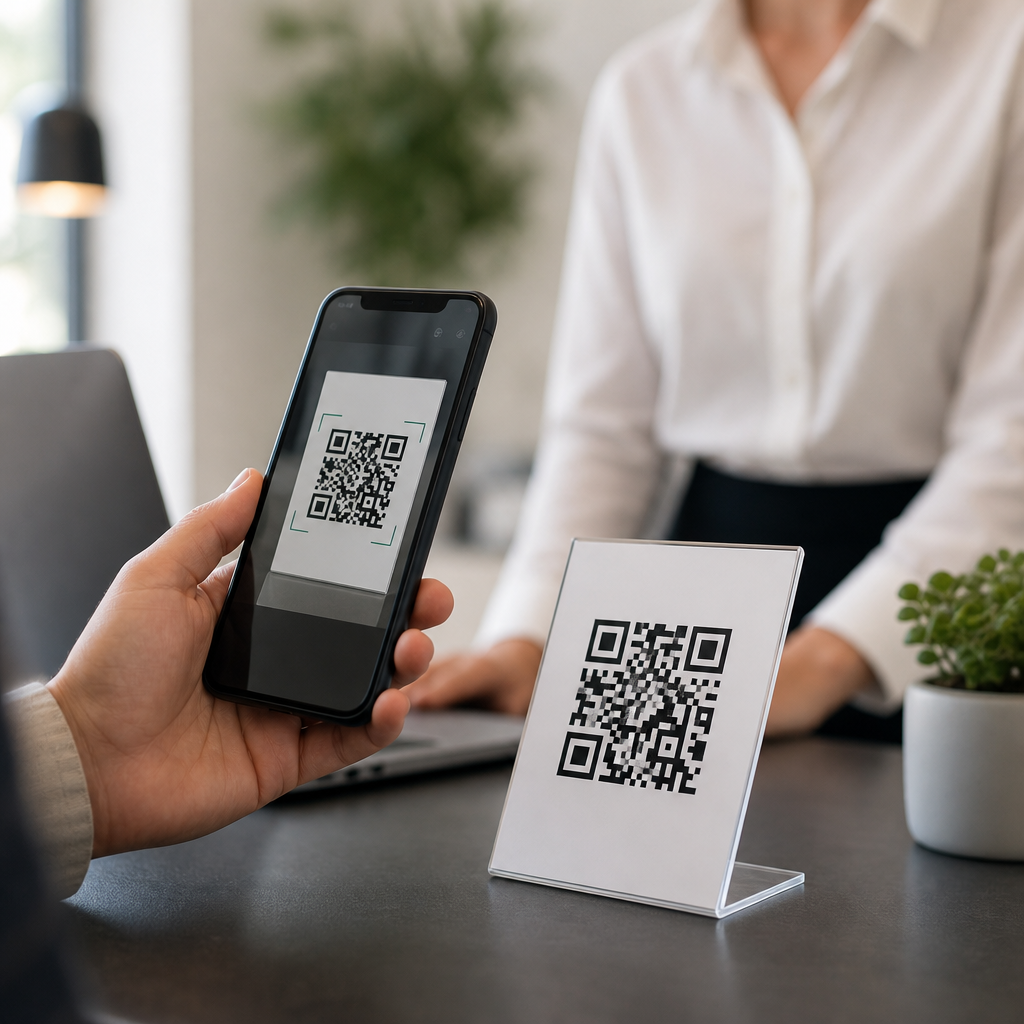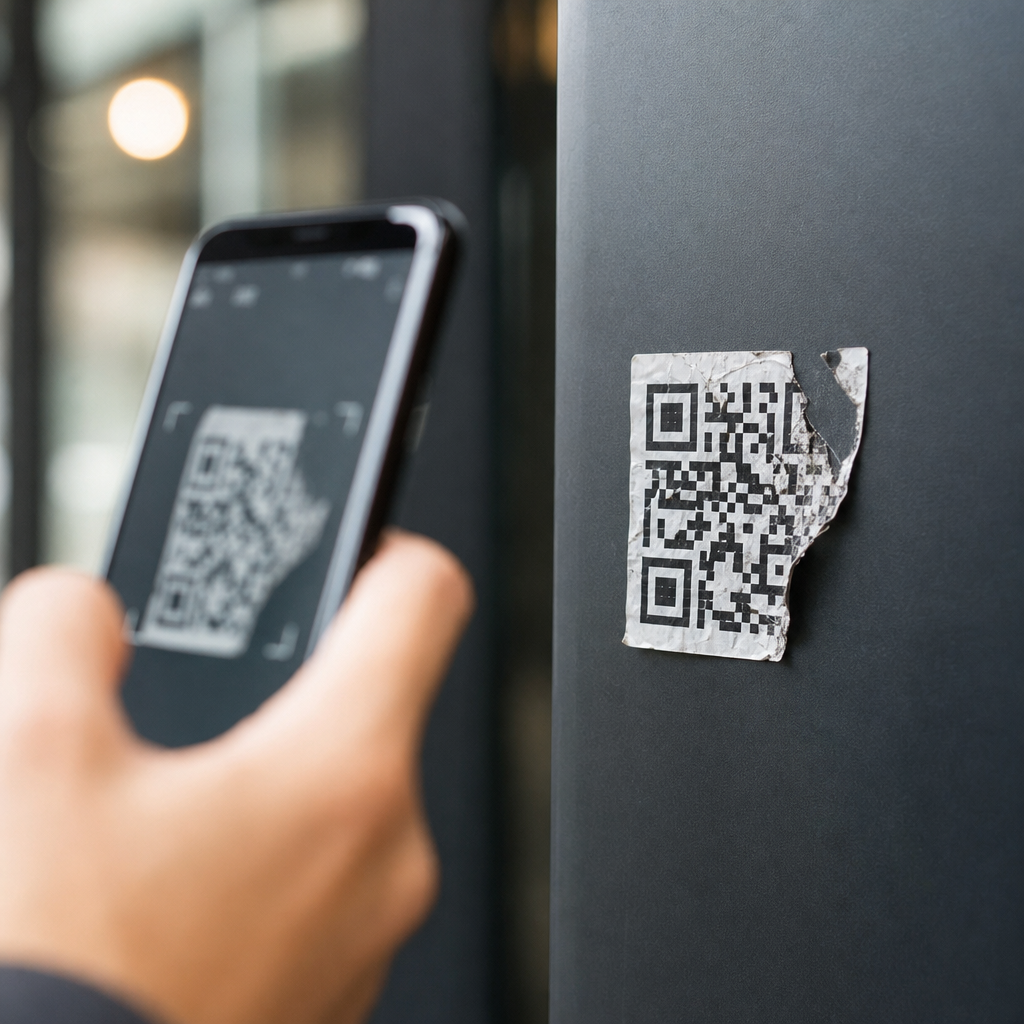
QR codes fail for predictable reasons, and most of them have nothing to do with the phone in a customer’s hand. In production environments, I have seen codes break because of poor contrast, undersized modules, bad redirects, low error correction choices, aggressive logo overlays, print distortion, and landing pages that time out after a scan. A QR code, or Quick Response code, is a two-dimensional matrix barcode designed to store machine-readable data such as URLs, contact records, payment payloads, and authentication tokens. “Failure” can mean several different outcomes: the camera does not detect the symbol, the scanner detects it but cannot decode it, the code resolves to the wrong destination, or the destination loads so slowly that the user abandons the action. Understanding those failure modes matters because QR codes now sit inside packaging, menus, field service manuals, event check-in systems, warehouse workflows, and omnichannel marketing campaigns where a broken scan creates measurable revenue loss, support tickets, and trust damage.
For a technical FAQ hub, the useful approach is to separate optical issues from data issues and system issues. Optical issues stop the symbol from being read at all. Data issues arise when the encoded content is malformed, oversized, expired, or redirected badly. System issues happen after decoding, when a browser, app, network, or security policy blocks the next step. Standards also matter. QR code generation follows ISO/IEC 18004, while print quality and barcode verification are commonly assessed with ISO/IEC 15415 and related methods. Those standards are not academic details; they explain why one code scans instantly from a curved bottle while another fails on a glossy poster under store lighting. If you manage QR code troubleshooting, this hub topic should answer recurring questions directly: why a code works on one phone and not another, why dynamic codes fail differently from static codes, how much error correction is enough, and what testing process actually prevents launch-day surprises.
The practical lesson is simple: a QR code is not just an image. It is a chain that includes symbol design, content structure, print or screen rendering, camera capture, decoder behavior, network transport, and destination performance. Weakness at any link can cause apparent scan failure. Teams often blame “older phones,” yet repeated audits show the root cause is usually controllable during generation, design review, prepress, QA, and link management. This article serves as the technical hub for those troubleshooting questions, so each section explains a specific cause, how to recognize it, and what to check first before replacing the code entirely.
Optical and print problems that block scanning
The most common QR code failures begin with visibility. Scanners need clear finder patterns, consistent module shapes, and enough contrast between dark and light areas. Black on white remains the safest choice because it maximizes luminance contrast for both dedicated scanners and smartphone cameras. Problems start when designers reverse that relationship, use pastel backgrounds, place codes over photography, or print metallic inks that reflect light unevenly. Gloss lamination can create specular highlights that wash out modules, especially under retail spotlights. Curved packaging introduces geometric distortion, stretching module rows so the decoder struggles to reconstruct the grid. In field tests, I have also seen thermal labels smear at high print speeds, turning square modules into blobs that pass a visual check but fail under camera capture.
Size is another frequent culprit. A QR code is built from modules, the tiny squares that carry the pattern. If modules are too small for the viewing distance or print method, the symbol becomes unreadable. A practical rule is at least ten times the scanning distance ratio, but the safer method is to calculate module size based on version, output resolution, and expected scan distance. Quiet zone violations are equally damaging. The clear margin around the code should be four modules wide on all sides. When branding elements, borders, or text creep into that margin, detection rates fall sharply. Low-resolution exports also hurt reliability; screenshots and compressed social assets often soften module edges. For printed materials, vector output such as SVG or EPS avoids raster artifacts, while on-screen codes should be rendered sharply at native pixel boundaries rather than scaled with blur.
Encoding, structure, and error correction mistakes
A QR code can look perfect and still fail because the encoded content is wrong for the use case. The data payload may exceed what the chosen version and error correction level can support cleanly, forcing a denser symbol with smaller modules. Dense symbols are harder to scan in real-world conditions. Some generators also default to suboptimal encoding modes, adding unnecessary characters or using uppercase transformations that alter intended data. URL formatting errors are routine: missing protocol prefixes, malformed query parameters, stray spaces, and broken UTM tagging can all produce successful decodes that lead nowhere useful. Special-purpose payloads, such as Wi-Fi credentials, vCards, app deep links, and payment requests, have stricter syntax requirements. One missing delimiter can make the whole code appear inconsistent across scanning apps because each decoder handles malformed data differently.
Error correction deserves special attention because it is often misunderstood. QR codes support four standard levels: L, M, Q, and H. Higher levels allow more damage recovery, but they also increase symbol density. That tradeoff means higher is not always better. If you add a center logo, print on a surface likely to scratch, or expect partial obstruction, Q or H is usually justified. If the code must scan from a distance on signage, reducing density may matter more than maximizing redundancy. Another structural issue is excessive customization. Rounded modules, cutout logos, gradients, and decorative frames may still scan in a designer’s preview tool but fail on lower-end cameras or in dim light. A symbol that works only in ideal conditions is not production-ready. This is why verification should use multiple devices and, where possible, barcode grading rather than visual approval alone.
| Failure cause | Typical symptom | Most reliable fix |
|---|---|---|
| Low contrast or glare | Camera never detects the code | Use dark-on-light colors, matte finish, stronger lighting tests |
| Modules too small | Works nearby, fails at normal distance | Increase physical size or reduce payload density |
| Quiet zone blocked | Intermittent detection across apps | Restore a four-module clear margin on all sides |
| Malformed URL or payload | Scans, then opens error page or wrong app state | Validate syntax and test final encoded string directly |
| Overstyled design or logo | Some phones decode, others fail | Reduce customization and raise error correction appropriately |
Device, app, and environment differences
Many users ask why one phone scans a code instantly while another struggles. The answer is usually a mix of camera hardware, autofocus behavior, decoder software, and environmental conditions. Newer phones tend to have larger sensors, faster autofocus, and better low-light processing, which helps them resolve small modules and compensate for motion blur. Native camera apps on iOS and Android also differ from third-party scanners in how aggressively they detect symbols, crop frames, and interpret payload types. Some enterprise devices use dedicated scanning engines that outperform consumer phones, while older budget handsets may need the code larger and closer. Environmental factors amplify those differences. Low light raises noise, backlighting lowers contrast, and angled scans introduce perspective distortion. If a code only works when held perfectly flat under bright light, the issue is almost never the user; it is a robustness problem in the deployment.
Screen-displayed QR codes create their own class of failures. Refresh rate interactions, cracked screens, anti-glare protectors, and low brightness can all reduce readability. On OLED screens, certain dark color combinations may bloom differently than expected, softening edges. Presentations projected in conference rooms often look sharp to people but not to cameras because of moiré patterns and insufficient effective resolution. Messaging apps and social platforms can also recompress uploaded images, shrinking or blurring the code before viewers ever try to scan it. In troubleshooting, test with the exact delivery medium: the printed label from the production printer, the billboard proof under actual lighting, the kiosk screen at normal brightness, or the app screen after platform compression. Laboratory-perfect files are not enough if the final environment changes the symbol.
Destination, redirects, and security layers after the scan
Some QR codes decode correctly but still “fail” from the user’s perspective because the destination experience breaks. This happens often with dynamic QR codes, where the symbol points to a short redirect URL that then forwards to the final landing page. Dynamic codes are powerful because they allow destination changes, analytics, campaign segmentation, and device-based routing. They also add dependency points. If the redirect service expires, rate limits traffic, has DNS issues, or is blocked by a corporate firewall, the scan appears broken even though the symbol is valid. Link rot is another major cause. Teams move pages, retire campaign URLs, or let SSL certificates lapse. I have audited campaigns where the printed code survived for years while the web stack behind it changed three times, eventually leading to a 404 or certificate warning that killed conversions.
Mobile experience matters just as much as link availability. A landing page that loads slowly over weak cellular coverage functions like a failed QR code in practice. Heavy scripts, cookie banners, geolocation prompts, and app interstitials can block the intended action after the scan. Deep links can misfire if the app is not installed or if the fallback store URL is misconfigured. Security tools also intervene. Some messaging apps and mobile operating systems warn users about unfamiliar short domains, and secure environments may block redirects or mixed content. For technical troubleshooting, check server uptime, redirect chains, TLS configuration, canonical destination URLs, mobile Core Web Vitals, and fallback behavior for app links. A QR code is only as reliable as the path it opens.
How to troubleshoot QR code failures systematically
The fastest way to solve QR code problems is to test in sequence rather than guessing. First, confirm whether the issue is detection, decoding, or destination. If the camera never recognizes the symbol, inspect contrast, size, quiet zone, distortion, and surface finish. If it recognizes the code but cannot open the content, decode the raw payload with a trusted tool and verify syntax. If the content opens inconsistently, review redirects, device handling, and page performance. In production teams, I recommend keeping a simple test matrix: at least two iPhones, two Android devices, one lower-end handset, and one non-native scanning app. Test under bright light, low light, arm’s-length distance, and the actual deployment angle. For print, inspect proofs with a loupe and verify dimensions before approving a full run. For digital placements, test post-compression assets and live URLs rather than source files.
Preventive discipline saves more money than reactive fixes. Use reputable generators, export vector artwork for print, preserve the quiet zone, avoid decorative interference, and choose error correction based on expected damage and branding changes. Keep dynamic QR domains under active monitoring, and document ownership so redirects do not die when a campaign ends or a vendor changes. Most importantly, treat QR codes as part of a complete user journey, not a graphic dropped into a layout. When teams do that, scan reliability rises dramatically, support requests fall, and analytics become trustworthy. If you are building a troubleshooting resource center, link this hub to deeper guides on print sizing, dynamic versus static codes, redirect testing, mobile landing page optimization, and barcode verification workflows. Start by auditing your highest-traffic QR codes today and fix the weakest link first.
Frequently Asked Questions
What are the most common reasons a QR code fails to scan?
The most common QR code failures usually come down to design, print quality, and what happens after the scan. Poor contrast is one of the biggest causes. If the code does not have a dark foreground on a light background, many cameras struggle to distinguish the pattern. Tiny module size is another frequent issue. Each small square in the QR code must be large enough for a camera to resolve clearly, especially at typical scanning distances. When those modules are too small, the code may look sharp to the human eye but still be unreadable to a device.
Print distortion also causes frequent failures. Codes wrapped around curved surfaces, stretched during layout, blurred in production, or printed on textured materials can lose the geometry scanners rely on. Overly aggressive branding is another problem. Adding a large logo in the center, changing finder patterns, or using decorative shapes can reduce readability beyond what error correction can recover. Finally, many failures happen after a successful scan. A QR code may decode perfectly, but if the destination URL redirects incorrectly, times out, returns a 404 error, or loads too slowly, users experience it as a failed QR code. In real-world use, the symbol and the landing page must both work reliably for the scan experience to succeed.
How do contrast and color choices affect QR code performance?
Contrast is fundamental to QR code readability. Scanners are looking for a clear difference between dark modules and the lighter background so they can identify the code’s structure, alignment patterns, and data regions. Black on white remains the safest choice because it creates the strongest visual separation. Problems start when brands use low-contrast combinations such as light gray on white, pastel colors, metallic ink, or dark codes placed over busy photographic backgrounds. These treatments may look polished in a design mockup, but they often fail under real lighting conditions, screen glare, or lower-quality phone cameras.
Color can work, but it must be used carefully. A dark code on a light, solid background usually performs well even if the colors are not pure black and white. The trouble comes from insufficient luminance contrast, not just the color names themselves. For example, a navy code on a pale cream background can work, while a medium blue code on a silver background may not. Inverted schemes, such as white modules on a black background, are much less dependable because not all scanning systems interpret them consistently. Gradients, transparency effects, and reflective finishes can also interfere with detection. The safest approach is to prioritize scannability first, then layer in branding only after testing the final code in realistic conditions, including different phones, angles, and lighting environments.
Does QR code size really matter, and how small is too small?
Yes, size matters a great deal. A QR code is built from modules, the tiny squares that form the data pattern. If those modules are too small, phone cameras cannot separate them cleanly, especially when users scan from a normal distance or while moving. A code can technically contain valid data and still fail in practice simply because it has been reduced too far in print or displayed too small on packaging, signage, menus, labels, or screens. This issue becomes even more serious when the code contains a long URL or additional encoded data, because more data increases pattern density and makes each module smaller within the same overall dimensions.
There is no single universal minimum because usable size depends on scan distance, print quality, data density, and the environment. A code intended for a product label at arm’s length can be smaller than one placed on a poster meant to be scanned from several feet away. As a rule, larger is safer, and simpler encoded content is safer. Short URLs help because they reduce complexity. It is also important to preserve the quiet zone, the blank margin around the code, since scanners use that space to detect boundaries. Even a well-sized code can fail if text, borders, or graphics crowd too close. The best practice is to design with realistic viewing conditions in mind and physically test printed samples before launch.
How do logos, error correction, and custom design changes make QR codes fail?
Customization can help a QR code feel on-brand, but it also introduces risk. QR codes include built-in error correction, which allows scanners to recover some missing or damaged data. That feature is useful when adding a logo or making small visual adjustments, but it is not unlimited. A common mistake is assuming that because a code still looks recognizable, it will remain scannable. Large logo overlays, heavily stylized modules, altered corner markers, or decorative cutouts can remove too much information or interfere with the patterns scanners use for orientation. Once those critical structures are compromised, scan performance drops quickly.
Error correction level matters here. Low error correction leaves less tolerance for damage, obstruction, or print defects, while higher settings provide more resilience at the cost of increased data density. That tradeoff is important. A designer may choose a low error correction level to keep the code visually simpler, then add a logo that pushes it beyond recovery. Or they may use high error correction but also encode a long URL, making the modules too dense for reliable scanning at the intended size. The right balance depends on the use case, but the underlying rule is consistent: branding should never override readability. Any customized QR code should be tested in its final format, on its actual material, at expected scan distances, and across multiple devices before it goes into production.
Can a QR code fail even if the code itself is technically correct?
Absolutely. A QR code can be perfectly generated and still produce a bad user experience if the destination behind it is broken. This is especially common with dynamic QR codes, marketing links, and redirected URLs. If the code points to a page that has been moved, deleted, blocked, mistyped, or caught in a redirect loop, the user sees a failure even though the camera decoded the symbol correctly. Slow mobile pages create the same perception. When a landing page takes too long to load after a scan, many users assume the QR code did not work and abandon the session.
Technical issues on the destination side are often overlooked during deployment. A campaign may launch with a working link, then fail later because of expired domains, server outages, analytics scripts that delay rendering, or site changes that were never updated in the QR management platform. Payment pages, contact forms, and app deep links are especially sensitive because they rely on multiple systems working together. That is why QR code reliability is not just a graphic design question; it is also an infrastructure and quality assurance issue. The best approach is end-to-end testing: verify the code scans quickly, confirm the link resolves correctly, test redirects on mobile networks, and monitor the landing page over time so a once-functional QR code does not quietly become unusable.