
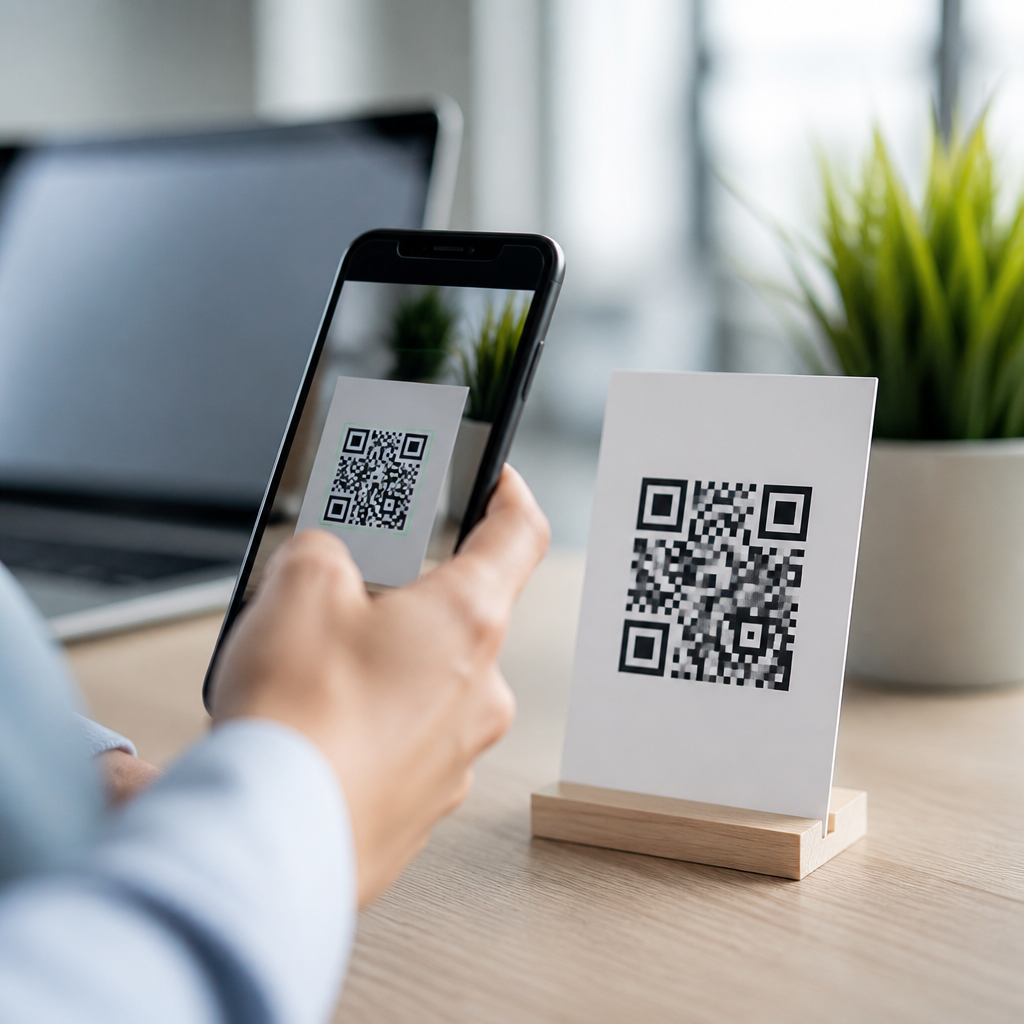
QR code technology turns printed patterns into quick digital shortcuts, letting a phone camera open a website, join Wi-Fi, save a contact, or launch a payment screen in seconds. A QR code, short for Quick Response code, is a two-dimensional barcode made of tiny black and white squares arranged inside a square grid. Unlike older one-dimensional barcodes that store data in a single line, QR codes store information both horizontally and vertically, which means they can hold far more data and can still work even if part of the code is scratched or obscured. When people ask what are mobile QR codes, they usually mean QR codes designed to be scanned primarily by smartphones and tablets, using the built-in camera app or a mobile wallet, payment, or browser app. That mobile-first use matters because it changes how businesses design campaigns, how customers complete actions, and how information moves from the physical world to the digital one.
I have worked with QR code campaigns on packaging, menus, event signage, and app onboarding screens, and the same lesson keeps repeating: the technology is simple for the user only when the setup behind it is done correctly. A useful mobile QR code must encode the right type of content, resolve quickly on different devices, and take the visitor to a mobile-friendly destination. Since smartphone adoption is widespread and both iOS and Android now support native scanning, QR codes have moved from a niche tool into mainstream customer journeys. Restaurants use them for menus, transit systems use them for tickets, retailers use them for product information, and payment platforms use them for contactless checkout. Understanding the basics helps you decide when a QR code is helpful, when a standard link is better, and how to avoid common mistakes that reduce scans or frustrate users.
How mobile QR codes work
A mobile QR code works by storing machine-readable data in a pattern that a smartphone camera can detect, interpret, and convert into an action. The camera identifies three large position markers in the corners, which help the device recognize orientation and read the grid even if the code is tilted. The scanner software then decodes the modules, applies error correction, and reveals the stored payload. That payload might be a plain URL, a vCard contact, calendar data, SMS text, app deep link, geolocation, or Wi-Fi credentials. In practical terms, the user points a phone at the code, taps a notification banner, and lands on the intended mobile experience. The process usually takes less than two seconds when the code is printed clearly and the landing page is optimized for cellular connections.
QR codes rely on standardized encoding rules defined in ISO/IEC 18004. That standard explains symbol versions, mask patterns, encoding modes, and Reed-Solomon error correction levels. The four common error correction levels are L, M, Q, and H, allowing recovery of about 7 percent, 15 percent, 25 percent, and 30 percent of damaged codewords respectively. Higher correction makes the code more resilient but increases density, which can make small printed codes harder to scan. In real projects, I usually choose medium or quartile correction for posters and packaging, then test on multiple devices under uneven lighting. That balance preserves reliability without making the pattern unnecessarily complex. The key point is simple: a mobile QR code is not magic. It is a compact data container that works well because smartphone cameras, mobile operating systems, and web browsers have matured around it.
Static versus dynamic QR codes
The most important distinction for anyone learning what are mobile QR codes is the difference between static and dynamic codes. A static QR code contains fixed data directly inside the symbol. If it encodes a web address, that exact address is printed forever. A dynamic QR code usually contains a short redirect URL that points to a server, and the destination can later be changed without reprinting the code. Dynamic codes also support scan analytics such as total scans, time of day, rough location by IP, device type, and campaign tagging. For businesses, that flexibility is often the reason to use QR technology in the first place. For personal use, static codes are simpler and often enough.
Here is a practical comparison used in campaign planning:
| Type | Best for | Main advantage | Main limitation |
|---|---|---|---|
| Static QR code | Permanent links, contact cards, basic labels | No ongoing platform dependency | Cannot edit destination after printing |
| Dynamic QR code | Marketing, menus, payments, product packaging | Editable target and measurable scans | Usually requires a service provider |
A restaurant menu is a clear example. During the pandemic, many venues printed table tents with dynamic QR codes linking to digital menus. When dishes changed, the restaurant edited the menu URL on the platform instead of reprinting every card. On the other hand, a homeowner sharing Wi-Fi with guests can create a static code containing network credentials and tape it near the router. Both uses are valid, but they solve different problems. If you expect the destination to change, want analytics, or need different behavior by device or location, dynamic is the better fit.
Common types of mobile QR codes
Mobile QR codes are not limited to websites. In day-to-day work, I see at least six formats used repeatedly because they match common smartphone actions. URL QR codes send users to a webpage, app store listing, payment portal, or deep link. vCard QR codes add a person or business contact to the address book. Wi-Fi QR codes let users join a network without typing a long password. SMS and email QR codes prefill a message, which is useful for support requests or campaign opt-ins. Payment QR codes work with standards such as EMVCo merchant-presented payments and can encode merchant identifiers or payment requests. App-specific codes can trigger actions in services like WhatsApp, WeChat, or loyalty apps, although these depend on the user having the app installed.
Each type should be selected based on the lowest-friction next step. If the goal is lead generation, a short mobile form is usually better than dumping users onto a generic homepage. If the goal is in-store support, linking directly to a product manual PDF may beat a broad category page, though the PDF must render well on phones. For onboarding, a Wi-Fi QR code can save time immediately. On packaging, I often recommend a dynamic URL that leads to a mobile landing page with product verification, instructions, and support links in one place. That hub model keeps the code versatile and creates stronger internal navigation across related mobile QR code basics content.
Where mobile QR codes are used and what makes them effective
Mobile QR codes succeed when they remove effort. Retailers place them on shelves so shoppers can compare specifications, watch setup videos, or verify authenticity. Museums use them beside exhibits to offer audio guides in multiple languages. Healthcare providers use them on appointment reminders and patient forms, though privacy practices must be considered carefully. Airlines and rail networks use QR-based boarding passes and tickets because the code can be validated quickly from a phone screen. In payments, countries such as China, India, and Brazil normalized QR transactions at scale, proving that the technology can serve both small merchants and enterprise systems when standards are consistent.
Effectiveness depends on execution more than novelty. The code must be large enough to scan at the expected distance, printed with strong contrast, and placed where lighting and camera focus are realistic. A common field guideline is a scanning distance ratio of roughly 10 to 1, meaning a code intended to be scanned from one meter away should be around 10 centimeters wide, then tested in context. Quiet zone spacing around the code is essential, and logos should not cover too much of the symbol. Most failed scans I troubleshoot come from avoidable issues: glossy surfaces causing glare, low contrast colors, tiny print, crowded layouts, or landing pages that load slowly over mobile data. The best mobile QR codes feel obvious, useful, and immediate.
Security, privacy, and practical limitations
QR codes are convenient, but they are not inherently safe just because they look technical. A malicious code can direct users to a phishing page, prompt a harmful download, or impersonate a login portal. That is why modern smartphone scanners often preview the destination domain before opening it. Organizations should use branded short links where possible, HTTPS everywhere, and clear calls to action that tell the user what to expect before scanning. In regulated environments, codes should route to pages with proper consent, cookie handling, and accessibility support. If a campaign collects personal data, the mobile form must explain how that data will be used and stored.
There are also practical limits. Not every user wants to scan a code, poor connectivity can interrupt the experience, and printed materials may outlast the linked content. Accessibility matters too. Good design pairs the QR code with a short readable URL or alternative instruction so people are not excluded if their camera fails or they use assistive technology. Testing should cover iPhone and Android devices, older camera modules, and both bright and dim conditions. The technology is powerful, but it is still just one path. Use it where it reduces friction more than it adds complexity.
Understanding QR code technology in simple terms comes down to one idea: a mobile QR code is a fast bridge between a physical touchpoint and a phone-based action. It works because the symbol stores structured data, smartphone cameras can read it reliably, and modern mobile systems know how to turn that data into the next step. For anyone asking what are mobile QR codes, the answer is straightforward: they are scannable two-dimensional codes built for smartphone use, commonly linking people to webpages, payments, Wi-Fi, tickets, contacts, or app experiences. The most important decisions are not visual styling tricks but format choice, destination quality, and real-world testing.
As a hub within mobile QR code basics, this topic supports every deeper discussion that follows, from creating codes and choosing generators to measuring scans and improving security. If you remember three things, remember these: choose static or dynamic based on whether the destination may change, match the code type to the user’s next action, and design for mobile conditions rather than desktop assumptions. Done well, QR codes save time, reduce typing, and connect offline attention to digital results with very little friction. Review your current customer touchpoints, identify one place where scanning would genuinely simplify the experience, and start with a tested mobile QR code that solves that exact need.
Frequently Asked Questions
What is a QR code, and how is it different from a traditional barcode?
A QR code, which stands for Quick Response code, is a two-dimensional barcode designed to store information in a compact square pattern made of small black and white modules. Unlike a traditional one-dimensional barcode, which stores data in a single horizontal line and is typically used for product identification, a QR code stores data both horizontally and vertically. That two-directional structure allows it to hold much more information in a smaller space.
In simple terms, a regular barcode is best for basic identifiers, while a QR code can directly contain usable digital content such as a website link, contact details, Wi-Fi login information, a payment request, or text instructions. QR codes are also designed for fast scanning from multiple angles, which is one reason they work so well with smartphone cameras. Their layout includes built-in patterns that help a device quickly recognize and interpret the code, even if the user is not holding the phone perfectly straight.
How does a phone read a QR code so quickly?
When you point a smartphone camera at a QR code, the phone’s camera captures the image and software analyzes the square grid. The scanning system first looks for the QR code’s distinctive corner markers, which help it identify the code’s position, size, and orientation. Once those markers are found, the software maps the pattern of black and white squares and converts that visual layout into digital data.
That decoded data is then translated into an action the phone can understand. For example, if the QR code contains a web address, the phone offers to open the website. If it contains Wi-Fi credentials, the phone may prompt you to join the network. If it contains contact details, it can offer to save a new contact. The process feels nearly instant because modern camera hardware and decoding software are optimized to recognize QR patterns very efficiently, even in everyday lighting and from slight angles.
What kinds of information can a QR code store?
QR codes are flexible because they can store many different types of information, not just product numbers. One of the most common uses is storing a URL that sends a user directly to a website, product page, menu, registration form, or app download link. They can also hold plain text, phone numbers, email addresses, calendar event details, and digital business card information for quick contact saving.
Beyond that, QR codes are widely used for practical tasks such as joining a Wi-Fi network without manually entering the password, starting a payment transaction, opening a map location, checking into an event, or accessing digital tickets. The amount of information a QR code can hold depends on how the code is generated and what type of data is being stored, but in general it can contain far more than a standard barcode. That higher capacity is one of the key reasons QR code technology has become so useful across retail, hospitality, healthcare, education, and everyday consumer use.
Are QR codes safe to use?
QR codes themselves are simply a method of storing and delivering data, so the technology is not inherently dangerous. In most cases, scanning a QR code is safe and convenient. However, the destination behind the code matters. A QR code can direct a user to a legitimate website, payment screen, or login page, but it can also be used by bad actors to lead people to fraudulent sites, fake payment portals, or misleading downloads.
The best way to stay safe is to treat a QR code with the same caution you would use for any unknown link. Before opening the destination, check whether your phone shows a preview of the URL or action. Be especially careful with codes posted in public places, on stickers placed over existing signs, or in unexpected emails and messages. Avoid entering sensitive information unless you are confident the destination is authentic. In short, QR codes are safe when used responsibly, but users should stay alert and verify where the code is taking them.
Why have QR codes become so popular in everyday life?
QR codes have become popular because they remove friction between the physical and digital worlds. Instead of typing a long web address, entering a Wi-Fi password, or searching for a payment page manually, a person can simply scan a code and complete the action in seconds. That speed and convenience make QR codes valuable for businesses and consumers alike. Restaurants use them for menus, stores use them for product details and promotions, organizations use them for check-ins and forms, and individuals use them for sharing contact information or making payments quickly.
Another reason for their growth is accessibility. Most modern smartphones can scan QR codes directly through the built-in camera app, so people usually do not need special hardware or additional software. QR codes are also inexpensive to create, easy to print, and simple to place on packaging, posters, receipts, tables, signs, and screens. Because they are versatile, low-cost, and easy to use, QR codes have become one of the most practical tools for connecting real-world objects and spaces with digital experiences.





