
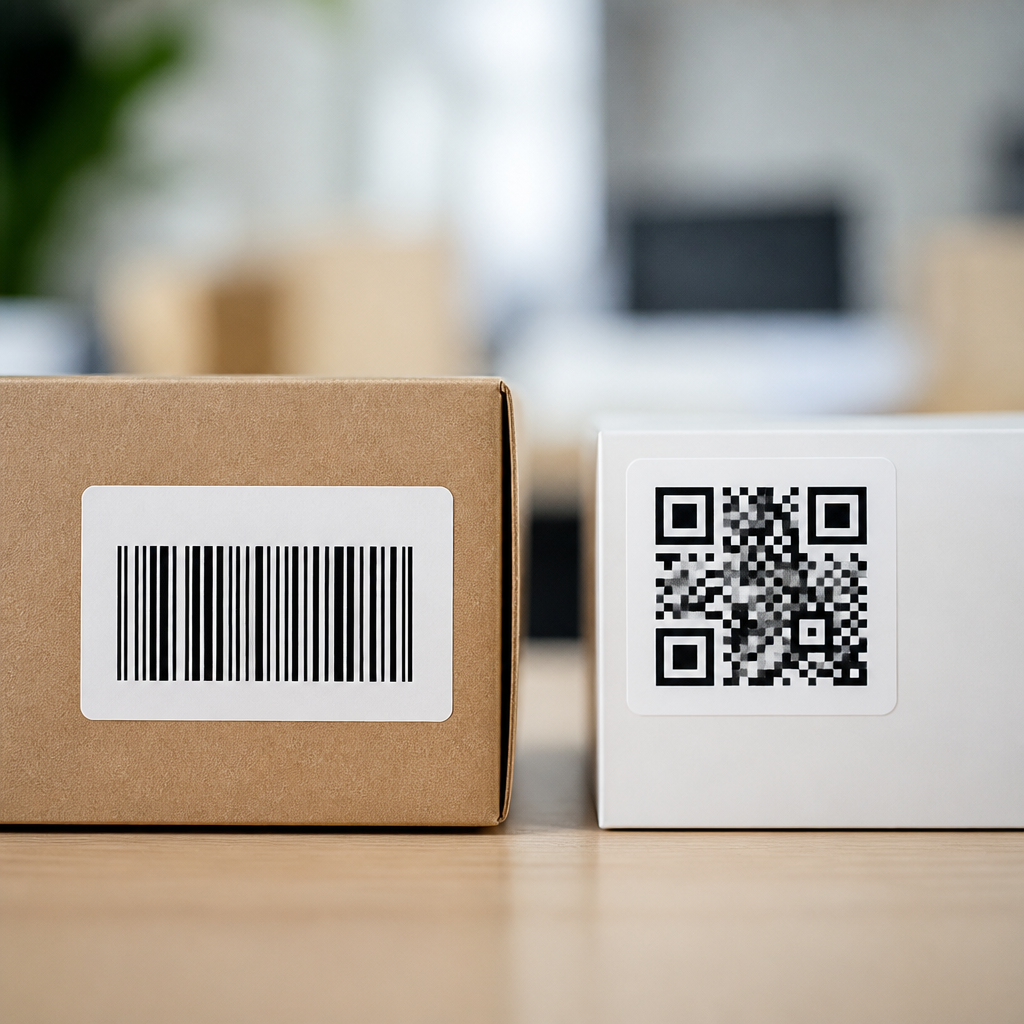
The difference between QR codes and barcodes starts with how they store data, but it matters far beyond technical design. In retail aisles, hospital labs, restaurant tables, warehouse docks, and mobile payment screens, these symbols shape how quickly people and systems exchange information. I have implemented both in inventory and mobile marketing projects, and the practical distinction is simple: a barcode is usually built to identify one item in a database, while a QR code can hold richer information and be scanned easily with a smartphone camera. That single contrast affects cost, usability, tracking, and the kinds of customer experiences a business can create.
To define the terms clearly, a barcode is typically a one-dimensional pattern of vertical lines and spaces that represents numeric or alphanumeric data. Common standards include UPC, EAN, and Code 128. A QR code, short for Quick Response code, is a two-dimensional matrix made of black squares arranged in a grid. It was created by Denso Wave in 1994 for high-speed component tracking and became widely adopted because it stores more data and remains readable even when partially damaged. When people ask, “What are mobile QR codes?” they usually mean QR codes designed specifically for smartphone scanning in customer-facing settings such as product packaging, posters, menus, app downloads, payments, tickets, and authentication flows.
This topic matters because mobile QR codes now sit at the intersection of packaging, commerce, identity, and analytics. A retailer may still need UPC barcodes for point-of-sale systems, but the same package can carry a QR code that opens setup instructions, warranty registration, ingredient details, or a loyalty offer on a phone. That makes this article a useful hub for the broader Mobile QR Code Basics topic: understanding structure, scan behavior, use cases, dynamic versus static options, security, print requirements, and measurement. Once you know how QR codes differ from barcodes, you can decide when to use one, when to use both, and how to design a mobile experience that works in the real world.
How Barcodes and QR Codes Store Information
The core technical difference between QR codes and barcodes is dimensionality. A traditional barcode stores data in one direction, horizontally, through varying widths of bars and spaces. A scanner reads that linear pattern and translates it into characters. Because the data capacity is limited, many barcodes act as lookup keys. For example, the 12-digit UPC on a cereal box does not contain the full product description, price, allergens, and inventory status. It points a retail system to a database record where that information lives. This design is efficient and standardized, which is why GS1-based barcode systems remain foundational in retail supply chains worldwide.
A QR code stores data in two directions, horizontally and vertically, which dramatically increases capacity. Depending on the encoding mode, a QR code can hold thousands of numeric characters or a shorter mix of text, symbols, and binary data. It also includes finder patterns, alignment patterns, timing patterns, and error correction data based on Reed-Solomon principles. In plain terms, that means scanners can recognize orientation quickly and recover readable data even if part of the code is scratched or obscured. In field deployments, I have seen properly printed QR codes remain scannable after packaging creases or minor label damage that would often break a linear scan.
For mobile QR codes, storage flexibility is the defining advantage. A QR code may contain a URL, vCard, Wi-Fi credentials, app deep link, payment payload, event ticket token, or authentication string. Most customer-facing campaigns use URLs because they keep the code visually simple and connect users to a web destination that can be updated, measured, localized, and personalized.
What Are Mobile QR Codes?
Mobile QR codes are QR codes created to be scanned primarily by smartphones and tablets rather than dedicated industrial scanners. That sounds obvious, but it changes design priorities. A warehouse QR label can optimize for dense data and rugged scanning conditions. A mobile QR code on a storefront window must optimize for camera autofocus, screen glare, viewing distance, contrast, and landing-page speed. In practice, a mobile QR code is not just a symbol. It is a complete user journey: the code itself, placement, surrounding instructions, destination, analytics, and the action the visitor takes after the scan.
There are two main types of mobile QR codes: static and dynamic. A static QR code contains fixed information directly in the code. If the destination changes, the code must be replaced. A dynamic QR code points to a short redirect URL managed by a platform, allowing the destination to change without reprinting. Dynamic codes also support scan analytics such as time, device type, rough location, and campaign attribution. Businesses commonly use platforms such as Bitly, QR Code Generator, Beaconstac, or marketing automation tools to manage these redirects and reporting. For hub-page purposes, this distinction is essential because scan tracking, editability, and campaign governance drive most real-world QR decisions.
Mobile QR codes are especially useful when a business needs to bridge offline and online touchpoints. A fitness studio can place a code on a poster that opens class booking. A manufacturer can print one on equipment that launches a troubleshooting guide. A restaurant can use a table code for menu access, ordering, and payment. In each case, the code works because the customer already has the scanner in hand: the phone camera.
Scanning, Speed, and User Experience
Barcodes and QR codes also differ in how people scan them. Traditional retail barcodes are often read by laser or imaging scanners at close range with deliberate positioning. They work extremely well in controlled environments such as checkout lanes and warehouse workflows. QR codes, by contrast, are designed for rapid recognition from multiple angles. Modern smartphone camera apps on iPhone and Android devices detect QR codes natively, removing the need for a separate app in most cases. That native support is one reason mobile QR adoption accelerated so quickly.
User experience is where many businesses underestimate the gap. A barcode on a flyer is almost useless to a consumer because most phone cameras do not interpret UPC or Code 128 symbols into a meaningful action. A QR code on the same flyer can immediately open a landing page, map, coupon, or video. However, good results require discipline. The code needs a quiet zone, strong contrast, adequate print size, and a destination page that loads fast on mobile networks. If the page is slow, intrusive, or not responsive, scan interest disappears. In campaign audits I have run, the biggest failure point was rarely the QR code image itself; it was a poor post-scan experience.
| Feature | Barcode | QR Code |
|---|---|---|
| Data format | Usually one-dimensional | Two-dimensional matrix |
| Typical use | Product identification and inventory lookup | Mobile links, payments, tickets, authentication, product information |
| Scan device | Commonly retail or industrial scanners | Smartphone cameras and imaging scanners |
| Data capacity | Lower | Higher |
| Error correction | Limited | Built-in error correction |
| Edit destination after print | No | Yes, if dynamic |
Use Cases: When to Use Each, and When to Use Both
The best answer to “QR code vs barcode” is often “both.” A consumer packaged goods brand may need a UPC barcode to sell through supermarkets, because the point-of-sale ecosystem depends on standardized product identifiers. That same product may benefit from a mobile QR code that opens sourcing details, recycling instructions, recipes, or loyalty enrollment. The barcode serves operational efficiency; the QR code serves customer engagement and richer information access.
Barcodes remain the right choice for inventory control, asset tracking, serial workflows, and environments where dedicated scanners are standard and data requirements are modest. They are fast, cheap, and deeply integrated into enterprise systems from warehouse management software to hospital specimen handling. QR codes are the right choice when the goal is direct interaction with a person carrying a phone. Common examples include digital menus, mobile payments using EMVCo-compliant QR flows, event check-in, app downloads, contactless forms, multi-factor authentication, and smart packaging.
There are tradeoffs. QR codes can become visually cluttered if overloaded with dense data or poor branding treatments. Tiny codes on reflective surfaces create scan friction. Barcodes, meanwhile, do not support rich mobile actions without an intermediary app. For many organizations, the strongest strategy is layered labeling: use the required barcode for supply chain or checkout, and add a mobile QR code with a clear call to action for customers.
Design, Security, and Measurement Best Practices
Effective mobile QR codes follow clear production rules. Print size should match scan distance; a common baseline is around 1 inch square for close scanning, with larger sizes for posters or storefront glass. Maintain high contrast, preserve the quiet zone, and test on multiple phones under realistic lighting. If you add a logo or custom colors, keep error correction balanced and validate readability before full production. ISO/IEC 18004 defines QR code specifications, and GS1 Digital Link is becoming important for brands that want product identifiers to connect directly to web content in a standardized way.
Security deserves equal attention. Because a QR code can open a URL instantly, it can also be abused in phishing or payment-redirection attacks. Businesses should use recognizable domains, HTTPS, minimal redirects, and clear on-page branding. In regulated sectors, add governance around code ownership, expiration, and change control. For measurement, dynamic mobile QR codes are usually the better option because they support campaign attribution, A/B testing, and destination updates. Track scans, unique visitors, bounce rate, completion events, and downstream conversion, not just raw scan volume. A code that gets fewer scans but drives more purchases or registrations is the better asset.
QR codes and barcodes are not competing versions of the same tool. They solve different information problems. Barcodes excel at standardized identification inside operational systems. QR codes excel at delivering richer, phone-friendly interactions between a physical object and digital content. Mobile QR codes extend that advantage by turning packaging, signage, receipts, and displays into clickable surfaces for the real world.
If you manage products, stores, events, or marketing campaigns, the practical takeaway is straightforward. Keep barcodes where operational systems require them. Use mobile QR codes where people need instant access to information, actions, or support on their phones. Choose dynamic codes when you need flexibility and measurement, static codes when the destination will never change, and always test the full scan journey before launch.
As a hub for Mobile QR Code Basics, this article gives you the foundation: what mobile QR codes are, how they differ from barcodes, where each fits, and what best practice looks like in production. The next step is to review your own customer touchpoints and identify one place where a mobile QR code can remove friction, add context, or improve conversion. Start there, measure the result, and expand with purpose.
Frequently Asked Questions
What is the main difference between a QR code and a barcode?
The core difference is how each symbol stores and delivers information. A traditional barcode, such as the familiar UPC code on retail packaging, stores data in a one-dimensional format using a series of vertical lines and spaces. In most real-world systems, that data acts as a reference number. When scanned, it points to a record in a database that contains the actual product name, price, SKU, or inventory details. A QR code, by contrast, is two-dimensional. It stores data both horizontally and vertically, which gives it far more capacity in a much smaller space. That means a QR code can often contain the information itself, such as a website URL, contact details, menu, serial number, payment token, or app download link, without needing to rely as heavily on a back-end lookup.
That technical difference leads to a practical one. Barcodes are usually best when the goal is simple identification inside a structured business system, especially in retail, warehousing, and logistics. QR codes are more flexible when the goal is to connect a person directly to digital content or allow a mobile device to trigger an action. In short, barcodes are often designed for machine efficiency within a database-driven workflow, while QR codes are often designed for richer interactions between people, smartphones, and digital platforms.
Why can QR codes hold more information than barcodes?
QR codes can hold more information because they use a two-dimensional grid of small squares rather than a single row of lines. A standard barcode stores data only across its width, so the amount of information it can carry is limited by how long the code becomes and how precisely a scanner can read those line patterns. A QR code stores information across both width and height, allowing it to fit significantly more data into a compact format. Depending on the version and encoding method, a QR code can store thousands of numeric or alphanumeric characters, while a typical barcode usually carries a much shorter identifier.
Another important reason is design efficiency. QR codes include built-in error correction, which means they can still be read even if part of the code is damaged, dirty, or partially obscured. That makes them especially useful in environments where labels may be exposed to wear or where scanning conditions are less controlled. It also helps explain why QR codes have become common in mobile payments, packaging, event ticketing, and restaurant ordering. They are not just storing more data; they are storing it in a way that remains practical, durable, and highly scannable in everyday use.
When should a business use a barcode instead of a QR code?
A business should usually use a barcode when it needs a fast, standardized, and highly reliable way to identify items within an internal or industry-wide system. This is especially true in retail checkout, inventory control, warehouse picking, shipping operations, and manufacturing. In these settings, the purpose of the code is typically not to communicate rich content directly to a person but to provide a clean identifier that a scanner can instantly match to a database record. Barcodes are simple, widely supported, and deeply integrated into point-of-sale systems, ERP platforms, and supply chain workflows.
Barcodes also make sense when label space is tight and the data requirement is small. If all you need is a product number, asset ID, or serialized reference, a barcode is often the most efficient choice. They are familiar to staff, easy to print, and optimized for high-volume scanning with dedicated hardware. In practice, many organizations continue to use barcodes because they fit established operational processes extremely well. Even if a QR code could technically do the same job, the best choice is often the one that matches the existing scanners, software, standards, and user habits already in place.
When is a QR code the better option?
A QR code is the better option when you want to deliver more than just a numeric identifier. It works especially well when users are expected to scan with a smartphone and immediately access information or complete an action. Common examples include opening a website, viewing a digital menu, downloading an app, joining Wi-Fi, making a payment, registering for an event, accessing product instructions, or tracking a marketing campaign. Because QR codes can store richer content or link directly to online experiences, they are ideal for customer-facing interactions where convenience and speed matter.
QR codes are also a strong choice when flexibility is important. In marketing, for example, a QR code can connect print materials to digital analytics, helping businesses measure engagement across packaging, signage, direct mail, and in-store displays. In operations, they can support asset tracking, maintenance logs, authentication workflows, and document access. Their ability to work well with phone cameras has made them especially valuable in modern environments where people expect low-friction digital access. If the use case involves mobile engagement, richer data, or interactive content, QR codes usually offer more value than a standard barcode.
Can QR codes replace barcodes completely?
In some use cases, yes, but not across every industry or workflow. QR codes can sometimes replace barcodes where businesses want one symbol to support identification plus customer interaction. For example, a product label might use a QR code to connect consumers to product details, traceability information, setup guides, or promotions. In certain internal systems, a QR code can also carry item-level data that reduces dependency on constant database lookups. However, complete replacement is not always practical because barcodes remain deeply embedded in retail infrastructure, logistics standards, and scanning hardware across the world.
The more realistic answer is that QR codes and barcodes often coexist. A retailer may still require a barcode for checkout compatibility, while also adding a QR code for consumer engagement. A warehouse may use barcodes for speed on conveyor-based scanning and QR codes for maintenance labels or mobile workflows. The right decision depends on the environment, the scanner type, the amount of data needed, industry compliance requirements, and whether the code is meant for machines, people, or both. Rather than asking which one is universally better, it is usually smarter to ask which one best fits the specific operational and user experience goal.





