
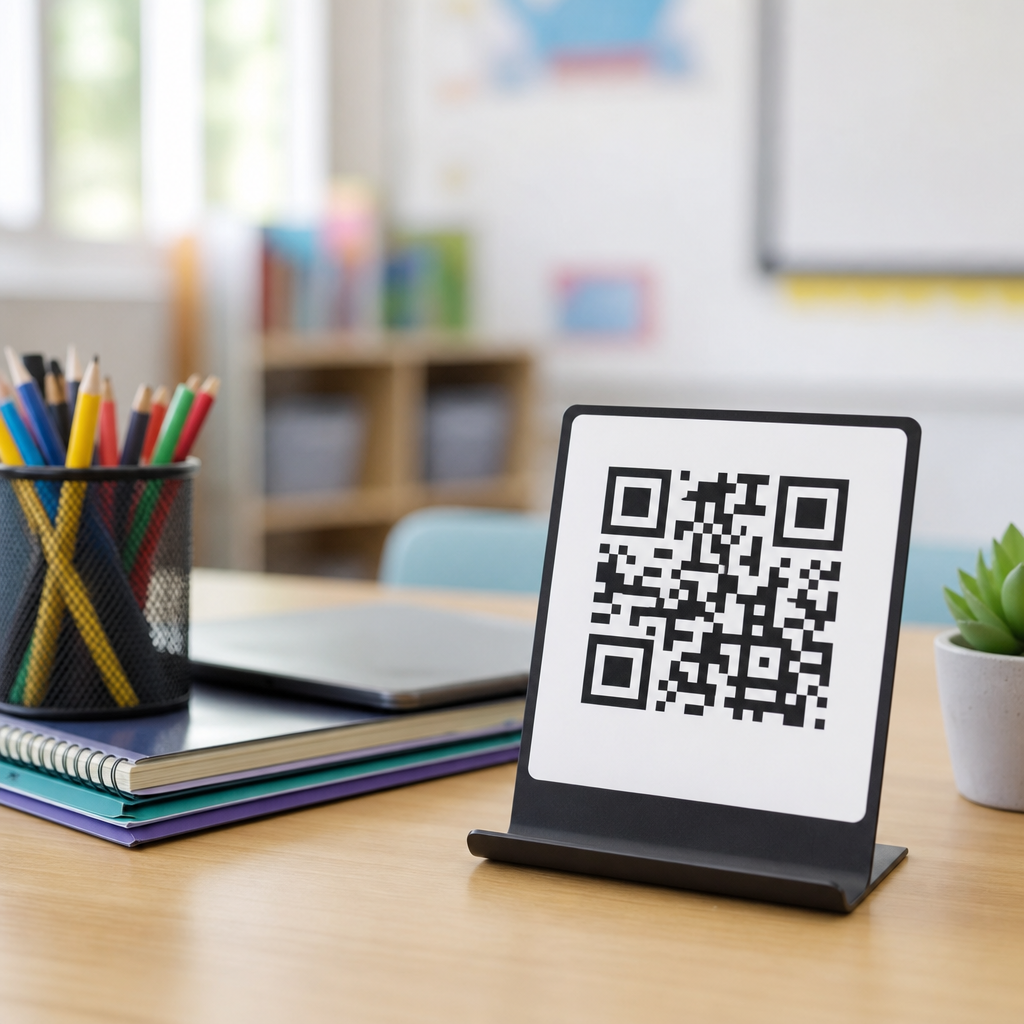
QR codes for teacher resources and materials give schools a fast, low-cost way to connect printed classroom items with digital content, and in education that simple bridge solves a persistent problem: teachers work across paper handouts, slides, videos, forms, apps, and learning management systems every day. A QR code, or quick response code, is a scannable two-dimensional barcode that stores a destination such as a website, PDF, audio file, form, map, or app link. When a student, parent, substitute teacher, or colleague scans it with a phone, tablet, Chromebook camera, or dedicated scanner, the linked resource opens immediately. That speed matters in classrooms, where every transition can either preserve attention or waste instructional minutes.
In practice, I have seen QR codes reduce friction most when they are treated as access infrastructure rather than decoration. A worksheet becomes more useful when it links to a read-aloud version, worked examples, and a submission form. A classroom wall display becomes more than static print when it points to revision quizzes, vocabulary audio, or extension tasks. A teacher binder becomes easier to use when each tab includes a code for lesson slides, emergency sub plans, seating charts, and behavior protocols. For schools managing blended learning, multilingual communication, accessibility requirements, and tight budgets, QR codes offer a practical method for distributing teacher resources and materials consistently across settings.
This article serves as a hub for education use cases, showing how QR codes support classroom instruction, parent communication, professional development, resource libraries, accessibility, and school operations. It also explains where QR codes fit, where they fail, and how to implement them responsibly. Schools do not need a complex rollout to benefit, but they do need clear standards for link management, printing, device compatibility, privacy, and maintenance. Used well, QR codes save time, improve resource discovery, and help teachers meet students where they are.
How QR Codes Improve Classroom Access to Teacher Resources
The most immediate education benefit is direct access. Instead of asking students to type a long URL from a board, a teacher can place one QR code on a slide, handout, lab station, or anchor chart. Students scan and arrive at the exact destination: a Google Doc, Microsoft Form, Canvas page, Schoology assignment, YouTube explainer, PhET simulation, or PDF notes packet. In elementary classrooms, that removes spelling barriers. In secondary settings, it speeds up transitions into bell ringers, station rotations, and exit tickets. In special education and multilingual environments, it can point learners to differentiated supports without publicly labeling them.
Teacher resources become easier to organize when codes are attached to routines. A science lab sheet can link to safety rules, a demo video, and a data table. An English language arts reading packet can link to audiobook support, vocabulary definitions, and sentence stems. A math homework sheet can link to worked examples and a self-check quiz. In one middle school deployment I helped structure, teachers put QR codes on unit overview pages. Students scanning one code could access the pacing calendar, assignment list, review materials, and office-hours schedule. Missing work dropped because students no longer depended on a verbal reminder or a copied link from a classmate.
Printed resources also gain longevity. Posters, folders, and binders usually become outdated when digital destinations change, but dynamic QR codes can be edited behind the scenes without reprinting the visible code. That matters for curriculum maps, shared departmental documents, and classroom procedures that evolve through the year. Static codes still work for permanent destinations, but schools that update resources often should consider editable links through trusted platforms such as Bitly, QR Code Generator, Canva, or district-approved marketing and communication tools.
High-Value Education Use Cases Across the School Day
QR codes are most effective when tied to specific educational workflows. The examples below represent the highest-value use cases I have seen across K-12 and higher education settings because they reduce repeated teacher explanation, improve consistency, and support independent learning.
| Use case | Where the code appears | What it links to | Why it helps |
|---|---|---|---|
| Lesson launch | Slides, whiteboard, agenda | Do-now, warm-up, attendance form | Starts class quickly and cuts transition time |
| Station rotation | Task cards, table tents | Directions, timers, videos, digital worksheets | Supports small-group independence |
| Homework support | Printed assignments | Worked examples, answer checks, tutoring schedule | Reduces confusion outside class |
| Parent communication | Newsletters, hallway boards | Calendars, translated forms, conference booking | Improves family access to information |
| Substitute plans | Teacher desk binder | Slides, rosters, emergency procedures | Keeps instruction consistent during absences |
| Professional learning | Staff handouts, badges | Agendas, feedback forms, resource repositories | Simplifies workshop follow-through |
Libraries and media centers benefit too. A shelf label can link to a book trailer, Lexile guidance, citation help, or a digital checkout portal. Counselors use codes on posters for appointment booking, scholarship lists, and crisis support information. Career and technical education teachers place codes on equipment stations that open operating procedures and safety checklists. In early childhood settings, take-home folders can include one code for family literacy activities and another for classroom songs, which strengthens school-home continuity without sending multiple paper instructions.
Teacher Materials, Professional Development, and Resource Management
Beyond student-facing instruction, QR codes are excellent for teacher materials and internal operations. Department chairs can place codes in pacing guides that open exemplar assessments, standards unpacking documents, moderation rubrics, and intervention resources. New teacher onboarding packets can include codes to behavior policies, curriculum maps, copier instructions, IT help forms, and required compliance training. For substitutes, a clearly labeled code can open a single landing page containing attendance steps, seating charts, nurse contacts, lockdown procedures, and lesson plans. That is more reliable than leaving six open browser tabs on a desktop computer.
Professional development is another strong fit. Workshop facilitators often lose engagement when participants must hunt through email for links. A QR code on the first slide or printed agenda can open the slide deck, note-taking template, standards references, and evaluation form. Because many school workshops are brief, that single access point preserves time for modeling and discussion. I recommend creating one code per session and one archive code for the full PD library. Teachers then know where to return for recordings, templates, and implementation examples after the workshop ends.
At the system level, QR codes can support resource governance. District teams can tag curriculum binders, shared storage cabinets, and print materials with codes that point to the latest approved versions. This reduces the common problem of outdated local copies circulating for months. If the district uses Google Drive, Microsoft SharePoint, or another document management environment, link permissions should be checked carefully so users do not hit access-denied errors after scanning. Reliable permissions are as important as the code itself.
Accessibility, Equity, and Parent Communication
Education leaders should evaluate QR codes through an accessibility and equity lens. A code does not automatically improve access; it improves access only when the destination is usable. That means linked documents should be mobile friendly, readable by screen readers where possible, translated when needed, and formatted with clear headings and sufficient contrast. Audio support is especially valuable for emergent readers, multilingual families, and students with dyslexia. A printed homework page with a QR code to an audio explanation can dramatically reduce dependence on adult help at home.
Parent communication is one of the strongest schoolwide applications. Back-to-school packets, event flyers, report card envelopes, and office signage can all include codes linking to multilingual forms, transportation updates, calendars, nurse paperwork, volunteer signups, and fee payment portals. Families are far more likely to scan than type a long district URL from a photocopied page. For communities with limited broadband, schools should keep file sizes small and avoid forcing app downloads when a browser link will work. The simplest path is usually the most inclusive.
There are limits. Not every student has a personal smartphone, and not every classroom allows phone use. Some school networks also block external destinations or video platforms. For that reason, QR codes should supplement, not replace, visible short links and core instructions. A good rule is redundancy: if the resource is essential, offer at least one non-QR path. Universal design in education depends on multiple means of access, not a single clever tool.
Implementation Best Practices for Schools
Successful QR code programs depend on standards. First, decide when to use static versus dynamic codes. Static codes are fine for permanent links such as a school homepage. Dynamic codes are better for unit resources, forms, and rotating announcements because the destination can be changed without reprinting. Second, create naming conventions and ownership rules. Every code should have a responsible staff member, a clear label, and a review date. Unlabeled codes quickly become digital dead ends.
Third, test codes in real classroom conditions. Print size matters: tiny codes fail on wall displays and glossy copies. Contrast matters too; black on white remains the safest option. I advise testing scans from the back of the room, under fluorescent light, and on lower-end devices, not just a current smartphone. Fourth, use destination pages strategically. Rather than linking every code straight to a single file, many schools benefit from landing pages built in Google Sites, Canva, Wakelet, Padlet, or the LMS. One code can then organize videos, downloads, and directions in one place.
Privacy and compliance should be explicit. Student data should never be exposed through open links, and any form collecting personal information should use approved platforms with proper authentication settings. Schools subject to FERPA, COPPA, or local privacy rules need administrative oversight before scaling QR-based workflows. Finally, track performance when possible. Dynamic QR platforms often provide scan counts, time-of-day trends, and device data. Those metrics help schools understand whether resources are being used and which communication channels actually reach families.
QR codes for teacher resources and materials work because they solve a practical education problem: getting the right person to the right resource at the right moment with as little friction as possible. In classrooms, they speed up entry tasks, station work, homework support, and differentiation. For teachers, they simplify substitute plans, professional development, curriculum access, and resource control. For families, they make school communication easier to reach, easier to translate, and easier to act on.
The strongest implementations are not flashy. They are consistent, labeled clearly, tested on real devices, and tied to destinations that are mobile friendly and permission-safe. They also respect equity by offering backup access paths and keeping essential information available without forcing a scan. When schools treat QR codes as part of instructional design and operational design, not as an add-on, they become genuinely useful infrastructure.
If you are building out education-specific QR strategies, start with one high-friction workflow this week: homework help, parent forms, substitute plans, or classroom station directions. Standardize that use case, measure the time saved, and expand from there. A small, well-managed rollout will teach your team more than a broad launch ever could.
Frequently Asked Questions
What are QR codes for teacher resources and materials, and why are they useful in schools?
QR codes for teacher resources and materials are scannable codes that connect a printed item directly to digital content such as lesson slides, worksheets, videos, forms, quizzes, reading passages, audio instructions, classroom policies, or learning management system pages. In a school setting, they are useful because they create a simple bridge between physical classroom materials and the digital tools teachers already use every day. Instead of asking students or families to type a long web address, search for a file, or navigate multiple platforms, a teacher can place one QR code on a handout, bulletin board, assignment sheet, lab station, library display, or parent communication and make the resource immediately accessible.
This matters because classrooms rarely operate in just one format. Teachers often move between paper packets, shared drives, LMS platforms, educational apps, presentations, and multimedia content. QR codes reduce that friction. They save time, lower the chance of access errors, and make materials easier to find and reuse. They are also cost-effective, since generating a QR code is typically inexpensive or free, and one code can support repeated use across many classes or school events. For schools looking to improve organization, communication, and access without adding complex technology, QR codes are a practical solution that fits naturally into everyday teaching.
How can teachers use QR codes in the classroom to support instruction and student engagement?
Teachers can use QR codes in many ways to make instruction more interactive, organized, and accessible. A common use is linking printed assignments to digital directions, example problems, answer explanations, or review videos so students can get help at the moment they need it. In elementary classrooms, a QR code might connect to a read-aloud, phonics practice, or a recorded teacher direction for independent centers. In middle and high school settings, codes can lead to lab procedures, primary source documents, vocabulary support, discussion prompts, digital graphic organizers, or submission forms.
QR codes also work well for station rotation, blended learning, and differentiated instruction. A teacher can place unique codes at different stations so students move through activities independently. Some codes can provide enrichment, while others offer reteaching or scaffolding. This allows instruction to feel more personalized without requiring the teacher to repeatedly explain logistics. They are also effective for classroom management and routine communication. For example, students can scan a code to access bell work, classroom norms, makeup work folders, tutoring schedules, or daily agendas.
From an engagement standpoint, QR codes add immediacy and choice. Students often respond well to being able to scan and access content quickly on school devices or approved personal devices. The experience feels intuitive and cuts down on delays that can break classroom momentum. When used thoughtfully, QR codes do more than add technology for its own sake; they improve access, streamline transitions, and keep students focused on learning tasks rather than on finding materials.
What types of teacher resources and materials can be linked to a QR code?
A QR code can link to almost any digital destination that supports teaching and learning. Common examples include websites, PDFs, Google Docs, slide decks, videos, audio files, digital worksheets, classroom newsletters, sign-up forms, assessment tools, and app download pages. Teachers often use them to connect students or families to lesson resources, homework help, classroom calendars, reading lists, field trip information, behavior expectations, and course syllabi. In literacy instruction, a QR code might open a fluency recording or a text-to-speech version of a passage. In science, it could lead to a lab safety video or data collection form. In math, it might point to worked examples or interactive practice.
These codes are also valuable beyond direct instruction. Schools can place them on posters, library shelves, event programs, parent night materials, substitute teacher folders, staff training packets, and front office signage. A code on a bulletin board could connect to a student showcase video. A code on a supply list could open a classroom wish list. A code in a substitute binder could provide seating charts, emergency procedures, and lesson plans in one scan. The flexibility is one of the biggest advantages of QR codes in education.
The key is matching the destination to a real need. The best QR code uses are not random add-ons, but clear shortcuts to content people actually need quickly. If the code helps students, parents, substitutes, or staff get to the right material with less confusion, it is doing its job well.
Are QR codes a good fit for parent communication and take-home school materials?
Yes, QR codes are especially effective for parent communication and take-home materials because they make school information easier to access from a phone. Many families interact with school communications while multitasking, and scanning a code is far easier than typing a long URL from a flyer or trying to locate a resource later. A teacher can place a QR code on newsletters, homework packets, permission slips, event reminders, behavior updates, or classroom posters so parents can immediately open translated information, sign-up forms, calendars, supply lists, video explanations, or school contact pages.
This is particularly helpful when schools want to improve response rates or reduce confusion. For example, a parent-teacher conference form linked by QR code can simplify scheduling. A back-to-school handout can include codes for transportation updates, classroom expectations, volunteer sign-ups, and the school website. For younger students, take-home reading logs or project instructions can link to recorded directions so families better understand the assignment. QR codes can also support accessibility by connecting to audio versions of instructions or multilingual resources.
That said, schools should still be mindful of digital equity. Not every family has the same device access, internet reliability, or comfort level with digital tools. QR codes work best when they enhance communication rather than replace all other options. Including a short printed URL alongside the code, using mobile-friendly destinations, and making sure linked information is clear and easy to navigate are all smart practices. When implemented well, QR codes strengthen home-school communication by making important information faster to reach and easier to act on.
What are the best practices for creating and managing QR codes for teacher materials?
The most important best practice is to start with a clear purpose. Every QR code should lead to a resource that is useful, current, and easy to view on a phone, tablet, or school-issued device. Before printing or sharing a code, teachers should test it on multiple devices to confirm that it opens correctly, loads quickly, and does not require unnecessary logins. If a resource is meant for students or families outside the school network, permissions should be checked carefully so users do not hit an access-denied screen after scanning.
Design and placement also matter. A QR code should be large enough to scan easily, printed with good contrast, and placed where users can access it without crowding or awkward angles. Teachers should add a brief label or call to action near the code, such as “Scan for homework help,” “Scan for class slides,” or “Scan to sign up,” so people know what to expect before they scan. This improves trust and increases usage. If the linked content may change over time, dynamic QR codes can be helpful because they allow the destination to be updated without reprinting the code.
Organization is another key consideration. Schools and teachers benefit from keeping a simple record of what each QR code links to, where it is posted, and who the intended audience is. This makes it easier to update resources, remove outdated links, and maintain consistency across classrooms or grade levels. Privacy and safety should always be part of the process as well. Teachers should avoid linking to sensitive student information, use approved platforms, and follow school policies related to data sharing and digital access.
When these basics are handled well, QR codes become a reliable part of instructional design rather than a novelty. They help teachers save time, reduce repetitive directions, and make important resources easier for students, families, and staff to access exactly when they need them.





