
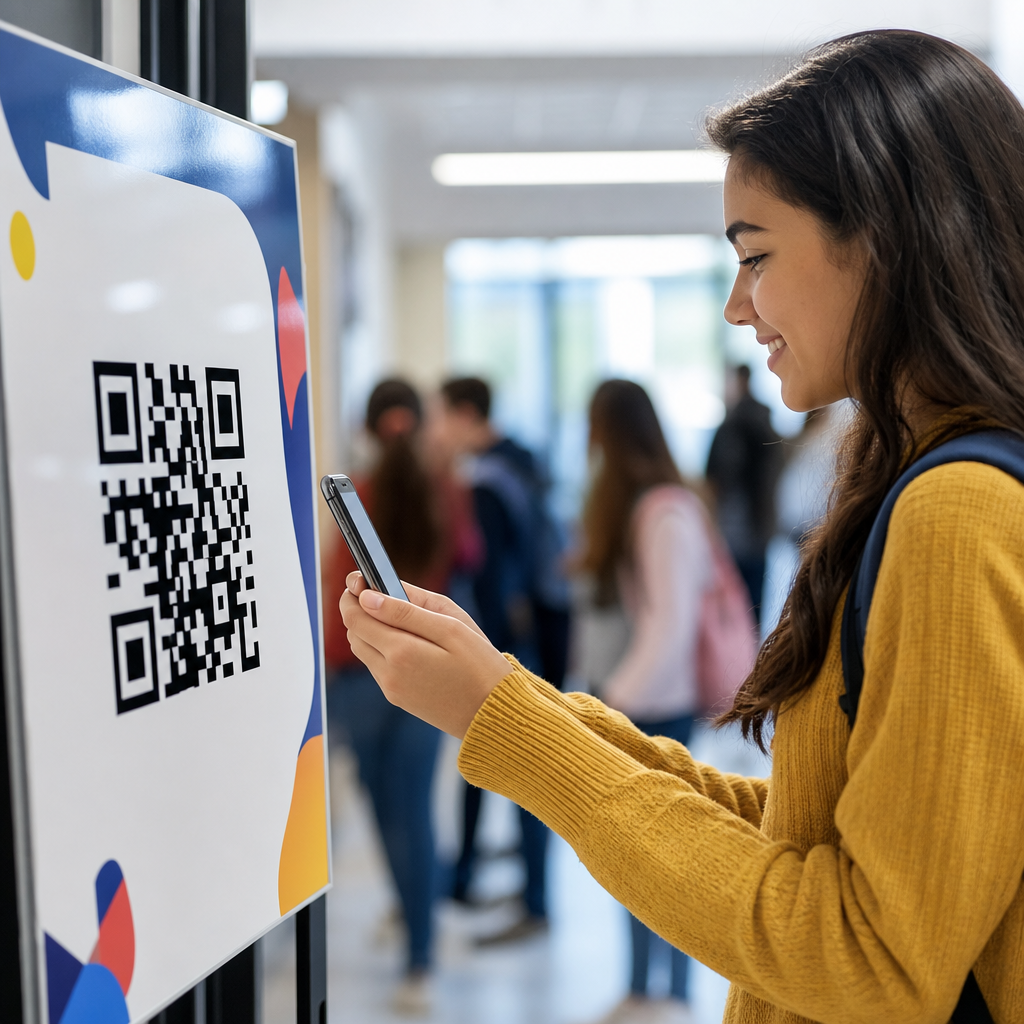
QR codes for school events and activities have moved from novelty to practical infrastructure in education, giving schools a low-cost way to connect printed materials, physical spaces, and mobile devices. A QR code, or quick response code, is a two-dimensional barcode that stores information such as a website URL, contact card, payment link, form, map, PDF, or multimedia file. When a parent, student, staff member, or guest scans the code with a phone camera, the device opens the linked content instantly. In schools, that simple action reduces friction at the exact moments when communication matters most: registration, attendance, schedules, ticketing, donations, volunteer sign-ups, and post-event follow-up.
I have used QR codes across open houses, theater nights, athletics, graduation, PTO fundraisers, and district information sessions, and the pattern is consistent. When the code points to a mobile-friendly destination and is placed where people naturally pause, completion rates rise. Staff members answer fewer repetitive questions, paper handouts shrink, and organizers can update linked information without reprinting every poster. That combination matters because school events involve mixed audiences, tight budgets, and changing details. A rain delay, parking update, room change, or revised performance time can be published once and reached by everyone who scans the same code.
For education leaders building an events strategy, the value is broader than convenience. QR codes support accessibility when paired with translated pages, audio instructions, and readable layouts. They improve measurement because schools can track scans, form completions, and ticket sales by campaign or event. They also support safer operations by reducing shared clipboards and speeding check-in lines. Most importantly, they help schools create a consistent parent experience across every activity, from kindergarten orientation to senior awards night. As a hub page for education, this guide explains where QR codes fit, how to deploy them well, and which use cases deliver the strongest return.
Where QR codes fit across the education event lifecycle
The best way to think about QR codes for school events is by stage: promotion, registration, participation, and follow-up. During promotion, schools place codes on flyers, hallway posters, mailed postcards, marquees, social posts, and email signatures. A single scan can open an RSVP form, event landing page, or calendar file. For registration, the code can direct families to sign-up pages for parent-teacher conferences, school tours, clubs, field trips, booster meetings, or summer programs. At participation, QR codes support check-in, digital programs, maps, seating charts, emergency instructions, concession menus, and cashless payments. After the event, the same framework can collect feedback, share photo galleries, distribute presentation slides, or prompt families to join future activities.
This lifecycle approach works because schools rarely run one-off communications. A science fair, for example, may need a poster with exhibitor rules, a volunteer sign-up for judges, a map for visitors, a ballot for people’s choice voting, and a survey for participants. Without QR codes, that usually means several URLs typed manually or multiple paper sheets that become outdated. With QR codes, each audience gets a fast path to the right action. Elementary schools often use them for classroom wish lists, literacy nights, and book fairs. Middle schools apply them to club recruitment and sports schedules. High schools use them heavily for college nights, auditions, spirit events, and alumni engagement.
High-impact use cases for education events and activities
Some QR code applications deliver outsized value because they solve recurring school pain points. Event registration is one of the strongest examples. A code on a flyer for family math night can open a simple form asking for student name, grade, dietary restrictions, and number of attendees. Attendance check-in is another high-value use. Staff can display a code at the entrance that opens a confirmation form or integrates with a platform such as Google Forms, Microsoft Forms, Eventbrite, or SignUpGenius. For paid events, the code can link to online ticketing or a district-approved payment processor, reducing cash handling and reconciliation work.
Another proven application is digital information distribution. At performances and graduations, printed programs are expensive and hard to revise. A QR code on signage or seats can open a mobile program with cast lists, order of events, sponsor recognition, and accessibility notes. Athletics departments can use codes for season schedules, roster pages, livestream links, and booster club donations. During open house or curriculum night, each classroom door can display a code linking to the teacher’s introduction, syllabus, classroom wishlist, and communication preferences. Libraries use them for reading challenges and author event resources. Career days and college fairs benefit from codes that connect students to employer profiles, scholarship pages, and session materials.
| School activity | Best QR code destination | Main operational benefit |
|---|---|---|
| Open house | Interactive campus map and session schedule | Fewer directional questions and smoother traffic flow |
| Fundraiser | Payment page and pledge form | Higher conversion with less cash handling |
| Athletic event | Digital program, roster, and livestream link | Lower printing cost and faster updates |
| Parent night | RSVP form and presentation resources | Better attendance data and follow-up |
| Graduation | Guest guide, parking map, and photo gallery | Reduced confusion for large audiences |
Implementation standards that make QR codes actually work
Successful school QR code campaigns depend less on the code itself and more on execution. First, use a dynamic QR code whenever information might change. Dynamic codes point to a redirect you can update later, which is essential for weather changes, room moves, or revised itineraries. Second, send scanners to a page built for phones, not a desktop PDF with tiny text. Third, maintain strong visual contrast, adequate quiet space around the code, and a practical print size. In my projects, codes smaller than about 1 x 1 inch on handouts or poorly lit banners underperform quickly. For large spaces such as gym lobbies or parking entrances, test scan distance before printing in bulk.
Destination design matters just as much. The landing page should answer the immediate question in the first screen view: Where do I park? What time does this begin? How do I sign in? What should I bring? If the action is a form, keep fields minimal and use dropdowns where possible. If multiple resources are needed, a lightweight link hub works better than forcing users through several separate scans. Tools commonly used by schools include Google Forms, Microsoft Forms, Canva, Bitly, Linktree-style pages, district CMS platforms, and payment systems approved by finance teams. Naming conventions also matter. I recommend event-specific labels, date stamps, and ownership notes so codes remain manageable across departments.
Accessibility, privacy, and compliance in K-12 and higher education
Education teams should treat QR codes as an access method, not the only method. Families may have limited data plans, older phones, or language barriers, so every event should retain a plain-language short URL and a staffed alternative for critical actions. Landing pages should follow recognized accessibility practices, including readable font sizes, high color contrast, descriptive link text, keyboard navigability, and captions for video. If the event serves multilingual communities, translated versions should be available from the first screen, not buried. These decisions are operational, not cosmetic, because they determine whether the code improves access or quietly excludes people.
Privacy deserves equal attention. If a QR code opens a form collecting student names, medical details for a field trip, or volunteer background check data, the school must route users into approved systems and limit collection to what is necessary. Public posters should never expose confidential student information. For minors, consent workflows and district policies take precedence over convenience. In higher education, event pages may also need to align with FERPA-related practices, campus security procedures, and institutional branding controls. Payment links should use secure, vetted processors rather than personal accounts. The safest standard is simple: a QR code is only as compliant as the destination it opens.
Measuring results and building an education hub strategy
Schools that use QR codes strategically do not stop at distribution; they measure outcomes and refine placement over time. Useful metrics include total scans, unique scans, scan time by day, device type, form completion rate, ticket purchases, donation conversion, and downstream attendance. For example, if a back-to-school night flyer generates many scans but few RSVPs, the issue is usually the landing page or form length, not interest. If a concession menu code receives strong use but donations lag, the payment flow may be too complex. UTM parameters, shortened links, analytics dashboards, and event-specific redirects help identify which channels produce action.
As the hub page for education under industry-specific applications, this topic naturally connects to deeper articles on admissions events, campus navigation, fundraising, athletics, classroom communication, libraries, alumni relations, and student services. The central principle remains the same across each subtopic: QR codes work best when they remove a specific point of friction for a clearly defined audience. Start with one or two high-volume events, build mobile-friendly destinations, test the experience from a parent’s phone, and document standards for design, governance, and reporting. Done well, QR codes make school events easier to join, easier to manage, and easier to improve. Audit your next event journey, identify the bottlenecks, and deploy codes where one quick scan can remove them.
Frequently Asked Questions
How can schools use QR codes for events and activities in practical, everyday ways?
Schools can use QR codes across nearly every stage of an event or activity, from promotion and registration to day-of coordination and post-event follow-up. A single code on a flyer can send families to an event page with the date, time, location, parking instructions, and RSVP form. Codes placed on posters, newsletters, handouts, gym entrances, cafeteria tables, or outdoor signage can link students, parents, staff, and visitors to schedules, permission slips, volunteer sign-ups, ticket purchases, donation pages, maps, and livestream links.
During the event itself, QR codes can streamline check-in, provide digital programs, share seating charts, display menus, connect guests to silent auction pages, or direct attendees to emergency contact information. For school plays, concerts, sports games, and open houses, they can reduce paper use while making updates easier if details change. In activity settings such as field days, science fairs, literacy nights, club events, and career days, QR codes can also link to interactive content like student projects, videos, judging forms, scavenger hunts, or feedback surveys.
What makes them especially useful is that they bridge physical school spaces and mobile access in a simple, low-cost way. Instead of asking families to type a long web address or search through multiple emails, the school can place a scannable code exactly where the information is needed. That convenience improves participation, reduces confusion, and helps schools communicate more efficiently with busy families.
What are the main benefits of using QR codes for school communication and event management?
The biggest benefit is convenience. QR codes reduce friction by giving people instant access to information with a quick scan from a phone camera. That matters in a school setting, where parents and guardians are often juggling schedules, students need clear instructions, and staff may be managing large groups or frequent updates. When schools make information easier to access, participation tends to improve.
Another major advantage is flexibility. A QR code can connect to many types of content, including forms, calendars, payment pages, directions, PDFs, photo galleries, contact cards, and videos. This means schools can use the same basic tool for very different needs, whether they are organizing a parent night, directing guests to a campus map, collecting volunteer responses, or sharing a digital yearbook supplement. If a school uses dynamic QR codes, the destination can often be updated without reprinting the code, which is especially valuable when rooms change, weather affects schedules, or event details need revision.
QR codes can also help schools save money and reduce administrative workload. Printed programs, handouts, and repeated paper notices can be replaced or supplemented with digital resources. Staff spend less time answering routine questions when essential details are available immediately through signage or take-home materials. In addition, QR codes can support better organization by sending responses directly into online forms or event systems, making it easier to track attendance, registrations, payments, and feedback in one place.
From an engagement perspective, QR codes feel modern without being complicated. They allow schools to create smoother experiences for families and guests while keeping communication clear, accessible, and measurable.
Are QR codes safe for school events, and what privacy or security issues should schools consider?
QR codes are generally safe when schools create and manage them responsibly, but they should be treated like any other digital access point. A QR code itself is simply a scannable method of opening content. The safety depends on where that code leads, what information it collects, and how the linked platform is secured. For school use, the best practice is to link only to trusted destinations such as the school website, approved payment platforms, district-managed forms, secure cloud documents, or vetted communication tools.
Privacy matters especially when students are involved. Schools should avoid linking to content that exposes personal student information, and they should be thoughtful about what data is collected through sign-up forms, surveys, or volunteer registrations. If a QR code leads to a form, it is wise to collect only the information truly needed for the event. For example, an RSVP form may need a name and attendance count, but it may not need unnecessary sensitive details. Schools should also follow district policies and any applicable student privacy requirements when sharing photos, videos, rosters, or classroom-related materials.
There are also practical security steps schools should take. Codes should be created by authorized staff, clearly labeled so users know what they are scanning, and placed in monitored materials or official school channels whenever possible. Because malicious actors can sometimes place fake stickers over public QR codes, schools should periodically inspect posted codes at entrances, bulletin boards, and event sites. Including the school name, event name, or a short description next to the code can increase trust and reduce confusion. In short, QR codes are a smart tool for schools, but they work best when paired with clear governance, trusted platforms, and common-sense digital safety practices.
Do parents, students, and visitors need a special app to scan school QR codes?
In most cases, no special app is needed. Most modern smartphones can scan QR codes directly through the built-in camera app. A user simply opens the camera, points it at the code, and taps the notification that appears on the screen. This makes QR codes especially practical for school communities, because they are easy to use without requiring extra downloads or technical setup.
That said, schools should still plan for accessibility and varying comfort levels with technology. Some families may use older devices, have limited mobile data, or be unfamiliar with scanning codes. For that reason, it is a good idea to include a short backup option alongside the QR code, such as a simple web address, a front-office contact number, or a note telling users where else they can find the information. This small step helps ensure that important event details remain accessible to everyone, not just frequent smartphone users.
Clear instructions also improve adoption. If a school is introducing QR codes to a broad audience, adding a phrase like “Scan with your phone camera to RSVP” or “Open your camera to view the event schedule” can make the process more intuitive. For high-traffic events such as back-to-school night, parent-teacher events, or graduation activities, staff or volunteers can help guide guests who are using QR codes for the first time. The easier the school makes the experience, the more effective the tool becomes.
What are the best practices for creating effective QR codes for school events and activities?
Effective school QR codes start with a clear purpose. Each code should lead to one specific, useful action: register, pay, view a schedule, sign up to volunteer, get directions, or access event materials. When the destination is focused, users are more likely to complete the task quickly. It is also important to link to mobile-friendly pages, because most scans will happen on phones. If the landing page is cluttered, slow, or difficult to navigate, the benefit of the QR code is lost.
Design and placement matter just as much as the link itself. Codes should be large enough to scan easily, printed with strong contrast, and placed where people naturally pause or look for information. Schools should test every code on multiple devices before publishing it on flyers, banners, tickets, newsletters, signs, or presentation slides. A good rule is to avoid tiny codes, low-resolution images, or crowded layouts that make scanning difficult. Adding a short label above or below the code such as “Scan to buy tickets” or “Scan for parking map” gives users confidence and improves response rates.
Schools should also think operationally. If event details might change, using dynamic QR codes can be helpful because the destination can be updated without reprinting materials. Tracking scan data, when available, can help staff understand which communications are working and where families are engaging most. Finally, schools should keep the user experience simple. Avoid sending users through too many steps, requiring unnecessary logins, or linking to outdated pages. The best QR code strategy is one that feels effortless for families while saving time for school staff and making event communication more organized, timely, and effective.





